
bible-tui





A fast, dependency-free terminal Bible reader with Vim-style keys.
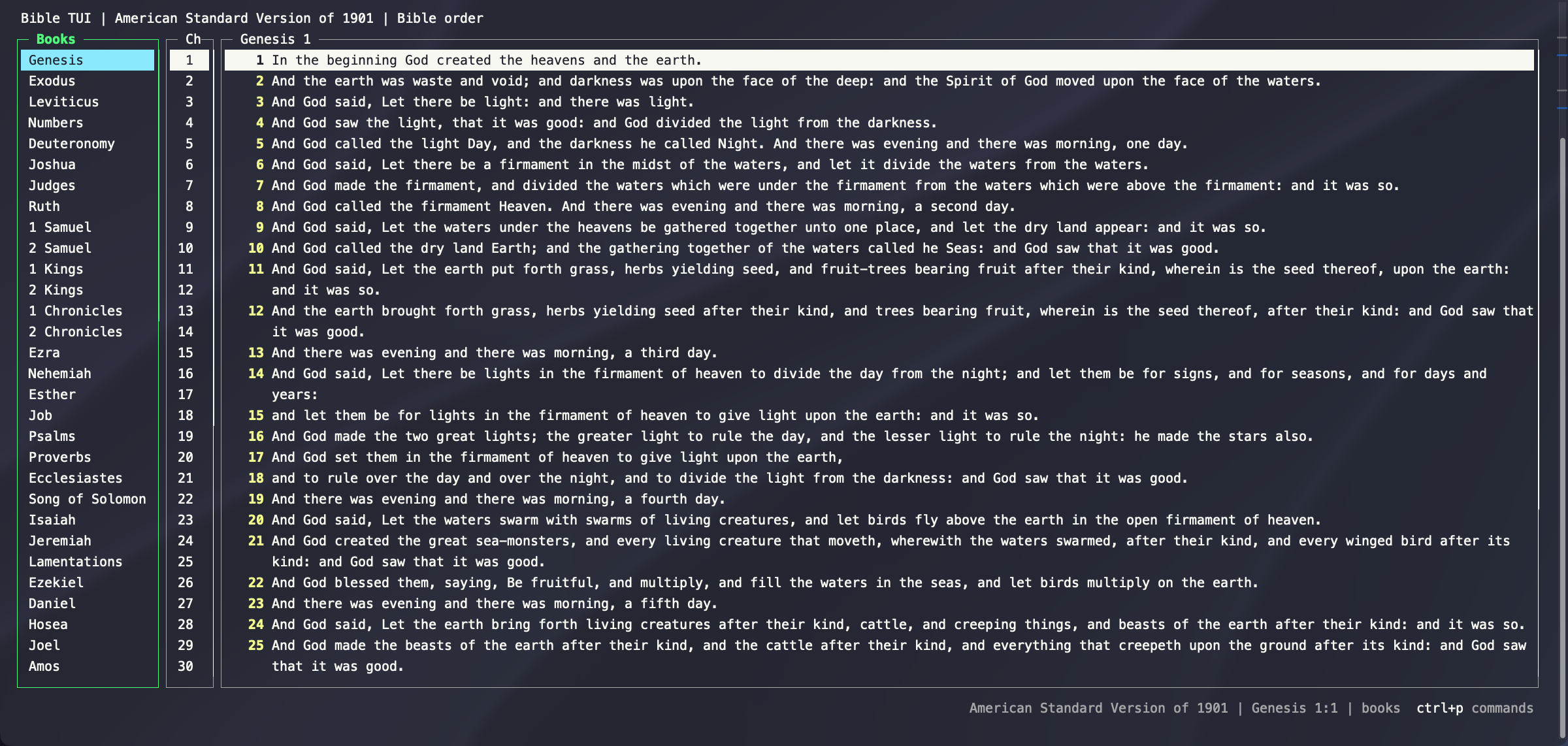
- Read and navigate with arrows or Vim keys,
jump to
John 3:16with autocomplete, and use a Vim-style:command line. - Search within a chapter, or fuzzy-find across the whole Bible with a live preview.
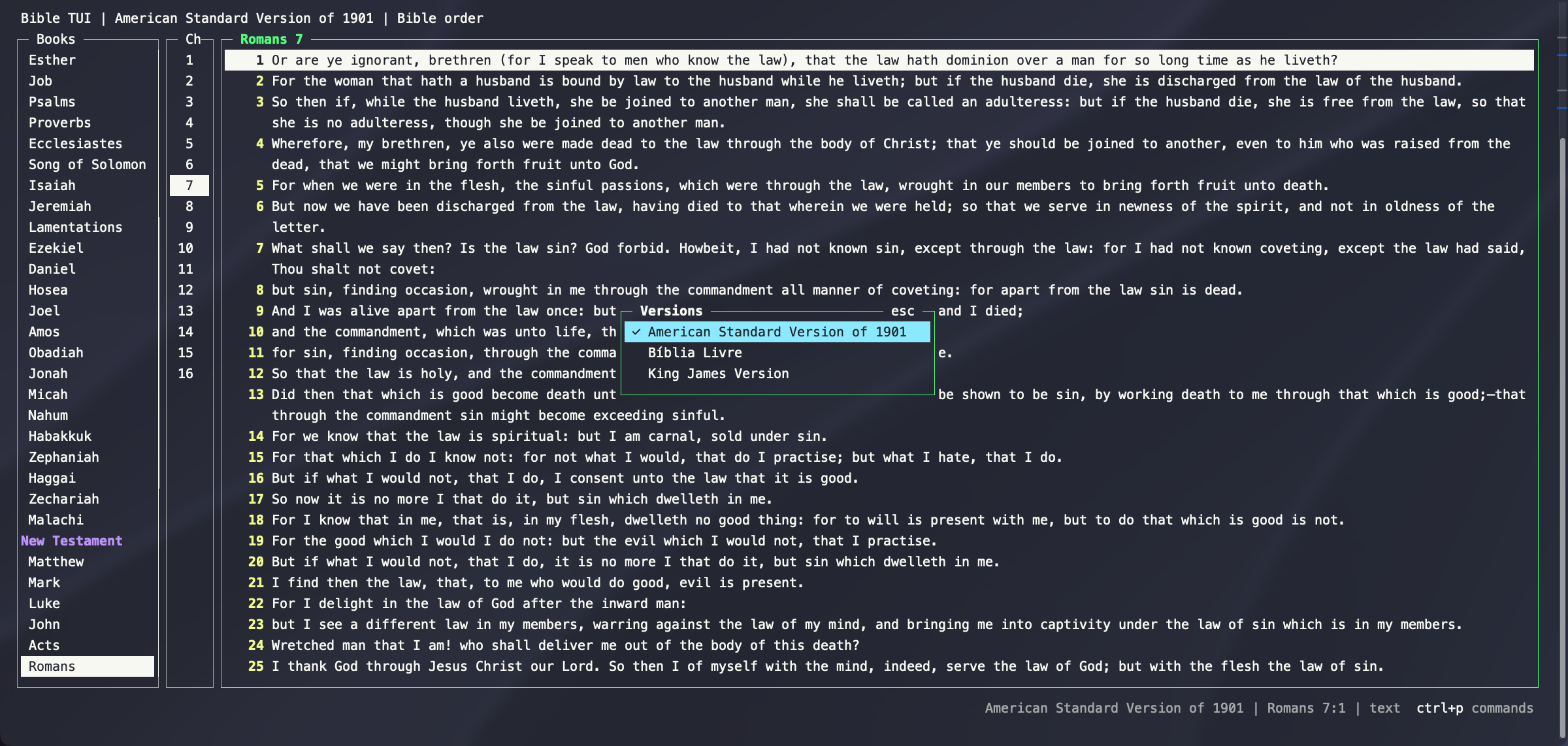
- Compare two versions side by side, with verses lined up.
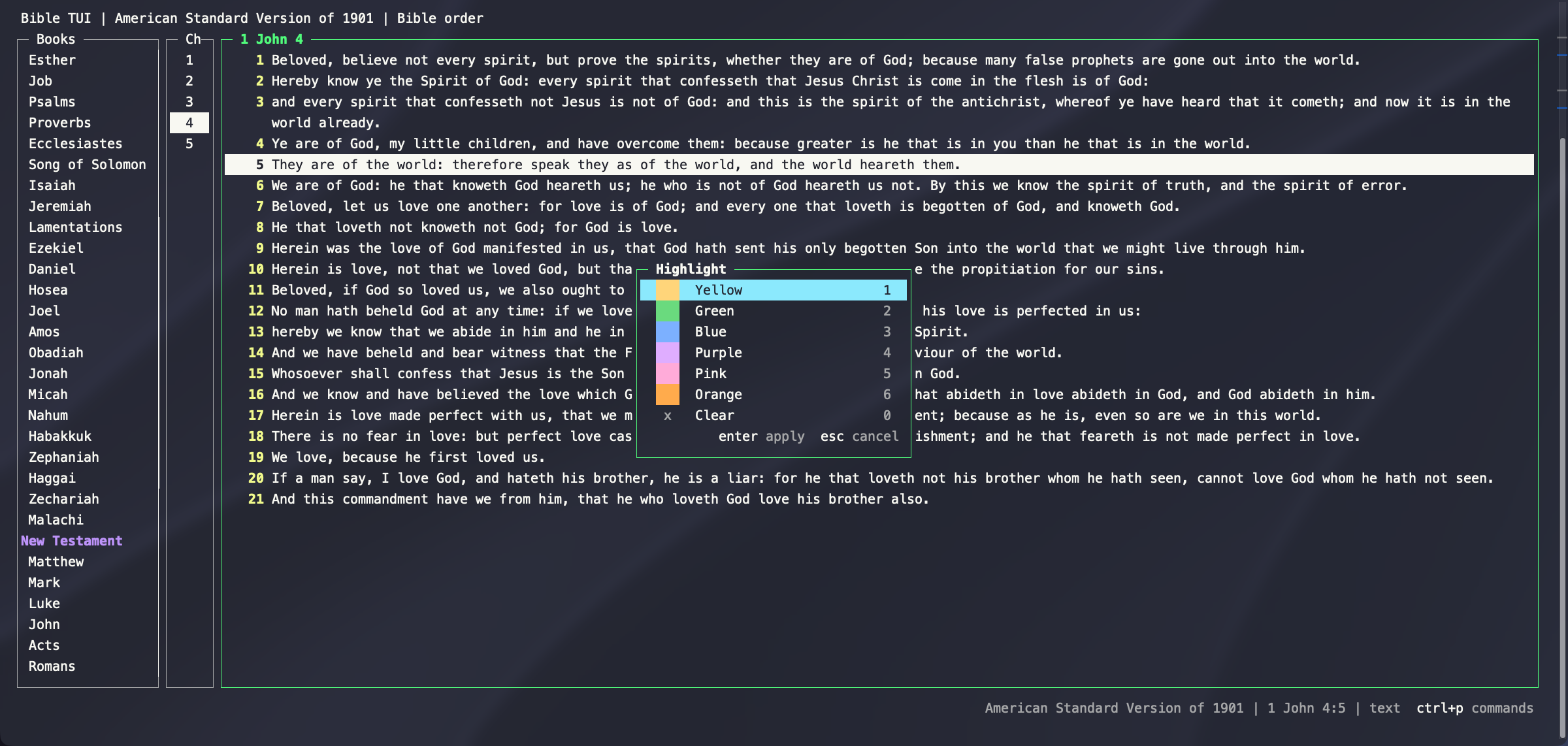
- Mark and highlight verses in six colors. They're saved and show in every version.
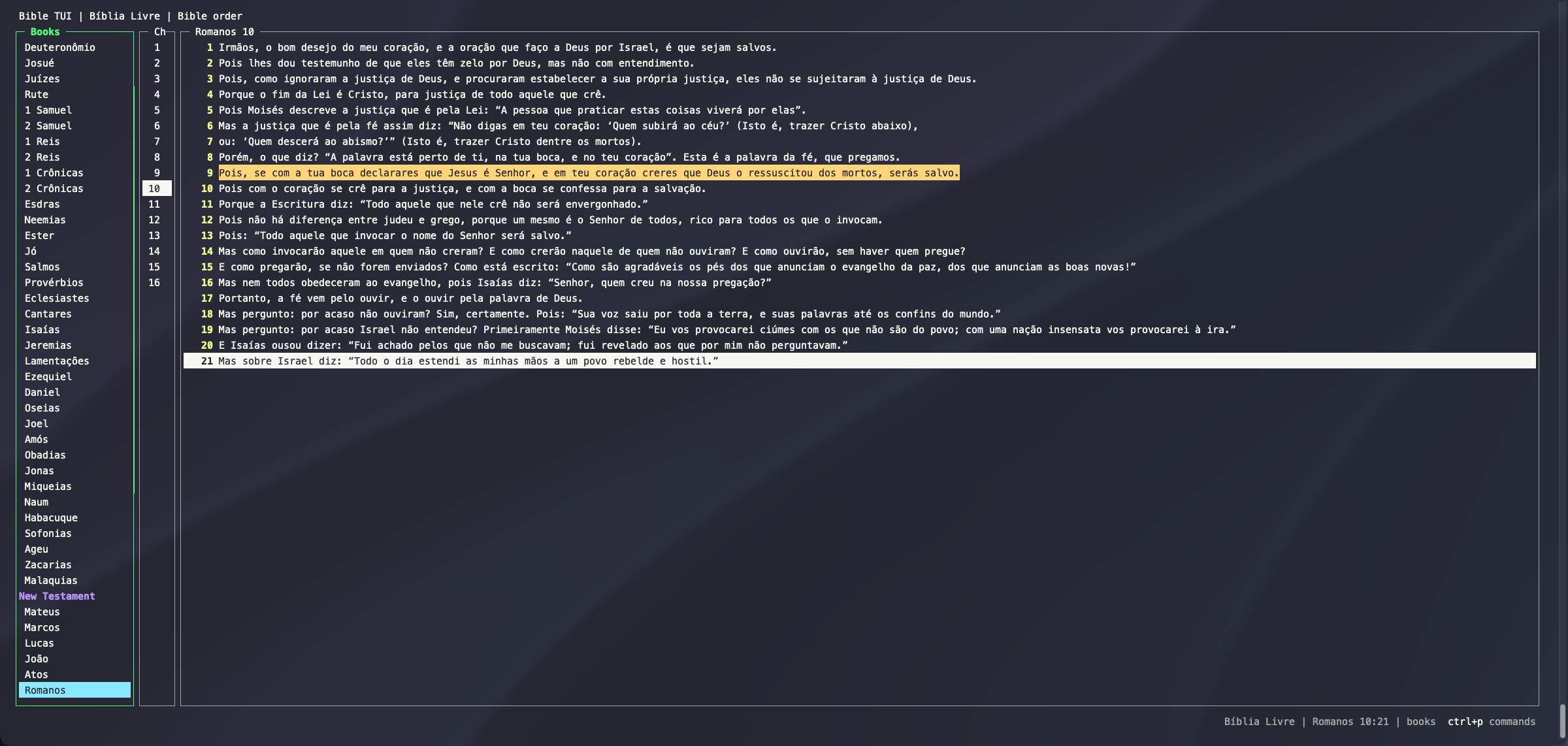
- Bring any version, in any language: each one is a SQLite file. The public-domain KJV and ASV are included.
 |
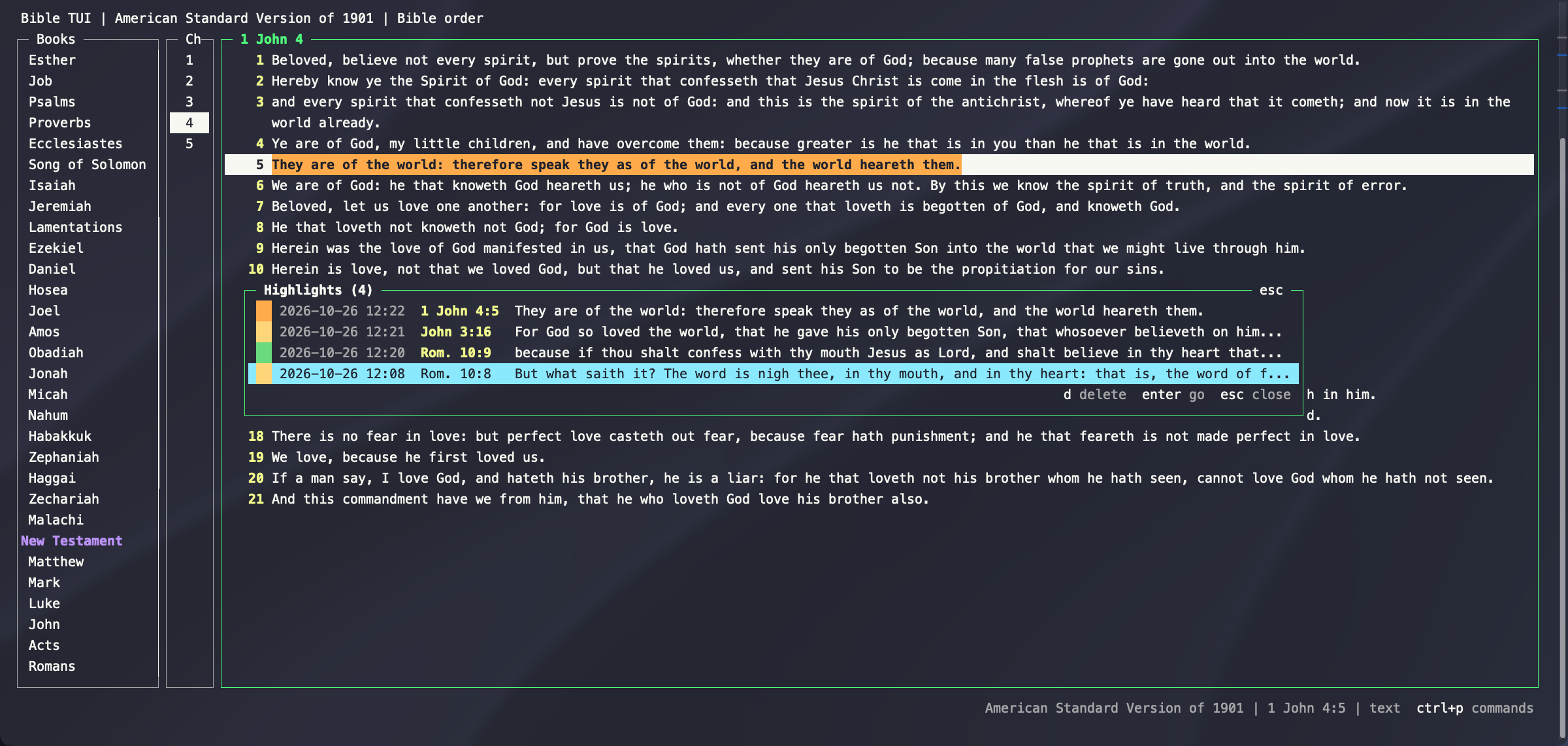 |
| Highlight verses in six colors | Jump back to any highlight or mark |
 |
 |
| Switch versions and keep your place | Any language works |
The Portuguese screenshot shows the Bíblia Livre (BLIVRE), copyright © 2018 Diego Santos, Mario Sérgio, and Marco Teles, from eBible.org, licensed under CC BY 4.0. Not bundled with bible-tui.
See all features → Each one has a short animation.
Install
Requires Python 3.9+ on macOS or Linux, and nothing else.
pipx install bible-tui
bible-tui
Or install it with Homebrew (brew install codysechelski/tap/bible-tui), or run it from a
clone with ./bible-tui. pip install bible-tui works too, but pipx keeps it in its own environment.
bible-tui checks for new releases once a day and tells you in the footer. Run :update to install the new
version and restart where you were. To turn the check off, set "check_for_updates": false (see
update checks).
Usage
bible-tui                         # open the default version
bible-tui asv                     # open a version by abbreviation
bible-tui ~/my.sqlite             # open a database file directly
bible-tui --bibles-dir ~/Bibles   # search an extra folder (repeatable)
bible-tui --list-versions
bible-tui --paths                 # show the config, state, and Bible folders in use
| Action | Keys |
|---|---|
| Move | arrows, or h j k l |
| Next / previous chapter | ] / [ |
| Go to a reference | ctrl+g, or :John 3:16 |
| Search the chapter / the whole Bible | / / ctrl+s |
| Switch version | t |
| Split to compare versions | ctrl+w v |
| Mark / highlight a verse | m / c |
| Copy the verse | yy |
| All commands and keys | ctrl+p or ? |
| Quit | q |
Every action also works without Vim keys. The full list is in docs/keybindings.md.
Adding versions
Each version is one SQLite file. Copy a database into ~/.config/bible-tui/bibles/ and it appears in the
version picker. To make one from a published Bible (USFM, USX, OSIS, and others), use
bible-tui-bible-converter. See
docs/adding-bibles.md for the steps, and
docs/bible-databases.md for the schema.
Configuration
config.json lives in the app home: ~/.bible-tui if that folder exists, otherwise ~/.config/bible-tui (or
$BIBLE_TUI_HOME).
{
  "default_version": "KJV",
  "bibles_dirs": ["~/Bibles"],
  "book_order": "bible",
  "nerd_font": false,
  "remember_split": false,
  "remember_position": false,
  "yank_format": "{text}"
}
Every setting is described in docs/configuration.md.
Development
python3 -m unittest discover -s tests -t .
python3 -m py_compile bible_tui/*.py tests/*.py
Releases are automatic from Conventional Commits on main: fix:
releases a patch and feat: a minor version. See CONTRIBUTING.md to get involved, and
ROADMAP.md for what's planned.
Bible texts
The bundled KJV and ASV come from eBible.org and are in the public domain. Sources and notes are in docs/bible-databases.md.
Licence
bible-tui is released under the MIT License. The bundled Bible texts are in the public domain.
1 maintainer

Metadata
1 maintainer
Release files for bible-tui 0.8.0
For a detailed explanation of source distributions (sdists) and built distributions (wheels), please see the package formats documentation.
Source distribution (sdist)
| File | Size | Uploaded | Provenance | |
|---|---|---|---|---|
| bible_tui-0.8.0.tar.gz | 4.4 MB | With provenance | Details |
Built distribution (wheel)
| File | Interpreter | ABI | Platform | Reset |
|---|---|---|---|---|
| bible_tui-0.8.0-py3-none-any.whl | Python 3 | none | any | Details |
Total release size: 8.8 MB
Release files / bible_tui-0.8.0.tar.gz
| Download URL | bible_tui-0.8.0.tar.gz |
|---|---|
| Size | 4.4 MB |
| Tags | Source |
|
SHA-256 checksum How to use checksums |
e070be42f3b764aca909c7cd7466ce9b5ce7bc8c468ca37fd8be3ff898d290e1
|
|
BLAKE2b-256 checksum How to use checksums |
4cb03bb80567b2c0cb9993cac40cf368811010eca95da4d228caa0da47c7be7f
|
| Upload date | |
|
Uploaded using Trusted Publishing? What is trusted publishing? |
Yes |
| Uploaded via |
twine/7.0.0 CPython/3.13.16
|
Provenance
Provenance describes where a file came from. On PyPI, provenance is shared via attestations, which provide a verifiable record of the build or publishing details. View details, limitations and caveats.


PyPI Publish Attestation
PyPI verified that this artifact, at this checksum, originated from the publisher listed below.
Signed by GitHub Actions, verified by PyPI on Oct 27, 2026.
Transparency logRelease files / bible_tui-0.8.0-py3-none-any.whl
| Download URL | bible_tui-0.8.0-py3-none-any.whl |
|---|---|
| Size | 4.4 MB |
| Tags | Python 3 |
|
SHA-256 checksum How to use checksums |
ef534b43d3ac5285705ee895ce2a3eac566912f900dc4877f38afc96fa8e1267
|
|
BLAKE2b-256 checksum How to use checksums |
af1acb7bb4046a22c03ced607cce25d3866fe9f6df498ae5f400affe8cc7b362
|
| Upload date | |
|
Uploaded using Trusted Publishing? What is trusted publishing? |
Yes |
| Uploaded via |
twine/7.0.0 CPython/3.13.16
|
Provenance
Provenance describes where a file came from. On PyPI, provenance is shared via attestations, which provide a verifiable record of the build or publishing details. View details, limitations and caveats.
PyPI Publish Attestation
PyPI verified that this artifact, at this checksum, originated from the publisher listed below.
Signed by GitHub Actions, verified by PyPI on Oct 27, 2026.
Transparency logSecurity for bible-tui 0.8.0
Provenance
Provenance describes where a file came from. On PyPI, provenance is shared via attestations, which provide a verifiable record of the build or publishing details. View details, limitations and caveats.
Full provenance
All 2 files in this release have been uploaded with provenance metadata.
Attestation for bible_tui-0.8.0.tar.gz
PyPI Publish Attestation
PyPI verified that this artifact, at this checksum, originated from the publisher listed below.
Signed by GitHub Actions, verified by PyPI on Oct 27, 2026.
Transparency logA note on package security
PyPI is a repository for distributing packages, not a service for auditing them. While third-party security researchers and our staff do their best to detect and remove malicious packages, PyPI cannot guarantee the quality, security or suitability of any given package.
To learn more about protecting yourself from malicious actors, visit our package security documentation.














