
Biblion
Turn plain markdown into a typeset PDF book — with real rendered diagrams — locally, and for free on every run.
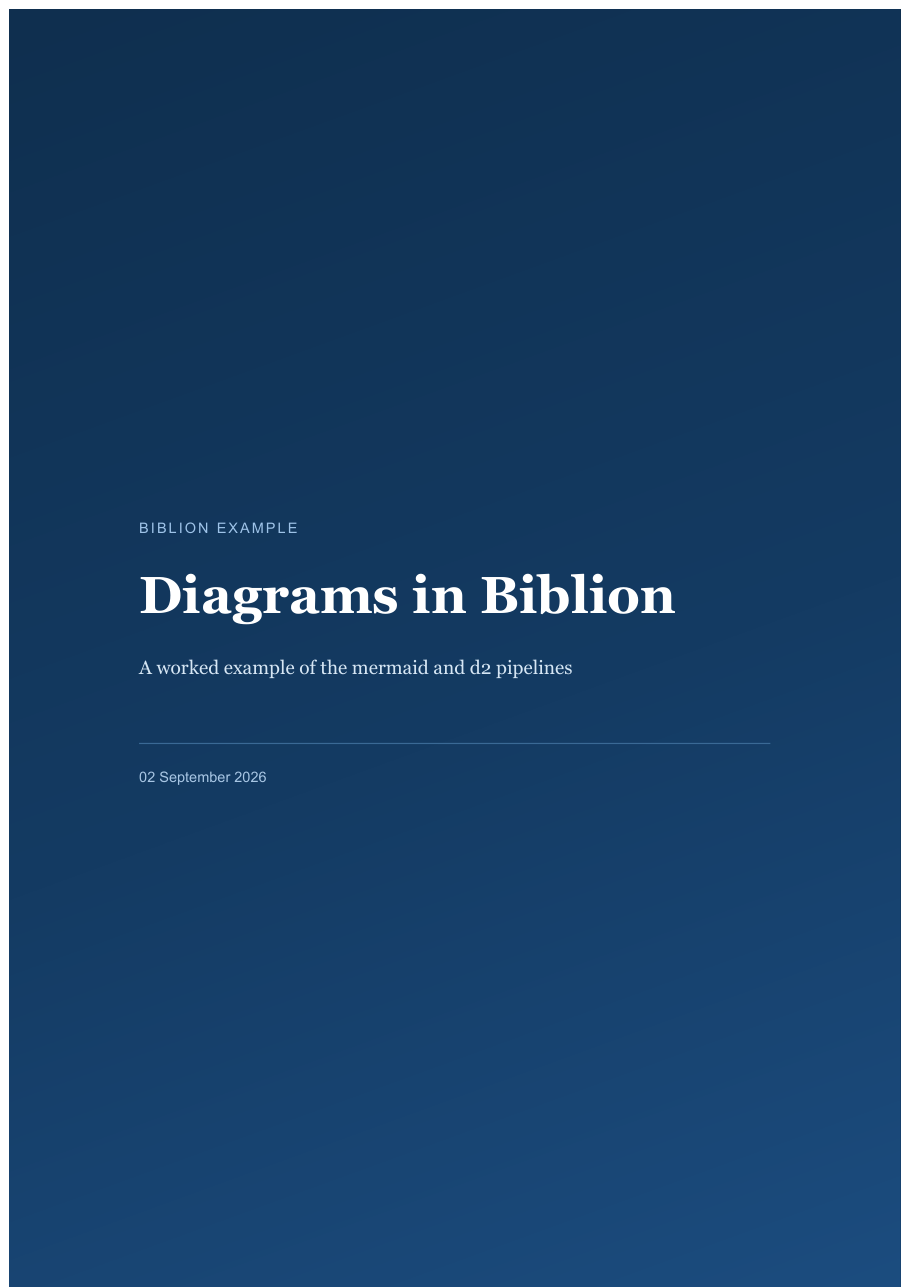
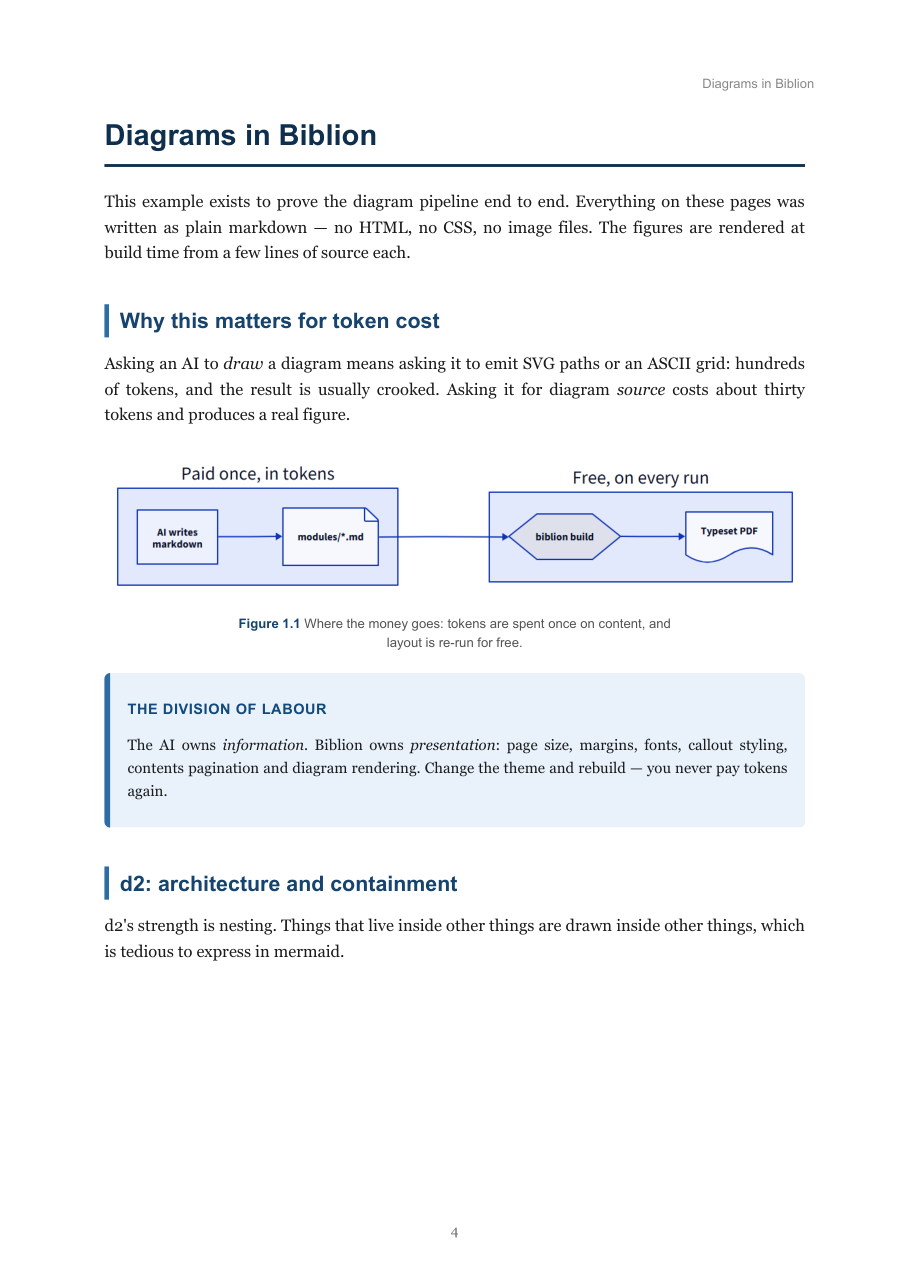
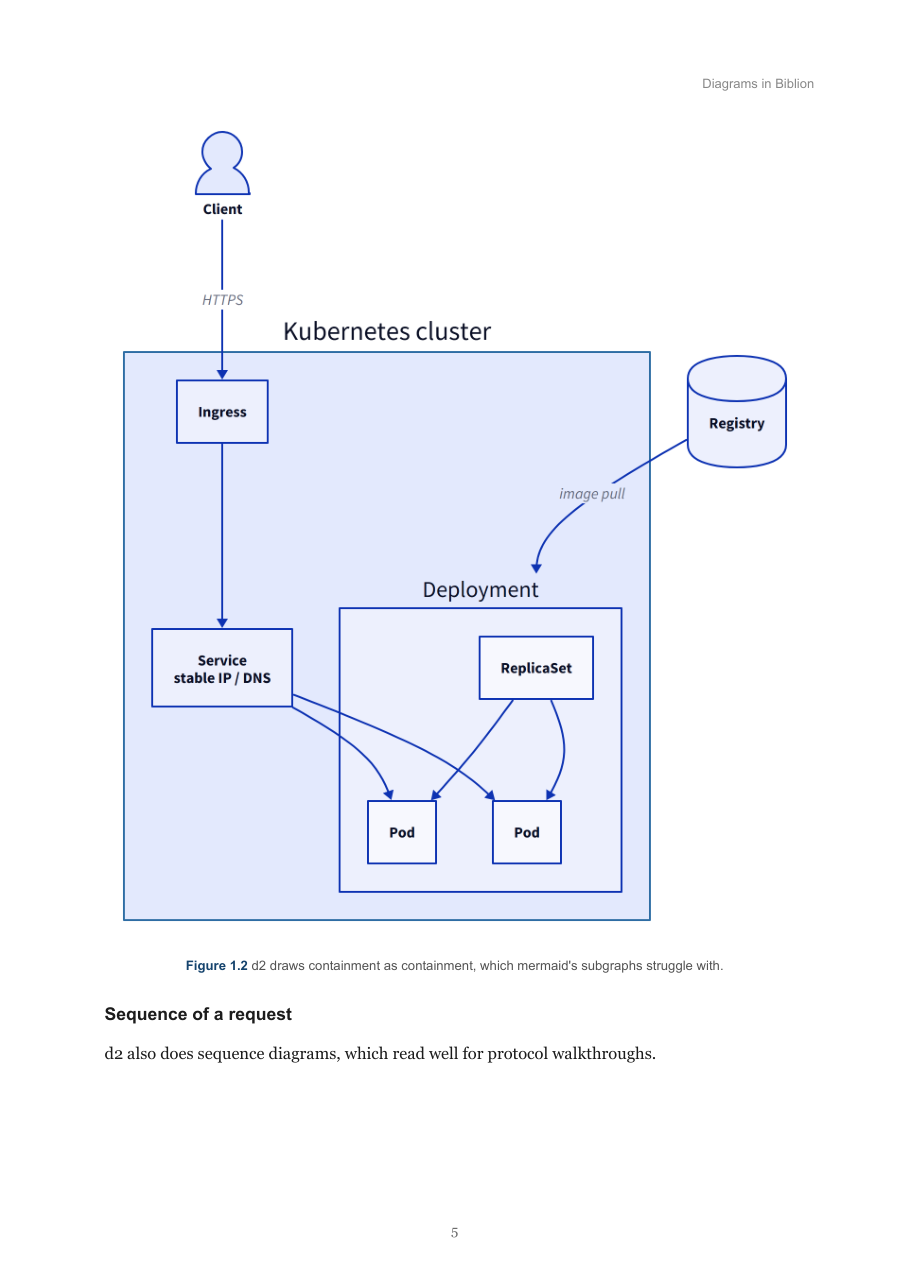
Every page above was produced from plain markdown by
biblion build.
Contents
- Why
- Install
- Quickstart
- Writing the markdown
- Diagrams
- Themes
- Configuration
- Command reference
- Using Biblion with an AI
- What Biblion does to your pages
- Environment variables
- Troubleshooting
- Development
- Changelog
- License
Why
Asking an AI to produce a beautiful PDF is expensive. It spends thousands of tokens on layout, spacing, colours and page structure, and you pay that cost again every time you want a change.
Asking an AI for a markdown file is cheap. But run that markdown through a
generic online converter and you get something that looks like a printed
email: no cover, no contents page, no callouts, and diagrams left as raw
mermaid source in a grey box.
Biblion takes the cheap half and makes it look like the expensive half:
AI writes content-only markdown  →  biblion build  →  typeset PDF
   (paid once, in tokens)           (free, local, repeatable)
You spend tokens on information. Biblion owns presentation — cover page, contents with real page numbers, running headers, numbered figures, callout boxes, syntax highlighting, page-break rules, and diagram rendering. Change the theme and rebuild; you never pay tokens again.
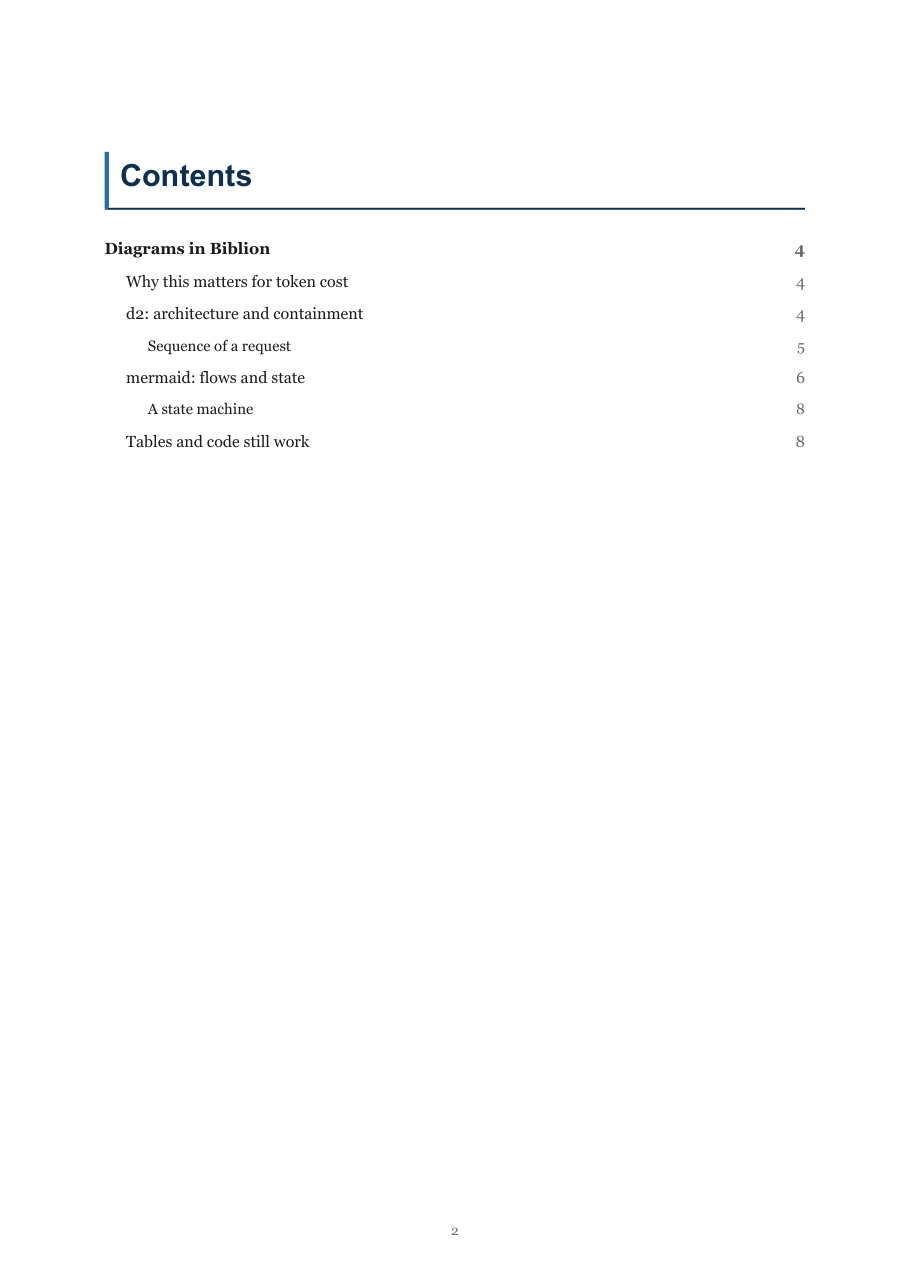
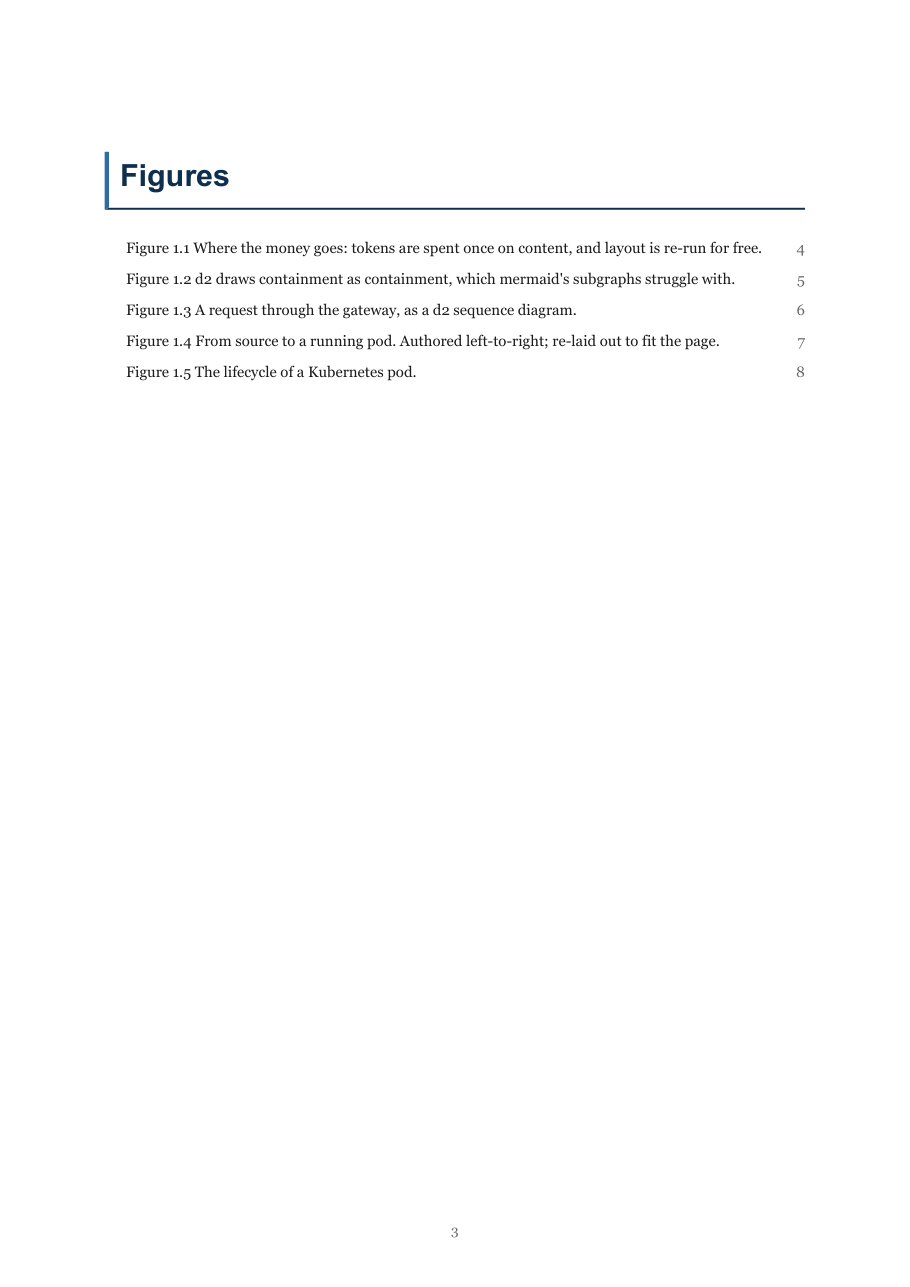
Contents and Figures pages, both with real page numbers. Neither is written by hand.
Install
pip install biblion-pdf
The distribution is biblion-pdf; the command and the import are both
biblion. (The bare name on PyPI belongs to an unrelated Django app.)
Then check what your machine can do:
biblion doctor
System libraries for WeasyPrint
The pip package is not enough on its own — WeasyPrint needs Pango at runtime.
| Platform | Command |
|---|---|
| Linux | sudo apt install libpango-1.0-0 libpangoft2-1.0-0 libffi-dev |
| macOS | brew install pango libffi |
| Windows | Install the GTK3 runtime |
On macOS you also need to point the loader at Homebrew's libraries, or
WeasyPrint imports fine and then fails with
cannot load library 'libgobject-2.0-0':
export DYLD_FALLBACK_LIBRARY_PATH="$(brew --prefix)/lib"
Add that to your shell profile to make it stick. biblion doctor detects this
and prints the fix for your platform.
Diagram renderers (optional)
Biblion works without these — you just won't get diagrams.
| Tool | Needed for | Install |
|---|---|---|
| mermaid-cli | ```mermaid blocks |
npm install -g @mermaid-js/mermaid-cli |
| d2 | ```d2 blocks |
d2lang.com/tour/install, or drop d2/d2.exe in your project folder |
| a Chromium browser | rasterising both | you almost certainly already have Chrome or Edge |
Biblion finds a browser you already have (Edge on Windows, Chrome elsewhere)
and uses it for both renderers: it points mermaid-cli at it, and screenshots
d2's SVG output with it. Neither puppeteer nor d2 has to download its own
~150MB Chromium. Set BIBLION_BROWSER to override the choice.
A caveat on macOS
Headless Chrome screenshotting is known to fail on macOS CI runners — every
d2 screenshot times out. Biblion notices on the first diagram, says so, and
falls back to rsvg-convert for the rest of the build.
That fallback works, but rsvg-convert does not honour the fonts d2 embeds in
its SVG, so diagram labels lose their bold and italic and come out flat.
Everything else — layout, colours, arrows — is correct.
So on macOS, install the fallback:
brew install librsvg
If your Mac renders d2 through the browser without complaint, you will see no fallback message and your diagrams keep their proper typography. Biblion tries both headless modes before giving up.
Quickstart
biblion init my-book --title "My Book"
cd my-book
biblion build
init scaffolds this:
my-book/
  book.toml                 settings
  modules/
    01_introduction.md      your content
build writes output/My_Book.pdf.
Add more chapters as modules/02_*.md, modules/03_*.md, … They are merged
in filename order, so zero-pad the numbers.
Writing the markdown
Ordinary markdown, plus two extras. Don't write HTML or CSS — Biblion overrides presentation, so any styling you write is wasted effort.
Structure
#— starts a new page. Use one per chapter.##,###— sections and subsections.- Paragraphs,
**bold**,*italic*,`code`,-and1.lists,>blockquotes. - GitHub pipe tables. Keep them under about six columns; the page is A4.
- Fenced code blocks with a language tag — that drives syntax highlighting.
Don't write a table of contents. Biblion generates one with real page numbers.
Callout boxes
Admonition syntax. The body must be indented four spaces.
!!! deepdive "Why this exists"
    A language model is a brain in a jar. It needs hands.
Available types: deepdive, interview, workhelp, note, tip.
Diagrams
This is where the token saving is largest. Don't describe a diagram in prose and don't draw it in ASCII — write about thirty tokens of diagram source and Biblion renders a real figure.
Use ```mermaid for flows, sequences and state machines:
```mermaid
flowchart LR
    A["Source code"] -->|docker build| B["Image"]
```
Use ```d2 for architecture and anything where nesting matters:
```d2
cluster: "Kubernetes cluster" {
  svc: Service
  pod: Pod
  svc -> pod
}
client: Client { shape: person }
client -> cluster.svc
```
Rules of thumb:
- Quote labels containing spaces or punctuation:
A["Like this"]. <br/>for line breaks in mermaid labels;\nin d2 labels.- Around twelve nodes maximum. Two clear diagrams beat one crowded one.
- Don't set colours or styles — the theme handles it.
- Don't think about direction. Biblion re-lays out anything too wide for the page (see auto-fit).
Captions
Add caption="..." to the opening fence and the diagram becomes a numbered
figure:
```d2 caption="How a request reaches a pod."
client -> ingress -> pod
```
Biblion numbers it per chapter (Figure 2.3), keeps the caption in the same
unbreakable block as the diagram so the two never split across a page, and
lists it on a Figures page with a real page number.
Uncaptioned diagrams are left alone: not numbered, not listed. If a book has no captions at all, no Figures page is generated.
Themes
Two ship with Biblion. Pick one with --theme NAME or theme = "..." in
book.toml.
| Theme | For | Looks like |
|---|---|---|
textbook (default) |
course notes, study material, tutorials | Serif body, generous margins, navy cover panel, dark code blocks |
report |
API docs, specifications, technical reports | Sans body, tight margins, flat typographic title page, light bordered code blocks |
report fits roughly 20% more on a page — the same book renders in 91 pages
instead of 113 — which suits something consulted rather than read straight
through.
biblion build --theme report
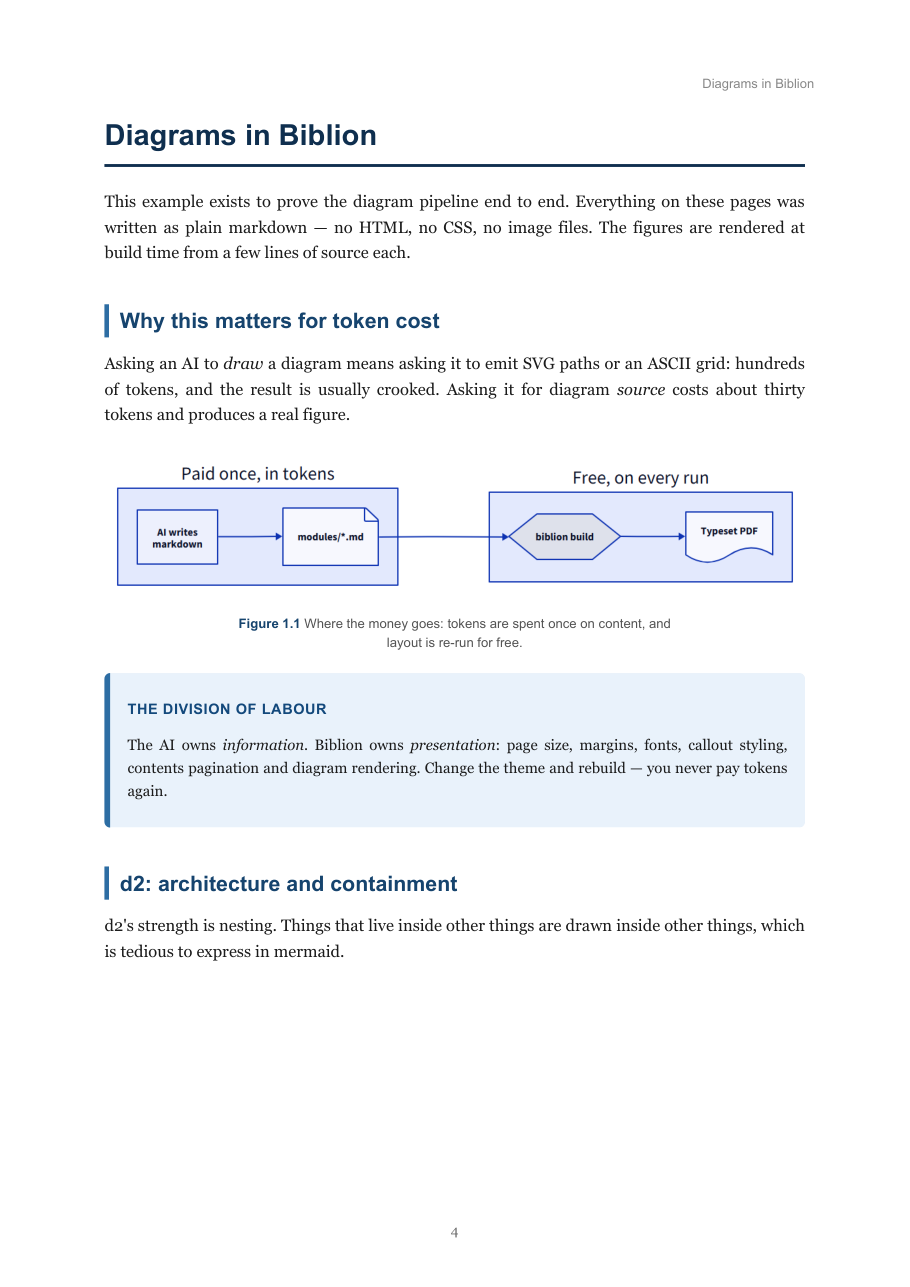
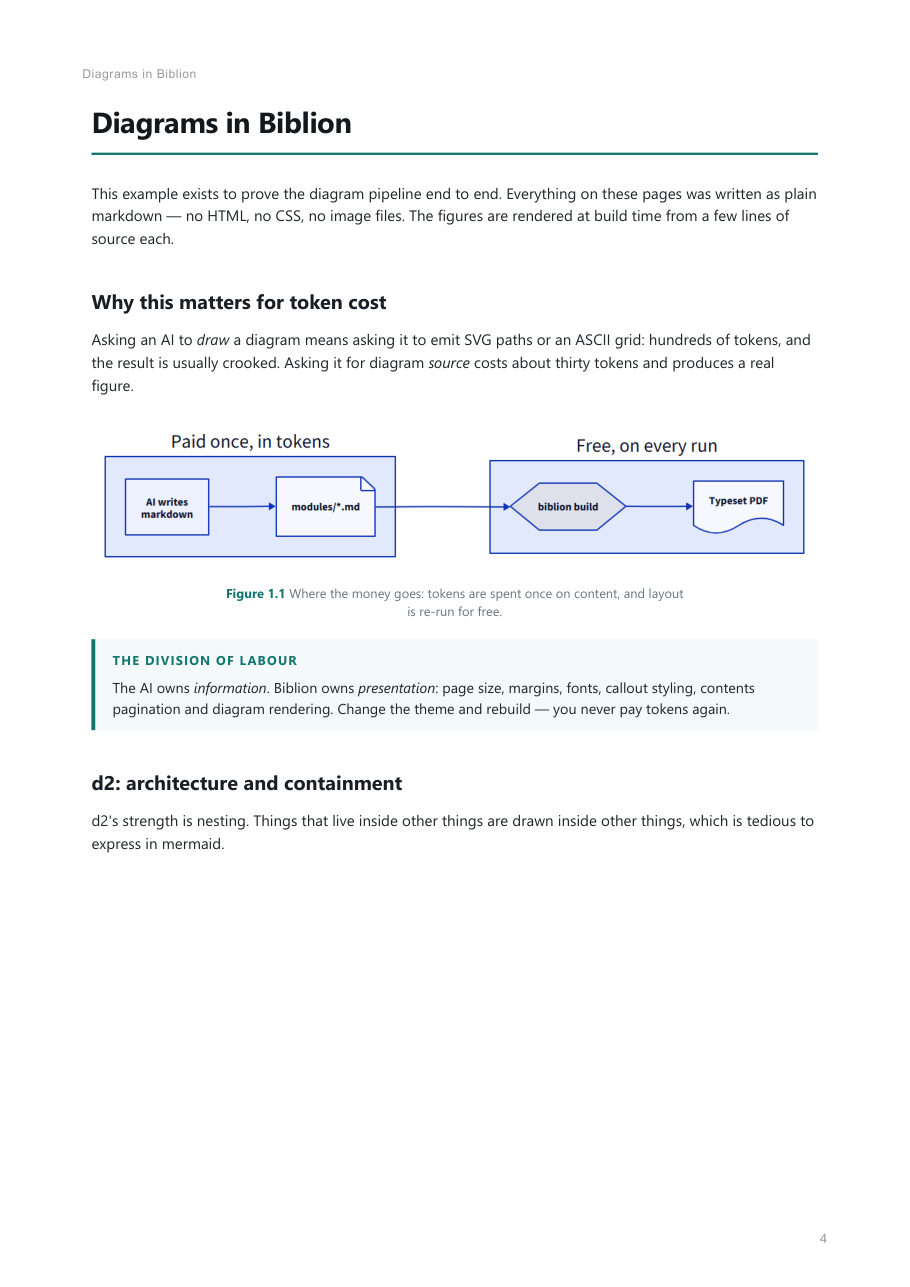
The same page, same markdown: textbook on
the left, report on the right.
Point --css path/to/your.css at your own stylesheet to replace the theme
entirely. Start by copying one of the shipped themes; biblion doctor will
not check a custom stylesheet for you, and the generated HTML expects the
classes both themes style.
Configuration
biblion build reads book.toml from the project folder, so a rebuild is one
word. Every setting can be overridden on the command line.
title    = "Introduction to Containers"
subtitle = "Course 8 of the IBM RAG and Agentic AI Certificate"
author   = "Compiled for Shivam"
eyebrow  = "IBM PROFESSIONAL CERTIFICATE · COURSE 8"

input  = "modules"
output = "output/Containers.pdf"

toc_depth = 3
strict    = false
A [book] section is accepted too, if you prefer it. Unknown keys are a hard
error, so a typo tells you instead of being silently ignored.
All settings
| Key | Default | Meaning |
|---|---|---|
input |
modules if it exists, else . |
Folder of .md files, merged in filename order |
output |
output/<Title>.pdf |
Where to write the PDF |
title |
folder name | Cover title, also the PDF title |
subtitle |
empty | Under the cover title |
author |
empty | Cover footer line |
eyebrow |
empty | Small uppercase line above the cover title |
theme |
textbook |
Named theme shipped with Biblion |
css |
empty | Path to your own stylesheet, replacing the theme |
toc |
true |
Include the contents page |
toc_depth |
3 |
Deepest heading level listed (1 = # only) |
cover |
true |
Include the cover page |
figure_list |
true |
Include the Figures page |
diagram_theme |
"0" |
d2 theme id — see d2 themes |
diagram_width |
1400 |
Render width in px; higher is crisper and slower |
diagram_background |
white |
Background passed to mermaid |
autofit |
true |
Re-lay-out diagrams too wide for the page |
per_module |
false |
Also write one PDF per source file |
strict |
false |
Exit non-zero if any diagram fails to render |
allow_downloads |
false |
Let d2 fetch its own Chromium |
puppeteer_config |
empty | Explicit puppeteer config for mermaid-cli |
cache_dir |
<output dir>/_diagram_cache |
Where rendered diagrams are cached |
Command reference
biblion build [project]
Builds the PDF. project defaults to the current directory.
| Flag | Meaning |
|---|---|
--input, --output |
Override the input folder / output path |
--title, --subtitle, --author, --eyebrow |
Cover text |
--theme NAME, --css PATH |
Choose a theme or your own stylesheet |
--toc-depth N |
Deepest heading level in the contents |
--no-toc, --no-cover, --no-figure-list |
Drop front matter |
--per-module |
Also write one PDF per source file, titled from each file's own # |
--strict |
Exit non-zero if any diagram fails — use this in CI |
--no-autofit |
Render diagrams exactly as authored |
--diagram-theme, --diagram-width |
Diagram rendering options |
--allow-downloads |
Permit d2's one-time Chromium download |
--puppeteer-config PATH |
Point mermaid-cli at a specific browser config |
Flags always win over book.toml; anything you don't pass keeps its
configured value.
biblion doctor [project]
Reports which renderers are available, where they were found, and the exact install command for anything missing. Run this first when something isn't working.
biblion init [project] [--title T] [--force]
Scaffolds book.toml and a modules/ folder with a sample chapter.
biblion prompt
Prints the markdown contract to paste into any AI chat.
biblion skill [--install] [--project DIR] [--force]
Prints, or installs, the Claude Code skill.
Using Biblion with an AI
This is the point of the tool, so it ships as a first-class path.
Claude Code — install the skill once:
biblion skill --install              # into ~/.claude/skills/
biblion skill --install --project .  # or into one repo
Claude Code will then reach for Biblion whenever you ask for a PDF, book,
report or study notes, writing content-only markdown and shelling out to
biblion build instead of hand-building a document.
Any other assistant — paste the contract into the chat first:
biblion prompt
It tells the model what to write, what not to write, and how to emit diagrams and captions.
What Biblion does to your pages
Things you get without asking, and the reason the output doesn't look like a converted markdown file.
Diagrams are re-laid out to fit the page
A ten-node flowchart LR is an 11:1 strip. Squeezed into a portrait text
column it's about 1.5cm tall with 3pt labels — technically rendered,
practically unreadable.
Because direction is presentation, and presentation is Biblion's job, wide diagrams are re-rendered the other way round. Biblion measures both versions and keeps whichever puts physically larger text on the page — so it will also decline to flip a diagram when flipping would make it worse. Anything still wide breaks out to the full page width.
Turn it off with --no-autofit.
Running headers
Every page after the front matter carries the current chapter's name in the
top margin, so a reader landing on page 47 knows where they are. It updates at
each # and carries across continuation pages.
Figures stay with their captions
A caption lives inside its figure's unbreakable block, so a caption can never be orphaned onto the page after its diagram.
Failed diagrams are loud
If a renderer is missing or errors, you get a red dashed UNRENDERED box
containing the source — not something that looks like an ordinary code block.
A book cannot quietly ship with its diagrams missing. Use --strict to turn
that into a failed build.
Diagrams are cached
Cached on a hash of their source, so only changed diagrams re-render. The first build of a large book is slow; later ones are not.
Environment variables
| Variable | Default | Purpose |
|---|---|---|
BIBLION_BROWSER |
auto-detected | Path to the Chrome/Edge/Chromium to use |
BIBLION_HOME |
~/.biblion |
Where Biblion keeps its cache and binaries |
BIBLION_BROWSER_TIMEOUT |
90 |
Seconds before a browser screenshot is abandoned |
BIBLION_RENDER_TIMEOUT |
120 |
Seconds before a renderer call is abandoned |
BIBLION_D2, BIBLION_MMDC, … |
auto-detected | BIBLION_<TOOL> pins a specific binary |
Troubleshooting
biblion doctor says a renderer is missing. It prints the install command
for your platform. Biblion looks for binaries in your project folder, on
PATH, in ~/.biblion/bin, in npm's global directory and in ~/.local/bin —
so dropping d2.exe next to your book is enough.
cannot load library 'libgobject-2.0-0' on macOS. Homebrew's libraries
aren't on the loader path:
export DYLD_FALLBACK_LIBRARY_PATH="$(brew --prefix)/lib".
A diagram failed to render. The build prints the reason next to the diagram, and again in the summary. Most often it's invalid diagram source — the message quotes the parse error from mermaid or d2.
d2 says it needs to install Chromium. It only asks when Biblion found no
browser. Install Chrome or Edge, set BIBLION_BROWSER, or pass
--allow-downloads to accept the download.
Diagram labels lost their bold and italic. The browser rasteriser failed
and Biblion fell back to rsvg-convert, which ignores d2's embedded fonts.
The build says so when it happens. See the macOS caveat.
A diagram is unreadably small. It's probably very wide. Auto-fit will have tried the other orientation already; splitting it into two diagrams almost always reads better than shrinking one.
Nothing appears to happen on a large book. Diagram rendering is the slow part, and each diagram is reported as it renders. The second build is much faster thanks to the cache.
Development
git clone https://github.com/ShivamMalge/Biblion
cd Biblion
pip install -e ".[dev]"
pytest
biblion/
  cli.py               build / doctor / init / prompt / skill
  config.py            book.toml handling
  diagrams.py          mermaid + d2 rendering, caching, auto-fit
  document.py          markdown -> HTML, cover, contents, figures
  tools.py             finding binaries and a browser
  themes/textbook.css  the stylesheet that does the actual work
  authoring_prompt.md  the contract `biblion prompt` prints
  skill/SKILL.md       the Claude Code skill `biblion skill` installs
examples/diagram-tour  a worked example exercising both renderers
scripts/screenshots.py regenerates the images in this README
Build the worked example with biblion build examples/diagram-tour --strict.
CI runs the unit tests on Linux, macOS and Windows, and builds
examples/diagram-tour end to end with --strict on Linux and macOS, so a
broken renderer fails the build rather than shipping a book full of red boxes.
The example is not built on Windows in CI because WeasyPrint there needs the
GTK3 runtime, which has no clean unattended installer.
Changelog
See CHANGELOG.md.
License
MIT — see LICENSE.
1 maintainer

Metadata
1 maintainer
Release files for biblion-pdf 0.3.0
For a detailed explanation of source distributions (sdists) and built distributions (wheels), please see the package formats documentation.
Source distribution (sdist)
| File | Size | Uploaded | |
|---|---|---|---|
| biblion_pdf-0.3.0.tar.gz | 54.7 kB | Details |
Built distribution (wheel)
| File | Interpreter | ABI | Platform | Reset |
|---|---|---|---|---|
| biblion_pdf-0.3.0-py3-none-any.whl | Python 3 | none | any | Details |
Total release size: 100.4 kB
Release files / biblion_pdf-0.3.0.tar.gz
| Download URL | biblion_pdf-0.3.0.tar.gz |
|---|---|
| Size | 54.7 kB |
| Tags | Source |
|
SHA-256 checksum How to use checksums |
ccfd21e6eae71e4cdc4faf3bcac542855d0cf4c742c072ff2ff215beb2d06a9c
|
|
BLAKE2b-256 checksum How to use checksums |
f7e52cec35b7e73237915eb7e5e4e6127e2c768882fd02ac8ff12944e2d45d02
|
| Upload date | |
|
Uploaded using Trusted Publishing? What is trusted publishing? |
Yes |
| Uploaded via |
twine/7.0.0 CPython/3.13.14
|
Provenance
Provenance describes where a file came from. On PyPI, provenance is shared via attestations, which provide a verifiable record of the build or publishing details. View details, limitations and caveats.


PyPI Publish Attestation
PyPI verified that this artifact, at this checksum, originated from the publisher listed below.
Signed by GitHub Actions, verified by PyPI on Sep 2, 2026.
Transparency logRelease files / biblion_pdf-0.3.0-py3-none-any.whl
| Download URL | biblion_pdf-0.3.0-py3-none-any.whl |
|---|---|
| Size | 45.7 kB |
| Tags | Python 3 |
|
SHA-256 checksum How to use checksums |
3eb0861a1692e47844c4a37cbf4f291a9c2a3724fe8f88e66c4e2973ee18453c
|
|
BLAKE2b-256 checksum How to use checksums |
4ba81d451f8c4afc2a0e8aaa25901fb80187c10d0f9e8c891ec876ff06f34dc2
|
| Upload date | |
|
Uploaded using Trusted Publishing? What is trusted publishing? |
Yes |
| Uploaded via |
twine/7.0.0 CPython/3.13.14
|
Provenance
Provenance describes where a file came from. On PyPI, provenance is shared via attestations, which provide a verifiable record of the build or publishing details. View details, limitations and caveats.
PyPI Publish Attestation
PyPI verified that this artifact, at this checksum, originated from the publisher listed below.
Signed by GitHub Actions, verified by PyPI on Sep 2, 2026.
Transparency log













