
pipeline_tag: text-to-image library_name: diffusers license: apache-2.0 tags:
- pixel-art
- game-development
- aseprite
- pico-8
- sprites
- cli
- mlx
- windows
- cuda
- apple-silicon
- local
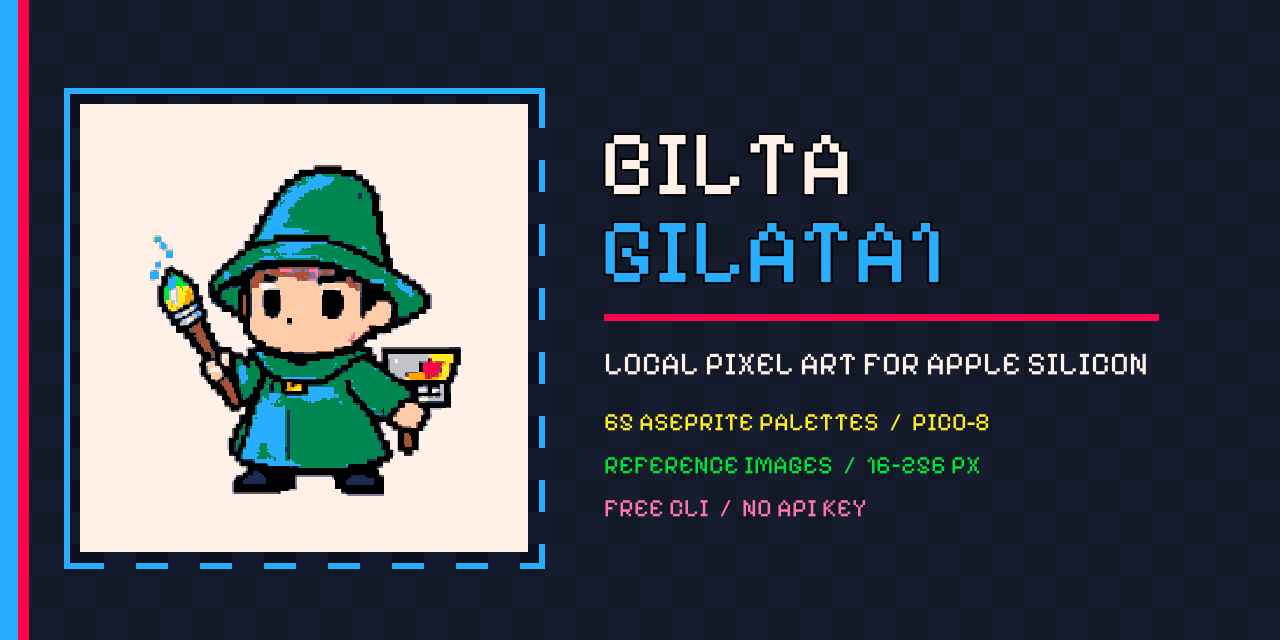
Bilta Gilata1
Local AI pixel art. Exact palettes. No credits. No cloud prompts.




Write a prompt. Pick one of 65 game palettes. Get a crisp PNG at an exact game-ready resolution.
The gallery is the proof
Every image below was generated through the Bilta CLI. No hand-picked stock art and no external image generator.
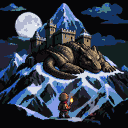 Ancient dragon |
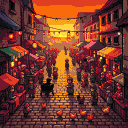 Medieval market |
 Fishing village |
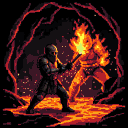 Knight versus fire |
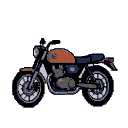 Motorbike |
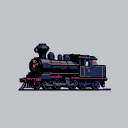 Steam locomotive |
 Forest knight |
 Brave knight |
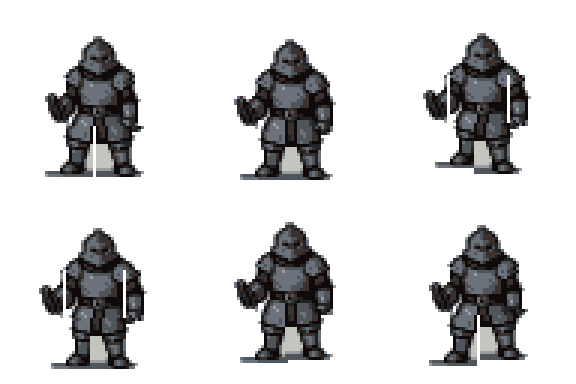 Animation study |
Why Gilata1?
- Runs locally: prompts and reference images stay on your computer.
- Two native backends: MLX on Apple Silicon and PyTorch/CUDA on Windows.
- 65 bundled palettes: PICO-8, DawnBringer, AAP, Arne, NES, Game Boy, Commodore, VGA and more.
- Exact output sizes: 16, 32, 48, 64, 128 or 256 pixels.
- Reference guidance: provide a local PNG, JPG or WebP.
- Reproducible generations: keep the seed and recreate the composition.
- Bulk generation: load once and turn a prompt list into an asset folder.
- Offline after setup: install the model once and generate without a paid API.
- CLI and Python API: use it in a terminal, game pipeline, build script or application.
Install
Apple Silicon macOS
python3 -m pip install bilta-gilata1
bilta-gilata1 --download-model
Windows 10/11 + NVIDIA
py -m pip install "bilta-gilata1[windows]"
bilta-gilata1 --download-model
The Windows backend needs an NVIDIA CUDA GPU and a current driver. If PyTorch cannot see CUDA, select the correct Windows/Pip/CUDA command at pytorch.org.
Install from source
git clone https://github.com/Abd196-bit/bilta-gilata1.git
cd bilta-gilata1
chmod +x install.sh
./install.sh
On Windows, run install-windows.ps1 in PowerShell instead. Both installers fetch the model during setup so the machine is ready for offline generation afterward.
Create your first sprite
bilta-gilata1 "a tiny moon wizard riding a sleepy cloud" \
  --palette pico-8 \
  --size 64 \
  --seed 1337 \
  --output moon-wizard.png
The terminal stays clean while an ASCII character and live activity bar animate in place:
Generating image   [.........=>.............] (o_o) 00:27
Generating image   [========================] (^_^) 100%
Use a reference image
bilta-gilata1 "a forest adventurer" \
  --reference sketch.png \
  --palette db16 \
  --size 64 \
  --output adventurer.png
The reference guides composition and appearance; it is never uploaded to a paid API.
Generate a folder in bulk
Create prompts.txt with one asset per line:
a walking knight with a blue shield
a moon wizard holding a lantern
a cyberpunk fox merchant with neon potions
a steam locomotive crossing a frozen bridge
Run the batch:
bilta-gilata1 --bulk prompts.txt \
  --output-dir game-assets \
  --palette pico-8 \
  --size 64 \
  --seed 500
Gilata1 creates predictable names such as 001-a-walking-knight-with-a-blue-shield.png. Sequential seeds make the entire batch reproducible.
Python API
from bilta_gilata1 import generate

result = generate(
    "a tiny moon wizard",
    output="wizard.png",
    palette="pico-8",
    size=64,
    seed=1337,
    on_progress=print,
)

print(result.output)
GenerationResult includes the output path, master image path, seed, backend, palette and size.
Reuse one generator
from bilta_gilata1 import Gilata1

artist = Gilata1(palette="db16", size=64)
artist.generate("a walking knight", output="knight.png", on_progress=print)
artist.generate("a moon wizard", output="wizard.png", reference="sketch.png", on_progress=print)
The CUDA pipeline remains loaded between calls.
Bulk generation from Python
from bilta_gilata1 import generate_bulk

batch = generate_bulk(
    [
        "a walking knight",
        "a moon wizard",
        "a cyberpunk fox merchant",
    ],
    output_dir="game-assets",
    palette="pico-8",
    size=64,
    seed=500,
    continue_on_error=True,
    on_progress=print,
)

print(batch.outputs)
print(batch.failures)
Palette power
List every bundled palette:
bilta-gilata1 --list-palettes
Useful starting points:
| Palette | Colors | Great for |
|---|---|---|
pico-8 |
16 | Bold retro sprites and prototypes |
db16 |
16 | Balanced fantasy and RPG art |
arne16 |
16 | General-purpose game assets |
gameboy |
4 | Tiny monochrome games |
nes |
56 | Console-era scenes and characters |
aap-64 |
64 | Detailed sprites with richer shading |
aap-splendor128 |
128 | Large scenes and backgrounds |
vga-13h |
256 | Maximum color range |
From Python:
from bilta_gilata1 import list_palettes, palette_colors

print(list_palettes())
print(palette_colors("pico-8"))
Platform matrix
| Platform | Backend | Hardware | First model download |
|---|---|---|---|
| Apple Silicon macOS | MLX / MFLUX | M1, M2, M3, M4 or newer | About 5 GB |
| Windows 10/11 | PyTorch / Diffusers | NVIDIA CUDA GPU | About 24 GB |
| Intel Mac | — | Not supported | — |
| Windows CPU-only | — | Technically impractical | — |
Set BILTA_GILATA_CACHE to keep model files on another disk or pen drive:
export BILTA_GILATA_CACHE="/path/to/large-drive/gilata-cache"
What gets installed?
The Python package contains Gilata1's CLI, API, palette engine, bulk workflow and model manager. Model weights are downloaded from their original repositories because they are several gigabytes and cannot fit inside a normal Python wheel. After that one-time download, generation is local.
License
Gilata1's original source code is licensed under Apache-2.0. Models, adapters and palette files keep their respective upstream licenses and attribution; see THIRD_PARTY_NOTICES.md.
1 maintainer

Download files
Download the file for your platform. If you're not sure which to choose, learn more about installing packages.
Source Distribution
Built Distribution
Filter files by name, interpreter, ABI, and platform.
If you're not sure about the file name format, learn more about wheel file names.
Copy a direct link to the current filters
File details
Details for the file bilta_gilata1-1.3.3.tar.gz.
File metadata
- Download URL: bilta_gilata1-1.3.3.tar.gz
- Upload date:
- Size: 26.5 kB
- Tags: Source
- Uploaded using Trusted Publishing? Yes
- Uploaded via:
twine/7.0.0 CPython/3.13.14
File hashes
| Algorithm | Hash digest | |
|---|---|---|
| SHA256 |
0d34dc0955a02695055b86d05c9708d3323d19c27b803975912a8cdaae18dcb3
|
|
| MD5 |
bb2ba03e195789ec897566c2fec385f2
|
|
| BLAKE2b-256 |
6a8465e4f6297a62ac8330e1f975c0dcf3b5d6f1fff2e6e5bac8076632d2acdb
|
Provenance
The following attestation bundles were made for bilta_gilata1-1.3.3.tar.gz:
Publisher:
publish.yml on Abd196-bit/bilta-gilata1
-
Statement:
-
Statement type:
https://in-toto.io/Statement/v1 -
Predicate type:
https://docs.pypi.org/attestations/publish/v1 -
Subject name:
bilta_gilata1-1.3.3.tar.gz -
Subject digest:
0d34dc0955a02695055b86d05c9708d3323d19c27b803975912a8cdaae18dcb3 - Sigstore transparency entry: 2396150468
- Sigstore integration time:
-
Permalink:
Abd196-bit/bilta-gilata1@005c0770bddcd923a265a81c4dbf1e90ce26bba7 -
Branch / Tag:
refs/heads/main - Owner: https://github.com/Abd196-bit
-
Access:
public
-
Token Issuer:
https://token.actions.githubusercontent.com -
Runner Environment:
github-hosted -
Publication workflow:
publish.yml@005c0770bddcd923a265a81c4dbf1e90ce26bba7 -
Trigger Event:
workflow_dispatch
-
Statement type:
File details
Details for the file bilta_gilata1-1.3.3-py3-none-any.whl.
File metadata
- Download URL: bilta_gilata1-1.3.3-py3-none-any.whl
- Upload date:
- Size: 29.3 kB
- Tags: Python 3
- Uploaded using Trusted Publishing? Yes
- Uploaded via:
twine/7.0.0 CPython/3.13.14
File hashes
| Algorithm | Hash digest | |
|---|---|---|
| SHA256 |
1b3c0e09e4133b846d1d27951b1e778abc77ba2478909ace08aedae1f36fac21
|
|
| MD5 |
3895b52d19261104f07c6524ecb71944
|
|
| BLAKE2b-256 |
c3d96fe9dbd4d917200ee3d0df4799fc43c989a2112ced231721d6aa4bbba388
|
Provenance
The following attestation bundles were made for bilta_gilata1-1.3.3-py3-none-any.whl:
Publisher:
publish.yml on Abd196-bit/bilta-gilata1
-
Statement:
-
Statement type:
https://in-toto.io/Statement/v1 -
Predicate type:
https://docs.pypi.org/attestations/publish/v1 -
Subject name:
bilta_gilata1-1.3.3-py3-none-any.whl -
Subject digest:
1b3c0e09e4133b846d1d27951b1e778abc77ba2478909ace08aedae1f36fac21 - Sigstore transparency entry: 2396150710
- Sigstore integration time:
-
Permalink:
Abd196-bit/bilta-gilata1@005c0770bddcd923a265a81c4dbf1e90ce26bba7 -
Branch / Tag:
refs/heads/main - Owner: https://github.com/Abd196-bit
-
Access:
public
-
Token Issuer:
https://token.actions.githubusercontent.com -
Runner Environment:
github-hosted -
Publication workflow:
publish.yml@005c0770bddcd923a265a81c4dbf1e90ce26bba7 -
Trigger Event:
workflow_dispatch
-
Statement type:














