
Welcome to BinPan's documentation!



BinPan is a Python wrapper for the Binance API oriented towards market data analysis: candlestick (kline) data, trades, technical indicators, plotting, and strategy backtesting.
It is intended to be useful in Jupyter Notebooks, the Python console, or any data pipeline.
Requires Python >= 3.12. Published on PyPI under the MIT license.
Features
- Fetch candlestick (OHLCV) data with timezone and indexing options.
- Fetch atomic and aggregated trades.
- Native technical indicators (EMA, SMA, RSI, MACD, Bollinger Bands, Supertrend, Ichimoku, VWAP, Stochastic, fractals, and more).
- Interactive candlestick charts with Plotly: indicators, buy/sell markers, trade bubble charts, order book, market profile.
- Support and resistance detection via K-Means clustering (static, rolling, discrete interval).
- Strategy tagging and backtesting engine with stop loss, target, entry filters, and ROI/profit metrics.
- Exchange metadata: order types, filters, fees, coin networks, 24h volume ranking.
- CSV export/import for klines and trades.
- PostgreSQL/TimescaleDB integration for historical data storage.
- Heikin-Ashi candles, reversal charts from tick data, kline resampling.
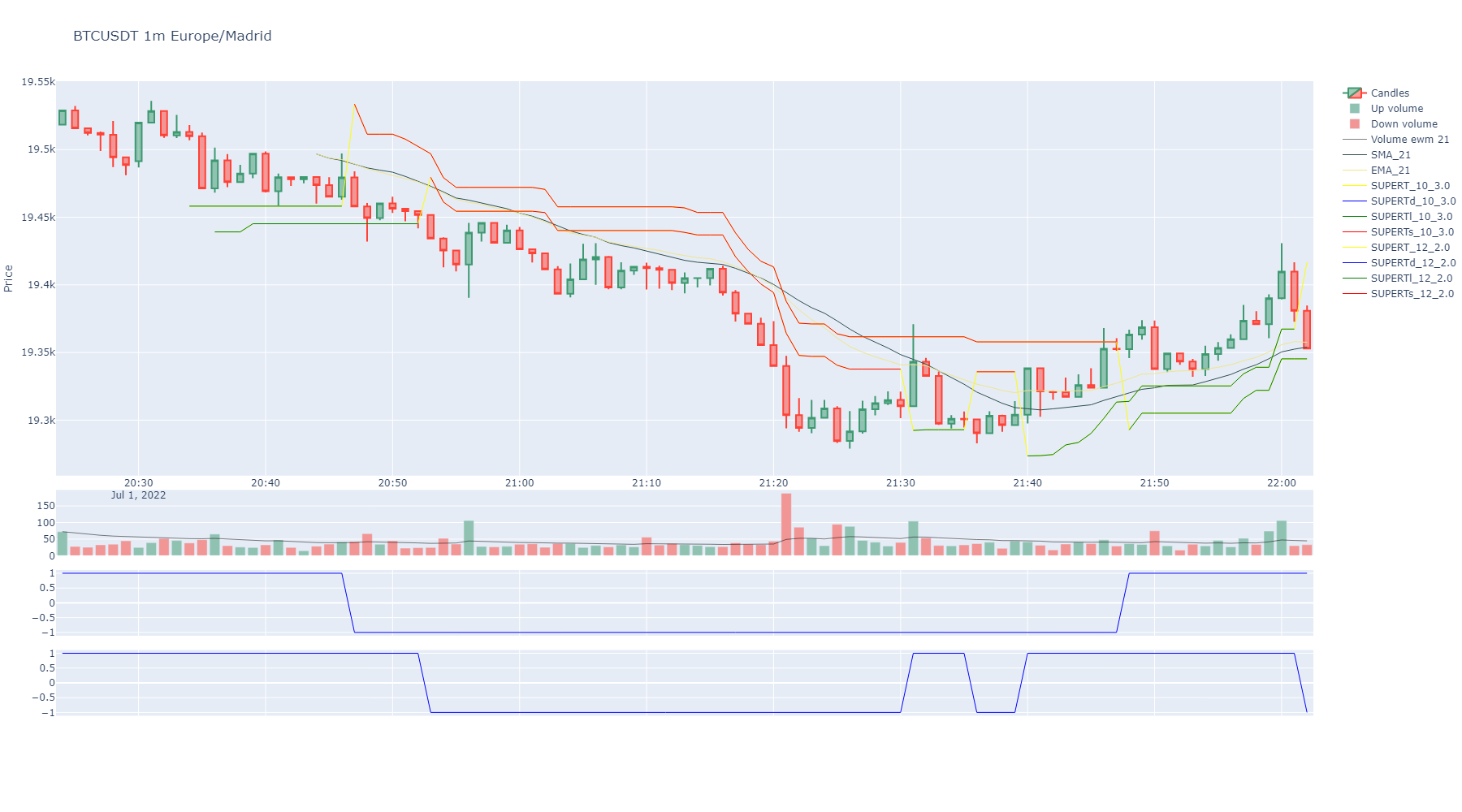
An example of a candlestick chart with indicators:
BinPan contains no Binance order method, withdraw method or any dangerous command.
If you decide to add API keys for account methods, credentials are managed by
panzer(encrypted in~/.panzer_creds); it is recommended not to enable trading capability in your Binance API key configuration.Be careful out there!
Installation
pip install binpan
Any API key or secret is prompted when first needed and stored encrypted by panzer
(~/.panzer_creds). Public market data needs no credentials. See notebook
17_credentials_and_panzer.
Quick Start
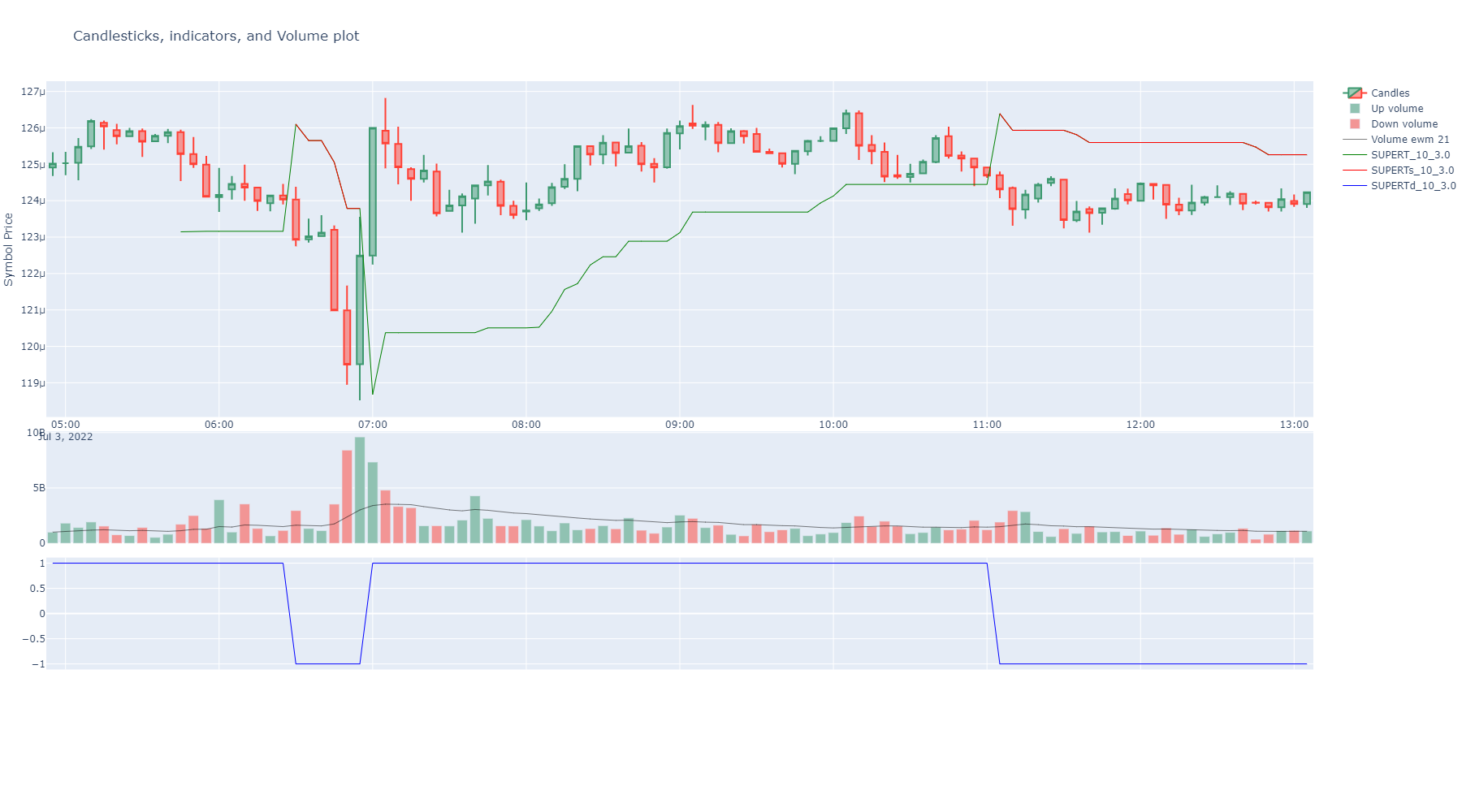
import binpan

btcusdt = binpan.Symbol(symbol='btcusdt',
                        tick_interval='15m',
                        time_zone='Europe/Madrid',
                        limit=200)

btcusdt.ema(21)
btcusdt.supertrend()
btcusdt.plot()
Example Notebooks
The notebooks/ folder contains example Jupyter Notebooks organized by topic:
| # | Notebook | Topic |
|---|---|---|
| 01 | basic_tutorial | Getting started: data, indicators, plots, trades |
| 02 | data_analysis | Analysis: indicators, trades, market profile, order book |
| 03 | technical_indicators | Full indicator catalogue |
| 04 | plotting | All visualization capabilities |
| 05 | reversal_charts | Reversal candles from atomic trades |
| 06 | tagging_and_backtesting | Strategy signals and backtesting |
| 07 | support_resistance_kmeans | S/R with K-Means clustering |
| 08-10 | ichimoku_* | Ichimoku analysis and backtesting |
| 11 | exchange_info | Exchange class: metadata, filters, fees |
| 12 | export_csv | CSV export/import |
| 13-15 | database_* | PostgreSQL/TimescaleDB integration |
Documentation
Full Sphinx documentation: https://nand0san.github.io/binpan_studio/
GitHub repo
https://github.com/nand0san/binpan_studio
Google Colab
Google Colab is not available for the Binance API due to IP restrictions.
BinanceAPIException: APIError(code=0): Service unavailable from a restricted location...
Jupyter Import Troubleshooting
If you encounter import errors in Jupyter, install packages directly to the kernel:
import sys
!{sys.executable} -m pip install binpan
License
MIT
1 maintainer

Metadata
1 maintainer
Release files for binpan 0.10.2
For a detailed explanation of source distributions (sdists) and built distributions (wheels), please see the package formats documentation.
Source distribution (sdist)
| File | Size | Uploaded | |
|---|---|---|---|
| binpan-0.10.2.tar.gz | 187.8 kB | Details |
Built distribution (wheel)
| File | Interpreter | ABI | Platform | Reset |
|---|---|---|---|---|
| binpan-0.10.2-py3-none-any.whl | Python 3 | none | any | Details |
Total release size: 385.4 kB
Release files / binpan-0.10.2.tar.gz
| Download URL | binpan-0.10.2.tar.gz |
|---|---|
| Size | 187.8 kB |
| Tags | Source |
|
SHA-256 checksum How to use checksums |
f95c8c87a0ebb92277dc5852ffef854e04339795faab21dc8b56aa91ae779fc9
|
|
BLAKE2b-256 checksum How to use checksums |
656eddac7871a5c09ca92a650293da1946d2b482ba1e08b321710cb7091adcab
|
| Upload date | |
|
Uploaded using Trusted Publishing? What is trusted publishing? |
No |
| Uploaded via |
twine/6.2.0 CPython/3.13.14
|
Release files / binpan-0.10.2-py3-none-any.whl
| Download URL | binpan-0.10.2-py3-none-any.whl |
|---|---|
| Size | 197.6 kB |
| Tags | Python 3 |
|
SHA-256 checksum How to use checksums |
adb71cedaf32145b0082bf718920de5c4d3e83c64f0fee972f8198df62019451
|
|
BLAKE2b-256 checksum How to use checksums |
b674ffc62cb1848c9ef971541e611abeda866d399b8dd79dbade7390c273e3f8
|
| Upload date | |
|
Uploaded using Trusted Publishing? What is trusted publishing? |
No |
| Uploaded via |
twine/6.2.0 CPython/3.13.14
|














