
BioCartoon
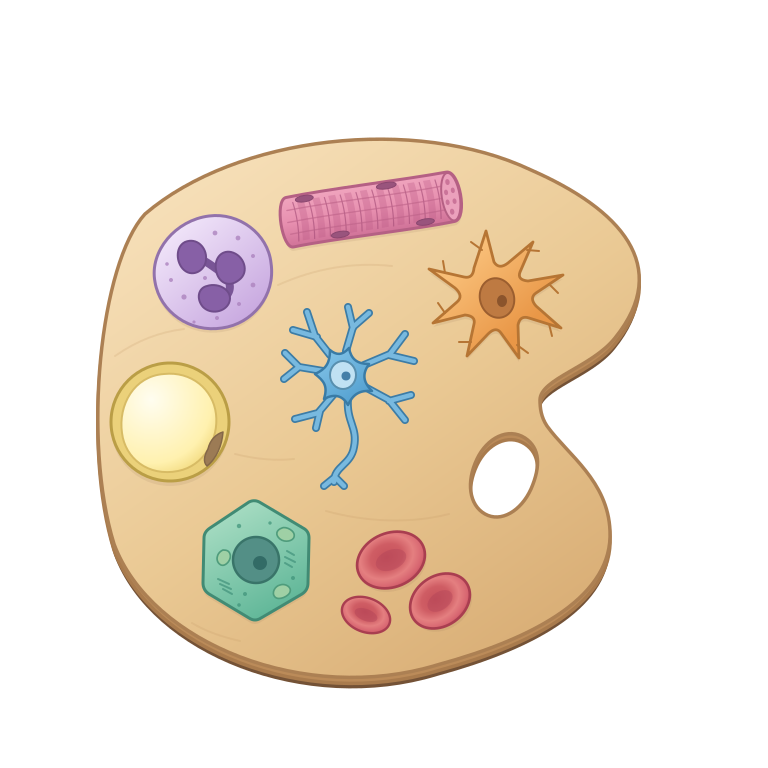
BioCartoon is a free and open-source tool for creating biology figures with illustrations. It compiles existing open biology-focused illustration resources, along with its own illustrations, into a single database with a graphical interface for search and figure generation.
This package is the biocartoon command-line interface and MCP server, which search and download
the database from a shell, a script, or an assistant such as Claude.
Usage
Web application: app.biocartoon.com
Install Desktop application: www.biocartoon.com/download
Resources
15,913 icons and 6 templates across 8 resources.
| source | icons | license |
|---|---|---|
| BioCartoon | 520 | CC0 |
| Bioicons | 2,793 | CC BY / CC0 / CC BY-SA / MIT / BSD |
| Health Icons | 808 | CC0 |
| NIAID NIH BioArt Source | 936 | Public Domain |
| OpenMoji | 4,495 | CC BY-SA 4.0 |
| Reactome icon library | 2,569 | CC BY 4.0 |
| SciDraw | 772 | CC BY 4.0 / CC0 |
| Servier Medical Art | 3,020 | CC BY 4.0 |
Command-Line Interface and MCP server
pip install biocartoon # or: pipx install biocartoon / uv tool install biocartoon
If your shell then says biocartoon: command not found, pip put the program in a folder that is
not on your PATH (pip names it in a warning near the end of its output): add that folder to PATH,
or install with pipx install biocartoon or uv tool install biocartoon, which handle PATH for you.
The package is the compiled program alone, with no Python dependencies. The first command that
needs the catalog downloads it; biocartoon sync updates it. This build searches icons; its MCP
server also lists the shared slide templates. The BioCartoon desktop editor ships a fuller
biocartoon that adds templates to search and the app command.
-
biocartoon search "TERM": icons and templates matching TERM, best first. With no TERM it pages through everything.--icons/--templates: only that kind--tags T,...: icons and templates with one of these tags (a whole tag, any case)--source S: icons from a collection (a code or name frombiocartoon --sources)--author A: icons by an author (part of the name, any case)--category C: icons in a category (a slug frombiocartoon --categories)--subcategory S: icons in a subcategory (a slug frombiocartoon --categories)--source-category [S:]C: icons in a collection's own category (frombiocartoon --source-categories)--license L: icons under a license (CC-BY-4.0,CC0-1.0, ...)--file-type svg|png: icons published as SVG, or as a PNG only--favorites: only the icons you starred (in the editor, or an app sharing its stars)--downloads: only the icons downloaded for offline use (the editor's Settings > Offline)
Repeat a filter for several values: an icon matching any of them passes. An icon has to pass every filter given.
--sql: run TERM as read-only SQL on the catalog
-
biocartoon get ID: everything about one icon: license, credit, PNG/SVG URLs, colour variants -
biocartoon fetch ID: download the SVG, or the PNG when the source publishes no SVG (--pngor--svgfor that type only,--out FILE|DIR,--max-side Nfor a smaller PNG) -
biocartoon sync: download the newest published catalog -
biocartoon bulk-download: the whole catalog into one folder with a README (contents, licenses, and the equivalent curl/sqlite3 commands, which it also prints as it goes); running it again fetches only what is missing--files all|metadata|artwork|icons|templates: what to get (comma-separate several;artworkis icons and templates; defaultall)--metadata-ext sqlite|csv|tsv|xlsx|json: the icon and template catalogs' format (defaultsqlite)--artwork-ext png|svg: sets both of the next two (templates have no SVG, so they come as PNG)--icons-ext svg|png: defaultsvg, with a PNG where the source publishes no SVG--templates-ext png|biocartoon: the thumbnail (default), or a.biocartoonfile the editor opens--output-dir DIR(default./biocartoon-catalog),--jobs N(parallel downloads, default 8),--limit N(the first N of each, to try it out)
-
biocartoon upload FILE...: submit image files/folders to the database (approval required to merge in);--tags T,...adds words to find them by -
biocartoon mcp: serve the same tools over MCP, mostly for agents (e.g.,claude mcp add biocartoon -- biocartoon mcp) -
biocartoon --version: the program's version, and when the local catalog was published and downloaded -
biocartoon --sources: list icon sources forbiocartoon search --source S -
biocartoon --categories: list icon categories forbiocartoon search --category C -
biocartoon --source-categories: list the collections' own categories forbiocartoon search --source-category S:C
Run biocartoon --help for everything.
Examples
Find an icon, check its license, and download it:
$ biocartoon search mitochondria --icons --limit 2
BA001199                           bioart       Mitochondria  (Cells and Organelles; 2084x2084)  matched: title,description
BA000413                           bioart       Damaged Mitochondria  (Cells and Organelles; 1705x1174)  matched: title,tags,description

$ biocartoon get BA001505              # credit, license, PNG/SVG URLs, colour variants
$ biocartoon fetch BA001505 --out ~/Desktop               # the SVG
$ biocartoon fetch BA001505 --max-side 512 --out neuron.png   # a smaller PNG
Contribute your own illustrations (held for review before they are published):
biocartoon upload figures/ --license CC-BY-4.0 --credit "Your Name" --dry-run   # check first
biocartoon upload figures/ --license CC-BY-4.0 --credit "Your Name" --category cells --tags "neuron, axon"
Narrow a search by collection, category, author, license or file type:
biocartoon --sources                                       # codes: BA, BI, SV, SD, HI, RE, OM, ...
biocartoon --categories                                    # slugs: cells, cells.cell_types, ...
biocartoon search "pyramidal neuron" --source BA           # NIH BioArt only
biocartoon search neuron --source BA --source SD           # BioArt or SciDraw
biocartoon search mitochondria --category cells.organelles_and_cell_components
biocartoon search --category viruses --sort az --limit 40 --offset 40   # page 2 of all viruses
biocartoon --categories --source SD                        # what SciDraw covers
biocartoon search neuron --subcategory cell_types --file-type svg            # SVG cell types
biocartoon search --license CC0-1.0 --license PD --category cells            # free of attribution
biocartoon search --author kissinger --source BA --sort popular              # one illustrator
biocartoon search --source-category "BA:Cellular Processes" --source-category "BA:Proteins"
Query the catalog with SQL (read-only):
biocartoon search --sql                                    # the schema
biocartoon search "select license, count(*) as n from assets group by license order by n desc"
biocartoon search --sql "select id, title from assets where svg_key is not null and title like '%ribosome%'"
biocartoon search "with dendrites" --no-sql                # words, even though it starts with WITH
From a script: every command takes --json, and search results come back as
{"icons": [...], "templates": [...]}:
# download the SVG of the best match that has one (Servier and uploads are PNG only)
mkdir -p icons
for t in neuron astrocyte microglia; do
  id=$(biocartoon search "$t" --icons --limit 10 --json | jq -r '[.icons[] | select(.svg_url)][0].id')
  biocartoon fetch "$id" --svg --out icons/
done
biocartoon get BA001505 --json | jq -r .credit     # the attribution line to print
Download the whole catalog (well over 1 GB), or parts of it:
biocartoon bulk-download                                   # everything, into ./biocartoon-catalog
biocartoon bulk-download --files metadata --metadata-ext xlsx       # the catalogs as spreadsheets
biocartoon bulk-download --files icons --icons-ext png --output-dir icons/
biocartoon bulk-download --files templates --templates-ext biocartoon   # templates to open in the editor
Keep the local catalog current, and connect an assistant:
biocartoon sync
claude mcp add biocartoon -- biocartoon mcp
The database schema is documented in the repository.
License
Copyright (c) 2026 Joseph Rich. The program is open source under the
BSD 2-Clause License. Every
illustration keeps its own upstream license (public domain, CC0, CC BY, CC BY-SA, ...): credit it
as its credit field says. See
NOTICE.md.
Other Links
Website: www.biocartoon.com
Database and CLI source code: github.com/josephrich98/biocartoon
Application and website source code: github.com/josephrich98/biocartoon-app
Icon SQLite database: assets.biocartoon.com/catalog/assets.sqlite.gz
Template SQLite database: assets.biocartoon.com/catalog/templates.sqlite.gz
1 maintainer

Metadata
1 maintainer
Release files for biocartoon 0.4.5
For a detailed explanation of source distributions (sdists) and built distributions (wheels), please see the package formats documentation.
Source distribution (sdist)
| File | Size | Uploaded | Provenance | Actions |
|---|---|---|---|---|
| biocartoon-0.4.5.tar.gz | 117.3 kB | With provenance | Details for biocartoon-0.4.5.tar.gz |
Built distributions (wheels)
| File | Actions Reset | |||
|---|---|---|---|---|
| biocartoon-0.4.5-py3-none-win_amd64.whl | Python 3 | none | Windows x86-64 | Details for biocartoon-0.4.5-py3-none-win_amd64.whl |
| biocartoon-0.4.5-py3-none-manylinux_2_28_aarch64.whl | Python 3 | none | Linux glibc 2.28+ ARM64 | Details for biocartoon-0.4.5-py3-none-manylinux_2_28_aarch64.whl |
| biocartoon-0.4.5-py3-none-manylinux2014_x86_64.manylinux_2_17_x86_64.whl | Python 3 | none | Linux glibc 2.17+ x86-64 | Details for biocartoon-0.4.5-py3-none-manylinux2014_x86_64.manylinux_2_17_x86_64.whl |
| biocartoon-0.4.5-py3-none-macosx_11_0_arm64.whl | Python 3 | none | macOS 11.0+ ARM64 | Details for biocartoon-0.4.5-py3-none-macosx_11_0_arm64.whl |
| biocartoon-0.4.5-py3-none-macosx_10_12_x86_64.whl | Python 3 | none | macOS 10.12+ x86-64 | Details for biocartoon-0.4.5-py3-none-macosx_10_12_x86_64.whl |
Total release size: 25.8 MB
Release files / biocartoon-0.4.5.tar.gz
| Download URL | biocartoon-0.4.5.tar.gz |
|---|---|
| Size | 117.3 kB |
| Tags | Source |
|
SHA-256 checksum How to use checksums |
e0b38a06396bf318dc3fe7924405c4bc267e3472550e51e9b7f8e934798dc860
|
|
BLAKE2b-256 checksum How to use checksums |
47cb2c56e80e260dd2489f82b3bc6ee3735385814ad2344b8f0d94b76c5f98f5
|
| Upload date | |
|
Uploaded using Trusted Publishing? What is trusted publishing? |
Yes |
| Uploaded via |
twine/7.0.0 CPython/3.13.16
|
Provenance
Provenance describes where a file came from. On PyPI, provenance is shared via attestations, which provide a verifiable record of the build or publishing details. View details, limitations and caveats.


PyPI Publish Attestation
PyPI verified that this artifact, at this checksum, originated from the publisher listed below.
Signed by GitHub Actions, verified by PyPI on Nov 6, 2026.
Transparency logRelease files / biocartoon-0.4.5-py3-none-win_amd64.whl
| Download URL | biocartoon-0.4.5-py3-none-win_amd64.whl |
|---|---|
| Size | 5.1 MB |
| Tags | Python 3 Windows x86-64 |
|
SHA-256 checksum How to use checksums |
c28cdab06377108c756b6480bd3b2874f1238994e20e257d797a0a866e529edd
|
|
BLAKE2b-256 checksum How to use checksums |
1af127597cfffd67b8bbf018177f32c5aac8c4f597b070c81942b3b716fc36db
|
| Upload date | |
|
Uploaded using Trusted Publishing? What is trusted publishing? |
Yes |
| Uploaded via |
twine/7.0.0 CPython/3.13.16
|
Provenance
Provenance describes where a file came from. On PyPI, provenance is shared via attestations, which provide a verifiable record of the build or publishing details. View details, limitations and caveats.
PyPI Publish Attestation
PyPI verified that this artifact, at this checksum, originated from the publisher listed below.
Signed by GitHub Actions, verified by PyPI on Nov 6, 2026.
Transparency logRelease files / biocartoon-0.4.5-py3-none-manylinux_2_28_aarch64.whl
| Download URL | biocartoon-0.4.5-py3-none-manylinux_2_28_aarch64.whl |
|---|---|
| Size | 5.0 MB |
| Tags | Linux glibc 2.28+ ARM64 Python 3 |
|
SHA-256 checksum How to use checksums |
39d3cd052da680bd9203cbf93f12a3a3ffa5aebc0031ab4139b870695d99cb04
|
|
BLAKE2b-256 checksum How to use checksums |
d2040c9956141ce14ce50468237313705824554cb74705ca256c7e7dad0b3c37
|
| Upload date | |
|
Uploaded using Trusted Publishing? What is trusted publishing? |
Yes |
| Uploaded via |
twine/7.0.0 CPython/3.13.16
|
Provenance
Provenance describes where a file came from. On PyPI, provenance is shared via attestations, which provide a verifiable record of the build or publishing details. View details, limitations and caveats.
PyPI Publish Attestation
PyPI verified that this artifact, at this checksum, originated from the publisher listed below.
Signed by GitHub Actions, verified by PyPI on Nov 6, 2026.
Transparency logRelease files / biocartoon-0.4.5-py3-none-manylinux2014_x86_64.manylinux_2_17_x86_64.whl
| Download URL | biocartoon-0.4.5-py3-none-manylinux2014_x86_64.manylinux_2_17_x86_64.whl |
|---|---|
| Size | 5.5 MB |
| Tags | Linux glibc 2.17+ x86-64 Python 3 |
|
SHA-256 checksum How to use checksums |
401e7b40842c88d21153ef16a4063d2faabc84e3c5dd72c14458455459365687
|
|
BLAKE2b-256 checksum How to use checksums |
99ac06ac44892adc3c0867837202e22f0013d945e0c74a827a051c23b625bbb4
|
| Upload date | |
|
Uploaded using Trusted Publishing? What is trusted publishing? |
Yes |
| Uploaded via |
twine/7.0.0 CPython/3.13.16
|
Provenance
Provenance describes where a file came from. On PyPI, provenance is shared via attestations, which provide a verifiable record of the build or publishing details. View details, limitations and caveats.
PyPI Publish Attestation
PyPI verified that this artifact, at this checksum, originated from the publisher listed below.
Signed by GitHub Actions, verified by PyPI on Nov 6, 2026.
Transparency logRelease files / biocartoon-0.4.5-py3-none-macosx_11_0_arm64.whl
| Download URL | biocartoon-0.4.5-py3-none-macosx_11_0_arm64.whl |
|---|---|
| Size | 4.9 MB |
| Tags | Python 3 macOS 11.0+ ARM64 |
|
SHA-256 checksum How to use checksums |
5911969e09ba5e2ba35d2f1c5b40bc834afd16d89e5ffd1d3ee9c65a579f4801
|
|
BLAKE2b-256 checksum How to use checksums |
218e7a9e92f1716bbdfcac37d05b877297faec292b66a859b7c8cd32f6ea61ca
|
| Upload date | |
|
Uploaded using Trusted Publishing? What is trusted publishing? |
Yes |
| Uploaded via |
twine/7.0.0 CPython/3.13.16
|
Provenance
Provenance describes where a file came from. On PyPI, provenance is shared via attestations, which provide a verifiable record of the build or publishing details. View details, limitations and caveats.
PyPI Publish Attestation
PyPI verified that this artifact, at this checksum, originated from the publisher listed below.
Signed by GitHub Actions, verified by PyPI on Nov 6, 2026.
Transparency logRelease files / biocartoon-0.4.5-py3-none-macosx_10_12_x86_64.whl
| Download URL | biocartoon-0.4.5-py3-none-macosx_10_12_x86_64.whl |
|---|---|
| Size | 5.2 MB |
| Tags | Python 3 macOS 10.12+ x86-64 |
|
SHA-256 checksum How to use checksums |
59a675ebd69b448eb22877540502374f6d4252add8af08e69bfa22c250aaa67a
|
|
BLAKE2b-256 checksum How to use checksums |
86fd57174a92be53d4f4886d661afe9bbaaf23051dda6e367865d153187f21d0
|
| Upload date | |
|
Uploaded using Trusted Publishing? What is trusted publishing? |
Yes |
| Uploaded via |
twine/7.0.0 CPython/3.13.16
|
Provenance
Provenance describes where a file came from. On PyPI, provenance is shared via attestations, which provide a verifiable record of the build or publishing details. View details, limitations and caveats.
PyPI Publish Attestation
PyPI verified that this artifact, at this checksum, originated from the publisher listed below.
Signed by GitHub Actions, verified by PyPI on Nov 6, 2026.
Transparency logSecurity for biocartoon 0.4.5
Provenance
Provenance describes where a file came from. On PyPI, provenance is shared via attestations, which provide a verifiable record of the build or publishing details. View details, limitations and caveats.
Full provenance
All 6 files in this release have been uploaded with provenance metadata.
Attestation for biocartoon-0.4.5.tar.gz
PyPI Publish Attestation
PyPI verified that this artifact, at this checksum, originated from the publisher listed below.
Signed by GitHub Actions, verified by PyPI on Nov 6, 2026.
Transparency logA note on package security
PyPI is a repository for distributing packages, not a service for auditing them. While third-party security researchers and our staff do their best to detect and remove malicious packages, PyPI cannot guarantee the quality, security or suitability of any given package.
To learn more about protecting yourself from malicious actors, visit our package security documentation.














