
Drop-in OpenTelemetry observability for Python LLM apps. Standalone or with any OTLP backend.

Project description

bitfrost
Drop-in OpenTelemetry observability for Python LLM apps. Standalone or with any OTLP backend — runs on your machine, sends nothing unless you ask it to.




Bitfrost turns the OpenTelemetry spans your LLM libraries already emit into a clean, queryable event stream — in your terminal, in a local web dashboard, in SQLite, or shipped to any backend you choose. One line to start, zero accounts required.
import bitfrost

bitfrost.quickstart(agent="my-app")   # auto-detects openai / anthropic / litellm / smolagents
# ...your normal LLM calls now stream to the terminal, color-coded, with tokens + cost.
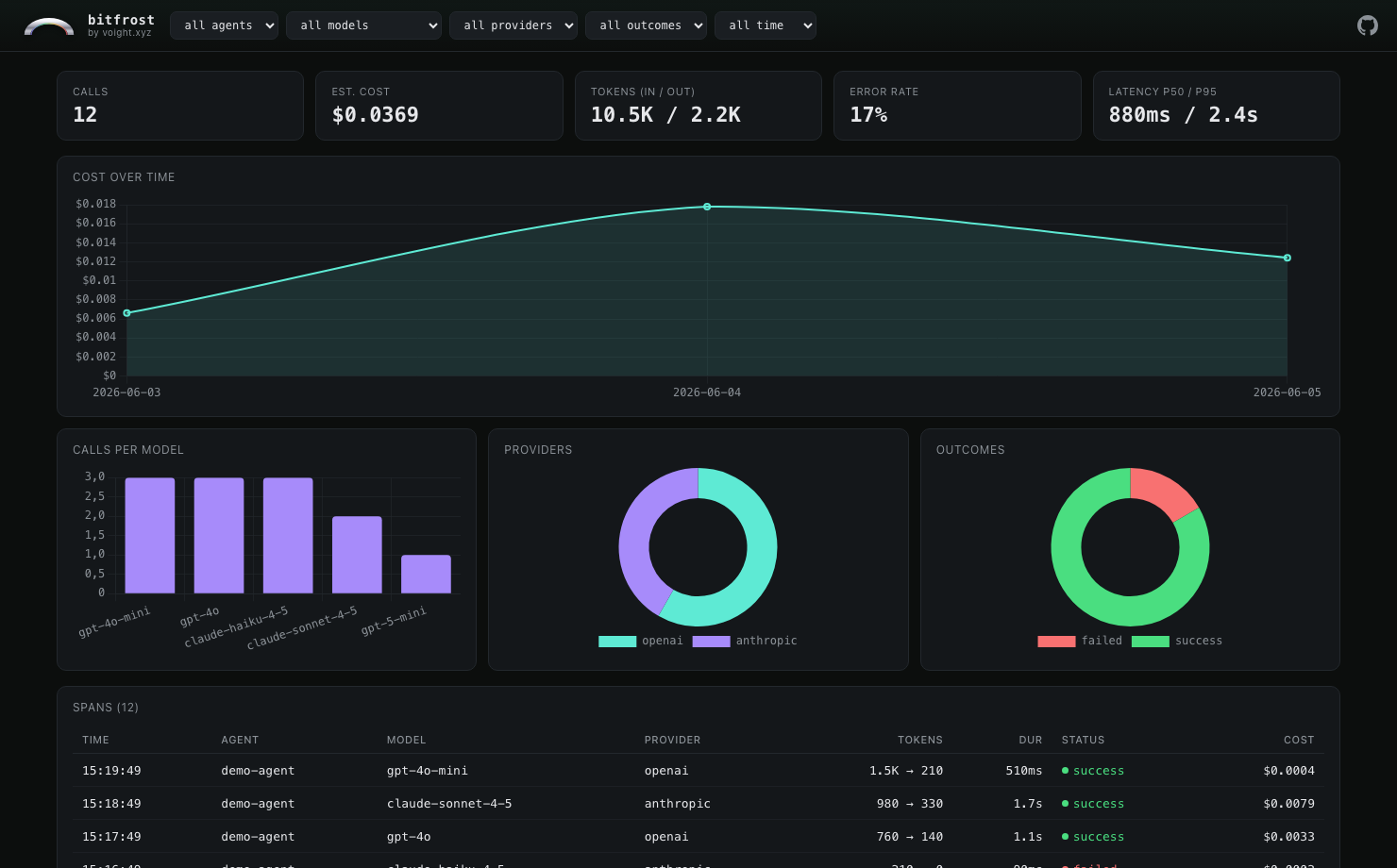
bitfrost serve capture.db — a local, offline dashboard. No account, no upload.
Why bitfrost
- Standalone first. Capture to your terminal, a JSONL file, or SQLite with zero configuration and zero network calls. Voight is one optional backend, never a requirement.
- Drop-in. Built on the OpenTelemetry GenAI semantic conventions, so it works with the instrumentation libraries you already use — across both the v1.27 and v1.32+ attribute generations.
- Batteries included. Five backends, four auto-instrument helpers, a rich CLI, an interactive TUI, and an offline web dashboard.
- Private by default. Three privacy levels with PII scrubbing (12 patterns + Luhn) applied before any event leaves the process.
- Never crashes your app. Every failure path degrades gracefully — a dead endpoint or a missing optional dependency never takes down your code.
Install
pip install bitfrost                 # core
pip install 'bitfrost[cli,serve]'    # + CLI, TUI and local web dashboard
pip install 'bitfrost[all]'          # everything
Python 3.10–3.13.
Capture anywhere
Pick a backend and pass it to any instrument helper (or quickstart). All concrete backends live under bitfrost.backends.*:
| Backend | Import | Use it for |
|---|---|---|
| Console | bitfrost.backends.console.ConsoleBackend |
live, color-coded terminal output |
| SQLite | bitfrost.backends.sqlite.SQLiteBackend |
persistent local log; powers bitfrost serve |
| JSONL | bitfrost.backends.jsonl.JSONLBackend |
one JSON object per line; replay-able |
| OTLP/HTTP | bitfrost.backends.otlp.OTLPBackend |
POST events as JSON to any collector or webhook |
| Voight | bitfrost.backends.voight.VoightBackend |
hosted dashboards (optional, opt-in) |
| Tee | bitfrost.backends.tee.TeeBackend |
fan out to several backends at once |
import bitfrost
from bitfrost.backends.sqlite import SQLiteBackend

bitfrost.instrument_openai(backend=SQLiteBackend("events.db"), agent="my-app")
# then:  bitfrost serve events.db
Fan out to several at once:
import bitfrost
from bitfrost.backends.tee import TeeBackend
from bitfrost.backends.console import ConsoleBackend
from bitfrost.backends.sqlite import SQLiteBackend

bitfrost.instrument_auto(
    backend=TeeBackend(ConsoleBackend(), SQLiteBackend("events.db")),
    agent="my-app",
)
Auto-instrument helpers
import bitfrost

bitfrost.instrument_openai()       # opentelemetry-instrumentation-openai
bitfrost.instrument_anthropic()    # opentelemetry-instrumentation-anthropic
bitfrost.instrument_litellm()      # litellm CustomLogger adapter
bitfrost.instrument_smolagents()   # openinference-instrumentation-smolagents
bitfrost.instrument_auto()         # instrument every supported lib that's installed
Already wiring OpenTelemetry yourself? Skip the helpers and attach the exporter to your own TracerProvider:
from opentelemetry.sdk.trace import TracerProvider
from opentelemetry.sdk.trace.export import BatchSpanProcessor
from bitfrost.exporter import BitfrostExporter
from bitfrost.backends.console import ConsoleBackend

provider = TracerProvider()
provider.add_span_processor(
    BatchSpanProcessor(BitfrostExporter(ConsoleBackend(), agent="my-app"))
)
CLI
bitfrost watch  capture.db        # live tail, one styled line per event
bitfrost replay capture.jsonl     # re-render a captured run start to finish
bitfrost query  capture.db "SELECT model, COUNT(*) FROM events GROUP BY model"
bitfrost vacuum capture.db --keep-days 7
bitfrost tui    capture.db        # full-screen interactive dashboard
bitfrost serve  capture.db        # local web dashboard at http://127.0.0.1:8080
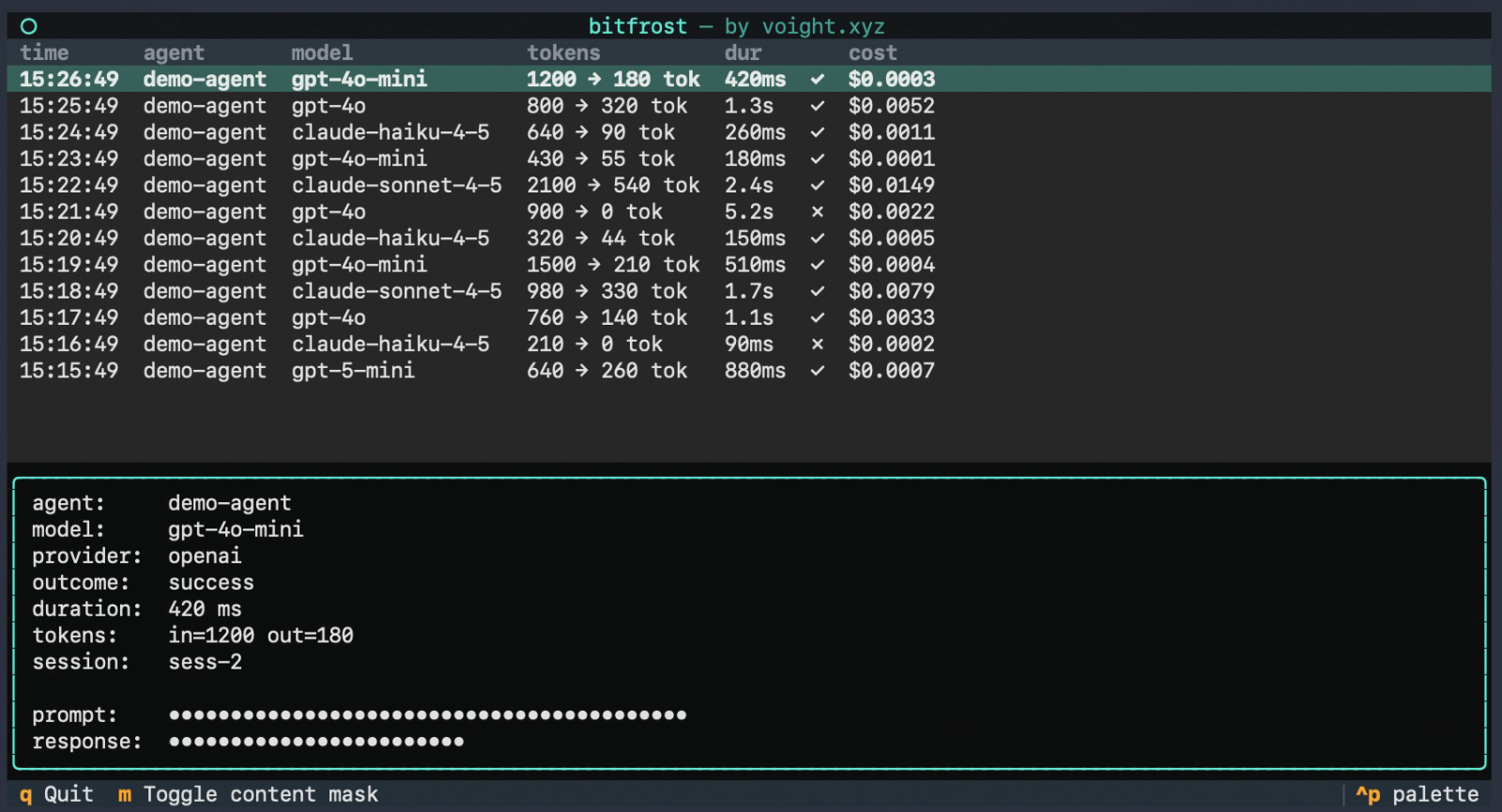
bitfrost tui — the same capture, navigable in your terminal. Prompts masked by default.
Privacy
Three levels, applied in-process before any event is sent:
minimal— metadata only, no prompt/response contentstandard(default) — content kept, PII scrubbed (12 patterns + credit-card Luhn check)full— everything verbatim (use only for local debugging)
bitfrost.instrument_openai(privacy="minimal")
Standalone, or with Voight
Bitfrost is useful entirely on its own — the core has no dependency on any hosted service. If you want managed dashboards, team sharing, and per-user cost attribution, the optional VoightBackend ships your events to voight.xyz. Everything else stays exactly the same.
Documentation
- Cookbook — task-oriented recipes
- Write your own backend — the
ExportBackendprotocol - Full docs: docs.voight.xyz/python/bitfrost
License
MIT. Built by Voight.
Release history Release notifications | RSS feed


Download files
Download the file for your platform. If you're not sure which to choose, learn more about installing packages.
Source Distribution
Built Distribution
Filter files by name, interpreter, ABI, and platform.
If you're not sure about the file name format, learn more about wheel file names.
Copy a direct link to the current filters
File details
Details for the file bitfrost-0.1.0.tar.gz.
File metadata
- Download URL: bitfrost-0.1.0.tar.gz
- Upload date:
- Size: 180.4 kB
- Tags: Source
- Uploaded using Trusted Publishing? No
- Uploaded via: twine/6.2.0 CPython/3.12.13
File hashes
| Algorithm | Hash digest | |
|---|---|---|
| SHA256 |
aa5e9778f8773b629457ade03293282b688a3347fca6869044d254248a8a7a9d
|
|
| MD5 |
b29074e432af2cf435eb0e986e839e59
|
|
| BLAKE2b-256 |
1df63abb322a53e280e1f6cba5ba5102d4404707a286913d674e60b06c2a8c2b
|
File details
Details for the file bitfrost-0.1.0-py3-none-any.whl.
File metadata
- Download URL: bitfrost-0.1.0-py3-none-any.whl
- Upload date:
- Size: 154.7 kB
- Tags: Python 3
- Uploaded using Trusted Publishing? No
- Uploaded via: twine/6.2.0 CPython/3.12.13
File hashes
| Algorithm | Hash digest | |
|---|---|---|
| SHA256 |
c572289fce98f9e5c1e2525095386ee92144d4dc20b0bc0d9ae6c7b7ef1dbae1
|
|
| MD5 |
e01fff90ba038da0b8d00451febf741e
|
|
| BLAKE2b-256 |
e1f72ce578eb07c83f11941c6fac3c7fe01211c2a8975df987387d3a4fe88db9
|






