
🚩🏠 bitroom (Book an Incongruent Topological Room Or be Out of Mind)



BIT 场地预约查询接口。
💥 源起
-
场地预约系统(桌面版)的服务器响应太慢了,每次翻页都要十几秒。
若并发请求,再缓存到本地,会方便不少。
-
房间资源是时空区间,需求常常是“先时间,后空间”;然而也许为方便调度资源、避免冲突,现有系统全都“先空间,后时间”。
例如,你可能会问:“明天下午还有没有房间?没有的话,后天下午也行。就几个人,也不需要投影。”
而很少专门针对某一房间问。
bitroom 目前已解决登录、包装 API 等底层问题,可供后来者调用。
🧪 例子
🤖编程 API
这是主要支持的接口。
from datetime import date
from httpx import AsyncClient
from bitroom import auth, RoomAPI

async with AsyncClient() as client:
    await auth(client, username, password)  # 登录“统一身份认证”
    api = await RoomAPI.build(client)

    # 获取“可预约”的时空区间
    bookings = await api.fetch_bookings(date.today())
    print(bookings[0])

    # 预约
    await api.book(
        bookings[0],
        tel="13806491023",
        applicant="Boltzmann",
        description="Boltzmann 常数是气体的内能与温度的一种比例系数。",
        remark="一般记作 k_B 或 k。",
    )

    # 获取“已预约”的时空区间
    orders = await api.fetch_orders(bookings[0].room_id, date.today())
    print(orders[0])
⌨️命令行 CLI
也提供了基础的命令行接口,支持查询,不支持预约。
$ bitroom show | fzf
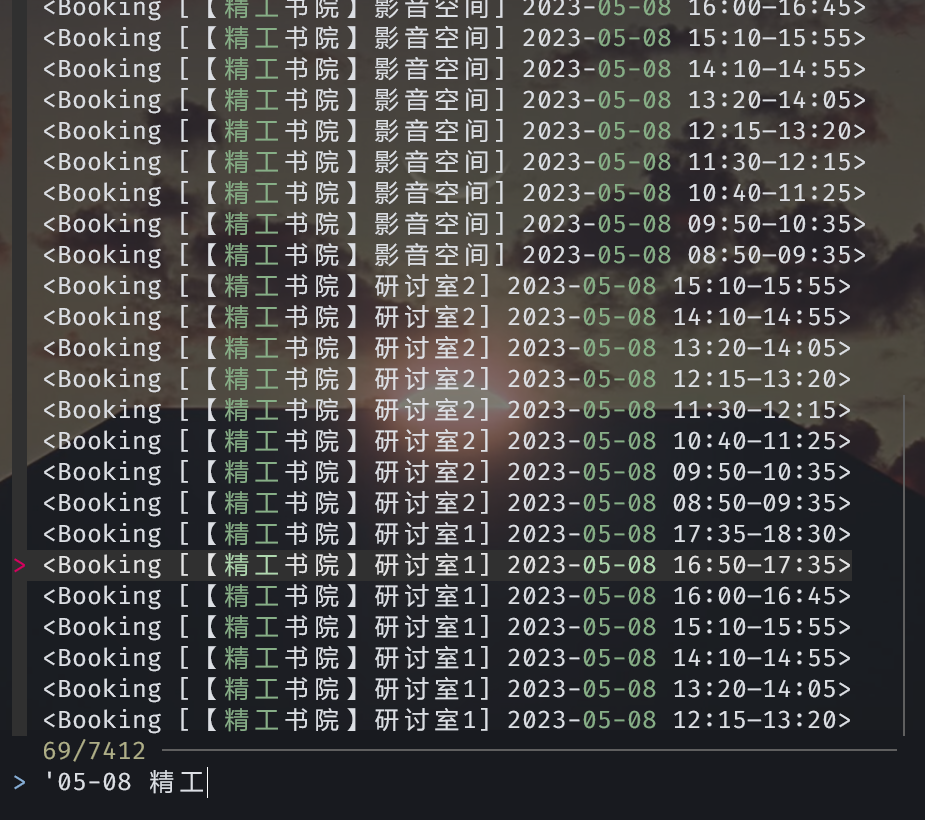
详细帮助如下。
(要先pipx install bitroom)
$ bitroom --help
Usage: python -m bitroom [OPTIONS] COMMAND [ARGS]...

  BIT 场地预约查询接口

Options:
  --version  Show the version and exit.
  --help     Show this message and exit.

Commands:
  config-paths  列出配置文件可能的位置
  show          显示所有可预约的时空区间
$ bitroom show --help
Usage: python -m bitroom show [OPTIONS]

  显示所有可预约的时空区间

  默认从 API 爬取,因服务器响应慢,大约需 10 s。

      $ bitroom show

  也可直接从 stdin 提供之前的结果。

      $ bitroom show --json > ./bookings.json
      $ cat ./bookings.json | bitroom show

Options:
  --json / --no-json  按 JSON 格式输出
  --auth TEXT         认证信息,形如“1120771210:cyberpunk”(<学号>:<密码>);不建议使用,请改用配置文件
  --help              Show this message and exit.
$ bitroom show
<Booking [【睿信书院】静c-鸿远报告厅] 2023-05-07 16:00–16:45>
<Booking [【睿信书院】静c-鸿远报告厅] 2023-05-07 19:20–20:05>
<Booking [【精工书院】研讨室1] 2023-05-04 12:15–13:20>
<Booking [【睿信书院】静c-自控会议室] 2023-05-04 13:20–14:05>
<Booking [甘棠社区-102春·事定(Multi-function Room)] 2023-05-05 21:00–22:00>
<Booking [甘棠社区-102春·事定(Multi-function Room)] 2023-05-06 13:20–14:05>
<Booking [甘棠社区-102春·事定(Multi-function Room)] 2023-05-06 14:10–14:55>
<Booking [甘棠社区-102春·事定(Multi-function Room)] 2023-05-07 15:10–15:55>
……
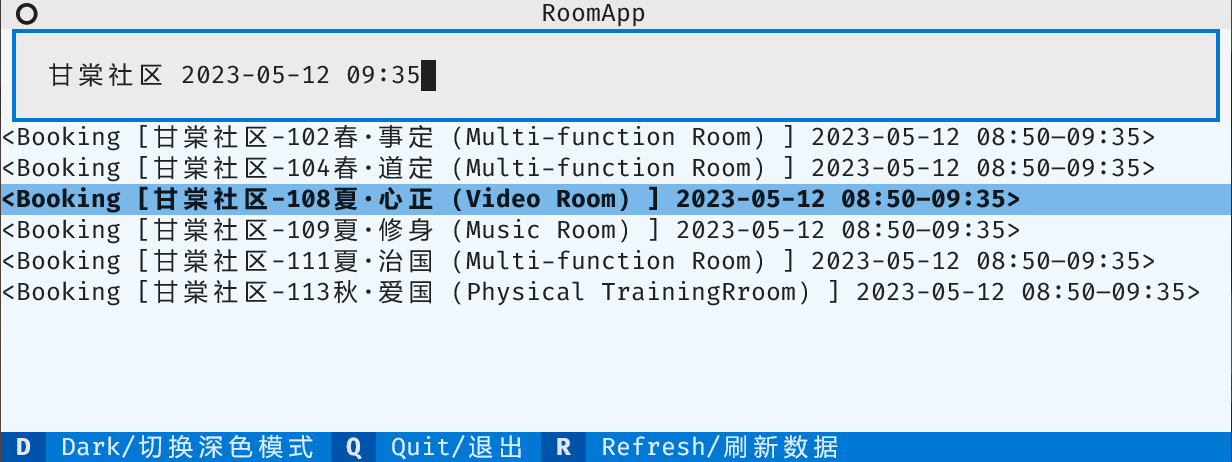
🎨图形终端 TUI
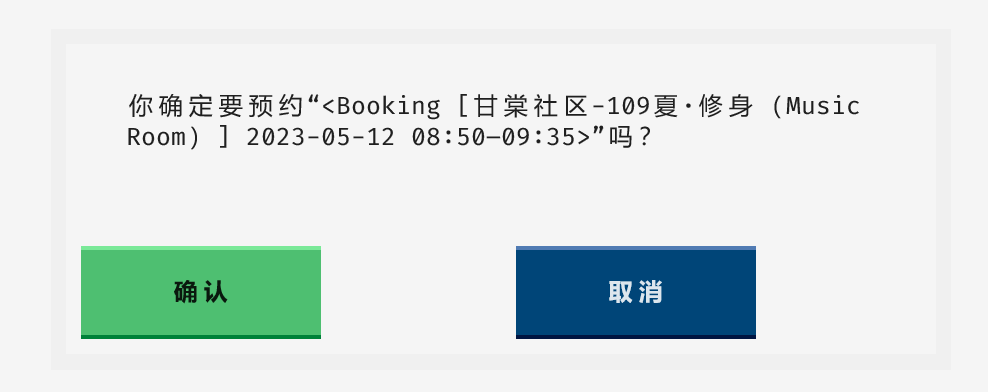
目前还在早期测试阶段,仅仅能用而已。支持查询、搜索、预约。
$ pipx install bitroom[tui]
⚙️ 配置
(仅用于 CLI、TUI)
编辑config.toml,写入学号、密码,用于登录“统一身份认证”。
# 仅作示例,非真实信息
username = "1120771210"
password = "cyberpunk"
配置文件的位置遵循各操作系统惯例,可通过bitroom config-paths列出。另外,您也可用环境变量$BITROOM_CONFIG_PATH指定位置。
🌟 致谢
1 maintainer

Download files
Download the file for your platform. If you're not sure which to choose, learn more about installing packages.
Source Distribution
Built Distribution
Filter files by name, interpreter, ABI, and platform.
If you're not sure about the file name format, learn more about wheel file names.
Copy a direct link to the current filters
File details
Details for the file bitroom-0.1.5.tar.gz.
File metadata
- Download URL: bitroom-0.1.5.tar.gz
- Upload date:
- Size: 21.8 kB
- Tags: Source
- Uploaded using Trusted Publishing? Yes
- Uploaded via:
twine/4.0.1 CPython/3.11.3
File hashes
| Algorithm | Hash digest | |
|---|---|---|
| SHA256 |
2657f2f3a8640ec3f12f028907890665feb51a2cc7975e2faff1759cf30c2ee6
|
|
| MD5 |
5a451cab1d0ca2533af7d8e2017b1ec0
|
|
| BLAKE2b-256 |
00fa5f71f560ef4eeb0f989fb6e00f98626e9a3e752335c9fee007277c43abb7
|
File details
Details for the file bitroom-0.1.5-py3-none-any.whl.
File metadata
- Download URL: bitroom-0.1.5-py3-none-any.whl
- Upload date:
- Size: 22.1 kB
- Tags: Python 3
- Uploaded using Trusted Publishing? Yes
- Uploaded via:
twine/4.0.1 CPython/3.11.3
File hashes
| Algorithm | Hash digest | |
|---|---|---|
| SHA256 |
c4ff3e69686f58fc4a319dd2a697784c50df38d1a9e19901d84838f2f080c647
|
|
| MD5 |
6cbb23150fa63f1e04d960ae3a9b5408
|
|
| BLAKE2b-256 |
8682173ab42a27ceecd447e43172e007db32951da4160f0fca74f3617d6e8a80
|














