







blendersessiond
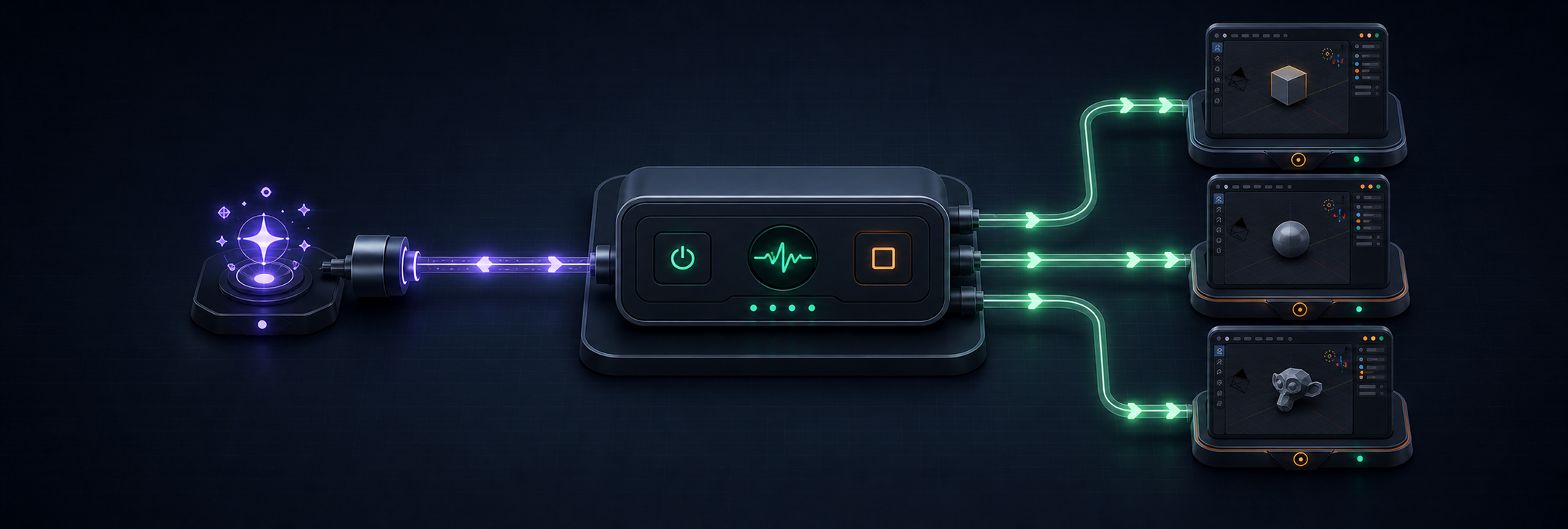
blendersessiond launches, configures, and owns local GUI Blender Sessions
for agent workflows. It installs a pinned BlenderMCP addon at startup,
allocates an isolated loopback port for each Session, reports process and
addon Health, and stops only the Blender process trees it launched.
It supports macOS, Windows, and Linux with Python 3.11 or newer.
Highlights
- No manual addon installation or Blender preference setup.
- Named Sessions with independent state, logs, and MCP ports.
- Static MCP client configuration despite dynamically allocated ports.
- Health checks require both a live Blender process and a responsive addon.
- Existing
.blendscenes and direct raw addon calls are supported. stopis predictable: it terminates the owned process tree and never saves.
Requirements and compatibility
- uv with
uvxavailable onPATH. - Python 3.11 or newer.
- Blender installed on macOS, Windows, or Linux.
blendersessiond is GUI-only and same-machine: the CLI and Blender Session run on the same machine, and blendersessiond has no remote control plane or headless mode. The real-Blender smoke workflow currently validates Blender 5.2.0 on all three platforms; macOS and Windows GUI runs are best-effort in hosted CI. See the compatibility record for the exact Blender, addon, and MCP server pins.
The addon is vendored from
ahujasid/blender-mcp at commit
da4e16d,
then minimally patched for loopback binding, per-Session ports, managed
startup, and telemetry removal. Upstream BlenderMCP includes default-on
telemetry that reports usage — and, when it believes consent was given,
prompts, code, and screenshots — to the upstream maintainer's hosted backend.
blendersessiond does not want that telemetry: the vendored addon has all of it
deleted, and mcp-serve runs the stock server with DISABLE_TELEMETRY=true,
so managed Sessions send no telemetry at all. The MCP stdio server itself is
not vendored: mcp-serve runs the validated blender-mcp==1.6.4 package
through uvx. The complete patch and re-pin procedure are in the
compatibility record, with upstream
licensing in third-party attribution.
Install
Install the published CLI from PyPI:
uv tool install blendersessiond
Or install from a source checkout:
git clone https://github.com/BramVR/blendersessiond.git
cd blendersessiond
uv tool install .
Ensure uv's tool executable directory is on PATH. Pass Blender explicitly
when automatic discovery does not find it.
Quickstart
These commands check the machine, start the default Session with a factory-empty scene, make one raw addon call, and stop the Session:
blendersessiond doctor
blendersessiond start
blendersessiond call get_scene_info
blendersessiond stop
Use a specific Blender executable or open an existing scene when starting:
blendersessiond doctor --blender /path/to/blender
blendersessiond start --blender /path/to/blender --scene /path/to/shot.blend
--scene must name an existing .blend file. Without it, Blender opens a
factory-empty file.
Commands
doctor: Check whether this machine can host a Session and report recorded Session Health.start: Launch and own a Blender Session, optionally from an existing scene.status: Report one named Session or list every recorded Session.call: Send one raw command and optional JSON parameters to a healthy Session's addon.stop: Terminate an owned Session process tree without saving.mcp-serve: Connect the validatedblender-mcpstdio server to one healthy Session.
Run blendersessiond COMMAND --help for each command's flags. doctor,
start, status, and stop support versioned JSON output with --json;
successful call invocations always print the addon's JSON result, while
call --json also makes failures machine-readable. mcp-serve reserves
standard input and output for the MCP protocol.
Exit codes follow one convention:
0: success or healthy status;1: operation failure, including unhealthy, stale, or not-found status;2: command-line usage error.
MCP client registration
Start the default Session before launching the MCP client:
blendersessiond start
Register the installed CLI in the project's .mcp.json:
{
  "mcpServers": {
    "blender": {
      "command": "blendersessiond",
      "args": ["mcp-serve"]
    }
  }
}
mcp-serve requires uvx on PATH. It checks Session Health, then runs the
validated blender-mcp server against that Session's loopback port. Keep the
Session running while the MCP client uses it.
Multiple Sessions
The default Session Name is default. Use --name to run independent
Sessions side by side:
blendersessiond start --name modeling
blendersessiond start --name lighting --scene /path/to/lighting.blend
blendersessiond status
blendersessiond call get_scene_info --name modeling
blendersessiond call get_object_info --name lighting --params '{"name":"Cube"}'
blendersessiond stop --name modeling
blendersessiond stop --name lighting
Give each Session its own MCP server registration and MCP client connection:
{
  "mcpServers": {
    "blender-modeling": {
      "command": "blendersessiond",
      "args": ["mcp-serve", "--name", "modeling"]
    },
    "blender-lighting": {
      "command": "blendersessiond",
      "args": ["mcp-serve", "--name", "lighting"]
    }
  }
}
Save before stop
stop never saves and never prompts. Check status for the unsaved-changes
warning, then save explicitly through Blender, MCP, or call before stopping
when work must persist.
Save an already named scene through call:
blendersessiond call execute_code --params '{"code":"bpy.ops.wm.save_mainfile()"}'
blendersessiond stop
Give a factory-empty scene a path before stopping:
blendersessiond call execute_code --params '{"code":"bpy.ops.wm.save_as_mainfile(filepath=\"/absolute/path/to/scene.blend\")"}'
blendersessiond stop
Use --name SESSION on both commands for a named Session.
Configuration and state
Blender discovery uses the first available source in this order:
--blender PATHondoctororstart;- the
BLENDERSESSIOND_BLENDERenvironment variable; blenderorblender.exeonPATH;- standard platform installation locations.
When multiple valid standard installations are present, blendersessiond uses the newest version it can probe.
Session records and Blender stdout/stderr logs live under the per-user state directory:
- macOS:
~/Library/Application Support/blendersessiond - Windows:
%LOCALAPPDATA%\blendersessiond - Linux:
$XDG_STATE_HOME/blendersessiondwhen set, otherwise~/.local/state/blendersessiond
Set BLENDERSESSIOND_STATE_DIR to an absolute path to override this location.
blendersessiond status prints each Session's log paths; use --json when a
script needs the complete state record.
Session MCP ports are allocated upward from 9876 on loopback. Set
BLENDERSESSIOND_BASE_MCP_PORT to start allocation from a different port —
the test suite uses this to keep fake-Blender Sessions off the ports a real
Session on the same machine may hold.
Security and limitations
The vendored addon binds to IPv4 loopback (127.0.0.1) but its protocol is
deliberately unauthenticated and permits arbitrary Python execution inside
Blender. Any local account or process that can reach a Session's loopback port
can drive that Session. Do not expose or forward the port to an untrusted
network or machine.
The addon protocol is single-client. Give each concurrent MCP client its own
named Session. blendersessiond does not supervise or restart Sessions in the
background; status checks their Health on demand.
Development
Install the locked development environment, then run the same lint and test gates used by CI:
uv sync --locked
uv run ruff check .
uv run pytest
Real-Blender tests are opt-in because they launch the GUI. For example, on macOS or Linux:
BLENDERSESSIOND_REAL_E2E=1 \
BLENDERSESSIOND_BLENDER=/path/to/blender \
uv run pytest -m real_blender
CI runs unit and fake-Blender lifecycle tests on macOS, Windows, and Linux, plus a pinned real-Blender round trip.
Website
The public project website is
blendersessiond.bramvanrompuy.be.
The project website is a dependency-free static build from website/.
Its visual source is the ImageGen concept in
docs/assets/website-concept.png, derived
from the project header artwork.
Build and check it locally with:
node scripts/build-site.mjs
node scripts/check-site.mjs
python3 -m http.server --directory dist/site 8000
GitHub Pages publishes dist/site through
.github/workflows/pages.yml. The custom
subdomain uses a DNS CNAME record from blendersessiond.bramvanrompuy.be to
BramVR.github.io; GitHub Actions Pages does not require a repository CNAME
file. Search-discovery files include robots.txt, sitemap.xml, structured
project metadata, and an experimental
llms.txt summary.
Reference
1 maintainer

Release files for blendersessiond 0.1.1
For a detailed explanation of source distributions (sdists) and built distributions (wheels), please see the package formats documentation.
Source distribution (sdist)
| File | Size | Uploaded | |
|---|---|---|---|
| blendersessiond-0.1.1.tar.gz | 3.2 MB | Details |
Built distribution (wheel)
| File | Interpreter | ABI | Platform | Reset |
|---|---|---|---|---|
| blendersessiond-0.1.1-py3-none-any.whl | Python 3 | none | any | Details |
Total release size: 3.3 MB
Release files / blendersessiond-0.1.1.tar.gz
| Download URL | blendersessiond-0.1.1.tar.gz |
|---|---|
| Size | 3.2 MB |
| Tags | Source |
|
SHA-256 checksum How to use checksums |
be733b9c531fa41c684bc9aee4afda303feee181ac7f133c49824a1dbc679384
|
|
BLAKE2b-256 checksum How to use checksums |
d0d4318e0129442aed27573a2691f59e6e3161a6bd392e892bc768217fcd0604
|
| Upload date | |
|
Uploaded using Trusted Publishing? What is trusted publishing? |
Yes |
| Uploaded via |
twine/6.1.0 CPython/3.13.14
|
Provenance
Provenance describes where a file came from. On PyPI, provenance is shared via attestations, which provide a verifiable record of the build or publishing details. View details, limitations and caveats.


PyPI Publish Attestation
PyPI verified that this artifact, at this checksum, originated from the publisher listed below.
Signed by GitHub Actions, verified by PyPI on Jul 26, 2026.
Transparency logRelease files / blendersessiond-0.1.1-py3-none-any.whl
| Download URL | blendersessiond-0.1.1-py3-none-any.whl |
|---|---|
| Size | 59.1 kB |
| Tags | Python 3 |
|
SHA-256 checksum How to use checksums |
bd2ffa8ceddb39c3aa4fc54b89cbfa1f9c457ee9d256a94b66063e9b83b6562e
|
|
BLAKE2b-256 checksum How to use checksums |
142f485ddd03a9ce0e10c2c65a8a1f32fd6eacc8a9b1d0b7f397759962cfb3c3
|
| Upload date | |
|
Uploaded using Trusted Publishing? What is trusted publishing? |
Yes |
| Uploaded via |
twine/6.1.0 CPython/3.13.14
|
Provenance
Provenance describes where a file came from. On PyPI, provenance is shared via attestations, which provide a verifiable record of the build or publishing details. View details, limitations and caveats.
PyPI Publish Attestation
PyPI verified that this artifact, at this checksum, originated from the publisher listed below.
Signed by GitHub Actions, verified by PyPI on Jul 26, 2026.
Transparency log














