
Qubit Bloch Sphere Visualization
A collection of visualization tools for the qubit Bloch sphere. The Bloch sphere is a useful representation of the state of a single-qubit quantum computer.
See also: Feynman path integral visualization
Install
bloch_sphere is available on PyPI:
python3 -m pip install bloch_sphere
Prerequisites
Cairo needs to be installed separately to render videos. See platform-specific instructions for Linux, Windows, and macOS from Cairo. Below are some examples for installing Cairo on Linux distributions and macOS.
Ubuntu
sudo apt-get install libcairo2
macOS
Using homebrew:
brew install cairo
Usage
This package provides a command line tool to generate animations.
In your shell, run the following (run animate_bloch -h for help).
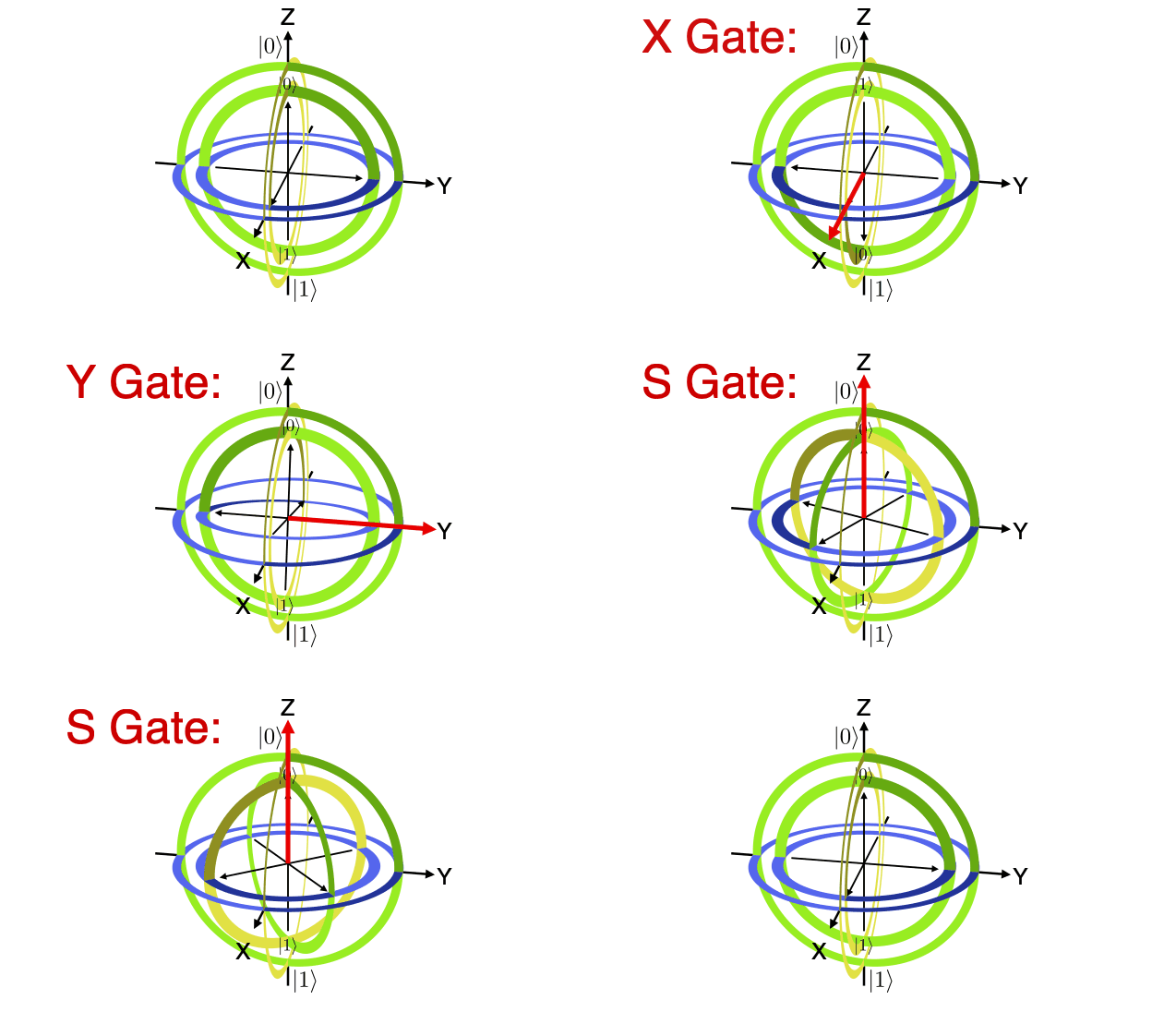
animate_bloch hadamard x y s s
animate_bloch2 xy_vs_z x,y z
With annotations:
animate_bloch2 xy_vs_z_annotated \
    x,y z \
    --circuit '& \gate{X} & \gate{Y} & \qw & \push{=} & & \gate{Z} & \qw' \
    --equation '$YX\ket{\psi}=Z\ket{\psi}$' \
    --fps 20 \
    --mp4
Custom gates: custom;<x-axis>;<y-axis>;<z-axis>;<number half rotations>;<label>
animate_bloch2 custom_hzy "custom;0;1;1;1;Hzy" "s,h,inv_s"
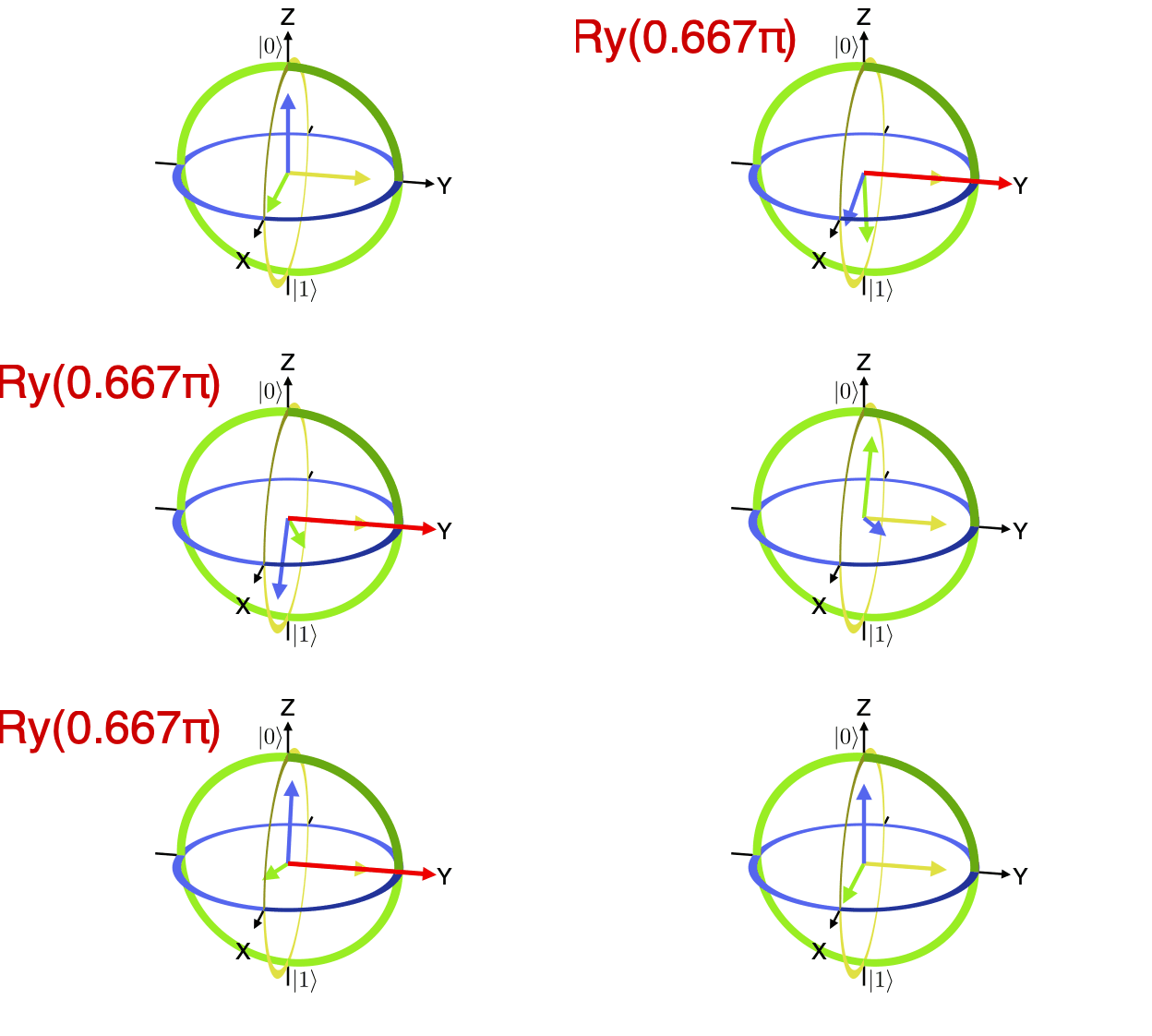
Alternate drawing styles:
animate_bloch ry_gate_arrows --style arrows ry,0.666667 ry,0.666667 ry,0.666667
Code Examples
Visualize a single Bloch sphere
from bloch_sphere.animate_bloch import do_or_save_animation, AnimState

@do_or_save_animation('my_animation', save=False, fps=20, preview=True)
# Or
#@do_or_save_animation('my_animation', save='gif', fps=20, preview=True)
#@do_or_save_animation('my_animation', save='mp4', fps=20, preview=False)
def animate(state: AnimState):
    state.x_gate()
    state.y_gate()
    state.s_gate()
    state.s_gate()
    ...
    state.wait()  # Pause at the end
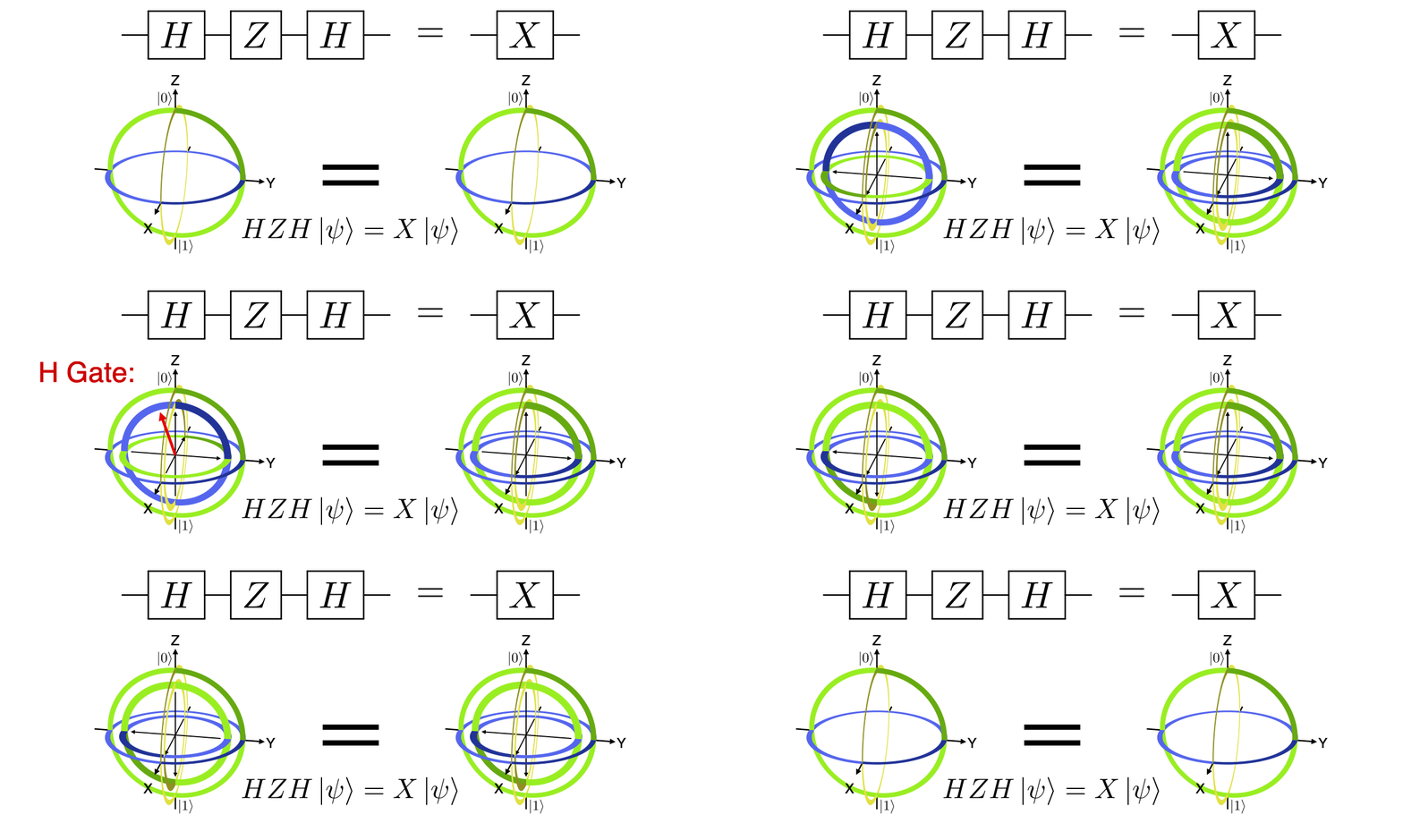
Compare two sequences of gates
from bloch_sphere.animate_bloch_compare import main

main('hzh_x', 'h,z,h'.split(','), 'x'.split(','),
     r'& \gate{H} & \gate{Z} & \gate{H} & \qw & \push{=} & & \gate{X} & \qw',
     r'$HZH\ket{\psi}=X\ket{\psi}$',
     mp4=False,
     fps=20,
     preview=True,
)
Or
import drawsvg as draw
import latextools
from bloch_sphere.animate_bloch_compare import render_animation

# Add some extra labels
zero_ket = draw.Group()
zero_ket.draw(latextools.render_snippet('$\ket{0}$', latextools.pkg.qcircuit),
              x=0, y=0, center=True, scale=0.015)
one_ket = draw.Group()
one_ket.draw(latextools.render_snippet('$\ket{1}$', latextools.pkg.qcircuit),
             x=0, y=0, center=True, scale=0.015)
zero_ket_inner = draw.Use(zero_ket, 0, 0, transform='scale(0.75)')
one_ket_inner = draw.Use(one_ket, 0, 0, transform='scale(0.75)')

w = 624*2  # Output width
fps = 20
draw_args = dict(
    w = w/2,
    outer_labels=[
        [(0, 0, 1), (-0.15, 0.13), zero_ket],
        [(0, 0, -1), (0.15, -0.13), one_ket],
    ],
    inner_labels=[
        [(0, 0, 0.8), (0, 0), zero_ket_inner],
        [(0, 0, -0.8), (0, 0), one_ket_inner],
    ],
)

gates1 = 'h,z,h'.split(',')
gates2 = 'x'.split(',')
def func1(state):
    state.draw_args = dict(draw_args)
    state.draw_args['inner_labels'] = []
    state.sphere_fade_in()
    state.apply_gate_list(gates1, final_wait=False)
    state.wait()
    for _ in gates2:
        state.i_gate()
    state.wait()
    state.wait()
    state.sphere_fade_out()
    state.wait()
def func2(state):
    state.draw_args = dict(draw_args)
    state.draw_args['inner_labels'] = []
    state.sphere_fade_in()
    for _ in gates1:
        state.i_gate()
    state.wait()
    state.apply_gate_list(gates2, final_wait=False)
    state.wait()
    state.wait()
    state.sphere_fade_out()
    state.wait()
render_animation('hzh_x_compare', func1, func2,
                 r'& \gate{H} & \gate{Z} & \gate{H} & \qw & \push{=} & & \gate{X} & \qw',
                 r'$HZH\ket{\psi}=X\ket{\psi}$',
                 save='gif',  # False, 'gif', or 'mp4'
                 fps=fps,
                 preview=True,
                 w=w)
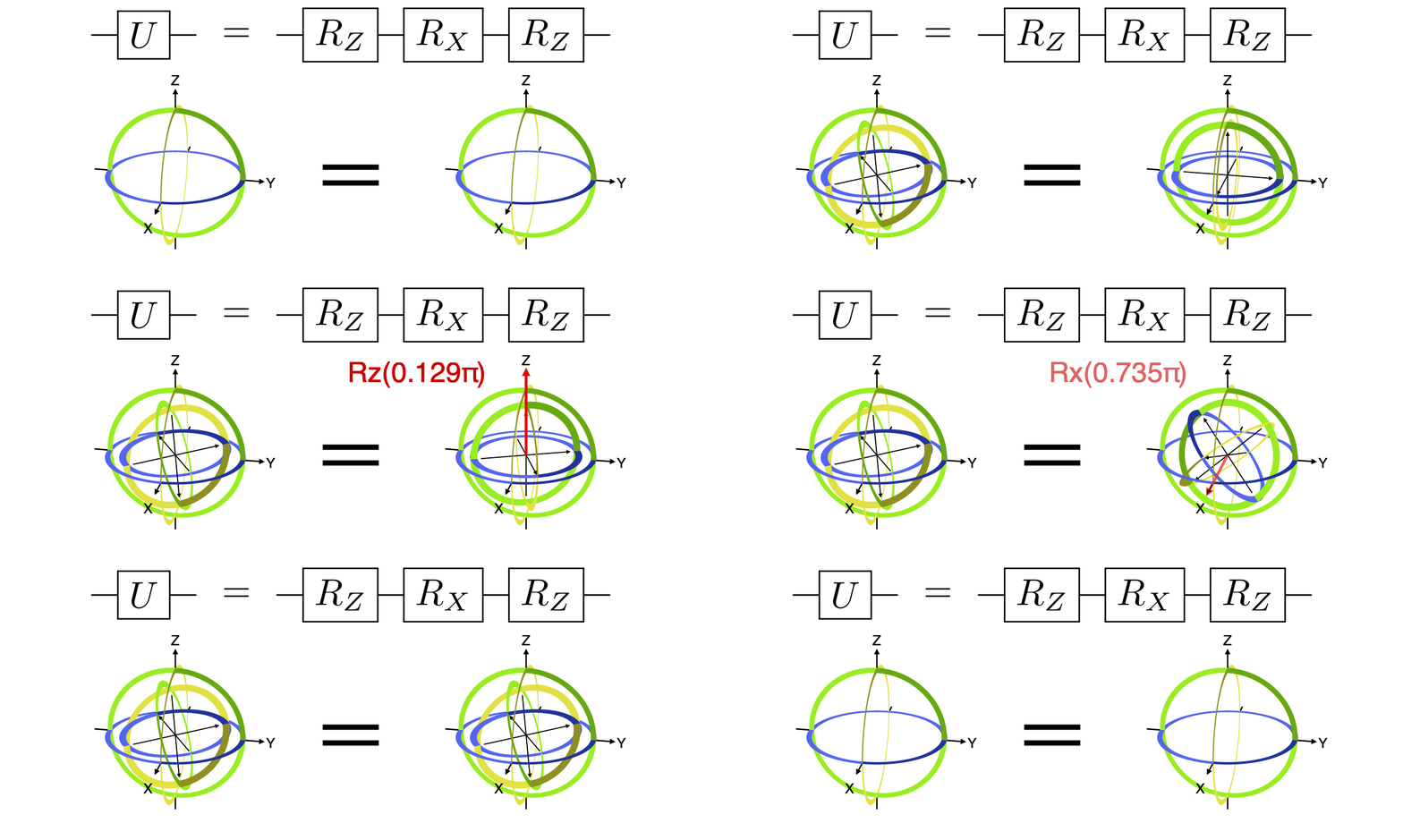
Synthesize any gate as Rz, Rx, Rz
Any single-qubit gate can be decomposed into a series of three rotations about fixed axes, most commonly as rotations about Z, X, and Z. See the example code that generated the below animation.
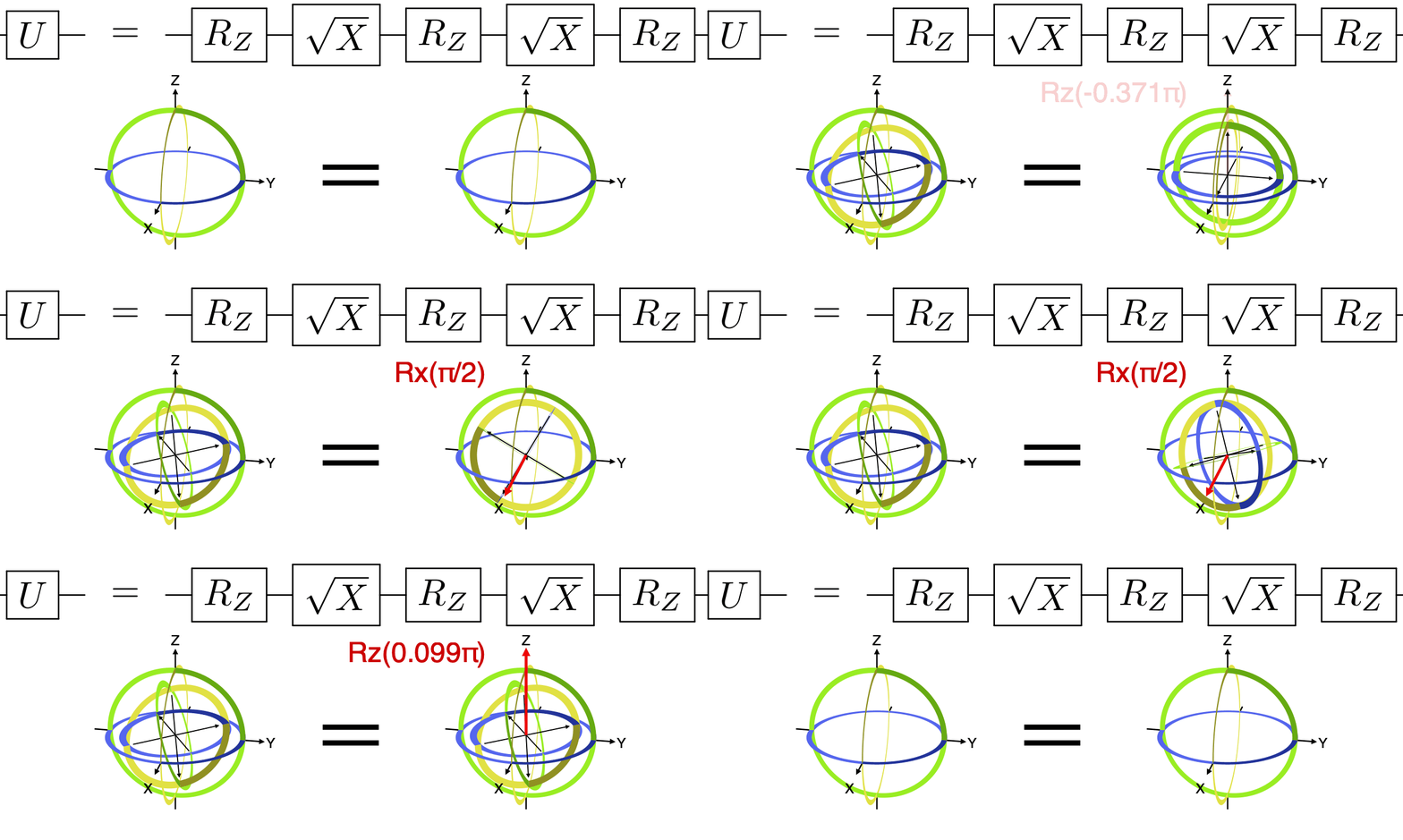
Synthesize any gate as Rz, Rx(π/2), Rz, Rx(π/2), Rz
Any single-qubit gate can also be decomposed into a series of three Z rotations with fixed X rotations of π/2 (1/4 turn) in between. See the example code that generated the below animation.
1 maintainer

Metadata
1 maintainer
Release files for bloch-sphere 0.5.0
For a detailed explanation of source distributions (sdists) and built distributions (wheels), please see the package formats documentation.
Built distribution (wheel)
| File | Interpreter | ABI | Platform | Reset |
|---|---|---|---|---|
| bloch_sphere-0.5.0-py3-none-any.whl | Python 3 | none | any | Details |
Release files / bloch_sphere-0.5.0-py3-none-any.whl
| Download URL | bloch_sphere-0.5.0-py3-none-any.whl |
|---|---|
| Size | 11.3 kB |
| Tags | Python 3 |
|
SHA-256 checksum How to use checksums |
ffddf7b9e44c45b54de1392102c9fa0ed2fcc4e2b42c2e2bfcbe6f20abaa98a4
|
|
BLAKE2b-256 checksum How to use checksums |
590b4b72e0174d86893dbc3742755b1a584d1b6a8e522893dad2a76df8ed7430
|
| Upload date | |
|
Uploaded using Trusted Publishing? What is trusted publishing? |
No |
| Uploaded via |
twine/3.7.1 importlib_metadata/4.10.1 pkginfo/1.8.2 requests/2.26.0 requests-toolbelt/0.9.1 tqdm/4.62.3 CPython/3.10.4
|














