
🌀 blue-options
🌀 blue_options implements an options argument for Bash.
here is an example use of an options in the vancouver-watching 🌈 ingest command:
> @help vanwatch ingest
vanwatch \
	ingest \
	[area=<area>,count=<-1>,~download,dryrun,~upload] \
	[-|<object-name>] \
	[process,count=<-1>,~download,dryrun,gif,model=<model-id>,publish,~upload] \
	[--detect_objects 0] \
	[--overwrite 1] \
	[--verbose 1]
this command takes in an options, an object, and args. an options is a string representation of a dictionary, such as,
area=<vancouver>,~batch,count=<-1>,dryrun,gif,model=<model-id>,~process,publish,~upload
which is equivalent, in json notation, to,
{
    "area": "vancouver",
    "batch": false,
    "count": -1,
    "dryrun": true,
    "gif": true,
    "model": "<model-id>",
    "process": false,
    "publish": true,
    "upload": false,
}
for more refer to 🔻 giza.
installation
pip install blue_options
add this line to your ~/.bash_profile or ~/.bashrc,
source $(python3 -m blue_options locate)/.bash/blue_options.sh
usage
let your function receive an options argument, then parse it with abcli_options and abcli_options_int.
function func() {
    local options=$1

    local var=$(abcli_options "$options" var default)
    local key=$(abcli_options_int "$options" key 0)

    [[ "$key" == 1 ]] &&
        echo "var=$var"
}
example 1
from reddit
How can I automate these tree commands I frequently need to type out? I would like to run:
git add .
git commit -m "Initial "commit"
git push
I got bored of typing them out each time. Can I make an alias or something like "gc" (for git commit). The commit message is always the same "Initial commit".
first, install blue-options. this will also install blueness.
pip install blue_options
then, copy example1.sh to your machine and add this line to the end of your bash_profile,
source <path/to/example1.sh>
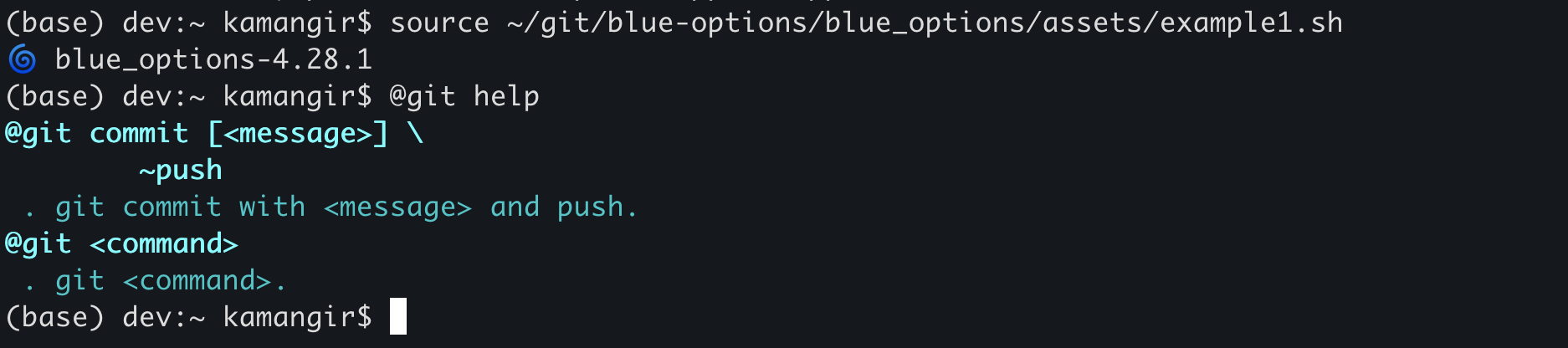
now, you have access to the @git super command. here is how it works.
@git helpshows usage instructions (see below).@git commitruns the three commands. you can customize the message by running@git commit <message>. you can also avoid the push by running@git commit <message> ~push.- for any
<task>other thancommit,@git <task> <args>runsgit <task> <args>.
 > @git help
 @git commit [<message>] \
	~push
 . git commit with <message> and push.
@git <command>
 . git <command>.




1 maintainer

Metadata
1 maintainer
Release files for blue-options 4.240.1
For a detailed explanation of source distributions (sdists) and built distributions (wheels), please see the package formats documentation.
Source distribution (sdist)
| File | Size | Uploaded | |
|---|---|---|---|
| blue_options-4.240.1.tar.gz | 29.0 kB | Details |
Built distribution (wheel)
| File | Interpreter | ABI | Platform | Reset |
|---|---|---|---|---|
| blue_options-4.240.1-py3-none-any.whl | Python 3 | none | any | Details |
Total release size: 72.0 kB
Release files / blue_options-4.240.1.tar.gz
| Download URL | blue_options-4.240.1.tar.gz |
|---|---|
| Size | 29.0 kB |
| Tags | Source |
|
SHA-256 checksum How to use checksums |
07a07ca996f12ee77e21042760a408b8a0a661e6ec0edcf12f6d176816f7700d
|
|
BLAKE2b-256 checksum How to use checksums |
945fb43fc9acc5230bb66931dc29a166d9660c975e50bd144165df3a0d0f5067
|
| Upload date | |
|
Uploaded using Trusted Publishing? What is trusted publishing? |
No |
| Uploaded via |
twine/6.1.0 CPython/3.9.21
|
Release files / blue_options-4.240.1-py3-none-any.whl
| Download URL | blue_options-4.240.1-py3-none-any.whl |
|---|---|
| Size | 43.1 kB |
| Tags | Python 3 |
|
SHA-256 checksum How to use checksums |
e754adfb4a93349bc1fee7f95b25f727217d21da5cc8a7fcbb686d375170bbda
|
|
BLAKE2b-256 checksum How to use checksums |
e4f82a6612ce5c727fb6e10568dd53e7f6567d893091f105f812cd706ec85b81
|
| Upload date | |
|
Uploaded using Trusted Publishing? What is trusted publishing? |
No |
| Uploaded via |
twine/6.1.0 CPython/3.9.21
|














