
blumkin
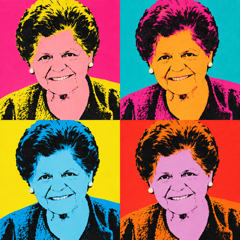



Microsoft 365 and Google Workspace skills CLI for work or personal accounts - named after Rose "Mrs. B" Blumkin, Berkshire's legendary operator.
blumkin turns your own calendar, mail, and chat into small, invokable skills any coding agent (Cursor, GitHub Copilot, Claude, …) — or a human — can run over the shell, instead of re-implementing OAuth and the Graph / Google API clients each time.
It acts as the signed-in user over delegated OAuth (public client + interactive browser). No server, no app-only permissions, no shared secret. --json on every command for agents.
What it does
One config file, one or more named profiles (Microsoft, Google, or both), selected with --profile or a tag. blumkin skills list --json is the live catalog:
| Group | Skills |
|---|---|
auth |
login, logout, refresh, status |
calendar |
today, view, freebusy, suggest, create, accept, cancel, update |
mail |
inbox, list, get, folders, draft, update-draft, delete-draft, send-draft, reply, forward, signature, attachments (+ download) |
chat (Teams / Google Chat) |
find, last, send, edit, delete, attachments (+ download) |
browser |
profile (create, list, delete), launch, status, goto, read, fill, upload, click, press, handoff, explore (observe, click, show, save, discard), ledger (begin, stage, apply, verify, reconcile, handoff, record, report, status, list, close, submitted, discard), model (check, versions, diff) - browser-assisted tasks that stop before the final submit |
docs |
create (a Markdown subset → a real Google Doc, or a .docx in OneDrive) |
drive (Google Drive / OneDrive) |
list, get, read, download, export, mkdir, move, rename, upload |
meeting (Microsoft) |
get, transcription |
people |
resolve |
receipts |
find, read (OCR with confidence per field), rehome (move or copy a confirmed receipt into a managed instance folder) |
mcp |
serve, install, status |
Plus blumkin doctor (setup check), capabilities (structured capability/status discovery), skills / profiles (discovery), upgrade (self-update via pipx / uv tool / an editable checkout), and completion.
Reads work with the base scope set. Anything that reaches another person (mail send, calendar invite, chat message) needs an explicit --yes. Google support is at near-parity with Microsoft — the Google Workspace section below has the exact verb list and the handful of provider differences.
Install (blumkin on PATH)
pipx install blumkin
pipx ensurepath          # first pipx install only; opens a new shell
This always includes the MCP server (mcp) and, on macOS, keyring so tokens prefer OS Keychain storage over a plaintext file (token_storage = "auto" still falls back to the file if no real backend is reachable at runtime; blumkin doctor warns if that happens).
Then invoke the binary directly — not uv run blumkin:
blumkin --version                       # version, commit, and which binary answered
blumkin auth login                      # once per machine / when cache is cold
blumkin doctor                          # config, token cache, active scope set
blumkin skills list --json              # machine-readable catalog for agents
blumkin calendar today --json
blumkin mail inbox --top 10 --json
blumkin chat last --with "Sam Rivera" --n 3 --json
pipx puts blumkin in its bin dir (usually ~/.local/bin); pipx ensurepath makes sure that is on PATH.
On macOS, the wheel also bundles a small compiled blumkin-agent daemon (issue #328/#339 - an ssh-agent-style background process that can cache decrypted Microsoft/Google credentials behind a local presence check so re-verification happens roughly once per token_reverify_after window (default 24h) instead of on every command). The cache is best-effort and macOS-only: non-macOS platforms, token_reverify_after = 0 / "never", or an unavailable agent all fall back to the direct keychain/file backend. It ships as a prebuilt universal2 binary; installing from PyPI needs no Rust toolchain. Building from a clone does (see "From a clone" below) - without one, or on non-macOS platforms, blumkin still works fully, just without that feature (blumkin agent status reports it as unavailable).
blumkin agent stop shuts that agent down entirely (unlike agent lock, which only wipes its cached secrets and leaves it running); it respawns on next use, so run it after blumkin upgrade to retire an agent still running the previous build. --all also stops orphaned agents on legacy socket paths, and a stop with no agent running is a no-op, not an error.
Upgrade
blumkin upgrade
Detects how blumkin is installed and acts to match: pipx upgrade blumkin for a pipx app, uv tool upgrade blumkin for a uv tool, and for an editable -e <path> install (or a bare source checkout) the git pull --ff-only plus --force reinstall a package upgrade cannot do — printed to run yourself, or run for you with blumkin upgrade --yes. from: / to: are the on-disk blumkin --version before and after; an unmanaged install is reported, not touched.
blumkin uninstall tears blumkin down in independent categories, each with its own confirm: --agent, --mcp (or one client at a time with --mcp-claude, --mcp-cursor, --mcp-copilot), --package, --config and --keyring. --dry-run lists what would be removed and removes nothing, and --yes only skips the prompts, it never implies removing everything.
From a clone (developing blumkin)
uv sync --group dev
uv tool install -e .        # editable; `blumkin` now points at the checkout
blumkin --version reports the checkout's commit. blumkin upgrade recognises the editable install and prints (or, with --yes, runs) git pull --ff-only followed by uv tool install -e . --force to re-bake the metadata; blumkin doctor warns when a pull left the installed version stale. When a released install (pipx, uv tool) is used next to a checkout of the repository, blumkin --version adds a note: line if the checkout has commands this build lacks, and blumkin doctor --json reports the full comparison under repository (commits behind, missing commands), with a warning for missing commands. A release is always some commits behind main, so being behind alone is not flagged. The fix is a newer release (blumkin upgrade) or installing the checkout (uv tool install -e <path>; with a pipx install, pipx install --editable <path> --force instead, since uv refuses to overwrite an executable pipx put in the same bin directory - switch managers only with your approval). The checkout is the one in the working directory or its parents, or the one named by BLUMKIN_REPOSITORY; nothing is fetched.
Run the checkout without installing (dev launcher)
scripts/dev/blumkin --version       # blumkin <version>+dev.<sha>.<date> (<commit>), -dirty when uncommitted
scripts/dev/blumkin mail inbox      # the in-repo code against your real config
scripts/dev/blumkin runs the checkout (or any worktree of it, from any directory) with uv run --frozen, so there is no install step and no way to run a stale copy by mistake. It uses your real config directory, keychain entries, token cache and agent state, with no separate namespace; set BLUMKIN_CONFIG_DIR to an empty directory for a throwaway setup. The launcher sets BLUMKIN_DEV=1, and --version, doctor and the MCP server then report a +dev.<short sha>.<commit date> marker (plus -dirty for uncommitted or untracked changes); a plain editable install (uv tool install -e .) keeps its normal version, so editing the checkout never makes a running mcp serve ask to restart, and doctor also shows the source tree, which setting chose the config directory, and (on macOS) warns when the bundled blumkin-agent binary is not built in the checkout or is older than the rust-agent sources; blumkin keeps working without it (secrets are then read straight from the keychain), and uv sync --reinstall-package blumkin rebuilds it. If the config directory has no config.toml, a terminal is offered the guided auth setup (which creates the directory with mode 0700 and a minimal config.toml with mode 0600, and removes both again if the setup does not finish), and anything else fails with a hint; nothing is created or overwritten unless you say yes. Agent sessions use the blumkin-dev skill (.agents/skills/blumkin-dev/SKILL.md). An agent that has to get the checkout working from scratch (no config, no profiles, or a full setup, plus MCP registration) can be pointed at docs/agent-onboarding.md.
On macOS, uv sync/uv tool install compile the blumkin-agent daemon (see rust-agent/README.md) via a hatchling build hook (hatch_build.py) — a Rust toolchain (brew install rust or rustup) must be on PATH. No toolchain, or a non-macOS platform, degrades gracefully: the install still succeeds, just without that binary.
To expose every skill as a typed MCP tool for MCP-aware agents, run blumkin mcp install — a guided setup that registers blumkin mcp serve with Claude Code, Cursor, and the GitHub Copilot CLI, confirming each. mcp is a core dependency (no extra install step needed). See docs/agent-integration.md.
To use blumkin from agent sessions in other repos (Cursor personal skill, or Copilot CLI instructions), see docs/agent-integration.md. For cutting a release, see docs/RELEASING.md.
Discovering commands
Every group and leaf command has --help with a description and worked examples:
blumkin --help                     # top-level map, common workflows, exit codes
blumkin calendar --help            # a group's commands + typical flows
blumkin calendar create --help     # one command: args, notes, example invocations
blumkin skills list --json is the machine-readable catalog for agents.
Shell completion
blumkin completion <bash|zsh|fish> prints a completion script. Let blumkin install it to the per-user completion dir (idempotent; --force to overwrite, --json reports the path):
blumkin completion bash --install
blumkin completion zsh --install    # then put its dir on $fpath before compinit
blumkin completion fish --install
Or place it yourself — bash-completion v2 lazy-loads this path (no rc edit):
blumkin completion bash > ~/.local/share/bash-completion/completions/blumkin.bash
blumkin completion fish > ~/.config/fish/completions/blumkin.fish
…or source it from your rc file:
blumkin completion bash > ~/.blumkin-complete.bash
echo 'source ~/.blumkin-complete.bash' >> ~/.bashrc
blumkin completion zsh > ~/.blumkin-complete.zsh
echo 'source ~/.blumkin-complete.zsh' >> ~/.zshrc
Open a new shell afterwards. The script calls back into blumkin for completions, so keep it on PATH. Besides commands and options, Tab completes values from your own files: waiting item ids for blumkin loop finish, trigger names for loop pause, resume and run-once and template names for tasks show, update and delete --name. These read local files only and complete nothing when the config is missing or broken. drive upload --mime-type separately completes a built-in list of common MIME types, which needs no config.
Config (~/.config/blumkin/)
Create ~/.config/blumkin/config.toml (mode 0600). One file, named profiles — one per account, Microsoft or Google — selected with --profile, a tags entry, or BLUMKIN_PROFILE (see blumkin profiles list --json). With more than one profile, blumkin fails closed rather than guessing which account to act as.
default_profile = "work"

[profiles.work]
client_id = "<entra-public-client-id>"
tenant_id = "<your-entra-tenant>"
default_tz = "<IANA timezone, e.g. America/New_York>"
provider = "microsoft"
tags = ["@work", "work", "microsoft", "m365"]
token_storage = "auto"         # auto | keyring | file
keychain_unlock = "gui"        # gui | cli | off - macOS locked keychain (default "gui")
token_reverify_after = "24h"   # 30m, 24h, 7d, 1w; 0 / "never" disables agent-mode

[profiles.personal]
provider = "google"
default_tz = "<IANA timezone>"
google_oauth_client_file = "~/path/to/google-oauth-desktop-client.json"
tags = ["@personal", "personal", "google", "gmail"]
config.toml must use [profiles.<name>]; flat top-level keys are not supported (a config with none configures zero profiles rather than an implicit one).
A top-level [preferences] table sets font_name / font_size / html_email (default true) for every profile; [profiles.<name>.preferences] overrides one profile. A profile value that disagrees with the top-level one for the same key still wins, but blumkin warns about it on stderr:
[preferences]
font_name = "Calibri"
font_size = 11
html_email = true

[profiles.personal.preferences]
font_size = 13  # overrides just this key for this profile
holidays and booking_exclusions (set per profile, under [profiles.<name>.preferences]: a holiday list belongs to an employer) feed the booking guard that runs before calendar create and before a calendar update that moves an event or invites people. holidays lists the observed dates, each with an optional name; booking_exclusions lists weekly windows nothing may be booked in ("thu 00:00-12:00", or a bare "fri" for the whole day). The guard refuses a weekend, a listed holiday, an excluded window, a slot outside anyone's working hours (read in their own time zone from calendar freebusy) and a slot anyone is busy in. A refusal is overridden one check at a time with --allow weekend|holiday|exclusion|hours|busy, only when the person says the slot is meant. A schedule it could not read (no working hours, freebusy returned nothing) is reported as a warning, never passed silently. All-day events are not checked, and a recurring series is checked at its first occurrence.
[profiles.work.preferences]
holidays = ["2026-11-11 Veterans Day", "2026-11-26 Thanksgiving Day", "2026-11-27"]
booking_exclusions = ["thu 00:00-12:00"]
Set tenant_id, default_tz, and provider in the profile table (there are no org-specific code defaults). provider defaults to microsoft when omitted. token_storage defaults to "auto". keychain_unlock defaults to "gui" (Keychain unlock). token_reverify_after defaults to "24h" and accepts the same compact duration forms blumkin already uses elsewhere (30m, 24h, 7d, 1w); 0 or "never" disables agent-mode for that profile entirely.
Interactive browser auth is public-client only (client_id; plus tenant_id for Microsoft). Do not set a client secret for these flows. Set tenant_id to your tenant's specific GUID or verified domain, never common / organizations / consumers - see the app-registration hardening checklist in docs/SECURITY-AT-A-GLANCE.md before your first login.
account_type defaults to "organizational". Set account_type = "personal" on a Microsoft profile that logs into a personal Microsoft account (outlook.com / live.com / hotmail.com, an MSA). blumkin never infers this from tenant_id - set it explicitly. Personal accounts cannot be granted Teams/People-directory Graph scopes, so blumkin drops Chat.Read, Chat.ReadWrite, OnlineMeetings.ReadWrite, and People.Read from the requested scope set for that profile, and chat.*, meeting.*, and people.resolve fail closed with a usage error explaining why. Calendar, mail, and mail auto-reply/signature skills are unaffected. A personal-account profile also needs tenant_id = "consumers" (or "common") since personal accounts have no dedicated tenant GUID - that reopens the wider device-code-phishing surface the hardening checklist warns against for work/school tenants, so only set it for a profile you know is a personal account. Setting account_type and tenant_id alone is not enough: the Entra app registration's "Supported account types" also has to allow personal Microsoft accounts (either "Personal Microsoft accounts" only, or the multi-tenant + personal option) - the single-tenant "this organizational directory only" setting the hardening checklist recommends for work/school profiles will refuse a personal-account sign-in outright, regardless of account_type / tenant_id. Register a separate app for personal-account profiles rather than loosening a work/school registration's account-type setting. See docs/SECURITY-AT-A-GLANCE.md. For a full walkthrough starting from a bare personal Microsoft account with no Entra directory yet (Azure Free signup, app registration, first login, troubleshooting), see docs/microsoft-personal-setup.md.
Microsoft token cache files (under profiles/<name>/):
msal_token_cache.jsonauth_record.json
BLUMKIN_CONFIG_DIR overrides the config directory (not a profile) — useful for an isolated setup or tests. Never commit anything under the config dir.
Keychain unlock (macOS)
keychain_unlock is an optional key in a [profiles.<name>] table (next to token_storage) that controls how blumkin gets past a locked macOS login keychain. It only matters when the profile stores tokens in the keychain (token_storage is "auto" or "keyring") and has no effect off macOS.
[profiles.work]
token_storage = "auto"
keychain_unlock = "cli"   # gui | cli | off
| Value | Behaviour |
|---|---|
"gui" (default) |
Leave a locked keychain to the macOS prompt. If no GUI is reachable (an SSH session, or no Aqua login session per launchctl managername), nobody could answer that prompt, so it behaves like "cli". |
"cli" |
When the keychain is locked and stdin is a TTY, run security unlock-keychain, which prompts for the password itself. With no TTY, fail fast instead of hanging. |
"off" |
Never attempt an unlock, even without a display. |
Default. When the key is absent, or holds an unrecognized value, it is "gui". On a normal desktop session that is exactly the previous behaviour; in a session with no reachable GUI (SSH, no Aqua login session) "gui" now behaves like "cli", so a locked keychain fails fast instead of hanging. Set "off" to keep the old behaviour there too.
Fail-fast behaviour. This applies to the effective CLI mode: "cli", and "gui" when no GUI is reachable. When the keychain is locked and cannot be unlocked from the session (no TTY), reads use the file copy of the token if there is one, and a write raises with the command to run (a file fallback could later lose to a stale keychain entry once unlocked). Run blumkin auth unlock (or ! blumkin auth unlock from an agent session) in your own terminal, then retry. With "off" blumkin never checks the lock state, so a locked keychain behaves as it did before this setting existed: the macOS prompt, or the keyring's 5s timeout where nobody can answer it, with the existing read and write handling and no fail-fast promise.
Diagnostics. blumkin doctor reports keychain_unlock (the configured mode) and keychain_locked (yes, no, or unknown when this is not macOS, security is unavailable, or the profile uses token_storage = "file"), and warns when the keychain is locked; --json carries them under keychain. blumkin auth unlock --json returns {"ok": true, "status": "unlocked" | "already_unlocked" | "not_macos"}.
Password handling. blumkin never receives, passes on a command line, logs or stores the keychain password; security prompts for it on the terminal directly. An "Always Allow" dialog for a binary that has never touched the item is a separate access-list prompt, and unlocking does not clear it.
Google Workspace (provider = "google")
Full walkthrough: docs/google-setup.md (Console project, APIs, consent screen / test users, Desktop client JSON, named profile, login, smoke, troubleshooting).
Short form — point the profile at your Google Cloud Desktop OAuth client JSON (the Console download). That file holds client_id / client_secret; do not put the secret in toml or environment variables. Download that JSON when you create the client — the secret is shown once and Google will not let you re-download it later (recovery means Reset secret / a new client; see docs/google-setup.md §A.4):
[profiles.personal]
provider = "google"
default_tz = "..."
google_oauth_client_file = "~/path/to/google-oauth-desktop-client.json"
tags = ["@personal", "personal", "google", "gmail"]
blumkin auth login records the signed-in address as email = "..." in that profile the first time (display only - it is never used to pick a profile, and never rewritten afterwards). blumkin profiles list shows it, so two profiles are tellable apart at a glance; blumkin doctor warns if the profile is later signed in as a different account.
blumkin --profile NAME profiles set-email [--email ADDRESS] records or corrects that address explicitly. Unlike the automatic fill, it overwrites an existing value, and with no --email it resolves the signed-in address; it is the way to fix the drift blumkin doctor reports. blumkin --profile NAME profiles set-address stores an optional physical address the same way for browser tasks that need one (see docs/browser-tasks.md); it is asked for at a hidden prompt, never printed back, and left out of every listing.
Optional: set client_id in toml as well; when omitted it is read from the JSON. Keep the client JSON mode 0600 and outside the repo.
Optional non-secret overrides (issue #368): google_auth_uri, google_token_uri, and google_redirect_uris may also be set in toml, each taking precedence over the same field in the Desktop client JSON, which in turn takes precedence over blumkin's own defaults (https://accounts.google.com/o/oauth2/auth, https://oauth2.googleapis.com/token, ["http://localhost"]). Most setups never need these — they exist for non-standard endpoints/redirects.
Optional: vault client_secret in the OS keychain instead of a file (issue #368). client_secret is never accepted in toml, but it no longer has to live in the Desktop client JSON either. The guided path does both the ingest-and-split in one step:
blumkin --profile personal auth setup --yes \
  --from-file /path/to/google-oauth-desktop-client.json
Or vault it directly with:
blumkin auth set-app-secret --kind google_client_secret --from-file /path/to/google-oauth-desktop-client.json
Once vaulted, it takes precedence over any client_secret still in the file, and google_oauth_client_file itself becomes optional: with client_id (and, if needed, google_auth_uri / google_token_uri / google_redirect_uris) set in toml, the profile no longer needs the Desktop JSON at all. blumkin auth set-app-secret --kind google_client_secret --delete removes the vaulted value (the Desktop JSON, if still configured, keeps working as before).
Coverage. Google runs auth, all of calendar (update attaches a Meet link instead of a Teams link; create takes the same --repeat recurrence flags), all of mail reads and writes, people resolve (own contacts, plus the Workspace directory on a Workspace account), chat find / last / send / edit / delete / attachments, and docs create (a native Google Doc via the Docs API; --folder targets a folder blumkin itself created). meeting get / meeting transcription are stubbed by design — Google Meet transcript access is deliberately not implemented (docs/DECISIONS.md D8). A few option-level combinations also still fail closed on a Google profile: mail list / mail inbox --importance / --has-attachments / --orderby, and calendar suggest --treat-tentative free. Everything else fails closed with a clear error.
Provider differences.
mail folderslists Gmail labels that act as folders;mail list --folderon Google accepts onlyinbox,sentitems,drafts,deleteditemsandjunkemail;archive,outbox, a folder id and a custom name are Microsoft only.- Mail writes need the
gmail.composescope — re-runblumkin auth loginonce after upgrading or those calls exit4(missing_scope). - Chat
attachmentsare listed but Drive-backed files are not downloadable. - A returned draft
idis the Gmail draft id;attachments[].idisnull(Gmail carries attachments inside the raw message). mail attachmentsandmail getlist Gmail attachments by their stable MIME part id (Gmail's own attachment id changes on every fetch), so an id from one listing still downloads later; this holds when Gmail supplies a MIME part id, and a part without one is listed by Gmail's own id, which can change between fetches.- A message sent from a Google profile goes out from the Gmail account's default send-as address, which can be an alias rather than the address you signed in with, unless the draft already names another From or a Reply-To (Gmail sends an existing draft as it is). On Google,
mail send-draftreturnssent(the draft id),message_idandconversation_id(the delivered message and its thread), so the sent message can be found afterwards.
Token file (written by blumkin auth login): profiles/<name>/google_token.json. graph_timeout_seconds in toml bounds Google HTTP and token-refresh calls too. Never commit any of these files.
Drive files. blumkin drive upload --file ./avatar.png --folder "Profile" --yes puts a local file in your Google Drive or OneDrive as a new file (--name, --folder-id and --mime-type are optional); drive download --id ID --out ./downloads/ and drive export --id ID --to ./doc.pdf bring files down. An upload never replaces a file and refuses a name already taken in the folder (Google Drive has no create-if-absent, so a concurrent upload of the same name could still duplicate), notifies no one, and refuses a file that is a hard link, inside blumkin's own config directory (tokens), in ~/.ssh, ~/.aws, ~/.gnupg or ~/.config/gcloud, an .env file, ~/.netrc or the Google OAuth client file. The file is opened once and that open file is what is sent. Downloads and exports are saved as new files with mode 0600 and never overwrite. Large files use the service's resumable upload (Google) or a chunked upload session that is retried when the service is busy (OneDrive). Microsoft needs the same docs_scopes grant (Files.ReadWrite) as the other drive verbs; Google needs no new consent. Tab completion covers the verbs, their options and common --mime-type values, and leaves paths to your shell.
Local document reads. blumkin docs read --path ./file.pdf --json reads a local PDF/DOCX/XLSX/image already on disk (for example from drive download, drive export, mail attachments download, or chat attachments download). It refuses files larger than 25 MB. Install only the extras you need:
uv tool install -e '.[pdf]'
uv tool install -e '.[xlsx]'
--ocr is only reachable through the PDF code path, so it needs pdf too - .[ocr] alone cannot read a PDF:
uv tool install -e '.[pdf,ocr]'
Images (.png/.jpg/.jpeg/.tif/.tiff/.bmp/.webp) are always OCR'd - there is no text layer to fall back to, so --ocr is implicit for them and cannot be passed. They only need the ocr extra (not pdf), and only the tesseract binary (not poppler, which is PDF-only):
uv tool install -e '.[ocr]'
The ocr extra also needs system binaries on macOS - tesseract for both PDF and image OCR, poppler for PDF page rendering only (image OCR does not need poppler):
brew install tesseract poppler
A photo is prepared before it is read: turned upright by its EXIF orientation, shrunk when wider than 2400 pixels, straightened when the print runs a few degrees off level, and read both cleaned up and as it is. When both reads leave next to nothing (a shadow or a bed sheet behind the paper), it is retried with the background flattened and with other page-layout modes before giving up. A receipt photo that still reads empty is reported as needs_manual with No text was detected in this photo after N OCR passes, so an agent knows that a manual reading is needed rather than that the fields were merely doubtful.
Prompt-injection flagging. docs read and mail get scan extracted text/body content for common prompt-injection patterns (instruction-override phrasing, zero-width/bidi-override characters, link-label/URL mismatches, role-impersonation blocks, base64 blobs next to "decode/execute" triggers). Detection is heuristic and advisory only: it never blocks, redacts, or alters the returned content. A match adds an injection_warning field to the JSON payload (null when clean) and a ⚠️ POSSIBLE PROMPT INJECTION DETECTED banner to human-formatted output, so the caller can decide whether to act on the content. See issue #282 for the full design and deferred scope (no LLM-based detection, no hard-block/confirmation wiring in v1).
Browser-assisted tasks
For chores with no API, such as filing an expense report or filling in a time sheet, blumkin drives a browser you sign in to. You create a dedicated profile (blumkin browser profile create expense-report), launch it (blumkin browser launch expense-report) and sign in by hand; blumkin never sees your credentials. An agent then fills in the form and uploads your receipts over the Chrome DevTools Protocol (Playwright), and stops before submitting: the task ends by telling you what to review and which button to press.
Chrome, Edge and Chromium are supported; set [browser] default = "edge" in config.toml (Chrome is used when it is unset or not installed), and declare what each task may click under [browser.tasks.<task>]. The ready-made skills are expense-report and time-sheet. Setup, the command list, the receipt tools and what blumkin refuses are in docs/browser-tasks.md, and the threat model is in docs/SECURITY-AT-A-GLANCE.md.
Loop and cron (unattended)
For recurring catch-up (mail receipts into an expense instance, end-of-day time sheet), configure [loop.triggers.*] and [cron.*] and run blumkin loop as a systemd user service (or blumkin loop run in the foreground). The runner polls allowlisted mailboxes, drains a local queue, fires due cron entries, journals outcomes, and can mail short notices when a run needs you. A mailed request that needs a model is queued for your own agent session (blumkin loop pending, then blumkin loop finish), which replies with the Drive link. It does not explore sites or submit forms. Operator guide: docs/loop.md.
Tests
uv run pytest -m 'not live'                        # CI-equivalent (mocks / offline)
BLUMKIN_LIVE=1 uv run pytest -m live               # live Graph reads + silent refresh
BLUMKIN_LIVE_GOOGLE=1 uv run pytest -m live_google # live Google reads (Google profile)
Live tests need ~/.config/blumkin/ by default (override with BLUMKIN_CONFIG_DIR): config.toml, token cache, auth record, and a usable refresh token. The live_google tests instead need a logged-in Google profile (provider = "google"). Never commit those files.
Security
blumkin acts as you over delegated OAuth — no server, no shared secret, no one else's data. Auth and config live only under ~/.config/blumkin/ and are never committed.
docs/SECURITY-AT-A-GLANCE.md— one page: what it touches, the auth model, blast radius, how releases are trusted.SECURITY.md— full policy, response targets, and private vulnerability reporting.
Docs
PLAN.md— original v1 CLI design (historical; open questions resolved in-place, current surface documented above and indocs/DECISIONS.md)docs/DECISIONS.md— standing decisions and the design-artifact indexCONTRIBUTING.md— review model and the static-analysis / scanning toolchainHANDOFF.md— open Identity/scope-grant follow-up (WO1162425) referenced from runtime scope errorsAGENTS.md— contributor / agent ground rulesRETROSPECTIVE-M1.md— M1 ship retrospective (#11)docs/agent-onboarding.md— step-by-step for an agent to run blumkin from the source tree, from a clean machine or an existing config (profiles, sign-in, MCP registration)docs/agent-integration.md— using blumkin from Cursor / Pi / Copilot CLI, and the frozenskills list --jsoncontractdocs/browser-tasks.md- browser-assisted tasks: setup, commands, receipts, what is refuseddocs/loop.md— unattended loop / cron runner: config, systemd, notices, kill switchdocs/operator-config.md— optional~/.config/blumkin/*.mdoperator-context files (email-context.md)docs/RELEASING.md— release flow, PyPI trusted publishing, rollbackdocs/google-setup.md— Google Cloud Desktop OAuth + blumkin Google profile.agents/skills/blumkin/SKILL.md— canonical Cursor / Pi agent skill (also consumed directly by pi.dev — seeintegrations/pi/)
License
MIT © 2026 Henrique Andrade (GitHub's thehcma) — see LICENSE.
1 maintainer

Metadata
1 maintainer
Release files for blumkin 1.14.0
For a detailed explanation of source distributions (sdists) and built distributions (wheels), please see the package formats documentation.
Source distribution (sdist)
| File | Size | Uploaded | Provenance | Actions |
|---|---|---|---|---|
| blumkin-1.14.0.tar.gz | 1.9 MB | With provenance | Details for blumkin-1.14.0.tar.gz |
Built distributions (wheels)
| File | Interpreter | ABI | Platform | Actions Reset |
|---|---|---|---|---|
| blumkin-1.14.0-py3-none-any.whl | Python 3 | none | any | Details for blumkin-1.14.0-py3-none-any.whl |
| blumkin-1.14.0-cp314-cp314-macosx_14_0_universal2.whl | CPython 3.14 | CPython 3.14 | macOS 14.0+ universal2 (ARM64, x86-64) | Details for blumkin-1.14.0-cp314-cp314-macosx_14_0_universal2.whl |
Total release size: 4.0 MB
Release files / blumkin-1.14.0.tar.gz
| Download URL | blumkin-1.14.0.tar.gz |
|---|---|
| Size | 1.9 MB |
| Tags | Source |
|
SHA-256 checksum How to use checksums |
9e652e0c03d255f249c475f0876d58801d8853e3e349aea7fbf7a71645bbfc3c
|
|
BLAKE2b-256 checksum How to use checksums |
ed62483d5188ae618a2c6b53a16603e58798fee742f872651b4aa0944dfd3f9a
|
| Upload date | |
|
Uploaded using Trusted Publishing? What is trusted publishing? |
Yes |
| Uploaded via |
twine/7.0.0 CPython/3.13.16
|
Provenance
Provenance describes where a file came from. On PyPI, provenance is shared via attestations, which provide a verifiable record of the build or publishing details. View details, limitations and caveats.


PyPI Publish Attestation
PyPI verified that this artifact, at this checksum, originated from the publisher listed below.
Signed by GitHub Actions, verified by PyPI on Nov 14, 2026.
Transparency logRelease files / blumkin-1.14.0-py3-none-any.whl
| Download URL | blumkin-1.14.0-py3-none-any.whl |
|---|---|
| Size | 817.8 kB |
| Tags | Python 3 |
|
SHA-256 checksum How to use checksums |
ac1e477a853e75e04bc597e7220c36ec3a17f818edf51d070d409af159690912
|
|
BLAKE2b-256 checksum How to use checksums |
565dcf73dd9378f2cf32892ec9d82dafdb9fa156a9147b005469fe29148d2a7d
|
| Upload date | |
|
Uploaded using Trusted Publishing? What is trusted publishing? |
Yes |
| Uploaded via |
twine/7.0.0 CPython/3.13.16
|
Provenance
Provenance describes where a file came from. On PyPI, provenance is shared via attestations, which provide a verifiable record of the build or publishing details. View details, limitations and caveats.
PyPI Publish Attestation
PyPI verified that this artifact, at this checksum, originated from the publisher listed below.
Signed by GitHub Actions, verified by PyPI on Nov 14, 2026.
Transparency logRelease files / blumkin-1.14.0-cp314-cp314-macosx_14_0_universal2.whl
| Download URL | blumkin-1.14.0-cp314-cp314-macosx_14_0_universal2.whl |
|---|---|
| Size | 1.3 MB |
| Tags | CPython 3.14 macOS 14.0+ universal2 (ARM64, x86-64) |
|
SHA-256 checksum How to use checksums |
90a3431fe6e27fa862a7868baf2ea9d2afa86835d7daa04989ec094f603c040c
|
|
BLAKE2b-256 checksum How to use checksums |
0335a7bb852eeae263cf69913a94f0ec61e52335e36ce7f7cbf0656478371404
|
| Upload date | |
|
Uploaded using Trusted Publishing? What is trusted publishing? |
Yes |
| Uploaded via |
twine/7.0.0 CPython/3.13.16
|
Provenance
Provenance describes where a file came from. On PyPI, provenance is shared via attestations, which provide a verifiable record of the build or publishing details. View details, limitations and caveats.
PyPI Publish Attestation
PyPI verified that this artifact, at this checksum, originated from the publisher listed below.
Signed by GitHub Actions, verified by PyPI on Nov 14, 2026.
Transparency logSecurity for blumkin 1.14.0
Provenance
Provenance describes where a file came from. On PyPI, provenance is shared via attestations, which provide a verifiable record of the build or publishing details. View details, limitations and caveats.
Full provenance
All 3 files in this release have been uploaded with provenance metadata.
Attestation for blumkin-1.14.0.tar.gz
PyPI Publish Attestation
PyPI verified that this artifact, at this checksum, originated from the publisher listed below.
Signed by GitHub Actions, verified by PyPI on Nov 14, 2026.
Transparency logA note on package security
PyPI is a repository for distributing packages, not a service for auditing them. While third-party security researchers and our staff do their best to detect and remove malicious packages, PyPI cannot guarantee the quality, security or suitability of any given package.
To learn more about protecting yourself from malicious actors, visit our package security documentation.














