
bn-lightweight-charts-python





lightweight-charts-python aims to provide a simple and pythonic way to access and implement TradingView's Lightweight Charts.
Installation
pip install bn-lightweight-charts
History
Package is based on lightweight-charts-python Changes:
- used lightweight-charts js v:5.x
- added milti-pane support from lightweight-charts js v:5.x
- added support for charts resize and panel resize
- fixed issue with sync charts
- added support view in browser
Features
- Streamlined for live data, with methods for updating directly from tick data.
- Multi-pane charts using Subcharts.
- The Toolbox, allowing for trendlines, rectangles, rays and horizontal lines to be drawn directly onto charts.
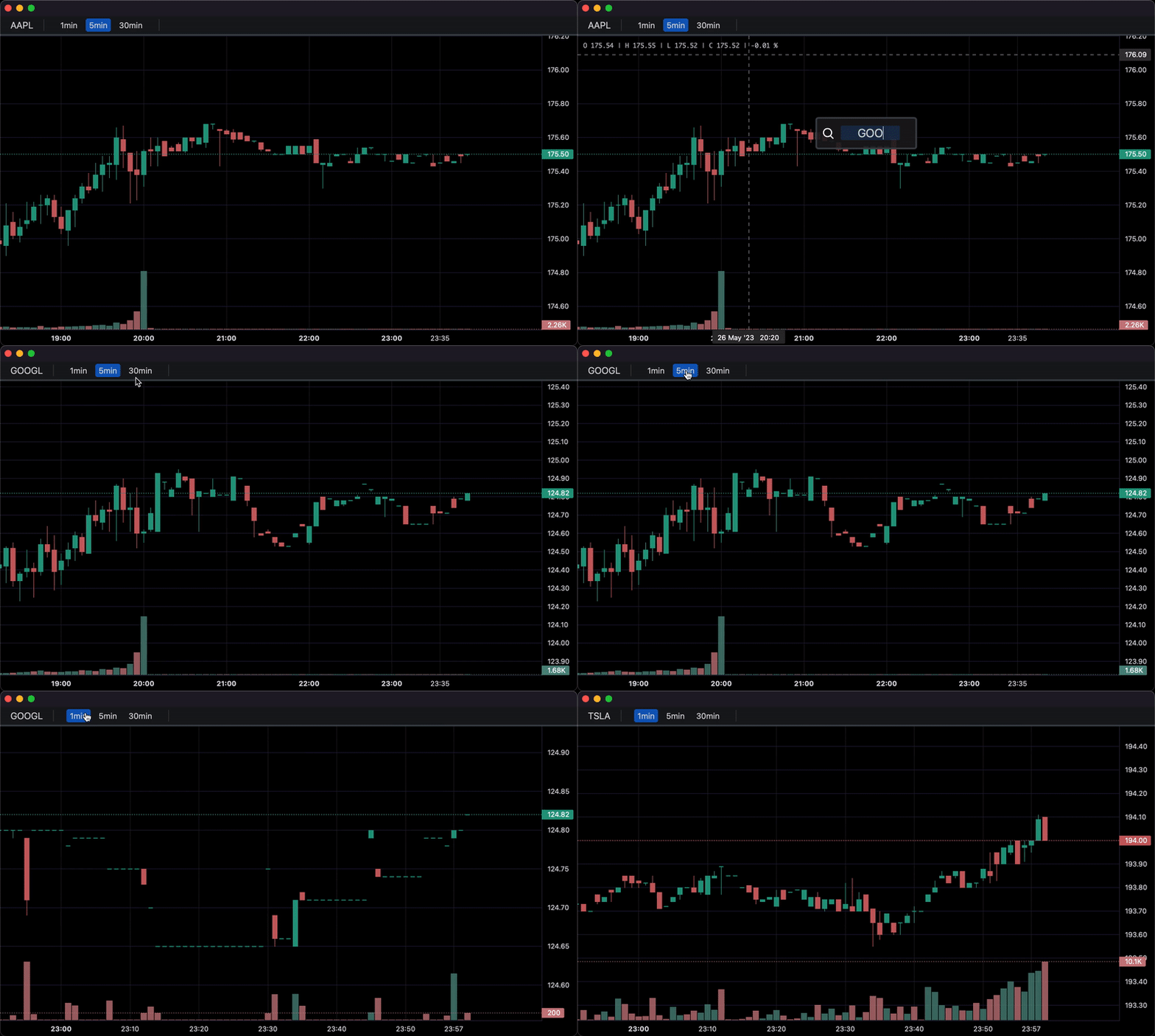
- Events allowing for timeframe selectors (1min, 5min, 30min etc.), searching, hotkeys, and more.
- Tables for watchlists, order entry, and trade management.
- Direct integration of market data through Polygon.io's market data API.
Supports: Jupyter Notebooks, PyQt6, PyQt5, PySide6, wxPython, Streamlit, and asyncio.
PartTimeLarry: Interactive Brokers API and TradingView Charts in Python
Samples
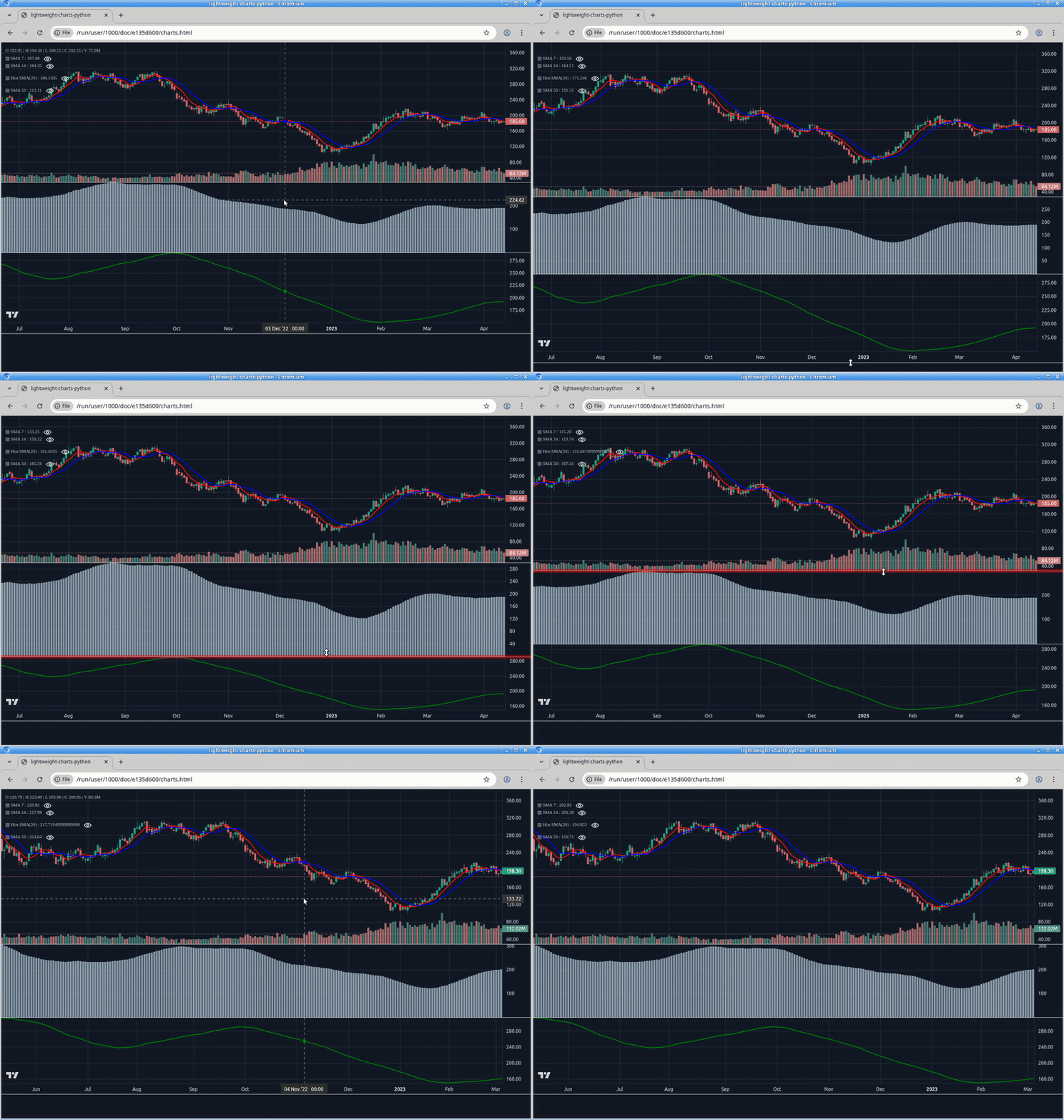
0. Multi-pane support
import pandas as pd
import webbrowser
from bn_lightweight_charts import HTMLChart

def calculate_sma(df, period: int = 50, name = None):
    name = name or f'SMA {period}'
    return pd.DataFrame({
        'time': df['date'],
        name: df['close'].rolling(window=period).mean()
    }) #.dropna()

def demo():
    chart = HTMLChart(width=1200, height=800, inner_height=-500, filename='charts.html')
    chart.legend(visible=True)
    df = pd.read_csv('./PDATA/4ohlcv.csv')
    chart.set(df)

    # Pane 0
    line7 = chart.create_line('SMA 7', color='red', price_line=False, price_label=False)
    sma7_data = calculate_sma(df, period=7)
    line7.set(sma7_data)
    line14 = chart.create_line('SMA 14', color='blue', price_line=False, price_label=False)
    sma14_data = calculate_sma(df, period=14)
    line14.set(sma14_data)

    # Pane 1
    sma20_data = calculate_sma(df, period=20, name='Hist SMA(20)')
    line20 = chart.create_histogram('Hist SMA(20)', price_line=False, price_label=False, pane_index=1)
    line20.set(sma20_data)

    # Pane 2
    sma50_data = calculate_sma(df, period=50)
    line50 = chart.create_line('SMA 50', color='green', price_line=False, price_label=False, pane_index=2)
    line50.set(sma50_data)

    chart.load()
    webbrowser.open(chart.filename)

if __name__ == '__main__':
    demo()
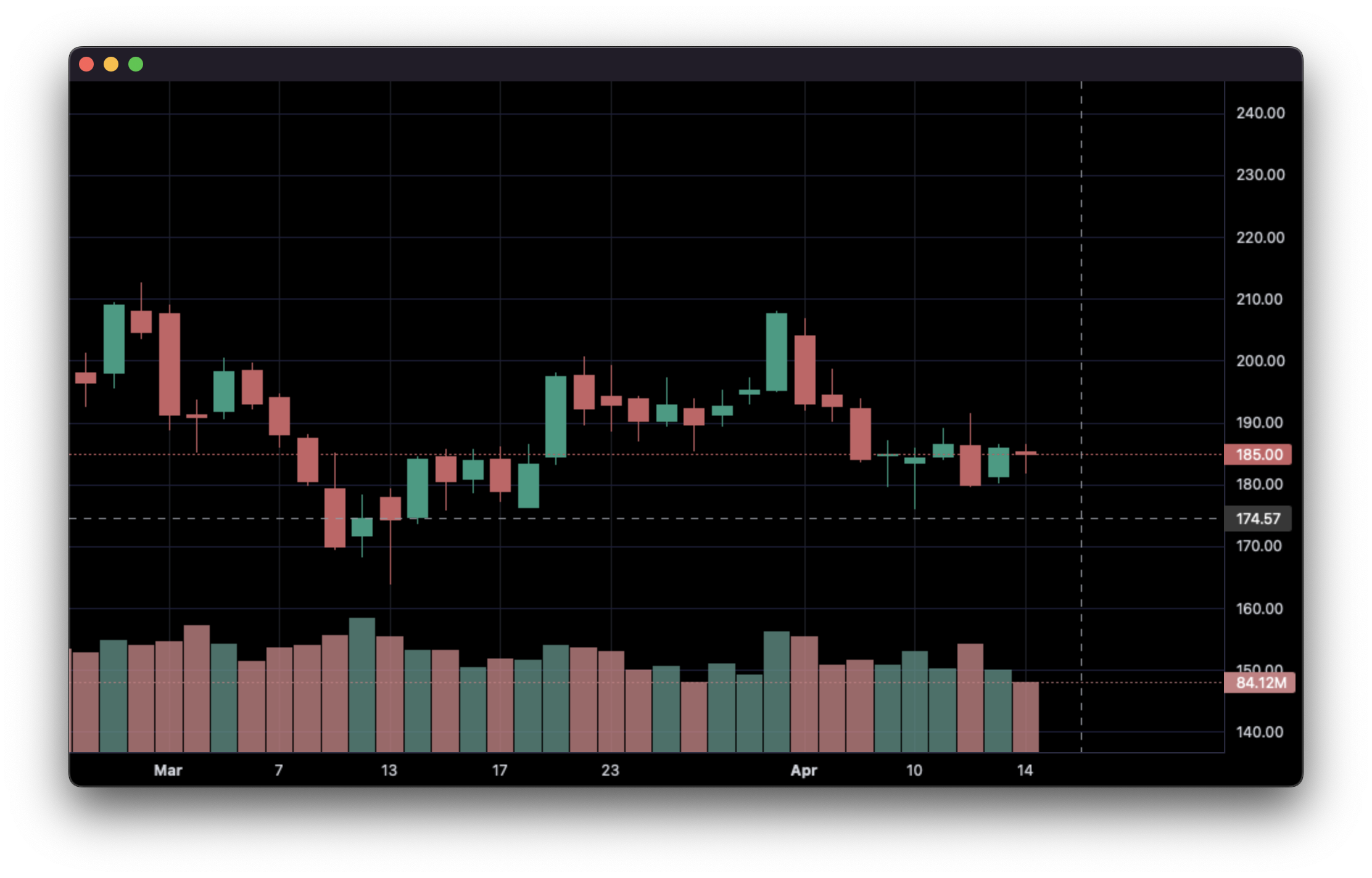
1. Display data from a csv:
import pandas as pd
from bn_lightweight_charts import Chart


if __name__ == '__main__':

    chart = Chart()

    # Columns: time | open | high | low | close | volume
    df = pd.read_csv('ohlcv.csv')
    chart.set(df)

    chart.show(block=True)
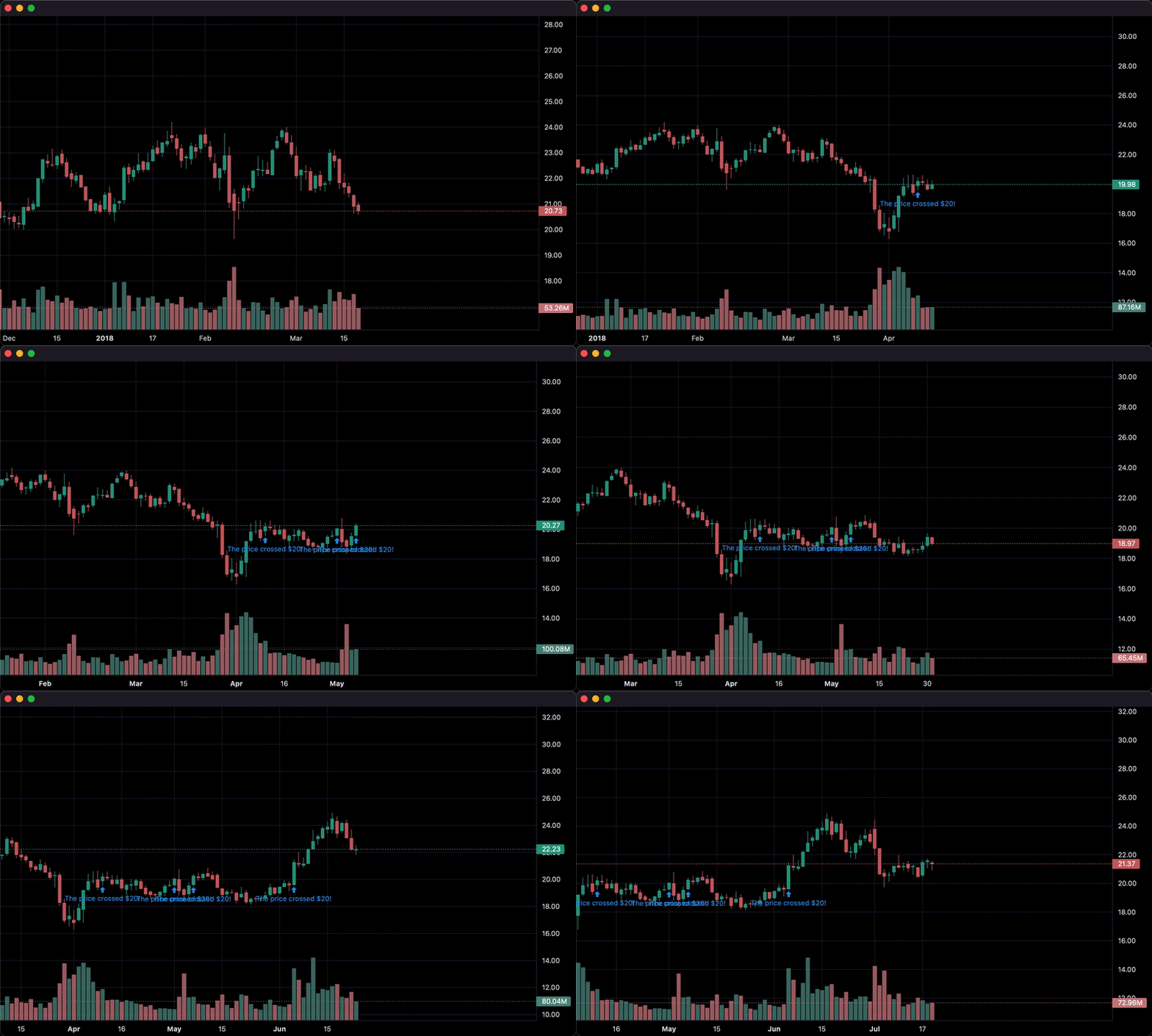
2. Updating bars in real-time:
import pandas as pd
from time import sleep
from bn_lightweight_charts import Chart

if __name__ == '__main__':

    chart = Chart()

    df1 = pd.read_csv('ohlcv.csv')
    df2 = pd.read_csv('next_ohlcv.csv')

    chart.set(df1)

    chart.show()

    last_close = df1.iloc[-1]['close']

    for i, series in df2.iterrows():
        chart.update(series)

        if series['close'] > 20 and last_close < 20:
            chart.marker(text='The price crossed $20!')

        last_close = series['close']
        sleep(0.1)
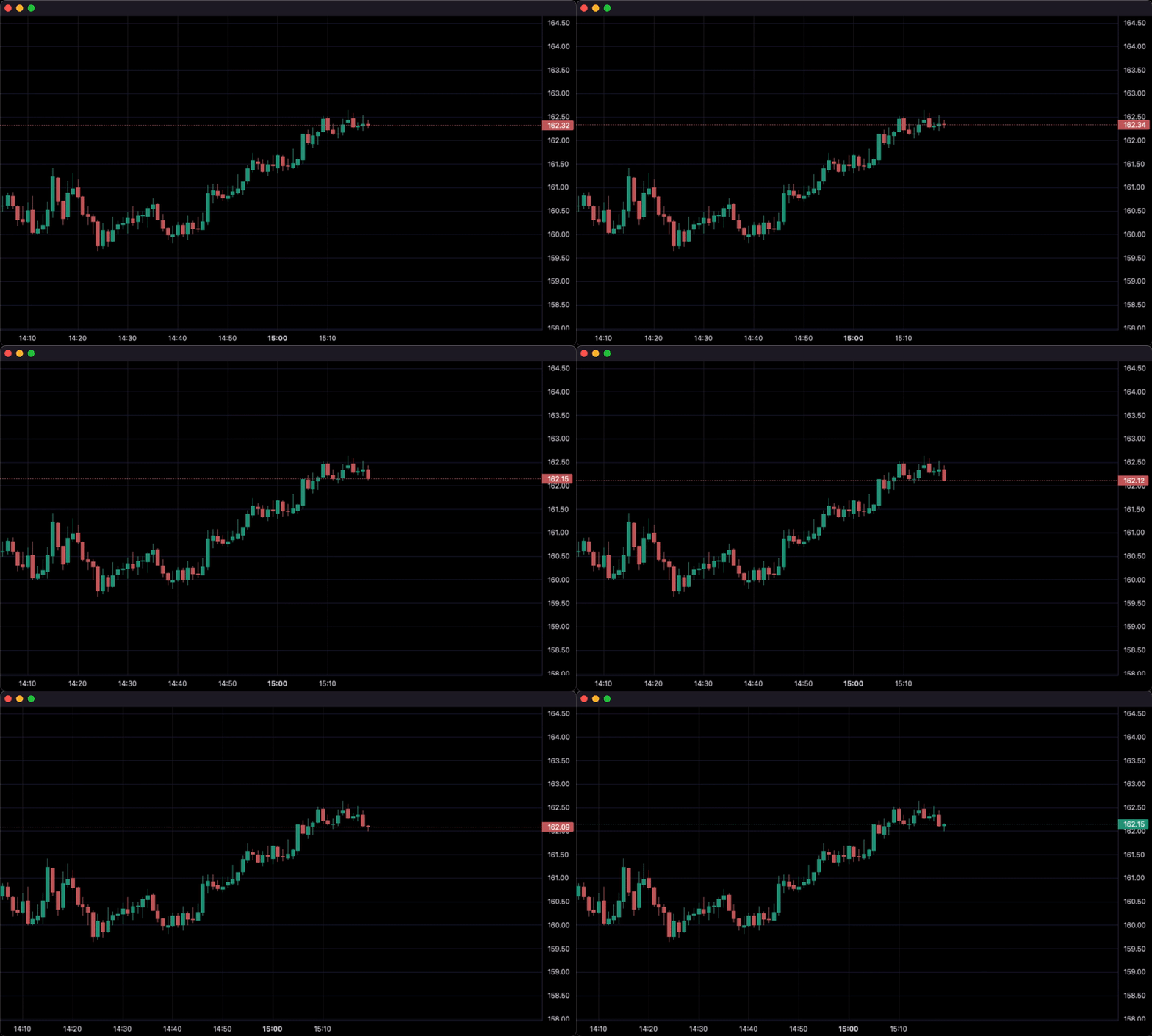
3. Updating bars from tick data in real-time:
import pandas as pd
from time import sleep
from bn_lightweight_charts import Chart


if __name__ == '__main__':

    df1 = pd.read_csv('ohlc.csv')

    # Columns: time | price
    df2 = pd.read_csv('ticks.csv')

    chart = Chart()

    chart.set(df1)

    chart.show()

    for i, tick in df2.iterrows():
        chart.update_from_tick(tick)

        sleep(0.03)
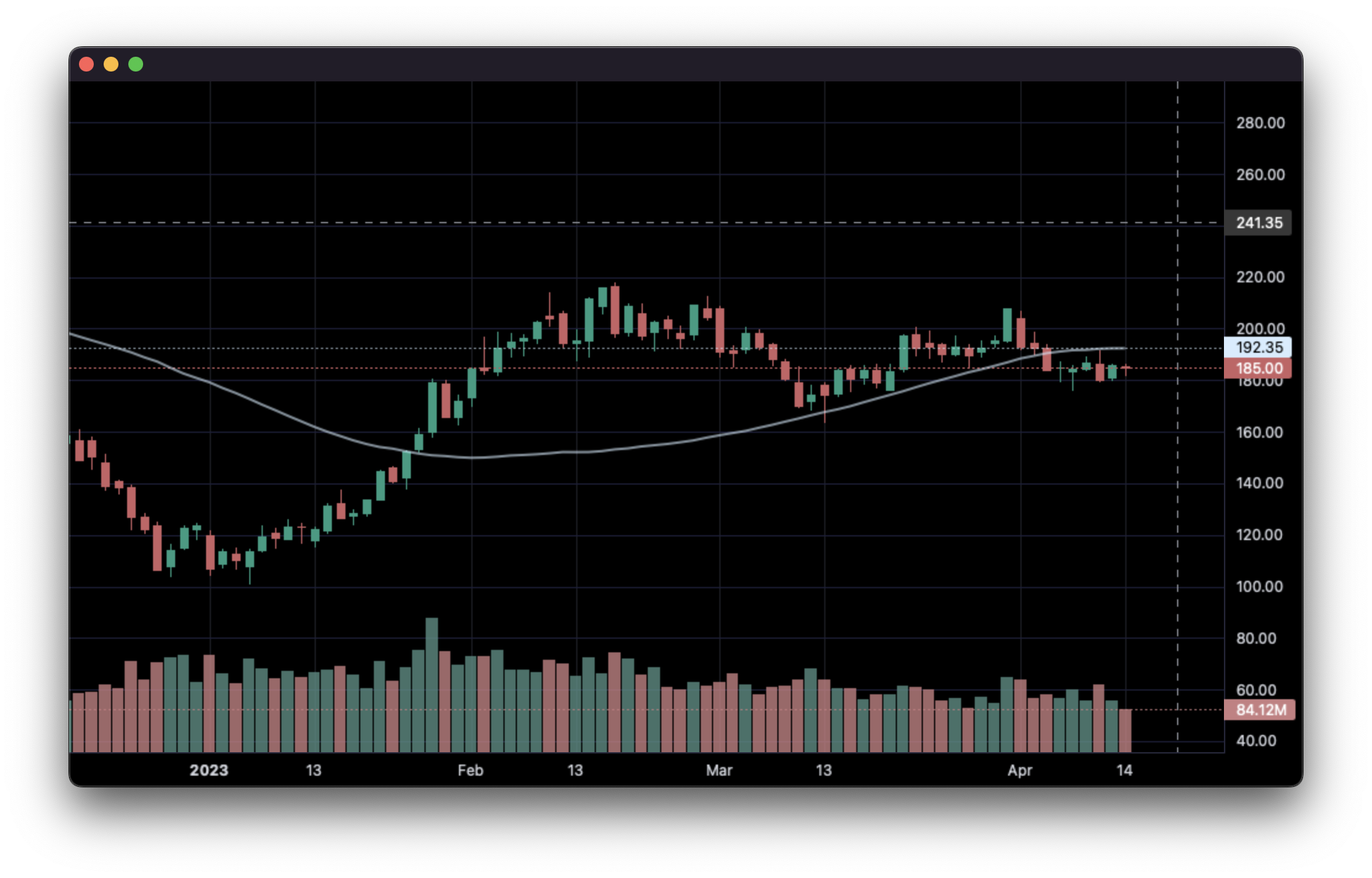
4. Line Indicators:
import pandas as pd
from bn_lightweight_charts import Chart


def calculate_sma(df, period: int = 50):
    return pd.DataFrame({
        'time': df['date'],
        f'SMA {period}': df['close'].rolling(window=period).mean()
    }).dropna()


if __name__ == '__main__':
    chart = Chart()
    chart.legend(visible=True)

    df = pd.read_csv('ohlcv.csv')
    chart.set(df)

    line = chart.create_line('SMA 50')
    sma_data = calculate_sma(df, period=50)
    line.set(sma_data)

    chart.show(block=True)
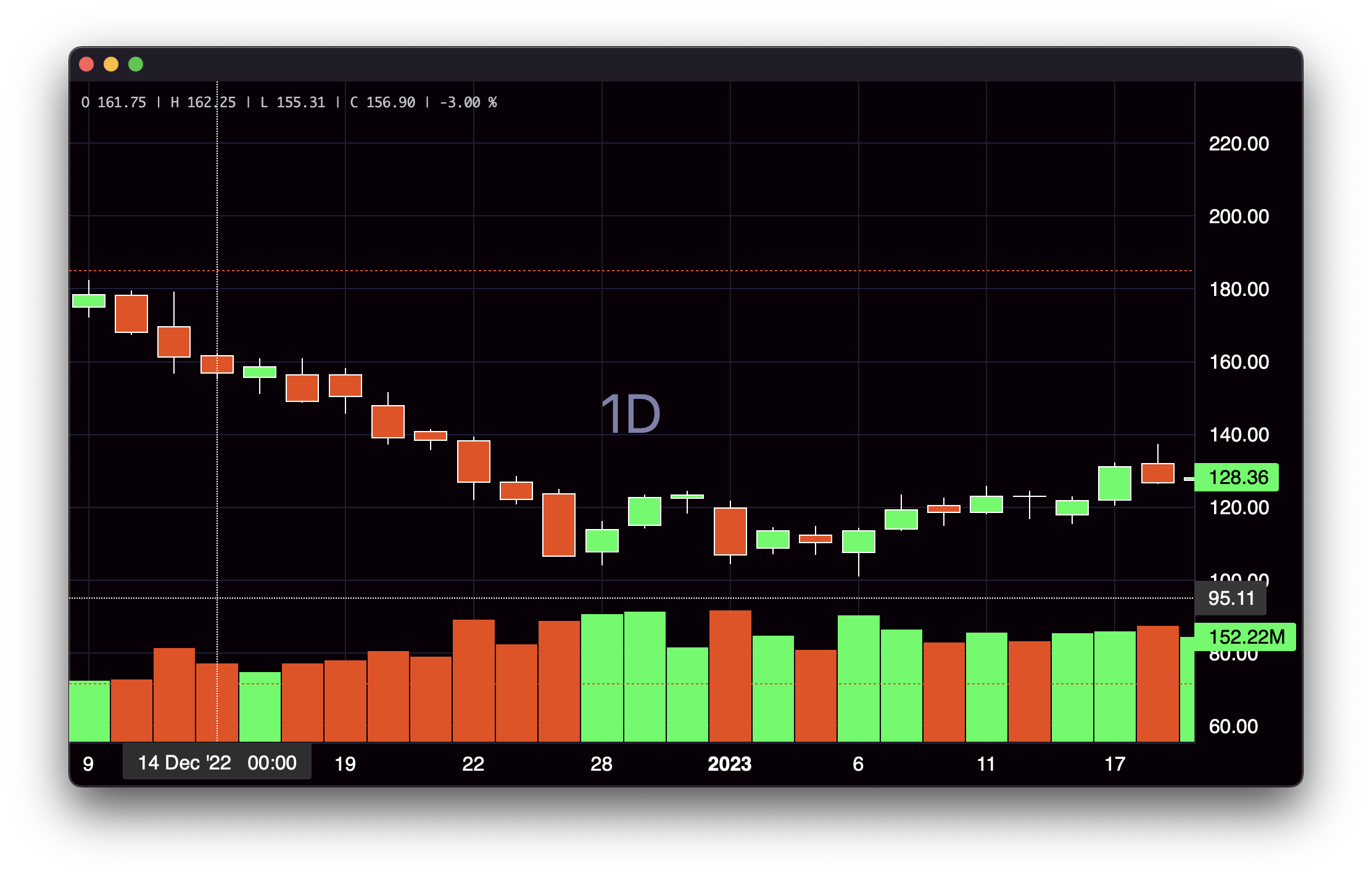
5. Styling:
import pandas as pd
from bn_lightweight_charts import Chart


if __name__ == '__main__':

    chart = Chart()

    df = pd.read_csv('ohlcv.csv')

    chart.layout(background_color='#090008', text_color='#FFFFFF', font_size=16,
                 font_family='Helvetica')

    chart.candle_style(up_color='#00ff55', down_color='#ed4807',
                       border_up_color='#FFFFFF', border_down_color='#FFFFFF',
                       wick_up_color='#FFFFFF', wick_down_color='#FFFFFF')

    chart.volume_config(up_color='#00ff55', down_color='#ed4807')

    chart.watermark('1D', color='rgba(180, 180, 240, 0.7)')

    chart.crosshair(mode='normal', vert_color='#FFFFFF', vert_style='dotted',
                    horz_color='#FFFFFF', horz_style='dotted')

    chart.legend(visible=True, font_size=14)

    chart.set(df)

    chart.show(block=True)
6. Callbacks:
import pandas as pd
from bn_lightweight_charts import Chart


def get_bar_data(symbol, timeframe):
    if symbol not in ('AAPL', 'GOOGL', 'TSLA'):
        print(f'No data for "{symbol}"')
        return pd.DataFrame()
    return pd.read_csv(f'bar_data/{symbol}_{timeframe}.csv')


def on_search(chart, searched_string):  # Called when the user searches.
    new_data = get_bar_data(searched_string, chart.topbar['timeframe'].value)
    if new_data.empty:
        return
    chart.topbar['symbol'].set(searched_string)
    chart.set(new_data)


def on_timeframe_selection(chart):  # Called when the user changes the timeframe.
    new_data = get_bar_data(chart.topbar['symbol'].value, chart.topbar['timeframe'].value)
    if new_data.empty:
        return
    chart.set(new_data, True)


def on_horizontal_line_move(chart, line):
    print(f'Horizontal line moved to: {line.price}')


if __name__ == '__main__':
    chart = Chart(toolbox=True)
    chart.legend(True)

    chart.events.search += on_search

    chart.topbar.textbox('symbol', 'TSLA')
    chart.topbar.switcher('timeframe', ('1min', '5min', '30min'), default='5min',
                          func=on_timeframe_selection)

    df = get_bar_data('TSLA', '5min')
    chart.set(df)

    chart.horizontal_line(200, func=on_horizontal_line_move)

    chart.show(block=True)
1 maintainer

Metadata
1 maintainer
Release files for bn-lightweight-charts 1.2.2
For a detailed explanation of source distributions (sdists) and built distributions (wheels), please see the package formats documentation.
Source distribution (sdist)
| File | Size | Uploaded | Provenance | Actions |
|---|---|---|---|---|
| bn_lightweight_charts-1.2.2.tar.gz | 105.3 kB | Without provenance | Details for bn_lightweight_charts-1.2.2.tar.gz |
Built distribution (wheel)
| File | Interpreter | ABI | Platform | Actions Reset |
|---|---|---|---|---|
| bn_lightweight_charts-1.2.2-py3-none-any.whl | Python 3 | none | any | Details for bn_lightweight_charts-1.2.2-py3-none-any.whl |
Total release size: 217.2 kB
Release files / bn_lightweight_charts-1.2.2.tar.gz
| Download URL | bn_lightweight_charts-1.2.2.tar.gz |
|---|---|
| Size | 105.3 kB |
| Tags | Source |
|
SHA-256 checksum How to use checksums |
bb8b43f90bd369a43745d05e7f0a6e1aea67edfd836b5d7978aefa78e8d9716a
|
|
BLAKE2b-256 checksum How to use checksums |
16037d63b369f38c860fbf78019c971a5cf0e46a323beda7bbf25abacedd3d32
|
| Upload date | |
|
Uploaded using Trusted Publishing? What is trusted publishing? |
No |
| Uploaded via |
twine/6.2.0 CPython/3.10.12
|
Release files / bn_lightweight_charts-1.2.2-py3-none-any.whl
| Download URL | bn_lightweight_charts-1.2.2-py3-none-any.whl |
|---|---|
| Size | 112.0 kB |
| Tags | Python 3 |
|
SHA-256 checksum How to use checksums |
9ba795b9001cac2804160e21ad2af750665ced53c2c5c55701dcca6648b332b8
|
|
BLAKE2b-256 checksum How to use checksums |
8119c3b06984a4e97b5bd85073bdc5aedebb9ac03e05f14d381d36b70887734b
|
| Upload date | |
|
Uploaded using Trusted Publishing? What is trusted publishing? |
No |
| Uploaded via |
twine/6.2.0 CPython/3.10.12
|
Security for bn-lightweight-charts 1.2.2
Provenance
Provenance describes where a file came from. On PyPI, provenance is shared via attestations, which provide a verifiable record of the build or publishing details. View details, limitations and caveats.
No provenance found
None of the files in this release were uploaded with provenance metadata.
A note on package security
PyPI is a repository for distributing packages, not a service for auditing them. While third-party security researchers and our staff do their best to detect and remove malicious packages, PyPI cannot guarantee the quality, security or suitability of any given package.
To learn more about protecting yourself from malicious actors, visit our package security documentation.














