






bobcat miner python
Automatically find, diagnose, and repair the Bobcat miner!
Online
$ bobcat autopilot
✅ Online Status: Online ⭐
✅ Sync Status: Synced (gap:-1) 💫
✅ Relay Status: Not Relayed ✨
✅ Network Status: Good 📶
✅ Temperature Status: Good (38°C) ☀️
Offline
$ bobcat autopilot
❌ Online Status: Offline
❌ Bobcat Status: Down
⚠️ Rebooting Bobcat
✅ Reconnected to the Bobcat (fancy-awesome-bobcat)
⚠️ Resetting Bobcat
✅ Reconnected to the Bobcat (fancy-awesome-bobcat)
⚠️ Fastsyncing Bobcat
✅ Reconnected to the Bobcat (fancy-awesome-bobcat)
✅ Repair Status: Complete
✅ Relay Status: Not Relayed ✨
✅ Network Status: Good 📶
✅ Temperature Status: Good (38°C) ☀️
or run with the official Docker image
docker run --rm -it aidanmelen/bobcat autopilot
ℹ️ Run bobcat --help to learn about the available sub-commands and options.
Install
Pipx
pipx install bobcat-miner
ℹ️ Please see this guide for more information about installing stand alone command line tools with pipx.
Docker
docker pull aidanmelen/bobcat
Finding your Bobcat
Autopilot will automatically search and find your Bobcat. Setting the log-level to DEBUG will show more information about the search process.
$ bobcat -C DEBUG autopilot
🐛 Searching for a bobcat in these networks: 192.168.0.0/24, 10.0.0.0/24, 172.16.0.0/24, 192.168.0.1/16, 10.0.0.1/16, 172.16.0.1/16
🐛 Searching network: 192.168.0.0/24
🐛 Connected to Bobcat: 192.168.0.10
🐛 Found Bobcat: 192.168.0.10
🐛 The Bobcat Autopilot is starting 🚀 🚀 🚀
...
The search may take awhile depending on your Bobcat's IP address. However; this step can be skipped by specifying either the --ip-address or --hostname options.
$ bobcat --ip-address 192.168.0.10 -C DEBUG autopilot
🐛 Connected to Bobcat: 192.168.0.10
🐛 The Bobcat Autopilot is starting 🚀 🚀 🚀
...
ℹ️ Please see the offical bobcat instructions to manually find the IP address.
Dry Run
Use the --dry-run option to see what repair steps the bobcat autopilot would normally run
$ bobcat --dry-run autopilot
❌ Online Status: Offline
❌ Bobcat Status: Down
⚠️ Dry Run: Reboot Skipped
⚠️ Dry Run: Reset Skipped
⚠️ Dry Run: Fastsync Skipped
✅ Network Status: Good 📶
✅ Temperature Status: Good (38°C) ☀️
Verbose
Use the --verbose option to see detailed diagnostics
$ bobcat autopilot --verbose
...
❌ Bobcat Status: Down
**Points to:** Miner's Docker Container

**Why does this happen?**
This can happen if your miner's Docker crashes. Sometimes losing power or internet connection during an OTA can cause a miner's Docker to crash. This can typically be fixed with a reboot or a reset, followed by a fast sync if your gap is >400. Fast Sync is recommended if your gap is >400 and your miner has been fully synced before.

**What You Can Try:**
1. First Try Reboot
2. Try Reset
3. Then Fastsync
4. Make Sure Your Miner is Connected to the Internet. What color is your miner's LED?

**What to provide customer support if unable to resolve:**
1. If Possible, Screenshots of Your Diagnoser.
2. Indicate Miner's LED Color
3. Open Port 22, if Unable to Access the Diagnoser
4. Provide Miner's IP Address
5. Confirm Port 22 is Open (Include a Screenshot of this Page)

**Troublesooting Guides:**
- https://bobcatminer.zendesk.com/hc/en-us/articles/4413666097051-Status-Down-4413666097051-Status-Down-
...
Monitoring with Discord
Monitor your Bobcat remotely by sending events to a Discord channel. No need for VPN or SSH agent setup!
$ bobcat --discord-webhook-url https://discord.com/api/webhooks/xxx autopilot
✅ Online Status: Online ⭐
✅ Sync Status: Synced (gap:0) 💫
⚠️ Relay Status: Relayed
✅ Network Status: Good 📶
❌ Temperature Status: Hot (78°C) 🌋
and check the Discord channel
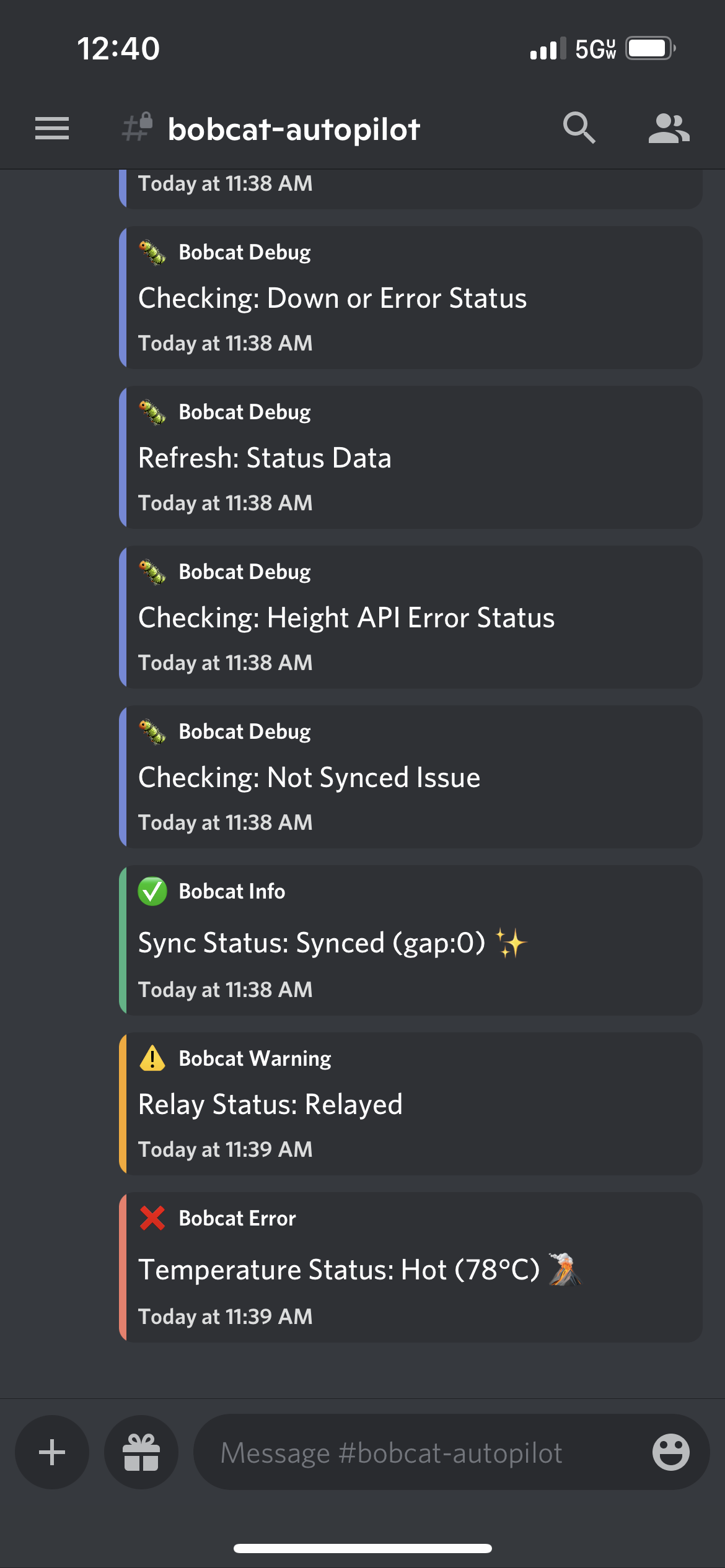
ℹ️ Please see Discord's Intro to Webhooks document for more information.
Bobcat SDK
Please see the Bobcat SDK Docs for more information.
Contributions
Please see the Contributions Docs for more information. This document includes sections for Development, Test, and Release.
DIY Troubleshooting
Please see No Witness's Troubleshooting Guide for more information.
Donations
Donations are welcome and appreciated! 🎁

1 maintainer

Metadata
1 maintainer
Release files for bobcat-miner 0.16.6
For a detailed explanation of source distributions (sdists) and built distributions (wheels), please see the package formats documentation.
Source distribution (sdist)
| File | Size | Uploaded | Provenance | |
|---|---|---|---|---|
| bobcat-miner-0.16.6.tar.gz | 28.1 kB | Without provenance | Details |
Built distribution (wheel)
| File | Interpreter | ABI | Platform | Reset |
|---|---|---|---|---|
| bobcat_miner-0.16.6-py3-none-any.whl | Python 3 | none | any | Details |
Total release size: 57.7 kB
Release files / bobcat-miner-0.16.6.tar.gz
| Download URL | bobcat-miner-0.16.6.tar.gz |
|---|---|
| Size | 28.1 kB |
| Tags | Source |
|
SHA-256 checksum How to use checksums |
5b1a83b2506cb6016a819b022f5c843ae387e166200287c11f82867b7ee5c715
|
|
BLAKE2b-256 checksum How to use checksums |
94df05d6d874e1220305701c799dbad7f80ce7689a39f346cd02682c397024c4
|
| Upload date | |
|
Uploaded using Trusted Publishing? What is trusted publishing? |
No |
| Uploaded via |
poetry/1.1.13 CPython/3.10.0 Linux/5.11.0-1028-azure
|
Release files / bobcat_miner-0.16.6-py3-none-any.whl
| Download URL | bobcat_miner-0.16.6-py3-none-any.whl |
|---|---|
| Size | 29.6 kB |
| Tags | Python 3 |
|
SHA-256 checksum How to use checksums |
3c75247a89f441ec4e93607fd222dde902da816f7c870056443dc93f4439017a
|
|
BLAKE2b-256 checksum How to use checksums |
e7a6c05480555cd7001641774d71453543c39b3ca1487ecf812404de1b51dfa5
|
| Upload date | |
|
Uploaded using Trusted Publishing? What is trusted publishing? |
No |
| Uploaded via |
poetry/1.1.13 CPython/3.10.0 Linux/5.11.0-1028-azure
|
Security for bobcat-miner 0.16.6
Provenance
Provenance describes where a file came from. On PyPI, provenance is shared via attestations, which provide a verifiable record of the build or publishing details. View details, limitations and caveats.
No provenance found
None of the files in this release were uploaded with provenance metadata.
A note on package security
PyPI is a repository for distributing packages, not a service for auditing them. While third-party security researchers and our staff do their best to detect and remove malicious packages, PyPI cannot guarantee the quality, security or suitability of any given package.














