
BookForge
A book.yaml file and a folder of markdown in — a KDP-ready paperback, EPUB, and covers out.











BookForge is the shared build pipeline left over after six independent
nonfiction book projects each hand-rolled their own scripts to solve the
same problem. Point it at a book.yaml file and a content/ folder of
markdown chapters and it produces the same four deliverables every KDP
paperback + Kindle listing needs — with no per-book fork of any build
script.
Repo: https://github.com/pushkar-mishra/BookForge ·
License: MIT · PyPI: pip install bookforge-kdp
This repo is the pipeline.
examples/sample-book/is the manual. It's a complete, real 131-page book — BookForge: The Step-by-Step Guide to Publishing Your Book on Amazon KDP — built entirely by the tool it documents, from nothing but its ownbook.yamland markdown. See The Book below.
What you get
- A 6x9in interior PDF — mirrored margins, running page numbers, a
generated table of contents, half-title/title/copyright/About-the-Author
pages auto-generated from
book.yaml - A validated EPUB3 — same source content, no embedded cover (KDP
supplies its own), passes
epubcheckas part of the build, not after - A paperback wrap cover — back + spine + front in one bleed PDF, spine width computed automatically from the interior's actual page count
- A Kindle front cover — a separate JPG at the exact 1800×2700px KDP expects
- A ready-to-upload
amazon-kdp/folder — the four files above plus a generated README, checklist, and listing metadata, all rendered straight frombook.yamlso nothing in it can drift out of sync
Everything runs fully local — no LLM calls, no API keys, no network
dependency once pandoc and epubcheck are installed.
Two ways to use it
Both are fully supported, both read and write the same book.yaml and
content/*.md, and you can switch between them at any point — write a chapter
in the UI, build it from the terminal, or the reverse.
| Command line | BookForge Studio (UI) |
|---|---|
pip install bookforge-kdp

bookforge new ~/Books/my-book
cd ~/Books/my-book
./build.sh
Scriptable, CI-friendly, no web stack. |
pip install "bookforge-kdp[studio]"

bookforge studio
# → http://127.0.0.1:8000
Write, press Build book, see the covers. |
Prerequisites are the same for both: Python 3.10+, plus pandoc and
epubcheck on PATH (brew install pandoc epubcheck, or apt install pandoc epubcheck). bookforge checks for both at build time and prints an install
hint if either is missing.
Quickstart — command line
python3 -m venv .venv
.venv/bin/pip install bookforge-kdp
source .venv/bin/activate   # puts `bookforge` on PATH for this shell
Skipped
source .venv/bin/activate? Every command below still works if you spell out the full path instead, e.g..venv/bin/bookforge new ....
bookforge new ~/Books/my-new-book --title "My Book" --author "Author Name"
cd ~/Books/my-new-book
# edit book.yaml and content/, then either:
./build.sh                 # or build.bat on Windows -- runs the full pipeline
# ...or run each stage yourself:
bookforge build all        # dist/interior.pdf + dist/{slug}.epub
bookforge covers           # dist/cover-paperback.pdf + dist/cover-kindle.jpg
bookforge verify           # QA checks — page count, spine math, epubcheck, ...
bookforge package          # assembles amazon-kdp/ for upload
While drafting, run bookforge watch (or ./build.sh watch) in its own
terminal: it rebuilds on every save to book.yaml, content/, or
assets/, and a bad edit prints a clean error without killing the loop.
Quickstart — BookForge Studio
Prefer a window to a terminal? Studio is a small local app that does the same work: create chapters, write them, press Build book. It writes the same files the commands do, so you can switch between the two freely.
pip install "bookforge-kdp[studio]"
bookforge studio                        # or: bookforge studio path/to/book
Then open http://127.0.0.1:8000. No account, no sign-in, nothing leaves
your machine — it binds to 127.0.0.1 only.
The UI is an optional extra: a plain pip install bookforge-kdp stays a CLI
with no web stack, and bookforge studio then tells you exactly what to
install rather than failing obscurely.
- Landing screen — start a new book, or open one. Browse… opens the system's native folder dialog (the server opens it, since a browser can't hand a page a real path), and books you've opened before are listed.
- Chapters — the sidebar is your table of contents. Adding a chapter
writes the markdown file and registers it in
book.yaml; removing one unlists it and leaves your words on disk. - Book details — title, author, subtitle, biography, tagline, ISBN, plus
author-photo and cover-art upload, as a plain form. You never see YAML,
and
book.yamlis edited in place with your comments intact. - Build book — the full pipeline, with the six
verifychecks reported in plain language ("Cover fits the interior").
Studio ships inside the package but behind the extra, so the two can never
disagree about internal APIs it uses (book_outline(), verify_build()).
See docs/STUDIO.md, or Appendix D of the book.
The book
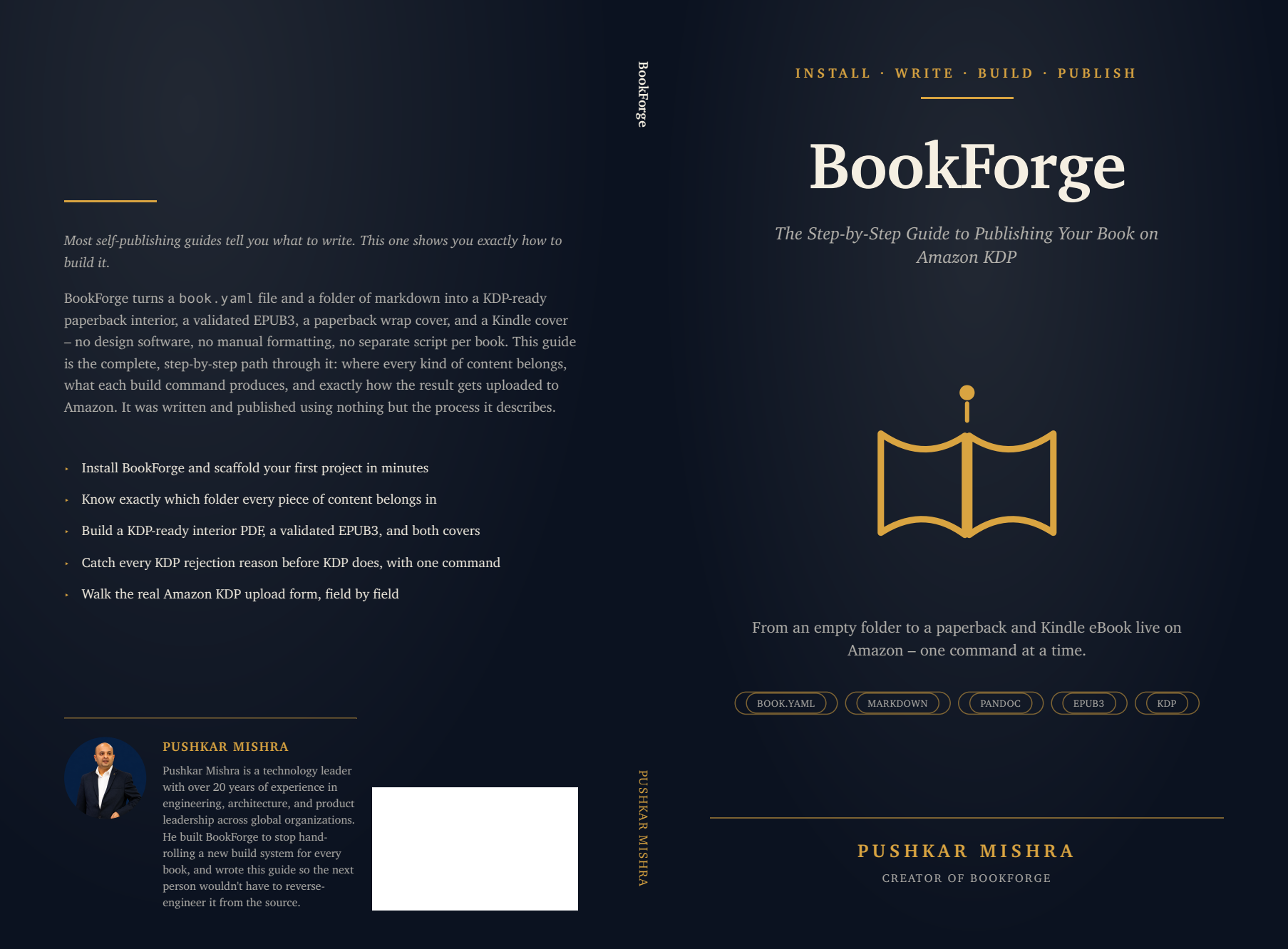
BookForge: The Step-by-Step Guide to Publishing Your Book on Amazon
KDP — a complete 131-page manual, written and built entirely by
BookForge itself, source in
examples/sample-book/:
| Part | Chapters |
|---|---|
| I. Before You Write | Why a Book Needs a Build Pipeline · Installing BookForge · Your First Project · The Config File |
| II. Writing Your Content | Where Content Goes · Parts, Chapters, and Numbering · Callouts and Diagrams |
| III. Building the Three Deliverables | The Interior PDF · The EPUB · The Covers |
| IV. Shipping to KDP | Verify · Package · Publishing to KDP · After You Publish |
| Appendices | The book.yaml Reference · Troubleshooting · Command Reference · BookForge Studio · Glossary |
Build it yourself:
git clone https://github.com/pushkar-mishra/BookForge
cd BookForge && python3 -m venv .venv && .venv/bin/pip install -e .
source .venv/bin/activate
cd examples/sample-book
python3 assets/diagrams/gen_diagrams.py   # generate the seven figures
./build.sh                                 # interior, EPUB, covers, verify, package
Pipeline stages
| Command | Produces | Notes |
|---|---|---|
bookforge new |
a scaffolded project | book.yaml + starter content/ + assets/ + build.sh/build.bat |
bookforge build pdf|epub|all |
dist/interior.pdf, dist/{slug}.epub |
EPUB fails the build on any epubcheck error |
bookforge covers |
dist/cover-paperback.pdf, dist/cover-kindle.jpg |
spine width derived from the interior's page count |
bookforge diagrams render <dir> |
*.png next to each *.svg |
rasterizes bookforge.diagrams DSL output for EPUB |
bookforge verify |
a pass/fail QA report | see Verify below |
bookforge package |
amazon-kdp/ |
copies build outputs + renders README/checklist/metadata |
bookforge watch |
continuous rebuilds | polls book.yaml, content/, assets/ for changes |
bookforge studio |
the local web UI | optional extra: pip install "bookforge-kdp[studio]" |
Every new book also gets build.sh / build.bat, a thin wrapper around
the same commands: ./build.sh (no args) runs diagrams → build all → covers → verify → package in order and stops at the first failure
(e.g. a failing verify blocks package from ever running), or run one
stage at a time with ./build.sh pdf|epub|covers|diagrams|verify|package|watch.
Every command re-reads book.yaml and re-globs content/ on each
invocation — edit config or markdown, rerun (or leave watch running),
and the output always reflects current source.
Verify
bookforge verify runs six checks against the current build, each one a
real KDP rejection reason turned into an automated gate instead of a
manual pre-upload ritual:
| Check | Fails when |
|---|---|
page_count_minimum |
interior is under KDP's paperback minimum (kdp.min_pages, default 24) |
spine_math_matches_cover |
the cover PDF's width doesn't match the spine width for the current page count |
epubcheck_zero_errors |
epubcheck reports any error on the built EPUB |
kindle_pixel_dims |
the Kindle cover isn't exactly 1800×2700px |
no_placeholder_text |
any chapter still contains draft markers |
chapter_frontmatter_complete |
a chapter referenced in book.yaml is missing or has no title: |
verify exits non-zero if any check fails, so it's safe to wire into CI.
Every failure also prints a Recommendation: line with the concrete next
step, not just the diagnosis:
[FAIL] page_count_minimum: 10 pages (minimum 24)
...
Recommendation:
  - page_count_minimum: add 14 more page(s) of content (new chapters, or
    longer existing ones) and rebuild, or lower kdp.min_pages in book.yaml
    if this isn't going to KDP paperback
Repository layout
src/bookforge/
  config.py       book.yaml schema — structure (parts -> chapters), metadata, palette, trim
  assemble.py     content/*.md + book.yaml -> one pandoc-ready markdown string
  pdf.py          assemble -> pandoc html5 -> WeasyPrint -> pypdf page count
  epub.py         assemble -> pandoc epub3 -> epubcheck
  covers.py       paperback wrap + Kindle cover, same WeasyPrint toolchain as pdf.py
  callouts.py     the 8 callout kinds (label + accent color + tint), shared by PDF and EPUB
  diagrams.py     SVG diagram primitives + a declarative DSL (flow / vflow / cycle)
  raster.py       PDF -> PNG/JPG via pypdfium2 (no system binary, all platforms)
  verify.py       the six QA checks above
  package.py      assembles amazon-kdp/ from dist/ + renders README/checklist/metadata
  watch.py        mtime-polling edit -> rebuild loop, no watchdog dependency
  deps.py         checks pandoc/epubcheck are on PATH, prints an install hint if not
  errors.py       BookForgeError hierarchy — user-causable failures print cleanly
  cli.py          argparse entry point wiring all of the above to `bookforge <command>`
  templates/      interior.css, epub.css
  scaffold/       the project `bookforge new` copies (including build.sh / build.bat)
tests/           155 tests, no system binaries required
  studio/         the optional local UI (FastAPI + vanilla JS), shipped
                  behind the `studio` extra so a plain install stays a CLI
Book project layout
mybook/
  book.yaml             # title, author, palette, trim size, table of contents
  build.sh, build.bat   # run the whole pipeline, or one stage at a time
  content/
    front/              # dedication.md, preface.md -- listed in book.yaml front_matter
    chapters/           # ch01-slug.md, ... -- referenced from parts[].chapters
    back/               # glossary.md, appendices -- listed in book.yaml back_matter
  assets/
    author/author-photo.png
    cover/cover-art.png   # optional; an auto-generated mark is used if absent
    diagrams/             # *.svg sources (bookforge.diagrams DSL) + generated *.png
  dist/                 # gitignored -- build output
  amazon-kdp/           # gitignored -- `bookforge package` output
Half-title, title page, copyright page, table of contents, and the "About
the Author" page are always auto-generated from book.yaml. Everything
else is an ordinary markdown file listed in front_matter/back_matter,
or a chapter referenced from a parts[].chapters list.
Front matter and the copyright page
Title, copyright, contents, and About-the-Author pages are generated from
book.yaml — but the wording and the page conventions are yours:
copyright:
  notice: "{title} (c) {year} {rights_holder}."
  rights: "Licensed under CC BY-SA 4.0, with attribution."
  extra: ["Printed in the United Kingdom."]
  # or, for a publisher who sets their own:
  blank: true

pages:
  half_title: false          # drops the opening leaf, so copyright lands on p2
  chapters_start_on: recto   # every chapter opens on a right-hand page
Emptying a paragraph omits it, so a Creative Commons book need not print
"All rights reserved". blank: true leaves the page present but empty — the
leaf still prints, so no page numbers shift. recto starts insert blank
versos where needed, and those carry no folio.
All of it is editable from Studio's Book details, with a live preview of the finished copyright page.
Callout boxes
::: takeaways
- First key takeaway
:::
Pandoc's native fenced-div syntax — nothing BookForge invented. Available
kinds: example, best, warning, tip, takeaways, note,
exercise, resources — rendered consistently in both the PDF and the
EPUB from a single source of truth (bookforge/callouts.py).
Labels are per-book. Add a callouts: block to book.yaml to rename any
of them:
callouts:
  warning: "WATCH OUT"
  exercise: "TRY IT YOURSELF"
Diagrams
{{DIAGRAM: my-diagram | A Diagram Title | What the diagram shows}}
resolves to assets/diagrams/my-diagram.svg (PDF) or the rasterized
.png (EPUB), degrading to an italic "diagram pending" note if the asset
doesn't exist yet. Placeholders inside code fences are left verbatim, so a
book can document the syntax. Generate diagrams with the
bookforge.diagrams DSL (flow, vflow, cycle) — see
examples/sample-book/assets/diagrams/gen_diagrams.py.
Engine
pandoc (markdown → HTML5 / EPUB3) +
WeasyPrint (HTML/CSS → PDF), both called for
every book from the same shared bookforge package — one templating
language for the whole pipeline, no separate raster-graphics step for
covers. PDF→image conversion uses
pypdfium2, which ships
prebuilt wheels for macOS, Linux, and Windows.
Full command reference
bookforge new <path> [--title T] [--author A]
bookforge build pdf|epub|all    [--config book.yaml] [--no-epubcheck]
bookforge covers                [--config book.yaml] [--pages N]
bookforge diagrams render <dir>
bookforge package               [--config book.yaml]
bookforge verify                [--config book.yaml]
bookforge watch [--target pdf]  [--config book.yaml]
bookforge studio [path]         [--port 8000]   # needs bookforge-kdp[studio]
bookforge --version
Developing BookForge itself
git clone https://github.com/pushkar-mishra/BookForge
cd BookForge
python3 -m venv .venv
.venv/bin/pip install -e ".[studio,dev]"
.venv/bin/python -m pytest        # 155 tests, ~1.6s, no system binaries needed
Editable mode means changes to src/bookforge/** take effect immediately
— no rebuild step, just rerun bookforge ....
To build a distributable package:
.venv/bin/python -m build         # writes dist/bookforge_kdp-*.whl and *.tar.gz
.venv/bin/twine check dist/*
The version is declared once, in src/bookforge/__init__.py, and read
from there by pyproject.toml.
templates/*.css and scaffold/**/* are declared as package data, so
they're included automatically in both the editable install and the built
wheel. (One exception worth knowing: dotfiles like scaffold/.gitignore
don't survive glob-based package-data patterns and have to be listed
explicitly — see
PUBLISHING.md
for why.)
Publishing a release to PyPI (as bookforge-kdp — bookforge was
already taken): the full runbook is in
PUBLISHING.md.
Get to know the author

Pushkar Mishra is a technology leader with 20+ years across engineering, architecture, and product leadership. He built BookForge to stop hand-rolling a new build system for every book, then wrote the book on BookForge using nothing but BookForge itself — proof, not just documentation.
1 maintainer

Download files
Download the file for your platform. If you're not sure which to choose, learn more about installing packages.
Source Distribution
Built Distribution
Filter files by name, interpreter, ABI, and platform.
If you're not sure about the file name format, learn more about wheel file names.
Copy a direct link to the current filters
File details
Details for the file bookforge_kdp-1.0.0.tar.gz.
File metadata
- Download URL: bookforge_kdp-1.0.0.tar.gz
- Upload date:
- Size: 111.1 kB
- Tags: Source
- Uploaded using Trusted Publishing? No
- Uploaded via: twine/7.0.0 CPython/3.14.6
File hashes
| Algorithm | Hash digest | |
|---|---|---|
| SHA256 |
e0f0c25964b7200c974fa5c41cf9eb2b0960af1983a58a94fedc7d5d4b815243
|
|
| MD5 |
eda7e2f0f2b05440be0c8f6fc6a308cb
|
|
| BLAKE2b-256 |
08cb9d05b206c4e2270d0c84400d594c015b24350d96b096870e93a0e2e1b4fe
|
File details
Details for the file bookforge_kdp-1.0.0-py3-none-any.whl.
File metadata
- Download URL: bookforge_kdp-1.0.0-py3-none-any.whl
- Upload date:
- Size: 99.9 kB
- Tags: Python 3
- Uploaded using Trusted Publishing? No
- Uploaded via: twine/7.0.0 CPython/3.14.6
File hashes
| Algorithm | Hash digest | |
|---|---|---|
| SHA256 |
85cb9edb2d809d165ba46264877897d6867d96e8cc73b9253caa850a6de64728
|
|
| MD5 |
1b98e3d0e905e74c123a7a9e3ca949bf
|
|
| BLAKE2b-256 |
04dfc914bb73294f42ef26ea7f7d3a5d25d44ba2e5cc03a7e38ed20641d8f7ea
|







