
Download any type of content from boosty.to

Project description

🖥️ About
Welcome to the Boosty Downloader project!
This CLI tool allows you to download most of the content from Boosty.to in bulk. The post content itself is saved in html with a little bit of styling.
You can download:
- Boosty Videos
- External Videos (YouTube, Vimeo)
- Files
- Full Post content (including photos and links)
📑 Table of Contents
✨ Features
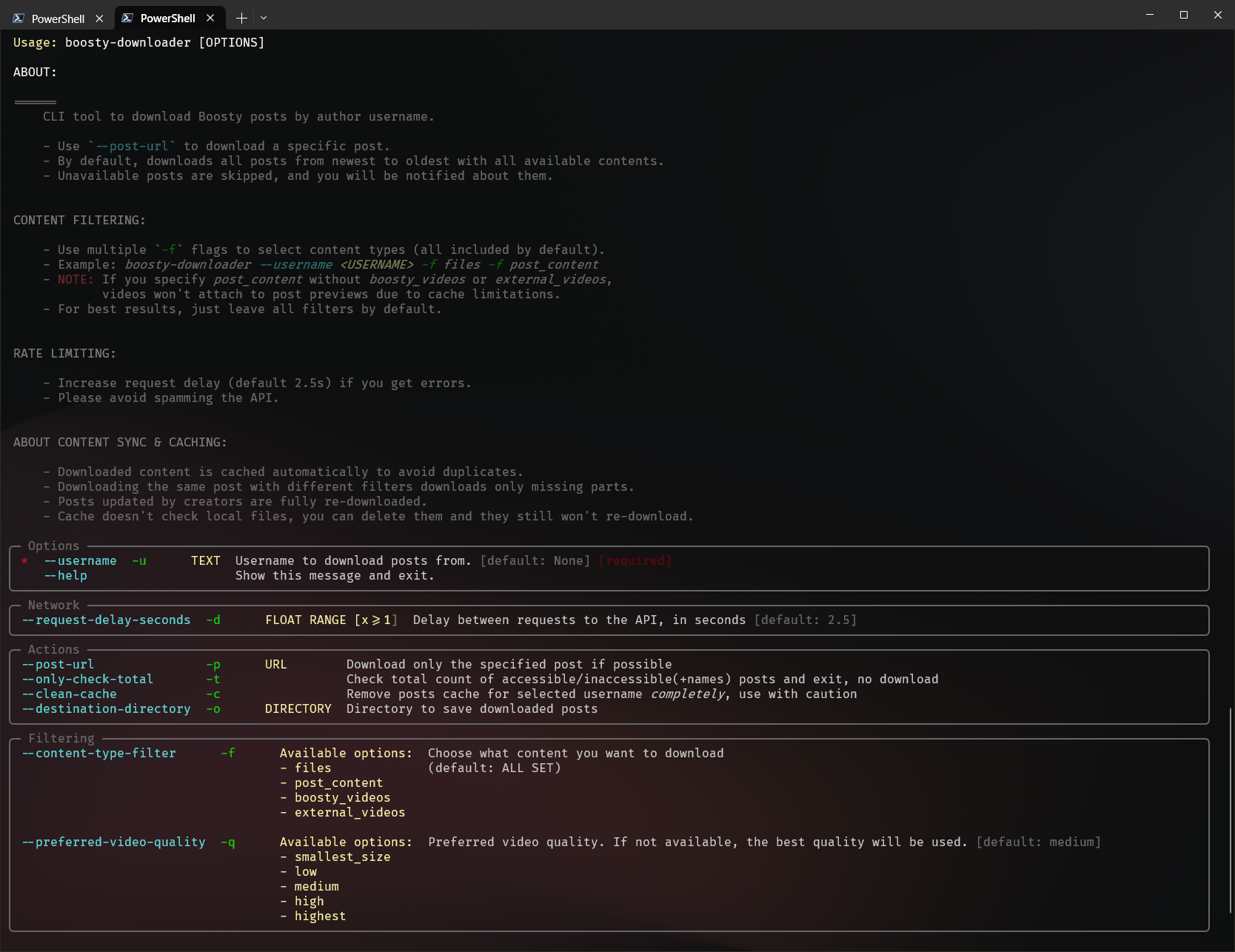
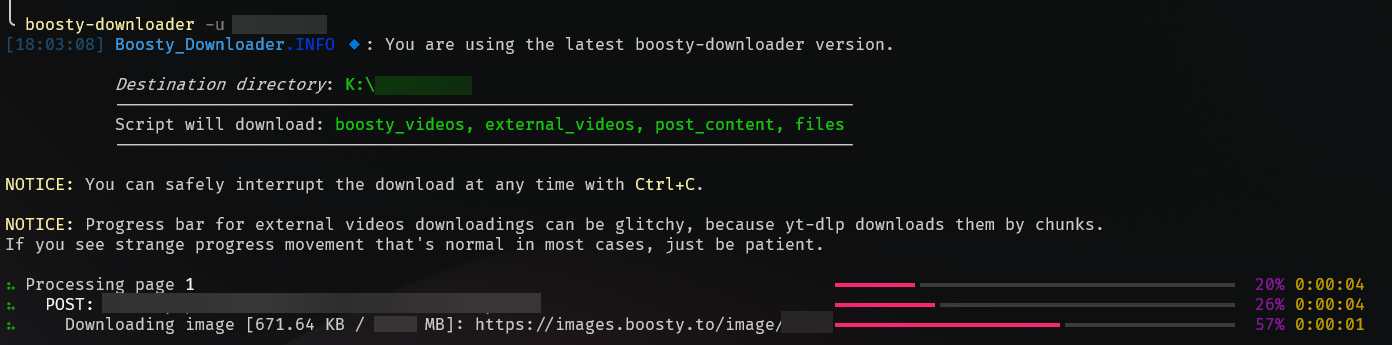
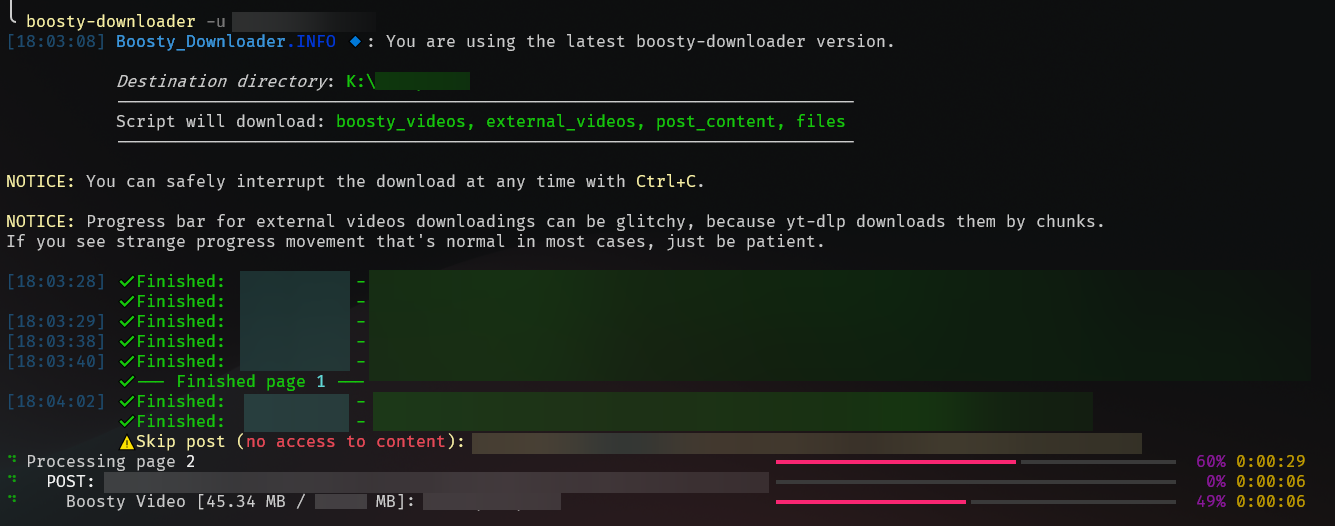
- 📦 Bulk download: Download all available content from your favorite creator.
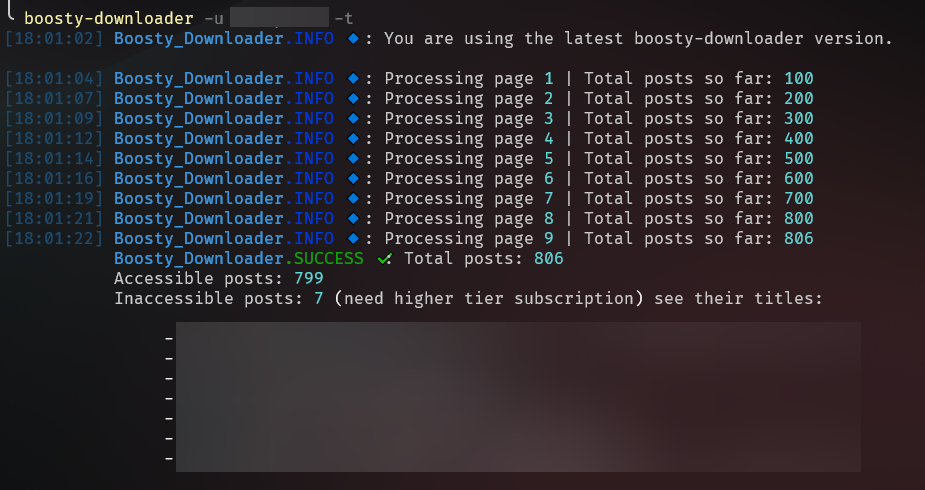
- 🔎 Total checker: See how many posts are available to you, and which are not.
- 📂 Content type filters: Download only the content you need (videos, images, etc) with
--content-type-filter. - 📄 Download specific posts: Download post by url and username.
- 🔃 Sync content seamlessly: The utility keeps cache of already downloaded posts, so you can resume your download at any time or get new content after a while.
- 📼 Choose your video quality: You can choose preferred video quality to download (for boosty videos)
- 🎨 Beauty posts preview: You can see posts content with rendered offline html files with dark/light theme changing.
- 📊 Order matters: Posts have dates in names, so you can just sort it by name in your file explorer and see them in the correct chronological order.
- 🆙 App update checker: If new updates are available, you'll be notified when you use the application next time.
- 🔑 Auth helper script: Run
boosty-downloader show-auth-scriptto get a browser console script that extracts your credentials automatically.
📸 Screenshots & Usage
🛠️ Installation
-
Install python:
- Window:
winget install Python.Python.3.13
- Linux:
sudo apt-get install python3
- macOS:
brew install python
- Window:
-
Install the boosty-downloader package:
pip install boosty-downloader
-
Run the application:
boosty-downloader --help
🚀 Configuration for Usage
Step 1: Get the auth cookie and auth header
Option 1 - Manually
- Open the Boosty website.
- Click the "Sign in" button and fill you credentials.
- Navigate to any author you have access to and scroll post a little.
- Copy auth token and cookie from browser network tab.

Option 2 - With helper script
- Run
boosty-downloader show-auth-scriptto show the helper script (it will be copied to your clipboard automatically). - Open the Boosty website and log in.
- Open browser console (F12) and paste the script.
- Scroll the page a little - a floating box with your credentials will appear.
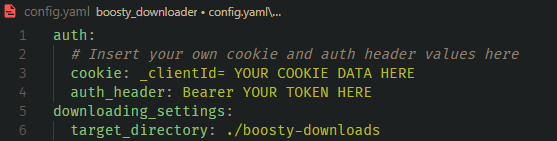
Step 2: Paste the cookie and auth header into the config file
This config will be created during first run of the app in the current working directory.
Step 3: Run the utility
Now you can just download your content with the following command:
boosty-downloader download --username YOUR_CREATOR_NAME
💖 Contributing
If you want to contribute to this project, please see the CONTRIBUTING.md.
📜 License
This project is licensed under the MIT License - see the LICENSE file for details.
Release history Release notifications | RSS feed


Download files
Download the file for your platform. If you're not sure which to choose, learn more about installing packages.
Source Distribution
Built Distribution
Filter files by name, interpreter, ABI, and platform.
If you're not sure about the file name format, learn more about wheel file names.
Copy a direct link to the current filters
File details
Details for the file boosty_downloader-3.0.0.tar.gz.
File metadata
- Download URL: boosty_downloader-3.0.0.tar.gz
- Upload date:
- Size: 49.4 kB
- Tags: Source
- Uploaded using Trusted Publishing? Yes
- Uploaded via: twine/6.1.0 CPython/3.13.12
File hashes
| Algorithm | Hash digest | |
|---|---|---|
| SHA256 |
92a18d9efd299a7f2e41e696d1e491a6b1051522c688bb86fef1e9f6ee7b1f45
|
|
| MD5 |
356d0c4ed040c419b0ebaff001458c75
|
|
| BLAKE2b-256 |
e06e620e46ea4edd8ad6b0765f7b3409c00cc178b1a945cef79c819d74acc542
|
Provenance
The following attestation bundles were made for boosty_downloader-3.0.0.tar.gz:
Publisher:
release.yaml on Glitchy-Sheep/boosty-downloader
-
Statement:
-
Statement type:
https://in-toto.io/Statement/v1 -
Predicate type:
https://docs.pypi.org/attestations/publish/v1 -
Subject name:
boosty_downloader-3.0.0.tar.gz -
Subject digest:
92a18d9efd299a7f2e41e696d1e491a6b1051522c688bb86fef1e9f6ee7b1f45 - Sigstore transparency entry: 1280895664
- Sigstore integration time:
-
Permalink:
Glitchy-Sheep/boosty-downloader@02392e5b4930bf11d5ef55c8ea59e6b523563146 -
Branch / Tag:
refs/tags/v3.0.0 - Owner: https://github.com/Glitchy-Sheep
-
Access:
public
-
Token Issuer:
https://token.actions.githubusercontent.com -
Runner Environment:
github-hosted -
Publication workflow:
release.yaml@02392e5b4930bf11d5ef55c8ea59e6b523563146 -
Trigger Event:
push
-
Statement type:
File details
Details for the file boosty_downloader-3.0.0-py3-none-any.whl.
File metadata
- Download URL: boosty_downloader-3.0.0-py3-none-any.whl
- Upload date:
- Size: 82.9 kB
- Tags: Python 3
- Uploaded using Trusted Publishing? Yes
- Uploaded via: twine/6.1.0 CPython/3.13.12
File hashes
| Algorithm | Hash digest | |
|---|---|---|
| SHA256 |
def286b70770445b04a6c60d33568a3084eae5fd9ad0019b6f66f2502b9750a7
|
|
| MD5 |
d4c8c6cf2bf6eb2ca272a1b0bbbe829e
|
|
| BLAKE2b-256 |
a38d2f5f57b8d8d9d7c9d0b4d1740ebffaa5125f346aa9caea179c31f39eecf8
|
Provenance
The following attestation bundles were made for boosty_downloader-3.0.0-py3-none-any.whl:
Publisher:
release.yaml on Glitchy-Sheep/boosty-downloader
-
Statement:
-
Statement type:
https://in-toto.io/Statement/v1 -
Predicate type:
https://docs.pypi.org/attestations/publish/v1 -
Subject name:
boosty_downloader-3.0.0-py3-none-any.whl -
Subject digest:
def286b70770445b04a6c60d33568a3084eae5fd9ad0019b6f66f2502b9750a7 - Sigstore transparency entry: 1280895668
- Sigstore integration time:
-
Permalink:
Glitchy-Sheep/boosty-downloader@02392e5b4930bf11d5ef55c8ea59e6b523563146 -
Branch / Tag:
refs/tags/v3.0.0 - Owner: https://github.com/Glitchy-Sheep
-
Access:
public
-
Token Issuer:
https://token.actions.githubusercontent.com -
Runner Environment:
github-hosted -
Publication workflow:
release.yaml@02392e5b4930bf11d5ef55c8ea59e6b523563146 -
Trigger Event:
push
-
Statement type:






