
bot-use
Let AI agents use robots. Set a robot up once, then Claude Code, Codex, Cursor, ChatGPT or your own code can drive it safely, see what happens, and correct course, without writing scripts.
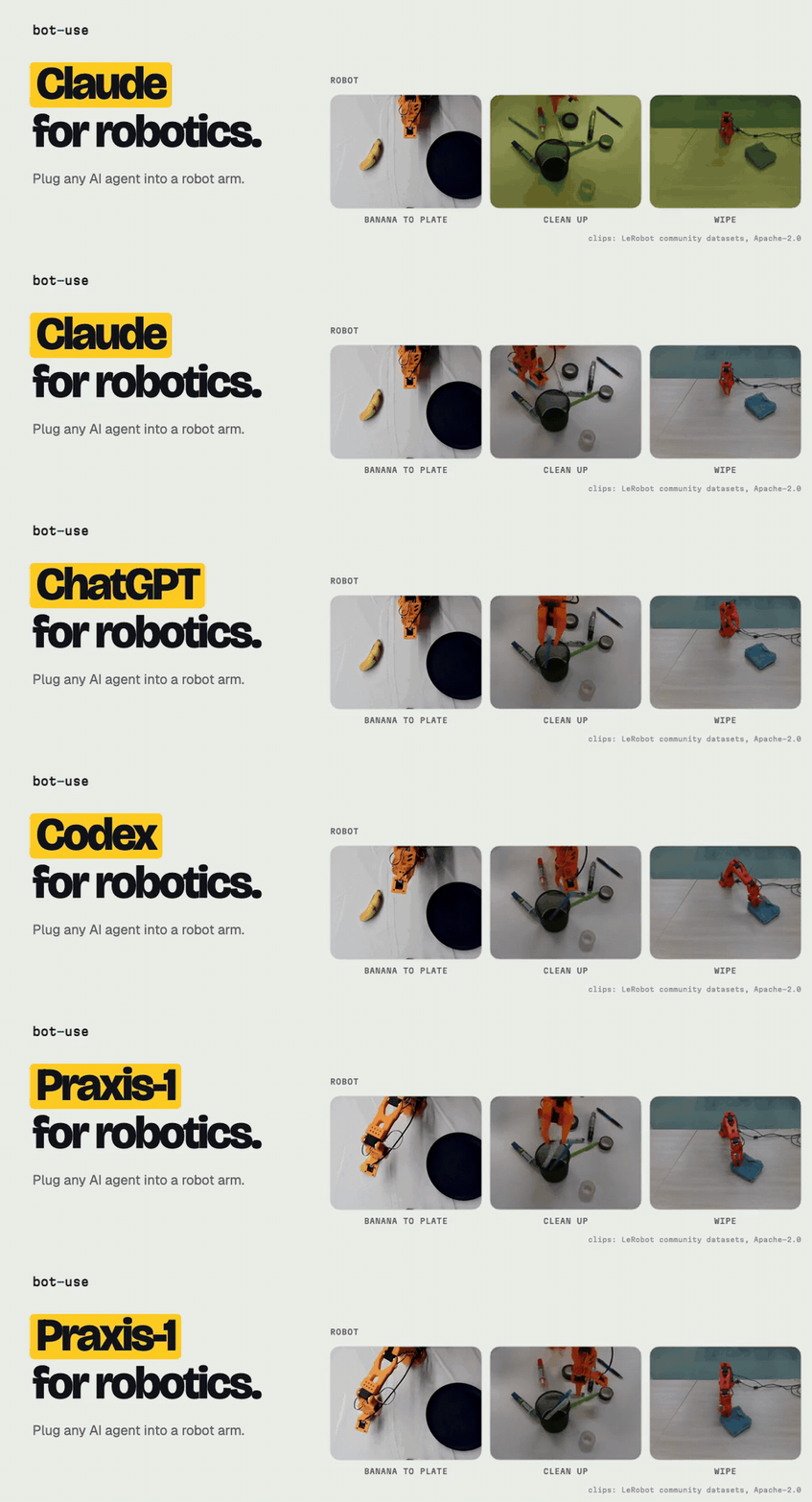
Status: 0.1.0 alpha. Works with the SO-101 arm (Feetech STS3215 servos) and a built-in simulator. Tested in simulation and on a real SO-101 (calibration, motion, skills, teleop). Read the safety notes first.
uv add "bot-use[all]"        # or: pip install "bot-use[all]"

bot-use --sim demo           # no hardware: physics simulator (MuJoCo), SO-101 on a kitchen counter
bot-use setup                # real arm: find it, check it, auto-calibrate its motors, pick the camera
bot-use install claude       # register the MCP server + skill with Claude Code (also: codex, cursor, claude-desktop, chatgpt)
bu teleop                    # drive it from your iPhone or Mac: scan the QR, drag the gripper in 3D   (`bu` = `bot-use`)
Then ask Claude Code: "Look at the table, pick up the red block and put it next to the blue one."
See it work
 No robot? Start in the simulator. bot-use --sim demo |
 Drive it from your phone. bu teleop |
 Codex picks and places a block. bot-use install codex |
 Praxis-1 in the kitchen. Run from the teleop page |
More clips: https://bot-use.com
Why
LeRobot trains robot skills. bot-use is the runtime in between: it lets a general model drive the robot directly, with a fast safety loop underneath and a feedback digest after every action, and it can run trained policies (ACT, SmolVLA, ...) as skills.
- Set up once:
bot-use setupfinds the arm, runs health checks, auto-calibrates every joint by gently homing to its hard stops (or imports your LeRobot calibration), and picks the camera that sees the arm. The camera is never calibrated. - Two loops: the agent decides what (seconds per decision); a 50-100 Hz control loop does how, safely.
- Safety in code: clamped limits, speed caps, overload / temperature / voltage watchdog, heartbeat,
stop(). - Feedback for LLMs: every action returns a short digest: where joints ended, events (contact, stalled, grasped, missed), health, plus a fresh camera picture that says whether the arm is visible in it.
- Steerable:
wait=False, thenwatch(),nudge(),set_speed(),pause(),stop()mid-motion. - Skills:
bot_use.skills(pick_at,place_at,go_to,go_back,rest,wave,nod, ...), community ones inbot_use.contrib(trace,press, shapes), your own (@skill) and trained LeRobot policies. - Teleop:
bu teleopserves a page for iPhone, iPad or Mac: live 3D from the robot's URDF, drag the gripper or any joint ring, live camera, keyboard and gamepad. Dragging is the deadman.
Python SDK
from bot_use import Robot

with Robot(sim=True) as arm:                   # Robot() uses your default real robot
    print(arm.move_to_pose("ready"))           # ActionResult: a digest you can print or hand to a model
    print(arm.grip(load_pct=30))               # "grasped" or "missed"
    frame = arm.look()                         # annotated JPEG + detections
    print(arm.run_skill("pick_at"))            # straight below the gripper (or x=, y= in cm)
Agents
| Agent | How |
|---|---|
| Claude Code / Codex / Cursor / Claude Desktop | bot-use install <agent> (stdio MCP) |
| ChatGPT | bot-use install chatgpt prints the HTTPS tunnel recipe (bot-use mcp --http) |
| Headless Claude or OpenAI loop | bot-use agent "task" / bot-use agent --provider openai --model <m> "task" |
| Robot models: Praxis-1 (Runway), Dream-1, SmolVLA | Pick one in the teleop page's Agent panel: bu teleop --praxis DIR (also --dream DIR, --smolvla DIR) |
| Anything else | bot-use serve (JSON over HTTP) or the npm bot-use client |
Full docs: https://bot-use.com/docs
Usage data
bot-use collects usage data so we can see what breaks and on which robots and computers. It is on by default; the
first bu run in a terminal prints a short notice.
- Collected:
- commands and their outcome;
- prompts and tasks;
- robot tool calls and teleop clicks;
- errors with their messages;
- bot-use, OS, Python and robot and camera versions;
- the IP address.
- Cleaned before sending: API keys, tokens and emails are masked.
- Never collected: camera images.
Full list: https://bot-use.com/docs.html#14_usage_data. Turn it off with bu telemetry off, DO_NOT_TRACK=1 or
BOT_USE_TELEMETRY=0. Turning it off is recorded once, then nothing more is sent.
License
MIT
1 maintainer

Metadata
1 maintainer
Release files for bot-use 0.1.0
For a detailed explanation of source distributions (sdists) and built distributions (wheels), please see the package formats documentation.
Source distribution (sdist)
| File | Size | Uploaded | Provenance | Actions |
|---|---|---|---|---|
| bot_use-0.1.0.tar.gz | 6.3 MB | Without provenance | Details for bot_use-0.1.0.tar.gz |
Built distribution (wheel)
| File | Interpreter | ABI | Platform | Actions Reset |
|---|---|---|---|---|
| bot_use-0.1.0-py3-none-any.whl | Python 3 | none | any | Details for bot_use-0.1.0-py3-none-any.whl |
Total release size: 12.4 MB
Release files / bot_use-0.1.0.tar.gz
| Download URL | bot_use-0.1.0.tar.gz |
|---|---|
| Size | 6.3 MB |
| Tags | Source |
|
SHA-256 checksum How to use checksums |
18c437537c07d1e1815fc7185f665ea8e54a5b75cdb96b297bdd94fa36b4d2d5
|
|
BLAKE2b-256 checksum How to use checksums |
1a5823f87d824700fc0a17984d11bed62b893079e21b70ab9a59a862a61ed6aa
|
| Upload date | |
|
Uploaded using Trusted Publishing? What is trusted publishing? |
No |
| Uploaded via |
uv/0.6.10
|
Release files / bot_use-0.1.0-py3-none-any.whl
| Download URL | bot_use-0.1.0-py3-none-any.whl |
|---|---|
| Size | 6.1 MB |
| Tags | Python 3 |
|
SHA-256 checksum How to use checksums |
e35c6b5a8b7162ad2d5d33c69a622c4c6c2243d46a7b3084fc4c0d645c005dea
|
|
BLAKE2b-256 checksum How to use checksums |
0e2fae642c0853a0f4ac175d58cf44f7f87d6a252e391236ee4e39793713b2c9
|
| Upload date | |
|
Uploaded using Trusted Publishing? What is trusted publishing? |
No |
| Uploaded via |
uv/0.6.10
|
Security for bot-use 0.1.0
Provenance
Provenance describes where a file came from. On PyPI, provenance is shared via attestations, which provide a verifiable record of the build or publishing details. View details, limitations and caveats.
No provenance found
None of the files in this release were uploaded with provenance metadata.
A note on package security
PyPI is a repository for distributing packages, not a service for auditing them. While third-party security researchers and our staff do their best to detect and remove malicious packages, PyPI cannot guarantee the quality, security or suitability of any given package.
To learn more about protecting yourself from malicious actors, visit our package security documentation.














