
Botasaurus Driver
Botasaurus Driver is a powerful Driver Automation Python library that offers the following benefits:
- It is really humane; it looks and works exactly like a real browser, allowing it to access any website.
- Compared to Selenium and Playwright, it is super fast to launch and use.
- The API is designed by and for web scrapers, and you will love it.
Installation
pip install botasaurus-driver
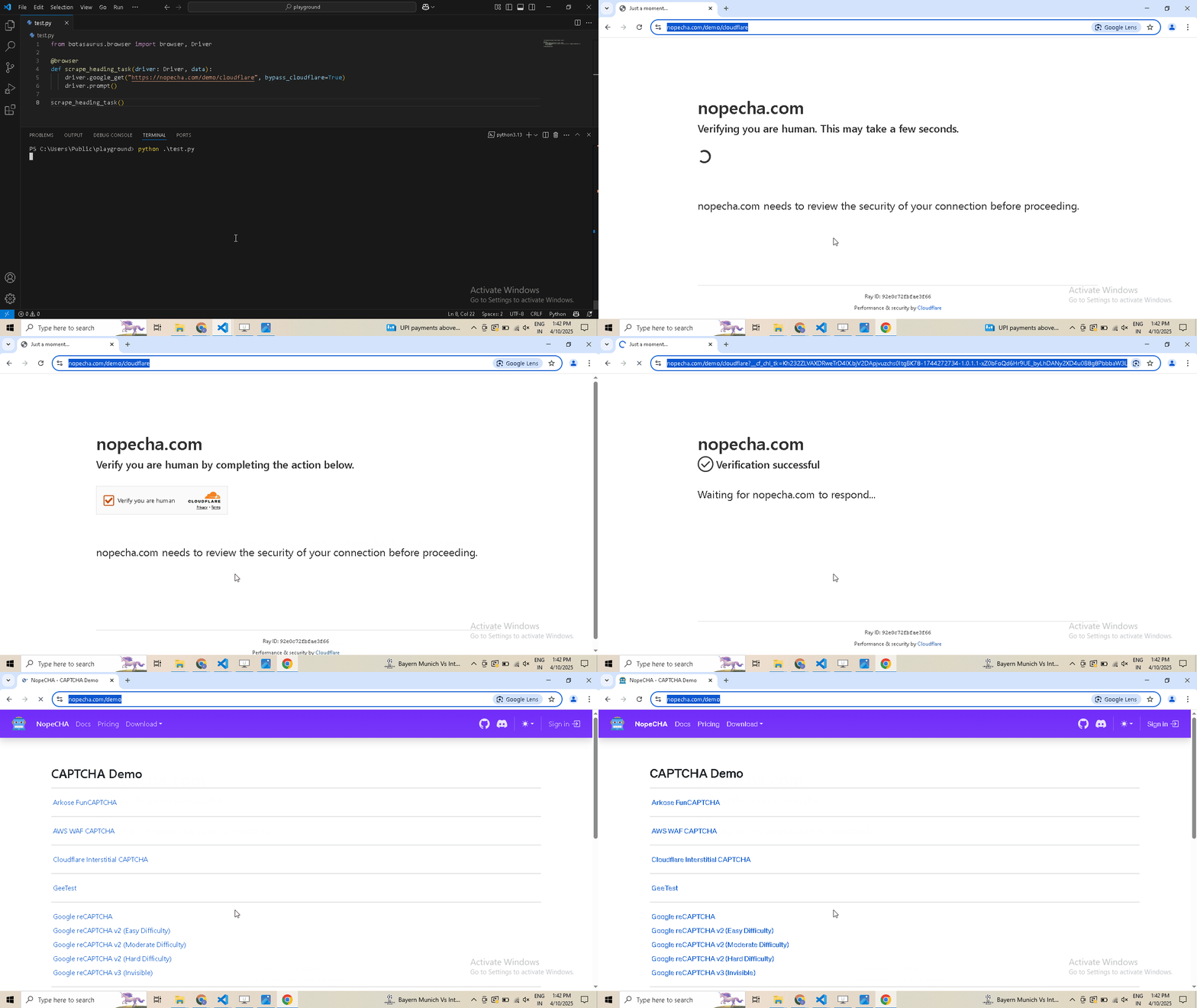
Bypassing Bot Detection: Code Example
from botasaurus_driver import Driver

driver = Driver()
driver.google_get("https://nopecha.com/demo/cloudflare", bypass_cloudflare=True)
driver.prompt()
API
Botasaurus Driver provides several handy methods for web automation tasks such as:
-
Visiting URLs:
driver.get("https://www.example.com")
driver.google_get("https://www.example.com")  # Use Google as the referer [Recommended]
driver.get_via("https://www.example.com", referer="https://duckduckgo.com/")  # Use custom referer
driver.get_via_this_page("https://www.example.com")  # Use current page as referer
-
Finding elements:
from botasaurus.browser import Wait
search_results = driver.select(".search-results", wait=Wait.SHORT)  # Wait for up to 4 seconds for the element to be present, return None if not found
all_links = driver.select_all("a")  # Get all elements matching the selector
search_results = driver.wait_for_element(".search-results", wait=Wait.LONG)  # Wait for up to 8 seconds for the element to be present, raise exception if not found
hello_mom = driver.get_element_with_exact_text("Hello Mom", wait=Wait.VERY_LONG)  # Wait for up to 16 seconds for an element having the exact text "Hello Mom"
-
Interacting with elements:
driver.type("input[name='username']", "john_doe")  # Type into an input field
driver.click("button.submit")  # Click an element
element = driver.select("button.submit")
element.click()  # Click on an element
element.select_option("select#fruits", index=2)  # Select an option
-
Retrieving element properties:
header_text = driver.get_text("h1")  # Get text content
error_message = driver.get_element_containing_text("Error: Invalid input")
image_url = driver.select("img.logo").get_attribute("src")  # Get attribute value
-
Working with parent-child elements:
parent_element = driver.select(".parent")
child_element = parent_element.select(".child")
child_element.click()  # Click child element
-
Executing JavaScript:
result = driver.run_js("script.js") # Run a JavaScript file located in the current working directory.
result = driver.run_js("return document.title")
pikachu = driver.run_js("return args.pokemon", {"pokemon": 'pikachu'}) # args can be a dictionary, list, string, etc.
text_content = driver.select("body").run_js("(el) => el.textContent")
-
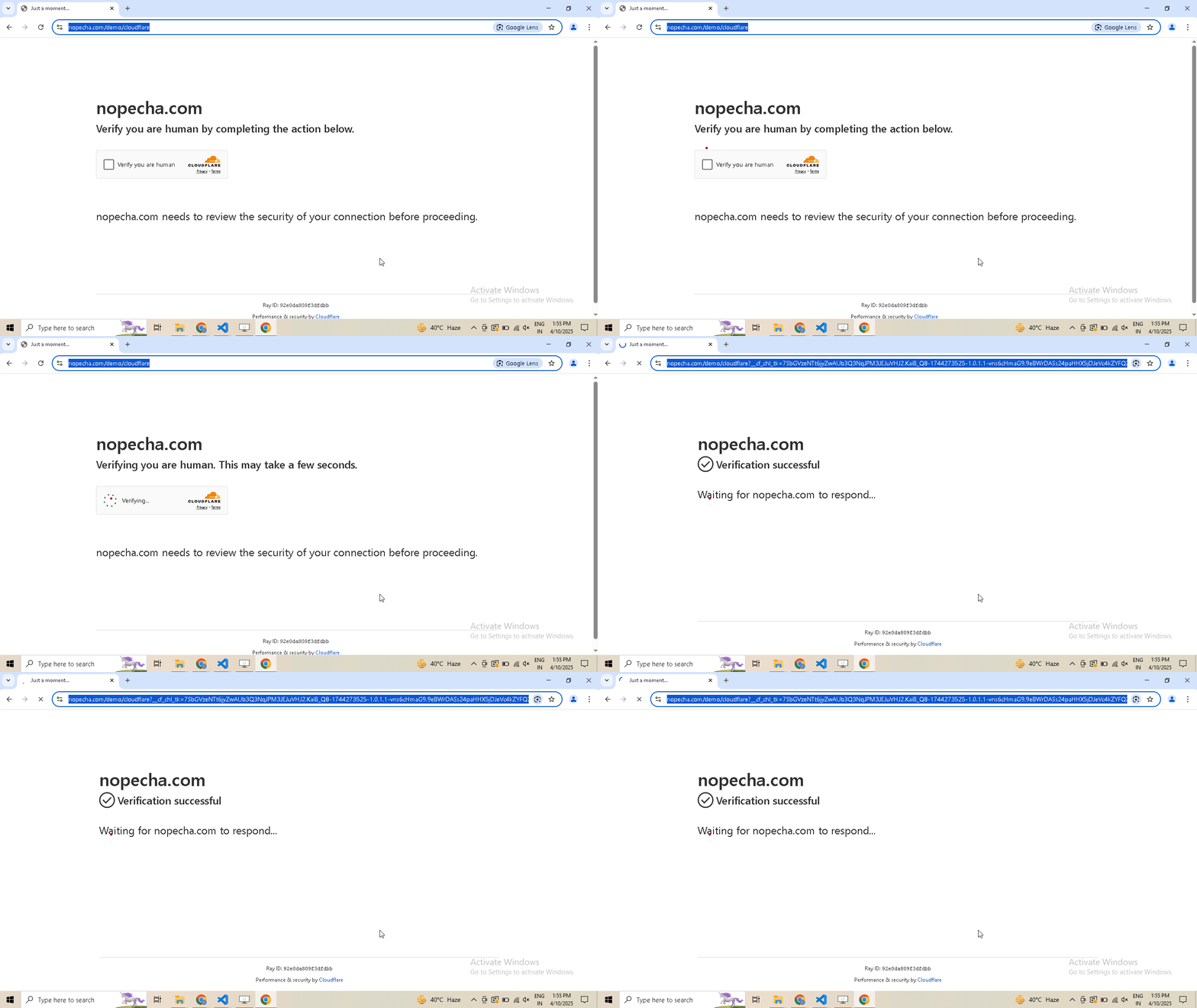
Enable human mode to perform, human-like mouse movements and say sayonara to detection:
# Navigate to Cloudflare's Turnstile Captcha demo
driver.get(
  "https://nopecha.com/demo/cloudflare",
)

# Wait for page to fully load
driver.long_random_sleep()

# Locate iframe containing the Cloudflare challenge
iframe = driver.get_element_at_point(160, 290)

# Find checkbox element within the iframe
checkbox = iframe.get_element_at_point(30, 30)

# Enable human mode for realistic, human-like mouse movements
driver.enable_human_mode()

# Click the checkbox to solve the challenge
checkbox.click()

# (Optional) Disable human mode if no longer needed
driver.disable_human_mode()

# Pause execution, for inspection
driver.prompt()
-
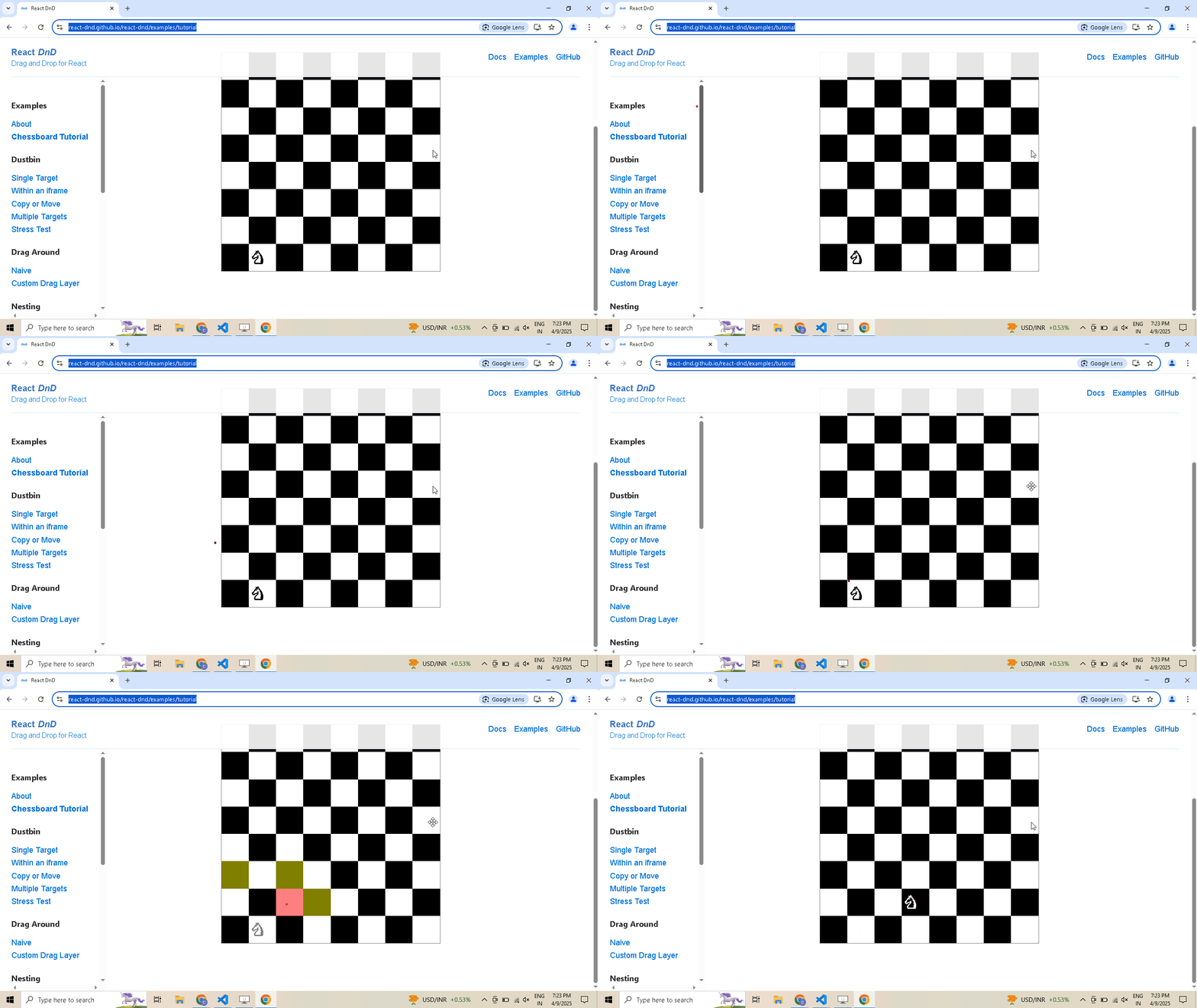
Drag and Drop:
# Open React DnD tutorial
driver.get("https://react-dnd.github.io/react-dnd/examples/tutorial")

# Select draggable and droppable elements
draggable = driver.select('[draggable="true"]')
droppable = driver.select('[data-testid="(3,6)"]')

# Perform drag-and-drop
draggable.drag_and_drop_to(droppable)

# Pause execution, for inspection
driver.prompt()
-
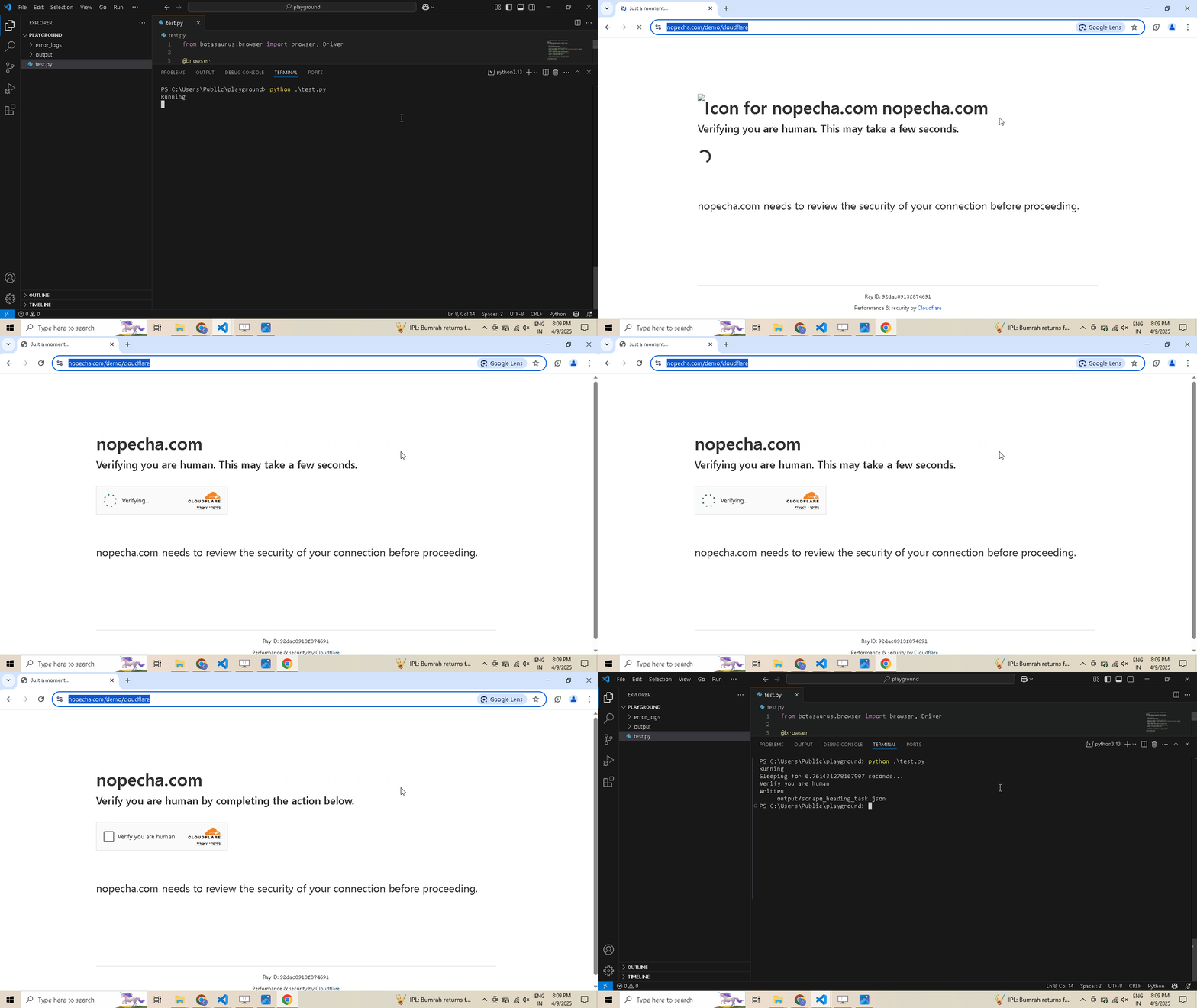
Selecting Shadow Root Elements:
# Visit the website
driver.get("https://nopecha.com/demo/cloudflare")

# Wait for page to fully load
driver.long_random_sleep()

# Locate the element containing shadow root
shadow_root_element = driver.select('[name="cf-turnstile-response"]').parent

# Access the iframe
iframe = shadow_root_element.get_shadow_root()

# Access the nested shadow DOM inside the iframe
content = iframe.get_shadow_root()

# print the text content of the "label" element.
print(content.select("label", wait = 8).text)

# Pause execution, for inspection
driver.prompt()
-
Monitoring requests:
from botasaurus.browser import browser, Driver, cdp

@browser()
def scrape_responses_task(driver: Driver, data):
    # Define a handler function that will be called after a response is received
    def after_response_handler(
        request_id: str,
        response: cdp.network.Response,
        event: cdp.network.ResponseReceived,
    ):
        # Extract URL, status, and headers from the response
        url = response.url
        status = response.status
        headers = response.headers

        # Print the response details
        print(
            "after_response_handler",
            {
                "request_id": request_id,
                "url": url,
                "status": status,
                "headers": headers,
            },
        )

        # Append the request ID to the driver's responses list
        driver.responses.append(request_id)

    # Register the after_response_handler to be called after each response is received
    driver.after_response_received(after_response_handler)

    # Navigate to the specified URL
    driver.get("https://example.com/")

    # Collect all the responses that were appended during the navigation
    collected_responses = driver.responses.collect()

    # Save it in output/scrape_responses_task.json
    return collected_responses

# Execute the scraping task
scrape_responses_task()
-
Working with iframes:
driver.get("https://www.freecodecamp.org/news/using-entity-framework-core-with-mongodb/")
iframe = driver.get_iframe_by_link("www.youtube.com/embed")
# OR the following works as well
# iframe = driver.select_iframe(".embed-wrapper iframe")
freecodecamp_youtube_subscribers_count = iframe.select(".ytp-title-expanded-subtitle").text
print(freecodecamp_youtube_subscribers_count)
-
Executing CDP Command:
from botasaurus.browser import browser, Driver, cdp
driver.run_cdp_command(cdp.page.navigate(url='https://stackoverflow.blog/open-source'))
-
Miscellaneous:
form.type("input[name='password']", "secret_password")  # Type into a form field
container.is_element_present(".button")  # Check element presence
page_html = driver.page_html  # Current page HTML
driver.select(".footer").scroll_into_view()  # Scroll element into view
driver.close()  # Close the browser
Love It? Star It ⭐!
Become one of our amazing stargazers by giving us a star ⭐ on GitHub!
It's just one click, but it means the world to me.

Made with ❤️ using Botasaurus Web Scraping Framework
1 maintainer

Metadata
1 maintainer
Release files for botasaurus-driver 4.0.101
For a detailed explanation of source distributions (sdists) and built distributions (wheels), please see the package formats documentation.
Source distribution (sdist)
| File | Size | Uploaded | |
|---|---|---|---|
| botasaurus_driver-4.0.101.tar.gz | 301.9 kB | Details |
Release files / botasaurus_driver-4.0.101.tar.gz
| Download URL | botasaurus_driver-4.0.101.tar.gz |
|---|---|
| Size | 301.9 kB |
| Tags | Source |
|
SHA-256 checksum How to use checksums |
4f66a974724354bcb4ad89ec33da2876521eab3b22cfea5e19e673fc9db5fe28
|
|
BLAKE2b-256 checksum How to use checksums |
4e0d3de4b1810e4d5a213e0df563da10e870783a206c6c422fd7799a9001aaa0
|
| Upload date | |
|
Uploaded using Trusted Publishing? What is trusted publishing? |
No |
| Uploaded via |
twine/5.1.0 CPython/3.12.7
|














