
Brainfuck Art




Brainfuck Art is a Python library developed as a hobby project for generating images with hidden Brainfuck code. Inspired by htmlfuck, the library provides functionality to encode text into Brainfuck, convert images to ASCII art, and export the output in HTML, SVG, or PDF formats.
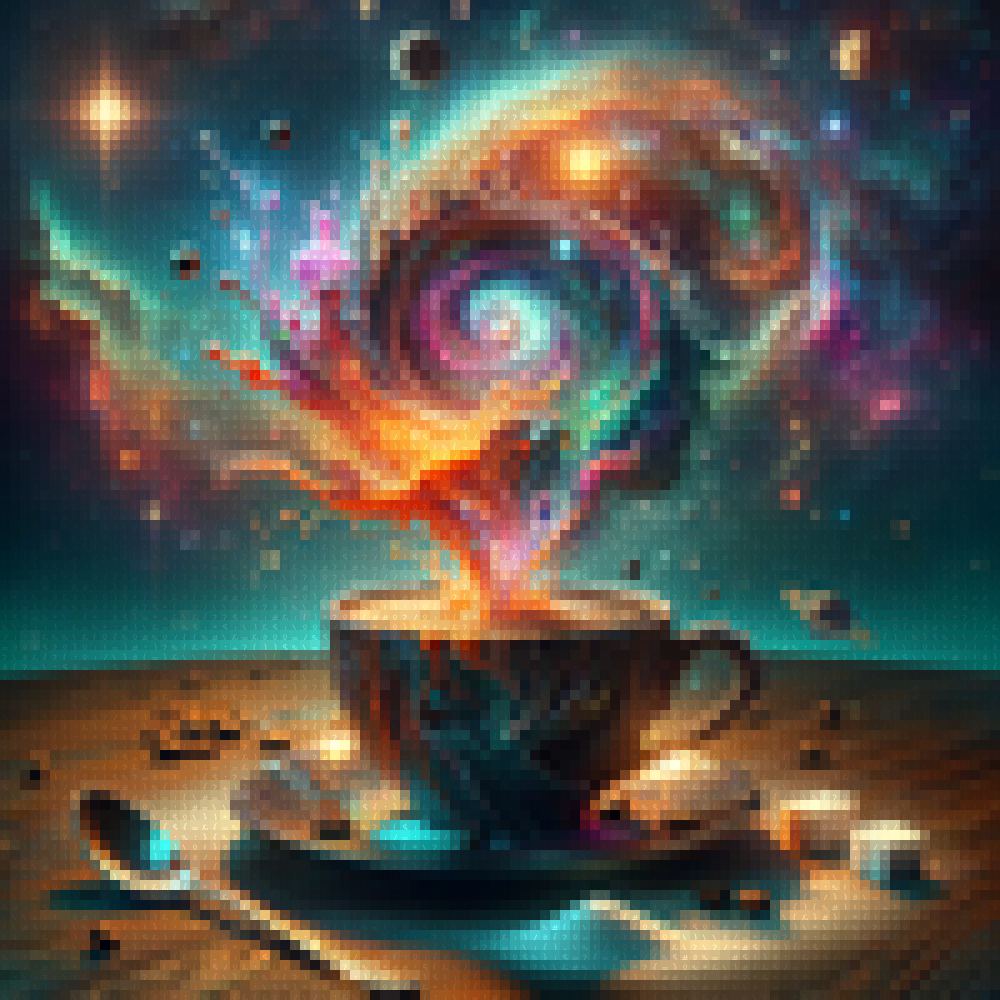
Example
You can download this example as pdf Coffee-pdf, copy the content (Ctrl+A) and paste in a brainfuck interpreter like this one to recover the content.
Features
- Text to Brainfuck: Convert any text into Brainfuck code.
- ASCII Art Generation: Transform images into color blocks.
- Multiple Output Formats: Export your creations as HTML, SVG, or PDF.
- Command-Line Interface (CLI): Generate and export art from the terminal.
- Python API: Integrate Brainfuck Art into your Python projects with ease.
Installation
To install Brainfuck Art, ensure you have Python 3.9 or higher, and run:
pip install brainfuck-art
Command-Line Usage
You can use Brainfuck Art directly from the command line to create art with hidden Brainfuck code:
# Download the example image
curl -L -o coffee.png https://github.com/pablomm/brainfuck-art/blob/main/docs/assets/coffee.png\?raw\=true

# Generate Art with hidden text
brainfuck-art coffee.png -t "I love coffee" -o "coffee.pdf" -W 100 -H 100
Main Options
-t,--text: Text to encode as Brainfuck code.-o,--output: The output file name (with extension).-W,--width: Width of the output in characters.-H,--height: Height of the output in characters.-f,--filetype: File type for output (html, svg, pdf).
Python API Usage
You can also use Brainfuck Art as a Python package to programmatically generate Brainfuck code, interpret it, and create visual art.
Generate Brainfuck Code
from brainfuck_art import text_to_bf

code = text_to_bf("brainfuck")
print(code)
Example output:
'>+++++++[>++++++++++++++<-]>.<++++[>++++<-]>.<++++[>----<-]>-.++++++++.+++++.--------.+++++++++++++++.<+++[>------<-]>.++++++++.'
Execute Brainfuck Code
from brainfuck_art import execute_bf

output, tape = execute_bf(code)
print(output)  # Outputs: brainfuck
Generate ASCII Art with Hidden Text
from brainfuck_art import image_to_matrix, save_matrix_to_svg

text = "I love coffee"
text_matrix, color_matrix = image_to_matrix("coffee.png", text=text)
save_matrix_to_svg(text_matrix, color_matrix, output_file="coffee.svg")
You can also save the output in PDF or HTML formats using the same approach.
License
Brainfuck Art is licensed under the MIT License. See the LICENSE file for more details.
1 maintainer

Metadata
1 maintainer
Release files for brainfuck-art 1.0.1
For a detailed explanation of source distributions (sdists) and built distributions (wheels), please see the package formats documentation.
Source distribution (sdist)
| File | Size | Uploaded | |
|---|---|---|---|
| brainfuck_art-1.0.1.tar.gz | 14.7 kB | Details |
Built distribution (wheel)
| File | Interpreter | ABI | Platform | Reset |
|---|---|---|---|---|
| brainfuck_art-1.0.1-py3-none-any.whl | Python 3 | none | any | Details |
Total release size: 29.6 kB
Release files / brainfuck_art-1.0.1.tar.gz
| Download URL | brainfuck_art-1.0.1.tar.gz |
|---|---|
| Size | 14.7 kB |
| Tags | Source |
|
SHA-256 checksum How to use checksums |
75628d556eb840c32175fe159a5acf214489fa616bf2835c8895bcaeeab65914
|
|
BLAKE2b-256 checksum How to use checksums |
5f16097e2af54ef65e7f109c2f2c61fdd93e67b0e34a854859465e45b130f846
|
| Upload date | |
|
Uploaded using Trusted Publishing? What is trusted publishing? |
Yes |
| Uploaded via |
twine/5.1.0 CPython/3.12.5
|
Release files / brainfuck_art-1.0.1-py3-none-any.whl
| Download URL | brainfuck_art-1.0.1-py3-none-any.whl |
|---|---|
| Size | 14.9 kB |
| Tags | Python 3 |
|
SHA-256 checksum How to use checksums |
160bfa7d8a8cc0153d48efee50daabcca4ec55f7b83301fff49c75e4e2b7cc44
|
|
BLAKE2b-256 checksum How to use checksums |
a132602625456c7a8aaed200f281368a493023740a37e4ae8a990b6d5ccecc64
|
| Upload date | |
|
Uploaded using Trusted Publishing? What is trusted publishing? |
Yes |
| Uploaded via |
twine/5.1.0 CPython/3.12.5
|














