
BrickFlow: Connectivity-Guided Brick Reconstruction
Peter Kulits and Cordelia Schmid
NeurIPS 2026
[Project Page] | [Models] | [Dataset]
Install
pip install brick-flow
The default fetch downloads the files for PT-L sampling (3.81 GiB: assets, val/procbrick, and weights/pt-l)
and BrickNet's colliders (191 MiB download, 989 MiB extracted):
python -m brickflow fetch
For IC-L sampling, also fetch weights/ic-l (2.48 GiB); see Generation.
Files are stored in brickflow/ and procbrick/ in BrickNet's data directory; set BRICKNET_DATA to use another
location.
Data Structures
BrickFlow takes parts and colors/materials and samples their poses: float64 (n, 4, 4) matrices in LDU at each part's LDraw origin. IC models also take an image.
import dataclasses

import bricknet
import brickflow
from brickflow.sampling import sample

model = bricknet.parse_ldr(open("model.ldr").read())
parts = (model.part_ids, model.colors)

poses = sample("weights/pt-l.pt", [parts], samples=4, guidance=True)[0]   # (4, n, 4, 4) float64, LDU
for k, at in enumerate(poses):
    open(f"sample-{k}.ldr", "w").write(bricknet.graph_to_ldr(dataclasses.replace(model, transforms=at)))

print(brickflow.score((model.part_ids, poses[0])))                        # valid, single, components, collisions
print(brickflow.mass_movement((model.part_ids, poses[0]), model).rms)     # mass movement (MM) onto the model, LDU
The sampler's settings (brickflow.flow.Settings, the paper's by default) include the time schedule, the hand-off,
the classifier-free guidance weight, the guidance's start, strength, and cap, and the seed:
import numpy as np
from brickflow.flow import Settings

settings = Settings(schedule=tuple(np.linspace(0, 1, 101) ** 0.5), seed=0)
poses = sample("weights/pt-l.pt", [parts], samples=4, guidance=True, settings=settings)[0]
To record the denoising trajectory, pass on_step(index, t, poses) to sample. The callback receives the input
index, time, and poses (samples, n, 4, 4) in LDU at the initial noise and each step, before snap:
trajectory = []

def record(index, t, poses):
    trajectory.append((index, t, poses))

poses = sample("weights/pt-l.pt", [parts], guidance=True, on_step=record)[0]
IC models also take an image of each input, and the PT model of their size:
from PIL import Image

image = Image.open("duck.png")
poses = sample("weights/ic-l.pt", [parts], images=[image], pt="weights/pt-l.pt", guidance=True)[0]
Modules:
sampling: sampling poses, in memory and from files into files (python -m brickflow sample)parts: part tables and symmetriesmetrics: MM, connectivity, collisions, scoresconnect: connectivity energy and snapmodel,flow: the denoiser and its sampling stepsdata,images: training rows and image featurespaths: the data directory andfetch
Generation
Unconditional generation with a PT model (pretrained on procedural assemblies), with connectivity guidance, for every render of the evaluation set:
python -m brickflow sample weights/pt-l.pt val/procbrick --samples 100 --guidance --out pt-l
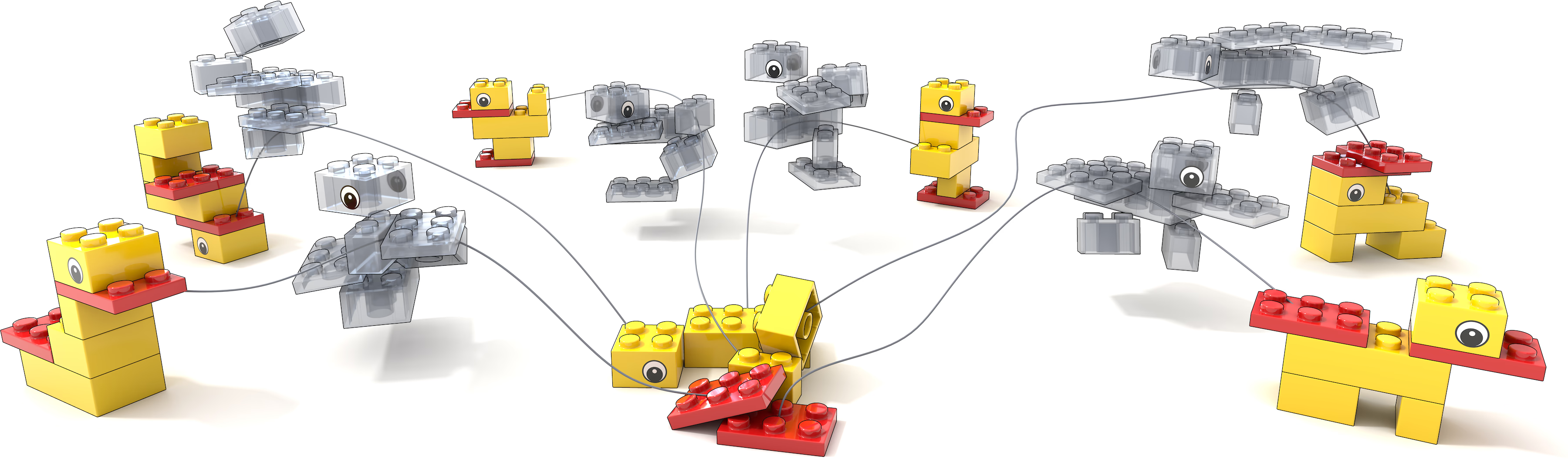
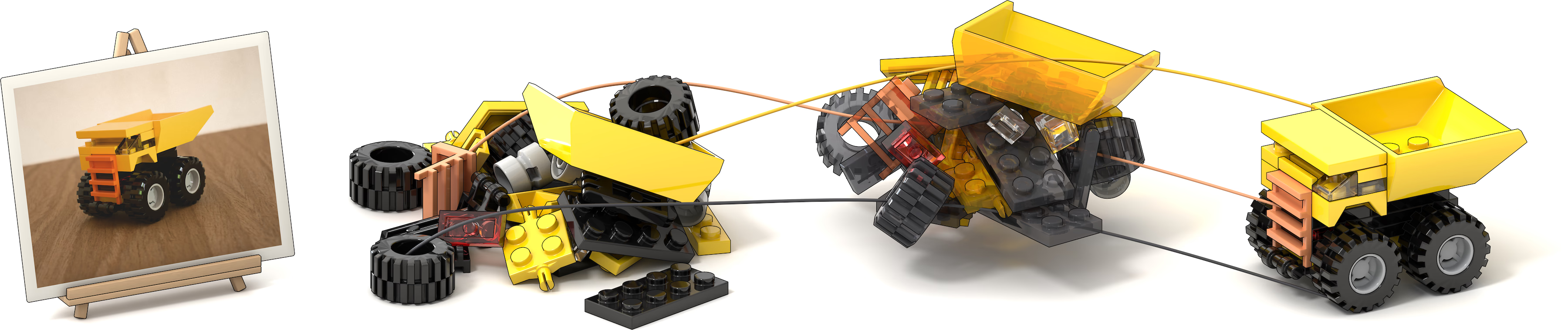
Image-conditioned generation with an IC model (finetuned from the PT model, which finishes its sampling). IC models
need the gated DINOv3: accept its license and run
hf auth login.
python -m brickflow fetch weights/ic-l
python -m brickflow sample weights/ic-l.pt val/procbrick --pt weights/pt-l.pt --samples 100 --guidance --out ic-l
For your own images, put each image in a directory with an LDraw file of the same name that lists its parts and their
colors (photos/duck.png and photos/duck.ldr):
python -m brickflow sample weights/ic-l.pt photos --pt weights/pt-l.pt --samples 4 --guidance --out duck
samples-<k>.npz holds the k-th sample of each input (--no-snap: as sampled). As LDraw files:
for i, sample in enumerate(bricknet.load_graphs("duck/samples-000.npz")):
    open(f"duck-{i}.ldr", "w").write(bricknet.graph_to_ldr(sample))
Evaluation
python -m brickflow evaluate pt-l val/procbrick        # the paper's metrics and table row
python -m brickflow evaluate ic-l val/procbrick --ic   # IC protocol: parts matched on part id and color
python -m brickflow evaluate outputs targets           # another generator's LDraw files against their targets
Training
Training uses ProcBrick's splits:
python -m brickflow fetch train/pt   # PT: 100,000,000 ProcBrick trees of 100 parts (19.4 GiB)
python -m brickflow fetch train/ic   # IC: 1,000,000 renders (100.5 GiB)
The script selects learning rates and schedules by stage (pt or ic) and size (S, B, or L). Pretrain PT-S and
export its post-hoc EMA weights:
torchrun --standalone --nproc-per-node 8 scripts/train.py pt S --out runs/pt-s
python scripts/train.py export runs/pt-s --std 0.02 --step 1000000 --to pt-s.pt
Finetune IC-S from it:
torchrun --standalone --nproc-per-node 8 scripts/train.py ic S --init pt-s.pt --out runs/ic-s
python scripts/train.py export runs/ic-s --std 0.07 --step 200000 --to ic-s.pt
IC uses white backgrounds by default. For the paper's background augmentation, add --backgrounds imagenet.txt, a text
file listing ImageNet training images. For B or L, select that size in both stages and initialize IC from its PT
weights; the EMA widths for all six models are in DATA.md.
Scripts
python scripts/train.py --help # pretraining, finetuning, and exporting the post-hoc EMA weights (Training)
Data
The part tables ship inside the package; the released files are downloaded separately (see Install), and
the weights and datasets are on Hugging Face; see DATA.md for schemas. The BrickNet evaluation set,
val/bricknet, comes with the BrickNet dataset (request form); see
DATA.md.
Citation
@InProceedings{kulits2026brickflow,
  author    = {Kulits, Peter and Schmid, Cordelia},
  title     = {BrickFlow: Connectivity-Guided Brick Reconstruction},
  booktitle = {Advances in Neural Information Processing Systems},
  year      = {2026}
}
1 maintainer

Metadata
1 maintainer
Release files for brick-flow 0.1.0
For a detailed explanation of source distributions (sdists) and built distributions (wheels), please see the package formats documentation.
Source distribution (sdist)
| File | Size | Uploaded | Provenance | Actions |
|---|---|---|---|---|
| brick_flow-0.1.0.tar.gz | 892.4 kB | Without provenance | Details for brick_flow-0.1.0.tar.gz |
Built distribution (wheel)
| File | Interpreter | ABI | Platform | Actions Reset |
|---|---|---|---|---|
| brick_flow-0.1.0-cp310-abi3-manylinux_2_28_x86_64.whl | CPython 3.10 | abi3 | Linux glibc 2.28+ x86-64 | Details for brick_flow-0.1.0-cp310-abi3-manylinux_2_28_x86_64.whl |
Total release size: 2.4 MB
Release files / brick_flow-0.1.0.tar.gz
| Download URL | brick_flow-0.1.0.tar.gz |
|---|---|
| Size | 892.4 kB |
| Tags | Source |
|
SHA-256 checksum How to use checksums |
a7e3df8a2dfe7ecd0fa0572b96823a57e25d3f4565517751b7042f85315f6366
|
|
BLAKE2b-256 checksum How to use checksums |
7112d1454858a441985950f8c76426ca04f0679d421b7462c09d658a0a049931
|
| Upload date | |
|
Uploaded using Trusted Publishing? What is trusted publishing? |
No |
| Uploaded via |
twine/7.0.0 CPython/3.10.12
|
Release files / brick_flow-0.1.0-cp310-abi3-manylinux_2_28_x86_64.whl
| Download URL | brick_flow-0.1.0-cp310-abi3-manylinux_2_28_x86_64.whl |
|---|---|
| Size | 1.5 MB |
| Tags | CPython 3.10 Linux glibc 2.28+ x86-64 abi3 |
|
SHA-256 checksum How to use checksums |
4144c3ff2120f8f342450c50e32e1f0d562d322763bb557ad21e13b915f5b0bd
|
|
BLAKE2b-256 checksum How to use checksums |
4ec6585829b7c80b631c975474eb8cb37860a7fcf115662911b974bdd1fb4e0d
|
| Upload date | |
|
Uploaded using Trusted Publishing? What is trusted publishing? |
No |
| Uploaded via |
twine/7.0.0 CPython/3.10.12
|
Security for brick-flow 0.1.0
Provenance
Provenance describes where a file came from. On PyPI, provenance is shared via attestations, which provide a verifiable record of the build or publishing details. View details, limitations and caveats.
No provenance found
None of the files in this release were uploaded with provenance metadata.
A note on package security
PyPI is a repository for distributing packages, not a service for auditing them. While third-party security researchers and our staff do their best to detect and remove malicious packages, PyPI cannot guarantee the quality, security or suitability of any given package.
To learn more about protecting yourself from malicious actors, visit our package security documentation.













