
brickalize



A Python package for converting 3D models (STL) into LEGO-like brick structures, generating necessary support structures, and visualizing the result in 3D or as layer-by-layer 2D images.
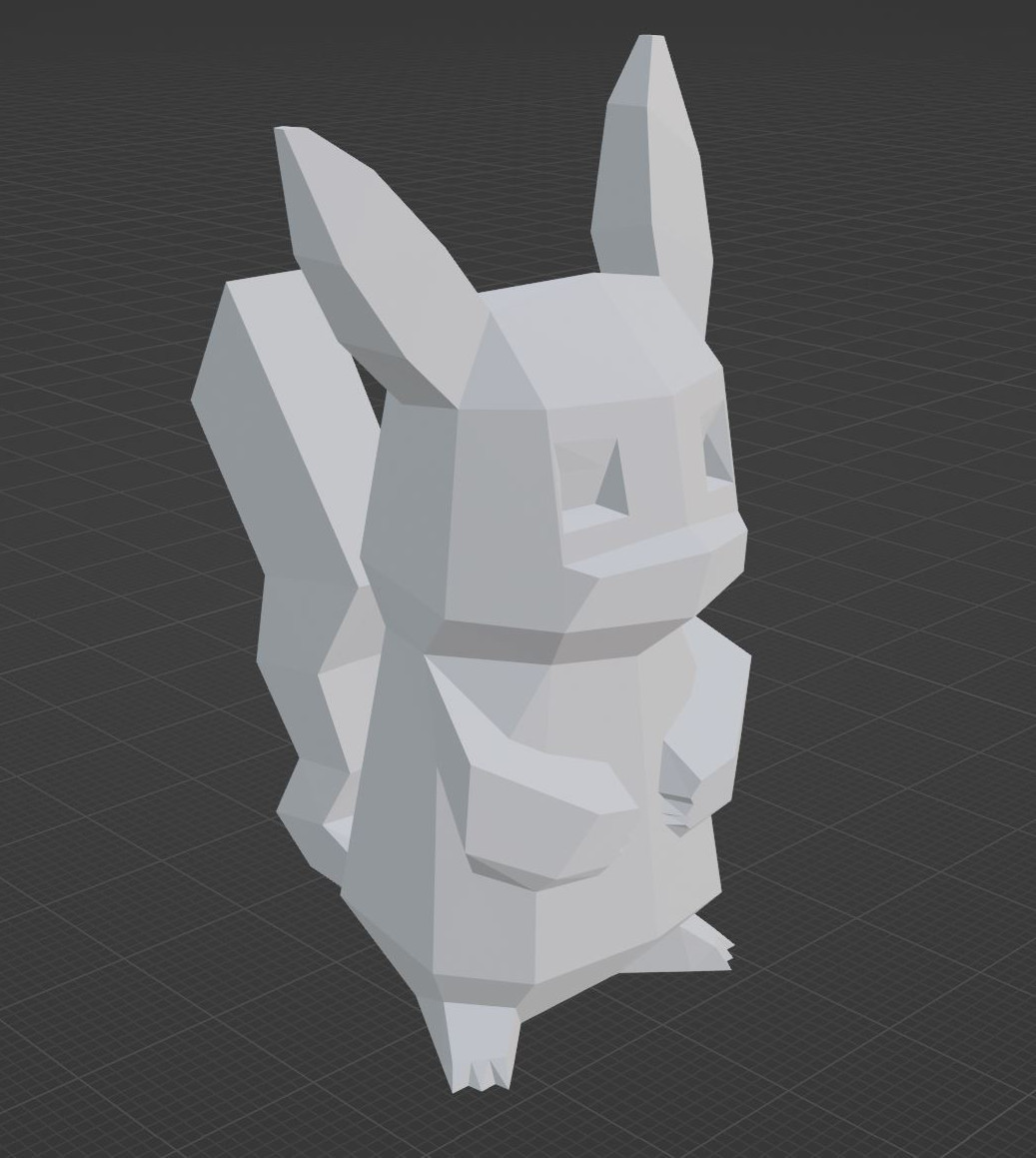
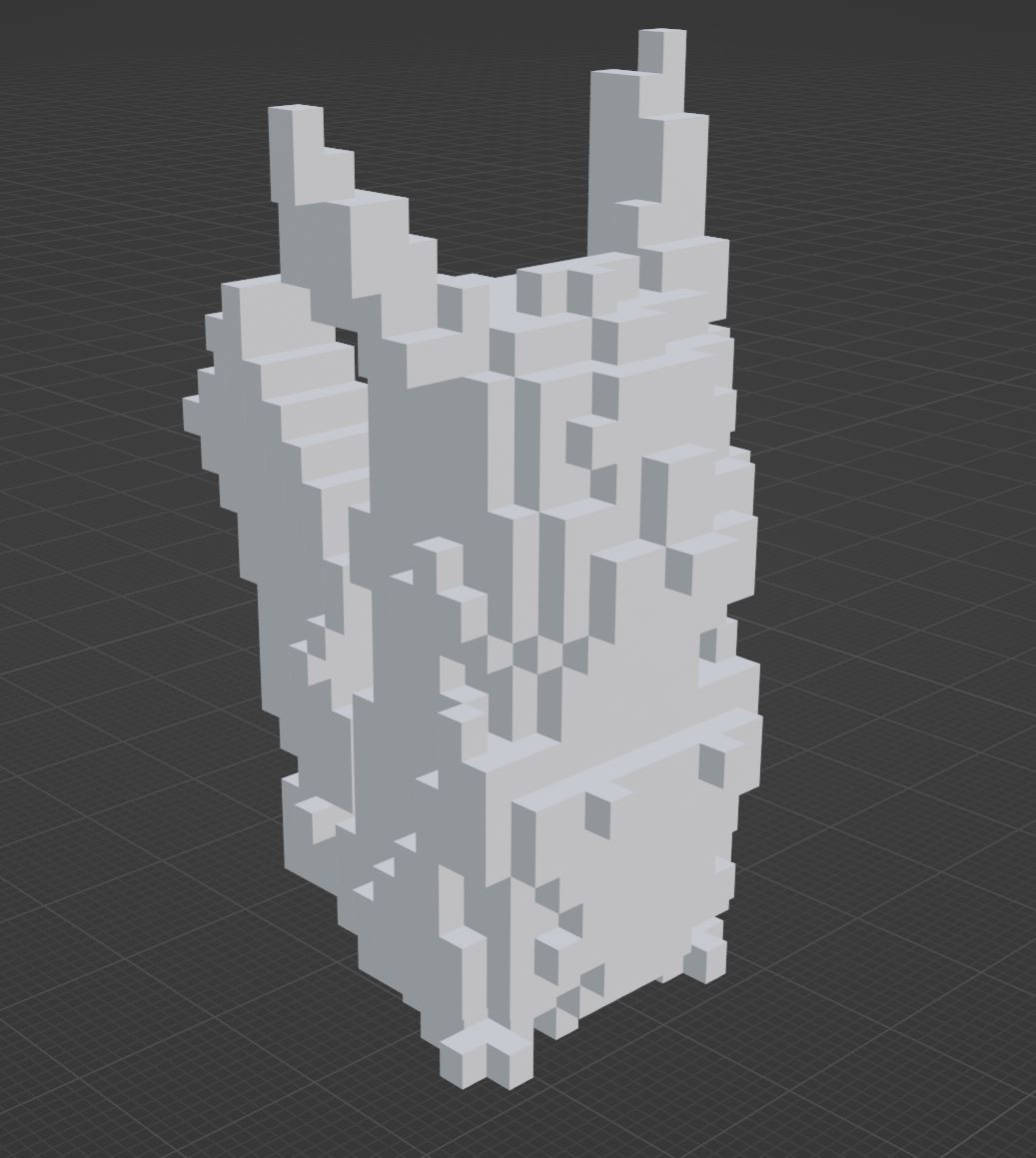
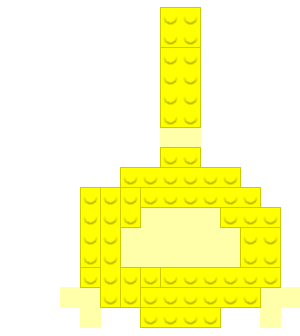
Left: Original Model (STL) Center: Converted Brick Model (3D) Right: Layer Image (2D)
Example model shown: Low-Poly Pikachu by flowalistik on Thingiverse.
Table of Contents
Introduction
brickalize provides tools to take a standard 3D model file (STL) and transform it into a representation made of LEGO-like bricks. It voxelizes the input model, optionally extracts its shell to make it hollow, intelligently places bricks from a user-defined set to build the structure, generates sparse support pillars for overhangs, and offers visualization options including interactive 3D rendering and 2D build instruction images.
This package is useful for hobbyists, LEGO® engineers, or anyone interested in translating digital 3D designs into physically buildable brick models.
Features
- STL Loading: Loads 3D models from STL files using
trimesh. - Voxelization: Converts continuous 3D models into a grid of voxels with configurable resolution, direction, and aspect ratio. Supports fast (center-point) and more accurate (multi-point threshold) voxel occupancy checks.
- Shell Extraction: Option to keep only the outer shell of the voxelized model, creating hollow structures.
- Brick Definition: Define available brick types (dimensions, support status) using the
Brickclass and manage them withBrickSet. - Intelligent Brick Placement: An algorithm (
Brickalizer.array_to_brick_model) converts the voxel grid into aBrickModelby placing bricks from the providedBrickSet, optimizing for larger bricks where possible. - Automatic Support Generation: Generates sparse, pillar-like support structures (
Brickalizer.generate_support) necessary for overhangs, minimizing material usage compared to dense supports. - Model Representation: Stores the final structure layer by layer in a
BrickModelobject. - 3D Visualization: Renders the
BrickModel(including separate colors/transparency for support) in an interactive 3D view usingopen3d. - Mesh Saving: Saves the generated brick model (including supports) as a single STL file.
- 2D Layer Images: Generates detailed 2D images for each layer, suitable for building instructions, with customizable colors, stud overlays, and ghost layer previews.
Installation
1. Using pip (Recommended):
pip install brickalize
2. Installing from Source (GitHub):
pip install git+https://github.com/CreativeMindstorms/brickalize.git
This will also install the required dependencies.
Usage
Core Workflow Example
Here's a typical workflow using brickalize:
# examples/basic_usage.py
from brickalize import (
    Brick,
    BrickSet,
    BrickModel, # Import BrickModel if needed directly in example
    BrickModelVisualizer,
    Brickalizer
)
import numpy as np

# Initialize variables
stl_file = 'model.stl'
output_dir = 'images'
grid_voxel_count = 20
grid_direction = "z"
brick_set = BrickSet([Brick(1, 2), Brick(1, 4), Brick(2, 2), Brick(1, 1), Brick(1, 3), Brick(2, 4), Brick(1, 6), Brick(1, 1, True), Brick(1, 2, True)])

# Voxelize the model
brick_array = Brickalizer.voxelize_stl(stl_file, grid_voxel_count, grid_direction, fast_mode=True)

# Only keep the shell of the model, making it hollow
boundary_array = Brickalizer.extract_shell_from_3d_array(brick_array)

# Convert to a brickmodel
brick_model = Brickalizer.array_to_brick_model(boundary_array, brick_set)

# Generate support
support_array = Brickalizer.generate_support(brick_model, boundary_array)

# Add support to the brick model
brick_model = Brickalizer.array_to_brick_model(support_array, brick_set, brick_model, is_support=True)

# Check if all voxels that should be occupied are occupied
test_array = Brickalizer.brick_model_to_array(brick_model)
assert np.array_equal(boundary_array, test_array), "The original and converted arrays are not the same!"

# Normalize the brick model to ensure it starts at (0,0,0)
# Can be helpful in situations where the brick_model is used in a different program
brick_model.normalize()

# Create a 3D mesh
mesh_list = BrickModelVisualizer.draw_model(brick_array, support_array) # Optimized for only visible faces

# Create a 3D mesh for each brick
mesh_brick_list = BrickModelVisualizer.draw_model_individual_bricks(brick_model) # Non-optimized, drawing all faces

# Save the model as mesh or images of each layer
BrickModelVisualizer.save_model(mesh_list, file_path="brick_model.stl")
import os
os.makedirs(output_dir, exist_ok=True)
BrickModelVisualizer.save_as_images(brick_model, dir_path=output_dir)

# Visualize/show the model
BrickModelVisualizer.show_model(mesh_list)
Key Components
Brick(d1, d2, is_support=False): Defines a single type of brick.d1andd2are stud dimensions (e.g., 2x4),is_supportflags it as a support-only brick.BrickSet([Brick(...), ...]): Holds a collection of uniqueBrickobjects available for the conversion process.Brickalizer: Contains the static methods for the main conversion steps:voxelize_stl(): STL to 3D numpy array.extract_shell_from_3d_array(): Make the voxel array hollow.array_to_brick_model(): Voxel array toBrickModelusing aBrickSet.generate_support(): Creates a 3D numpy array indicating needed support voxels.brick_model_to_array(): Converts aBrickModelback to a 3D numpy array.
BrickModel: Represents the final structure as a dictionary of layers, where each layer contains a list of placed bricks (position, size, support status).BrickModelVisualizer: Static methods for visualization and saving:draw_model(): Createsopen3dmesh geometry from voxel/support arrays (efficient).draw_model_individual_bricks(): Createsopen3dmesh geometry with one mesh per brick (detailed but slower).show_model(): Displays the generated meshes in an interactive window.save_model(): Saves the mesh geometry as an STL file.save_as_images(): Generates 2D PNG images for each layer.
API Overview
The main components exposed by the package are:
brickalize.Brick: Class representing a single type of LEGO-like brick with dimensions and support status.brickalize.BrickSet: Class managing a collection of uniqueBrickobjects, providing helper methods to query available dimensions.brickalize.BrickModel: Class representing the layered brick structure, storing placed bricks (size, position, type) per layer.brickalize.BrickModelVisualizer: Class with static methods for creating 3D visualizations (open3d), saving models (STL), and generating 2D layer images (opencv-python).brickalize.Brickalizer: Class with static methods orchestrating the conversion process: loading STL, voxelizing, shell extraction, brick placement, and support generation.brickalize.__version__: String containing the current package version.
Refer to the docstrings within the code for detailed parameter descriptions.
Dependencies
The package relies on the following libraries:
- numpy
- open3d
- trimesh
- tqdm
- opencv-python
- scipy
- rtree
These will be installed automatically when you install brickalize using pip.
Contributing
Contributions are welcome, and I appreciate your interest in improving this project! However, I want to keep this easy to manage, as it is a personal project and a learning experience for me.
- Open an issue on the GitHub repository.
- Fork the Repository: Create a personal copy of the repository by clicking the "Fork" button at the top.
- Make Changes: Implement your changes in your forked repository. Please keep changes focused and well-documented.
- Submit a Pull Request (PR): Open a pull request with a clear explanation of your changes. Include why the change is beneficial and how it affects the project.
License
This project is licensed under the GPLv3 License. Contributions and modifications are welcome, but they must remain open-source and credit the original author.
Contact
Sten Nellen (Creative Mindstorms) - creativemindstorms1@gmail.com
Project Link: https://github.com/CreativeMindstorms/brickalize
Disclaimer
This project is a hobby, and while I enjoy working on it, I can’t provide consistent support or assistance. Please feel free to reach out via email for questions or feedback, but responses may be delayed depending on my availability.
1 maintainer

Release files for brickalize 1.0.2
For a detailed explanation of source distributions (sdists) and built distributions (wheels), please see the package formats documentation.
Source distribution (sdist)
| File | Size | Uploaded | |
|---|---|---|---|
| brickalize-1.0.2.tar.gz | 61.3 kB | Details |
Built distribution (wheel)
| File | Interpreter | ABI | Platform | Reset |
|---|---|---|---|---|
| brickalize-1.0.2-py3-none-any.whl | Python 3 | none | any | Details |
Total release size: 108.7 kB
Release files / brickalize-1.0.2.tar.gz
| Download URL | brickalize-1.0.2.tar.gz |
|---|---|
| Size | 61.3 kB |
| Tags | Source |
|
SHA-256 checksum How to use checksums |
e3595a6cca925b39a99fd2d39d66e5177942132955c39d8cb47583dc5dcb9380
|
|
BLAKE2b-256 checksum How to use checksums |
8c7c8aee6582277eb6a006f79c25d49ff9034ccb12aaef57b8ee20ff737684a5
|
| Upload date | |
|
Uploaded using Trusted Publishing? What is trusted publishing? |
No |
| Uploaded via |
twine/6.0.1 CPython/3.10.4
|
Release files / brickalize-1.0.2-py3-none-any.whl
| Download URL | brickalize-1.0.2-py3-none-any.whl |
|---|---|
| Size | 47.5 kB |
| Tags | Python 3 |
|
SHA-256 checksum How to use checksums |
13776c2bcaaf8165d5481dcc561e274e06edf66bf0b0750d0f396ada53c00c6f
|
|
BLAKE2b-256 checksum How to use checksums |
f8b7570461ae5298f09c9b22a76311573aaa91327abe58df4faa47e789736db8
|
| Upload date | |
|
Uploaded using Trusted Publishing? What is trusted publishing? |
No |
| Uploaded via |
twine/6.0.1 CPython/3.10.4
|














