
Make websites accessible for AI agents
Verified details
These details have been verified by PyPIProject links
GitHub Statistics
Maintainers

Project description

Enable AI to control your browser 🤖





🌐 Browser-use is the easiest way to connect your AI agents with the browser.
💡 See what others are building and share your projects in our Discord - we'd love to see what you create!
🌩️ Skip the setup - try our hosted version for instant browser automation! Try it now.
Quick start
With pip (Python>=3.11):
pip install browser-use
install playwright:
playwright install
Spin up your agent:
from langchain_openai import ChatOpenAI
from browser_use import Agent
import asyncio
from dotenv import load_dotenv
load_dotenv()

async def main():
    agent = Agent(
        task="Go to Reddit, search for 'browser-use', click on the first post and return the first comment.",
        llm=ChatOpenAI(model="gpt-4o"),
    )
    result = await agent.run()
    print(result)

asyncio.run(main())
Add your API keys for the provider you want to use to your .env file.
OPENAI_API_KEY=
For other settings, models, and more, check out the documentation 📕.
Test with UI
You can test browser-use with a UI repository
Or simply run the gradio example:
uv pip install gradio
python examples/ui/gradio_demo.py
Demos
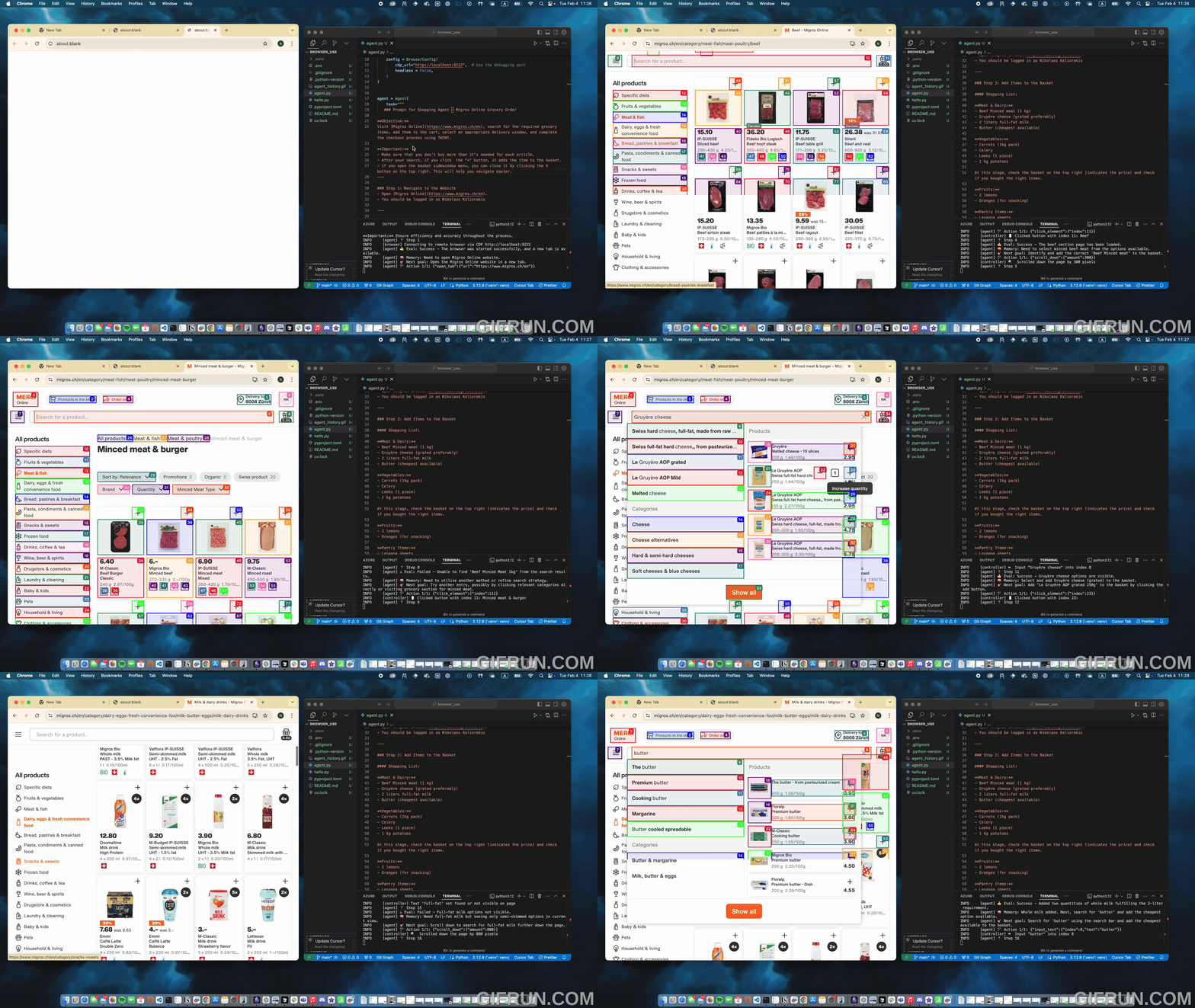
Task: Add grocery items to cart, and checkout.
Prompt: Add my latest LinkedIn follower to my leads in Salesforce.

Prompt: Read my CV & find ML jobs, save them to a file, and then start applying for them in new tabs, if you need help, ask me.'
https://github.com/user-attachments/assets/171fb4d6-0355-46f2-863e-edb04a828d04
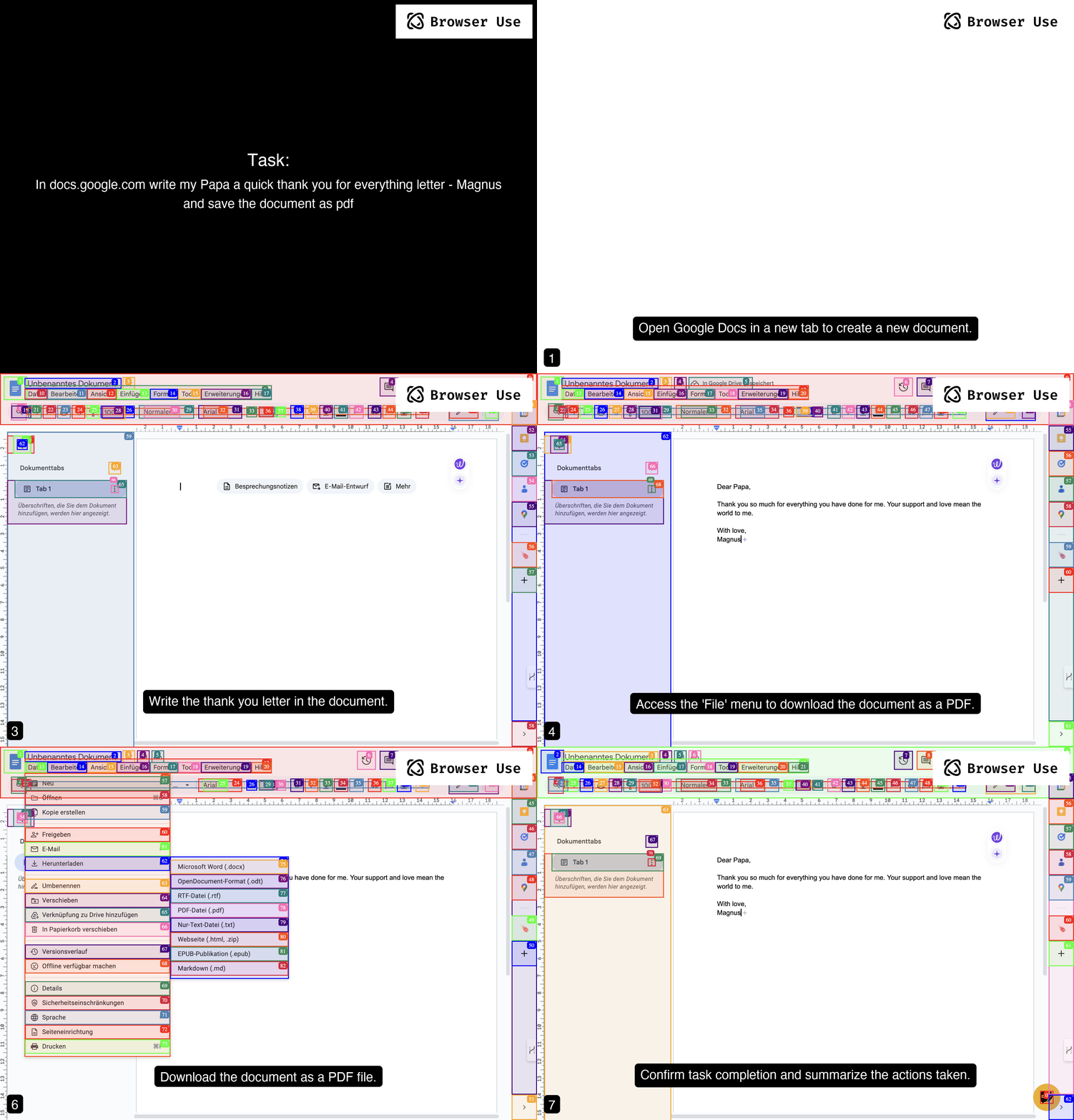
Prompt: Write a letter in Google Docs to my Papa, thanking him for everything, and save the document as a PDF.
Prompt: Look up models with a license of cc-by-sa-4.0 and sort by most likes on Hugging face, save top 5 to file.
https://github.com/user-attachments/assets/de73ee39-432c-4b97-b4e8-939fd7f323b3
More examples
For more examples see the examples folder or join the Discord and show off your project.
Vision
Tell your computer what to do, and it gets it done.
Roadmap
Agent
- Improve agent memory (summarize, compress, RAG, etc.)
- Enhance planning capabilities (load website specific context)
- Reduce token consumption (system prompt, DOM state)
DOM Extraction
- Improve extraction for datepickers, dropdowns, special elements
- Improve state representation for UI elements
Rerunning tasks
- LLM as fallback
- Make it easy to define workfows templates where LLM fills in the details
- Return playwright script from the agent
Datasets
- Create datasets for complex tasks
- Benchmark various models against each other
- Fine-tuning models for specific tasks
User Experience
- Human-in-the-loop execution
- Improve the generated GIF quality
- Create various demos for tutorial execution, job application, QA testing, social media, etc.
Contributing
We love contributions! Feel free to open issues for bugs or feature requests. To contribute to the docs, check out the /docs folder.
Local Setup
To learn more about the library, check out the local setup 📕.
Cooperations
We are forming a commission to define best practices for UI/UX design for browser agents. Together, we're exploring how software redesign improves the performance of AI agents and gives these companies a competitive advantage by designing their existing software to be at the forefront of the agent age.
Email Toby to apply for a seat on the committee.
Citation
If you use Browser Use in your research or project, please cite:
@software{browser_use2024,
  author = {Müller, Magnus and Žunič, Gregor},
  title = {Browser Use: Enable AI to control your browser},
  year = {2024},
  publisher = {GitHub},
  url = {https://github.com/browser-use/browser-use}
}
Project details
Verified details
These details have been verified by PyPIProject links
GitHub Statistics
Maintainers


Download files
Download the file for your platform. If you're not sure which to choose, learn more about installing packages.
Source Distribution
Built Distribution
Filter files by name, interpreter, ABI, and platform.
If you're not sure about the file name format, learn more about wheel file names.
Copy a direct link to the current filters
File details
Details for the file browser_use_py310-0.1.43.tar.gz.
File metadata
- Download URL: browser_use_py310-0.1.43.tar.gz
- Upload date:
- Size: 1.3 MB
- Tags: Source
- Uploaded using Trusted Publishing? Yes
- Uploaded via: twine/6.1.0 CPython/3.12.9
File hashes
| Algorithm | Hash digest | |
|---|---|---|
| SHA256 |
90c089928c86feaba844e7135c11d9b84af2ada22dc4992ae3e8f0a4022b2780
|
|
| MD5 |
19aa069689e64f0bdfcf43669b42cfcb
|
|
| BLAKE2b-256 |
b326ddf53de9a751c36d9344932dd96c33eb3e28f69df56750bf9bec70fa95f9
|
Provenance
The following attestation bundles were made for browser_use_py310-0.1.43.tar.gz:
Publisher:
publish.yml on changsi/browser-use
-
Statement:
-
Statement type:
https://in-toto.io/Statement/v1 -
Predicate type:
https://docs.pypi.org/attestations/publish/v1 -
Subject name:
browser_use_py310-0.1.43.tar.gz -
Subject digest:
90c089928c86feaba844e7135c11d9b84af2ada22dc4992ae3e8f0a4022b2780 - Sigstore transparency entry: 178751119
- Sigstore integration time:
-
Permalink:
changsi/browser-use@1edb26572ffb41543d3d7b3bd126dfd590dbed65 -
Branch / Tag:
refs/tags/v0.1.44-py310 - Owner: https://github.com/changsi
-
Access:
public
-
Token Issuer:
https://token.actions.githubusercontent.com -
Runner Environment:
github-hosted -
Publication workflow:
publish.yml@1edb26572ffb41543d3d7b3bd126dfd590dbed65 -
Trigger Event:
release
-
Statement type:
File details
Details for the file browser_use_py310-0.1.43-py3-none-any.whl.
File metadata
- Download URL: browser_use_py310-0.1.43-py3-none-any.whl
- Upload date:
- Size: 86.1 kB
- Tags: Python 3
- Uploaded using Trusted Publishing? Yes
- Uploaded via: twine/6.1.0 CPython/3.12.9
File hashes
| Algorithm | Hash digest | |
|---|---|---|
| SHA256 |
1b9c11314fa332ac94238cc218d8d75e83b9120f94c974e9bed22a987bac9684
|
|
| MD5 |
d6477a12b0e07baa151d1b7e11b87ebe
|
|
| BLAKE2b-256 |
dc81767212a7f51dbd6a2faf1c10b79a5924d55a65055ce9597b134fcd2d7dc8
|
Provenance
The following attestation bundles were made for browser_use_py310-0.1.43-py3-none-any.whl:
Publisher:
publish.yml on changsi/browser-use
-
Statement:
-
Statement type:
https://in-toto.io/Statement/v1 -
Predicate type:
https://docs.pypi.org/attestations/publish/v1 -
Subject name:
browser_use_py310-0.1.43-py3-none-any.whl -
Subject digest:
1b9c11314fa332ac94238cc218d8d75e83b9120f94c974e9bed22a987bac9684 - Sigstore transparency entry: 178751121
- Sigstore integration time:
-
Permalink:
changsi/browser-use@1edb26572ffb41543d3d7b3bd126dfd590dbed65 -
Branch / Tag:
refs/tags/v0.1.44-py310 - Owner: https://github.com/changsi
-
Access:
public
-
Token Issuer:
https://token.actions.githubusercontent.com -
Runner Environment:
github-hosted -
Publication workflow:
publish.yml@1edb26572ffb41543d3d7b3bd126dfd590dbed65 -
Trigger Event:
release
-
Statement type:






