
Browser Use Undetected
An undetected browser automation wrapper/addon for browser-use that provides stealth capabilities using Camoufox (Firefox-based) & proxies to avoid detection by anti-bot systems, with local ReCAPTCHA v2/v3 solving & cloud solving almost all other bot detection systems using CapSolver API
Features
- Stealth Browser Session: Uses Camoufox for undetected browsing
- Proxy Support: Built-in proxy configuration
- Captcha Solving: Automatic captcha detection and solving using local methods & cloud (paid) services
- Drop-in Replacement: Easy integration with existing browser-use code
You can find demos near the bottom of the page.
Issues
- Humanizer setting does not work with comboboxes/dropdowns
- Captcha solving not fully functional/tested
- Unable to enter extra arguments in agent specifically for camoufox
- Oxylabs is not a great provider, includes restricted targets for resedential proxies
Installation
Requires:
python 3.11 - 3.13
In terminal:
pip install browser-use-undetected
camoufox fetch
Add .env variables:
# proxy settings (optional) - can set using Agent arguments or globally
PROXY_USERNAME=
PROXY_PASSWORD=
PROXY_HOST=
PROXY_PORT=

# Capsolver API Key (optional) - for fallback captcha solving
# Get your API key from https://capsolver.com/
CAPSOLVER_API_KEY=
Quick Start
import asyncio
from dotenv import load_dotenv
load_dotenv()
from langchain_openai import ChatOpenAI
from browser_use_undetected import StealthAgent, PROXY


async def main():
    agent = StealthAgent(
        task="Find a cheap Iphone <$500 using google",
		llm=ChatOpenAI(model="gpt-4.1-nano-2025-04-14"),
		#humanize=True, #Human movement, currently comboboxes/dropdowns do not work with this
        proxy=PROXY(), # Optional
		#proxy={
		#	"server": "http://proxy:port",
		#	"username": "user",
		#	"password": "pass"
		#},
        auto_solve_captchas=True,  # Optional
        capsolver_api_key="your_capsolver_key"  # Optional
    )

    result = await agent.run()
    print(result)


if __name__ == "__main__":
    asyncio.run(main())
Advanced Usage
Using StealthBrowserSession directly
from browser_use_undetected import StealthBrowserSession
from browser_use.agent.service import Agent

# Create a stealth browser session
browser_session = StealthBrowserSession(
    proxy={"server": "http://proxy:port", "username": "user", "password": "pass"},
    auto_solve_captchas=True,
    capsolver_api_key="your_capsolver_key"
)

# Use with regular Agent
agent = Agent(
    task="Your task here",
    llm=your_llm_instance,
    browser_session=browser_session
)
Proxy Configuration
from browser_use_undetected import PROXY

# Use predefined proxy format
proxy_config = PROXY(
    host="proxy.example.com",
    port="8080",
    username="user",
    password="pass"
)

agent = StealthAgent(
    task="Your task",
    llm=your_llm_instance,
    proxy=proxy_config
)
Configuration Options
proxy: Proxy configuration dict or PROXY objectauto_solve_captchas: Enable automatic captcha solving (default: True)capsolver_api_key: API key for CapSolver service- All other browser-use Agent parameters are supported
Demos
Testing Bot Detection (takes abit to load, broken on pypi page, view using github link for now):

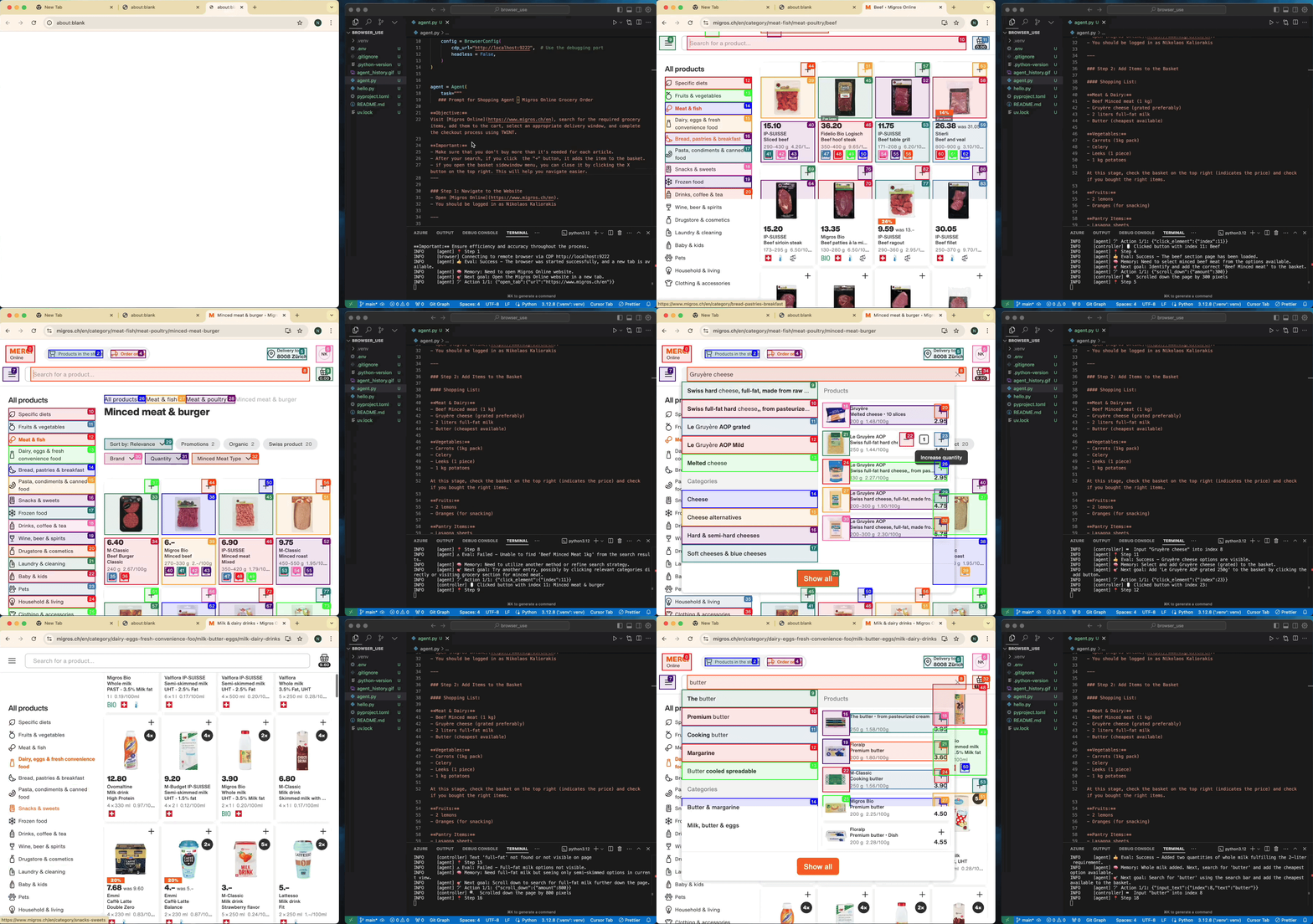
Task: Add grocery items to cart, and checkout.
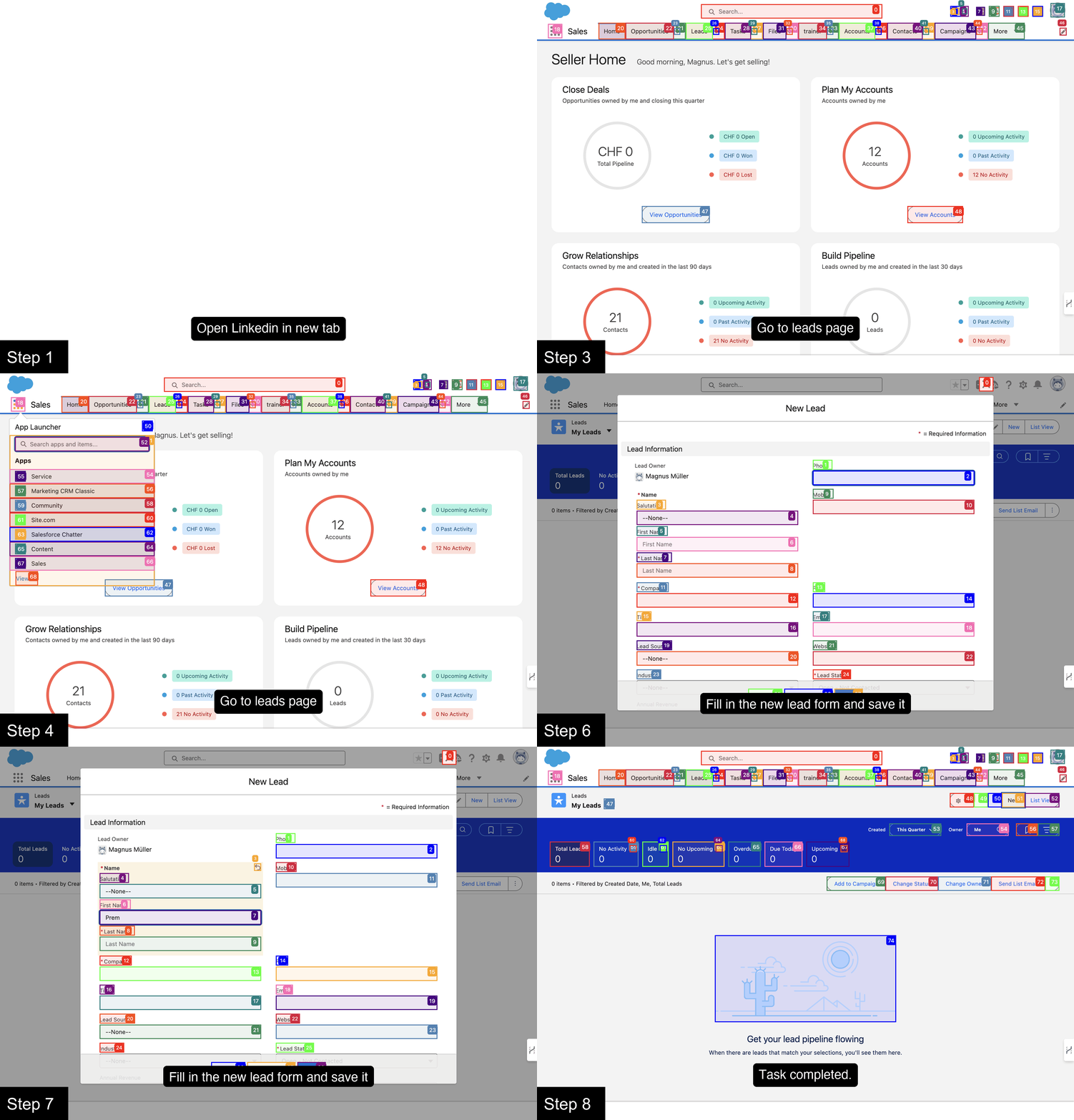
Prompt: Add my latest LinkedIn follower to my leads in Salesforce.
Prompt: Read my CV & find ML jobs, save them to a file, and then start applying for them in new tabs, if you need help, ask me.'
https://github.com/user-attachments/assets/171fb4d6-0355-46f2-863e-edb04a828d04
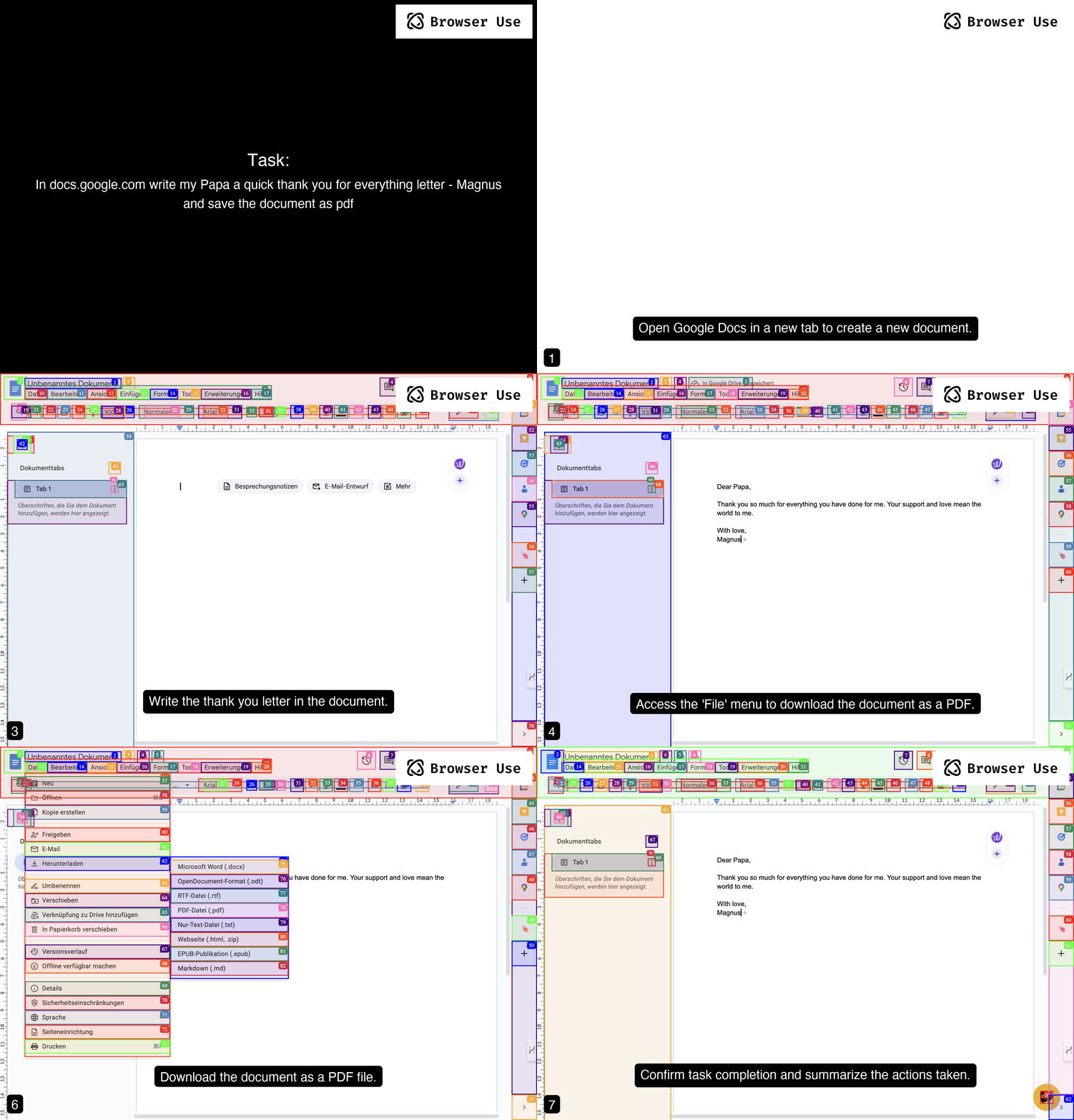
Prompt: Write a letter in Google Docs to my Papa, thanking him for everything, and save the document as a PDF.
Prompt: Look up models with a license of cc-by-sa-4.0 and sort by most likes on Hugging face, save top 5 to file.
https://github.com/user-attachments/assets/de73ee39-432c-4b97-b4e8-939fd7f323b3
Roadmap
- Anti-Detection Browser
- Proxy support
- Fix disabled features (Remote connection, Advanced context & browser connection)
- Anti-Captcha (Free local solving)
- More proxy generation providers support
- Anti-Captcha (Paid services)
- Extensive testing of Anti-Captcha
Dependencies
This addon requires:
browser-use- The base browser automation frameworkcamoufox[geoip]- Undetected Firefox-based browserpsutil- System process utilitiespydantic- Data validationplaywright-recaptcha- Local reCAPTCHA solvingcapsolver- Cloud CAPTCHA solving service
License
MIT License - see LICENSE file for details.
Contributing
We encourage contributions!
This is an addon for browser-use. For the main framework, see browser-use.
Versioning
The first 2 decimal points are the browser-use version e.g 0.2.5 What comes after the last (third) decimal point is the current version of browser-use-undetected
Citation
@software{browser_use2024,
  author = {Müller, Magnus and Žunič, Gregor},
  title = {Browser Use: Enable AI to control your browser},
  year = {2024},
  publisher = {GitHub},
  url = {https://github.com/browser-use/browser-use}
}
1 maintainer

Release files for browser-use-undetected 0.2.5.10
For a detailed explanation of source distributions (sdists) and built distributions (wheels), please see the package formats documentation.
Source distribution (sdist)
| File | Size | Uploaded | |
|---|---|---|---|
| browser_use_undetected-0.2.5.10.tar.gz | 17.1 kB | Details |
Built distribution (wheel)
| File | Interpreter | ABI | Platform | Reset |
|---|---|---|---|---|
| browser_use_undetected-0.2.5.10-py3-none-any.whl | Python 3 | none | any | Details |
Total release size: 36.8 kB
Release files / browser_use_undetected-0.2.5.10.tar.gz
| Download URL | browser_use_undetected-0.2.5.10.tar.gz |
|---|---|
| Size | 17.1 kB |
| Tags | Source |
|
SHA-256 checksum How to use checksums |
715b9ce7b703876d3be97fec0ad76ca525c0b44a3489b9c11faf100e312de539
|
|
BLAKE2b-256 checksum How to use checksums |
05e13b5cb7c1810b35ad63726d402cfd8ce9c02bdc1c89d9557ffd1a1277f94e
|
| Upload date | |
|
Uploaded using Trusted Publishing? What is trusted publishing? |
No |
| Uploaded via |
twine/6.1.0 CPython/3.12.7
|
Release files / browser_use_undetected-0.2.5.10-py3-none-any.whl
| Download URL | browser_use_undetected-0.2.5.10-py3-none-any.whl |
|---|---|
| Size | 19.7 kB |
| Tags | Python 3 |
|
SHA-256 checksum How to use checksums |
220127aeeb3c31c664f67b0984fab1270c5d85d333c3f09e21ee916d5cc7e8fe
|
|
BLAKE2b-256 checksum How to use checksums |
b49eb7e1ad4df2498a387b8148c43803a1085919c218d85627dd2988934f5573
|
| Upload date | |
|
Uploaded using Trusted Publishing? What is trusted publishing? |
No |
| Uploaded via |
twine/6.1.0 CPython/3.12.7
|














