













Documentation | Cheat Sheet | Discord | Discussions | Issues | Contributing
build123d is a Python-based, parametric boundary representation (BREP) modeling framework for 2D and 3D CAD. Built on the Open Cascade geometric kernel, it provides a clean, fully Pythonic interface for creating precise models suitable for 3D printing, CNC machining, laser cutting, and other manufacturing processes.
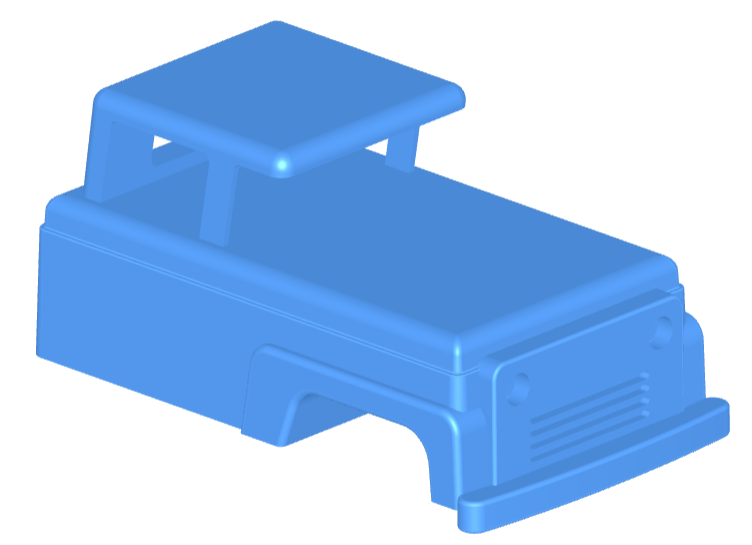
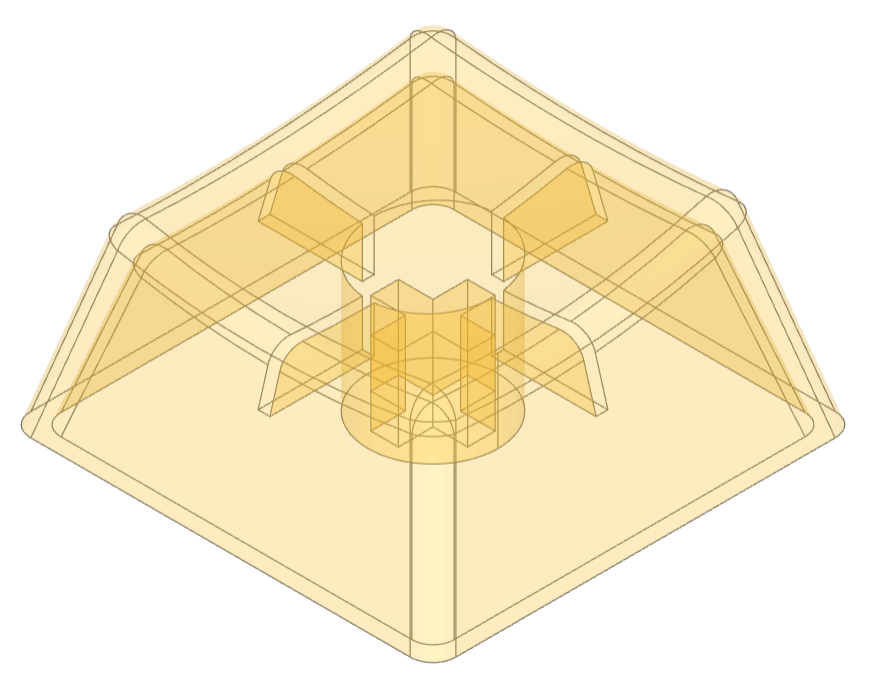
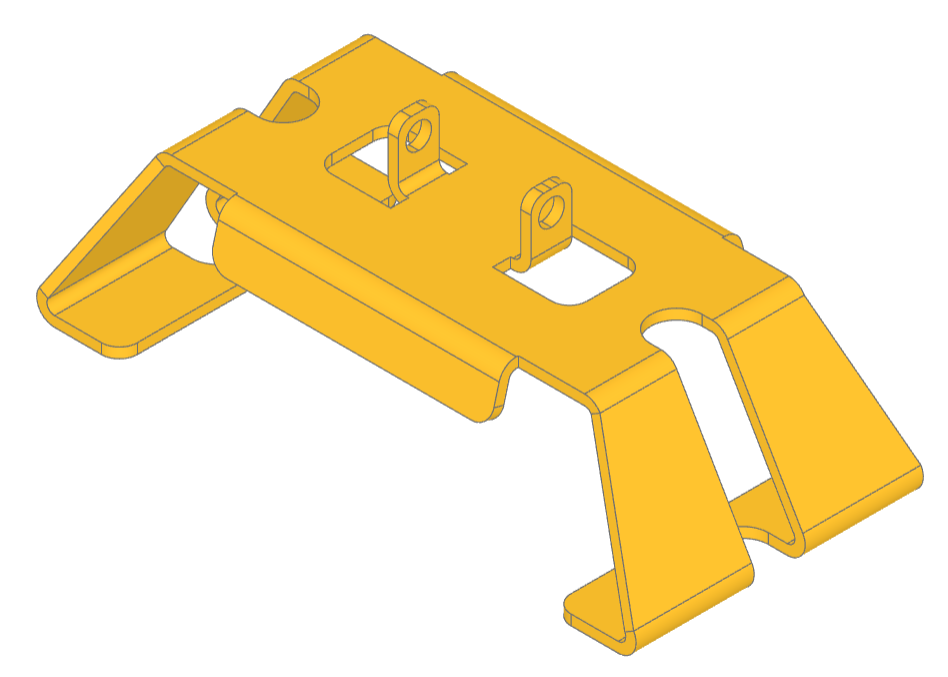
Features
Designed for modern, maintainable CAD-as-code, build123d combines clear architecture with expressive, algebraic modeling. It offers:
- Minimal or no internal state depending on mode,
- Explicit 1D, 2D, and 3D geometry classes with well-defined operations,
- Extensibility through subclassing and functional composition—no monkey patching,
- Standards-compliant code (PEP 8, mypy, pylint) with rich pylance type hints,
- Deep Python integration—selectors as lists, locations as iterables, and natural conversions (
Solid(shell),tuple(Vector)), - Operator-driven modeling (
obj += sub_obj,Plane.XZ * Pos(X=5) * Rectangle(1, 1)) for algebraic, readable, and composable design logic, - Export formats to popular CAD tools such as FreeCAD and SolidWorks.
Usage
Although wildcard imports are generally bad practice, build123d scripts are usually self contained and importing the large number of objects and methods into the namespace is common:
from build123d import *
Constructing a 1D Shape
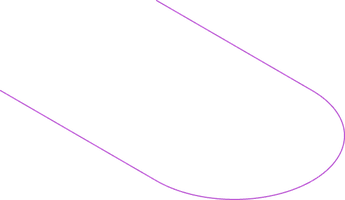
Edges, Wires (multiple connected Edges), and Curves (a Compound of Edges and Wires) are the 1D Shapes available in build123d. A single Edge can be created from a Line object with two vector-like positions:
line = Line((0, -3), (6, -3))
Additional Edges and Wires may be added to (or subtracted from) the initial line. These objects can reference coordinates along another line through the position (@) and tangent (%) operators to specify input Vectors:
line += JernArc(line @ 1, line % 1, radius=3, arc_size=180)
line += PolarLine(line @ 1, 6, direction=line % 1)
Upgrading to 2D and 3D
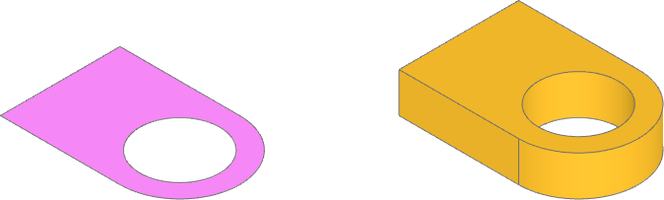
Faces, Shells (multiple connected Faces), and Sketches (a Compound of Faces and Shells) are the 2D Shapes available in build123d. The previous line is sufficiently defined to close the Wire and create a Face with make_hull:
sketch = make_hull(line.edges())
A Circle face is translated with Pos, a Location object like Rot for transforming Shapes, and subtracted from the sketch. This sketch face is then extruded into a Solid part:
sketch -= Pos(6, 0, 0) * Circle(2)
part = extrude(sketch, amount= 2)
Adding to and modifying part
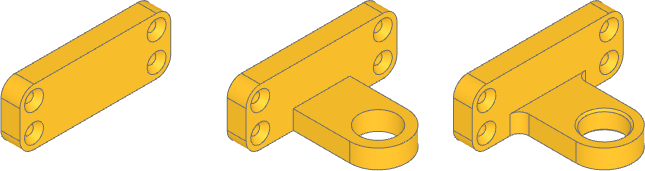
Solids and Parts (a Compound of Solids) are the 3D Shapes available in build123d. A second part can be created from an additional Face. Planes can also be used for positioning and orienting Shape objects. Many objects offer an affordance for alignment relative to the object origin:
plate_sketch = Plane.YZ * RectangleRounded(16, 6, 1.5, align=(Align.CENTER, Align.MIN))
plate = extrude(plate_sketch, amount=-2)
Shape topology can be extracted from Shapes with selectors which return ShapeLists. ShapeLists offer methods for sorting, grouping, and filtering Shapes by Shape properties, such as finding a Face by area and selecting position along an Axis and specifying a target with a list slice. A Plane is created from the specified Face to locate an iterable of Locations to place multiple objects on the second part before it is added to the main part:
plate_face = plate.faces().group_by(Face.area)[-1].sort_by(Axis.X)[-1]
plate -= Plane(plate_face) *  GridLocations(13, 3, 2, 2) * CounterSinkHole(.5, 1, 2)

part += plate
ShapeList selectors and operators offer powerful methods for specifying Shape features through properties such as length/area/volume, orientation relative to an Axis or Plane, and geometry type:
part = fillet(part.edges().filter_by(lambda e: e.length == 2).filter_by(Axis.Z), 1)
bore = part.faces().filter_by(GeomType.CYLINDER).filter_by(lambda f: f.radius == 2)
part = chamfer(bore.edges(), .2)
Builder Mode
The previous construction is through the Algebra Mode interface, which follows a stateless paradigm where each object is explicitly tracked and mutated by algebraic operators.
Builder Mode is an alternative build123d interface where state is tracked and structured in a design history-like way where each dimension is distinct. Operations are aware pending faces and edges from Build contexts and location transformations are applied to all child objects in Build and Locations contexts. While each Build context tracks state, operations like extrude can still optionally take explicit Shape input instead of implicitly using pending Shapes. Builder mode also introduces the mode affordance to objects to specify how new Shapes are combined with the context:
with BuildPart() as part_context:
    with BuildSketch() as sketch:
        with BuildLine() as line:
            l1 = Line((0, -3), (6, -3))
            l2 = JernArc(l1 @ 1, l1 % 1, radius=3, arc_size=180)
            l3 = PolarLine(l2 @ 1, 6, direction=l2 % 1)
            l4 = Line(l1 @ 0, l3 @ 1)
        make_face()

        with Locations((6, 0, 0)):
            Circle(2, mode=Mode.SUBTRACT)

    extrude(amount=2)

    with BuildSketch(Plane.YZ) as plate_sketch:
        RectangleRounded(16, 6, 1.5, align=(Align.CENTER, Align.MIN))

    plate = extrude(amount=-2)

    with Locations(plate.faces().group_by(Face.area)[-1].sort_by(Axis.X)[-1]):
        with GridLocations(13, 3, 2, 2):
            CounterSinkHole(.5, 1)

    fillet(edges().filter_by(lambda e: e.length == 2).filter_by(Axis.Z), 1)
    bore = faces().filter_by(GeomType.CYLINDER).filter_by(lambda f: f.radius == 2)
    chamfer(bore.edges(), .2)
Extending objects
New objects may be created for parametric reusability from base object classes:
class Punch(BaseSketchObject):
    def __init__(
        self,
        radius: float,
        size: float,
        blobs: float,
        mode: Mode = Mode.ADD,
    ):
        with BuildSketch() as punch:
            if blobs == 1:
                Circle(size)
            else:
                with PolarLocations(radius, blobs):
                    Circle(size)

            if len(faces()) > 1:
                raise RuntimeError("radius is too large for number and size of blobs")

            add(Face(faces()[0].outer_wire()), mode=Mode.REPLACE)

        super().__init__(obj=punch.sketch, mode=mode)

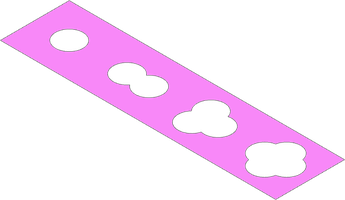
tape = Rectangle(20, 5)
for i, location in enumerate(GridLocations(5, 0, 4, 1)):
    tape -= location * Punch(.8, 1, i + 1)
Data interchange
build123d can import and export a number data formats for interchange with 2D and 3D design tools, 3D printing slicers, and traditional CAM:
svg = import_svg("spade.svg")
step = import_step("nema-17-bracket.step")

export_stl(part, "bracket.stl")
export_step(part_context.part, "bracket.step")
Further reading
More Examples and Tutorials are found in the documentation.
Installation
For additional installation options see Installation
Current release
Installing build123d from pip is recommended for most users:
pip install build123d
If you receive errors about conflicting dependencies, retry the installation after upgrading pip to the latest version:
pip install --upgrade pip
Pre-release
build123d is under active development and up-to-date features are found in the development branch:
pip install git+https://github.com/gumyr/build123d
Viewers
build123d is best used with a viewer. The most popular viewer is ocp_vscode, a Python package with a standalone viewer and VS Code extension. Other Editors & Viewers are found in the documentation.
Contributing
build123d is a rapidly growing project and we welcome all contributions. Whether you want to share ideas, report bugs, or implement new features, your contribution is welcome! Please see our CONTRIBUTING.md file to get started.
Attribution
build123d is derived from portions of CadQuery, but is extensively refactored and restructured into an independent framework over Open Cascade.
License
This project is licensed under the Apache License 2.0.
3 maintainers


Metadata
3 maintainers
Release files for build123d 0.12.0
For a detailed explanation of source distributions (sdists) and built distributions (wheels), please see the package formats documentation.
Source distribution (sdist)
| File | Size | Uploaded | |
|---|---|---|---|
| build123d-0.12.0.tar.gz | 23.0 MB | Details |
Built distribution (wheel)
| File | Interpreter | ABI | Platform | Reset |
|---|---|---|---|---|
| build123d-0.12.0-py3-none-any.whl | Python 3 | none | any | Details |
Total release size: 23.4 MB
Release files / build123d-0.12.0.tar.gz
| Download URL | build123d-0.12.0.tar.gz |
|---|---|
| Size | 23.0 MB |
| Tags | Source |
|
SHA-256 checksum How to use checksums |
673e46410807bc71fa41730b01d5e3eae43907939ed49600c4f6c2b70d955871
|
|
BLAKE2b-256 checksum How to use checksums |
939821a44a003ae44bf707a6fbb09d340e982e7fd0cd135ce4ad8d045314f3fa
|
| Upload date | |
|
Uploaded using Trusted Publishing? What is trusted publishing? |
Yes |
| Uploaded via |
twine/6.1.0 CPython/3.13.13
|
Provenance
Provenance describes where a file came from. On PyPI, provenance is shared via attestations, which provide a verifiable record of the build or publishing details. View details, limitations and caveats.


PyPI Publish Attestation
PyPI verified that this artifact, at this checksum, originated from the publisher listed below.
Signed by GitHub Actions, verified by PyPI on Sep 18, 2026.
Transparency logRelease files / build123d-0.12.0-py3-none-any.whl
| Download URL | build123d-0.12.0-py3-none-any.whl |
|---|---|
| Size | 387.6 kB |
| Tags | Python 3 |
|
SHA-256 checksum How to use checksums |
c3ced4e28838dc6873304d5e612f2fe112923fbb3a4b46e072ef80ed5d8a234f
|
|
BLAKE2b-256 checksum How to use checksums |
33f951538d25d8d1234826a52f89c244e617c2099abec4c9ae566396e44a069c
|
| Upload date | |
|
Uploaded using Trusted Publishing? What is trusted publishing? |
Yes |
| Uploaded via |
twine/6.1.0 CPython/3.13.13
|
Provenance
Provenance describes where a file came from. On PyPI, provenance is shared via attestations, which provide a verifiable record of the build or publishing details. View details, limitations and caveats.
PyPI Publish Attestation
PyPI verified that this artifact, at this checksum, originated from the publisher listed below.
Signed by GitHub Actions, verified by PyPI on Sep 18, 2026.
Transparency log













