
bund
Your AI agent is waiting for you. Again.

Telegram pings for coding agents.
Approve from your phone. Free. Zero dependencies.
The problem

How it works

Setup (2 minutes)
pip install bund

bund set --token <botfather-token>
bund set --chat auto
bund install
bund test
bund install wires Claude Code's PermissionRequest and Stop hooks. On any
other agent or script, use bund ask (below) — no install needed.

What you get
| Button | Does |
|---|---|
| ✅ Approve | Lets it run, once |
| ❌ Deny | Nope |
| ♾ Approve all similar | Never asks again for that kind of command |
And a ping when the task is done:

Now you know which one.
Sample message
🙄 Your AI intern wants to run Bash. Please supervise.

📁 my-project
npm run build

[ ✅ Approve ] [ ❌ Deny ]
[ ♾ Approve all similar: Bash(npm run *) ]
The joke is on top. The real command is always shown in full below it.
Works with any agent
bund ask is the universal protocol: any CLI, script, or agent asks a
question, your phone answers.
bund ask "deploy to prod?" && echo let's go
# stdout: allow | deny | timeout
# exit:   0      1      2
import subprocess
r = subprocess.run(["bund", "ask", "run the migration?"], capture_output=True, text=True)
if r.stdout.strip() == "allow":
    ...
No config files to wire. If bund isn't configured, bund ask fails fast with
exit code 2 instead of hanging your agent.
Safety
- Only your Telegram chat can approve anything
- Every button works once (random request ids, no replaying old taps)
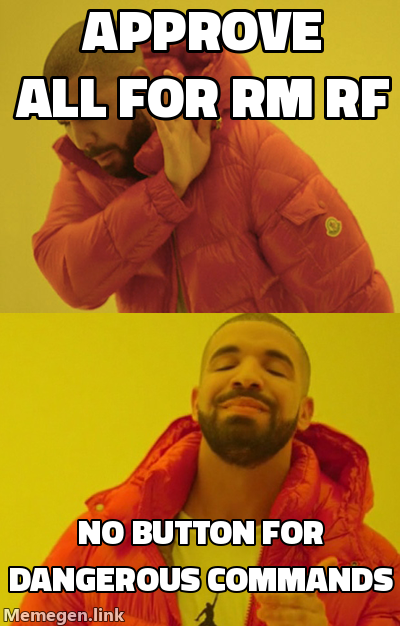
- Dangerous commands (
rm -rf,sudo, force pushes,curl | sh, …) get a serious warning and no "approve all" button - No answer? The agent falls back to the normal terminal prompt
- bund can never block your work — any error means silent fallback
- Token and chat id live in
~/.config/bund/config.jsonwithchmod 600
Dependencies

Python 3.9+. Standard library only. That's it.
Cost

Tone
bund set --tone sarcasm   # default
bund set --tone plain     # for people who have no joy
Add your own lines in ~/.config/bund/templates.json.
Also
bund -m "build finished, come back"
Works with any script or agent.

Commands
bund set --token <token>        # botfather token
bund set --chat auto|<id>       # pick your chat
bund set --tone sarcasm|plain   # message tone
bund install                    # add Claude Code hooks
bund uninstall                  # remove only bund's hooks
bund test                       # send a test message
bund ask "<question>"           # ask anything (allow|deny|timeout)
bund -m "<text>"                # send any message
bund hook                       # internal, called by hooks
Memes by memegen.link. If they don't load, that's on them, not us.
MIT License
1 maintainer

Metadata
1 maintainer
Release files for bund 0.1.0
For a detailed explanation of source distributions (sdists) and built distributions (wheels), please see the package formats documentation.
Source distribution (sdist)
| File | Size | Uploaded | |
|---|---|---|---|
| bund-0.1.0.tar.gz | 19.5 kB | Details |
Built distribution (wheel)
| File | Interpreter | ABI | Platform | Reset |
|---|---|---|---|---|
| bund-0.1.0-py3-none-any.whl | Python 3 | none | any | Details |
Total release size: 38.4 kB
Release files / bund-0.1.0.tar.gz
| Download URL | bund-0.1.0.tar.gz |
|---|---|
| Size | 19.5 kB |
| Tags | Source |
|
SHA-256 checksum How to use checksums |
274eb1c0ef3edfb4122f879e42b2258bc917b5c619b9ed79a8ee588ab5fb143f
|
|
BLAKE2b-256 checksum How to use checksums |
52213bc904eae0701a1bfabdaec8de49fbdbf653d05be55cac2a3377b074ebf0
|
| Upload date | |
|
Uploaded using Trusted Publishing? What is trusted publishing? |
No |
| Uploaded via |
twine/7.0.0 CPython/3.11.6
|
Release files / bund-0.1.0-py3-none-any.whl
| Download URL | bund-0.1.0-py3-none-any.whl |
|---|---|
| Size | 18.9 kB |
| Tags | Python 3 |
|
SHA-256 checksum How to use checksums |
1aa9bd0335eec0350f11a4025eb45d28bc982f77ed29fa532c2a1d5663957bd2
|
|
BLAKE2b-256 checksum How to use checksums |
48bb46742873b7b49f66b60581f770e4beec8d51f4d409e1f94489f1e57aff07
|
| Upload date | |
|
Uploaded using Trusted Publishing? What is trusted publishing? |
No |
| Uploaded via |
twine/7.0.0 CPython/3.11.6
|














