
BustAPI — High-Performance Python Web Framework

The fastest Python web framework for building REST APIs
Flask-like syntax • Rust-powered performance • Up to 20,000+ requests/sec




⚡ What is BustAPI?
BustAPI is a production-ready Python web framework that combines the best of both worlds: Python's simplicity and Rust's raw performance.
Under the hood, BustAPI runs on Actix-Web — consistently ranked among the fastest web frameworks across all programming languages. But you never touch Rust. You write clean, familiar Python code with Flask-style decorators.
Why BustAPI?
| Problem | BustAPI Solution |
|---|---|
| Python web frameworks are slow | Rust core handles HTTP, JSON, routing |
| ASGI/WSGI adds overhead | Built-in server, no middleware layers |
| Scaling requires complex setup | Native multiprocessing with SO_REUSEPORT |
| Auth is always a pain | JWT, sessions, Argon2 hashing built-in |
Key Highlights
- 🚀 20,000+ RPS out of the box — 5x faster than Flask
- 🦀 Rust-powered — Zero-copy JSON, mimalloc allocator, Actix-Web
- 🐍 Pure Python API — No Rust knowledge required
- 🔒 Security built-in — JWT, sessions, CSRF, rate limiting
- 🛡️ Robust Header System — Case-insensitive, multi-value support, high-performance cookie parsing
- 📦 Zero config —
pip install bustapiand you're ready - 🔥 Hot reload — Rust-native file watcher for instant restarts
from bustapi import BustAPI

app = BustAPI()

@app.route("/")
def hello():
    return {"message": "Hello, world!"}

if __name__ == "__main__":
    app.run()
No ASGI servers needed. No complex configuration. Just run your file.
🏗️ Architecture
┌─────────────────────────────────────────────────────────────┐
│                     Your Python Code                        │
│              (Flask-like decorators & handlers)             │
├─────────────────────────────────────────────────────────────┤
│                    PyO3 Bindings (v0.27)                    │
│              (Zero-cost Python ↔ Rust bridge)               │
├─────────────────────────────────────────────────────────────┤
│                  Rust Core (bustapi_core)                   │
│  ┌─────────────┐ ┌─────────────┐ ┌─────────────────────────┐│
│  │ Actix-Web   │ │ serde_json  │ │ mimalloc allocator      ││
│  │ HTTP Server │ │ Zero-copy   │ │ Optimized memory        ││
│  └─────────────┘ └─────────────┘ └─────────────────────────┘│
└─────────────────────────────────────────────────────────────┘
| Component | Technology | Purpose |
|---|---|---|
| HTTP Server | Actix-Web 4.x | Ultra-fast async HTTP handling |
| Serialization | serde_json | Zero-copy JSON encoding |
| Memory | mimalloc | High-performance allocator |
| Bindings | PyO3 0.27 | Python 3.10–3.14 support |
| Async Runtime | Tokio | Non-blocking I/O |
📦 Installation
pip install bustapi
Supports: Python 3.10 – 3.14 | Linux, macOS, Windows | x86_64 & ARM64
Pre-built wheels available — no Rust toolchain required!
✨ Features
🛣️ Routing
- Dynamic Routes —
/users/<int:id>with automatic type validation - Blueprints — Modular app organization (Flask-style)
- Turbo Routes — Zero-overhead handlers for maximum speed
- Wildcard Paths —
<path:filepath>for catch-all routes
🔐 Authentication & Security
- JWT — Create/validate tokens (HS256, HS384, HS512)
- Sessions — Flask-Login compatible user management
- Password Hashing — Argon2id (OWASP recommended)
- CSRF Protection — Built-in token validation
- Rate Limiting — Rust-powered request throttling
🌐 HTTP Features
- WebSocket — Full duplex communication + Turbo mode
- Streaming — HTTP Range requests, video seeking
- File Uploads — Multipart form handling
- Static Files — Efficient serving with caching
🛠️ Developer Experience
- Hot Reload — Rust-native file watcher (instant restarts)
- Templates — Built-in Jinja2 via MiniJinja
- CLI Tool —
bustapi new,bustapi run,bustapi routes - Auto-docs — OpenAPI/Swagger generation
- Testing — Built-in
TestClientfor unit tests
🔌 Compatibility
- ASGI/WSGI — Works with Uvicorn, Gunicorn, Hypercorn
- FastAPI-style —
Query(),Path(),Body(),Depends() - Flask-style —
request,session,g,current_app
🚀 Quick Start
1. Create app.py:
from bustapi import BustAPI, jsonify

app = BustAPI()

@app.route("/")
def home():
    return {"status": "running", "framework": "BustAPI"}

@app.route("/users/<int:user_id>")
def get_user(user_id):
    return jsonify({"id": user_id, "name": "Alice"})

@app.route("/greet", methods=["POST"])
def greet():
    from bustapi import request
    data = request.json
    return {"message": f"Hello, {data.get('name', 'World')}!"}

if __name__ == "__main__":
    app.run(debug=True)  # Hot reload enabled
2. Run it:
python app.py
3. Visit http://127.0.0.1:5000
⚡ Turbo Routes
For maximum performance, use @app.turbo_route(). Path parameters are parsed entirely in Rust:
# Zero-overhead static route
@app.turbo_route("/health")
def health():
    return {"status": "ok"}

# Dynamic route with typed params (parsed in Rust)
@app.turbo_route("/users/<int:id>")
def get_user(id: int):
    return {"id": id, "name": f"User {id}"}

# Cached response (140k+ RPS!)
@app.turbo_route("/config", cache_ttl=60)
def get_config():
    return {"version": "1.0", "env": "production"}
Supported types: int, float, str, path
⚠️ Note: Turbo routes skip middleware, sessions, and request context for speed. Use
@app.route()when you need those features.
📊 Benchmarks
Standard Routes (@app.route())
| Platform | RPS | Mode |
|---|---|---|
| Linux | ~25,000 | Single-process |
| macOS | ~20,000 | Single-process |
| Windows | ~17,000 | Single-process |
Turbo Routes (@app.turbo_route()) — Linux
| Configuration | RPS |
|---|---|
| Static route | ~30,000 (single) |
| Multiprocessing (4 workers) | ~105,000 |
| Cached (60s TTL) | ~140,000 |
Framework Comparison (Turbo + Multiprocessing)

🌍 Platform Support
🐧 Linux (Recommended for Production)
Linux delivers the best performance with native multiprocessing:
- ~25k RPS standard routes, 100k+ RPS with Turbo + multiprocessing
- Kernel-level load balancing via
SO_REUSEPORT - Automatic worker scaling to CPU cores
python app.py # Automatically uses multiprocessing
🍎 macOS (Development)
Fully supported for development. Single-process mode (~35k RPS):
pip install bustapi && python app.py
🪟 Windows (Development)
Fully supported for development. Single-process mode (~17k RPS):
pip install bustapi && python app.py
💡 Tip: For production, deploy on Linux servers to unlock multiprocessing performance.
🔐 Authentication
JWT Tokens
from bustapi import BustAPI
from bustapi.jwt import JWT

app = BustAPI()
jwt = JWT(app, secret_key="your-secret-key")

@app.route("/login", methods=["POST"])
def login():
    # Validate credentials...
    token = jwt.create_access_token(identity=user_id)
    return {"access_token": token}

@app.route("/protected")
@jwt.jwt_required()
def protected():
    return {"user": jwt.get_jwt_identity()}
Session Login
from bustapi.auth import LoginManager, login_user, current_user, login_required

login_manager = LoginManager(app)

@login_manager.user_loader
def load_user(user_id):
    return User.get(user_id)

@app.route("/login", methods=["POST"])
def login():
    user = authenticate(request.form)
    login_user(user)
    return redirect("/dashboard")

@app.route("/dashboard")
@login_required
def dashboard():
    return f"Welcome, {current_user.name}!"
Password Hashing
from bustapi.auth import hash_password, verify_password

# Hash (Argon2id)
hashed = hash_password("mysecretpassword")

# Verify
if verify_password("mysecretpassword", hashed):
    print("Password correct!")
🌐 WebSocket
@app.websocket("/ws")
async def websocket_handler(ws):
    await ws.accept()
    while True:
        message = await ws.receive_text()
        await ws.send_text(f"Echo: {message}")
Turbo WebSocket (Pure Rust, ~74% faster):
@app.turbo_websocket("/ws/turbo")
def turbo_handler(message: str) -> str:
    return f"Echo: {message}"  # Processed entirely in Rust
🧪 Testing
from bustapi.testing import TestClient

def test_homepage():
    client = TestClient(app)
    response = client.get("/")
    assert response.status_code == 200
    assert response.json() == {"status": "running"}

def test_create_user():
    response = client.post("/users", json={"name": "Alice"})
    assert response.status_code == 201
📁 Project Structure
bustapi/
├── src/                    # Rust core
│   ├── lib.rs              # PyO3 module entry
│   ├── bindings/           # Python ↔ Rust bridge
│   ├── router/             # URL matching engine
│   ├── server/             # Actix-Web handlers
│   ├── websocket/          # WS session management
│   ├── jwt.rs              # Token encoding/decoding
│   └── crypto.rs           # Argon2, CSRF, tokens
│
├── python/bustapi/         # Python package
│   ├── app.py              # BustAPI main class
│   ├── auth/               # JWT, sessions, CSRF
│   ├── routing/            # Blueprints, decorators
│   ├── params.py           # Query/Path/Body validators
│   └── websocket.py        # WebSocket API
│
├── examples/               # 30+ usage examples
├── tests/                  # Comprehensive test suite
├── docs/                   # MkDocs documentation
└── benchmarks/             # Performance tools
🛠️ CLI Tool
# Create new project
bustapi new myproject

# Run with hot reload
bustapi run

# List all routes
bustapi routes

# Show system info
bustapi info
🚢 Deployment
Built-in Server (Recommended)
python app.py
Uses the internal Rust HTTP server. Best performance, zero dependencies.
With ASGI (Uvicorn)
pip install uvicorn
uvicorn app:app.asgi_app --host 0.0.0.0 --port 8000
With Docker
FROM python:3.12-slim
WORKDIR /app
COPY requirements.txt .
RUN pip install --no-cache-dir -r requirements.txt
COPY . .
EXPOSE 5000
CMD ["python", "app.py"]
📖 Documentation
🤝 Contributing
We welcome contributions! Here's how:
- Fork the repository
- Create a feature branch (
git checkout -b feature/amazing) - Commit your changes (
git commit -m 'Add amazing feature') - Push to the branch (
git push origin feature/amazing) - Open a Pull Request
Found a bug? Have a feature request?
💰 Support
If BustAPI helps your project, consider supporting its development:
Binance ID: 1010167458
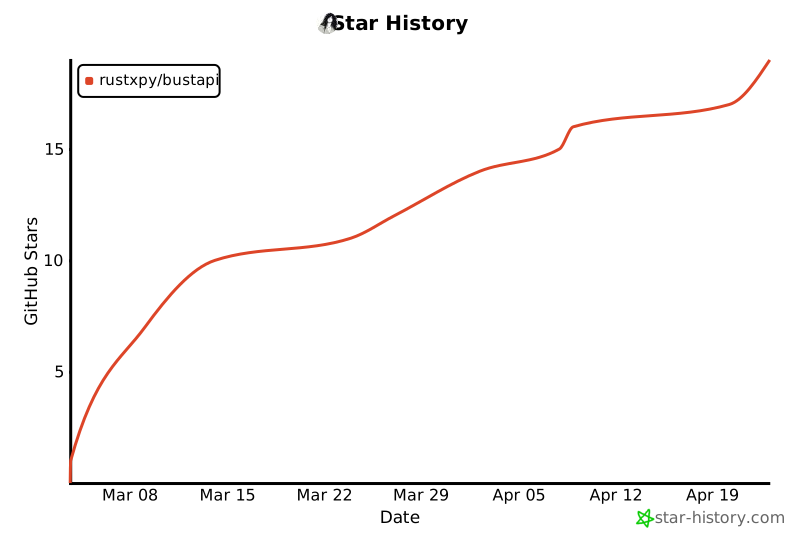
🌠 Star History
📄 License
Built with 🦀 Rust + 🐍 Python
Fast. Simple. Production-ready.
1 maintainer

Metadata
1 maintainer
Release files for bustapi 0.16.0
For a detailed explanation of source distributions (sdists) and built distributions (wheels), please see the package formats documentation.
Source distribution (sdist)
| File | Size | Uploaded | Provenance | Actions |
|---|---|---|---|---|
| bustapi-0.16.0.tar.gz | 1.2 MB | Without provenance | Details for bustapi-0.16.0.tar.gz |
Built distributions (wheels)
Total release size: 27.2 MB
Release files / bustapi-0.16.0.tar.gz
| Download URL | bustapi-0.16.0.tar.gz |
|---|---|
| Size | 1.2 MB |
| Tags | Source |
|
SHA-256 checksum How to use checksums |
ea05250084371cb9571361ee6958329017a2dda2be827d2be31a2ed5d33b3fd6
|
|
BLAKE2b-256 checksum How to use checksums |
65cb1787198dc6579898dc168cc78282e553f6c1285531862f41be3b1b920411
|
| Upload date | |
|
Uploaded using Trusted Publishing? What is trusted publishing? |
No |
| Uploaded via |
twine/7.0.0 CPython/3.13.16
|
Release files / bustapi-0.16.0-cp310-abi3-win_amd64.whl
| Download URL | bustapi-0.16.0-cp310-abi3-win_amd64.whl |
|---|---|
| Size | 3.8 MB |
| Tags | CPython 3.10 Windows x86-64 abi3 |
|
SHA-256 checksum How to use checksums |
6f8d47b7344366939782d357986a3028b2b9723b3a5ffbdd0dcad011936afb95
|
|
BLAKE2b-256 checksum How to use checksums |
0d6525703d16d8c4a9f21d43148a7d65bc17910c38f546b543784d58f453831c
|
| Upload date | |
|
Uploaded using Trusted Publishing? What is trusted publishing? |
No |
| Uploaded via |
twine/7.0.0 CPython/3.13.16
|
Release files / bustapi-0.16.0-cp310-abi3-musllinux_1_2_x86_64.whl
| Download URL | bustapi-0.16.0-cp310-abi3-musllinux_1_2_x86_64.whl |
|---|---|
| Size | 4.1 MB |
| Tags | CPython 3.10 Linux musl 1.2+ x86-64 abi3 |
|
SHA-256 checksum How to use checksums |
657fa29615d2250ffd093f0c0fbe1d1475b856d311e6d7b2e3a31fe1246992da
|
|
BLAKE2b-256 checksum How to use checksums |
adc4c7563462258f549e1643669264fbbfd85da4faf32fbd17a6d120d503b4ca
|
| Upload date | |
|
Uploaded using Trusted Publishing? What is trusted publishing? |
No |
| Uploaded via |
twine/7.0.0 CPython/3.13.16
|
Release files / bustapi-0.16.0-cp310-abi3-musllinux_1_2_aarch64.whl
| Download URL | bustapi-0.16.0-cp310-abi3-musllinux_1_2_aarch64.whl |
|---|---|
| Size | 3.8 MB |
| Tags | CPython 3.10 Linux musl 1.2+ ARM64 abi3 |
|
SHA-256 checksum How to use checksums |
a0a138db12f02a0de4cbaea5fa8e6833bd2a9abf6e872119c7248bd365111fc0
|
|
BLAKE2b-256 checksum How to use checksums |
2c55d6379afaa02be9066c79e546f14ecaff79be64b2c4b3a80edd9dfa3238ad
|
| Upload date | |
|
Uploaded using Trusted Publishing? What is trusted publishing? |
No |
| Uploaded via |
twine/7.0.0 CPython/3.13.16
|
Release files / bustapi-0.16.0-cp310-abi3-manylinux_2_28_x86_64.whl
| Download URL | bustapi-0.16.0-cp310-abi3-manylinux_2_28_x86_64.whl |
|---|---|
| Size | 3.8 MB |
| Tags | CPython 3.10 Linux glibc 2.28+ x86-64 abi3 |
|
SHA-256 checksum How to use checksums |
87a99066d7ce0d1311d6891a56979f768b48ee0349b5fc2b0aa262834eb8f9c9
|
|
BLAKE2b-256 checksum How to use checksums |
53d50d33f2e4bae62cf4d9e3dabfe584da393b7d4f4412ba99b5c0dcc2d0bae0
|
| Upload date | |
|
Uploaded using Trusted Publishing? What is trusted publishing? |
No |
| Uploaded via |
twine/7.0.0 CPython/3.13.16
|
Release files / bustapi-0.16.0-cp310-abi3-manylinux_2_28_aarch64.whl
| Download URL | bustapi-0.16.0-cp310-abi3-manylinux_2_28_aarch64.whl |
|---|---|
| Size | 3.6 MB |
| Tags | CPython 3.10 Linux glibc 2.28+ ARM64 abi3 |
|
SHA-256 checksum How to use checksums |
e84047d50c0bfab0b3e6733f209d040d538e9f0aa7e7153303ec860a65b59448
|
|
BLAKE2b-256 checksum How to use checksums |
e8c0ae99aa41e1ed67c7fab2130a4cce4e1f3781ae15b3c4f1c3c859cbd171e0
|
| Upload date | |
|
Uploaded using Trusted Publishing? What is trusted publishing? |
No |
| Uploaded via |
twine/7.0.0 CPython/3.13.16
|
Release files / bustapi-0.16.0-cp310-abi3-macosx_11_0_arm64.whl
| Download URL | bustapi-0.16.0-cp310-abi3-macosx_11_0_arm64.whl |
|---|---|
| Size | 3.4 MB |
| Tags | CPython 3.10 abi3 macOS 11.0+ ARM64 |
|
SHA-256 checksum How to use checksums |
8b0e2a918b8fc30ae908eda05b6b535ef8bdc9bd9e7c0760c9233722ef752a0f
|
|
BLAKE2b-256 checksum How to use checksums |
13298ede7617ad563917e0f6aacb28a61948521d242fb0381f0243c22d6d9310
|
| Upload date | |
|
Uploaded using Trusted Publishing? What is trusted publishing? |
No |
| Uploaded via |
twine/7.0.0 CPython/3.13.16
|
Release files / bustapi-0.16.0-cp310-abi3-macosx_10_12_x86_64.whl
| Download URL | bustapi-0.16.0-cp310-abi3-macosx_10_12_x86_64.whl |
|---|---|
| Size | 3.6 MB |
| Tags | CPython 3.10 abi3 macOS 10.12+ x86-64 |
|
SHA-256 checksum How to use checksums |
7d4212d94fd9ecf29c4b507052697da0539c830dfee7b7127e9689c54839b56c
|
|
BLAKE2b-256 checksum How to use checksums |
62fbcfee06b7dee7e58e5e37b47d112b5860a3bbf1de4a28dea4be45e4343da3
|
| Upload date | |
|
Uploaded using Trusted Publishing? What is trusted publishing? |
No |
| Uploaded via |
twine/7.0.0 CPython/3.13.16
|
Security for bustapi 0.16.0
Provenance
Provenance describes where a file came from. On PyPI, provenance is shared via attestations, which provide a verifiable record of the build or publishing details. View details, limitations and caveats.
No provenance found
None of the files in this release were uploaded with provenance metadata.
A note on package security
PyPI is a repository for distributing packages, not a service for auditing them. While third-party security researchers and our staff do their best to detect and remove malicious packages, PyPI cannot guarantee the quality, security or suitability of any given package.
To learn more about protecting yourself from malicious actors, visit our package security documentation.














