
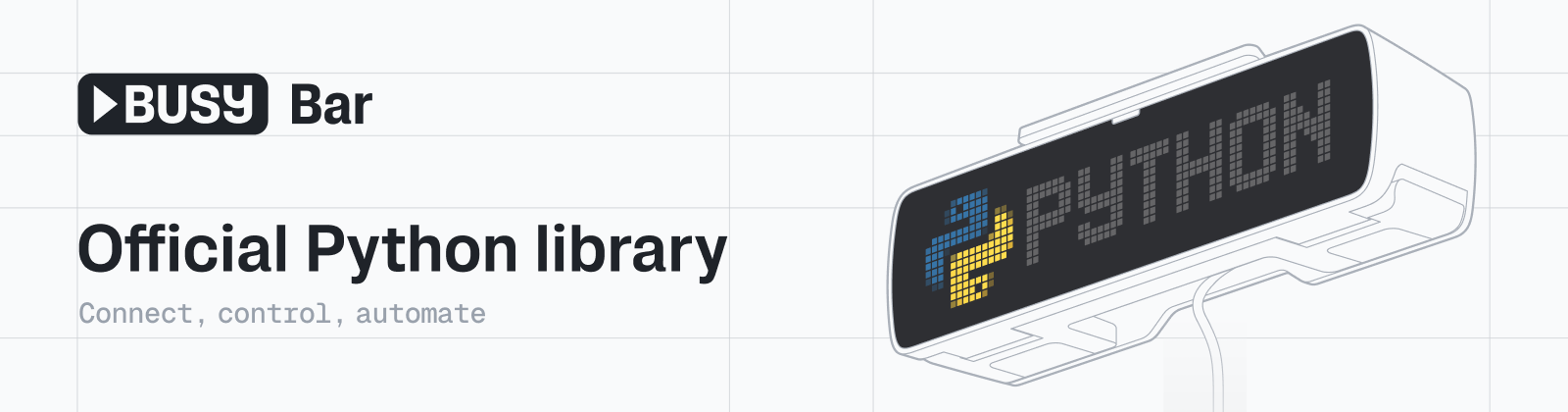
busylib



A Python client for the BUSY Bar API. Draw on both displays, play audio, manage files and assets, read device state, and forward input — from a script instead of the device UI.
Full documentation
This file is the tour. The guides go deeper, and they are also this site's home page, so the links are absolute and work from PyPI and GitHub alike:
| Guide | |
|---|---|
| Connecting to a bar | Discovery, addresses, access keys |
| Drawing on the displays | Elements, both panels, reading the screen back |
| Sending notifications | Built-in templates, and writing your own |
| Working with timers | Snapshots, phases, starting and stopping |
| Stock assets | The pictures, animations, sounds and themes every bar ships with |
| Assets and storage | Uploading files the bar can draw and play |
| Reading device state | One-off snapshots and streamed updates |
| Building a tool | Putting a small app together |
| Testing against a real bar | Running the integration suite |
The API reference covers every client method, type and exception.
You just unboxed a BUSY Bar
This guide takes you from a bar still in its box to a small working app.
Bars ship with firmware 1.0.2. Plug one into your computer over USB and it
comes up as a network device at 10.0.4.20 — no Wi-Fi setup needed yet.
Open http://10.0.4.20 in a browser and you'll get the bar's own web UI, which
is a good way to confirm the connection before writing any code.
Everything that UI does is the same HTTP API this library speaks, so anything you can click there you can also script.
Update the firmware early. Firmware 1.0.2 serves API version
24.3.0, while this library targets27.5.0(firmware 1.2.3). Most things still work, but you'll see compatibility warnings and a few newer methods are unavailable. The setup wizard below handles updating for you.
Installation
You will use two kinds of code below:
- Terminal commands install software or start a script. Run them in PowerShell on Windows, or Terminal on macOS and Linux.
- Python code goes in a
.pyfile in your editor, such as PyCharm. Do not paste terminal commands such asgit,py, oruvinto a Python file or a>>>Python prompt.
The page at http://10.0.4.20 is the bar's web UI. Its /docs page describes
the raw HTTP API; it does not run Python examples from this guide.
Windows (PowerShell)
Open PowerShell from the Start menu, then run:
py -m pip install --upgrade busylib
If PowerShell says that py is not found, install Python 3.10 or newer from
python.org, then open a new
PowerShell window and run the command again.
macOS and Linux
Open Terminal, then run:
python3 -m pip install --upgrade busylib
Step 1 — Connect over USB
With the bar plugged in, create a file named check_busybar.py in your editor
and paste only this Python code into it:
from busylib import BusyBar

with BusyBar("10.0.4.20") as bb:
    version = bb.version()
    print(f"Connected to BUSY Bar. API {version.api_semver or 'unknown'}")
Run that file from the same terminal you used for installation:
py check_busybar.py
python3 check_busybar.py
Successful output looks like this:
Connected to BUSY Bar. API 27.5.0
The API version is the connection check. Some firmware does not report a human-readable firmware version, branch, or build date; missing values for those fields do not mean the bar is disconnected.
Current firmware enforces its access key only on connections arriving over
Wi-Fi, so a bar reached over USB usually needs no token. If you do get a
403 Forbidden here, pass the key as a token the same way as below.
Once the bar is on Wi-Fi you can use its Wi-Fi address instead, or let the
library find it for you — see Discovering devices.
That path can answer 403 Forbidden, which means an access key is set —
a 4–10 digit PIN, the same one the web UI asks for:
bb = BusyBar("192.168.1.20", token="1234")
Creating a client does not print anything or contact the bar yet. The first
method call, such as bb.version(), is what verifies the address and token.
Step 2 — First-time setup
The guided setup wizard is optional and lives in the source repository; it is
not installed by pip install busylib. It can update firmware, configure
Wi-Fi and timezone, rename the bar, and link a cloud account.
Run these terminal commands, not Python code. They do not require uv.
Windows (PowerShell)
cd $HOME\Documents
git clone https://github.com/busy-app/busylib-py
cd busylib-py
py -m venv .venv
.\.venv\Scripts\python.exe -m pip install --editable .
.\.venv\Scripts\python.exe -m examples.setup.main 10.0.4.20
macOS and Linux
git clone https://github.com/busy-app/busylib-py
cd busylib-py
python3 -m venv .venv
.venv/bin/python -m pip install --editable .
.venv/bin/python -m examples.setup.main 10.0.4.20
BUSY Bar setup
  [ ] Firmware       1.0.2 (API 24.3.0) - library targets API 27.5.0
  [ ] Wi-Fi          disconnected
  [ ] Timezone       UTC+00:00 - this computer is UTC+03:00
  [ ] Device name    BUSY Bar (factory default)
  [ ] Cloud account  not linked
It walks through firmware update, Wi-Fi, timezone, device name, and linking the
bar to a BUSY cloud account. Steps already done are marked [x] and skipped, so
it's safe to re-run at any time — for example after the bar reboots into new
firmware.
Useful flags:
| Flag | Effect |
|---|---|
--status |
Print the checklist and change nothing |
--only <step> |
Run one step: firmware, wifi, timezone, name, cloud |
--redo |
Run steps even if they're already done |
The same wizard is available as the setup command inside the interactive
remote example, so you can re-run it without leaving that view.
Step 3 — Your first app
Now let's build something small: a status light that writes on the front display, shows an icon on the back one, and plays a sound.
Two things to know before you start:
- The front display is a 72×16 RGB LED matrix. The back display is 160×80, 16 shades of grey. Elements placed outside those bounds simply won't be visible, so keep coordinates inside them.
- Every element needs an
idand belongs to anapplication_name, which is how the bar groups what your app draws.
3.1 Say hello on the front display
Replace the contents of check_busybar.py with this code, then run it with
the same py check_busybar.py or python3 check_busybar.py command as above.
This first app needs no image or audio files.
from busylib import BusyBar, types

with BusyBar("10.0.4.20") as bb:
    bb.display_draw(
        types.DisplayElements(
            application_name="my-app",
            elements=[
                types.TextElement(
                    id="status",
                    type="text",
                    x=2,
                    y=4,
                    text="BUILDING",
                    font="small",
                    display=types.DisplayName.FRONT,
                ),
            ],
        )
    )
Available fonts are tiny, small, normal, condensed, bold, large,
extra_large, and global.
Expected result: nothing is printed in the terminal. BUILDING appears on
the front display near its top-left corner. This proves that your script can
send a display update; it remains visible until you replace or clear it.
3.2 Add a picture
Images and audio have to be uploaded to the bar before you can reference them.
Note that assets_upload sends bytes as-is — it does not convert them, so
resize and re-encode the file for the target display first:
The examples below need files called icon.png and alert.wav next to your
Python script. Use your own files or skip to another section until you have
them; the text-only example above is the first complete app.
Sections 3.2 through 3.4 are fragments of one script: add them inside the
with BusyBar(...) as bb: block from section 3.1. For a complete image and
audio example, use the script in section 3.5.
from busylib import converter

with open("icon.png", "rb") as f:
    filename, payload = converter.convert_for_storage("icon.png", f.read())

bb.assets_upload(
    application_name="my-app",
    filename=filename,
    data=payload,
)
convert_for_storage scales and crops the image to fit, and converts audio into
the format the bar expects. (storage_write, further down, applies the same
conversion automatically — assets_upload is the lower-level path.)
Expected result: nothing is printed and the display does not change yet.
The converted file is now stored under the my-app application, ready for a
later draw or playback request.
Now show it on the back display:
bb.display_draw(
    types.DisplayElements(
        application_name="my-app",
        elements=[
            types.ImageElement(
                id="icon",
                type="image",
                x=0,
                y=0,
                path="icon.png",
                display=types.DisplayName.BACK,
            ),
        ],
    )
)
Expected result: nothing is printed. The converted icon.png fills the
back display. A missing image here means the upload or its path did not match
the converted filename.
3.3 Play a sound
Upload the audio the same way, then play it:
with open("alert.wav", "rb") as f:
    filename, payload = converter.convert_for_storage("alert.wav", f.read())

bb.assets_upload(application_name="my-app", filename=filename, data=payload)
bb.audio_play(application_name="my-app", path=filename)
Stop playback with bb.audio_stop().
Expected result: nothing is printed and the bar starts playing the converted sound. If it stays silent, check the bar's volume and that the file was converted and uploaded under the same application name.
3.4 Clean up
bb.display_clear(application_name="my-app")
bb.assets_delete(application_name="my-app")
Expected result: the my-app elements disappear and its uploaded assets
are removed; drawings and assets owned by other application names stay intact.
3.5 The whole thing
from busylib import BusyBar, converter, types

APP = "my-app"


def upload(bb: BusyBar, path: str) -> str:
    """Convert a local file for the device and upload it."""
    with open(path, "rb") as handle:
        filename, payload = converter.convert_for_storage(path, handle.read())
    bb.assets_upload(application_name=APP, filename=filename, data=payload)
    return filename


def main() -> None:
    with BusyBar("10.0.4.20") as bb:
        version = bb.version()
        print(f"Connected to BUSY Bar. API {version.api_semver or 'unknown'}")

        icon = upload(bb, "icon.png")
        alert = upload(bb, "alert.wav")

        bb.display_draw(
            types.DisplayElements(
                application_name=APP,
                elements=[
                    types.TextElement(
                        id="status",
                        type="text",
                        x=2,
                        y=4,
                        text="BUILDING",
                        font="small",
                        display=types.DisplayName.FRONT,
                    ),
                    types.ImageElement(
                        id="icon",
                        type="image",
                        x=0,
                        y=0,
                        path=icon,
                        display=types.DisplayName.BACK,
                    ),
                ],
            )
        )
        bb.audio_play(application_name=APP, path=alert)


if __name__ == "__main__":
    main()
Expected terminal output:
Connected to BUSY Bar. API 27.5.0
Expected device result: BUILDING appears on the front display, the icon
appears on the back display, and the alert sound starts. The API number and the
exact media rendering depend on the connected bar and your input files.
Try the interactive example
examples/remote mirrors both displays in your terminal, forwards key presses
to the bar, and has commands for drawing text, playing audio, renaming the
device, and running setup. It needs the source checkout and virtual environment
from Step 2:
.\.venv\Scripts\python.exe -m examples.remote.main 10.0.4.20
.venv/bin/python -m examples.remote.main 10.0.4.20
Expected result: the terminal switches to the interactive display mirror
and keeps running while it receives updates. Press h for its command help and
q to exit; it does not print a one-line completion message.
Going further
Client method names follow BUSY Bar API path segments instead of generic
get_*/set_* prefixes. For example, /api/display/draw maps to
display_draw, /api/audio/play maps to audio_play, and
/api/storage/remove maps to storage_remove.
Context manager and async
from busylib import BusyBar

with BusyBar("10.0.4.20") as bb:
    print(f"API {bb.version().api_semver or 'unknown'}")
Expected output:
API 27.5.0
The context manager closes the client's connection pool when the block exits.
For concurrent workflows, use the async client to avoid blocking I/O:
import asyncio

from busylib import AsyncBusyBar


async def main() -> None:
    async with AsyncBusyBar("10.0.4.20") as bb:
        version_info = await bb.version()
        print(f"Device API: {version_info.api_semver or 'unknown'}")


if __name__ == "__main__":
    asyncio.run(main())
Expected output:
Device API: 27.5.0
The value has the same meaning as in the synchronous example; await lets
other asynchronous work continue while the request is in flight.
Reading device status
version = bb.version()
print(f"Device API: {version.api_semver or 'unknown'}")

status = bb.status()
if status.system:
    print(f"Uptime: {status.system.uptime}")
if status.power:
    print(f"Battery: {status.power.battery_charge}%")

brightness = bb.display_brightness()
print(f"Brightness: {brightness.value}")

volume = bb.audio_volume()
print(f"Volume: {volume.volume}")
Example output:
Device API: 27.5.0
Uptime: 00d 00h 05m 38s
Battery: 100%
Brightness: auto
Volume: 100.0
The values are live device state and will differ on your bar. A missing system or power section simply omits its corresponding line; it does not invalidate the other responses.
Uptime is a preformatted string rather than a number of seconds. Brightness is
either auto or a level from 0 to 100, as a string; the front and back
fields on the same model are unset on current firmware, which reports one
shared value. After bb.display_brightness_set(50) it takes about a second
before a read reports the new level.
Discovering devices on the network
Instead of hardcoding an IP address, you can discover devices like so:
from busylib import BusyBarDevices

for device in BusyBarDevices.discover():
    print(f'Device: "{device.name}" (id "{device.device_id}")')
    print(f"  Over USB: {device.get_address('over_usb')}")
    print(f"  Over Wi-Fi: {device.get_address('over_wifi')}")
Example output:
Device: "Anna's BUSY Bar" (id "aabbccddeeff")
  Over USB: 10.0.4.20
  Over Wi-Fi: 192.168.100.2
Each group identifies one discovered bar and the addresses currently known for it. On firmware that does not advertise mDNS, this loop prints nothing; use the USB address instead.
Both the remote and setup examples use this automatically when no address is
given: they discover devices via mDNS, let you pick one by name if more than one
is found, and prompt for the access key if the bar needs one. Shipped firmware
doesn't advertise itself under _http._tcp yet, so if nothing is found they
fall back to the well-known USB address 10.0.4.20.
Working with storage
Unlike assets_upload, storage_write converts media for the device
automatically:
Every storage path has to start with /ext, which is the bar's user-writable
area. A path outside it is not rejected with an error — the device simply
stops answering, so the call ends in a timeout after retries.
file_data = b"Hello, world!"
response = bb.storage_write(path="/ext/my-app/data.txt", data=file_data)

file_content = bb.storage_read(path="/ext/my-app/data.txt")
print(file_content.decode("utf-8"))

storage_list = bb.storage_list(path="/ext/my-app")
for item in storage_list.list:
    if item.type == "file":
        print(f"File: {item.name} ({item.size} bytes)")
    else:
        print(f"Directory: {item.name}")

response = bb.storage_mkdir(path="/ext/my-app/subdirectory")

response = bb.storage_remove(path="/ext/my-app/data.txt")
Example output:
Hello, world!
File: data.txt (13 bytes)
The first line confirms that the bytes read back match what was written. The
listing shows the device-side file before the example creates a subdirectory
and removes the text file. The write, create, and remove calls return an
OK response but do not print it.
Preparing and executing requests separately
You can prepare a low-level request first and execute it later, optionally with a different HTTP client/pool.
from busylib import BusyBar

bb = BusyBar("10.0.4.20")
prepared = bb.prepare_request(
    "POST",
    "/api/audio/play",
    json_payload={"application_name": "my-app", "path": "notification.snd"},
)

# execute now
result = bb.execute_prepared_request(prepared)
print(result)

# or execute with an external client
# with httpx2.Client(base_url="http://10.0.4.20") as ext:
#     result = bb.execute_prepared_request(prepared, client=ext)
Expected output:
{'result': 'OK'}
The request is sent only by execute_prepared_request. In this example it
starts playback of an existing notification.snd asset for my-app; upload
that asset first or choose a path you already uploaded.
API compatibility
By default, version() records the device api_semver and logs a warning when
it does not match the library compatibility header — which is what you'll see on
a factory bar until you update it.
Strict mode turns that warning into an error, so an incompatible bar fails fast instead of misbehaving later. It will raise on firmware 1.0.2, so use it once your bar is updated:
bb = BusyBar("10.0.4.20", compatibility_mode="strict")
bb.version()  # raises BusyBarAPIVersionError if the firmware is too old
Expected result: a supported bar returns normally without output. Factory
firmware 1.0.2 instead raises BusyBarAPIVersionError, which tells you to
update firmware or use a matching library release before invoking newer API
methods.
For migrations and diagnostics, methods can expose the minimum device API
version their current implementation targets - the number the bar reports as
api_semver - which is not necessarily the version where the underlying
endpoint first appeared.
metadata = bb.method_compatibility("log_dump")
# {"version": "25.0.0", "path": "/api/log_dump", "method": "POST"}
The metadata says this helper targets the POST /api/log_dump contract from
OpenAPI 25.0.0; it is compatibility information, not a request to the bar.
Versioning policy
When a device endpoint's contract changes in a way that isn't translatable
(renamed/re-typed parameters, new validation, a different response shape),
busylib takes a clean break instead of carrying a silent compatibility
shim:
- The helper is rewritten against the new contract and its
@requires_openapi(...)version is bumped to record what it now targets. - The old parameter/behavior is removed, not aliased. A caller depending on
the old contract gets a clear
TypeError/ValueErrorat the call site instead of a confusing error from the device. - Projects that must keep talking to older firmware should pin the
busylibversion that matches that firmware (seeAGENTS.md: "upgrade or pinbusylibintentionally instead of assuming latest methods exist"), rather than expecting a single library version to speak every firmware contract at once.
Agent-assisted scripts
This repository includes
AGENTS.md, a compact guide for coding
BUSY Bar scripts and small apps with AI coding agents. It covers how to inspect
the installed busylib API before coding, avoid invented methods or payloads,
reuse clients safely, keep device effects bounded, and structure non-trivial
scripts with dry-run support.
Links
- Documentation: https://busy-app.github.io/busylib-py/
- Source: https://github.com/busy-app/busylib-py
- PyPI: https://pypi.org/project/busylib/
Development
To set up a development environment, clone the repository and install the package in editable mode with test dependencies:
git clone https://github.com/busy-app/busylib-py
cd busylib-py
python3 -m venv .venv
source .venv/bin/activate
make install-dev
Image conversion for storage_write and assets_upload needs Pillow, which
is optional: pip install busylib[media]. Everything else, including reading
frames off the displays, works without it.
make test runs the suite against a mock device and needs no hardware. If you
have a bar to hand, there is a second suite that drives a real one over USB,
over the local network and through the cloud — see
Testing against a real bar.
It found two client methods that had never worked, because a mock accepts
payloads the device rejects.
1 maintainer

Metadata
1 maintainer
Release files for busylib 2.6.0
For a detailed explanation of source distributions (sdists) and built distributions (wheels), please see the package formats documentation.
Source distribution (sdist)
| File | Size | Uploaded | |
|---|---|---|---|
| busylib-2.6.0.tar.gz | 104.7 kB | Details |
Built distribution (wheel)
| File | Interpreter | ABI | Platform | Reset |
|---|---|---|---|---|
| busylib-2.6.0-py3-none-any.whl | Python 3 | none | any | Details |
Total release size: 227.7 kB
Release files / busylib-2.6.0.tar.gz
| Download URL | busylib-2.6.0.tar.gz |
|---|---|
| Size | 104.7 kB |
| Tags | Source |
|
SHA-256 checksum How to use checksums |
961780dc782aa4db26f0c19dc80751b1389912838fc56b26d00855cf40013493
|
|
BLAKE2b-256 checksum How to use checksums |
ae9e23fddccac61a8b66e8a84b72a976664e745dd724faee1823bb384e679a21
|
| Upload date | |
|
Uploaded using Trusted Publishing? What is trusted publishing? |
Yes |
| Uploaded via |
twine/7.0.0 CPython/3.13.14
|
Provenance
Provenance describes where a file came from. On PyPI, provenance is shared via attestations, which provide a verifiable record of the build or publishing details. View details, limitations and caveats.


PyPI Publish Attestation
PyPI verified that this artifact, at this checksum, originated from the publisher listed below.
Signed by GitHub Actions, verified by PyPI on Sep 18, 2026.
Transparency logRelease files / busylib-2.6.0-py3-none-any.whl
| Download URL | busylib-2.6.0-py3-none-any.whl |
|---|---|
| Size | 123.0 kB |
| Tags | Python 3 |
|
SHA-256 checksum How to use checksums |
ddfee5e0c7931ca4f4b1a462c617015daa461188fa2070f074d8b8220f3a45bf
|
|
BLAKE2b-256 checksum How to use checksums |
dc0bd66368afa5d74321798a7a57aa3e9324eb64cac4a2cada34f236ec53db48
|
| Upload date | |
|
Uploaded using Trusted Publishing? What is trusted publishing? |
Yes |
| Uploaded via |
twine/7.0.0 CPython/3.13.14
|
Provenance
Provenance describes where a file came from. On PyPI, provenance is shared via attestations, which provide a verifiable record of the build or publishing details. View details, limitations and caveats.
PyPI Publish Attestation
PyPI verified that this artifact, at this checksum, originated from the publisher listed below.
Signed by GitHub Actions, verified by PyPI on Sep 18, 2026.
Transparency log













