
Bybit History Downloader



Historical market data, without the repetitive clicks.
Bybit History Downloader is a Python CLI and library that automates downloads from Bybit’s public historical-data page.
I built it while collecting market data for research and experiments. The files are publicly available, but downloading longer periods manually means repeating the same browser workflow for every symbol and date range.
The downloader handles that workflow for you: it opens the page, selects the market and dataset, finds the requested symbol, divides longer date ranges into smaller chunks, downloads the files, and extracts them locally.
Current support: Linux distributions and Firefox only. Chromium, WebKit, native Windows, and macOS are not supported in the current release.
This project uses browser automation. It is not an official Bybit API client.
Demo
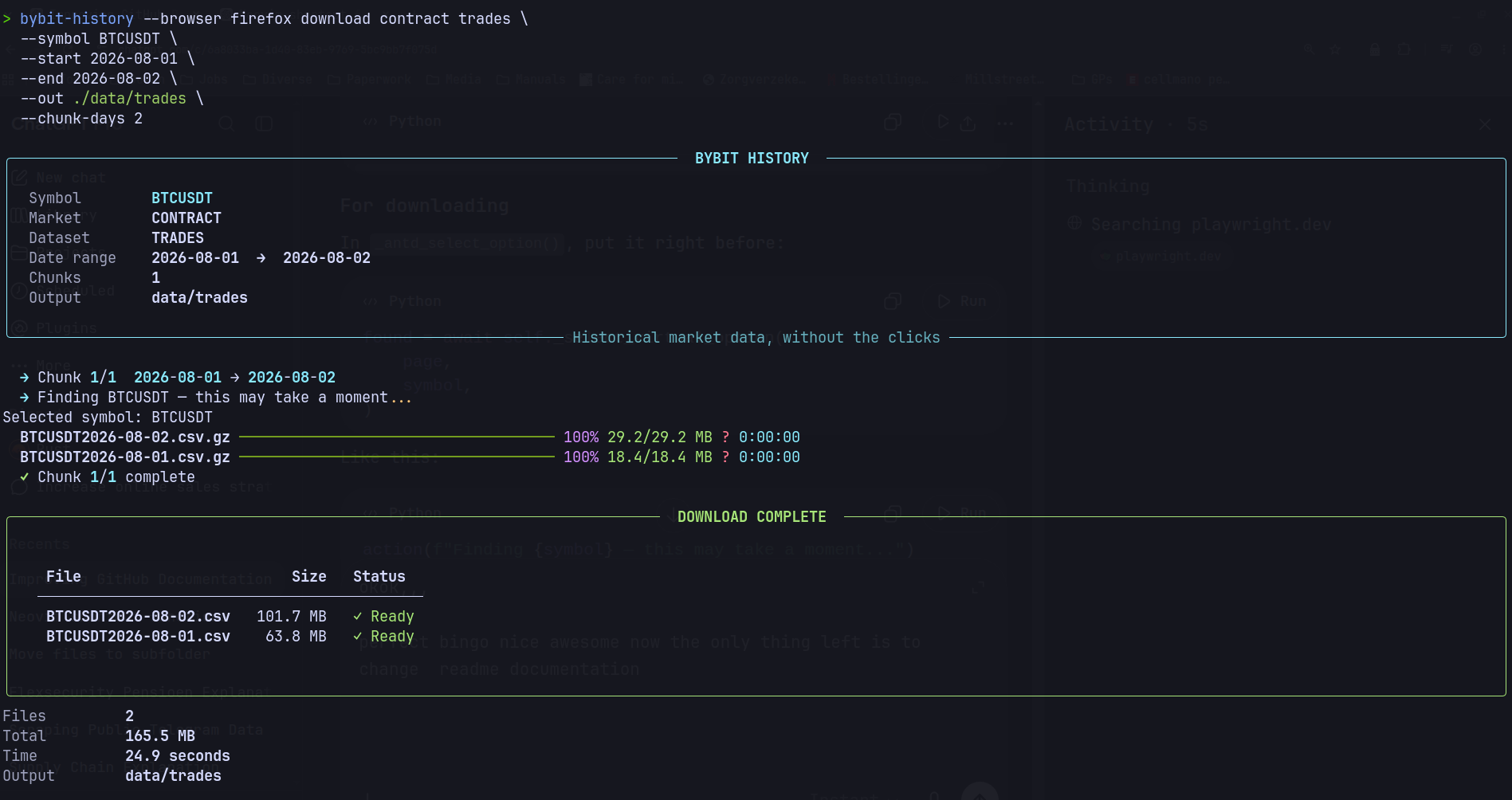
The terminal interface shows the requested market, dataset, symbol, date range, progress, produced files, final sizes, and output directory.
Features
- Spot and Contract markets
- Historical trades
- L2 order-book depth data
- Available-symbol discovery
- Automatic date-range chunking
- Headless Firefox execution by default
- Optional visible-browser mode for debugging
- Progress bars and structured terminal output
- Automatic extraction of
.zipand.gzfiles - Collection of multiple files triggered by one download
- Python API and command-line interface
- No API key or Bybit account required
- Installable directly from PyPI
Installation
The package is available on PyPI.
A virtual environment is recommended:
python -m venv .venv
source .venv/bin/activate

python -m pip install --upgrade pip
python -m pip install bybit-history-downloader
Playwright installs its browser separately. Install Firefox after installing the package:
python -m playwright install firefox
If your Linux distribution is missing Firefox system dependencies, install them with:
python -m playwright install-deps firefox
Confirm that the CLI is available:
bybit-history --help
Requirements
- Linux
- Python 3.10 or newer
- Playwright Firefox
Firefox is the only supported browser in the current release.
The downloader runs headlessly by default, which is the recommended mode for normal use.
Visible browser mode should only be used for debugging. Opening the browser can slightly change page behavior and may expose UI-specific issues that do not occur during normal automated execution.
Usage
The CLI provides two main commands:
symbols     List the symbols currently available in Bybit's interface
download    Download historical data for one symbol and date range
List available symbols
List Contract symbols:
bybit-history symbols contract
List Spot symbols:
bybit-history symbols spot
The symbol list is rendered in a compact multi-column terminal view:
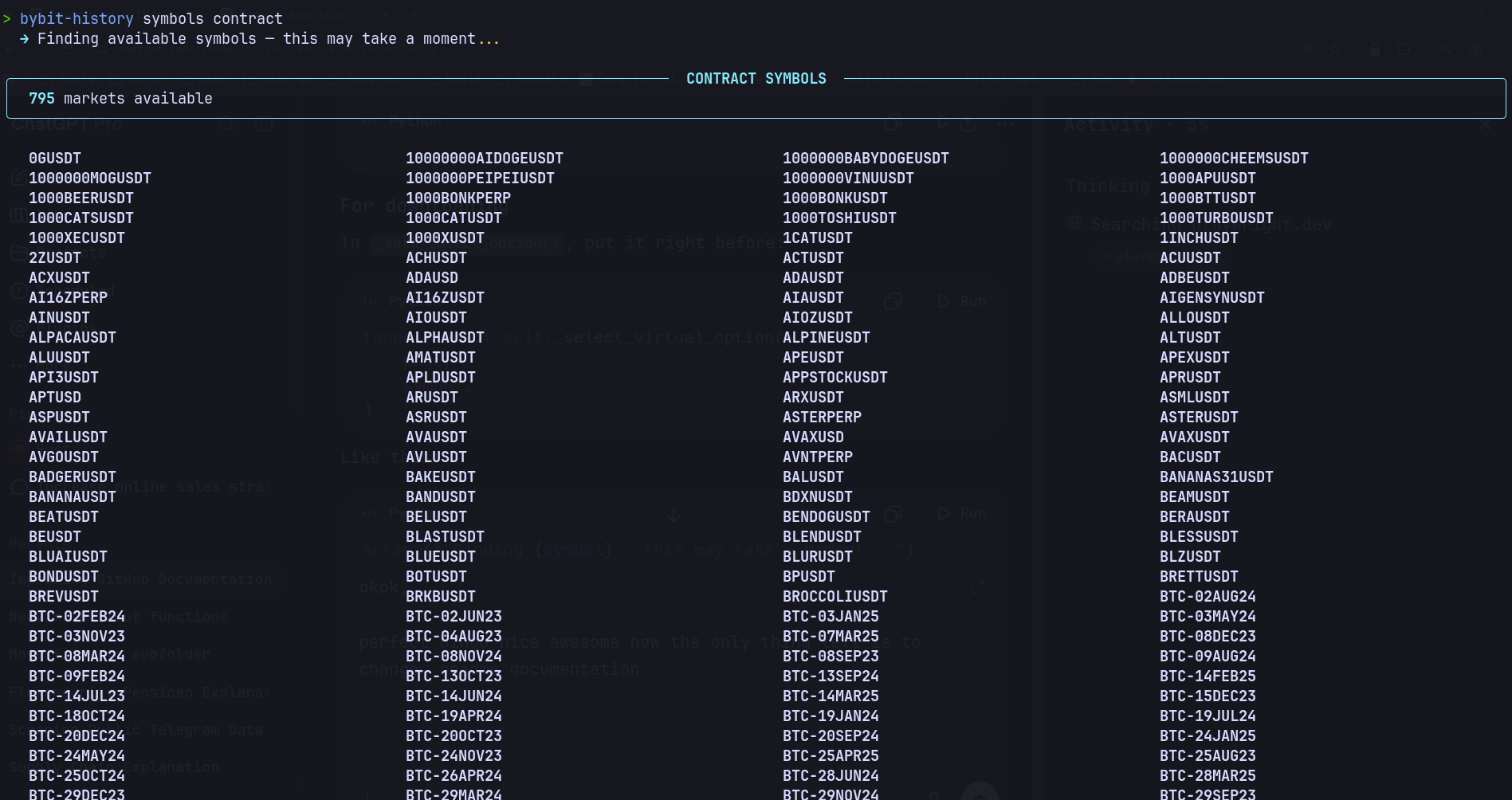
Bybit uses a virtualized symbol list, so the program scrolls through the dropdown and collects symbols as they appear.
This can take a moment, especially when the market contains many instruments.
Download historical data
Contract trades
bybit-history download contract trades \
  --symbol BTCUSDT \
  --start 2026-08-01 \
  --end 2026-08-05 \
  --out ./data/trades \
  --chunk-days 5
Spot trades
bybit-history download spot trades \
  --symbol BTCUSDT \
  --start 2026-08-01 \
  --end 2026-08-05 \
  --out ./data/trades \
  --chunk-days 5
Contract L2 order-book data
bybit-history download contract l2book \
  --symbol BTCUSDT \
  --start 2026-08-01 \
  --end 2026-08-05 \
  --out ./data/l2book \
  --chunk-days 5
Debugging with a visible browser
Normal usage should not include --no-headless.
If the automation does not work correctly on your system, visible-browser mode can help you inspect where the interaction fails:
bybit-history --no-headless download contract trades \
  --symbol BTCUSDT \
  --start 2026-08-01 \
  --end 2026-08-05 \
  --out ./data/trades \
  --chunk-days 5
You can also inspect symbol discovery:
bybit-history --no-headless symbols contract
--no-headless is intended as a debugging option rather than the normal way to run the downloader.
Output formats
The downloader preserves the data format provided by Bybit:
| Dataset | Extracted format |
|---|---|
| Trades | .csv |
| L2 order-book depth | .jsonl |
Downloaded archives are processed automatically:
.ziparchives are extracted.gzfiles are decompressed- compressed archives are removed after successful extraction
- extracted files remain in the directory passed to
--out
For example:
data/
└── trades/
    ├── BTCUSDT2026-08-01.csv
    └── BTCUSDT2026-08-02.csv
L2 order-book datasets can be significantly larger than trade datasets, especially over longer periods.
Date chunking
Bybit’s interface accepts relatively small date windows for this workflow. The downloader therefore divides longer requests into smaller inclusive ranges.
For example:
Requested range: 2026-08-01 → 2026-08-12
Chunk size:      5 days

Generated chunks:
2026-08-01 → 2026-08-05
2026-08-06 → 2026-08-10
2026-08-11 → 2026-08-12
The chunk size must be greater than zero and smaller than six:
--chunk-days 5
The CLI rejects invalid values before starting the browser.
What happens during a download
A typical run looks roughly like this:
Open Bybit historical-data page
        ↓
Select Trades or OrderBook
        ↓
Select Spot or Contract
        ↓
Find the requested symbol
        ↓
Select Everyday
        ↓
Set the requested date range
        ↓
Confirm
        ↓
Download files
        ↓
Extract archives automatically
        ↓
Save ready-to-use CSV or JSONL files
The terminal UI reports the job configuration, chunk progress, download progress, file sizes, elapsed time, and final output paths.
Python API
The downloader can also be used directly from Python:
import asyncio
from pathlib import Path

from bybit_history import BybitHistoryClient


async def main() -> None:
    async with BybitHistoryClient(
        browser_name="firefox",
        headless=True,
    ) as client:
        files: list[Path] = await client.download_data(
            margin="Contract",
            data_type="Trades",
            symbol="BTCUSDT",
            start_date="2026-08-01",
            end_date="2026-08-05",
            final_path="./data/trades",
            chunk_days=5,
        )

    for file in files:
        print(file)


if __name__ == "__main__":
    asyncio.run(main())
download_data() returns the paths produced after downloading and extraction.
For debugging, you can run the Python client with:
headless=False
Why Playwright?
The files are exposed through Bybit’s website, where the interface controls market selection, dataset selection, symbols, date ranges, and download actions.
A direct HTTP downloader would be simpler if a stable public file endpoint covered the same workflow. This project instead automates the interface that Bybit currently exposes, allowing the process to run from a terminal or Python program without repeating the same browser actions manually.
Implementation details
Two parts of the workflow required more than ordinary button clicking.
Virtualized symbol list
Bybit does not render every symbol in the document at once. Only the currently visible part of the dropdown exists in the page.
The client therefore positions the mouse inside the open list, scrolls it in small steps, and checks newly rendered options until it finds the requested symbol.
The symbols command uses the same scrolling approach to collect the available symbol catalogue.
Multiple download events
One download action can trigger more than one file.
The client listens for the first Playwright download event and continues collecting additional events for a short period before saving and processing the results.
Automatic extraction
Downloaded files are saved using Bybit’s suggested filenames.
ZIP and GZIP archives are extracted automatically, and processed archives are removed afterward.
The result is ready-to-use data:
Trades  → CSV
L2Book  → JSONL
Development installation
Clone the repository:
git clone https://github.com/flowdrivenml/bybit-history-downloader.git
cd bybit-history-downloader
Create and activate a virtual environment:
python -m venv .venv
source .venv/bin/activate
Install the project in editable mode:
python -m pip install --upgrade pip
python -m pip install -e .
python -m pip install pytest pytest-asyncio
python -m playwright install firefox
Run the tests:
pytest -v
Run the local CLI:
bybit-history --help
Limitations
This project depends on the structure and visible text of Bybit’s public website. A substantial redesign may require selector updates.
Current limitations include:
- Linux only
- Firefox only
chunk-daysmust remain below six- symbol discovery may take time because the list is virtualized
- availability depends on the market, symbol, dataset, and requested date range
- L2 order-book files can be very large
- browser automation is slower and more fragile than a stable direct-download API
- visible browser mode may behave differently from the default headless execution
If the default headless execution fails on your system, use --no-headless to inspect the browser interaction and diagnose where the workflow stops.
Disclaimer
This project is not affiliated with, maintained by, or endorsed by Bybit.
It automates access to Bybit’s public historical-data interface. Users are responsible for following Bybit’s terms, applicable limits, and any requirements governing their use of the downloaded data.
1 maintainer

Metadata
1 maintainer
Release files for bybit-history-downloader 0.1.1
For a detailed explanation of source distributions (sdists) and built distributions (wheels), please see the package formats documentation.
Source distribution (sdist)
| File | Size | Uploaded | |
|---|---|---|---|
| bybit_history_downloader-0.1.1.tar.gz | 485.8 kB | Details |
Built distribution (wheel)
| File | Interpreter | ABI | Platform | Reset |
|---|---|---|---|---|
| bybit_history_downloader-0.1.1-py3-none-any.whl | Python 3 | none | any | Details |
Total release size: 501.3 kB
Release files / bybit_history_downloader-0.1.1.tar.gz
| Download URL | bybit_history_downloader-0.1.1.tar.gz |
|---|---|
| Size | 485.8 kB |
| Tags | Source |
|
SHA-256 checksum How to use checksums |
1abdd74613d1db751f8483853d621f75a155d4dfb3c5b1660bc535df4c55b649
|
|
BLAKE2b-256 checksum How to use checksums |
1197541aacadc4d156da35e46be627088d5e803785f544f6c057dc7b9c0677e9
|
| Upload date | |
|
Uploaded using Trusted Publishing? What is trusted publishing? |
No |
| Uploaded via |
twine/7.0.0 CPython/3.13.12
|
Release files / bybit_history_downloader-0.1.1-py3-none-any.whl
| Download URL | bybit_history_downloader-0.1.1-py3-none-any.whl |
|---|---|
| Size | 15.5 kB |
| Tags | Python 3 |
|
SHA-256 checksum How to use checksums |
e7b37d73b90796f44e80cef692ca053d318366e7808416a98379b294110b09ce
|
|
BLAKE2b-256 checksum How to use checksums |
0ab52ed27254d1deee74b0486fda83e97c11ac05b9b5567d41addaa8cfe41169
|
| Upload date | |
|
Uploaded using Trusted Publishing? What is trusted publishing? |
No |
| Uploaded via |
twine/7.0.0 CPython/3.13.12
|














