
c2pa-scanner


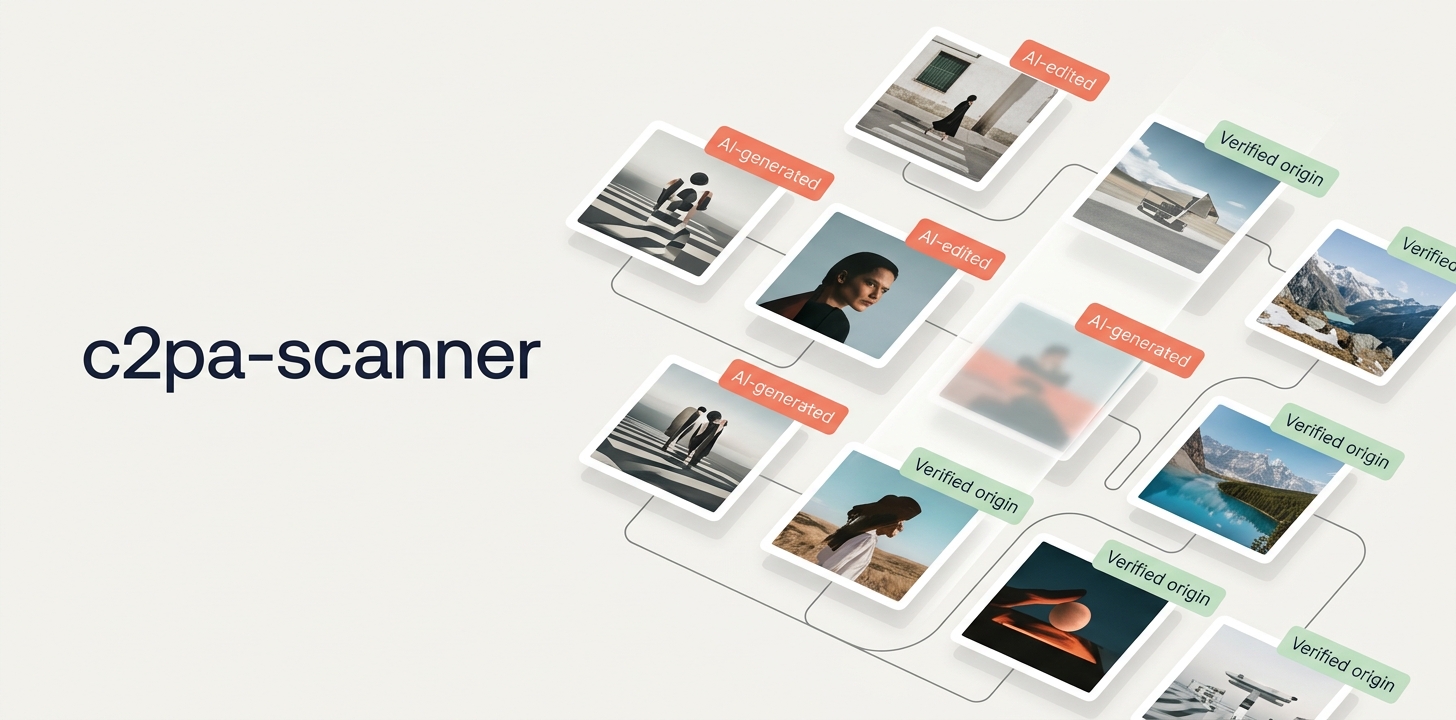
This banner is AI-generated (Google Gemini) and carries its signed C2PA manifest -
c2pa-scanner classifies it as AI-generated (trainedAlgorithmicMedia).
Detects the C2PA provenance manifest in images and flags the ones that are AI-generated - so you can label them as required by the EU AI Act (Art. 50).
It reads the digitalSourceType from a C2PA manifest (e.g. embedded automatically by Adobe /
Firefly) and classifies each image: AI-generated, AI-edited, other provenance, or none.
What this tool is for - and what it is not
This tool checks your own images and pages for AI labeling under the EU AI Act and makes them compliant - nothing more.
It is explicitly NOT meant to scan third-party websites, collect violations and turn them into cease-and-desist letters. If that is your plan, you are in the wrong place.
For context: the C2PA scan is only an indicator - it only finds images that carry a provenance manifest (e.g. Adobe / Firefly), never all AI images. It is not legal advice and not proof of a violation. Use it fairly.
Legal basis: EU AI Act (Regulation (EU) 2024/1689), in particular Article 50 (transparency obligations), applicable from 2 August 2026. Legal text (EUR-Lex): https://eur-lex.europa.eu/eli/reg/2024/1689/oj Article 50 (readable): https://artificialintelligenceact.eu/article/50/
Load on the target system - please read this
Crawling a sitemap means fetching every page and every image it lists. With browser rendering enabled, each page additionally goes through a real Chromium, which bypasses the server's caches. On a large site this quickly adds up to several hundred requests per minute and can noticeably degrade a production system - slower responses, in the worst case a server pushed to its memory limit.
The scanner is therefore rate-limited out of the box: 60 requests per minute, counting pages, renderings and images together. Change it under Settings -> Scan, or on the command line:
c2pa-scanner scan https://www.example.com/sitemap.xml --rate-limit 20   # gentler
c2pa-scanner scan https://www.example.com/sitemap.xml --rate-limit 0    # no limit - be careful
Two things worth knowing:
- "Parallel requests" is not a rate limit. It caps how many requests run at the same time, not how many go out per minute. Only the rate limit does that.
- With rendering, the limit throttles page requests only. Whatever the browser pulls in afterwards - scripts, fonts, images - is not counted, so the real load is higher than the configured number.
robots.txt is honoured by default for the pages listed in the sitemap; blocked pages are
skipped and reported in the log. Images are not checked against it, because they often live on a
separate CDN domain with its own rules. You can turn this off in the settings for systems of
your own - for instance a staging site that blocks everything by default.
Use at your own risk
This program retrieves web pages automatically and thereby places load on the target systems. Depending on its settings, that load can exceed the load of an ordinary visitor many times over and can impair the availability of the target system.
By using it, you declare that:
- You will use this program only against systems for which you hold explicit authorisation from their operator.
- You bear sole responsibility for its use, for the settings you choose and for all consequences arising from them.
- Before running it against a production system, you will verify that the configured limits are appropriate for that system.
The software is provided free of charge and without warranty of any kind ("as is"), as set out in section 7 of the Apache License 2.0. The liability of the author (Michael Blaess) for damages arising from its use is excluded to the extent permitted by applicable law. Liability for intent and gross negligence, for injury to life, body or health, and under mandatory product liability law remains unaffected.
On first start the program asks you to confirm this notice. On the command line, confirm it once
with --accept-disclaimer.
Usage
# Launch the graphical TUI (default when no command is given)
c2pa-scanner
c2pa-scanner tui https://www.example.com/sitemap.xml

# Crawl a sitemap and check every image for C2PA / AI provenance (a bare domain
# works too - the sitemap is then discovered automatically). The first run needs
# --accept-disclaimer once; the rate limit defaults to 60 requests per minute.
c2pa-scanner scan https://www.example.com/sitemap.xml --accept-disclaimer
c2pa-scanner scan ./sitemap.xml

# Render each page in Chromium as well (finds JS / shadow-DOM images, much heavier)
c2pa-scanner scan https://www.example.com/sitemap.xml --render --rate-limit 20

# Leave cookie banners in place instead of accepting them (only affects --render)
c2pa-scanner scan https://www.example.com/sitemap.xml --render --no-consent

# Create a signed C2PA test image (positive test fixture)
c2pa-scanner make-testimage ./test-ai.jpg
c2pa-scanner make-testimage ./test-edited.jpg --edited
How it works
Detection is layered and deliberately tuned for few false positives:
- C2PA manifest (primary signal): the official
c2palibrary reads the signed manifest; thedigitalSourceTypeassertion decides the verdict (trainedAlgorithmicMedia= AI-generated,compositeWithTrainedAlgorithmicMedia= AI-edited). - XMP/EXIF
digitalSourceType(secondary signal): the same IPTC marker is also read from XMP when there is no valid C2PA - this catches images that lost their signature on resize but kept the XMP. - Generating tool (fallback): if there is no
digitalSourceTypeat all, theSoftware/CreatorTooltag is matched against a curated list of unambiguous generative-AI tools (Midjourney, DALL-E, Stable Diffusion, Adobe Firefly, ...). Ambiguous editors like Photoshop or GIMP are deliberately NOT on the list, to avoid false positives. - Page crawl: all pages from a sitemap are fetched and image URLs are extracted via regex over the
raw HTML - this also finds images in web-component attributes / shadow DOM, not just classic
<img src>. If no direct sitemap URL is given, it is discovered automatically (robots.txt, then common paths). For a more complete sitemap than the official one, use the companion tool Sitemap-Tracker and load its XML output as a local file. - Browser rendering (optional, off by default): when enabled, each page is additionally rendered in a headless Chromium (Playwright), adding images that only appear in the (shadow) DOM after JavaScript runs - as a union with the regex extraction.
- Cookie consent (on by default): a banner is confirmed automatically once it has loaded
(Usercentrics, OneTrust, Cookiebot; otherwise by clicking the accept button inside the banner). This
matters because many sites only release their images after consent - and because the banner otherwise
covers the page preview. The consent manager is loaded by a script and is not there yet when the page
fires its load event, so the tool waits for it instead of guessing once. Switch it off under
Settings -> Scan, or on the command line with
--no-consent.
Limits: images with no provenance signal at all (no C2PA, no XMP/EXIF) cannot be flagged as AI. Metadata can be stripped - screenshots, re-saving, and many platforms remove it on upload. A hit is a solid indication for AI; its absence is not proof against it. Any resize/crop breaks the C2PA signature, so scan the original master where possible.
In the TUI
-
Live image preview next to the result list, with a clickable link to the source page and a dialog for the raw C2PA manifest.
-
Page preview (optional): below the image, a screenshot of the rendered source page scrolled to the image - so you can check without leaving the tool whether an AI label is shown on/near the image. A cookie banner is dismissed beforehand (see above).
-
Cancel a scan with
x: the key only appears in the footer while a run is in progress. The cancellation is cooperative - requests already under way finish, no new ones start, and the images found so far stay in the table. Before, onlyqwas left, and that discarded the partial result. -
Filter & sorting, an "AI images only" toggle, export via right-click (JSON, JIRA table, plain text) and test-image signing as a positive fixture. The JIRA table comes in two formats (Settings -> Export): Markdown for Jira Cloud (converts to a real table when pasted into a comment) and Wiki Markup for older Jira Server/Data Center instances.
-
Two languages: the interface is available in English and German. On first start the language follows your system environment - German only for a demonstrably German-speaking environment, everything else (including any error while reading it) falls back to English. You can switch at any time under Settings -> Language; the setting takes effect after a restart.
Other detection methods - and why they are (not yet) implemented
For completeness, the alternatives that exist but are deliberately NOT built in:
- Invisible watermarks (Google SynthID, Meta, Amazon Titan): robust against edits, but each scheme needs its vendor's own detector - there is no open, universal reader. SynthID can only be checked via Google's own portal, not as a library. Reason: not integrable.
- ML classifiers ("is this AI?", e.g. Hive, Sensity, Illuminarty): unreliable across generators and after compression/resize (high false-positive AND false-negative rates), age quickly, adversarially fragile. Reason: not defensible for a labeling decision - it would undermine the solid verdict; at most conceivable as a separately flagged "uncertain hint" that does not drive the result.
- Forensics/statistics (frequency spectrum, noise residuals, diffusion fingerprints): research-grade, no turnkey tool, same reliability caveats as ML classifiers. Reason: effort vs. value does not add up.
- Fingerprint/hash matching against a registry of known AI images: only works if the image is registered there - not a general solution. Reason: coverage too low.
The guiding principle: prefer a few solid signals (provenance) over many uncertain ones - fitting the purpose of supporting compliant AI labeling under EU AI Act Art. 50.
When something goes wrong
It will not start on an Intel Mac
zsh: bad CPU type in executable means the architecture does not match: the
release binaries are built for Apple Silicon (arm64) only. Rosetta cannot fix
this - it translates x86 to arm, not the other way round, and a software update
does not help either.
Run it from source instead - that route works on both architectures, because uv fetches the Python matching your processor:
git clone https://github.com/michaelblaess/c2pa-scanner.git
cd c2pa-scanner
./bootstrap.sh    # once
./run.sh          # every time
Crash reports
If the program crashes, the report is written to disk instead of only to the terminal - two files next to the settings, both linked from the storage tab in the settings once they exist:
| File | What for |
|---|---|
last-crash.txt |
Python errors including the traceback. Written before the error dialog runs - if that dialog dies during its own re-layout, the report would otherwise be lost. |
fault.log |
Everything below that: native access violations, stack overflow, fatal interpreter errors. Such crashes bypass Python's error handling entirely. |
Both files are appended to, not replaced - a second crash does not hide the first one.
fault.log also gets a start and an end line per run, which makes the file
readable at a glance:
| What the file contains | What it means |
|---|---|
| start, traceback, end | Python error, the program saw it |
| start, end | exited cleanly |
| start, then nothing | process was killed - not a Python error |
A killed process and a crash look identical in the terminal. Only the missing end line tells them apart.
On Windows, prefer starting the program via run.ps1: the script restores the
terminal even when the program crashes hard and can no longer do so itself.
Otherwise mouse tracking stays on and every mouse move spills control
characters into your prompt.
License
Apache-2.0.
1 maintainer

Metadata
1 maintainer
Release files for c2pa-scanner 0.7.1
For a detailed explanation of source distributions (sdists) and built distributions (wheels), please see the package formats documentation.
Source distribution (sdist)
| File | Size | Uploaded | |
|---|---|---|---|
| c2pa_scanner-0.7.1.tar.gz | 95.8 kB | Details |
Built distribution (wheel)
| File | Interpreter | ABI | Platform | Reset |
|---|---|---|---|---|
| c2pa_scanner-0.7.1-py3-none-any.whl | Python 3 | none | any | Details |
Total release size: 183.1 kB
Release files / c2pa_scanner-0.7.1.tar.gz
| Download URL | c2pa_scanner-0.7.1.tar.gz |
|---|---|
| Size | 95.8 kB |
| Tags | Source |
|
SHA-256 checksum How to use checksums |
a8fd76e3db9e5d596605da0e4d77bd2570b6dd7c79c71fabd745575b354fb755
|
|
BLAKE2b-256 checksum How to use checksums |
1b82dd61337d511f6d06302de204aab7a15c6bb6f15a717ec13b6f83fde871fb
|
| Upload date | |
|
Uploaded using Trusted Publishing? What is trusted publishing? |
Yes |
| Uploaded via |
twine/7.0.0 CPython/3.13.14
|
Provenance
Provenance describes where a file came from. On PyPI, provenance is shared via attestations, which provide a verifiable record of the build or publishing details. View details, limitations and caveats.


PyPI Publish Attestation
PyPI verified that this artifact, at this checksum, originated from the publisher listed below.
Signed by GitHub Actions, verified by PyPI on Oct 5, 2026.
Transparency logRelease files / c2pa_scanner-0.7.1-py3-none-any.whl
| Download URL | c2pa_scanner-0.7.1-py3-none-any.whl |
|---|---|
| Size | 87.2 kB |
| Tags | Python 3 |
|
SHA-256 checksum How to use checksums |
9860d5d960670f58ebace4b5641cbb81f8ff9906e2f9feeab88bb426334bf484
|
|
BLAKE2b-256 checksum How to use checksums |
1bcfd1b4092b34f4c67d208783ea03ead9abae03fc6f7ae97cf25b8bd8d6e661
|
| Upload date | |
|
Uploaded using Trusted Publishing? What is trusted publishing? |
Yes |
| Uploaded via |
twine/7.0.0 CPython/3.13.14
|
Provenance
Provenance describes where a file came from. On PyPI, provenance is shared via attestations, which provide a verifiable record of the build or publishing details. View details, limitations and caveats.
PyPI Publish Attestation
PyPI verified that this artifact, at this checksum, originated from the publisher listed below.
Signed by GitHub Actions, verified by PyPI on Oct 5, 2026.
Transparency log












