
The Armored AI Agent. Cross-platform, secure, yours.

Project description

CachiBot
The Armored AI Agent
Visual. Transparent. Secure.
Website · Español · 中文版 · Português






A visual AI agent platform with full transparency. Named after the Venezuelan cachicamo (armadillo) — built to be armored, auditable, and yours to control.
Install · Features · Architecture · Security · Contributing · Discord
Why CachiBot?
Most AI platforms force you to choose: chatbot UIs with no automation, workflow builders with no conversational AI, or developer frameworks that take weeks to ship.
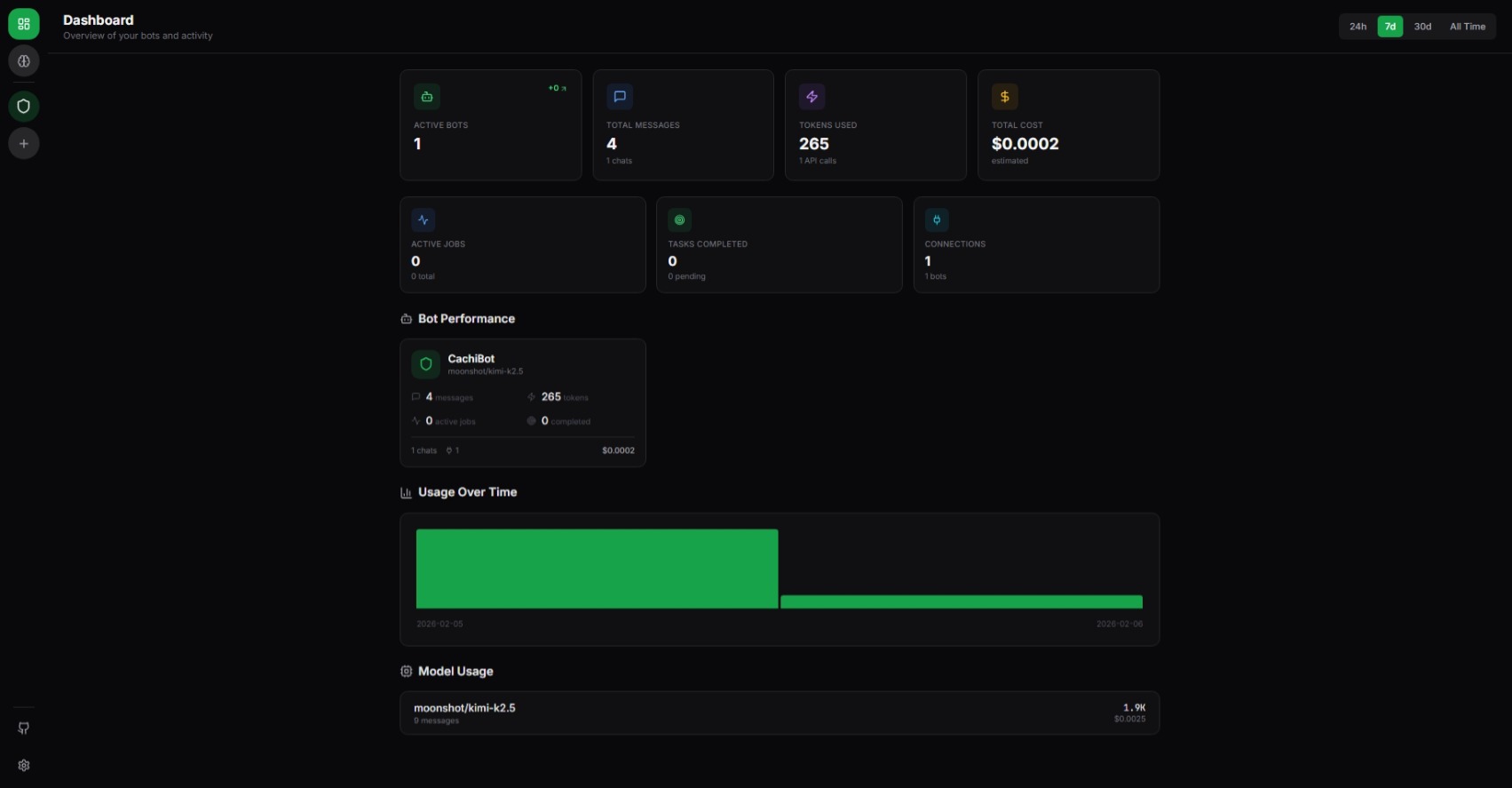
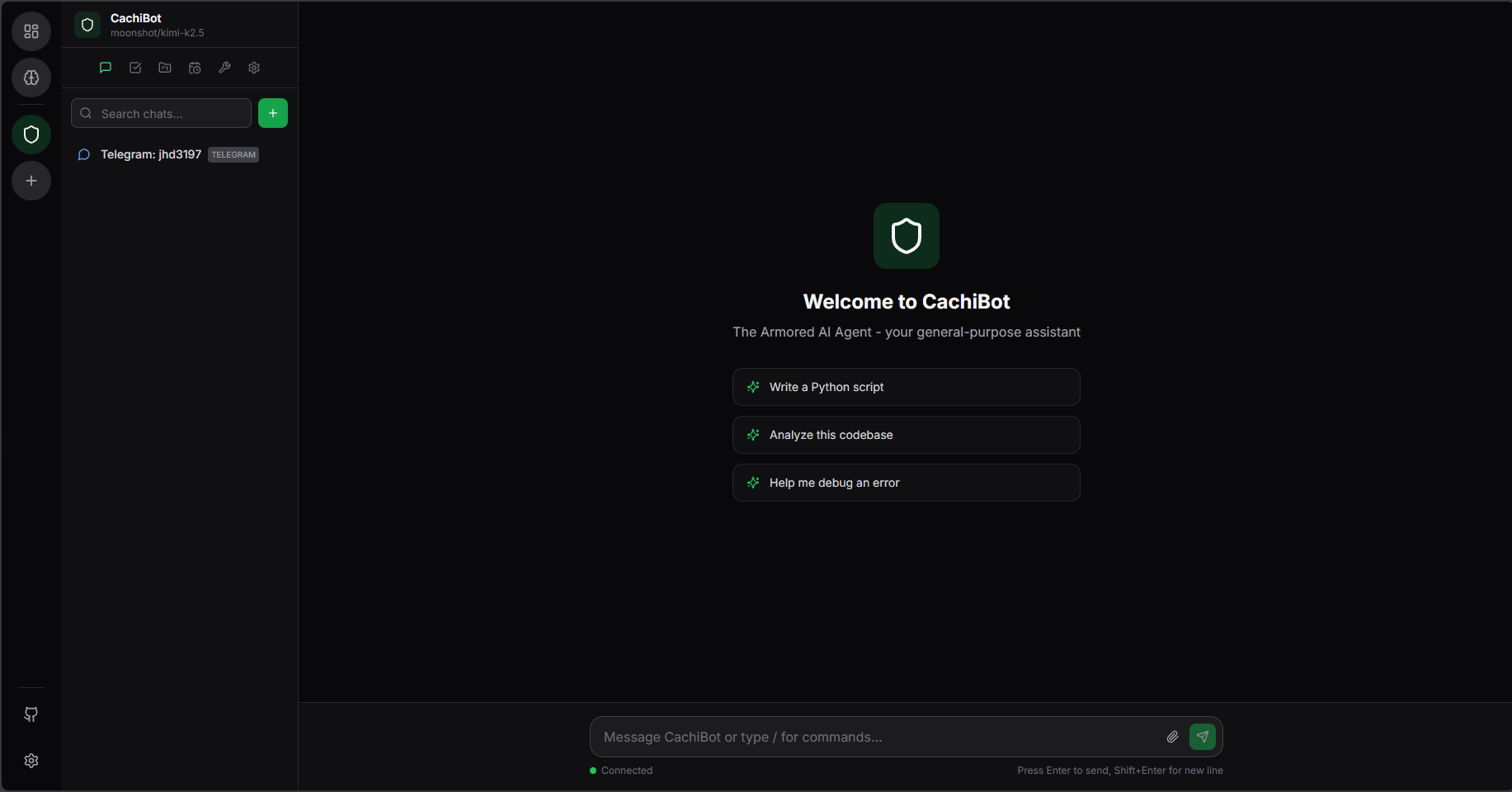
CachiBot gives you all three. Build specialized bots, deploy them to any messaging platform, run them in collaborative rooms, and automate workflows — all from a visual dashboard with full transparency into what your agents are doing.
Install
Linux / macOS
curl -fsSL cachibot.ai/install.sh | bash
Sets up Python, a virtual environment, and a systemd service — everything you need in one command.
Windows
irm cachibot.ai/install.ps1 | iex
pip
pip install cachibot
Then start the server:
cachibot server
Open http://localhost:6392 — the frontend is bundled and served automatically. No separate build step.
Configure your API keys
You can set API keys directly from the dashboard UI — no environment variables required. Just open the settings panel and add your keys there.
If you prefer environment variables, those work too:
export OPENAI_API_KEY="your-key"       # OpenAI / GPT-4
export ANTHROPIC_API_KEY="your-key"    # Claude
export MOONSHOT_API_KEY="your-key"     # Kimi
# or use Ollama locally (no key needed)
CLI Usage
cachibot server                    # Start the dashboard
cachibot "summarize this project"  # Run a single task
cachibot                           # Interactive mode
cachi server                       # Short alias
Features
Multi-Agent Platform
- Unlimited Specialized Bots — Create bots with custom system prompts, tool selections, and model routing
- Collaborative Rooms — Run 2-4 bots together in real-time to solve complex tasks
- Bot Marketplace — Pre-built templates for common use cases (code review, data analysis, writing, support)
Platform Integrations
Deploy bots to 7 messaging platforms with built-in adapters:
Telegram · Discord · Slack · Microsoft Teams · WhatsApp · Viber · LINE
Multimodal AI
- Voice Conversations — Talk to your bots with real-time speech-to-text and text-to-speech
- Image Generation — DALL-E, Google Imagen, Stability AI, Grok
- Audio Synthesis — OpenAI TTS, ElevenLabs
- 12+ LLM Providers — Claude, GPT-4, Kimi, Gemini, Ollama, Groq, and more
50+ Built-in Tools
Powered by Tukuy plugins:
- File operations, sandboxed Python execution, web search
- Knowledge base with vector search and document upload
- Task management, scheduling (cron, interval, event-triggered), background jobs
- Git operations, HTTP requests, SQL queries
- Reusable functions with step-level dependencies and retries
Security & Control
- Visual Approval Flows — Approve or reject risky operations before they execute
- Sandboxed Execution — Python runs in isolation with AST-based risk analysis
- Workspace Isolation — All file access scoped to the workspace
- Full Audit Trail — Every action logged and visible in the dashboard
What Can You Build?
- Customer Support Bot — Deploy to Telegram with a knowledge base of your docs, auto-answer FAQs
- Data Analysis Room — 3 bots (SQL specialist + Python analyst + report writer) collaborating on insights
- Voice Assistant — Talk to a bot with STT/TTS, manage tasks and reminders hands-free
- Content Pipeline — Research bot + writer bot + image generator producing blog posts end-to-end
- DevOps Agent — Monitor repos, run sandboxed scripts, send alerts to Slack on schedule
Architecture
graph TB
    subgraph Frontend["React Dashboard"]
        Bots[Bots & Rooms]
        Chats[Chats & Voice]
        Work[Jobs, Tasks & Schedules]
        KB[Knowledge Base]
        Market[Marketplace]
    end

    subgraph Backend["FastAPI Backend"]
        Agent["Prompture Agent"]
        Plugins["Tukuy Plugin System"]
        Sandbox["Python Sandbox"]
        Auth["Auth & RBAC"]
        Scheduler["Scheduler Service"]
    end

    subgraph Providers["AI Providers"]
        LLM["LLMs (Claude, GPT-4, Kimi, Ollama, Groq, ...)"]
        ImgGen["Image Gen (DALL-E, Imagen, Stability)"]
        Audio["Audio (Whisper, ElevenLabs)"]
    end

    subgraph Platforms["Platform Integrations"]
        TG[Telegram]
        DC[Discord]
        SL[Slack]
        TM[Teams]
        WA[WhatsApp]
        VB[Viber]
        LN[LINE]
    end

    Frontend -- "WebSocket / REST" --> Backend
    Backend --> Providers
    Backend --> Platforms
Supported Providers
CachiBot uses Prompture for model management with auto-discovery — set an API key and available models appear automatically.
| Provider | Example Models | Environment Variable |
|---|---|---|
| OpenAI | GPT-4o, GPT-4, o1 | OPENAI_API_KEY |
| Anthropic | Claude Sonnet, Opus, Haiku | ANTHROPIC_API_KEY |
| Moonshot | Kimi K2.5 | MOONSHOT_API_KEY |
| Gemini Pro, Flash | GOOGLE_API_KEY |
|
| Groq | Llama 3, Mixtral | GROQ_API_KEY |
| Grok/xAI | Grok-2 | GROK_API_KEY |
| Ollama | Any local model | (no key needed) |
All keys can also be configured from the dashboard UI without touching environment variables.
Security
CachiBot is built with security as a core principle. Visibility is security — the biggest risk with AI agents is not knowing what they're doing.
Sandboxed Execution
Python code runs in a restricted environment:
- Import Restrictions — Only safe modules allowed (json, math, datetime, etc.)
- Path Restrictions — File access limited to the workspace via SecurityContext
- Execution Timeout — Code killed after timeout (default: 30s)
- Risk Analysis — AST-based scoring (SAFE / MODERATE / DANGEROUS) before execution
- Approval Flow — Dangerous operations require explicit approval through the dashboard
Always Blocked
These are never allowed regardless of configuration: subprocess, os.system, ctypes, socket, ssl, importlib, eval, exec, pickle, marshal.
Roadmap
- Visual dashboard with real-time monitoring
- Multi-bot management with marketplace templates
- Sandboxed Python execution with AST risk analysis
- Multi-provider LLM support (12+ providers)
- Knowledge base with vector search and document upload
- 7 platform integrations (Telegram, Discord, Slack, Teams, WhatsApp, Viber, LINE)
- Plugin system with 50+ tools (via Tukuy)
- Multi-agent collaborative rooms
- Voice conversations (STT/TTS)
- Image and audio generation
- Background jobs with cron/interval/event scheduling
- Work management (tasks, todos, functions)
- Authentication and role-based access control
- Mobile companion app
Contributing
Contributions are welcome! See CONTRIBUTING.md for the full guide. Quick start:
git clone https://github.com/jhd3197/CachiBot.git
cd CachiBot

# Backend
python -m venv venv && source venv/bin/activate  # or .\venv\Scripts\activate on Windows
pip install -e ".[dev]"

# Frontend
cd frontend && npm install && cd ..

# Desktop (optional — only if working on the Electron shell)
cd desktop && npm install && cd ..

# Run everything
bash dev.sh              # or .\dev.ps1 on Windows
bash dev.sh desktop      # with Electron
See CONTRIBUTING.md for all dev script modes, project structure, testing, and code style guidelines.
Community



License
MIT License — see LICENSE for details.
Credits
- Built with Prompture for structured LLM interaction and multimodal drivers
- Plugin system powered by Tukuy
- Named after the Venezuelan cachicamo (armadillo)
Made with care by Juan Denis
Release history Release notifications | RSS feed


Download files
Download the file for your platform. If you're not sure which to choose, learn more about installing packages.
Source Distribution
Built Distribution
Filter files by name, interpreter, ABI, and platform.
If you're not sure about the file name format, learn more about wheel file names.
Copy a direct link to the current filters
File details
Details for the file cachibot-0.2.58.tar.gz.
File metadata
- Download URL: cachibot-0.2.58.tar.gz
- Upload date:
- Size: 35.9 MB
- Tags: Source
- Uploaded using Trusted Publishing? No
- Uploaded via: twine/6.2.0 CPython/3.12.12
File hashes
| Algorithm | Hash digest | |
|---|---|---|
| SHA256 |
95623fa0e025b236d21d9f88bd1b35382ca5f978164f852bd8ed71d765fc4c58
|
|
| MD5 |
ae1d27bc5d005762bd431383440807be
|
|
| BLAKE2b-256 |
b1dc64ad1fd5f2925677aedc645a94c6f646499e6f82a86909477295211153bd
|
File details
Details for the file cachibot-0.2.58-py3-none-any.whl.
File metadata
- Download URL: cachibot-0.2.58-py3-none-any.whl
- Upload date:
- Size: 973.8 kB
- Tags: Python 3
- Uploaded using Trusted Publishing? No
- Uploaded via: twine/6.2.0 CPython/3.12.12
File hashes
| Algorithm | Hash digest | |
|---|---|---|
| SHA256 |
df75fdf19316ff9cd41da9e46fe6c71959a6bbb5e3c9480ba233dd3cdb4e6892
|
|
| MD5 |
99720dfd4528a7fa55fb387f0d308346
|
|
| BLAKE2b-256 |
5494c3c58f123203417709b06a54951d519f76900f2ce60fba39374c39ede161
|






