
This release is a pre-release and may not be stable for production use.
cacography
cacography (n.): bad handwriting, on purpose.
Write your notes in LaTeX and get back a phone photo of them handwritten on a slightly abused sheet of paper, with crossouts, coffee rings and all. The PDF underneath stays searchable, so nobody has to know. ;)
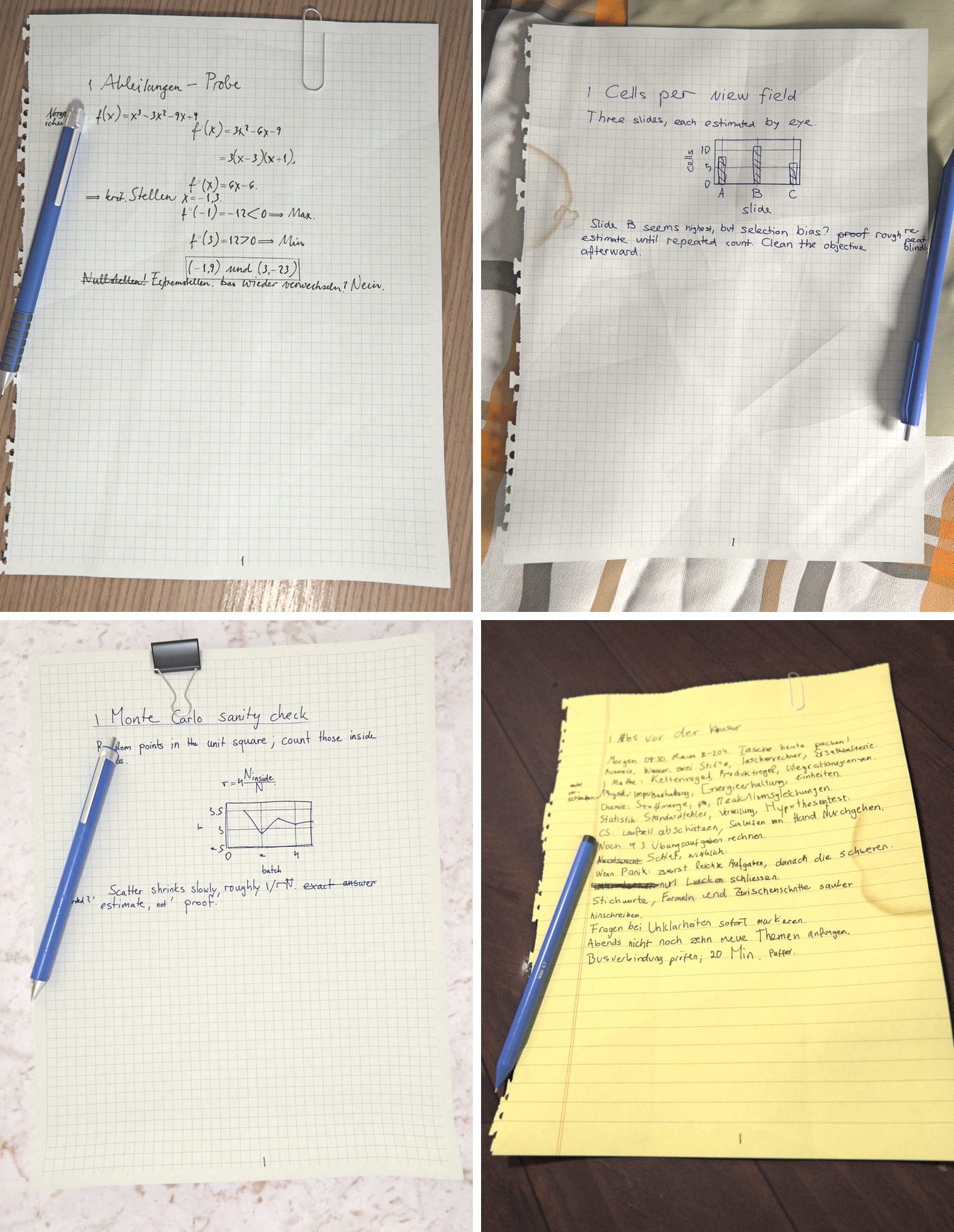
Every word is written by a handwriting model trained on real pen recordings. Each photo is traced in 3D (paper, desk, lamp, pen). LaTeX still does the layout, the maths and the figures.
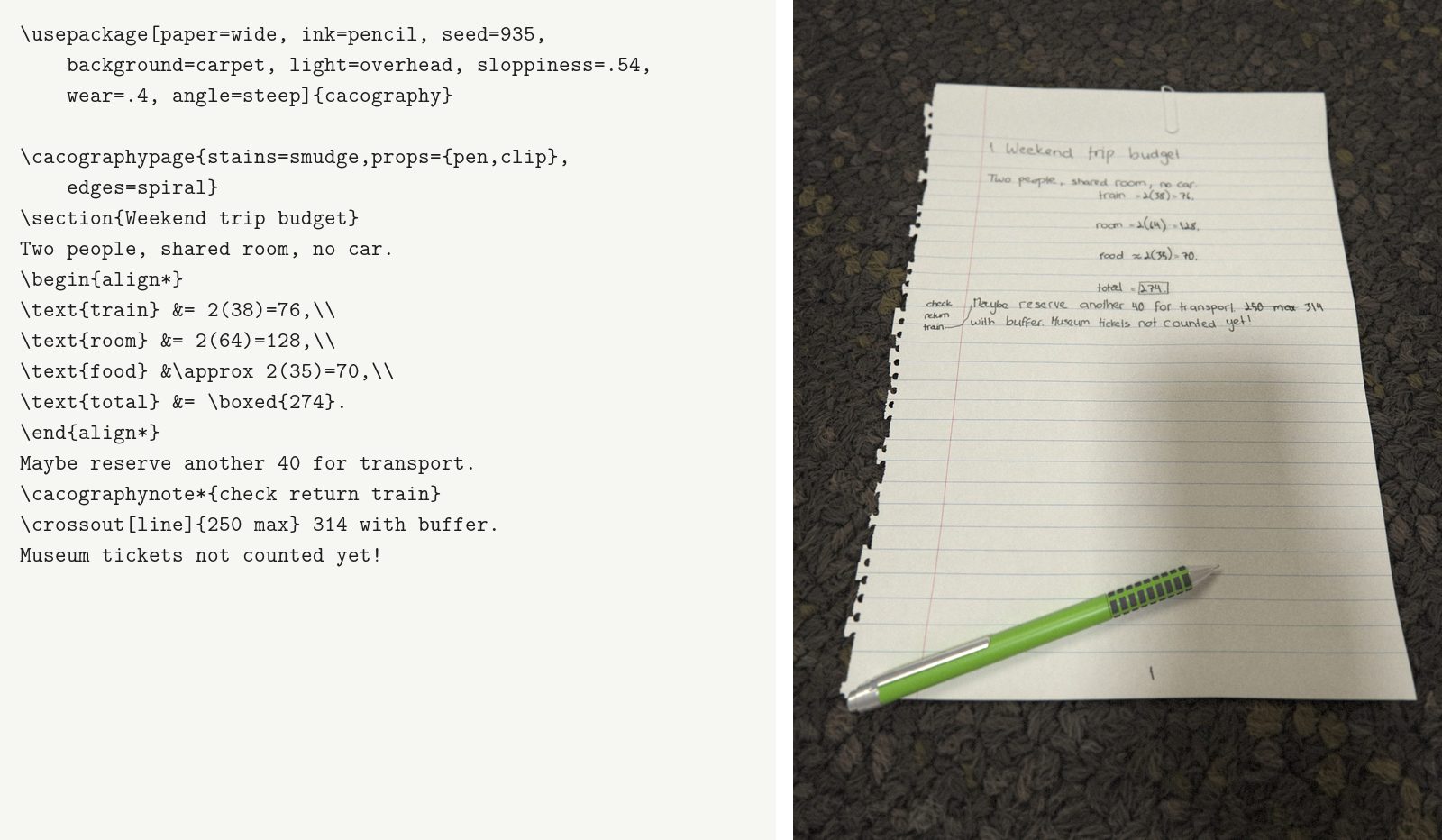
From this to this
Install
You need LuaLaTeX (TeX Live or MiKTeX). Then, from this folder:
.\install.ps1        # Windows
sh install.sh        # macOS, Linux
The installer brings its own Python (via uv), installs the renderer, puts the LaTeX package where TeX finds it, fetches the handwriting models and runs cacography doctor to check everything. Allow for a few GB of download, mostly PyTorch. Already have PyTorch? Activate that environment first (conda activate base) and the installer uses it instead. An NVIDIA GPU is optional. Without one, pages are photographed with formulas instead of traced in 3D: no props, simpler light.
Use
cacography notes.tex
Or press Compile in your editor. Compile with LuaLaTeX and shell escape on, twice, as you would for references. The first run draws the pages and the second puts them in.
- TeXstudio: put these two lines at the top of the file. TeXstudio asks once whether to allow them.
% !TeX program = lualatex
% !TeX TXS-program:compile = txs:///lualatex/[--shell-escape]
- VS Code (LaTeX Workshop), latexmk: copy
.latexmkrcnext to your file. It reruns by itself. - TeXworks, Texmaker, others: add
-shell-escapeto the LuaLaTeX command. - Overleaf: no. The pages are drawn by a program on your computer.
Start from examples/notes.tex. Only pages that changed are drawn again.
Options
\usepackage[paper=graph, ink=pencil, light=window, crumple=0.6, seed=42]{cacography}
Anything you don't set is picked at random from the seed. Each part has its own seed, so pinning one part never reshuffles another. \cacographypage{crumple=1, stains=coffee} changes just the sheet it lands on. In each row below, only the named option changes.
The writing
seed: a different writer (and room) for each number.
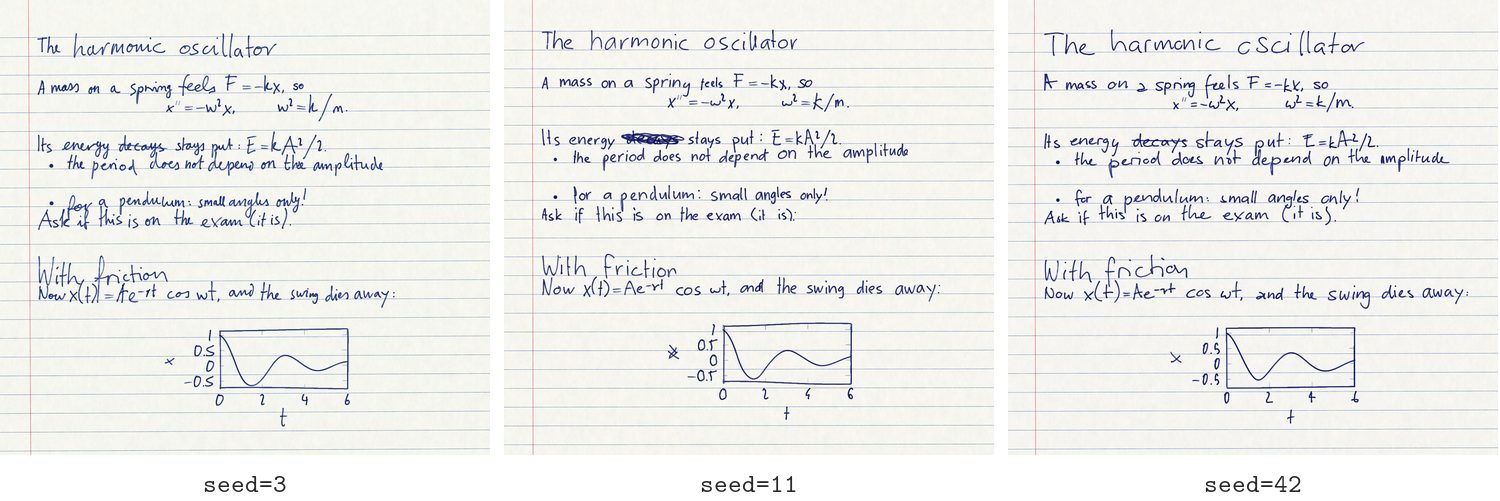
sloppiness: 0 to 1, from neat, even lines to words that change size, tilt and wander off the line.

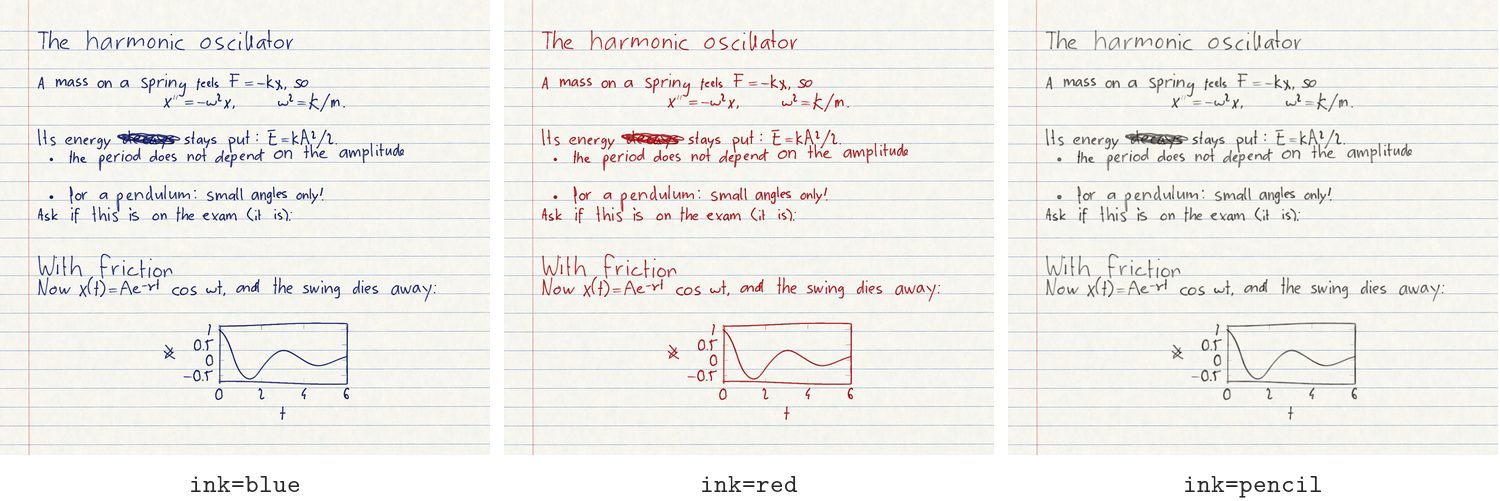
ink: blue, black, red (ballpoint), pencil.
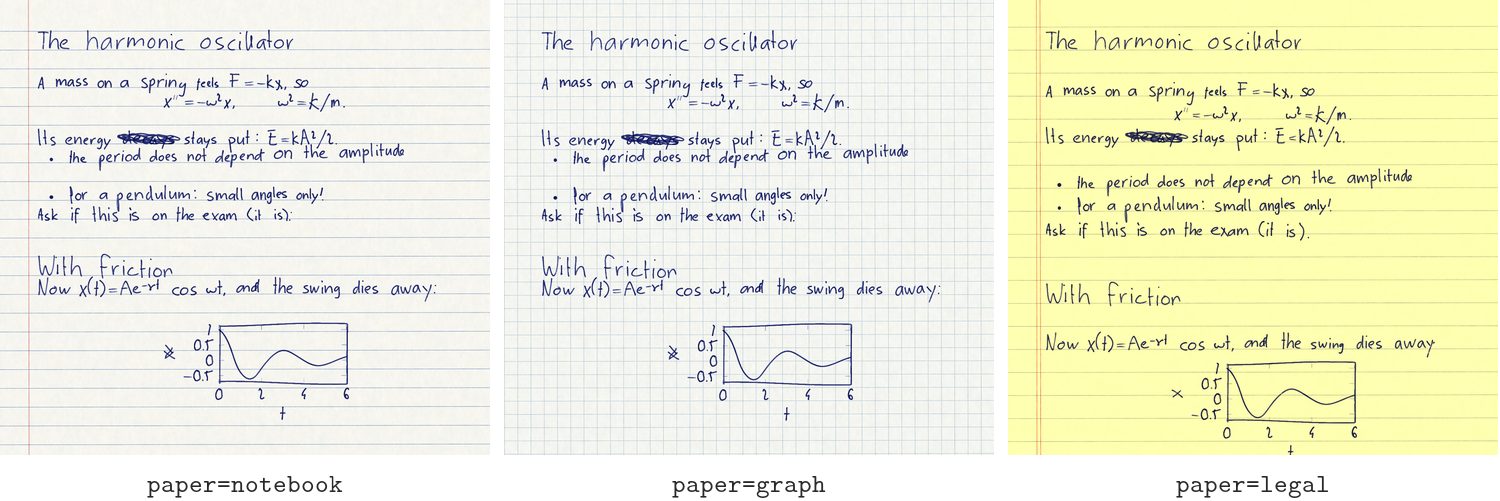
paper: notebook, wide, graph, legal (yellow pad), blank.
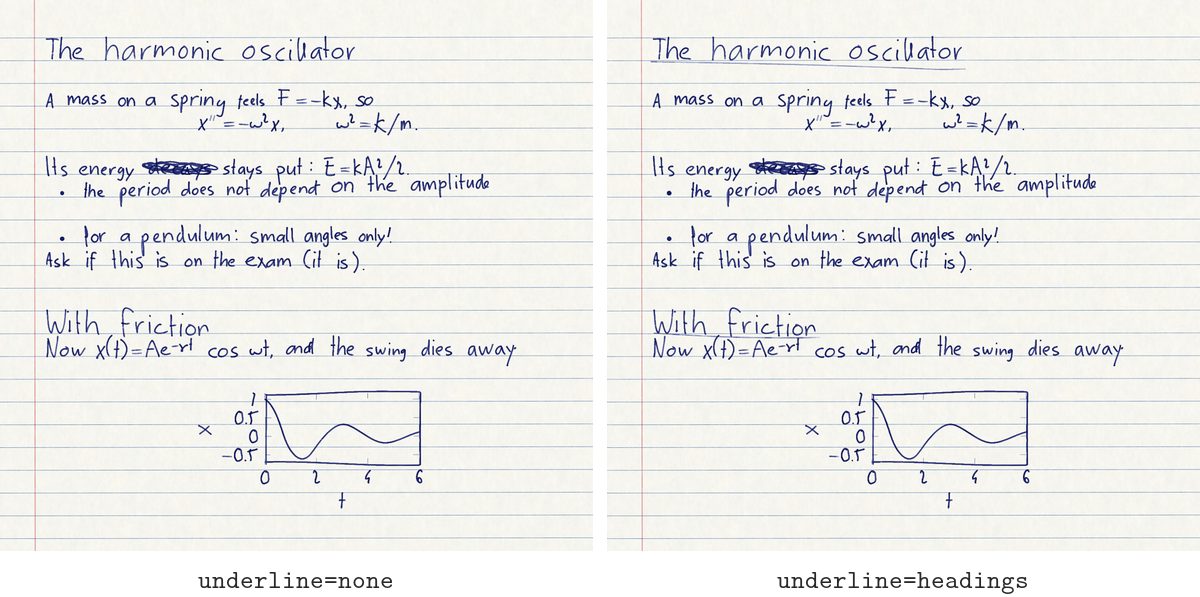
underline: headings underlines section titles by hand.
The photo
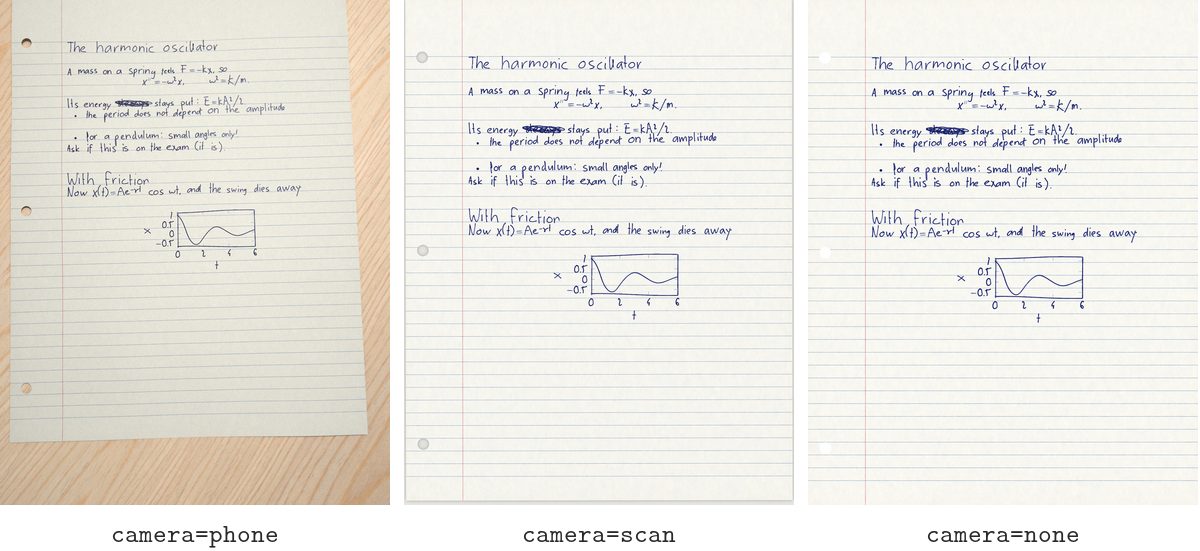
camera: phone, scan, none (just the paper).
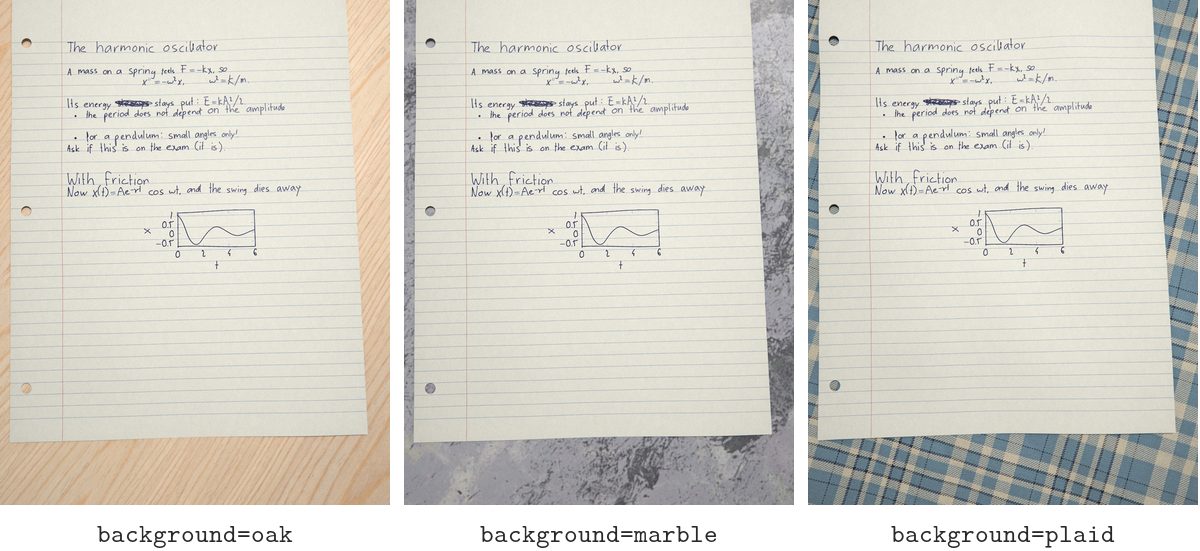
background: 30-odd desks and fabrics (oak, walnut, marble, concrete, denim, plaid, cork, …), a group (wood, fabric, stone), or file:my-desk.jpg.
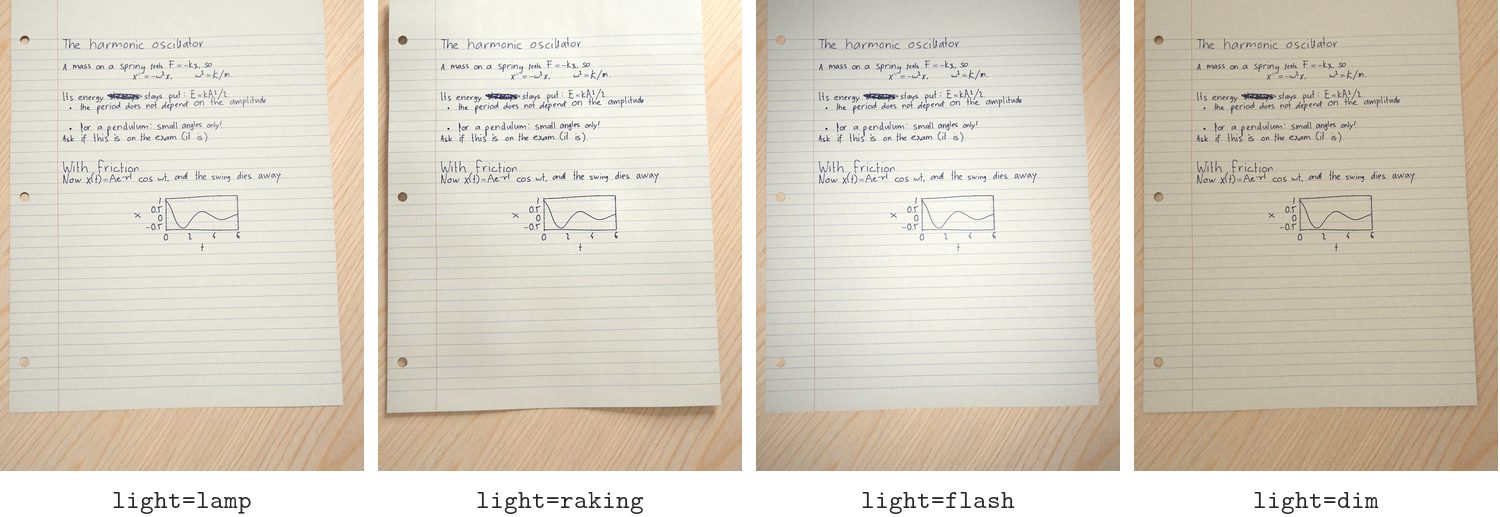
light: lamp, overhead, window, soft, raking, flash, dim.
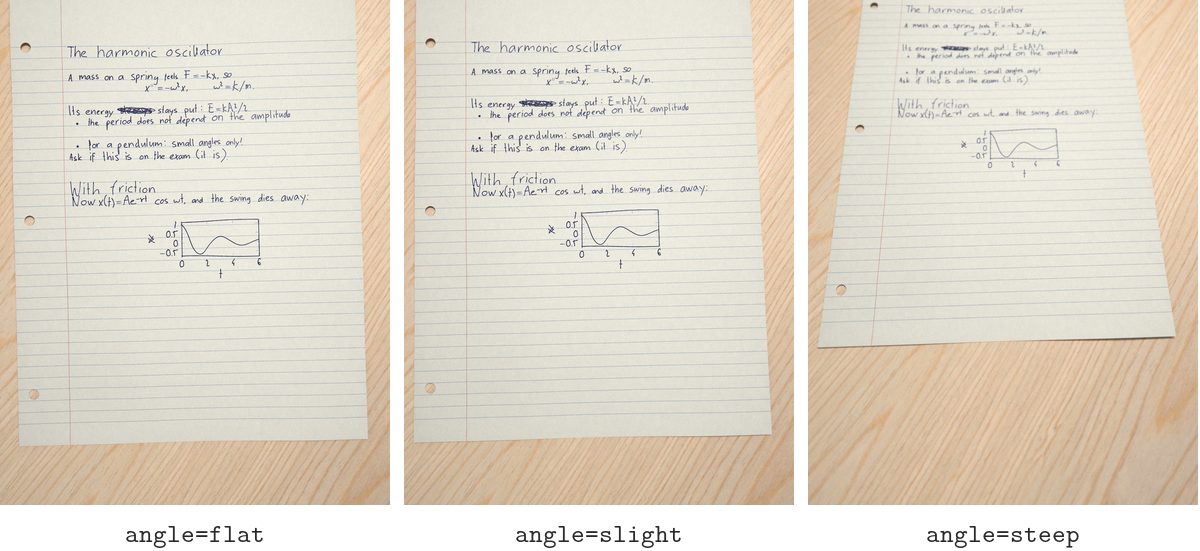
angle: flat, slight, steep, or degrees.
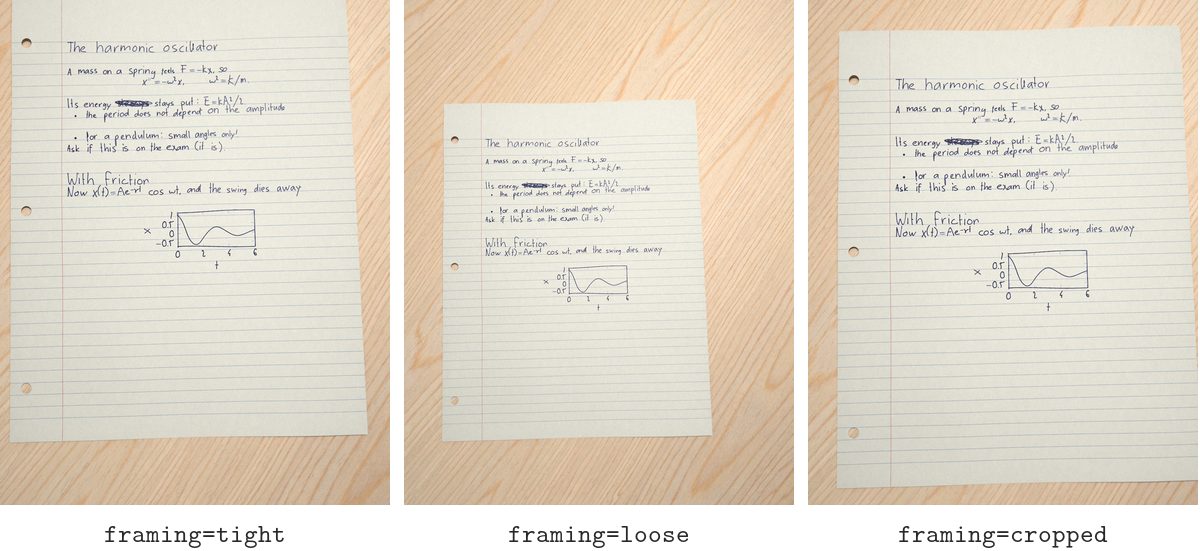
framing: tight, loose, cropped.
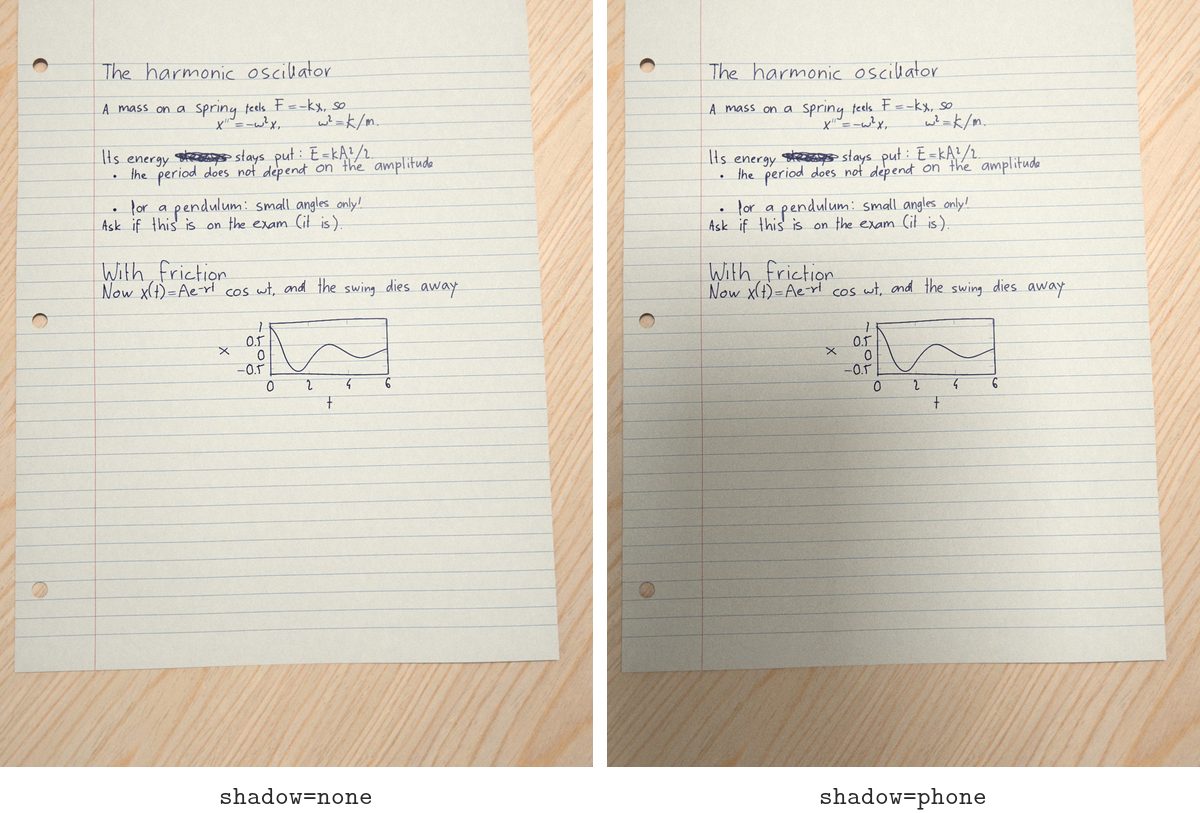
shadow: none, or phone (your phone and hand, blocking the light).
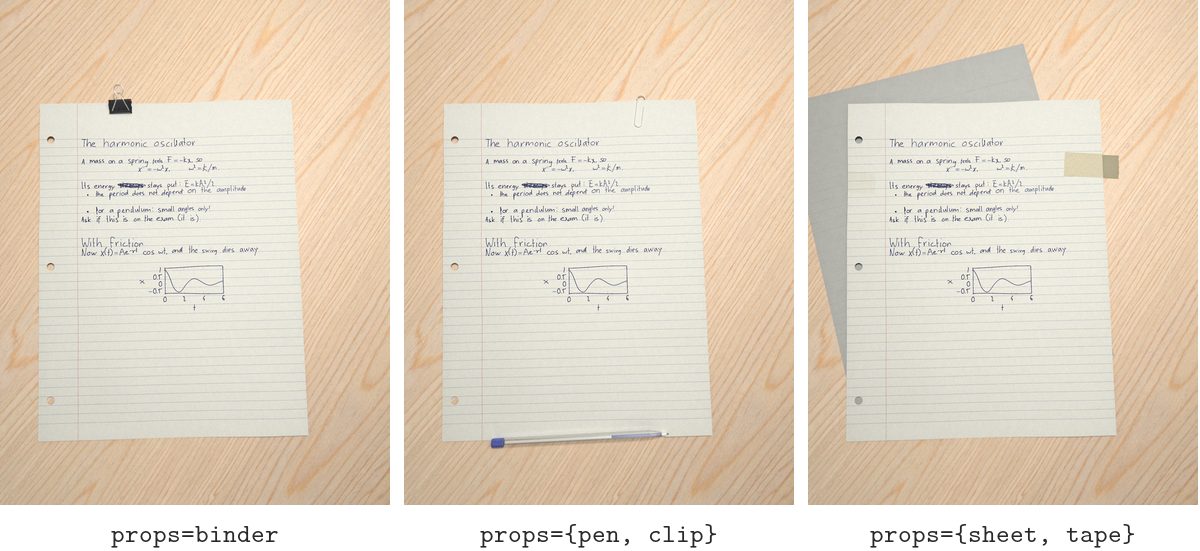
props: any of tape, clip, binder, staple, pen, sheet. Pens come in a dozen kinds, and pencil ink brings a pencil.
The sheet
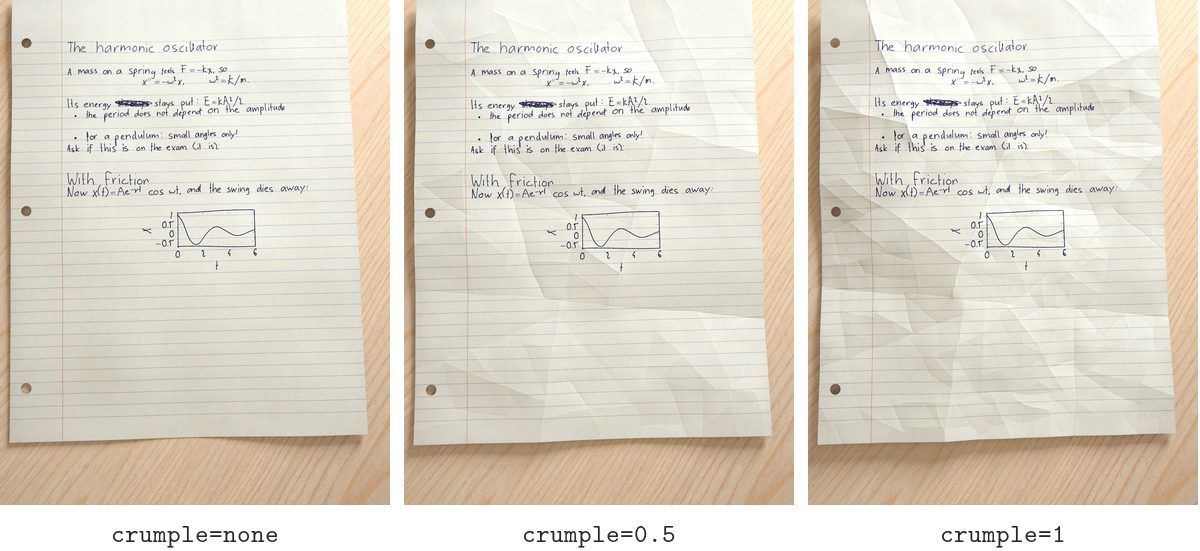
crumple: none, or 0 to 1 (balled up and smoothed out again).
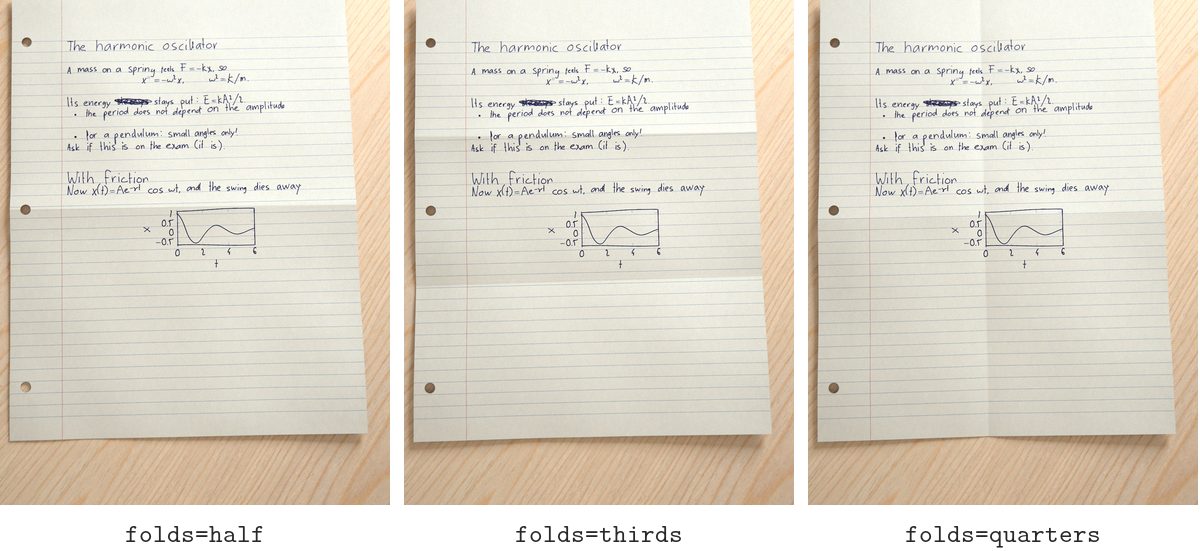
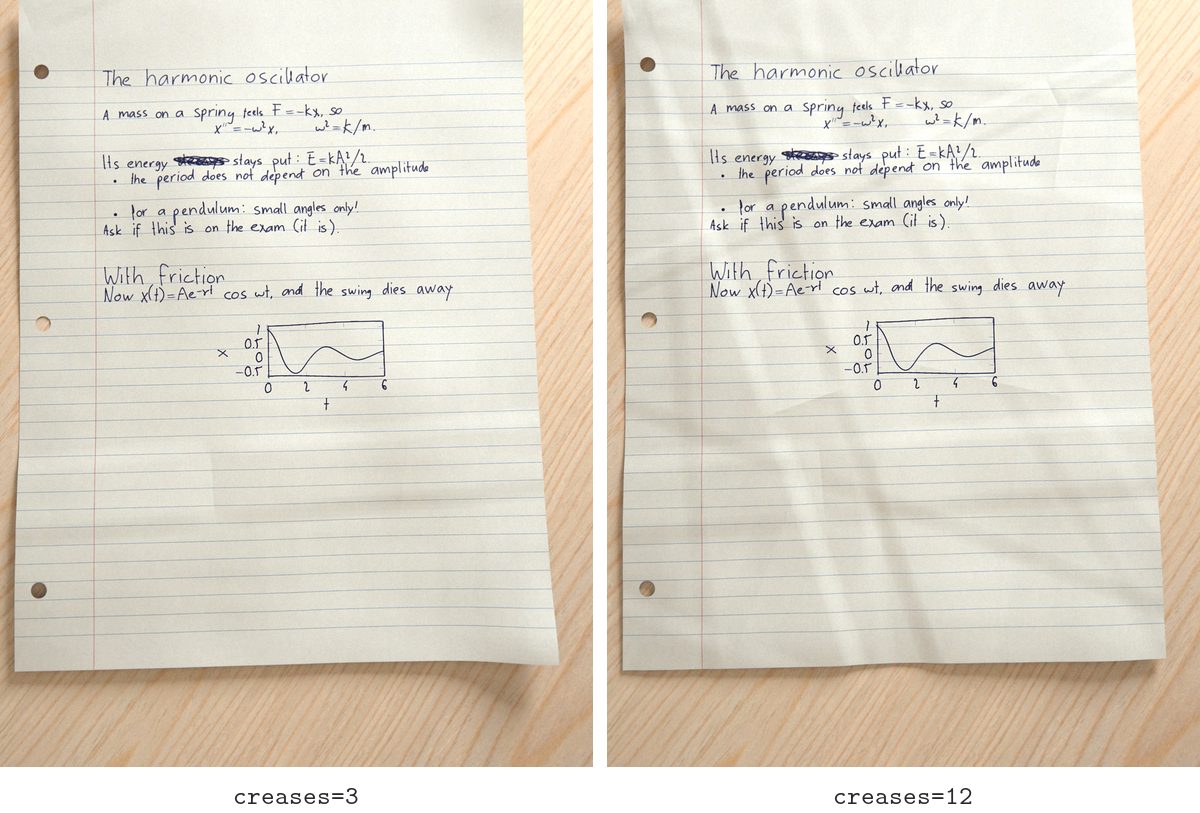
folds: half, thirds, quarters. creases, scores (thin pressed lines): how many.
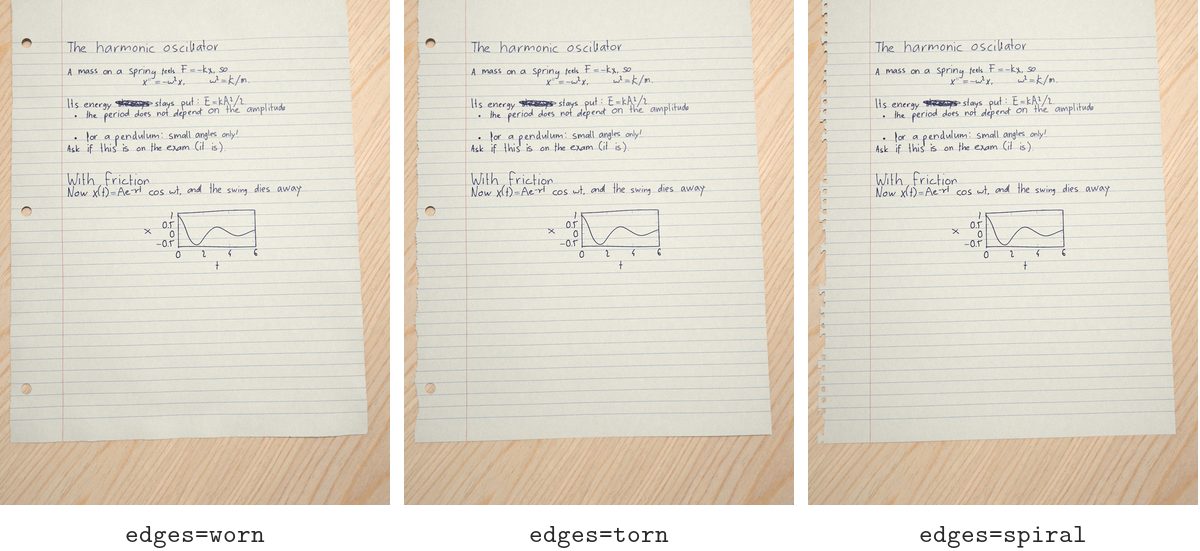
edges: clean, worn, torn, spiral.
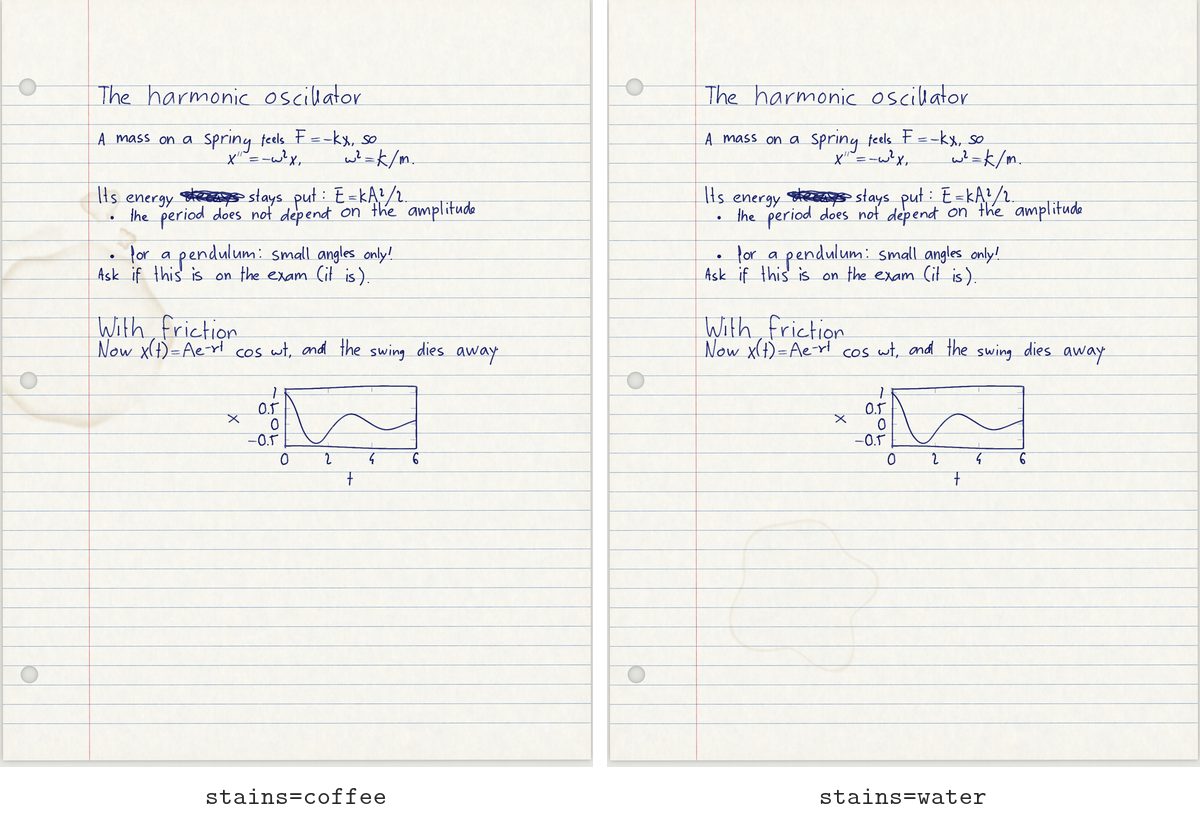
stains: coffee, water, smudge (ink dragged by a hand), or several: stains={coffee, smudge}.
grooves: 0 to 1, how hard the pen pressed into the paper, with faint grooves from writing on the sheet above. Subtle on purpose; it shows in raking light, up close.
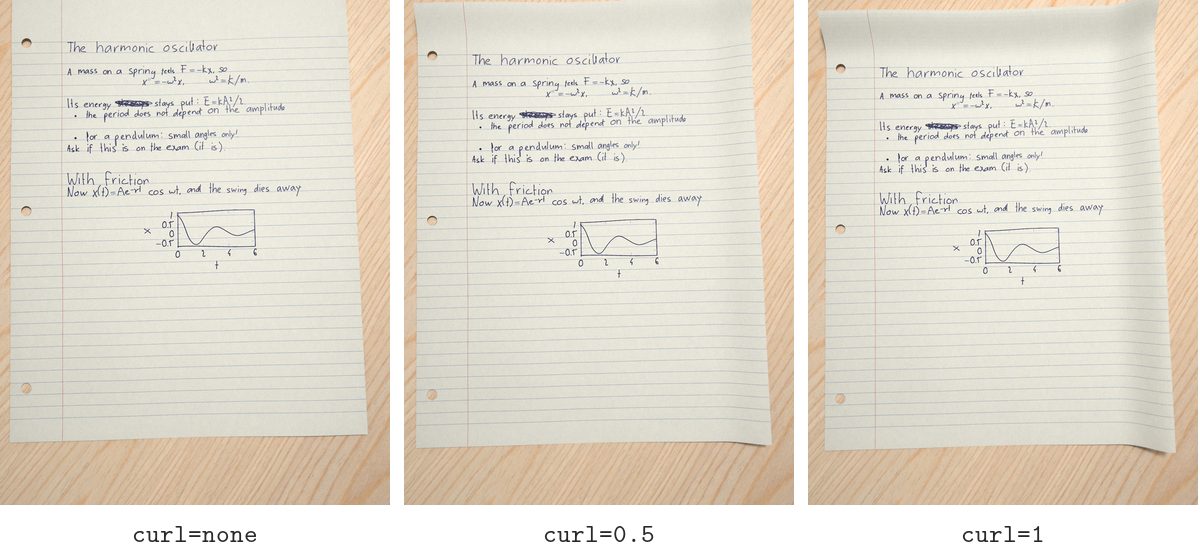
curl: 0 to 1, edges and corners rolling up.
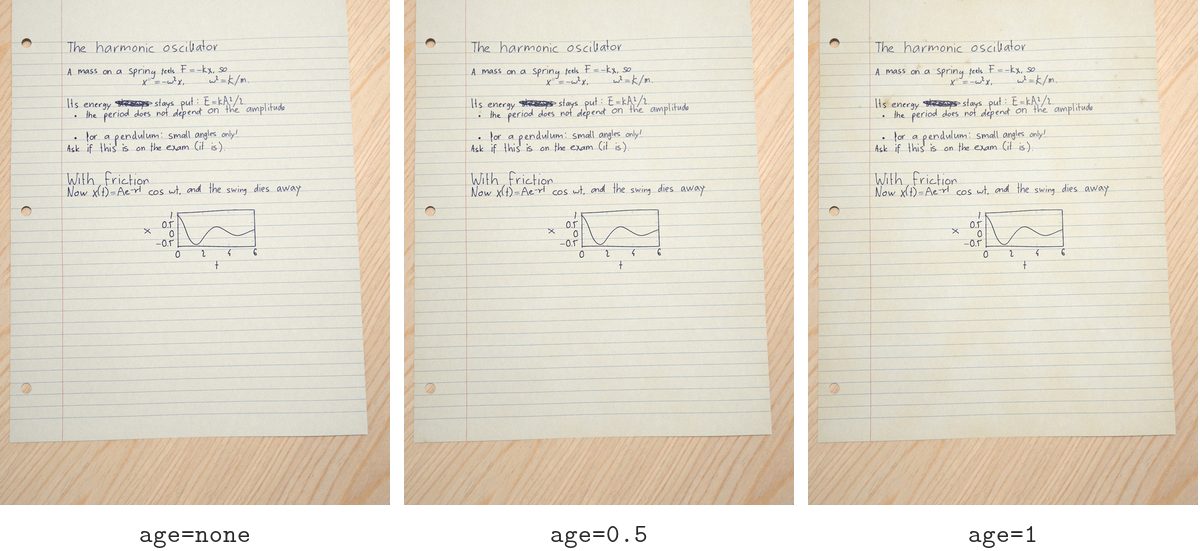
age: 0 to 1, yellowed and faded.
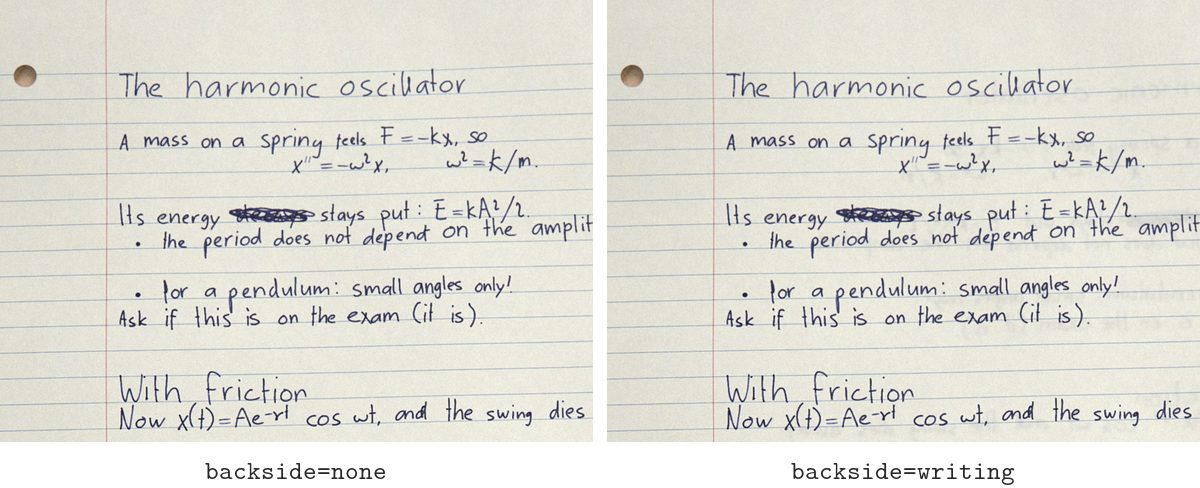
backside: writing shows the back of the sheet through.
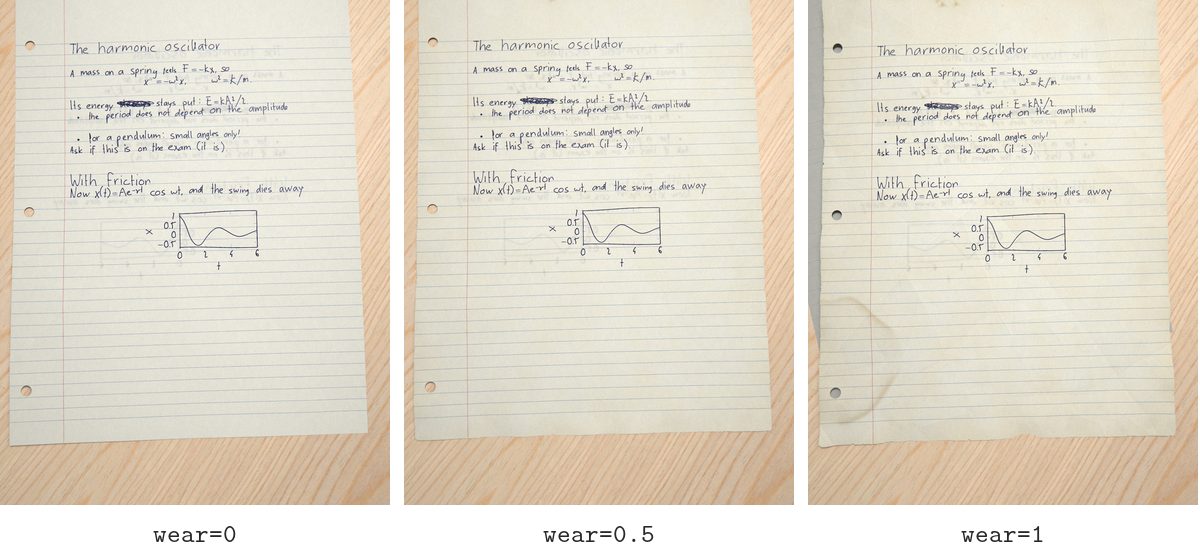
wear: 0 to 1, how likely everything in this section is when left random.
Commands
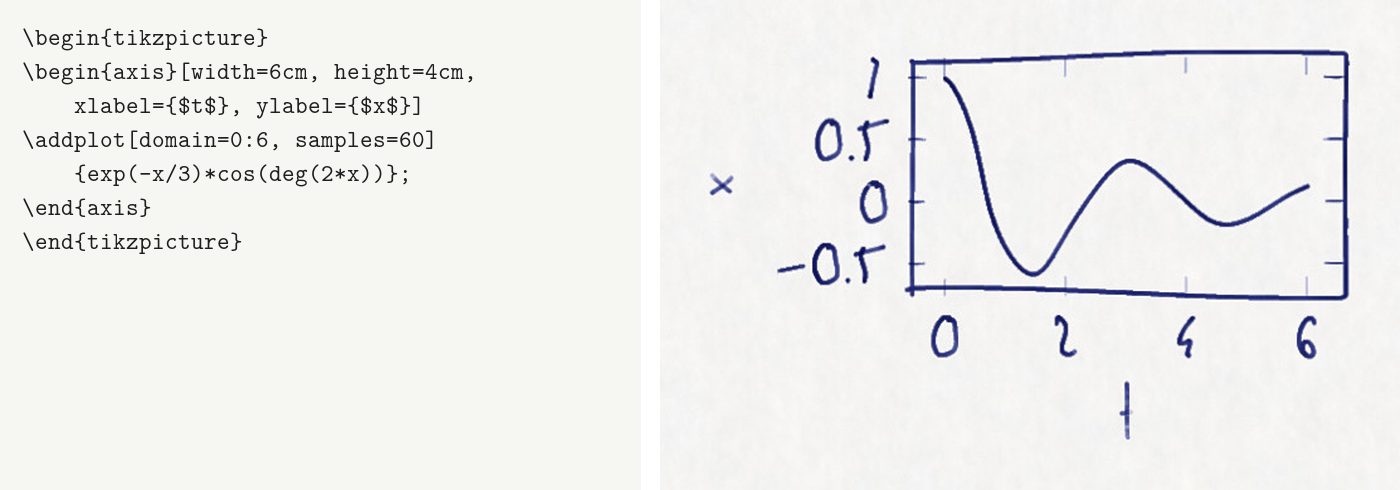
Corrections are written the way people make them. Each picture below shows the LaTeX beside what it wrote.
\crossout[line|double|scribble]{text}

\erased{old}{new}: rubbed out and written over; best with ink=pencil.

\cacographynote{text}: a margin note; with *, an arrow to where it belongs; with [right], in the right margin.

\boxed, \underline, \fbox: drawn by hand.

TikZ and pgfplots: every line, curve, label and hatch drawn again by hand.
\reroll[n]{word}: one badly written word written again, leaving the rest of the page alone.

How it works
- LuaLaTeX lays the page out at handwriting proportions (letters 10% wider, word gaps 2.3× wider), so lines break where a hand would. It records where every glyph, rule and drawing goes.
- The writer, an LSTM with a mixture-density output, writes each word. A reader trained alongside it reads the word back, and anything that doesn't read as its text is written again. Maths symbols come from real handwritten samples.
- The ink is laid down like a ballpoint's: heavier on downstrokes, pooling where the pen lands, skipping now and then. It goes onto paper with grain, ruling, holes, folds and stains.
- The camera traces the sheet in 3D with Mitsuba 3: bent paper, a real lamp, props, the phone's own processing and JPEG. The photo goes back into the PDF over the invisible typeset text.
The model, datasets and training recipe are in training/. Trained on BRUSH, IAM-OnDB and MathWriting. In a blind test, its handwriting was judged real as often as real handwriting was.
The full reference is the manual. English and German are supported.
Licence
The LaTeX package is under the LPPL 1.3c and the rest of the code under MIT. The trained handwriting models are a separate download for non-commercial research only, because the datasets they learned from allow only that.
1 maintainer

Metadata
1 maintainer
Release files for cacography 0.14.0b1
For a detailed explanation of source distributions (sdists) and built distributions (wheels), please see the package formats documentation.
Source distribution (sdist)
| File | Size | Uploaded | Provenance | Actions |
|---|---|---|---|---|
| cacography-0.14.0b1.tar.gz | 154.3 kB | Without provenance | Details for cacography-0.14.0b1.tar.gz |
Built distribution (wheel)
| File | Interpreter | ABI | Platform | Actions Reset |
|---|---|---|---|---|
| cacography-0.14.0b1-py3-none-any.whl | Python 3 | none | any | Details for cacography-0.14.0b1-py3-none-any.whl |
Total release size: 319.1 kB
Release files / cacography-0.14.0b1.tar.gz
| Download URL | cacography-0.14.0b1.tar.gz |
|---|---|
| Size | 154.3 kB |
| Tags | Source |
|
SHA-256 checksum How to use checksums |
6cfea553faff29ee4913a65f6fceba8227a7498b1708eb66049cb76694f44eb9
|
|
BLAKE2b-256 checksum How to use checksums |
1d7613ed098a5e35d49f3bfa65d64a8d29bfc6393fb74a626b8c14e8cc8aa24a
|
| Upload date | |
|
Uploaded using Trusted Publishing? What is trusted publishing? |
No |
| Uploaded via |
uv/0.13.5 {"installer":{"name":"uv","version":"0.13.5","subcommand":["publish"]},"python":null,"implementation":{"name":null,"version":null},"distro":null,"system":{"name":null,"release":null},"cpu":null,"openssl_version":null,"setuptools_version":null,"rustc_version":null,"ci":null}
|
Release files / cacography-0.14.0b1-py3-none-any.whl
| Download URL | cacography-0.14.0b1-py3-none-any.whl |
|---|---|
| Size | 164.8 kB |
| Tags | Python 3 |
|
SHA-256 checksum How to use checksums |
f3c7473e88f023aed7e9a4d466e3b4624a3a705b5059f9bb9cc956601a8c86fe
|
|
BLAKE2b-256 checksum How to use checksums |
6f967e99c588b7070ffa8f35e3f3daabcd49aa858f6022e41df59193b39204db
|
| Upload date | |
|
Uploaded using Trusted Publishing? What is trusted publishing? |
No |
| Uploaded via |
uv/0.13.5 {"installer":{"name":"uv","version":"0.13.5","subcommand":["publish"]},"python":null,"implementation":{"name":null,"version":null},"distro":null,"system":{"name":null,"release":null},"cpu":null,"openssl_version":null,"setuptools_version":null,"rustc_version":null,"ci":null}
|
Security for cacography 0.14.0b1
Provenance
Provenance describes where a file came from. On PyPI, provenance is shared via attestations, which provide a verifiable record of the build or publishing details. View details, limitations and caveats.
No provenance found
None of the files in this release were uploaded with provenance metadata.
A note on package security
PyPI is a repository for distributing packages, not a service for auditing them. While third-party security researchers and our staff do their best to detect and remove malicious packages, PyPI cannot guarantee the quality, security or suitability of any given package.
To learn more about protecting yourself from malicious actors, visit our package security documentation.













