
Library provides a graphical view of the calendar.

Project description



Calendar View
The library provides a graphical view of the calendar. View, title and events can be easily configured.
The output in *.png file.
Installation
Install the package using PyPI:
pip install calendar-viewor directly from the repository:
pip install git+https://github.com/sakhnevych/calendar-view.gitInput parameters
Configuration
Configuration for all views can be done using the CalendarConfig class.
Parameter |
Type |
Description |
|---|---|---|
lang |
str |
Language, which is used for the name of the weekday. Supported values: en, fr, es, de, ua, ru, pt, nl. Default value: en |
title |
str |
Title of the view. Can be empty |
dates |
str |
The range of the days to show. Uses the lang parameter for the weekdays parsing. Default value: ‘Mo - Su’ |
days |
int |
If dates does not exist, the number of days to display can be configured starting from Monday. For example, ‘4’ means dates='Mo - Th' |
hours |
str |
Hour range to display |
mode |
str |
|
show_date |
bool |
Defines if the date has to be shown. Format: 'dd.mm' or 'dd.mm.YYYY' if show_year=True. Default value: True |
show_year |
bool |
Defines if the year has to be added to the date format. Omitted if show_date=False. Default value: False |
legend |
bool |
If False - draw the name of the event inside the block. If True - draw the name in the legend. If not defined, will be chosen automatically. |
title_vertical_align |
str |
The vertical align of the title and noted in the calendar event: top | center | bottom. Default value: center |
Example:
config = CalendarConfig(
    lang='en',
    title='Yoga Class Schedule',
    dates='Mo - Fr',
    hours='8 - 22',
    mode=None,
    show_date=True,
    show_year=False,
    legend=True,
)

# you can validate your config
validate_config(config)
Event
Parameter |
Type |
Description |
|---|---|---|
title |
str |
The title of the event. |
notes |
str |
The notes that will be printed below the title |
day |
str / date / datetime |
The day of the event. Can be set using any of 3 different types. Can’t be defined together with day_of_week |
day_of_week |
int |
The range of the days to show. Can’t be defined together with day |
start |
str / time / datetime |
Start of the event. Can be set using any of 3 different types. The string has format HH:mm or HH. |
end |
str / time / datetime |
End of the event. Can be set using any of 3 different types. The string has format HH:mm or HH. |
Dates
The date can be defined using the next rules.
Allowed year range: [1900, 2100]
Any delimiter from the list can be used:
-
.
/
Allowed formats:
YYYY.mm.dd
dd.mm.YYYY
dd.mm.YY - will use 20th century
dd.mm - for the current year
As an example, let’s look for example at the same data in all formats (assume, that the current year is 2022):
2022-06-21
21.06.2022
21/06/22
21/06
Styles
You can change styles by setting the required parameter. See the full list of parameters in the file: style.py
Example:
from calendar_view.config import style

style.hour_height = 80
style.event_notes_color = '#7F7F7F'
Examples
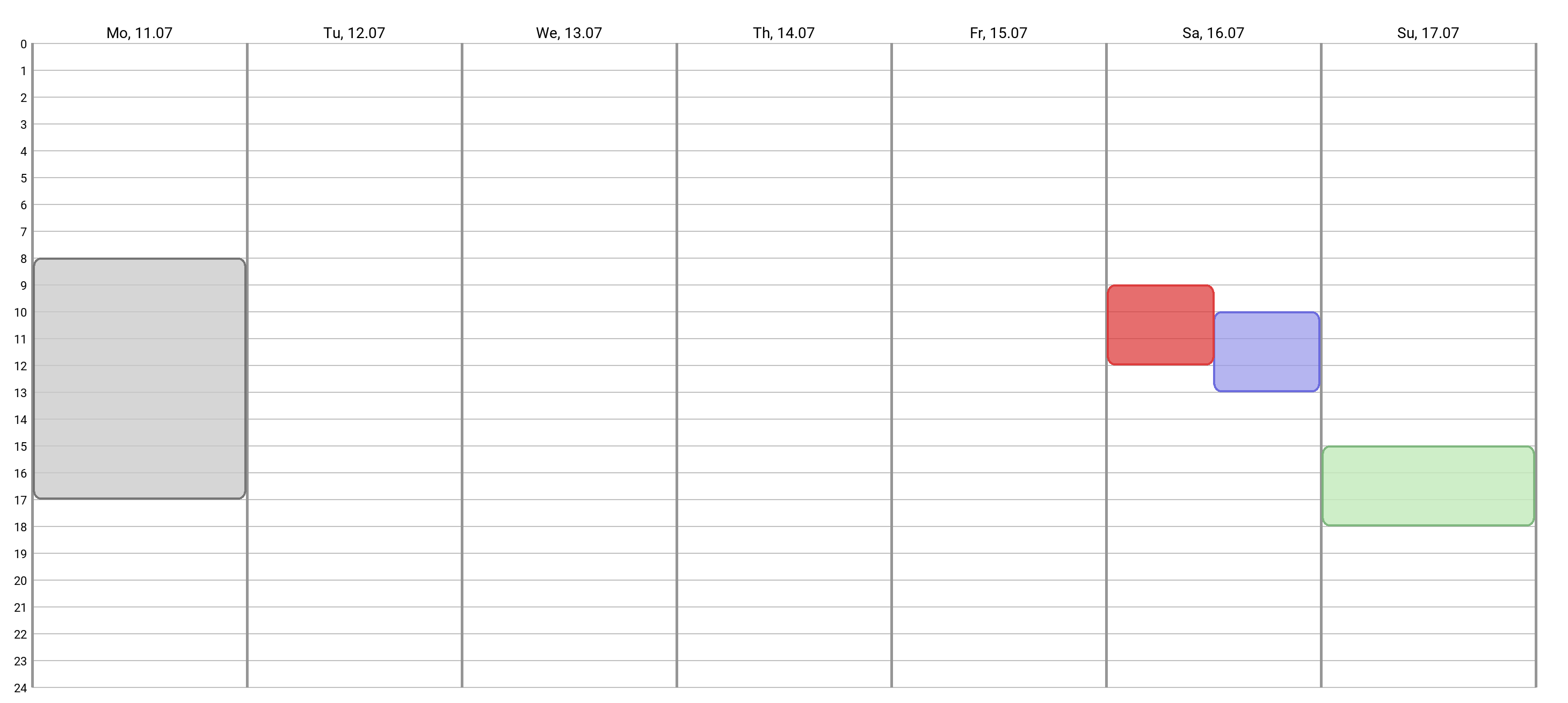
1. Basic usage
Most basic and simplest usage. Doesn’t have a configuration.
Code:
from calendar_view.calendar import Calendar
from calendar_view.core.event import EventStyles

calendar = Calendar.build()
calendar.add_event(day_of_week=0, start='08:00', end='17:00', style=EventStyles.GRAY)
calendar.add_event(day_of_week=5, start='09:00', end='12:00', style=EventStyles.RED)
calendar.add_event(day_of_week=5, start='10:00', end='13:00', style=EventStyles.BLUE)
calendar.add_event(day_of_week=6, start='15:00', end='18:00')
calendar.save("simple_view.png")
Output:
2. Configuration and specific dates
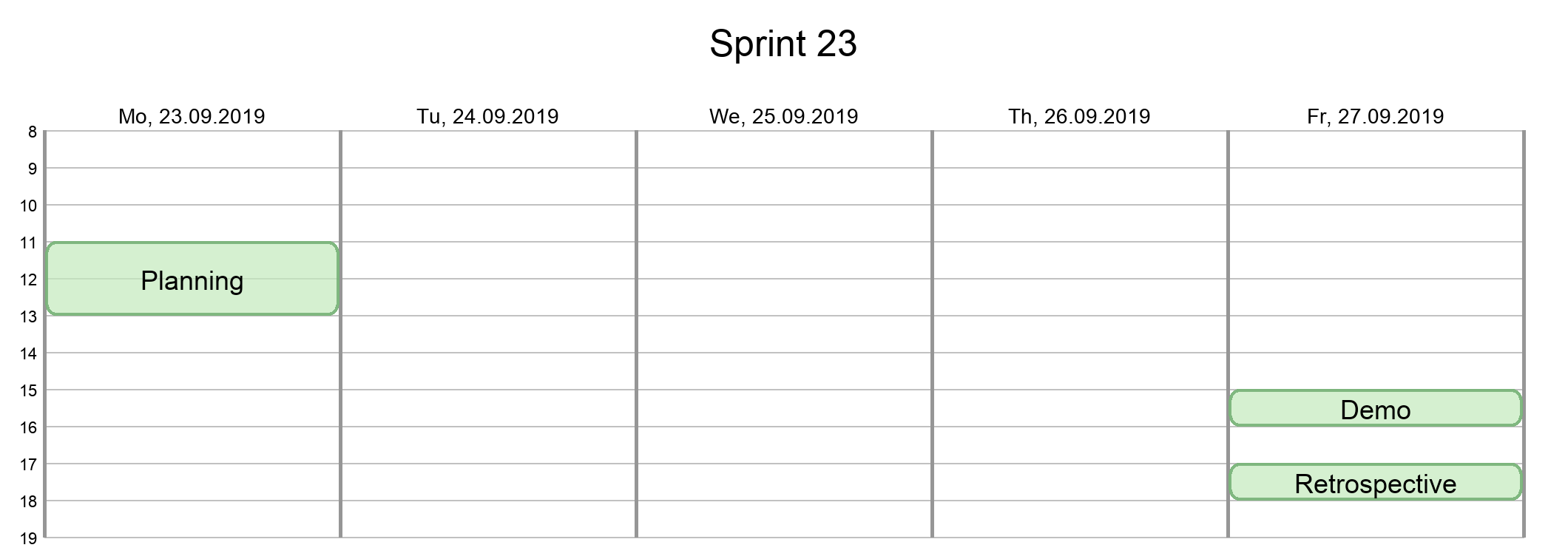
View for one script. Configuration objects and events with specific dates are used.
Code:
from calendar_view.calendar import Calendar
from calendar_view.core import data
from calendar_view.core.event import Event

config = data.CalendarConfig(
    lang='en',
    title='Sprint 23',
    dates='2019-09-23 - 2019-09-27',
    show_year=True,
    mode='working_hours',
    legend=False,
)
events = [
    Event('Planning', day='2019-09-23', start='11:00', end='13:00'),
    Event('Demo', day='2019-09-27', start='15:00', end='16:00'),
    Event('Retrospective', day='2019-09-27', start='17:00', end='18:00'),
]

data.validate_config(config)
data.validate_events(events, config)

calendar = Calendar.build(config)
calendar.add_events(events)
calendar.save("sprint_23.png")
Output:
3. Legend view
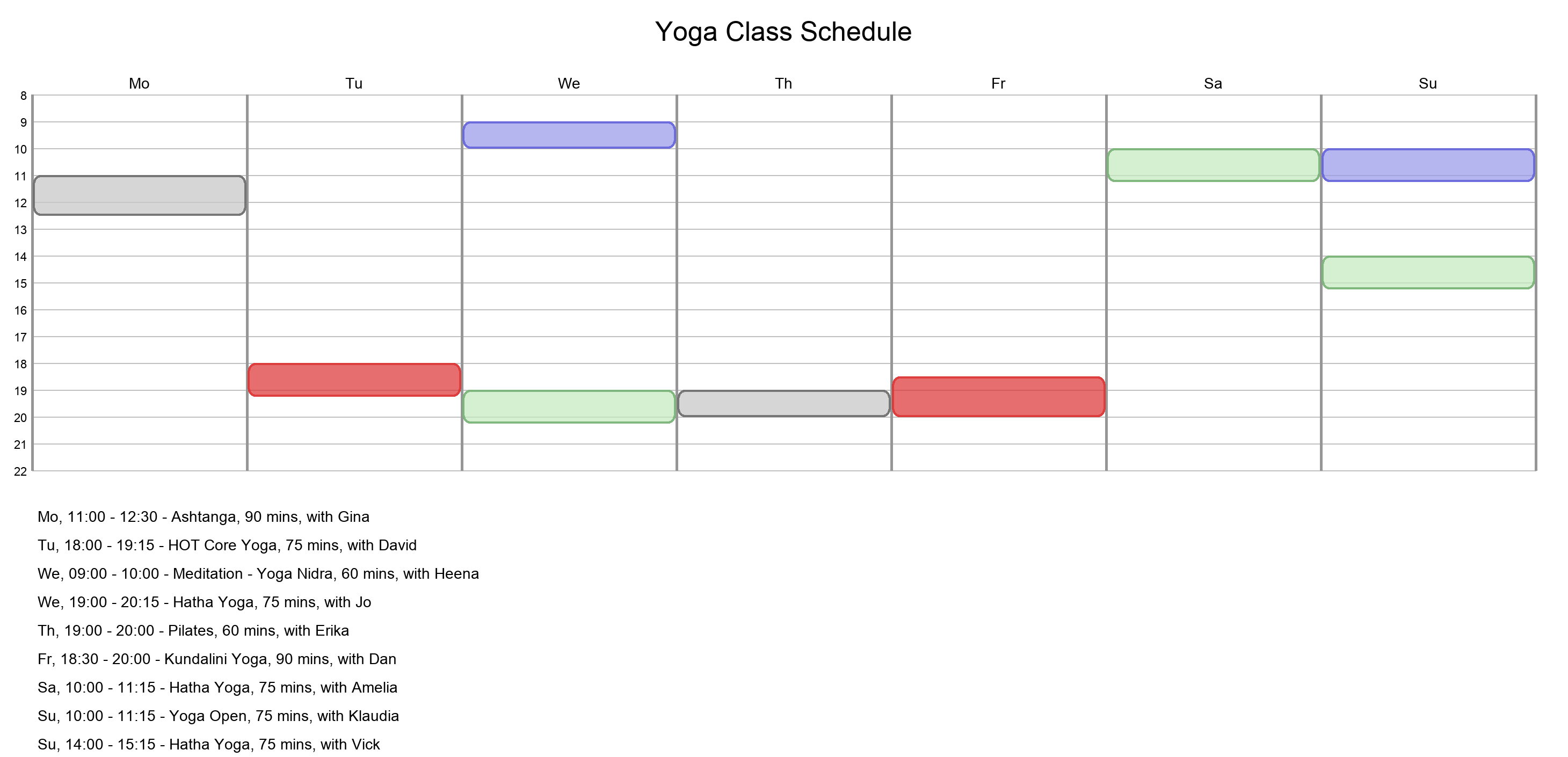
If the name of the event is too long, it can be printed in the legend.
Code:
from calendar_view.core import data
from calendar_view.core.config import CalendarConfig
from calendar_view.calendar import Calendar
from calendar_view.core.event import Event

config = CalendarConfig(
    lang='en',
    title='Yoga Class Schedule',
    dates='Mo - Su',
    hours='8 - 22',
    show_date=False,
    legend=True,
)
events = [
    Event(day_of_week=0, start='11:00', end='12:30', title='Ashtanga, 90 mins, with Gina', style=EventStyles.GRAY),
    Event(day_of_week=1, start='18:00', end='19:15', title='HOT Core Yoga, 75 mins, with David', style=EventStyles.RED),
    Event(day_of_week=2, start='09:00', end='10:00', title='Meditation - Yoga Nidra, 60 mins, with Heena', style=EventStyles.BLUE),
    Event(day_of_week=2, start='19:00', end='20:15', title='Hatha Yoga, 75 mins, with Jo', style=EventStyles.GREEN),
    Event(day_of_week=3, start='19:00', end='20:00', title='Pilates, 60 mins, with Erika', style=EventStyles.GRAY),
    Event(day_of_week=4, start='18:30', end='20:00', title='Kundalini Yoga, 90 mins, with Dan', style=EventStyles.RED),
    Event(day_of_week=5, start='10:00', end='11:15', title='Hatha Yoga, 75 mins, with Amelia', style=EventStyles.GREEN),
    Event(day_of_week=6, start='10:00', end='11:15', title='Yoga Open, 75 mins, with Klaudia', style=EventStyles.BLUE),
    Event(day_of_week=6, start='14:00', end='15:15', title='Hatha Yoga, 75 mins, with Vick', style=EventStyles.GREEN)
]

data.validate_config(config)
data.validate_events(events, config)

calendar = Calendar.build(config)
calendar.add_events(events)
calendar.save("yoga_class.png")
Output:
4. Event notes and style
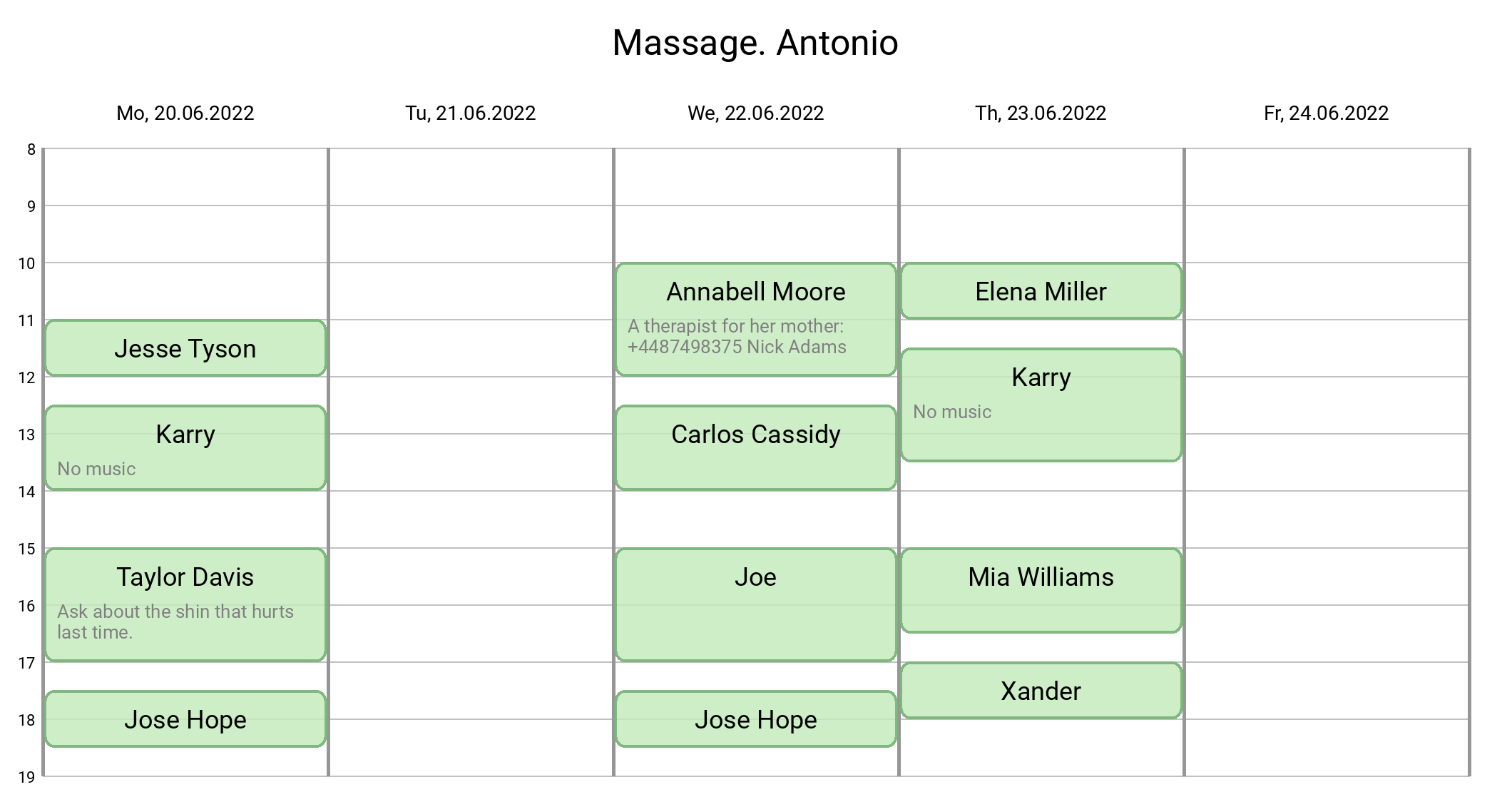
Add the note to the event. The text is fit to the width. Change the vertical align and the style of the image.
Code:
from calendar_view.calendar import Calendar
from calendar_view.config import style
from calendar_view.core import data
from calendar_view.core.event import Event

style.hour_height = 80
style.event_notes_color = '#7F7F7F'

config = data.CalendarConfig(
    lang='en',
    title='Massage. Antonio',
    dates='2022-06-20 - 2022-06-24',
    show_year=True,
    mode='working_hours',
    title_vertical_align='top'
)
events = [
    Event(day='2022-06-20', start='11:00', end='12:00', title='Jesse Tyson'),
    Event(day='2022-06-20', start='12:30', end='14:00', title='Karry', notes='No music'),
    Event(day='2022-06-20', start='15:00', end='17:00', title='Taylor Davis',
          notes='Ask about the shin that hurts last time.'),
    Event(day='2022-06-20', start='17:30', end='18:30', title='Jose Hope'),

    Event(day='2022-06-22', start='10:00', end='12:00', title='Annabell Moore',
          notes='A therapist for her mother:\n+4487498375 Nick Adams'),
    Event(day='2022-06-22', start='12:30', end='14:00', title='Carlos Cassidy'),
    Event(day='2022-06-22', start='15:00', end='17:00', title='Joe'),
    Event(day='2022-06-22', start='17:30', end='18:30', title='Jose Hope'),

    Event(day='2022-06-23', start='10:00', end='11:00', title='Elena Miller'),
    Event(day='2022-06-23', start='11:30', end='13:30', title='Karry', notes='No music'),
    Event(day='2022-06-23', start='15:00', end='16:30', title='Mia Williams'),
    Event(day='2022-06-23', start='17:00', end='18:00', title='Xander'),
]

calendar = Calendar.build(config)
calendar.add_events(events)
calendar.save("massage.png")
Output:
License
calendar-view is licensed under a MIT license. Please see the file for details.
Release history Release notifications | RSS feed


Download files
Download the file for your platform. If you're not sure which to choose, learn more about installing packages.
Source Distribution
Built Distribution
Filter files by name, interpreter, ABI, and platform.
If you're not sure about the file name format, learn more about wheel file names.
Copy a direct link to the current filters
File details
Details for the file calendar_view-2.5.2.tar.gz.
File metadata
- Download URL: calendar_view-2.5.2.tar.gz
- Upload date:
- Size: 131.6 kB
- Tags: Source
- Uploaded using Trusted Publishing? No
- Uploaded via: twine/6.2.0 CPython/3.14.3
File hashes
| Algorithm | Hash digest | |
|---|---|---|
| SHA256 |
3e69052a467c335641987efefc1375d78c3df11e5a4e5a3084fa3247b572830e
|
|
| MD5 |
87970ad2ceb8082147af292336de8f19
|
|
| BLAKE2b-256 |
96c60afa48d3101dac3e148d61d32a3bcbcb44b0ce3f89a3c5b31ca612944587
|
File details
Details for the file calendar_view-2.5.2-py3-none-any.whl.
File metadata
- Download URL: calendar_view-2.5.2-py3-none-any.whl
- Upload date:
- Size: 131.5 kB
- Tags: Python 3
- Uploaded using Trusted Publishing? No
- Uploaded via: twine/6.2.0 CPython/3.14.3
File hashes
| Algorithm | Hash digest | |
|---|---|---|
| SHA256 |
0205309ed42abe0ac40a84d00799c6742dfce9edd9090f12ecdcfd1d8884cd46
|
|
| MD5 |
a8c910baf524c2cfc7e7a4eb3b9f6195
|
|
| BLAKE2b-256 |
e0b43ad34f69c860469de2c31f88351608e76e7b155e1a5fce133c28801f60f0
|






