
CalorIA 🍎
A comprehensive full-stack calorie tracking application built with Flask backend, React frontend, MongoDB database, and a custom CLI for easy management. The application is fully containerized with Docker for seamless deployment.
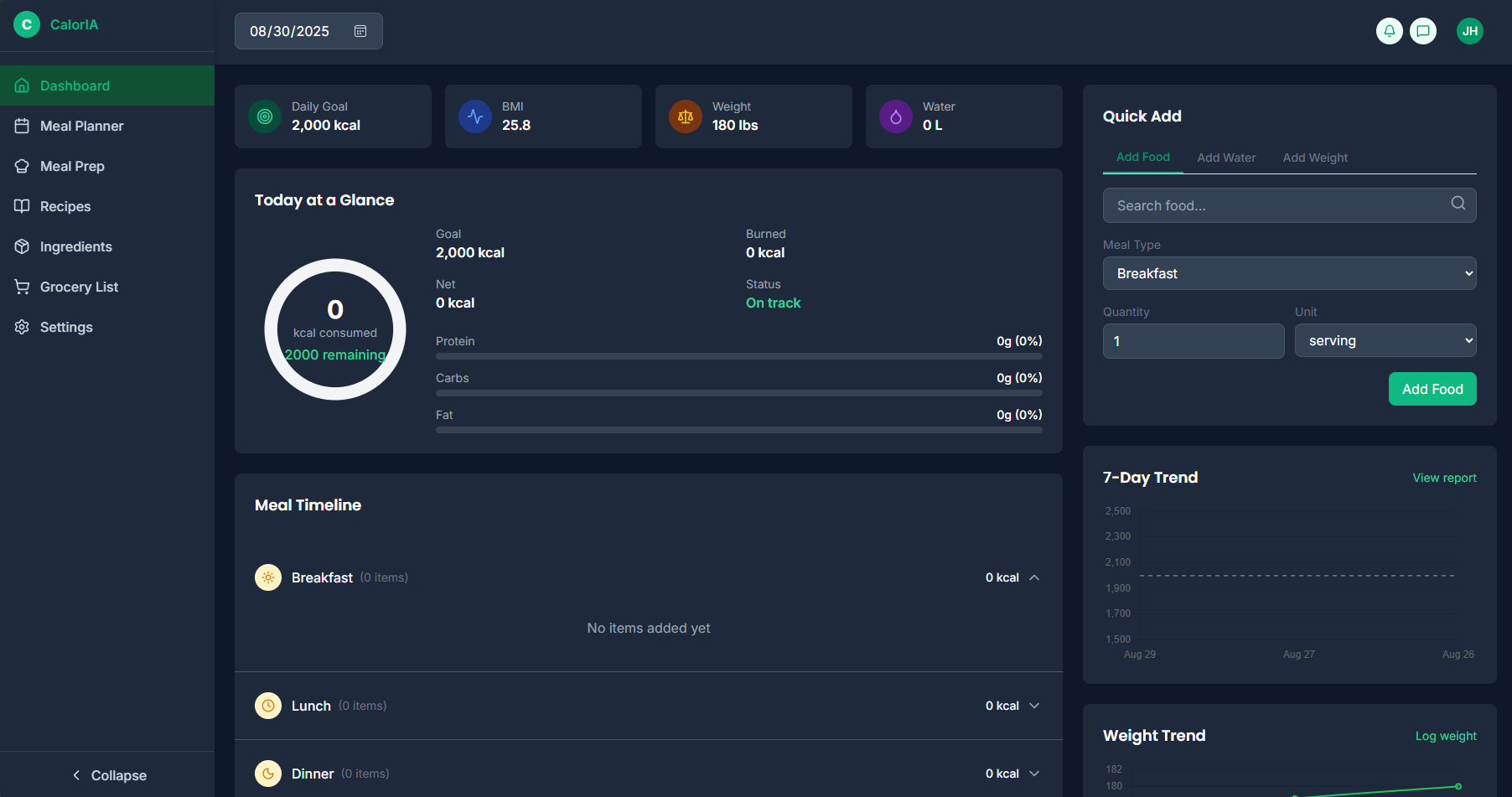
✨ Features
- 🏗️ Full-Stack Architecture: Flask REST API backend with React frontend
- 🗄️ MongoDB Database: NoSQL database for flexible data storage
- ⚡ Custom CLI Tool: Command-line interface for managing the application
- 🐳 Docker Support: Fully containerized with docker-compose
- 👤 User Management: User registration and profile management
- 🍽️ Meal Tracking: Log and track daily meals and nutrition
- ❤️ Health Monitoring: Track weight and water intake
- 💻 Modern UI: Responsive React frontend with component-based architecture
- 🔗 REST API: Comprehensive API endpoints for all features
- 🌱 Database Seeding: Built-in script for populating test data
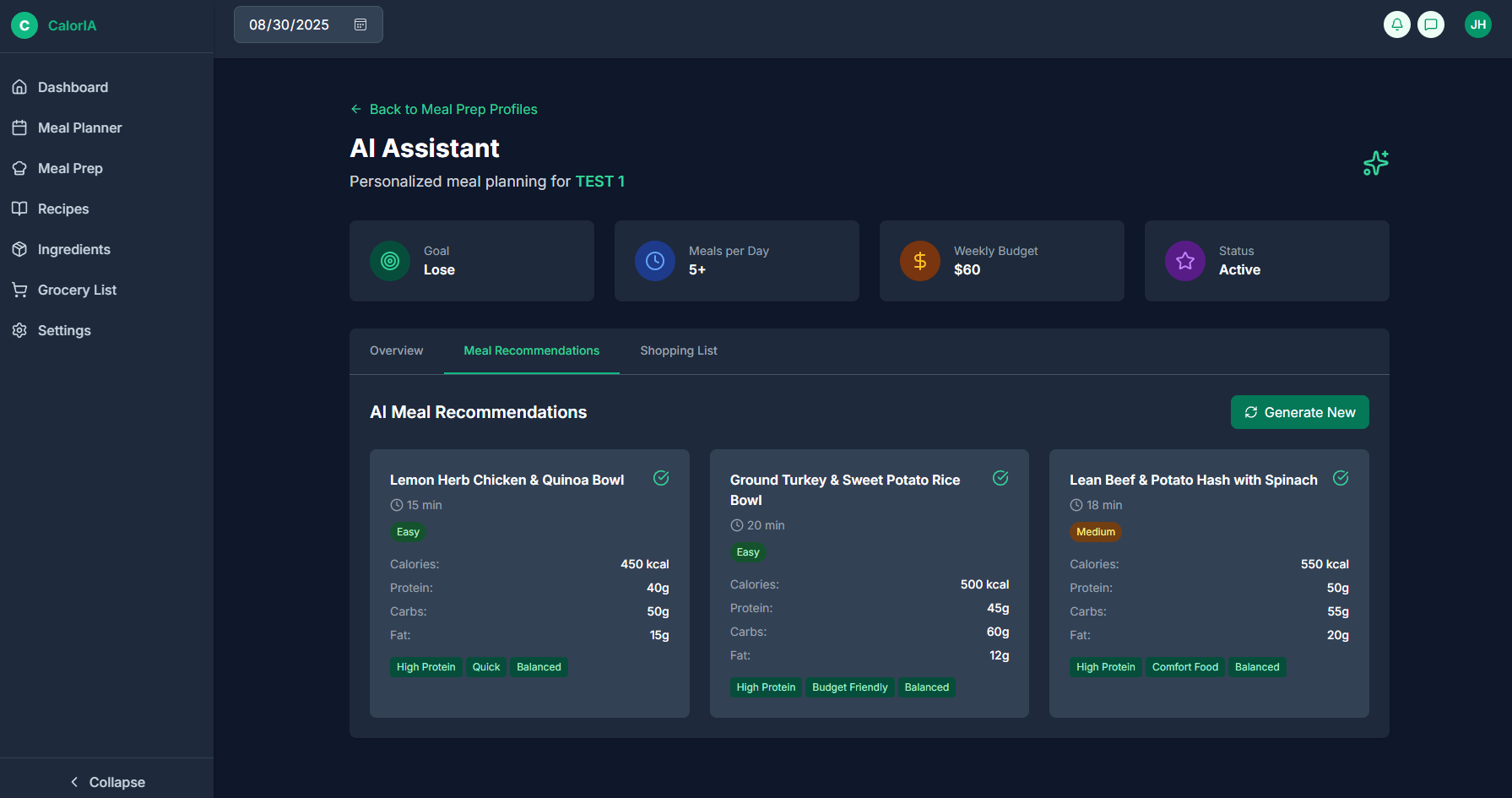
- 🧪 AI-Powered Research: Intelligent ingredient and recipe discovery using OpenAI or Ollama
- 📝 Letter-Based Research: Systematic research organized by alphabet for comprehensive coverage
📁 Project Structure
CalorIA/
├── CalorIA/
│   ├── __init__.py              # Python package initialization
│   ├── cli.py                   # Custom CLI commands
│   ├── types.py                 # Type definitions
│   ├── research/                # AI-powered research system
│   │   ├── __init__.py         # Research package initialization
│   │   ├── tools.py            # Base research classes and utilities
│   │   ├── ingredients.py      # Ingredient research functionality
│   │   └── recipes.py          # Recipe research functionality
│   ├── backend/                 # Flask backend application
│   │   ├── app.py              # Main Flask application
│   │   ├── requirements.txt     # Python dependencies
│   │   └── package-lock.json
│   ├── frontend/               # React frontend application
│   │   ├── src/                # React source code
│   │   ├── public/             # Public assets
│   │   ├── package.json        # Node.js dependencies
│   │   └── build/              # Production build (generated)
│   └── mixins/                 # Shared modules and routes
│       ├── modules/            # Business logic modules
│       │   ├── activities.py   # Activity tracking functionality
│       │   ├── ingredients.py  # Ingredient management
│       │   ├── meals.py        # Meal tracking and management
│       │   ├── recipes.py      # Recipe management
│       │   ├── users.py        # User management
│       │   ├── water.py        # Water intake tracking
│       │   └── weight.py       # Weight tracking
│       ├── routes/             # API route handlers
│       │   ├── __init__.py
│       │   ├── activity_routes.py # Activity endpoints
│       │   ├── auth_routes.py     # Authentication endpoints
│       │   ├── dashboard_routes.py # Dashboard data endpoints
│       │   ├── health_routes.py   # Health monitoring endpoints
│       │   ├── ingredient_routes.py # Ingredient CRUD endpoints
│       │   ├── meal_routes.py     # Meal tracking endpoints
│       │   ├── recipe_routes.py   # Recipe management endpoints
│       │   ├── user_routes.py     # User management endpoints
│       │   ├── water_routes.py    # Water intake endpoints
│       │   └── weight_routes.py   # Weight tracking endpoints
│       ├── jwt_utils.py         # JWT utilities
│       ├── mongo.py            # MongoDB connection utilities
│       └── tools.py            # General utilities
├── docker-compose.yml          # Docker composition configuration
├── Dockerfile                  # Docker image configuration
├── setup.py                    # Python package setup
├── .env.copy                   # Environment variables template
└── README.md                   # This file
🚀 Local Development Setup
Prerequisites
Before running the application locally, ensure you have the following installed:
- Python 3.7+: Download from python.org
- Node.js 16+: Download from nodejs.org
- MongoDB: Download from mongodb.com
Environment Configuration
-
Copy the environment template and configure your settings:
cp .env.copy .env
-
Edit the
.envfile with your configuration:MONGODB_URI=mongodb://localhost:27017/caloria FLASK_DEBUG=1 SECRET_KEY=your-secret-key-here # AI Research Configuration (optional) AI_PROVIDER=openai # or 'ollama' OPENAI_API_KEY=your_openai_api_key_here OPENAI_MODEL=gpt-4 OLLAMA_BASE_URL=http://localhost:11434 OLLAMA_MODEL=llama2
Installation Steps
-
Clone the repository:
git clone <repository-url>
cd CalorIA
-
Install Python dependencies:
pip install -r CalorIA/backend/requirements.txt
-
Install Node.js dependencies:
cd CalorIA/frontend
npm install
cd ../..
-
Install the CLI tool:
pip install -e .
-
Start MongoDB (if running locally):
mongod
-
Seed the database (optional):
caloria seed
💻 CLI Usage
The caloria CLI provides several commands to manage the application:
Available Commands
-
caloria backend- Start the Flask backend servercaloria backend --host 127.0.0.1 --port 4032 --debug
--host: Host to bind to (default: 127.0.0.1)--port: Port to bind to (default: 4032)--debug: Run in debug mode
-
caloria frontend- Start the React development servercaloria frontend --port 3000
--port: Port for development server (default: 3000)
-
caloria build- Build the React frontend for productioncaloria build --output-dir build
--output-dir: Output directory for build (default: build)
-
caloria seed- Seed the database with sample datacaloria seed -
caloria unseed- Remove all system-generated sample data from the databasecaloria unseed --confirm
--confirm: Confirm deletion without prompting
-
caloria research-ingredients- Research and add missing ingredients using AIcaloria research-ingredients --category Vegetables --letters A,B,C --max-ingredients 10
--category: Specific category to research (Vegetables, Proteins, Fruits, etc.)--letters: Comma-separated letters to research (e.g., "A,B,C")--max-ingredients: Maximum number of ingredients to add--dry-run: Show what would be added without actually adding
-
caloria research-recipes- Research and add missing recipes using AIcaloria research-recipes --category breakfast --letters A,B,C --max-recipes 5
--category: Specific category to research (breakfast, lunch, dinner, etc.)--letters: Comma-separated letters to research (e.g., "A,B,C")--max-recipes: Maximum number of recipes to add--dry-run: Show what would be added without actually adding
Example Usage
-
Start the full application (recommended for development):
# Terminal 1: Start the backend (includes building frontend)
caloria backend --debug

# Terminal 2: Start the frontend dev server (for hot reloading)
caloria frontend
-
Production build:
caloria build
caloria backend --host 0.0.0.0 --port 4032
-
AI Research Examples:
# Research vegetables starting with A, B, C
caloria research-ingredients --category Vegetables --letters A,B,C --max-ingredients 15

# Research breakfast recipes (dry run)
caloria research-recipes --category breakfast --dry-run

# Research proteins systematically
caloria research-ingredients --category Proteins --max-ingredients 20
🐳 Docker Usage
Quick Start with Docker
-
Build and run the entire application:
docker-compose up --build
-
Run in detached mode:
docker-compose up -d --build
-
Stop the application:
docker-compose down -
View logs:
docker-compose logs -f
Docker Services
The docker-compose configuration includes:
- app: The main CalorIA application (Flask + React)
- Exposed on port 4032
- Automatically builds frontend and runs backend
- mongo: MongoDB database
- Exposed on port 27017
- Data persisted in
mongo-datavolume
🧪 AI-Powered Research
CalorIA includes an intelligent AI-powered research system that can discover and add missing ingredients and recipes to your database. The system supports both OpenAI and Ollama as AI providers.
Research Features
- Letter-Based Research: Systematically research ingredients/recipes by alphabet for comprehensive coverage
- Category-Specific: Research specific categories like Vegetables, Proteins, Fruits, etc.
- Duplicate Prevention: Automatically checks for existing items before adding
- Dry Run Mode: Test research without modifying the database
- Batch Processing: Process multiple items efficiently with progress tracking
AI Providers
OpenAI (Default)
- Requires API key
- Supports GPT-3.5-turbo and GPT-4 models
- Higher quality responses
- Requires internet connection
Ollama (Local)
- Runs locally on your machine
- Supports various open-source models (Llama, Mistral, etc.)
- No API costs
- Works offline
Research Categories
Ingredients:
- Vegetables, Fruits, Proteins, Grains & Starches
- Dairy, Oils & Fats, Nuts & Seeds
- Condiments & Sauces, Sweeteners, Spices
- Beverages, Supplements, Baking & Flours
Recipes:
- Breakfast, Lunch, Dinner, Snacks
- Desserts, Beverages, Appetizers
- Soups, Salads, Main Courses, Side Dishes
Usage Examples
# Research vegetables starting with specific letters
caloria research-ingredients --category Vegetables --letters A,B,C,D,E

# Research breakfast recipes (systematic approach)
caloria research-recipes --category breakfast --max-recipes 10

# Dry run to see what would be added
caloria research-ingredients --category Proteins --dry-run

# Research with custom limits
caloria research-recipes --category dinner --max-recipes 5 --letters M,N,O
Setting Up AI Providers
For OpenAI:
- Get an API key from OpenAI
- Add to your
.envfile:AI_PROVIDER=openai OPENAI_API_KEY=your_api_key_here OPENAI_MODEL=gpt-4
For Ollama:
- Install Ollama from ollama.ai
- Pull a model:
ollama pull llama2 - Add to your
.envfile:AI_PROVIDER=ollama OLLAMA_BASE_URL=http://localhost:11434 OLLAMA_MODEL=llama2
🌐 API Endpoints
The CalorIA REST API provides the following endpoint categories:
Authentication
- POST
/api/auth/login- User login - POST
/api/auth/register- User registration - POST
/api/auth/logout- User logout
User Management
- GET
/api/user/<user_id>- Get user information - POST
/api/user- Create new user - PUT
/api/user/<user_id>- Update user information - DELETE
/api/user/<user_id>- Delete user
Ingredients
- GET
/api/ingredients- Get all ingredients (with pagination and search)- Query parameters:
page,limit,search,is_system
- Query parameters:
- GET
/api/ingredients/<ingredient_id>- Get specific ingredient - POST
/api/ingredients- Create new ingredient - PUT
/api/ingredients/<ingredient_id>- Update ingredient - DELETE
/api/ingredients/<ingredient_id>- Delete ingredient
Recipes
- GET
/api/recipes- Get all recipes (with pagination and search) - GET
/api/recipes/<recipe_id>- Get specific recipe - POST
/api/recipes- Create new recipe - PUT
/api/recipes/<recipe_id>- Update recipe - DELETE
/api/recipes/<recipe_id>- Delete recipe
Meal Tracking
- GET
/api/meals/<user_id>- Get user's meals - POST
/api/meals- Log a new meal - PUT
/api/meals/<meal_id>- Update meal information - DELETE
/api/meals/<meal_id>- Delete meal
Health Monitoring
- GET
/api/health/<user_id>- Get health status - POST
/api/health- Update health metrics
Weight Tracking
- GET
/api/weight/<user_id>- Get weight history - POST
/api/weight- Log weight entry - PUT
/api/weight/<entry_id>- Update weight entry - DELETE
/api/weight/<entry_id>- Delete weight entry
Water Intake
- GET
/api/water/<user_id>- Get water intake history - POST
/api/water- Log water intake - PUT
/api/water/<entry_id>- Update water entry - DELETE
/api/water/<entry_id>- Delete water entry
Dashboard
- GET
/api/dashboard/<user_id>- Get user dashboard data
Development
Project Architecture
- Backend: Flask application with Blueprint-based routing
- Frontend: React application with component-based architecture
- Database: MongoDB with PyMongo driver
- CLI: Click-based command-line interface
- Containerization: Docker with multi-stage builds
Key Technologies
- Backend: Flask, PyMongo, Click
- Frontend: React, Node.js, npm
- Database: MongoDB
- DevOps: Docker, docker-compose
- Python: 3.7+ compatible
Contributing
- Fork the repository
- Create a feature branch:
git checkout -b feature-name - Make your changes and test them
- Commit your changes:
git commit -m 'Add feature' - Push to the branch:
git push origin feature-name - Submit a pull request
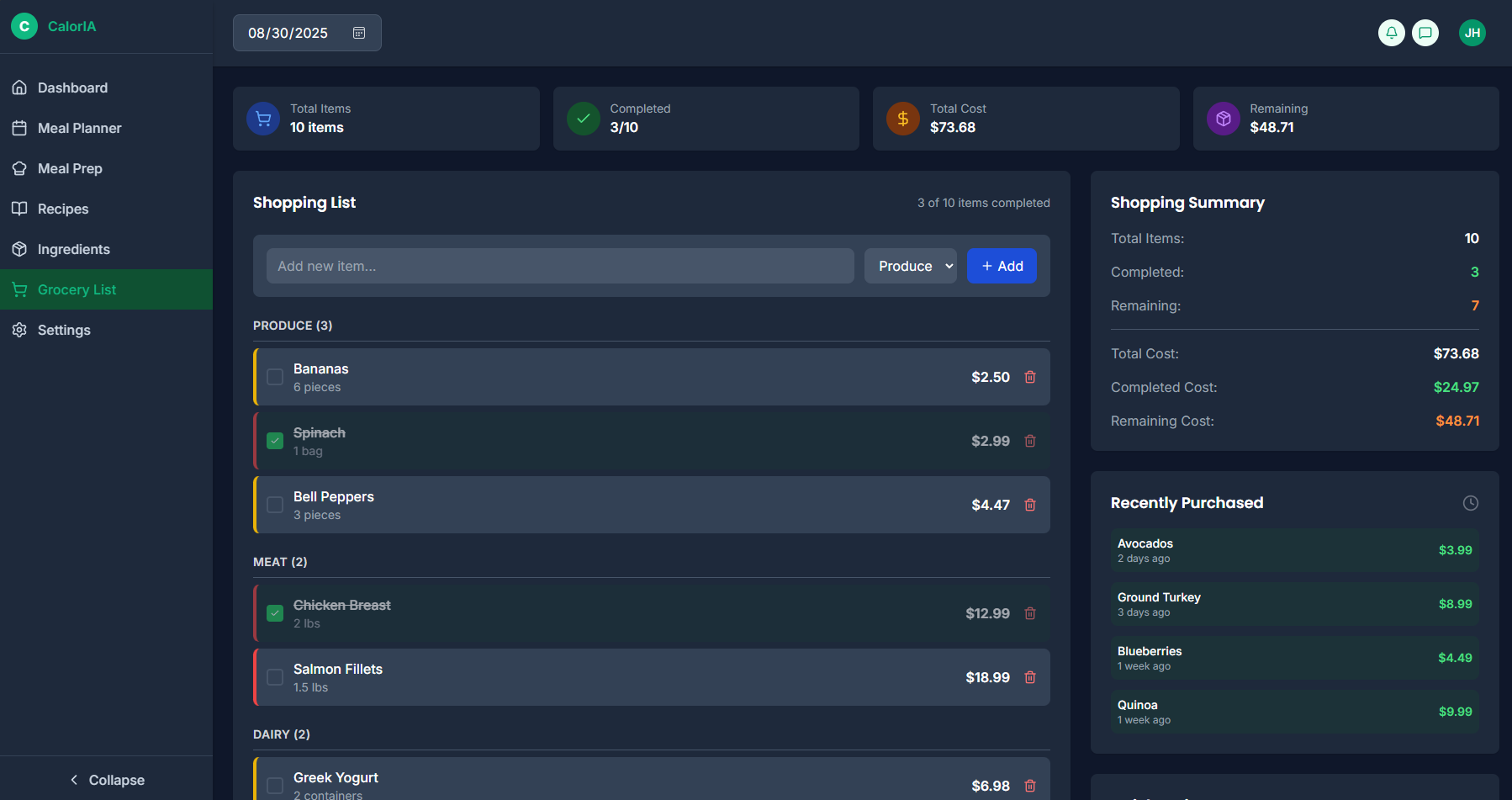
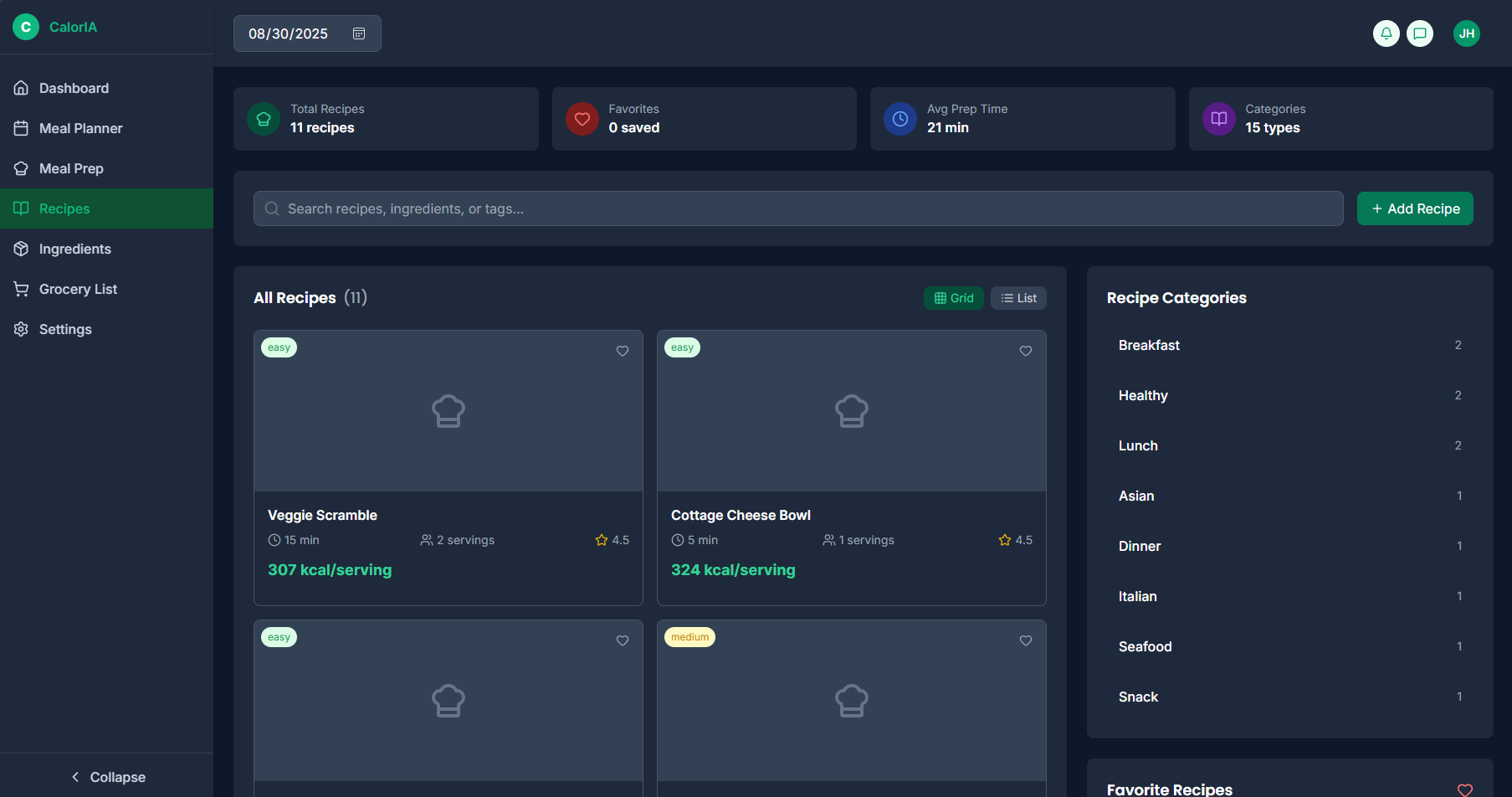
Screenshots
License
This project is licensed under the MIT License - see the LICENSE file for details.
1 maintainer

Metadata
1 maintainer
Release files for caloria 1.0.0
For a detailed explanation of source distributions (sdists) and built distributions (wheels), please see the package formats documentation.
Source distribution (sdist)
| File | Size | Uploaded | |
|---|---|---|---|
| caloria-1.0.0.tar.gz | 88.1 kB | Details |
Built distribution (wheel)
| File | Interpreter | ABI | Platform | Reset |
|---|---|---|---|---|
| caloria-1.0.0-py3-none-any.whl | Python 3 | none | any | Details |
Total release size: 204.7 kB
Release files / caloria-1.0.0.tar.gz
| Download URL | caloria-1.0.0.tar.gz |
|---|---|
| Size | 88.1 kB |
| Tags | Source |
|
SHA-256 checksum How to use checksums |
84bd7d5f92e419141706b65c2590593f32a86f2e76af1d0ff6a0af486f359b5d
|
|
BLAKE2b-256 checksum How to use checksums |
5226d6352997b9a01da77a24cfde8b6d341065492ba0fbde48ed759586744a78
|
| Upload date | |
|
Uploaded using Trusted Publishing? What is trusted publishing? |
No |
| Uploaded via |
twine/6.1.0 CPython/3.11.7
|
Release files / caloria-1.0.0-py3-none-any.whl
| Download URL | caloria-1.0.0-py3-none-any.whl |
|---|---|
| Size | 116.6 kB |
| Tags | Python 3 |
|
SHA-256 checksum How to use checksums |
b5a5e6c930faef65b9c61cbb707786d1917a5a31f0c692b543fba454060d35b0
|
|
BLAKE2b-256 checksum How to use checksums |
8212c2b6e08ebf4c5e549cecacf70cd0f61a773eb9de901f7a8a12702d28010d
|
| Upload date | |
|
Uploaded using Trusted Publishing? What is trusted publishing? |
No |
| Uploaded via |
twine/6.1.0 CPython/3.11.7
|













