
CAMAR: A high-performance multi-agent reinforcement learning environment for continuous multi-agent pathfinding

Project description

CAMAR
Continuous Action Multi-Agent Routing Benchmark
CAMAR is a fast, GPU-accelerated environment for multi-agent navigation and collision avoidance tasks in continuous state and action spaces. Designed to bridge the gap between multi-robot systems and MARL research, CAMAR emphasizes:
- High Performance: Exceeding 100K+ Steps Per Second
- GPU Acceleration: Built on JAX for efficient computation
- Modular Design: Extensible maps and dynamics systems
- Research Focus: Comprehensive evaluation protocols for agent navigation
Table of Contents
Installation
Basic Installation
CAMAR can be installed from PyPI (available after publication):
pip install camar
GPU Support
By default, the installation includes a CPU-only version of JAX. For CUDA support:
# Option 1: Install with CUDA 12
pip install camar[cuda12]

# Option 2: Install JAX separately
pip install jax[cuda12] camar
For other JAX backends (e.g., TPU), install JAX separately following the JAX documentation.
Optional Dependencies
# TorchRL environment support
pip install camar[torchrl]

# Matplotlib visualization (default: SVG only)
pip install camar[matplotlib]

# LabMaze map support
pip install camar[labmaze]

# MovingAI map support
pip install camar[movingai]

# BenchMARL baseline training
pip install camar[benchmarl]
Quick Start
Basic Usage
CAMAR follows the familiar JAX-based RL environment interface, similar to gymnax:
import jax
from camar import camar_v0

# Initialize random keys
key = jax.random.key(0)
key, key_r, key_a, key_s = jax.random.split(key, 4)

# Create environment (default: random_grid map with holonomic dynamics)
env = camar_v0()
reset_fn = jax.jit(env.reset)
step_fn = jax.jit(env.step)

# Reset the environment
obs, state = reset_fn(key_r)

# Sample random actions
actions = env.action_spaces.sample(key_a)

# Step the environment
obs, state, reward, done, info = step_fn(key_s, state, actions)
Vectorized Environments
For high-throughput training, you can use vectorized parallel environments:
# Setup for 1000 parallel environments
num_envs = 1000

# Create vectorized functions
action_sampler = jax.jit(jax.vmap(env.action_spaces.sample, in_axes=[0, ]))
env_reset_fn = jax.jit(jax.vmap(env.reset, in_axes=[0, ]))
env_step_fn = jax.jit(jax.vmap(env.step, in_axes=[0, 0, 0, ]))

# Generate keys for each environment
key_r = jax.numpy.vstack(jax.random.split(key_r, num_envs))
key_a = jax.numpy.vstack(jax.random.split(key_a, num_envs))
key_s = jax.numpy.vstack(jax.random.split(key_s, num_envs))

# Use as before
obs, state = env_reset_fn(key_r)
actions = action_sampler(key_a)
obs, state, reward, done, info = env_step_fn(key_s, state, actions)
Environment Wrappers
For convenience, CAMAR includes adapted wrappers from Craftax Baselines:
from camar import camar_v0
from camar.wrappers import BatchEnvWrapper, AutoResetEnvWrapper, OptimisticResetVecEnvWrapper

# Create a vectorized environment with automatic resets
num_envs = 1000
env = OptimisticResetVecEnvWrapper(
    env=camar_v0(),
    num_envs=num_envs,
    reset_ratio=200
)
Maps
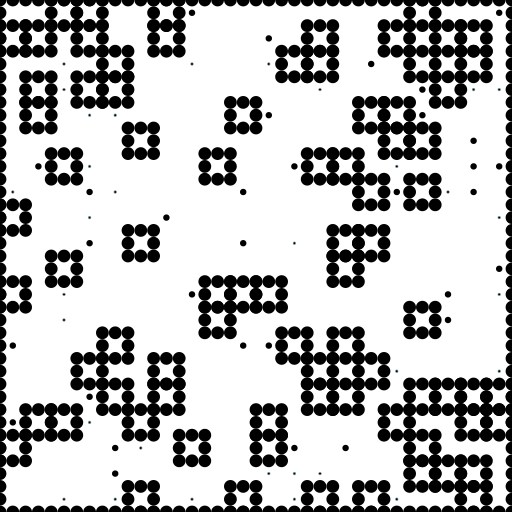
CAMAR provides a variety of map types for different navigation scenarios. The default is random_grid with randomly positioned obstacles, agents, and goals on each reset. A key feature across all maps is the support for heterogeneous agent and goal sizes. By specifying a range for agent/goal sizes, each agent/goal can have a unique size, sampled uniformly from the given range.
Using Different Maps
You can import maps directly or specify them by name:
from camar.maps import string_grid, movingai, labmaze_grid
from camar import camar_v0

# Define a custom map layout for string_grid
map_str = """
.....#.....
.....#.....
...........
.....#.....
.....#.....
#.####.....
.....###.##
.....#.....
.....#.....
...........
.....#.....
"""

# Create maps
string_grid_map = string_grid(map_str=map_str, num_agents=8)
random_grid_map = random_grid(num_agents=4, num_rows=10, num_cols=10)
labmaze_map = labmaze_grid(num_maps=10, num_agents=3, height=7, width=7)

# Use maps directly
env1 = camar_v0(string_grid_map)
env2 = camar_v0(random_grid_map)
env3 = camar_v0(labmaze_map)

# Or specify by name
env1 = camar_v0("string_grid", map_kwargs={"map_str": map_str, "num_agents": 8})
env2 = camar_v0("random_grid", map_kwargs={"num_agents": 4, "num_rows": 10, "num_cols": 10})
env3 = camar_v0("labmaze_grid", map_kwargs={"num_maps": 10, "num_agents": 3, "height": 7, "width": 7})
[!NOTE] For a complete list of available maps and their parameters, see Supported Maps
Heterogeneous Agent and Goal Sizes
All maps support heterogeneous agent and goal sizes, allowing each agent/goal to have a unique size sampled from a specified range. This is useful for creating more realistic environments with diverse agent populations.
Using Heterogeneous Sizes
# Create environment with agents of varying radii (0.05 to 0.15)
env = camar_v0(
    "random_grid",
    map_kwargs={
        "num_agents": 8,
        "agent_rad_range": (0.05, 0.15)  # Tuple for agent raduis range
    }
)

# Create environment with both heterogeneous agents and goals
env = camar_v0(
    "string_grid",
    map_kwargs={
        "map_str": map_str,
        "num_agents": 4,
        "agent_rad_range": (0.03, 0.08),  # Agent size range
        "goal_rad_range": (0.01, 0.03)    # Goal size range
    }
)

# Create environment with homogeneous agents (best performance)
env = camar_v0(
    "labmaze_grid",
    map_kwargs={
        "num_agents": 6,
        "agent_rad_range": (0.05, 0.05),  # Same min/max for homogeneous
        "goal_rad_range": (0.02, 0.02)    # Same min/max for homogeneous
    }
)
Customization guide: custom maps and registry
map_generatorcan be provided as an instance, a class, or a registered string name (the same logic as for custom dynamic).- Built-in maps are registered by default; register your own maps via a decorator or a function.
Register via decorator
from camar import camar_v0
from camar.registry import register_map
from camar.maps.base import base_map
import jax.numpy as jnp


# choose any registry name; defaults to class name
@register_map("MyMap")
class MyMap(base_map):
    def __init__(self, height: float = 3.0, num_agents: int = 2):
        self._height = height
        self._num_agents = num_agents
        self._num_landmarks = 1
        super().__init__()

    def setup_rad(self):
        self.agent_rad = 0.1
        self.landmark_rad = 0.1
        self.goal_rad = 0.1
        self.proportional_goal_rad = False

    @property
    def height(self):
        return self._height

    @property
    def width(self):
        return self._height

    @property
    def num_agents(self) -> int:
        return self._num_agents

    @property
    def num_landmarks(self) -> int:
        return self._num_landmarks

    def reset(self, key):
        sizes = self.generate_sizes(key)
        return key, jnp.zeros((1, 2)), jnp.zeros((self._num_agents, 2)), jnp.zeros((self._num_agents, 2)), sizes

# YAML-friendly usage
env = camar_v0(
    map_generator="MyMap",
    map_kwargs={
        "height": 7.0,
        "num_agents": 3
    }
)
Register via function
from camar.registry import register_map_class

register_map_class("OtherMap", MyMap)
env = camar_v0(
    map_generator="OtherMap",
    map_kwargs={
        "height": 7.0,
        "num_agents": 4
    }
)
If you’d like to avoid repeating the same arguments in your YAML configs, you can pre-configure certain parameters using functools.partial:
from functools import partial
from camar.maps import random_grid
from camar.registry import register_map_class

# Create a fixed-parameter map variant and register under a friendly name
SmallDenseGrid = partial(
    random_grid,
    num_rows=10,
    num_cols=10,
    obstacle_density=0.30,
    num_agents=8
)
register_map_class("SmallDenseGrid", SmallDenseGrid)

# Now usable by string, class-like callable, or instance
from camar import camar_v0
env1 = camar_v0(map_generator="SmallDenseGrid")
env2 = camar_v0(map_generator=SmallDenseGrid)
env3 = camar_v0(map_generator=SmallDenseGrid(num_agents=12))  # override a default if desired
Note:
- If you pass a string to
make_env(map_generator=...), it must be registered; otherwise aTypeErroris raised. - Passing a subclass of
base_map(or an instance) works without registration and acceptsmap_kwargswhen passing the class. - Ensure your custom module is imported before using its registered name.
Dynamics
CAMAR supports multiple agent dynamics models, allowing simulation of different robot types and vehicles. The default is HolonomicDynamic with a semi-implicit Euler integrator.
Built-in Dynamics
from camar.dynamics import DiffDriveDynamic, HolonomicDynamic
from camar import camar_v0

# Differential drive robots (like wheeled robots)
diffdrive = DiffDriveDynamic(mass=1.0)

# Holonomic robots (like omni-directional robots)
holonomic = HolonomicDynamic(dt=0.001)

# Use different dynamics
env1 = camar_v0(dynamic=diffdrive)
env2 = camar_v0(dynamic=holonomic)

# Or specify by name
env1 = camar_v0(dynamic="DiffDriveDynamic", dynamic_kwargs={"mass": 1.0})
env2 = camar_v0(dynamic="HolonomicDynamic", dynamic_kwargs={"dt": 0.001})
Customization guide: custom dynamics and registry
dynamiccan be provided as an instance, a class, or a registered string name (the same logic as for custom maps).- Built-in dynamics are registered by default; register your own via a decorator or a function.
Register via decorator (custom state example)
from camar import camar_v0
from camar.registry import register_dynamic
from camar.dynamics import BaseDynamic, PhysicalState
import jax.numpy as jnp
from jax.typing import ArrayLike
from flax import struct

@struct.dataclass
class CustomState(PhysicalState):
    agent_pos: ArrayLike
    agent_vel: ArrayLike
    count: ArrayLike

    @classmethod
    def create(cls, key, landmark_pos, agent_pos, goal_pos, sizes):
        # you have given an access to all properties generated by map
        # (see DiffDriveDynamic for an example)

        n = agent_pos.shape[0]
        return cls(
            agent_pos=agent_pos,
            agent_vel=jnp.zeros((n, 2)),
            count=jnp.zeros((n, 2)),
        )


@register_dynamic("CustomDynamic")
class CustomDynamic(BaseDynamic):
    def __init__(
        self,
        custom_param=1.0,
        dt=0.01,
        vel_counter_thr=0.01
    ):
        self.custom_param = custom_param
        self._dt = dt
        self.vel_counter_thr = vel_counter_thr

    @property
    def action_size(self) -> int:
        return 2  # Your action space size

    @property
    def dt(self) -> float:
        return self._dt

    @property
    def state_class(self):
        return CustomState

    def integrate(self, key, force, physical_state, actions):
        # Your custom integration logic
        pos = physical_state.agent_pos
        vel = physical_state.agent_vel
        new_vel = vel + (force + actions * self.custom_param) * self.dt
        new_pos = pos + new_vel * self.dt

        # update counter
        new_count = jnp.where(
            new_vel > vel_counter_thr,
            physical_state.counter + 1,
            physical_state.counter
        )
        new_physical_state = physical_state.replace(
            agent_pos=new_pos,
            agent_vel=new_vel,
            count=new_count
        )
        return new_physical_state

# YAML-friendly usage
env = camar_v0(
    dynamic="CustomDynamic",
    dynamic_kwargs={"custom_param": 2.0}
)
Register via function
from camar.registry import register_dynamic_class

register_dynamic_class("OtherDyn", CustomDynamic)
env = camar_v0(dynamic="OtherDyn")
Some may want to fix some kwargs for their experiments and avoid copy-pasting in YAML configs. This can be achieved using functools.partial:
from functools import partial
from camar.dynamics import HolonomicDynamic
from camar.registry import register_dynamic_class

SlowHolonomic = partial(HolonomicDynamic, max_speed=1.0, accel=4.0)
register_dynamic_class("SlowHolonomic", SlowHolonomic)

env1 = camar_v0(dynamic="SlowHolonomic")
env2 = camar_v0(dynamic=SlowHolonomic)
env3 = camar_v0(dynamic=SlowHolonomic(dt=0.02))
Note:
- If you pass a string to
make_env(dynamic=...), it must be registered; otherwise aTypeErroris raised. - Passing a subclass of
BaseDynamic(or an instance) works without registration and acceptsdynamic_kwargswhen passing the class. - Ensure your custom module is imported before using its registered name.
Heterogeneous Dynamics
For environments with multiple agent types (with different dynamics), use MixedDynamic:
from camar.dynamics import DiffDriveDynamic, HolonomicDynamic, MixedDynamic
from camar import camar_v0

# Define different dynamics for different agent groups
dynamics_batch = [
    DiffDriveDynamic(mass=1.0),
    HolonomicDynamic(mass=10.0),
]
num_agents_batch = [8, 24]  # 8 diffdrive + 24 holonomic = 32 total

mixed_dynamic = MixedDynamic(
    dynamics_batch=dynamics_batch,
    num_agents_batch=num_agents_batch,
)

# Create environment with mixed dynamics
env = camar_v0(
    map_generator="random_grid",
    dynamic=mixed_dynamic,
    map_kwargs={"num_agents": sum(num_agents_batch)},
)

# Or specify by name
env = camar_v0(
    map_generator="random_grid",
    dynamic="MixedDynamic",
    map_kwargs={"num_agents": sum(num_agents_batch)},
    dynamic_kwargs={
        "dynamics_batch": dynamics_batch,
        "num_agents_batch": num_agents_batch
    },
)
[!CAUTION] Unlike other dynamics,
MixedDynamicrequires explicit specification of agent counts and in total it must match map_generator num_agents
[!NOTE] For a complete list of available dynamics and their parameters, see Supported Dynamics
Supported Maps
| Map | Description | Generation Behavior | Key Parameters | Example |
|---|---|---|---|---|
| random_grid | Random obstacles and agent positions | Dynamic: Generates obstacles, agents, and goals randomly on each reset | num_rows=20,num_cols=20,obstacle_density=0.2,num_agents=32 |
 |
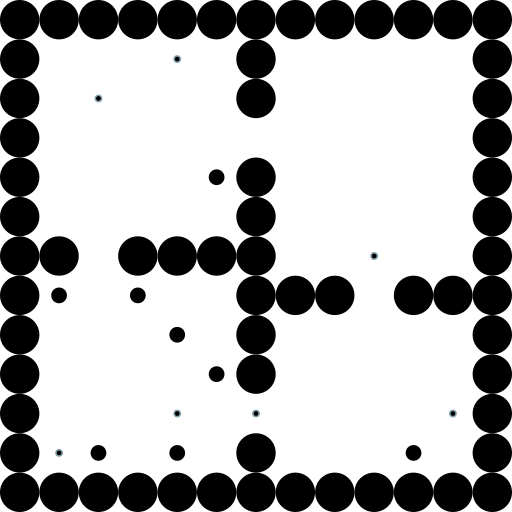
| string_grid | Custom string-based layouts | Static: Uses pre-defined obstacle layout, random agent/goal placement | map_str,num_agents=10,obstacle_size=0.1 |
 |
| batched_string_grid | Multiple string layouts | Pre-generated: Randomly selects from batch of layouts, random agent/goal placement | Same as string_grid, but with batch parameters (see details below) | 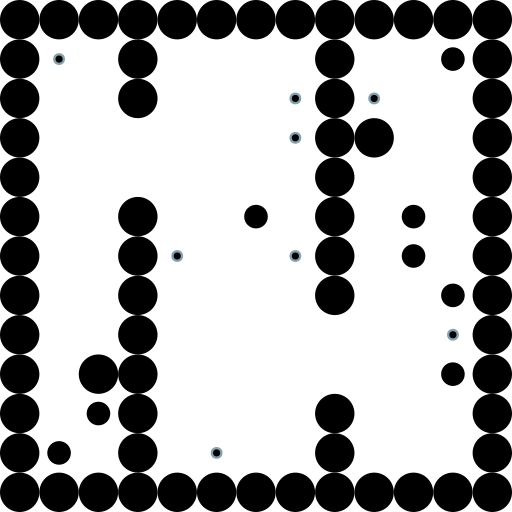 |
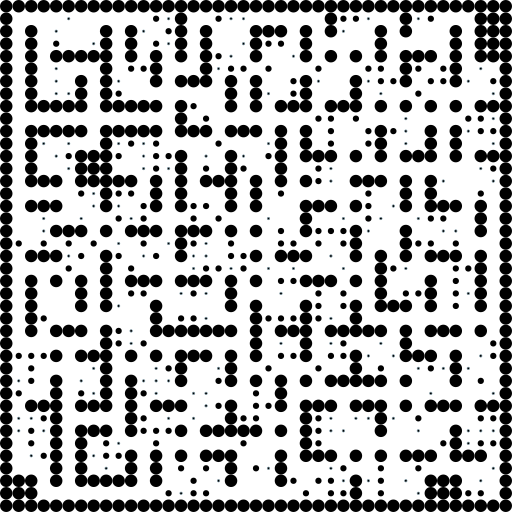
| labmaze_grid | Procedurally generated mazes | Pre-generated: Inherits from batched_string_grid | num_maps,height=11,width=11,num_agents=10 |
 |
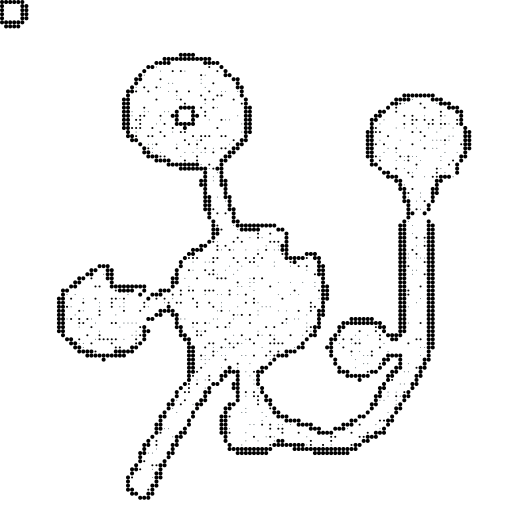
| movingai | Real-world navigation maps | Pre-generated: Inherits from batched_string_grid | map_names,height=128,width=128,num_agents=10 |
 |
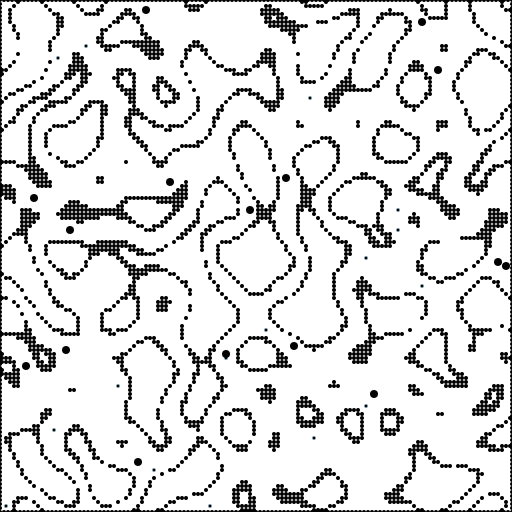
| caves_cont | Perlin noise-based cave systems | Dynamic: Generates obstacles, agents, and goals randomly on each reset | num_rows=128,num_cols=128,scale=14,num_agents=16 |
 |
Detailed Map Parameters
random_grid
num_rows: int = 20- Number of rowsnum_cols: int = 20- Number of columnsobstacle_density: float = 0.2- Obstacle densitynum_agents: int = 32- Number of agentsgrain_factor: int = 3- Number of circles per obstacle edgeobstacle_size: float = 0.4- Size of each obstacle, actuallandmark_rad = obstacle_size / (2 * (grain_factor - 1))agent_rad_range: Optional[Tuple[float, float]] = None- Agent size. Can be tuple(min, max)for heterogeneous agents, ifmin == maxagents will be homogeneous, oragent_rad = (obstacle_size - 2 * landmark_rad) * 0.25ifNone.goal_rad_range: Optional[Tuple[float, float]] = None- Goal size. Can be tuple(min, max)for heterogeneous goals, ifmin == maxgoals will be homogeneous, orgoal_rad = agent_rad / 2.5with support for both homo- and heterogeneous agents ifNone.
string_grid
map_str: str- String layout (.= free, other = obstacle)free_pos_str: Optional[str] = None- Constrain agent/goal positionsagent_idx: Optional[ArrayLike] = None- Specific agent positionsgoal_idx: Optional[ArrayLike] = None- Specific goal positionsnum_agents: int = 10- Number of agentsrandom_agents: bool = True- Randomize agent positionsrandom_goals: bool = True- Randomize goal positionsremove_border: bool = False- Remove map bordersadd_border: bool = True- Add additional bordersobstacle_size: float = 0.1- Obstacle sizelandmark_rad: float = 0.05- Landmark radiusagent_rad_range: Optional[Tuple[float, float]] = (0.03, 0.03)- Agent size. Can be tuple(min, max)for heterogeneous agents, ifmin == maxagents will be homogeneous,agent_rad = 0.4 * landmark_radifNone.goal_rad_range: Optional[Tuple[float, float]] = None- Goal size. Can be tuple(min, max)for heterogeneous goals, ifmin == maxgoals will be homogeneous, orgoal_rad = agent_rad / 2.5with support for both homo- and heterogeneous agents ifNone.max_free_pos: Optional[int] = None- Maximum number of free positionsmap_array_preprocess: Callable[[ArrayLike], Array] = lambda map_array: map_array- Map preprocessing functionfree_pos_array_preprocess: Callable[[ArrayLike], Array] = lambda free_pos_array: free_pos_array,- Free position preprocessing
batched_string_grid
Same parameters as string_grid, but with batch versions:
map_str_batch: List[str]- List of map stringsfree_pos_str_batch: List[str]- List of free position stringsagent_idx_batch: List[ArrayLike]- List of agent indicesgoal_idx_batch: List[ArrayLike]- List of goal indices
Note: For different map sizes, resize manually or provide preprocessing functions.
labmaze_grid
num_maps: int- Number of maps to generateheight: int = 11- Grid heightwidth: int = 11- Grid widthmax_rooms: int = -1- Maximum rooms per mapseed: int = 0- Generation seednum_agents: int = 10- Number of agentslandmark_rad: float = 0.1- Landmark radiusagent_rad_range: Optional[Tuple[float, float]] = (0.05, 0.05)- Agent size. Can be tuple(min, max)for heterogeneous agents, ifmin == maxagents will be homogeneous.goal_rad_range: Optional[Tuple[float, float]] = None- Goal size. Can be tuple(min, max)for heterogeneous goals, ifmin == maxgoals will be homogeneous, orgoal_rad = agent_rad / 2.5with support for both homo- and heterogeneous agents ifNone.max_free_pos: int = None- Maximum number of free positions**labmaze_kwargs- Additional labmaze.RandomGrid parameters
movingai
map_names: List[str]- MovingAI 2D Benchmark map names (example: map_names=["street/Denver_0_1024", "bg_maps/AR0072SR", ...]). All maps will be downloaded to ".cache/movingai/".height: int = 128- Resize heightwidth: int = 128- Resize widthlow_thr: float = 3.7- Edge detection thresholdonly_edges: bool = True- Use edge detectionremove_border: bool = True- Remove bordersadd_border: bool = False- Add bordersnum_agents: int = 10- Number of agentslandmark_rad: float = 0.05- Landmark radiusagent_rad_range: Optional[Tuple[float, float]] = (0.03, 0.03)- Agent size. Can be tuple(min, max)for heterogeneous agents, ifmin == maxagents will be homogeneous.goal_rad_range: Optional[Tuple[float, float]] = None- Goal size. Can be tuple(min, max)for heterogeneous goals, ifmin == maxgoals will be homogeneous, orgoal_rad = agent_rad / 2.5with support for both homo- and heterogeneous agents ifNone.max_free_pos: int = None- Maximum number of free positions
caves_cont
num_rows: int = 128- Number of rowsnum_cols: int = 128- Number of columnsscale: int = 14- Perlin noise frequencylandmark_low_ratio: float = 0.55- Lower edge quantilelandmark_high_ratio: float = 0.72- Upper edge quantilefree_ratio: int = 0.20- Free position quantileadd_borders: bool = True- Add map bordersnum_agents: int = 16- Number of agentslandmark_rad: float = 0.05- Landmark radiusagent_rad_range: Optional[Tuple[float, float]] = (0.1, 0.1)- Agent size. Can be tuple(min, max)for heterogeneous agents, ifmin == maxagents will be homogeneous.goal_rad_range: Optional[Tuple[float, float]] = None- Goal size. Can be tuple(min, max)for heterogeneous goals, ifmin == maxgoals will be homogeneous, orgoal_rad = agent_rad / 2.5with support for both homo- and heterogeneous agents ifNone.
Supported Dynamics
| Dynamic | State | Actions | Key Parameters | Equations |
|---|---|---|---|---|
| HolonomicDynamic | agent_pos (N, 2),agent_vel (N, 2) |
force (N, 2) |
accel=5.0,max_speed=6.0,damping=0.25,mass=1.0,dt=0.01 |
v(t+dt) = (1 - damping) * v(t) + (f_a(t) + f_c(t)) / m * dt pos(t+dt) = pos(t) + v(t+dt) * dt) |
| DiffDriveDynamic | agent_pos (N, 2),agent_vel (N, 2),agent_angle (N, 1) |
[linear_speed, angular_speed] (N, 2) |
linear_speed_max=1.0,angular_speed_max=2.0,mass=1.0,dt=0.01 |
v(t) = [v_a * cos(θ(t)), v_a * sin(θ(t))] pos(t+dt) = pos(t) + v(t) * dt θ(t+dt) = θ(t) + ω_a * dt |
Detailed Dynamic Parameters
HolonomicDynamic
accel: float = 5.0- Acceleration scalingmax_speed: float = 6.0- Maximum speed (negative = no limit)damping: float = 0.25- Velocity damping [0, 1)mass: float = 1.0- Agent mass for applying collision forcesdt: float = 0.01- Time step size
DiffDriveDynamic
linear_speed_max: float = 1.0- Maximum linear speedlinear_speed_min: float = -1.0- Minimum linear speedangular_speed_max: float = 2.0- Maximum turning speedangular_speed_min: float = -2.0- Minimum turning speedmass: float = 1.0- Agent mass for applying collision forcesdt: float = 0.01- Time step size


Download files
Download the file for your platform. If you're not sure which to choose, learn more about installing packages.
Source Distribution
Built Distribution
Filter files by name, interpreter, ABI, and platform.
If you're not sure about the file name format, learn more about wheel file names.
Copy a direct link to the current filters
File details
Details for the file camar-0.4.0.tar.gz.
File metadata
- Download URL: camar-0.4.0.tar.gz
- Upload date:
- Size: 10.3 MB
- Tags: Source
- Uploaded using Trusted Publishing? No
- Uploaded via: uv/0.9.7
File hashes
| Algorithm | Hash digest | |
|---|---|---|
| SHA256 |
f7f40615775f174344b1c96494e50288015b60f01301e9bc4ffc196e391f91ec
|
|
| MD5 |
bebac6d0ebceef31f6680ea828a8b74a
|
|
| BLAKE2b-256 |
d3e9b17356e2cba7baa6aecbf155551d73f9e3ccb65786de01e7f29481540e3c
|
File details
Details for the file camar-0.4.0-py3-none-any.whl.
File metadata
- Download URL: camar-0.4.0-py3-none-any.whl
- Upload date:
- Size: 49.4 kB
- Tags: Python 3
- Uploaded using Trusted Publishing? No
- Uploaded via: uv/0.9.7
File hashes
| Algorithm | Hash digest | |
|---|---|---|
| SHA256 |
d0311d3a397bf15167439728ed43ee0ed661575e5aaa621d84d315b46bed8e90
|
|
| MD5 |
0ea02bd40de016642b33882825e578e3
|
|
| BLAKE2b-256 |
eca65fcc105d003ca284bd2c923f6e56d20b76a785385bd7f8ba5b033d3c629b
|






