
camminady_altair_theme
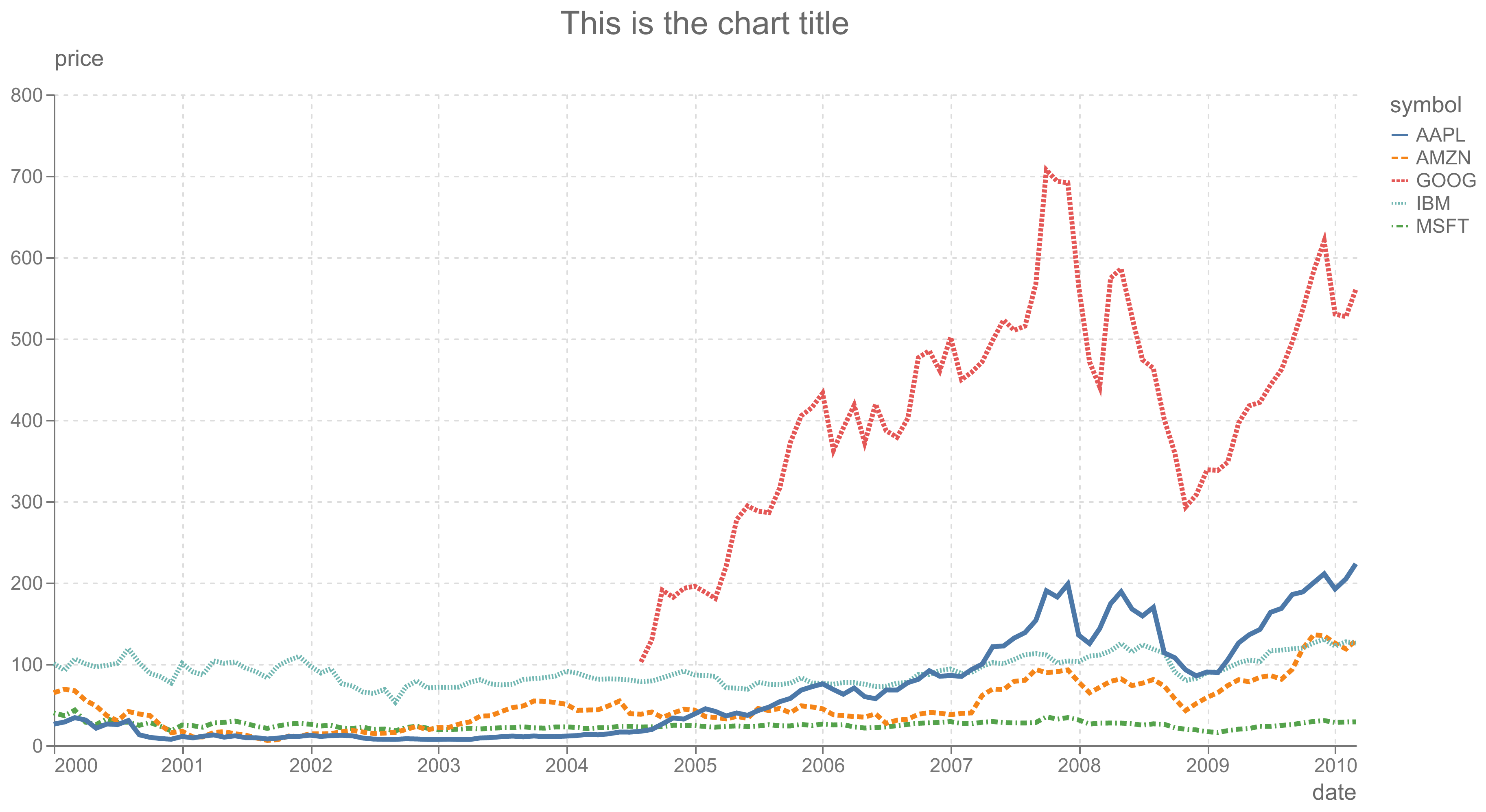
A minimal Altair theme: muted gray text,
dashed grid lines, no frame around the plot, and horizontal axis titles at the
end of each axis. It comes in a light (camminady) and a dark
(camminady_dark) variant.
Installation
uv add camminady-altair-theme
# or
pip install camminady-altair-theme
Requires Python 3.11+ and Altair 6.
Usage
import altair as alt

alt.theme.enable("camminady")  # or "camminady_dark"
There is no need to import the package: it registers both themes through
Altair's theme entry points. Importing camminady_altair_theme registers the
themes but does not enable them (before 0.2.0, importing the package enabled
the theme).
To use the theme for a single chart only:
with alt.theme.enable("camminady"):
    chart.save("chart.png")
Customising
All colours, font sizes and default dimensions are fields of Config. Build
your own variant from it:
import altair as alt
from camminady_altair_theme import Config, build_theme


@alt.theme.register("camminady_small", enable=True)
def camminady_small() -> alt.theme.ThemeConfig:
    return build_theme(Config(width=400, height=250))
Individual charts can still override anything with chart.configure_*(...).
Colour-blind safety
The theme keeps Vega's default tableau10 category palette. Its third (red)
and fifth (green) colours are nearly indistinguishable for people with
deuteranopia, so for five or more categories use the bundled Okabe-Ito
palette:
from camminady_altair_theme import OKABE_ITO

chart.encode(color=alt.Color("group:N").scale(range=OKABE_ITO))
Layout notes
- Single views are 800 × 400 px by default, for continuous and discrete axes.
- The y-axis title sits horizontally above the y axis and the x-axis title at
the right end of the x axis. Legends (also with
orient="top") and facet headers are placed so that they do not overlap these titles. - X-axis labels are horizontal, also for categorical axes. For many or long
category names, rotate them (
alt.Axis(labelAngle=-45)) or use a horizontal bar chart. - With an x axis at the top (
orient="top"), the y-axis title overlaps its labels; move it up withalt.Y(..., axis=alt.Axis(titleY=-45)).
Examples
A simple chart.
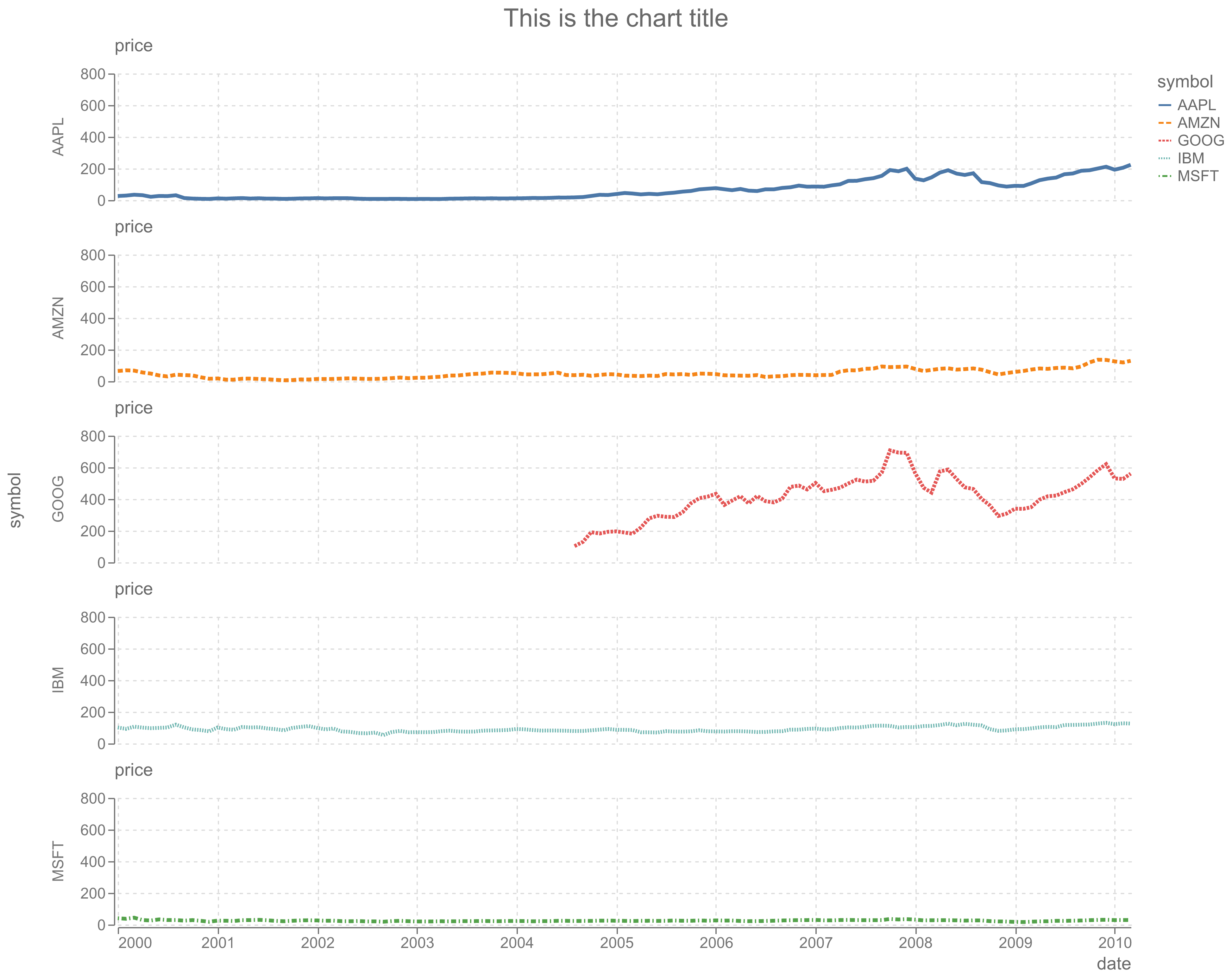
And a faceted version.
Development
uv sync
uv run pytest
uv run ruff check . && uv run ruff format --check .
uv run ty check
uv run python create_charts.py  # regenerate the images above
1 maintainer

Metadata
1 maintainer
Release files for camminady_altair_theme 0.2.1
For a detailed explanation of source distributions (sdists) and built distributions (wheels), please see the package formats documentation.
Source distribution (sdist)
| File | Size | Uploaded | Provenance | Actions |
|---|---|---|---|---|
| camminady_altair_theme-0.2.1.tar.gz | 13.1 kB | Without provenance | Details for camminady_altair_theme-0.2.1.tar.gz |
Built distribution (wheel)
| File | Interpreter | ABI | Platform | Actions Reset |
|---|---|---|---|---|
| camminady_altair_theme-0.2.1-py3-none-any.whl | Python 3 | none | any | Details for camminady_altair_theme-0.2.1-py3-none-any.whl |
Total release size: 20.8 kB
Release files / camminady_altair_theme-0.2.1.tar.gz
| Download URL | camminady_altair_theme-0.2.1.tar.gz |
|---|---|
| Size | 13.1 kB |
| Tags | Source |
|
SHA-256 checksum How to use checksums |
1a59064b536638bbe171aa72f51d9101eeedd4f1255504fdbfaaaf89419640d4
|
|
BLAKE2b-256 checksum How to use checksums |
7baa437dfd68344be5057e7f95000ab9f60575d93937afe2644712e3e96fddc3
|
| Upload date | |
|
Uploaded using Trusted Publishing? What is trusted publishing? |
Yes |
| Uploaded via |
uv/0.13.0 {"installer":{"name":"uv","version":"0.13.0","subcommand":["publish"]},"python":null,"implementation":{"name":null,"version":null},"distro":{"name":"Ubuntu","version":"24.04","id":"noble","libc":null},"system":{"name":null,"release":null},"cpu":null,"openssl_version":null,"setuptools_version":null,"rustc_version":null,"ci":true}
|
Release files / camminady_altair_theme-0.2.1-py3-none-any.whl
| Download URL | camminady_altair_theme-0.2.1-py3-none-any.whl |
|---|---|
| Size | 7.7 kB |
| Tags | Python 3 |
|
SHA-256 checksum How to use checksums |
8c0698686c08d8953611d6a475213d586fa1649188a3b448aa814411faf189e4
|
|
BLAKE2b-256 checksum How to use checksums |
b32f95aa4640658be44cdb348bb719e8ffff10d417c330db9993b9a2475d27ac
|
| Upload date | |
|
Uploaded using Trusted Publishing? What is trusted publishing? |
Yes |
| Uploaded via |
uv/0.13.0 {"installer":{"name":"uv","version":"0.13.0","subcommand":["publish"]},"python":null,"implementation":{"name":null,"version":null},"distro":{"name":"Ubuntu","version":"24.04","id":"noble","libc":null},"system":{"name":null,"release":null},"cpu":null,"openssl_version":null,"setuptools_version":null,"rustc_version":null,"ci":true}
|
Security for camminady_altair_theme 0.2.1
Provenance
Provenance describes where a file came from. On PyPI, provenance is shared via attestations, which provide a verifiable record of the build or publishing details. View details, limitations and caveats.
No provenance found
None of the files in this release were uploaded with provenance metadata.
A note on package security
PyPI is a repository for distributing packages, not a service for auditing them. While third-party security researchers and our staff do their best to detect and remove malicious packages, PyPI cannot guarantee the quality, security or suitability of any given package.
To learn more about protecting yourself from malicious actors, visit our package security documentation.














