
GUI for v4l2-ctl

Project description
camset
GUI for v4l2-ctl
Description
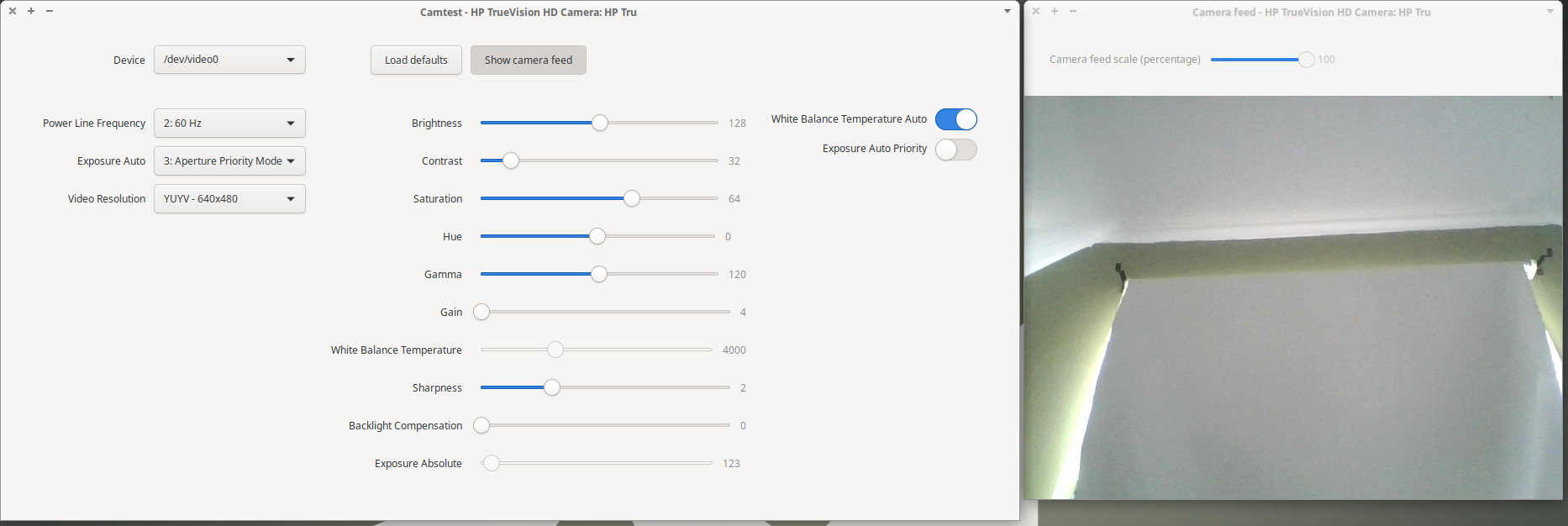
This is a tool for easy GUI adjustments of the v4l2 settings on Linux. With this application you can tune your webcam (or other v4l device) settings. The changes will remain active when using the webcam in other applications, for example Skype.
WIP but in a functional state
Dependencies
Python 3
pip
v4l2-ctl
For Ubuntu:
sudo apt-get install python3 python3-pip v4l-utilspip3 install camset
Release history Release notifications | RSS feed


Download files
Download the file for your platform. If you're not sure which to choose, learn more about installing packages.
Source Distributions
Built Distribution
Filter files by name, interpreter, ABI, and platform.
If you're not sure about the file name format, learn more about wheel file names.
Copy a direct link to the current filters
File details
Details for the file camset-0.0.2-py3-none-any.whl.
File metadata
- Download URL: camset-0.0.2-py3-none-any.whl
- Upload date:
- Size: 50.3 kB
- Tags: Python 3
- Uploaded using Trusted Publishing? No
- Uploaded via: twine/3.1.1 pkginfo/1.4.2 requests/2.22.0 setuptools/45.2.0 requests-toolbelt/0.8.0 tqdm/4.30.0 CPython/3.8.2
File hashes
| Algorithm | Hash digest | |
|---|---|---|
| SHA256 |
48f9331d9689ee1f47a8303e0e604034a027b087702b60bac9295831111754dd
|
|
| MD5 |
8ab0726fd7317b57efb98a57864cd7ae
|
|
| BLAKE2b-256 |
ab61779a6083806293ab7d7e0a58a6cf694c5cef3c8c059a3bd8191ef8e061b9
|






