
Visualize CAN bus payloads in real time

Project description




About
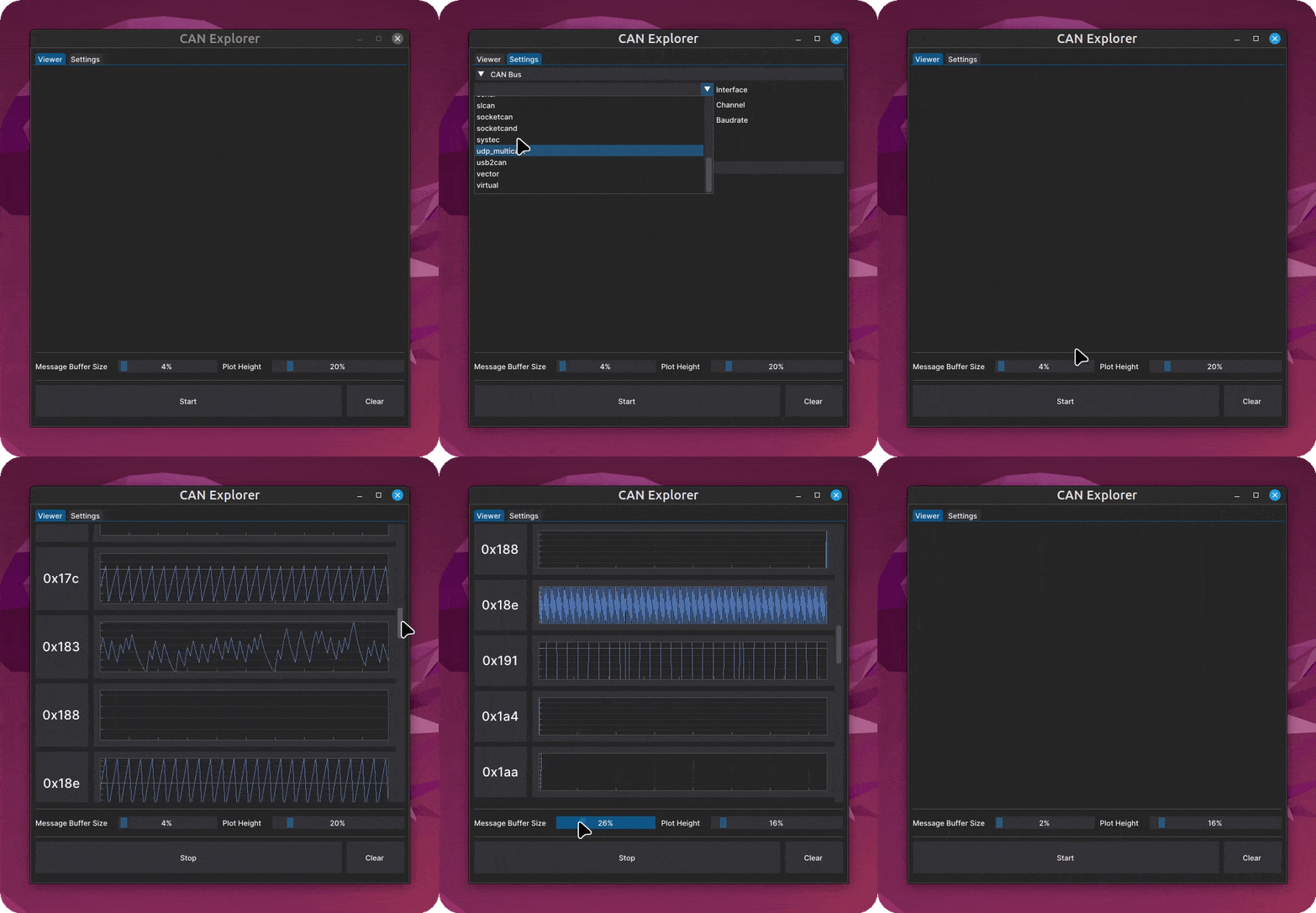
can-explorer is a CAN bus visualization tool designed to aid in reverse engineering.
How does this help me?
By continuously plotting all payloads for each CAN id, spotting trends that correspond to a specific action can become signicantly easier to identify.
Please refer to this prior article I wrote for a working example of how this approach can be used to find which id includes speedometer data.
Built With


Getting Started
Installation
pipx is recommended although any package manager that supports pyproject.toml files can be used.
pipx install can-explorer
Usage
The gui can be launched by running one of the below commands from a terminal.
can-explorer
python3 -m can_explorer
Before starting the viewer, you must navigate to the settings tab and input your interface adapter configuration to create a bus instance. Please refer to the python-can docs for more information regarding the various interfaces supported.
The gui can also be launched with a demo flag which will auto select the virtual interface option and start streaming simulated CAN data in a background process.
can-explorer --demo
Support
Reach out to the maintainer at one of the following places:
- GitHub issues
- Contact options listed on this GitHub profile
If you want to say thank you or/and support active development of can-explorer consider adding a GitHub Star to the project.
Contributing
Please read our contribution guidelines
For a full list of all authors and contributors, see the contributors page.
License
This project is licensed under the GNU General Public License v3.
See LICENSE for more information.
Release history Release notifications | RSS feed


Download files
Download the file for your platform. If you're not sure which to choose, learn more about installing packages.
Source Distribution
Built Distribution
Filter files by name, interpreter, ABI, and platform.
If you're not sure about the file name format, learn more about wheel file names.
Copy a direct link to the current filters
File details
Details for the file can_explorer-0.2.3.tar.gz.
File metadata
- Download URL: can_explorer-0.2.3.tar.gz
- Upload date:
- Size: 29.8 MB
- Tags: Source
- Uploaded using Trusted Publishing? No
- Uploaded via: uv/0.10.0 {"installer":{"name":"uv","version":"0.10.0","subcommand":["publish"]},"python":null,"implementation":{"name":null,"version":null},"distro":{"name":"macOS","version":null,"id":null,"libc":null},"system":{"name":null,"release":null},"cpu":null,"openssl_version":null,"setuptools_version":null,"rustc_version":null,"ci":null}
File hashes
| Algorithm | Hash digest | |
|---|---|---|
| SHA256 |
82d163100b74125c65594f242775319e0660c9c4139ca1de6a3cfce77d798076
|
|
| MD5 |
fd6cc9c561f486e45a6ecf308e4c91c1
|
|
| BLAKE2b-256 |
6a95fc3e7fb1c022fd77bec72be9d69e98af5055d9194004d1eeb23e349b7545
|
File details
Details for the file can_explorer-0.2.3-py3-none-any.whl.
File metadata
- Download URL: can_explorer-0.2.3-py3-none-any.whl
- Upload date:
- Size: 19.7 MB
- Tags: Python 3
- Uploaded using Trusted Publishing? No
- Uploaded via: uv/0.10.0 {"installer":{"name":"uv","version":"0.10.0","subcommand":["publish"]},"python":null,"implementation":{"name":null,"version":null},"distro":{"name":"macOS","version":null,"id":null,"libc":null},"system":{"name":null,"release":null},"cpu":null,"openssl_version":null,"setuptools_version":null,"rustc_version":null,"ci":null}
File hashes
| Algorithm | Hash digest | |
|---|---|---|
| SHA256 |
dcedd288f0418c71de61603dc1cb49fca5cecac160c8ff7bd7eb0b8b508cb385
|
|
| MD5 |
7994f2d3236eb13fc5390d673a4b642f
|
|
| BLAKE2b-256 |
bbac64d4e17bd6881fd62d0267bac0134d399234b726cb369485e294f92e4573
|






