
CAN Log Analyzer
A web-based tool for analyzing CAN log files using NiceGui, Plotly, and cantools.
Features
- Upload and parse CAN log files (
.asc,.blf) - Load CAN database files (
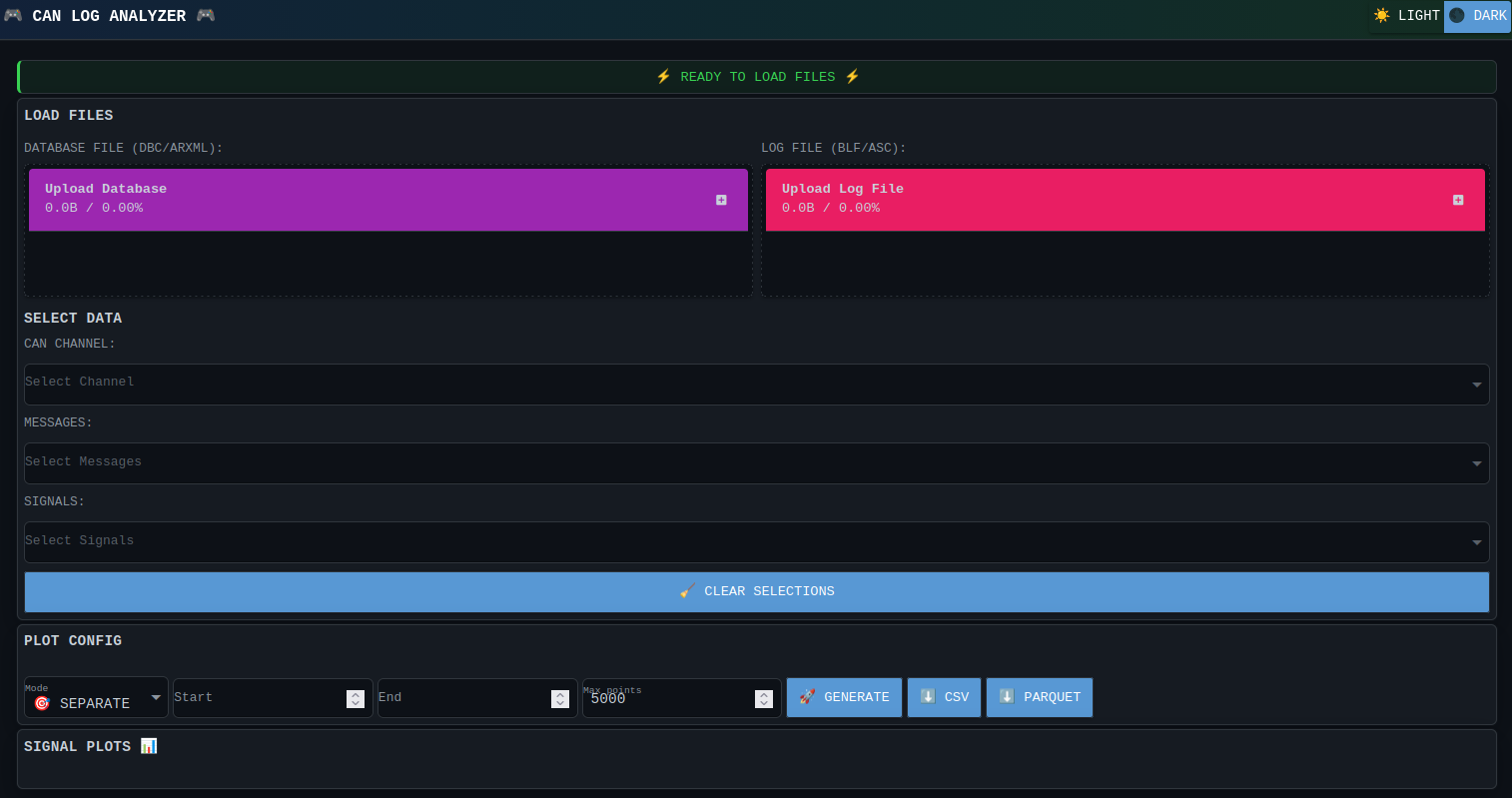
.dbc) - Visualize and plot selected CAN signals interactively
- User-friendly web interface with sidebar controls
- Interactive signal selection and customizable plots (scatter, line, heatmap)
- Grid and axis customization for detailed analysis
Notes
- Ensure you are using Python >= 3.10 as specified in the project requirements.
- Only
.dbcfiles are supported for CAN database input.
Usage - Web App
The application can be launched in any of these ways:
python -m can_log_analyzer
can-log-analyzer
uv run can-log-analyzer
- The app will launch in your default web browser at
http://localhost:8080by default. - Use the sidebar to upload your CAN log files (
.asc,.blf) and CAN database files (.dbc). - Select channels, messages, and signals to visualize.
- Choose plot type and customize grid/axis options as needed.
- Interactive plots and analysis will be available after loading your files.
Usage - Development Scripts
The repository includes OS-specific wrappers under scripts/ for common workflows.
Linux:
./scripts/venv_setup.sh
./scripts/build_wheel_package.sh
./scripts/run_pytests_with_report.sh
./scripts/deploy_docs_to_github.sh
Windows:
scripts\venv_setup.bat
scripts\build_wheel_package.bat
scripts\run_pytests_with_report.bat
scripts\deploy_docs_to_github.bat
Both sets of scripts install uv if missing, sync dependencies with uv sync --link-mode=copy, and then execute the requested task.
source manual
1 maintainer

Download files
Download the file for your platform. If you're not sure which to choose, learn more about installing packages.
Source Distribution
Built Distribution
Filter files by name, interpreter, ABI, and platform.
If you're not sure about the file name format, learn more about wheel file names.
Copy a direct link to the current filters
File details
Details for the file can_log_analyzer-26.0.2.tar.gz.
File metadata
- Download URL: can_log_analyzer-26.0.2.tar.gz
- Upload date:
- Size: 96.9 kB
- Tags: Source
- Uploaded using Trusted Publishing? Yes
- Uploaded via:
uv/0.12.0 {"installer":{"name":"uv","version":"0.12.0","subcommand":["publish"]},"python":null,"implementation":{"name":null,"version":null},"distro":null,"system":{"name":null,"release":null},"cpu":null,"openssl_version":null,"setuptools_version":null,"rustc_version":null,"ci":true}
File hashes
| Algorithm | Hash digest | |
|---|---|---|
| SHA256 |
41f8da583594aedee89f168742653ad538fd665c06ab6aa028e76671e0aae84e
|
|
| MD5 |
6fa491778363c3889591071c5a2ef626
|
|
| BLAKE2b-256 |
12bc17a00cf694bf15e14926bf3b21eb32ba33f30a661837dd9dad5bad2543ad
|
File details
Details for the file can_log_analyzer-26.0.2-py3-none-any.whl.
File metadata
- Download URL: can_log_analyzer-26.0.2-py3-none-any.whl
- Upload date:
- Size: 13.2 kB
- Tags: Python 3
- Uploaded using Trusted Publishing? Yes
- Uploaded via:
uv/0.12.0 {"installer":{"name":"uv","version":"0.12.0","subcommand":["publish"]},"python":null,"implementation":{"name":null,"version":null},"distro":null,"system":{"name":null,"release":null},"cpu":null,"openssl_version":null,"setuptools_version":null,"rustc_version":null,"ci":true}
File hashes
| Algorithm | Hash digest | |
|---|---|---|
| SHA256 |
38b57afe70a9f02fb99fa400d875dd3ff3e00e24369a58af91a7ccabc940cdee
|
|
| MD5 |
624df059916c9b0cdd28ef5393bef7e6
|
|
| BLAKE2b-256 |
84dd9c92b270762417d299086bd502810e58c21f0d10f7ec3a6b070d77310b62
|







