
Stop labelling variables by enclosing every one of them in quotes.
Get your hands dirty with a big copypaste just once.
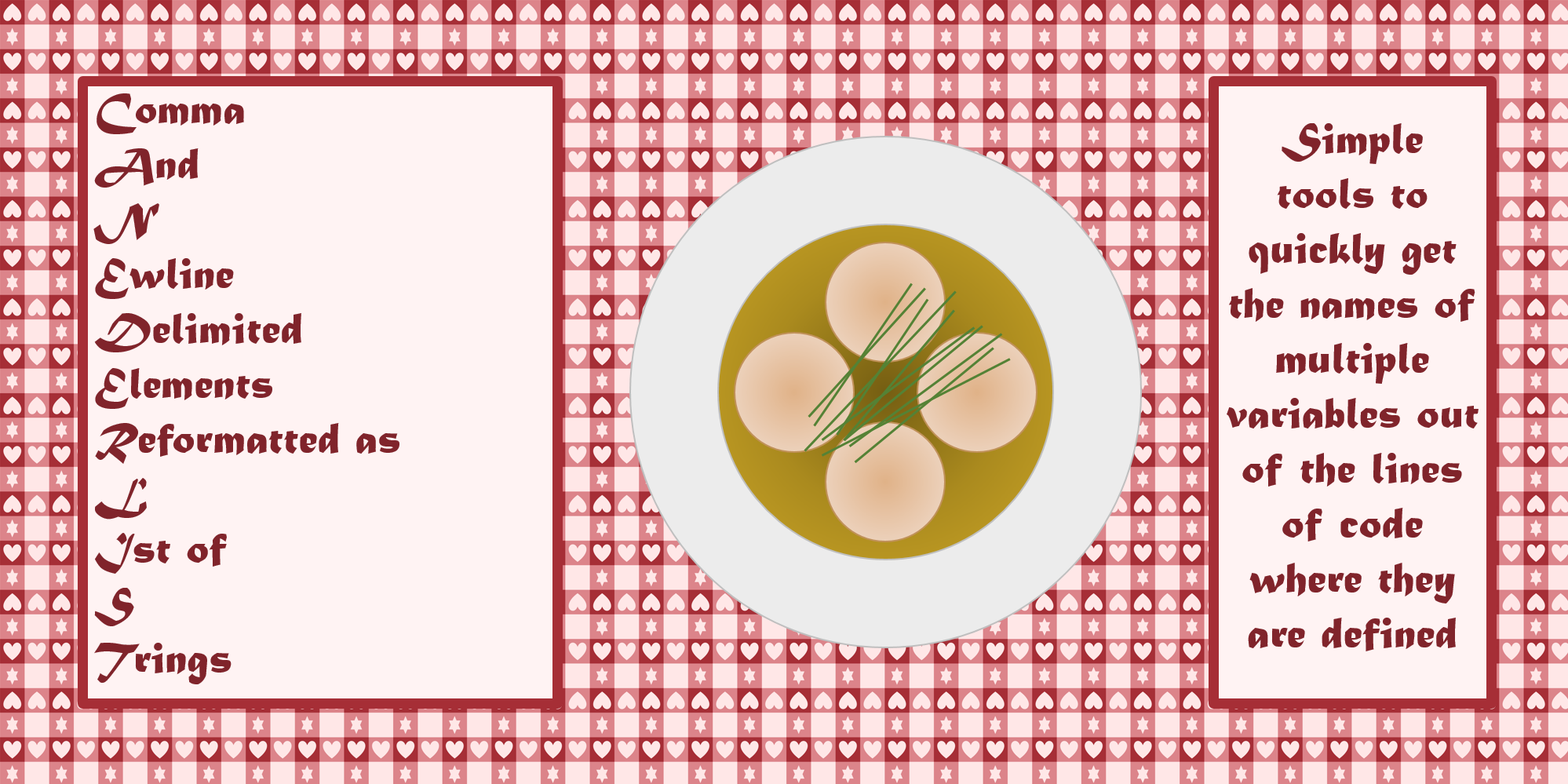
Canederli is a simple python package containing only the function canederlist
i.e.
Comma
And
NEwline
Delimited
Elements
Reformatted as
LIst of
STrings
which reformats a multiline string containing words separated by commas into a list of those words stringified.
This is useful when our code has a hardcoded list of variables and we want to quickly get a list of their names as strings:
Instead of copypasting the list of variables and manually adding quotes around each variable,
we can copy the list of variables and paste it as the first input parameter of canederlist, enclosed in triple quotes (""").
Quick example
You want to get
labels = ["var1", "var2", ..., "var100"]
out of
some_function(  var1,
                var2,
                ...,
                var100
                )
Instead of copypasting the snippet
                var1,
                var2,
                ...,
                var100
and manually adding quotes around each variable,
you can copy the snippet and paste it as input of canederlist, enclosed in triple quotes:
from canederli import canederlist

labels = canederlist("""var1,
                var2,
                ...,
                var100
""")

print(labels)
["var1", "var2", ..., "var100"]
usage
The list of variables (i.e. not the variable containing the list, the hardcoded list of variables) must be copied and pasted as argument of canederlist(), enclosed in triple quotes (""").
The function canederlist will remove
- multiple spaces (double or more, but not single spaces)
- newline characters
- triple points
... - round
()and square[]parentheses (if selected in the input) - single spaces (if selected in the input)
and split the remaining elements separated by commas into a list of strings.
example
Get the list of the names of a list of variables.
from canederli import canederlist

var_1 = 42
var_2 = "Hello, world!"
var_3 = 3.14
var_4 = [1, 2, 3]
var_5 = {"name": "Mario", "age": 30}
var_6 = True
var_7 = (10, 20, 30)
var_8 = None
var_9 = 5.67
var_10 = "Python is fantastic!"
var_11 = [5, 10, 15]
var_12 = {"language": "Python", "level": "advanced"}
var_13 = False
var_14 = (1.5, 2.5, 3.5)
var_15 = "OpenAI is doing great things!"
var_16 = 12345
var_17 = "This is a test."
var_18 = [True, False]
var_19 = {"color": "blue", "shape": "circle"}
var_20 = 7.89
var_21 = ["a", "b", "c"]
var_22 = (100, 200, 300)
var_23 = 987654321
var_24 = "This is another string."
var_25 = {"animal": "cat", "age": 5}
var_26 = None
var_27 = 2.71828
var_28 = [7, 14, 21]
var_29 = "Python makes everything simpler!"
var_30 = ("x", "y", "z")
var_31 = True
var_32 = {"name": "Alice", "city": "Rome"}
var_33 = 4.567
var_34 = 111
var_35 = "I'm learning a lot with OpenAI!"
var_36 = [3.5, 7.2, 10.9]
var_37 = ("pen", "pencil", "eraser")
var_38 = False
var_39 = {"fruit": "apple", "color": "red"}
var_40 = 9.81
var_41 = ["alpha", "beta", "gamma"]
var_42 = (42, 84, 126)
var_43 = 55555
var_44 = "This sentence has five words."
var_45 = {"instrument": "guitar", "type": "acoustic"}
var_46 = None
var_47 = 3.14159
var_48 = [2, 4, 6]
var_49 = "Python is powerful and efficient!"
var_50 = ("one", "two", "three")
var_51 = True
var_52 = {"name": "Luca", "language": "Italian"}
var_53 = 2.345
var_54 = 987
var_55 = "OpenAI is changing the game!"
var_56 = [1.1, 2.2, 3.3]
var_57 = ("a", "b", "c")
var_58 = False
var_59 = {"element": "gold", "atomic number": 79}
var_60 = 6.626e-34
var_61 = ["plane", "train", "car"]
var_62 = (50, 100, 150)
var_63 = 777777
var_64 = "Knowledge is power."
var_65 = {"profession": "doctor", "specialty": "surgery"}
var_66 = None
var_67 = 9.12345
var_68 = [8, 16, 24]
var_69 = "GPT-3.5 is amazing!"
var_70 = ("one", "two", "three")
var_71 = True
var_72 = {"name": "Laura", "age": 25}
var_73 = 1.2345
var_74 = 654
var_75 = "Python opens new possibilities!"
var_76 = [4.4, 5.5, 6.6]
var_77 = ("A", "B", "C")
var_78 = False
var_79 = {"color": "green", "plant": "tree"}
var_80 = 299792458
var_81 = ["Monday", "Tuesday", "Wednesday"]
var_82 = (70, 140, 210)
var_83 = 333333
var_84 = "This is just an example."
var_85 = {"instrument": "piano", "type": "digital"}
var_86 = None
var_87 = 7.77777
var_88 = [6, 12, 18]
var_89 = "Python makes everything more interesting!"
var_90 = ("A", "B", "C")
var_91 = True
var_92 = {"name": "Mark", "language": "Spanish"}
var_93 = 8.765
var_94 = 123
var_95 = "OpenAI is transforming technologies!"
var_96 = [7.7, 8.8, 9.9]
var_97 = ("one", "two", "three")
var_98 = False
var_99 = {"city": "Paris", "country": "France"}
var_100 = 42.195

print(canederlist(""" var_78,
var_79,
var_80,
var_81,
var_82,
var_83,
var_84,
var_85,
var_86,
var_87,
var_88,
var_89,
var_90,
var_91,
var_92,
var_93,
var_94
"""))

print([
    var_78,
    var_79,
    var_80,
    var_81,
    var_82,
    var_83,
    var_84,
    var_85,
    var_86,
    var_87,
    var_88,
    var_89,
    var_90,
    var_91,
    var_92,
    var_93,
    var_94
])
['var_78', 'var_79', 'var_80', 'var_81', 'var_82', 'var_83', 'var_84', 'var_85', 'var_86', 'var_87', 'var_88', 'var_89', 'var_90', 'var_91', 'var_92', 'var_93', 'var_94']

[False, {'color': 'green', 'plant': 'tree'}, 299792458, ['Monday', 'Tuesday', 'Wednesday'], (70, 140, 210), 333333, 'This is just an example.', {'instrument': 'piano', 'type': 'digital'}, None, 7.77777, [6, 12, 18], 'Python makes everything more interesting!', ('A', 'B', 'C'), True, {'name': 'Mark', 'language': 'Spanish'}, 8.765, 123]
example
Reformat a list of variables as a dictionary having the variables as values and the names of the variables as keys.
from canederli import canederlist

var_1 = 42
var_2 = "Hello, world!"
var_3 = 3.14
var_4 = [1, 2, 3]
var_5 = {"name": "Mario", "age": 30}
var_6 = True
var_7 = (10, 20, 30)
var_8 = None
var_9 = 5.67
var_10 = "Python is fantastic!"
var_11 = [5, 10, 15]
var_12 = {"language": "Python", "level": "advanced"}
var_13 = False
var_14 = (1.5, 2.5, 3.5)
var_15 = "OpenAI is doing great things!"
var_16 = 12345
var_17 = "This is a test."
var_18 = [True, False]
var_19 = {"color": "blue", "shape": "circle"}
var_20 = 7.89
var_21 = ["a", "b", "c"]
var_22 = (100, 200, 300)
var_23 = 987654321
var_24 = "This is another string."
var_25 = {"animal": "cat", "age": 5}
var_26 = None
var_27 = 2.71828
var_28 = [7, 14, 21]
var_29 = "Python makes everything simpler!"
var_30 = ("x", "y", "z")
var_31 = True
var_32 = {"name": "Alice", "city": "Rome"}
var_33 = 4.567
var_34 = 111
var_35 = "I'm learning a lot with OpenAI!"
var_36 = [3.5, 7.2, 10.9]
var_37 = ("pen", "pencil", "eraser")
var_38 = False
var_39 = {"fruit": "apple", "color": "red"}
var_40 = 9.81
var_41 = ["alpha", "beta", "gamma"]
var_42 = (42, 84, 126)
var_43 = 55555
var_44 = "This sentence has five words."
var_45 = {"instrument": "guitar", "type": "acoustic"}
var_46 = None
var_47 = 3.14159
var_48 = [2, 4, 6]
var_49 = "Python is powerful and efficient!"
var_50 = ("one", "two", "three")
var_51 = True
var_52 = {"name": "Luca", "language": "Italian"}
var_53 = 2.345
var_54 = 987
var_55 = "OpenAI is changing the game!"
var_56 = [1.1, 2.2, 3.3]
var_57 = ("a", "b", "c")
var_58 = False
var_59 = {"element": "gold", "atomic number": 79}
var_60 = 6.626e-34
var_61 = ["plane", "train", "car"]
var_62 = (50, 100, 150)
var_63 = 777777
var_64 = "Knowledge is power."
var_65 = {"profession": "doctor", "specialty": "surgery"}
var_66 = None
var_67 = 9.12345
var_68 = [8, 16, 24]
var_69 = "GPT-3.5 is amazing!"
var_70 = ("one", "two", "three")
var_71 = True
var_72 = {"name": "Laura", "age": 25}
var_73 = 1.2345
var_74 = 654
var_75 = "Python opens new possibilities!"
var_76 = [4.4, 5.5, 6.6]
var_77 = ("A", "B", "C")
var_78 = False
var_79 = {"color": "green", "plant": "tree"}
var_80 = 299792458
var_81 = ["Monday", "Tuesday", "Wednesday"]
var_82 = (70, 140, 210)
var_83 = 333333
var_84 = "This is just an example."
var_85 = {"instrument": "piano", "type": "digital"}
var_86 = None
var_87 = 7.77777
var_88 = [6, 12, 18]
var_89 = "Python makes everything more interesting!"
var_90 = ("A", "B", "C")
var_91 = True
var_92 = {"name": "Mark", "language": "Spanish"}
var_93 = 8.765
var_94 = 123
var_95 = "OpenAI is transforming technologies!"
var_96 = [7.7, 8.8, 9.9]
var_97 = ("one", "two", "three")
var_98 = False
var_99 = {"city": "Paris", "country": "France"}
var_100 = 42.195

labels = canederlist(""" var_78,
var_79,
var_80,
var_81,
var_82,
var_83,
var_84,
var_85,
var_86,
var_87,
var_88,
var_89,
var_90,
var_91,
var_92,
var_93,
var_94
""")

variables = [
    var_78,
    var_79,
    var_80,
    var_81,
    var_82,
    var_83,
    var_84,
    var_85,
    var_86,
    var_87,
    var_88,
    var_89,
    var_90,
    var_91,
    var_92,
    var_93,
    var_94
]

key_value_pairs = zip(labels, variables)
my_dict = dict(key_value_pairs)
print(my_dict)
{
'var_78': False,
'var_79': {'color': 'green', 'plant': 'tree'}, 'var_80': 299792458,
'var_81': ['Monday', 'Tuesday', 'Wednesday'],
'var_82': (70, 140, 210),
'var_83': 333333,
'var_84': 'This is just an example.',
'var_85': {'instrument': 'piano', 'type': 'digital'},
'var_86': None,
'var_87': 7.77777,
'var_88': [6, 12, 18],
'var_89': 'Python makes everything more interesting!',
'var_90': ('A', 'B', 'C'),
'var_91': True,
'var_92': {'name': 'Mark', 'language': 'Spanish'},
'var_93': 8.765,
'var_94': 123
}
1 maintainer

Metadata
1 maintainer
Release files for canederli 0.0.18
For a detailed explanation of source distributions (sdists) and built distributions (wheels), please see the package formats documentation.
Source distribution (sdist)
| File | Size | Uploaded | Provenance | Actions |
|---|---|---|---|---|
| canederli-0.0.18.tar.gz | 5.5 kB | Without provenance | Details for canederli-0.0.18.tar.gz |
Built distribution (wheel)
| File | Interpreter | ABI | Platform | Actions Reset |
|---|---|---|---|---|
| canederli-0.0.18-py3-none-any.whl | Python 3 | none | any | Details for canederli-0.0.18-py3-none-any.whl |
Total release size: 11.0 kB
Release files / canederli-0.0.18.tar.gz
| Download URL | canederli-0.0.18.tar.gz |
|---|---|
| Size | 5.5 kB |
| Tags | Source |
|
SHA-256 checksum How to use checksums |
e3d7046222ff4fba5f7994c82c9bc25b6555197a830e6cf68ade66e4a4d7e6ae
|
|
BLAKE2b-256 checksum How to use checksums |
eed65acf77e37df584874eef3b0dadf4b5779566c274d340e0a447168aedcbfa
|
| Upload date | |
|
Uploaded using Trusted Publishing? What is trusted publishing? |
No |
| Uploaded via |
twine/3.8.0 colorama/0.4.4 importlib-metadata/4.6.4 keyring/23.5.0 pkginfo/1.8.2 readme-renderer/34.0 requests-toolbelt/0.9.1 requests/2.25.1 rfc3986/1.5.0 tqdm/4.57.0 urllib3/1.26.5 CPython/3.10.12
|
Release files / canederli-0.0.18-py3-none-any.whl
| Download URL | canederli-0.0.18-py3-none-any.whl |
|---|---|
| Size | 5.5 kB |
| Tags | Python 3 |
|
SHA-256 checksum How to use checksums |
33e5b0d330076782a71ca2be98fab22d7f89bdb74d18c102e228d1f714a2a818
|
|
BLAKE2b-256 checksum How to use checksums |
8399fdf7b2888abb27814a4b637c294c22a49266ca10f2bd4094592c1f25e5bd
|
| Upload date | |
|
Uploaded using Trusted Publishing? What is trusted publishing? |
No |
| Uploaded via |
twine/3.8.0 colorama/0.4.4 importlib-metadata/4.6.4 keyring/23.5.0 pkginfo/1.8.2 readme-renderer/34.0 requests-toolbelt/0.9.1 requests/2.25.1 rfc3986/1.5.0 tqdm/4.57.0 urllib3/1.26.5 CPython/3.10.12
|
Security for canederli 0.0.18
Provenance
Provenance describes where a file came from. On PyPI, provenance is shared via attestations, which provide a verifiable record of the build or publishing details. View details, limitations and caveats.
No provenance found
None of the files in this release were uploaded with provenance metadata.
A note on package security
PyPI is a repository for distributing packages, not a service for auditing them. While third-party security researchers and our staff do their best to detect and remove malicious packages, PyPI cannot guarantee the quality, security or suitability of any given package.
To learn more about protecting yourself from malicious actors, visit our package security documentation.














