

Documentation · Quickstart · PyPI · 中文




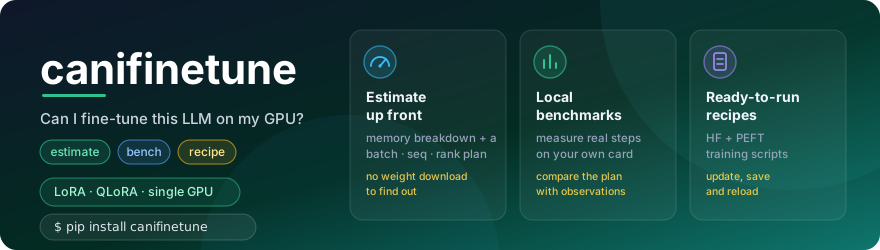
Can I fine-tune this LLM on my GPU? Make a plan before loading the weights.
You have one consumer NVIDIA GPU and an open-weight model in mind. How much memory will training need? Which sequence length, batch size and LoRA rank should you start with? What should you change when the budget is tight?
canifinetune turns those questions into a memory breakdown, configuration
suggestions and a runnable recipe. Then it helps you measure an actual local run
and compare the observation with the plan. Core estimation needs no PyTorch
and no model-weight download.
Your first result
Start in a virtual environment; you do not need to clone this repository.
python -m pip install canifinetune==0.4.1
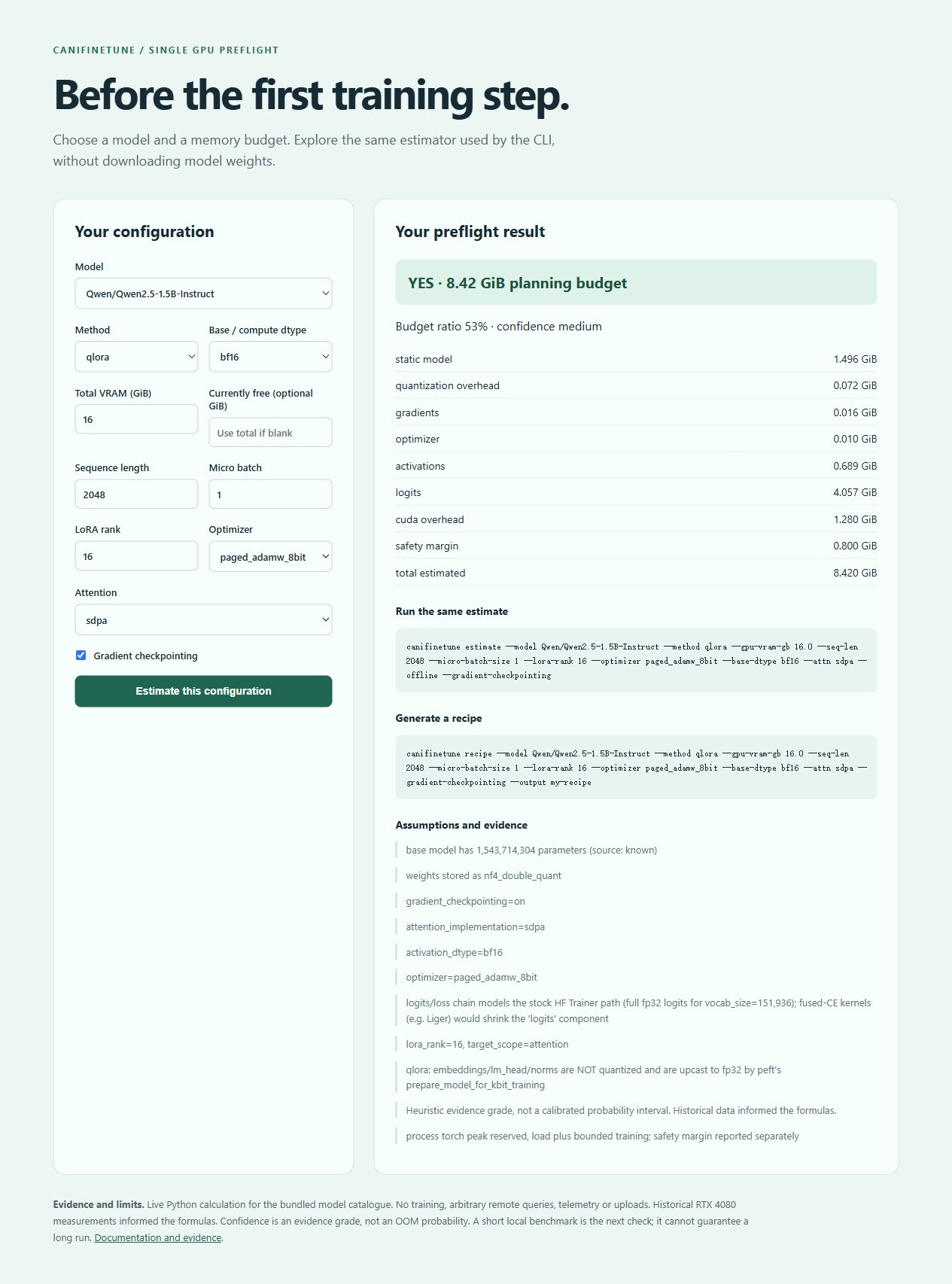
canifinetune estimate --model Qwen/Qwen2.5-1.5B-Instruct --method qlora --gpu-vram-gb 16 --seq-len 2048 --offline
canifinetune demo
The estimate is 8.420 GiB, YES against a 16 GiB budget, with heuristic
confidence medium. It includes the stock logits/loss allocation and a separate
safety allowance. A planning result is not a guarantee that training will fit.
demo serves a local interactive entry at 127.0.0.1:8765.
Choose a model, training settings and total/currently-free memory; inspect the
breakdown and copy matching CLI commands. It uses the same Python estimator.
Choose your path
| You want to… | Start here | What you get |
|---|---|---|
| Check a memory budget | Estimate and recommend | A component breakdown, assumptions and candidate configurations |
| Run a real fine-tune | PyPI-only quickstart | A pinned 0.5B QLoRA recipe, real updates, an adapter and a reload check |
| Try training without Hub weights | Offline CPU smoke | A locally created tiny model and full update/save/reload execution |
| Understand or contribute evidence | Measurements and limits | Defined metrics, raw observations and opt-in redacted export |
How it works
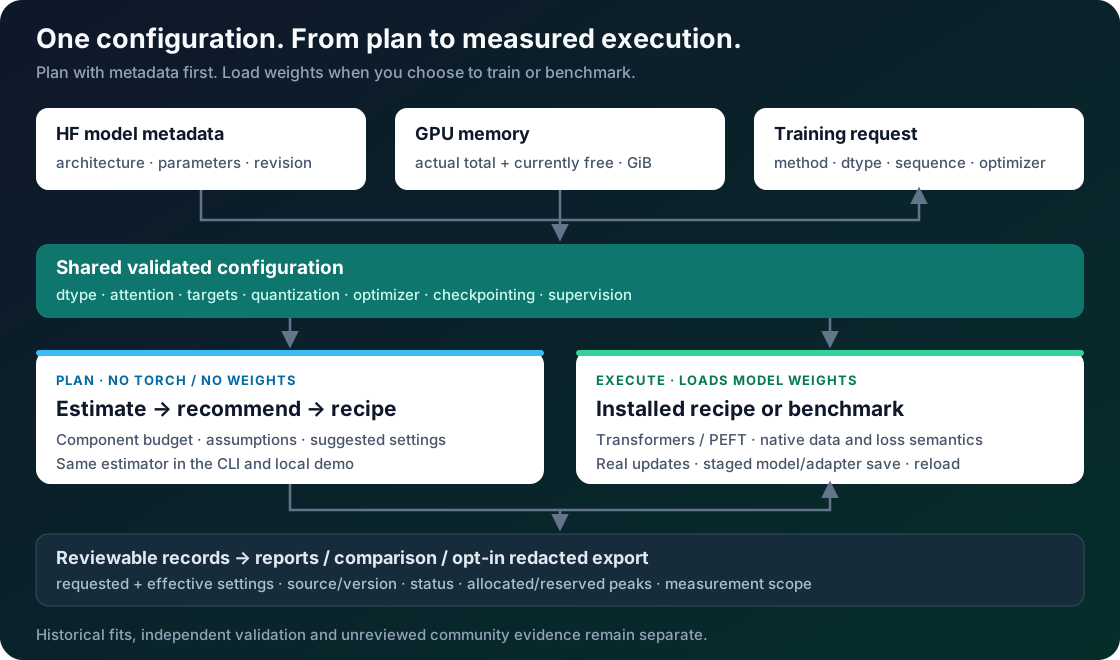
One configuration contract connects the plan to execution. The estimate accounts for weights, quantization, trainable gradients, optimizer state, activations, logits/loss and overhead. Generated recipes use one Transformers/PEFT runtime, preserve system and multi-turn data, and record requested/effective settings. Benchmarks cover loading, first optimizer-state allocation and the bounded updates.
- Inspect the budget. See where memory goes, including large-vocabulary loss buffers and the unquantized parts of QLoRA models.
- Carry the configuration through. Dtype, attention, targets, optimizer, checkpointing, quantization and supervision have explicit meanings and errors.
- Get usable artifacts. Recipes save a full model or adapter through a staged save, record the outcome and provide a reload/generation command.
- Keep evidence traceable. Reports separate measured peaks, planning safety, historical fits, independent observations and unreviewed community submissions.
Architecture guide · Training/data contract
What has been measured
On a native Windows RTX 4080, four predeclared Qwen2.5-0.5B-Instruct cases covered LoRA/QLoRA at sequence 256/512, with three updates each. Reserved peaks ranged from 1.666 to 2.398 GiB. Old/new estimator predictions were identical and conservative: 46.2% MAPE, four overestimates, no demonstrated accuracy gain.
This is a small prospective cohort on one GPU/model, separate from historical measurements used during estimator development. It does not establish a general OOM probability. Candidate/public-package qualification additionally executes CPU full/LoRA and CUDA LoRA/QLoRA updates, saves and reloads. Tiny smoke proves the pipeline, not useful fine-tuned language quality.
Prospective validation and raw records · Historical baselines
Install and compatibility
| Layer | Install | Scope |
|---|---|---|
| Core | pip install canifinetune==0.4.1 |
Python 3.10–3.14; estimate, recommend, recipes, reports and local demo |
| Training | Qualified Torch wheel, then pip install "canifinetune[train]==0.4.1" with constraints |
Python 3.12; real training and benchmarks |
| Reporting extras | pip install "canifinetune[report]==0.4.1" |
Optional pandas/tabulate |
Training uses Torch 2.6, minimum/recommended Transformers/PEFT/Accelerate stacks and bitsandbytes 0.49.2. The quickstart separates Windows and Linux/WSL commands. Native Windows CPU/CUDA and Linux CPU are qualified; WSL GPU, other GPUs, Flash Attention and Liger are not qualified. CPU requires fp32; pre-quantized bases, remote model code and distributed training are outside supported execution. Inference artifacts do not include full optimizer/RNG resume state.
Compatibility and migration · Troubleshooting
Contribute and develop
Improve a documented model family, reproduce a bounded measurement, or make the first-use workflow clearer. Measurements are manual and opt-in, redacted by default and unreviewed until checked; uploads do not automatically enter fits.
python -m pip install -e ".[dev]"
ruff check .
ruff format --check .
mypy src
pytest -q -m "not training" --cov=canifinetune --cov-fail-under=70
python scripts/check_generated.py
Contributing · Changelog · Release process · License
MIT. Maintainer: Daoyuan Li.
1 maintainer

Metadata
1 maintainer
Release files for canifinetune 0.4.1
For a detailed explanation of source distributions (sdists) and built distributions (wheels), please see the package formats documentation.
Source distribution (sdist)
| File | Size | Uploaded | |
|---|---|---|---|
| canifinetune-0.4.1.tar.gz | 73.6 kB | Details |
Built distribution (wheel)
| File | Interpreter | ABI | Platform | Reset |
|---|---|---|---|---|
| canifinetune-0.4.1-py3-none-any.whl | Python 3 | none | any | Details |
Total release size: 159.5 kB
Release files / canifinetune-0.4.1.tar.gz
| Download URL | canifinetune-0.4.1.tar.gz |
|---|---|
| Size | 73.6 kB |
| Tags | Source |
|
SHA-256 checksum How to use checksums |
bb214c4477422d7b8fabc8018f86c03f309e7b2da445c8a9602d80a19c823fa7
|
|
BLAKE2b-256 checksum How to use checksums |
2e402c34dc918fda0b5725e826ccef0425c458900638aa8a50f84e45d3da5287
|
| Upload date | |
|
Uploaded using Trusted Publishing? What is trusted publishing? |
Yes |
| Uploaded via |
twine/7.0.0 CPython/3.13.14
|
Provenance
Provenance describes where a file came from. On PyPI, provenance is shared via attestations, which provide a verifiable record of the build or publishing details. View details, limitations and caveats.


PyPI Publish Attestation
PyPI verified that this artifact, at this checksum, originated from the publisher listed below.
Signed by GitHub Actions, verified by PyPI on Oct 4, 2026.
Transparency logRelease files / canifinetune-0.4.1-py3-none-any.whl
| Download URL | canifinetune-0.4.1-py3-none-any.whl |
|---|---|
| Size | 85.9 kB |
| Tags | Python 3 |
|
SHA-256 checksum How to use checksums |
ced68e8c39bda14cca8526227ada205e5d30f4416c1adcae5021bdffe26534db
|
|
BLAKE2b-256 checksum How to use checksums |
db3b32ed954dcc3fb1172ff74a3586a90a8e072b9240648d8515797863106ba9
|
| Upload date | |
|
Uploaded using Trusted Publishing? What is trusted publishing? |
Yes |
| Uploaded via |
twine/7.0.0 CPython/3.13.14
|
Provenance
Provenance describes where a file came from. On PyPI, provenance is shared via attestations, which provide a verifiable record of the build or publishing details. View details, limitations and caveats.
PyPI Publish Attestation
PyPI verified that this artifact, at this checksum, originated from the publisher listed below.
Signed by GitHub Actions, verified by PyPI on Oct 4, 2026.
Transparency log













