
A simple CAN bus monitoring tool, with dbc support.

Project description
CANpeek
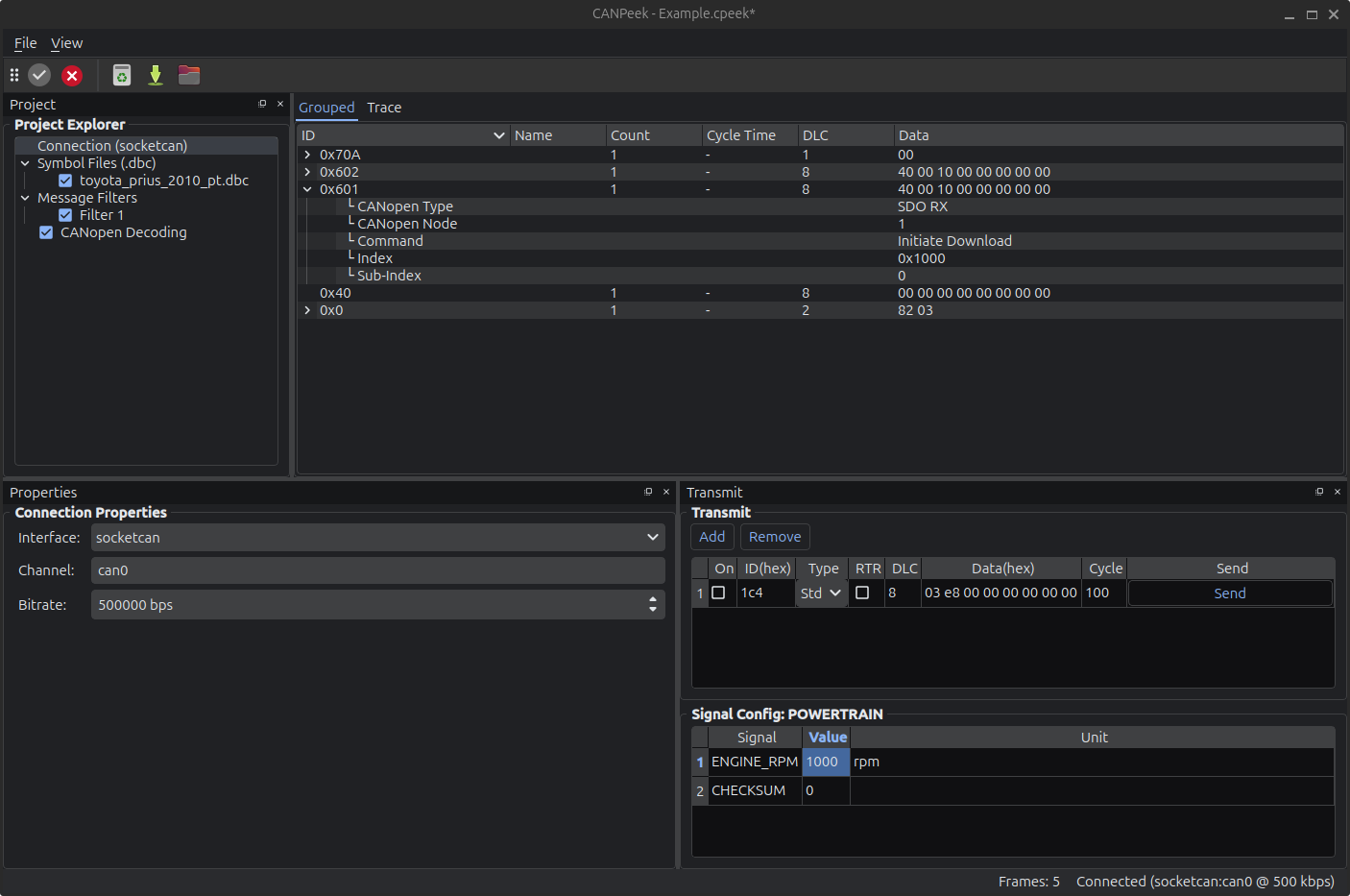
CANpeek is a graphical CAN bus observer and analyzer for Linux and Windows based on Python and Qt with can databases (DBC) support and some CANopen functionality.
Features
- 🧩 Project-based configuration with filters, DBC files, and persistent decoding options
- 🌐 Multi-interface support: socketcan, pcan, kvaser, vector, and virtual based on python-can
- 📊 Dual View: Real-time Trace View and hierarchical Grouped View with signal expansion
- 📁 Multi-DBC support with signal decoding from cantools
- 🧠 CANopen basic decoder with support for NMT, PDO, SDO, Heartbeat, and more
- 🧠 CANopen Object Dictionary with an SDO client
- 📦 CAN frame transmitter, supporting both raw and signal-based (DBC) messages
- 📜 Log support: Save/load CAN logs in all python-can IO formats
Screenshots
Installation
The interfaces avaibility depends on modules and drivers available on your system.
With pip
Use the extra [interfaces] to install optionals python modules.
pip install canpeek[interfaces]
canpeek
From source
- Install uv
- Run
uv run canpeek --extra interfaces
🤖 About the Code (aka “AI Slop” Warning)
This project includes code — and this very README — that were generated almost entirely with large language models (LLMs). Yes, the term “AI slop” was insisted upon.
While the app works and provides a full-featured CAN bus GUI, you may find:
- Some awkward structure and bloated chunks of logic
- Repetitive patterns that could use refactoring
- Giant all-in-one files (yes,
main.py, we’re looking at you) - Documentation (including this README) was AI-generated too — so if it sounds polished but slightly overconfident, that’s why.
The goal was rapid prototyping, not pristine architecture. Use it, improve it, rewrite parts of it — all contributions are welcome.
Usage
-
Connect to a CAN interface:
- Select backend (
socketcan,pcan,kvaser, etc.) - Enter the channel (e.g.,
can0) - Click Connect
- Select backend (
-
Load DBC files via the "Project Explorer" to decode signals.
-
Create Filters to limit visible traffic.
-
Send CAN messages:
- Manually from the Transmit tab
- If the message id is in the DBC, a dedicated panel is available to edit signals values
-
Save / Load CAN logs in multiples formats.
Other tools
CANPeek is designed to be quick & simple, you might find those intersesting:
License
- This project is licensed by MIT License
- icons : Yaru : CC BY-SA 4.0


Download files
Download the file for your platform. If you're not sure which to choose, learn more about installing packages.
Source Distribution
Built Distribution
Filter files by name, interpreter, ABI, and platform.
If you're not sure about the file name format, learn more about wheel file names.
Copy a direct link to the current filters
File details
Details for the file canpeek-0.6.0.tar.gz.
File metadata
- Download URL: canpeek-0.6.0.tar.gz
- Upload date:
- Size: 3.9 MB
- Tags: Source
- Uploaded using Trusted Publishing? Yes
- Uploaded via: uv/0.7.18
File hashes
| Algorithm | Hash digest | |
|---|---|---|
| SHA256 |
55816d0acd35a415233e18f1a11b46379816b98109aa765a94979db2e92dfd3d
|
|
| MD5 |
012035e50564c2a58960be2022be39fe
|
|
| BLAKE2b-256 |
4cf3742fcbb3c1e3bc14a6fef9351e9b5c6ddb1e2ac9b1767303191bff6d9068
|
File details
Details for the file canpeek-0.6.0-py3-none-any.whl.
File metadata
- Download URL: canpeek-0.6.0-py3-none-any.whl
- Upload date:
- Size: 3.8 MB
- Tags: Python 3
- Uploaded using Trusted Publishing? Yes
- Uploaded via: uv/0.7.18
File hashes
| Algorithm | Hash digest | |
|---|---|---|
| SHA256 |
a367cfdec60578fca703686fcc0188baa45ad811877a25553da41dd4b6751c9f
|
|
| MD5 |
ae86581eda6d28b2159ee4aea78805e9
|
|
| BLAKE2b-256 |
6dca61069edd22521216bc4720b0309765ba088e824fc075c9e117eb1f0d913c
|






