
canvas-grab
Looking for Maintainers
As I no longer have access to Canvas systems, this project cannot be actively maintained by me. If you are interested in maintaining this project, please email me.
Grab all files on Canvas LMS to local directory.
Less is More. In canvas_grab v2, we focus on stability and ease of use. Now you don't have to tweak dozens of configurations. We have a very simple setup wizard to help you get started!
For legacy version, refer to legacy branch.
Getting Started
- Install Python
- Download canvas_grab source code. There are typically three ways of doing this.
- Go to Release Page and download
{version}.zip. - Or
git clone https://github.com/skyzh/canvas_grab. - Use SJTU GitLab, see Release Page, or visit https://git.sjtu.edu.cn/iskyzh/canvas_grab
- Go to Release Page and download
- Run
./canvas_grab.sh(Linux, macOS) or.\canvas_grab.ps1(Windows) in Terminal. Please refer toBuild and Run from Sourcefor more information. - Get your API key at Canvas profile and you're ready to go!
- Please don't modify any file inside download folder (e.g take notes, add supplementary items). They will be overwritten upon each run.
You may interrupt the downloading process at any time. The program will automatically resume from where it stopped.
To upgrade, just replace canvas_grab with a more recent version.
If you have any questions, feel free to file an issue here.
Build and Run from Source
First of all, please install Python 3.8+, and download source code.
We have prepared a simple script to automatically install dependencies and run canvas_grab.
For macOS or Linux users, open a Terminal and run:
./canvas_grab.sh
For Windows users:
- Right-click Windows icon on taskbar, and select "Run Powershell (Administrator)".
- Run
Set-ExecutionPolicy Unrestrictedin Powershell. - If some courses in Canvas LMS have very long module names that exceed Windows limits (which will causes "No such file" error
when downloading), run the following command to enable long path support.
Set-ItemProperty -Path 'HKLM:\SYSTEM\CurrentControlSet\Control\FileSystem' -Name LongPathsEnabled -Type DWord -Value 1 - Open
canvas_grabsource file in file browser, Shift + Right-click on blank area, and selectRun Powershell here. - Now you can start canvas_grab with a simple command:
.\canvas_grab.ps1
Configure
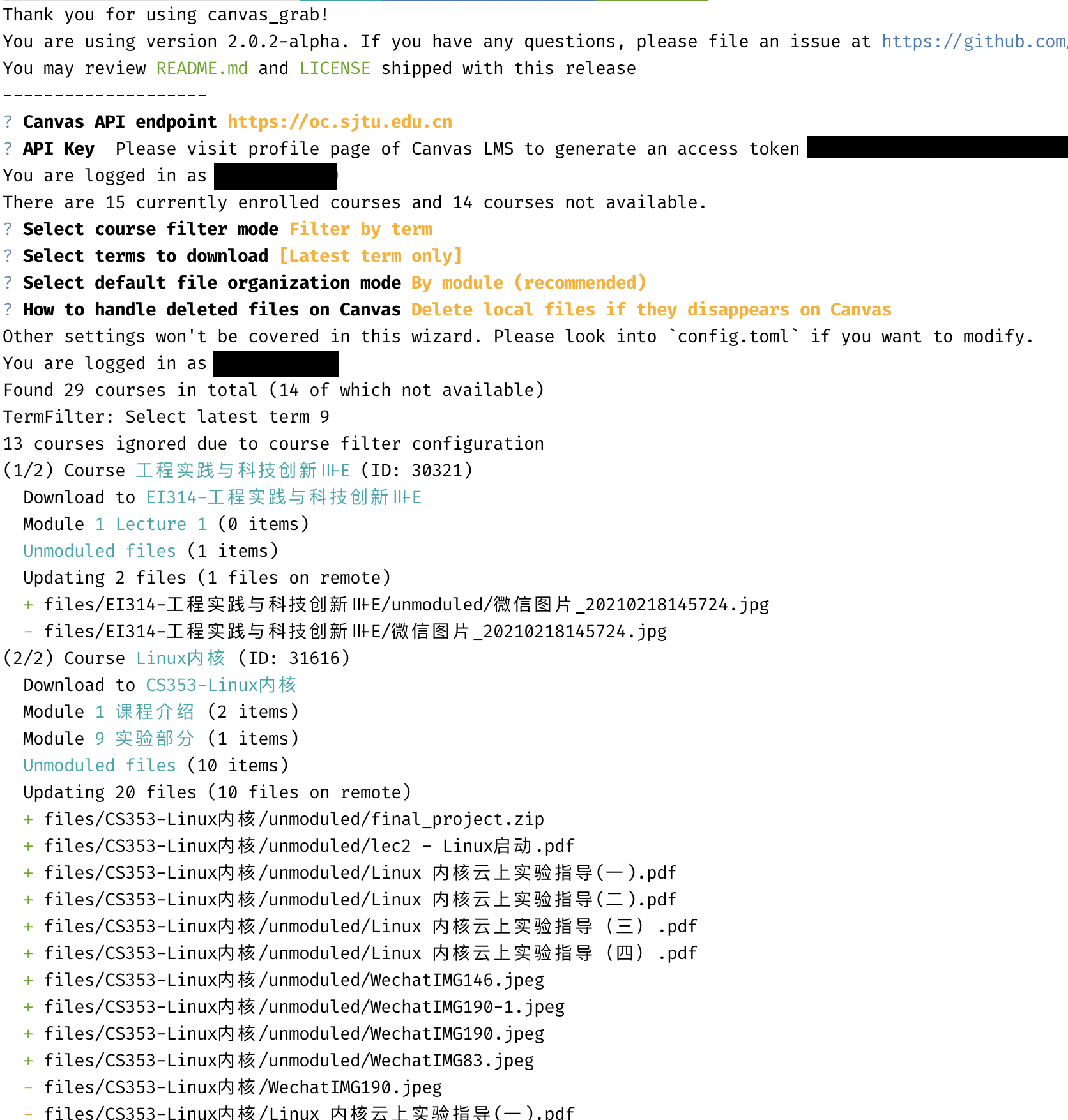
The setup wizard will automatically create a configuration for you.
You can change config.toml to fit your needs. If you need to
re-configure, run ./configure.sh or ./configure.ps1.
Common Issues
- Acquire API token Access Token can be obtained at "Account - Settings - New Access Token".
- SJTU users 请在此页面内通过“创建新访问许可证”按钮生成访问令牌。
- An error occurred You'll see "An error occurred when processing this course" if there's no file in a course.
- File not available This file might have been included in an unpublished unit. canvas_grab cannot bypass restrictions.
- No module named 'canvasapi' You haven't installed the dependencies. Follow steps in "build and run from source" or download prebuilt binaries.
- Error when checking update It's normal if you don't have a stable connection to GitHub. You may regularly check updates by visiting this repo.
- Reserved escape sequence used please use "/" as the path seperator instead of "\".
- Duplicated files detected There're two files of same name in same folder. You should download it from Canvas yourself.
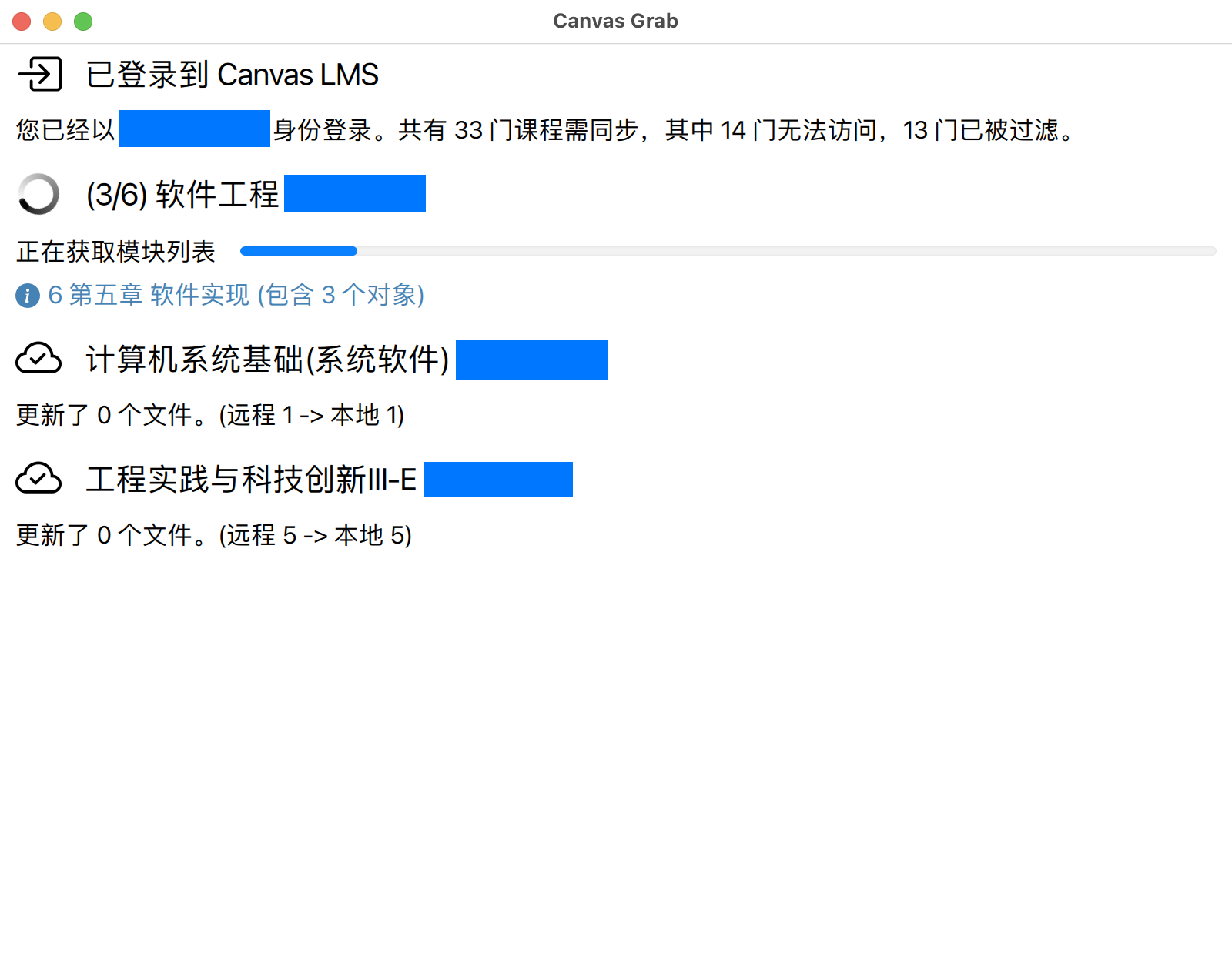
Screenshot
Contributors
See Contributors list. @skyzh, @danyang685 are two core maintainers.
License
MIT
Which means that we do not shoulder any responsibilities for, included but not limited to:
- API key leaking
- Users upload copyright material from website to the Internet
1 maintainer

Metadata
1 maintainer
Release files for canvas-grab 0.1.0
For a detailed explanation of source distributions (sdists) and built distributions (wheels), please see the package formats documentation.
Source distribution (sdist)
| File | Size | Uploaded | |
|---|---|---|---|
| canvas-grab-0.1.0.tar.gz | 20.2 kB | Details |
Built distribution (wheel)
| File | Interpreter | ABI | Platform | Reset |
|---|---|---|---|---|
| canvas_grab-0.1.0-py3-none-any.whl | Python 3 | none | any | Details |
Total release size: 46.2 kB
Release files / canvas-grab-0.1.0.tar.gz
| Download URL | canvas-grab-0.1.0.tar.gz |
|---|---|
| Size | 20.2 kB |
| Tags | Source |
|
SHA-256 checksum How to use checksums |
efa811df62819bea8faa58ebe2947e26806ec2bd74e20d4b8a7df0373d6bc188
|
|
BLAKE2b-256 checksum How to use checksums |
7859c6021b44fc5156529961e0b6c00ec514607e185a99b2a43da6f24e22a042
|
| Upload date | |
|
Uploaded using Trusted Publishing? What is trusted publishing? |
No |
| Uploaded via |
poetry/1.1.13 CPython/3.9.16 Linux/5.19.0-32-generic
|
Release files / canvas_grab-0.1.0-py3-none-any.whl
| Download URL | canvas_grab-0.1.0-py3-none-any.whl |
|---|---|
| Size | 26.1 kB |
| Tags | Python 3 |
|
SHA-256 checksum How to use checksums |
b1ba1d98a5d2a3681696c7961c5ebee05ea91a936f91eb6a4fe84f68249d2ee6
|
|
BLAKE2b-256 checksum How to use checksums |
44f93768dcd490e45b2ca783bf99659fe3c94b566bbbda76e31e341576a7b92f
|
| Upload date | |
|
Uploaded using Trusted Publishing? What is trusted publishing? |
No |
| Uploaded via |
poetry/1.1.13 CPython/3.9.16 Linux/5.19.0-32-generic
|













