
A simple dependency management tool and tasks executor for Python projects

Project description

A simple dependency management tool and tasks executor for Python projects




Installation
Make sure that you have a working Python >= 3.6 with pip and virtualenv installed and then execute
$ pip install caos
For information about the usage and how to contribute check the Documentation.
Usage Example
Here is an example of a web application's dependencies, tests, and execution being handle by caos.
Sample Project Structure:
my_project (Project's root Folder)
|___ caos.yml
|___ main.py
|___ tests
    |___ test.py
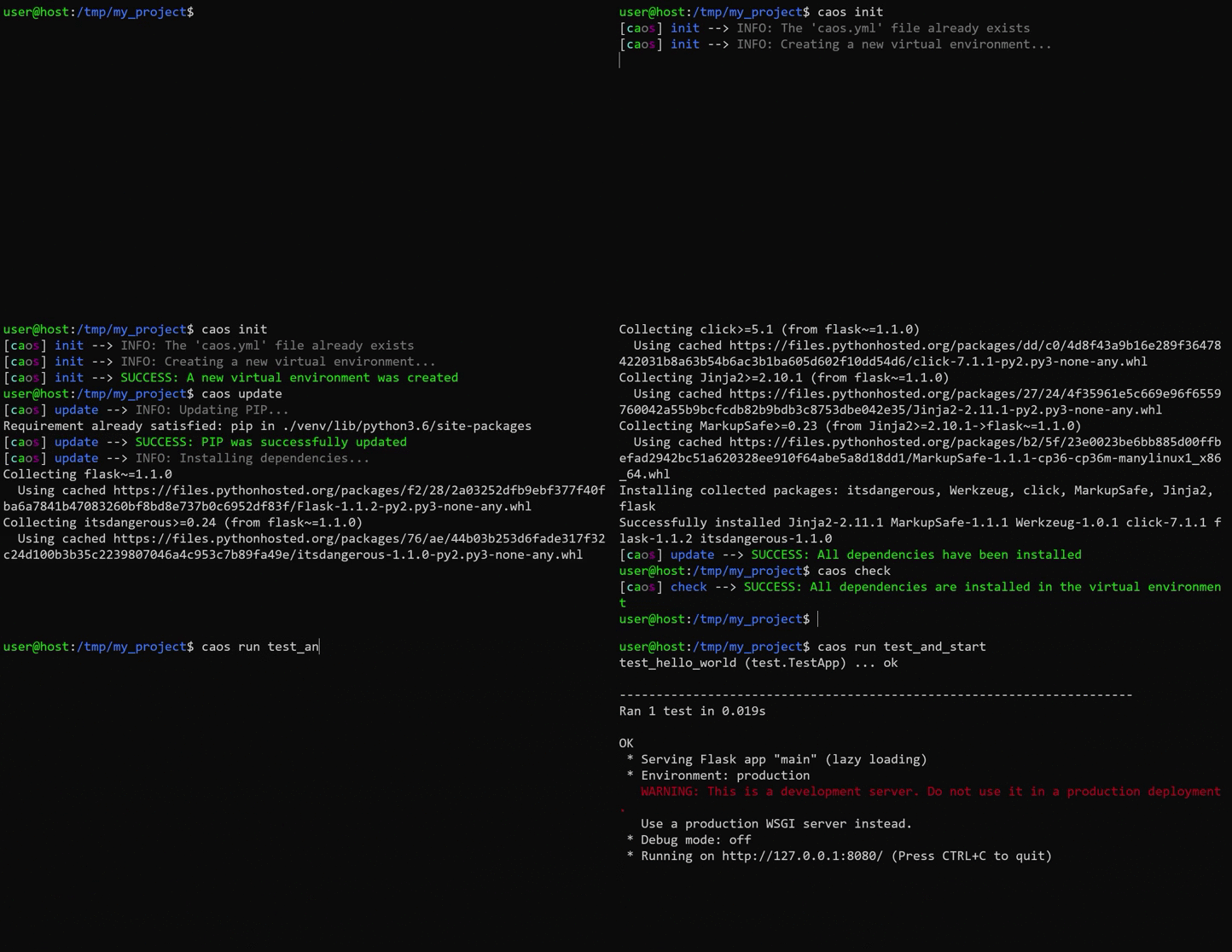
These are the commands used:
$ caos init                 # Initialize a Python virtual environment for the project
$ caos update               # Download the project dependencies
$ caos check                # Verify all the dependencies are installed
$ caos run test_and_start   # Execute the user defined task for testing and running the project
This is the content of the caos.yml file presented in the example:
virtual_environment: "venv"

dependencies:
  pip: "latest"
  flask: "~1.1.0"

tasks:
  unittest:
    - "caos python -m unittest discover -v ./tests"

  start:
    - "caos python ./main.py"

  test_and_start:
    - unittest
    - start
This is the content of the main.py file presented in the example:
from flask import Flask
app = Flask(__name__)


@app.route('/')
def hello():
    return "Hello World!"

if __name__ == '__main__':
    app.run(host="127.0.0.1", port="8080")
This is the content of the test.py file presented in the example:
import unittest
from main import app

class TestApp(unittest.TestCase):

    def test_hello_world(self):
        self.app = app.test_client()
        response = self.app.get('/')
        self.assertEqual(200, response.status_code)
        self.assertIn(b'Hello World!', response.data)


if __name__ == '__main__':
    unittest.main()
Release history Release notifications | RSS feed


Download files
Download the file for your platform. If you're not sure which to choose, learn more about installing packages.
Source Distribution
Built Distribution
Filter files by name, interpreter, ABI, and platform.
If you're not sure about the file name format, learn more about wheel file names.
Copy a direct link to the current filters
File details
Details for the file caos-2.0.3.tar.gz.
File metadata
- Download URL: caos-2.0.3.tar.gz
- Upload date:
- Size: 63.1 kB
- Tags: Source
- Uploaded using Trusted Publishing? No
- Uploaded via: twine/3.1.1 pkginfo/1.5.0.1 requests/2.22.0 setuptools/46.1.3 requests-toolbelt/0.9.1 tqdm/4.42.0 CPython/3.8.1
File hashes
| Algorithm | Hash digest | |
|---|---|---|
| SHA256 |
492f27590aa5ec4c1007b825455ddedd7223e83109115b6aa88ee73caf063e8d
|
|
| MD5 |
0ba5046986d7ae9afbc509cf965ed893
|
|
| BLAKE2b-256 |
2283d7e97cbbac6fa15ff441c3a6a73049d8c6d12dcce49fa9dd4c16aebf12cd
|
File details
Details for the file caos-2.0.3-py3-none-any.whl.
File metadata
- Download URL: caos-2.0.3-py3-none-any.whl
- Upload date:
- Size: 87.3 kB
- Tags: Python 3
- Uploaded using Trusted Publishing? No
- Uploaded via: twine/3.1.1 pkginfo/1.5.0.1 requests/2.22.0 setuptools/46.1.3 requests-toolbelt/0.9.1 tqdm/4.42.0 CPython/3.8.1
File hashes
| Algorithm | Hash digest | |
|---|---|---|
| SHA256 |
8146084fade96605169f74423b472e164979ba821bfcd1a530638463b3566b09
|
|
| MD5 |
b43aeb367599df09574409ef9ae9a1df
|
|
| BLAKE2b-256 |
a3a0ef6d516807862a2b3672183e4ca68ad721b354c63c9ab9e8956c6371c874
|






