
A powerful AI agentic system

Project description
Captain Claw





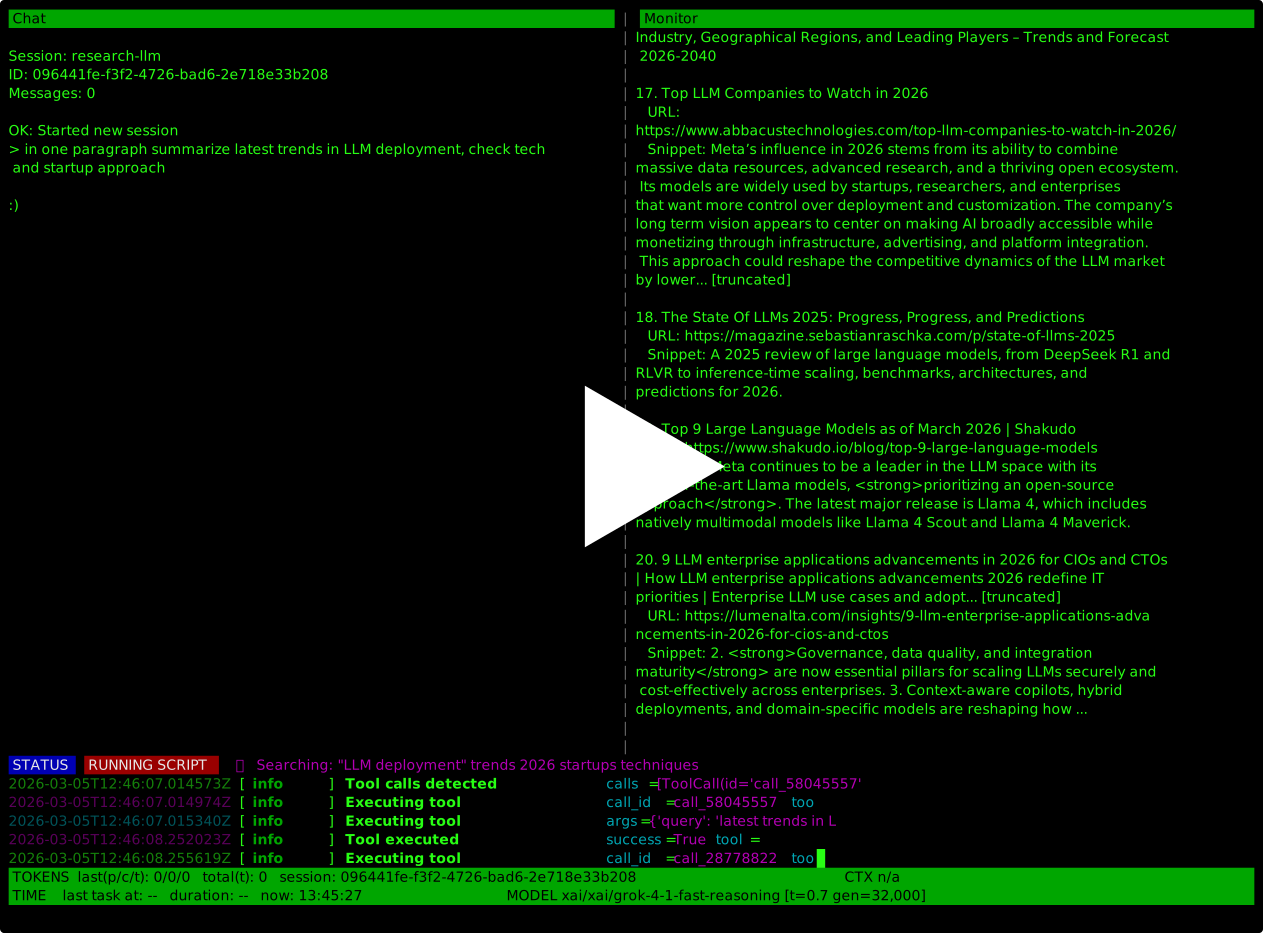
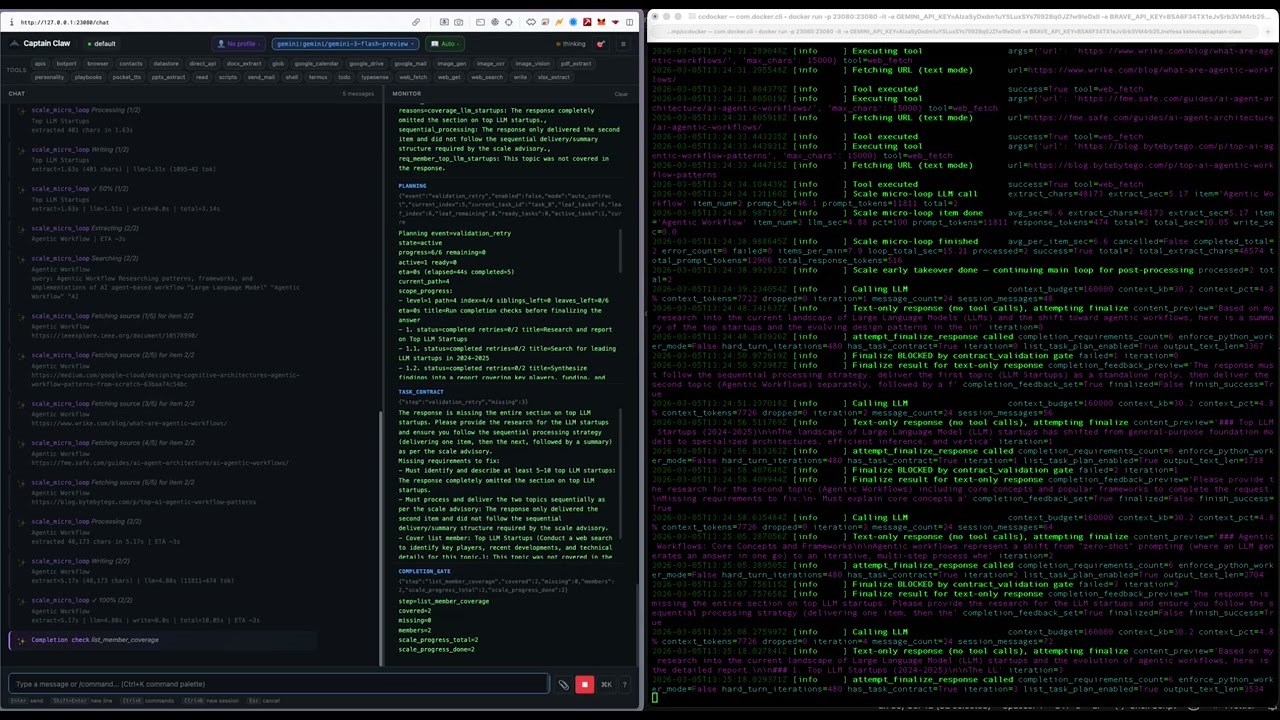
An open-source AI agent with multi-agent orchestration, autonomous cognitive systems, and a full management dashboard. Runs locally, supports every major LLM provider, and ships with 44 built-in tools.
What's New in 0.4.26
Code Apps & Memory Taxonomy. Captain Claw 0.4.26 lands two large additions on top of the 0.4.25 plan-mode foundation: agent-authored sandboxed mini-apps that can share data across each other, and a typed memory taxonomy for the insights layer that captures how the user wants you to work, not just what they know.
- Code Apps (
app_runnertool + Flight Deck subprocess runtime). The agent can scaffold an interactive mini-app withbackend.py(Python) +frontend.html(sandboxed iframe in Flight Deck's Code Apps page), each running as a managed subprocess behind a per-slug Unix domain socket. Actions:scaffold,read_source,edit_file(auto-restarts the subprocess),restart,logs,proxy(smoke-test),query_app(read another app's data),list. Built-in self-repair loop: after scaffolding, the agent smoke-tests, reads logs on failure, fixesbackend.py, restarts. Editing existing apps must go throughread_source+edit_file—scaffoldis reserved for new apps and full rewrites. - Cross-app data sharing via
data_api— an app's manifest declares which read-only endpoints siblings can hit. Other apps consume them throughfrom captain_claw.app_sdk import sibling; data = await sibling("contacts").get_json("/contacts"). Auth is automatic; write endpoints are not publishable in v1 (read-only by design). The chat can alsoquery_appdirectly to answer "how many notes do I have?" without scaffolding yet another notes app. - Typed memory taxonomy in
insights. Two new categories —feedback(corrections AND confirmations about how to work, with apolarityfield:"positive"for "yes exactly, keep doing that","negative"for "stop summarizing every turn") andreference(pointers to where information lives in external systems, like a Google Doc or a Linear project). Three new fields —why(the motivation, so future-you can judge edge cases),how_to_apply(when/where the rule kicks in),polarity. The insights table migrates additively on first launch. - "Save from success AND failure" — the rewritten extraction prompt looks for confirmations (the quieter half) as well as corrections, so the agent doesn't drift away from validated approaches over time.
- Surfaced-insights rendering now shows polarity tags (
[feedback/pos],[feedback/neg]) and indentedWhy:/How to apply:lines, so the agent can see why a rule exists and override it when the underlying reason no longer fits. The system-prompt block also teaches verify-before-recommending — file paths, deadlines, references, and decisions can all go stale. - Reversibility / blast-radius taxonomy in the system prompt — a four-bucket checklist (destructive / hard-to-reverse / shared-state / third-party upload) that replaces the old scattered "confirm before dangerous commands" line. Each bucket lists concrete everyday-agent examples (sending email, scheduling calendar events, publishing app
data_api, uploading documents to third parties). - End-of-turn discipline + exploratory-question shape — two new system-prompt sections. End-of-turn: one or two sentences after the work is done, no generic "let me know if you need anything" closers. Exploratory questions ("what could we do about X?", "should we use A or B?"): 2–3 sentences with a recommendation and the main tradeoff, presented as a redirectable proposal — not a decided plan, not a tool-call cascade.
- DeepSeek provider support — the DeepSeek family is now a first-class LLM provider through the standard model-switch path, with function-calling, streaming, prompt-cache reporting, and guard/orchestration coverage.
- Flight Deck Ctrl+C exits on first press —
timeout_graceful_shutdown=3caps uvicorn's "waiting for connections to close" phase; a small log filter drops the noisy per-streamCancelledErrortracebacks during shutdown. Single Ctrl+C, ~3 second wait, clean exit. - Task-loop tightening — nano / eco / force-script tool restriction, stall detection (catches "Let me look that up", "I'll fetch the file now"-style intent-only replies and silently retries with
tool_choice="required"), intent-based tool preselection in eco mode. - Plan-mode follow-ups — late-0.4.25 fixes around plan loading, JSON parsing,
OrchestratorTaskrevision round-trips, and the planner's preferredsaved/tmp/<slug>.mdwrite pattern.
Backward compatible — existing 0.4.25 configurations keep working unchanged. Insights DB migrates additively (three nullable columns). See RELEASE_NOTES_0.4.26.md for the full per-area breakdown.
See RELEASE_NOTES.md for the full changelog.
What Makes Captain Claw Different
Flight Deck — Multi-Agent Command Center
A full management dashboard for running teams of AI agents. Spawn, monitor, configure, and coordinate agents from a single UI.
captain-claw-fd # http://0.0.0.0:25080
- Agent Forge — Describe a business goal in plain text. An LLM designs a specialized team with roles, tools, operating procedures, and a lead coordinator. Review, customize, and spawn the entire team in one click.
- Agent Council — Structured multi-agent deliberation. Run brainstorms, debates, reviews, or planning sessions with 2-N agents. Each agent self-scores suitability, chooses actions (answer, challenge, refine, broaden), and responds in moderated rounds. A moderator synthesizes conclusions; all agents vote. Export as markdown minutes.
- Fleet Communication — Agents discover peers automatically. Consult (synchronous ask) or delegate (asynchronous queue) tasks to specialist agents. Shared workspace and file transfer across the fleet.
- Director Panel — Unified overview of all agents. Broadcast messages fleet-wide. Per-agent token/cost analytics, trace timelines, datastore browser, file browser, config editor.
- Multi-user Auth — JWT authentication, admin dashboard, rate limiting, and quotas.
- MCP Connections — Add Model Context Protocol servers (HTTP or stdio) once and every entitled agent in the fleet picks up their tools — no per-agent config. Phase 2 adds stdio transport for
npx/uvx-shipped servers, per-agent allowlists, hot tool-list reload over SSE, and streaming tool calls.
Cognitive Architecture
Captain Claw has a five-layer memory system and autonomous cognitive processes that run without user intervention.
Memory Layers:
| Layer | What it stores | How it's used |
|---|---|---|
| Working Memory | Current conversation in the LLM context window | Immediate reasoning |
| Semantic Memory | Hybrid vector + BM25 full-text search over documents and sessions | Auto-injected when relevant to the current query |
| Deep Memory | Typesense-backed long-term archive, scales to millions of documents | Searched on demand for deep recall |
| Insights | Auto-extracted facts, contacts, decisions, and deadlines (SQLite + FTS5) | Cross-session knowledge injected into system prompt |
| Nervous System | Autonomous "intuitions" — patterns, hypotheses, and connections | Surfaces non-obvious findings the agent wouldn't otherwise notice |
Autonomous Processes:
- Dreaming — Background dream cycles cross-reference all memory layers to synthesize intuitions. Runs after every N messages and during idle hours. Intuitions have confidence scores that decay over time unless validated.
- Tension Tracking — Holds unresolved contradictions (like musical dissonance) rather than forcing premature resolution. Tensions persist until evidence resolves them.
- Maturation Pipeline — New intuitions sit through multiple dream cycles before being surfaced to the agent, reducing noise.
- Cognitive Tempo — Detects whether the user is in deep contemplative mode or rapid task execution, and adapts processing depth accordingly (adagio / moderato / allegro).
- Cognitive Modes — Seven tunable behavioral profiles (Ionian through Locrian, inspired by musical scales) that shift the agent between analytical, creative, cautious, and exploratory approaches.
- Self-Reflection — Periodic self-assessment that reviews conversations, memory, and completed tasks to generate improvement directives injected into the system prompt.
- Insights Extraction — Automatically identifies durable knowledge from conversations — deduplicates, categorizes, and stores for future context injection.
Visualization:
- Brain Graph — Interactive 3D force-directed graph of the entire cognitive topology. Insights, intuitions, tasks, contacts, and sessions rendered as typed nodes with provenance edges. Live WebSocket updates.
- Process of Thoughts — Full lineage tracking across all cognitive subsystems. Every message, insight, intuition, and task is connected via provenance IDs, forming a traversable thought graph.
Orchestrator / DAG Mode
Decompose complex tasks into a dependency graph and execute subtasks in parallel across separate agent sessions.
/orchestrate Research startups in 3 countries, analyze founders, create comparison spreadsheet
- LLM decomposes the prompt into a task DAG with dependencies
- Parallel execution with configurable worker count
- Shared workspace for inter-task data flow
- Structured output validation (JSON Schema with auto-retry)
- Real-time trace timeline (Gantt-style visualization)
- Headless CLI mode for cron/scripts:
captain-claw-orchestrate
BotPort — Agent-to-Agent Network
Connect multiple Captain Claw instances through a routing hub. Agents delegate tasks to specialists based on expertise tags, persona matching, or LLM-powered routing.
- BotPort Swarm — DAG-based multi-agent orchestration across networked instances. Approval gates, retry with fallback, checkpointing, inter-agent file transfer (up to 50 MB), cron scheduling, and a visual dashboard.
MCP Server (act as an MCP server)
Captain Claw runs as a Model Context Protocol server over stdio — Claude Desktop and other MCP clients can browse sessions, read conversation history, and send prompts to the full agent.
captain-claw-mcp # stdio, configure in claude_desktop_config.json
MCP Client (consume MCP servers via Flight Deck)
The other direction: agents in your fleet call into MCP servers. Add a server once in Flight Deck → Connections → MCP servers and every agent the allowlist permits gets the tools auto-registered on boot.
- HTTP transport — Streamable-HTTP MCP servers, with optional OAuth2
client_credentials, capturedMcp-Session-Id, and SSE-response parsing. - stdio transport —
command+args+envfor local MCP servers shipped vianpx/uvx(filesystem, sqlite, github, postgres, etc.). Children are spawned lazily, auto-respawned on death, and torn down with SIGTERM/SIGKILL on close. - Per-agent allowlists — Restrict each server to specific agent slugs. Disallowed agents get HTTP 404 (existence is opaque).
- Hot reload — Agents subscribe to
/fd/mcp/agent/events(SSE) and re-register proxy tools the moment you change a server — no restart needed. - Streaming calls —
POST /fd/mcp/<name>/call_streamemitsprogress/result/errorSSE frames for UIs that want live indicators while a long-running tool runs.
See USAGE.md → Flight Deck → Connections → MCP servers for the full endpoint reference and config schema.
Safety Guards
Three layers of protection that run before, during, and after agent operations:
- Input guards — Validate user intent before the LLM sees it
- Script guards — AST-level analysis of generated code before execution
- Output guards — Validate tool results for hallucinations and safety
Guards support two modes: stop_suspicious (block automatically) or ask_for_approval (prompt the user).
Multi-Model Support
Mix providers freely — each session independently selects its model.
| Provider | Models |
|---|---|
| OpenAI (API key) | GPT-5.4, GPT-5.4-mini, GPT-5.4-nano, o3, o4-mini, gpt-image-1.5 |
| OpenAI (Sign in with ChatGPT) | gpt-5, gpt-5-codex, gpt-5.1-codex, gpt-5.1-codex-mini, gpt-5.1-codex-max, gpt-5.2-codex, gpt-5.3-codex — billed against your ChatGPT plan, no API key |
| Anthropic | Claude Opus 4.6, Sonnet 4.6, Haiku 4.5 (with prompt caching) |
| Gemini 3.1 Pro/Flash, Gemini 2.5 Pro/Flash (API key or OAuth/Vertex) | |
| Ollama | Any local model |
| LiteRT (on-device) | .litertlm Gemma models running locally via an isolated subprocess worker |
| OpenRouter | 200+ models via meta-router |
Quick Start
pip install captain-claw
export OPENAI_API_KEY="sk-..."          # or ANTHROPIC_API_KEY, GEMINI_API_KEY, etc.
captain-claw-web                         # http://127.0.0.1:23080
captain-claw-web          # Web UI (default)
captain-claw              # Interactive terminal
captain-claw --tui        # Terminal UI
captain-claw-fd           # Flight Deck multi-agent dashboard
captain-claw-mcp          # MCP server for Claude Desktop
botport                   # Agent-to-agent routing hub
First run starts onboarding automatically. For Ollama, no key needed — set provider: ollama in config.yaml.
44 Built-in Tools
Shell, file I/O, web fetch/search, browser automation, PDF/DOCX/XLSX/PPTX extraction, image generation (DALL-E), OCR, vision, TTS, STT, email (SMTP/Mailgun/SendGrid), Google Workspace (Drive, Docs, Sheets, Slides, Gmail, Calendar), desktop automation, screen capture with voice commands, persistent cross-session memory (todos, contacts, scripts, APIs, playbooks), datastore (SQLite tables with protection rules), deep memory (Typesense), personality system, cron scheduling, BotPort fleet discovery, and Termux (Android).
See USAGE.md for the full reference.
Web UI
Chat, Computer (retro-themed research workspace with 14 themes), monitor pane, instruction editor, command palette, persona selector, datastore browser, deep memory dashboard, insights browser, nervous system browser, Brain Graph 3D visualization, reflections dashboard, personality editor, playbook editor, and LLM usage analytics.
Computer — A standalone research workspace at /computer with themed visual generation, exploration trees, folder browser (local + Google Drive), file attachments, PDF export, and public mode with BYOK (Bring Your Own Key).
Docker
docker pull kstevica/captain-claw:latest
docker run -d -p 23080:23080 \
  -v $(pwd)/config.yaml:/app/config.yaml:ro \
  -v $(pwd)/.env:/app/.env:ro \
  -v $(pwd)/docker-data/home-config:/root/.captain-claw \
  -v $(pwd)/docker-data/workspace:/data/workspace \
  kstevica/captain-claw:latest
See README_DETAILED.md for Docker Compose and persistent data setup.
Configuration
YAML-driven with environment variable overrides (CLAW_ prefix).
model:
  provider: gemini
  model: gemini-2.5-flash
  allowed:
    - id: claude-sonnet
      provider: anthropic
      model: claude-sonnet-4-20250514
    - id: gpt-4o
      provider: openai
      model: gpt-4o

web:
  enabled: true
  port: 23080
Load precedence: ./config.yaml > ~/.captain-claw/config.yaml > env vars > .env > defaults.
Full reference: USAGE.md (23 config sections).
Architecture
| Component | Path |
|---|---|
| Agent (14-mixin composition) | captain_claw/agent.py |
| LLM providers | captain_claw/llm/ |
| 44 tools + registry | captain_claw/tools/ |
| Flight Deck (FastAPI + React) | captain_claw/flight_deck/ |
| DAG orchestrator | captain_claw/session_orchestrator.py |
| Semantic memory (vector + BM25) | captain_claw/semantic_memory.py |
| Deep memory (Typesense) | captain_claw/deep_memory.py |
| Insights (fact extraction) | captain_claw/insights.py |
| Nervous system (dreaming) | captain_claw/nervous_system.py |
| Cognitive tempo | captain_claw/cognitive_tempo.py |
| MCP server | captain_claw/mcp_serve.py |
| BotPort client | captain_claw/botport_client.py |
| Web UI + REST API | captain_claw/web/ |
| Prompt templates (~100 files) | captain_claw/instructions/ |
| Config (Pydantic) | captain_claw/config.py |
Documentation
- USAGE.md — Complete reference for all commands, tools, config, and features
- README_DETAILED.md — Extended README with feature-by-feature breakdown
License
Release history Release notifications | RSS feed


Download files
Download the file for your platform. If you're not sure which to choose, learn more about installing packages.
Source Distribution
Built Distribution
Filter files by name, interpreter, ABI, and platform.
If you're not sure about the file name format, learn more about wheel file names.
Copy a direct link to the current filters
File details
Details for the file captain_claw-0.4.26.tar.gz.
File metadata
- Download URL: captain_claw-0.4.26.tar.gz
- Upload date:
- Size: 3.9 MB
- Tags: Source
- Uploaded using Trusted Publishing? No
- Uploaded via: twine/6.2.0 CPython/3.11.15
File hashes
| Algorithm | Hash digest | |
|---|---|---|
| SHA256 |
f3966988b82d0cc9be16037f02b856d93d470f5741d2eac34640e0234451501a
|
|
| MD5 |
70153e77b04e5a5cad257ac47f802e40
|
|
| BLAKE2b-256 |
001f816c7d881d9defdd9413c898b1d5ffd397191198e398cfe155317fc9798f
|
File details
Details for the file captain_claw-0.4.26-py3-none-any.whl.
File metadata
- Download URL: captain_claw-0.4.26-py3-none-any.whl
- Upload date:
- Size: 4.2 MB
- Tags: Python 3
- Uploaded using Trusted Publishing? No
- Uploaded via: twine/6.2.0 CPython/3.11.15
File hashes
| Algorithm | Hash digest | |
|---|---|---|
| SHA256 |
63fcd695e0412398a57afb8ae8df5ea0a618bffc84a692e6dae29063a2be373b
|
|
| MD5 |
a35dab3d115d235e505a71e7e57ee745
|
|
| BLAKE2b-256 |
469e89e2e5d5dc156a67536b4a6fec06566baea92a81731525068bf422515f30
|






