
Client for Carbon


Project description
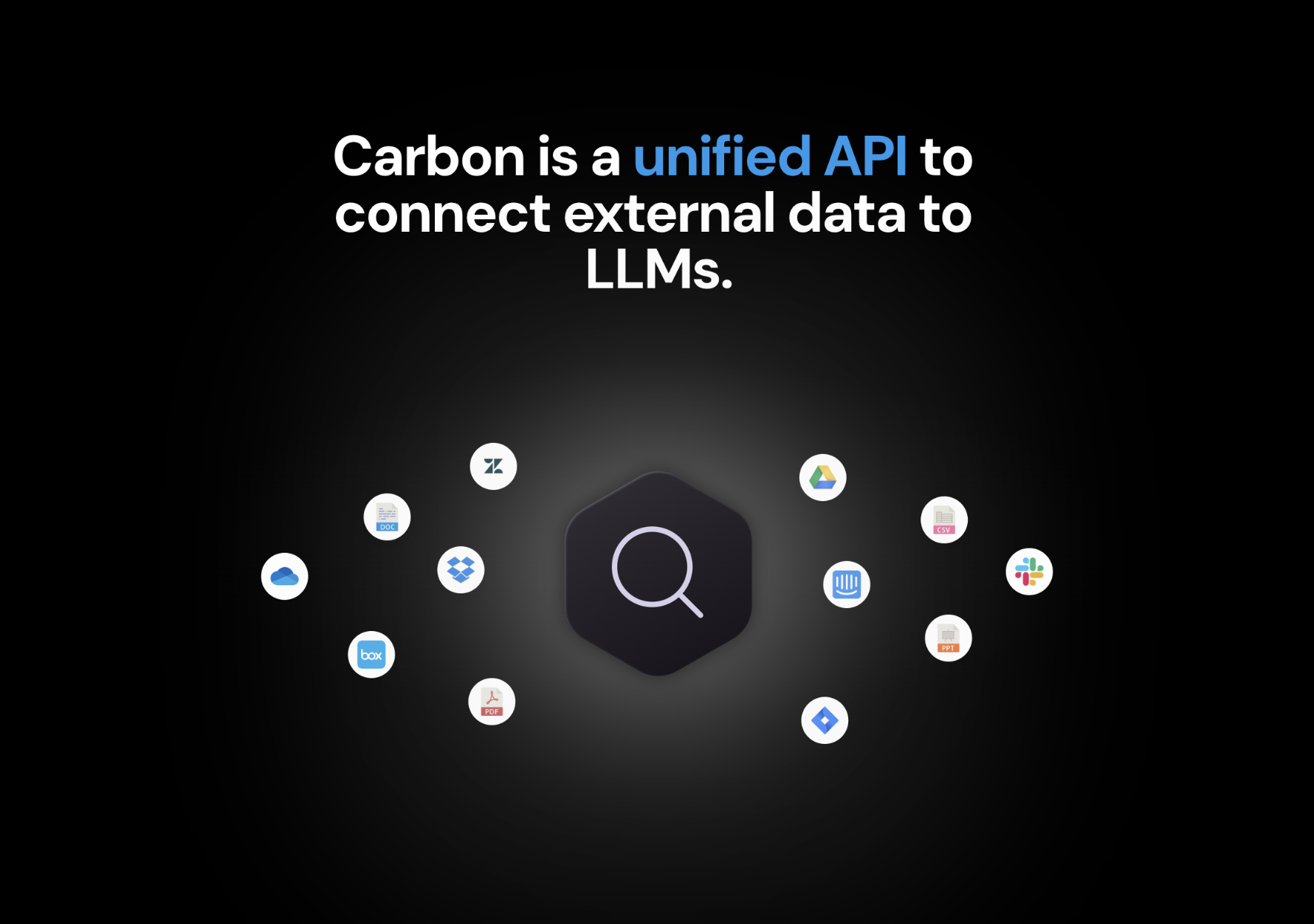


Table of Contents
- Requirements
- Installation
- Getting Started
- Async
- Raw HTTP Response
- Reference
carbon.auth.get_access_tokencarbon.auth.get_white_labelingcarbon.data_sources.query_user_data_sourcescarbon.data_sources.revoke_access_tokencarbon.embeddings.get_documentscarbon.embeddings.get_embeddings_and_chunkscarbon.embeddings.upload_chunks_and_embeddingscarbon.files.create_user_file_tagscarbon.files.deletecarbon.files.delete_file_tagscarbon.files.delete_manycarbon.files.delete_v2carbon.files.get_parsed_filecarbon.files.get_raw_filecarbon.files.query_user_filescarbon.files.query_user_files_deprecatedcarbon.files.resynccarbon.files.uploadcarbon.files.upload_from_urlcarbon.files.upload_textcarbon.health.checkcarbon.integrations.connect_data_sourcecarbon.integrations.connect_freshdeskcarbon.integrations.connect_gitbookcarbon.integrations.create_aws_iam_usercarbon.integrations.get_oauth_urlcarbon.integrations.list_confluence_pagescarbon.integrations.list_data_source_itemscarbon.integrations.list_folderscarbon.integrations.list_gitbook_spacescarbon.integrations.list_labelscarbon.integrations.list_outlook_categoriescarbon.integrations.list_reposcarbon.integrations.sync_confluencecarbon.integrations.sync_data_source_itemscarbon.integrations.sync_filescarbon.integrations.sync_git_hubcarbon.integrations.sync_gitbookcarbon.integrations.sync_gmailcarbon.integrations.sync_outlookcarbon.integrations.sync_reposcarbon.integrations.sync_rss_feedcarbon.integrations.sync_s3_filescarbon.organizations.getcarbon.organizations.updatecarbon.users.deletecarbon.users.getcarbon.users.toggle_user_featurescarbon.users.update_userscarbon.utilities.fetch_urlscarbon.utilities.fetch_youtube_transcriptscarbon.utilities.process_sitemapcarbon.utilities.scrape_sitemapcarbon.utilities.scrape_webcarbon.utilities.search_urlscarbon.webhooks.add_urlcarbon.webhooks.delete_urlcarbon.webhooks.urls
Requirements
Python >=3.7
Installation
pip install carbon-python-sdk==0.1.34
Getting Started
from carbon import Carbon

# 1) Get an access token for a customer
carbon = Carbon(
    api_key="YOUR_API_KEY",
    customer_id="YOUR_CUSTOMER_ID",
)

token = carbon.auth.get_access_token()

# 2) Use the access token to authenticate moving forward
carbon = Carbon(access_token=token.access_token)

# use SDK as usual
white_labeling = carbon.auth.get_white_labeling()
# etc.
Async
async support is available by prepending a to any method.
import asyncio
from pprint import pprint
from carbon import Carbon, ApiException

carbon = Carbon(
    access_token="YOUR_API_KEY",
    api_key="YOUR_API_KEY",
    customer_id="YOUR_API_KEY",
)


async def main():
    try:
        # Get Access Token
        get_access_token_response = await carbon.auth.aget_access_token()
        print(get_access_token_response)
    except ApiException as e:
        print("Exception when calling AuthApi.get_access_token: %s\n" % e)
        pprint(e.body)
        if e.status == 422:
            pprint(e.body["detail"])
        pprint(e.headers)
        pprint(e.status)
        pprint(e.reason)
        pprint(e.round_trip_time)


asyncio.run(main())
Raw HTTP Response
To access raw HTTP response values, use the .raw namespace.
from pprint import pprint
from carbon import Carbon, ApiException

carbon = Carbon(
    access_token="YOUR_API_KEY",
    api_key="YOUR_API_KEY",
    customer_id="YOUR_API_KEY",
)

try:
    # Get Access Token
    get_access_token_response = carbon.auth.raw.get_access_token()
    pprint(get_access_token_response.body)
    pprint(get_access_token_response.body["access_token"])
    pprint(get_access_token_response.body["refresh_token"])
    pprint(get_access_token_response.headers)
    pprint(get_access_token_response.status)
    pprint(get_access_token_response.round_trip_time)
except ApiException as e:
    print("Exception when calling AuthApi.get_access_token: %s\n" % e)
    pprint(e.body)
    if e.status == 422:
        pprint(e.body["detail"])
    pprint(e.headers)
    pprint(e.status)
    pprint(e.reason)
    pprint(e.round_trip_time)
Reference
carbon.auth.get_access_token
Get Access Token
🛠️ Usage
get_access_token_response = carbon.auth.get_access_token()
🔄 Return
🌐 Endpoint
/auth/v1/access_token get
carbon.auth.get_white_labeling
Returns whether or not the organization is white labeled and which integrations are white labeled
:param current_user: the current user :param db: the database session :return: a WhiteLabelingResponse
🛠️ Usage
get_white_labeling_response = carbon.auth.get_white_labeling()
🔄 Return
🌐 Endpoint
/auth/v1/white_labeling get
carbon.data_sources.query_user_data_sources
User Data Sources
🛠️ Usage
query_user_data_sources_response = carbon.data_sources.query_user_data_sources(
    pagination={
        "limit": 10,
        "offset": 0,
    },
    order_by="created_at",
    order_dir="desc",
    filters={
        "source": "GOOGLE_DRIVE",
    },
)
⚙️ Parameters
pagination: Pagination
order_by: OrganizationUserDataSourceOrderByColumns
order_dir: OrderDir
filters: OrganizationUserDataSourceFilters
⚙️ Request Body
OrganizationUserDataSourceQueryInput
🔄 Return
OrganizationUserDataSourceResponse
🌐 Endpoint
/user_data_sources post
carbon.data_sources.revoke_access_token
Revoke Access Token
🛠️ Usage
revoke_access_token_response = carbon.data_sources.revoke_access_token(
    data_source_id=1,
)
⚙️ Parameters
data_source_id: int
⚙️ Request Body
🔄 Return
🌐 Endpoint
/revoke_access_token post
carbon.embeddings.get_documents
For pre-filtering documents, using tags_v2 is preferred to using tags (which is now deprecated). If both tags_v2
and tags are specified, tags is ignored. tags_v2 enables
building complex filters through the use of "AND", "OR", and negation logic. Take the below input as an example:
{
    "OR": [
        {
            "key": "subject",
            "value": "holy-bible",
            "negate": false
        },
        {
            "key": "person-of-interest",
            "value": "jesus christ",
            "negate": false
        },
        {
            "key": "genre",
            "value": "religion",
            "negate": true
        }
        {
            "AND": [
                {
                    "key": "subject",
                    "value": "tao-te-ching",
                    "negate": false
                },
                {
                    "key": "author",
                    "value": "lao-tzu",
                    "negate": false
                }
            ]
        }
    ]
}
In this case, files will be filtered such that:
- "subject" = "holy-bible" OR
- "person-of-interest" = "jesus christ" OR
- "genre" != "religion" OR
- "subject" = "tao-te-ching" AND "author" = "lao-tzu"
Note that the top level of the query must be either an "OR" or "AND" array. Currently, nesting is limited to 3. For tag blocks (those with "key", "value", and "negate" keys), the following typing rules apply:
- "key" isn't optional and must be a
string - "value" isn't optional and can be
anyor list[any] - "negate" is optional and must be
trueorfalse. If present andtrue, then the filter block is negated in the resulting query. It isfalseby default.
When querying embeddings, you can optionally specify the media_type parameter in your request. By default (if
not set), it is equal to "TEXT". This means that the query will be performed over files that have
been parsed as text (for now, this covers all files except image files). If it is equal to "IMAGE",
the query will be performed over image files (for now, .jpg and .png files). You can think of this
field as an additional filter on top of any filters set in file_ids and
When hybrid_search is set to true, a combination of keyword search and semantic search are used to rank
and select candidate embeddings during information retrieval. By default, these search methods are weighted
equally during the ranking process. To adjust the weight (or "importance") of each search method, you can use
the hybrid_search_tuning_parameters property. The description for the different tuning parameters are:
weight_a: weight to assign to semantic searchweight_b: weight to assign to keyword search
You must ensure that sum(weight_a, weight_b,..., weight_n) for all n weights is equal to 1. The equality
has an error tolerance of 0.001 to account for possible floating point issues.
In order to use hybrid search for a customer across a set of documents, two flags need to be enabled:
- Use the
/modify_user_configurationendpoint to to enablesparse_vectorsfor the customer. The payload body for this request is below:
{
  "configuration_key_name": "sparse_vectors",
  "value": {
    "enabled": true
  }
}
- Make sure hybrid search is enabled for the documents across which you want to perform the search. For the
/uploadfileendpoint, this can be done by setting the following query parameter:generate_sparse_vectors=true
Carbon supports multiple models for use in generating embeddings for files. For images, we support Vertex AI's
multimodal model; for text, we support OpenAI's text-embedding-ada-002 and Cohere's embed-multilingual-v3.0.
The model can be specified via the embedding_model parameter (in the POST body for /embeddings, and a query
parameter in /uploadfile). If no model is supplied, the text-embedding-ada-002 is used by default. When performing
embedding queries, embeddings from files that used the specified model will be considered in the query.
For example, if files A and B have embeddings generated with OPENAI, and files C and D have embeddings generated with
COHERE_MULTILINGUAL_V3, then by default, queries will only consider files A and B. If COHERE_MULTILINGUAL_V3 is
specified as the embedding_model in /embeddings, then only files C and D will be considered. Make sure that
the set of all files you want considered for a query have embeddings generated via the same model. For now, do not
set VERTEX_MULTIMODAL as an embedding_model. This model is used automatically by Carbon when it detects an image file.
🛠️ Usage
get_documents_response = carbon.embeddings.get_documents(
    query="a",
    k=1,
    tags={
        "key": "string_example",
    },
    query_vector=[3.14],
    file_ids=[1],
    parent_file_ids=[1],
    include_all_children=False,
    tags_v2={},
    include_tags=True,
    include_vectors=True,
    include_raw_file=True,
    hybrid_search=True,
    hybrid_search_tuning_parameters={
        "weight_a": 0.5,
        "weight_b": 0.5,
    },
    media_type="TEXT",
    embedding_model="OPENAI",
)
⚙️ Parameters
query: str
Query for which to get related chunks and embeddings.
k: int
Number of related chunks to return.
tags: GetEmbeddingDocumentsBodyTags
query_vector: GetEmbeddingDocumentsBodyQueryVector
file_ids: GetEmbeddingDocumentsBodyFileIds
parent_file_ids: GetEmbeddingDocumentsBodyParentFileIds
include_all_children: bool
Flag to control whether or not to include all children of filtered files in the embedding search.
tags_v2: Optional[Dict[str, Union[bool, date, datetime, dict, float, int, list, str, None]]]
A set of tags to limit the search to. Use this instead of tags, which is deprecated.
include_tags: Optional[bool]
Flag to control whether or not to include tags for each chunk in the response.
include_vectors: Optional[bool]
Flag to control whether or not to include embedding vectors in the response.
include_raw_file: Optional[bool]
Flag to control whether or not to include a signed URL to the raw file containing each chunk in the response.
hybrid_search: Optional[bool]
Flag to control whether or not to perform hybrid search.
hybrid_search_tuning_parameters: HybridSearchTuningParamsNullable
media_type: FileContentTypesNullable
embedding_model: EmbeddingGeneratorsNullable
⚙️ Request Body
🔄 Return
🌐 Endpoint
/embeddings post
carbon.embeddings.get_embeddings_and_chunks
Retrieve Embeddings And Content
🛠️ Usage
get_embeddings_and_chunks_response = carbon.embeddings.get_embeddings_and_chunks(
    filters={
        "user_file_id": 1,
        "embedding_model": "OPENAI",
    },
    pagination={
        "limit": 10,
        "offset": 0,
    },
    order_by="created_at",
    order_dir="desc",
    include_vectors=False,
)
⚙️ Parameters
filters: EmbeddingsAndChunksFilters
pagination: Pagination
order_by: EmbeddingsAndChunksOrderByColumns
order_dir: OrderDir
include_vectors: bool
⚙️ Request Body
🔄 Return
🌐 Endpoint
/text_chunks post
carbon.embeddings.upload_chunks_and_embeddings
Upload Chunks And Embeddings
🛠️ Usage
upload_chunks_and_embeddings_response = carbon.embeddings.upload_chunks_and_embeddings(
    embedding_model="OPENAI",
    chunks_and_embeddings=[
        {
            "file_id": 1,
            "chunks_and_embeddings": [
                {
                    "chunk_number": 1,
                    "chunk": "chunk_example",
                }
            ],
        }
    ],
    overwrite_existing=False,
    chunks_only=False,
    custom_credentials={
        "key": {},
    },
)
⚙️ Parameters
embedding_model: EmbeddingGenerators
chunks_and_embeddings: List[SingleChunksAndEmbeddingsUploadInput]
overwrite_existing: bool
chunks_only: bool
custom_credentials: ChunksAndEmbeddingsUploadInputCustomCredentials
⚙️ Request Body
ChunksAndEmbeddingsUploadInput
🔄 Return
🌐 Endpoint
/upload_chunks_and_embeddings post
carbon.files.create_user_file_tags
A tag is a key-value pair that can be added to a file. This pair can then be used for searches (e.g. embedding searches) in order to narrow down the scope of the search. A file can have any number of tags. The following are reserved keys that cannot be used:
- db_embedding_id
- organization_id
- user_id
- organization_user_file_id
Carbon currently supports two data types for tag values - string and list<string>.
Keys can only be string. If values other than string and list<string> are used,
they're automatically converted to strings (e.g. 4 will become "4").
🛠️ Usage
create_user_file_tags_response = carbon.files.create_user_file_tags(
    tags={
        "key": "string_example",
    },
    organization_user_file_id=1,
)
⚙️ Parameters
tags: OrganizationUserFileTagCreateTags
organization_user_file_id: int
⚙️ Request Body
🔄 Return
🌐 Endpoint
/create_user_file_tags post
carbon.files.delete

Delete File Endpoint
🛠️ Usage
delete_response = carbon.files.delete(
    file_id=1,
)
⚙️ Parameters
file_id: int
🔄 Return
🌐 Endpoint
/deletefile/{file_id} delete
carbon.files.delete_file_tags
Delete File Tags
🛠️ Usage
delete_file_tags_response = carbon.files.delete_file_tags(
    tags=["string_example"],
    organization_user_file_id=1,
)
⚙️ Parameters
tags: OrganizationUserFileTagsRemoveTags
organization_user_file_id: int
⚙️ Request Body
OrganizationUserFileTagsRemove
🔄 Return
🌐 Endpoint
/delete_user_file_tags post
carbon.files.delete_many
Delete Files Endpoint
🛠️ Usage
delete_many_response = carbon.files.delete_many(
    file_ids=[1],
    sync_statuses=["string_example"],
    delete_non_synced_only=False,
    send_webhook=False,
    delete_child_files=False,
)
⚙️ Parameters
file_ids: DeleteFilesQueryInputFileIds
sync_statuses: List[ExternalFileSyncStatuses]
delete_non_synced_only: bool
send_webhook: bool
delete_child_files: bool
⚙️ Request Body
🔄 Return
🌐 Endpoint
/delete_files post
carbon.files.delete_v2
Delete Files V2 Endpoint
🛠️ Usage
delete_v2_response = carbon.files.delete_v2(
    filters={
        "include_all_children": False,
        "non_synced_only": False,
    },
    send_webhook=False,
)
⚙️ Parameters
filters: OrganizationUserFilesToSyncFilters
send_webhook: bool
⚙️ Request Body
🔄 Return
🌐 Endpoint
/delete_files_v2 post
carbon.files.get_parsed_file
This route is deprecated. Use /user_files_v2 instead.
🛠️ Usage
get_parsed_file_response = carbon.files.get_parsed_file(
    file_id=1,
)
⚙️ Parameters
file_id: int
🔄 Return
🌐 Endpoint
/parsed_file/{file_id} get
carbon.files.get_raw_file
This route is deprecated. Use /user_files_v2 instead.
🛠️ Usage
get_raw_file_response = carbon.files.get_raw_file(
    file_id=1,
)
⚙️ Parameters
file_id: int
🔄 Return
🌐 Endpoint
/raw_file/{file_id} get
carbon.files.query_user_files
For pre-filtering documents, using tags_v2 is preferred to using tags (which is now deprecated). If both tags_v2
and tags are specified, tags is ignored. tags_v2 enables
building complex filters through the use of "AND", "OR", and negation logic. Take the below input as an example:
{
    "OR": [
        {
            "key": "subject",
            "value": "holy-bible",
            "negate": false
        },
        {
            "key": "person-of-interest",
            "value": "jesus christ",
            "negate": false
        },
        {
            "key": "genre",
            "value": "religion",
            "negate": true
        }
        {
            "AND": [
                {
                    "key": "subject",
                    "value": "tao-te-ching",
                    "negate": false
                },
                {
                    "key": "author",
                    "value": "lao-tzu",
                    "negate": false
                }
            ]
        }
    ]
}
In this case, files will be filtered such that:
- "subject" = "holy-bible" OR
- "person-of-interest" = "jesus christ" OR
- "genre" != "religion" OR
- "subject" = "tao-te-ching" AND "author" = "lao-tzu"
Note that the top level of the query must be either an "OR" or "AND" array. Currently, nesting is limited to 3. For tag blocks (those with "key", "value", and "negate" keys), the following typing rules apply:
- "key" isn't optional and must be a
string - "value" isn't optional and can be
anyor list[any] - "negate" is optional and must be
trueorfalse. If present andtrue, then the filter block is negated in the resulting query. It isfalseby default.
🛠️ Usage
query_user_files_response = carbon.files.query_user_files(
    pagination={
        "limit": 10,
        "offset": 0,
    },
    order_by="created_at",
    order_dir="desc",
    filters={
        "include_all_children": False,
        "non_synced_only": False,
    },
    include_raw_file=True,
    include_parsed_text_file=True,
    include_additional_files=True,
)
⚙️ Parameters
pagination: Pagination
order_by: OrganizationUserFilesToSyncOrderByTypes
order_dir: OrderDir
filters: OrganizationUserFilesToSyncFilters
include_raw_file: Optional[bool]
include_parsed_text_file: Optional[bool]
include_additional_files: Optional[bool]
⚙️ Request Body
OrganizationUserFilesToSyncQueryInput
🔄 Return
🌐 Endpoint
/user_files_v2 post
carbon.files.query_user_files_deprecated
This route is deprecated. Use /user_files_v2 instead.
🛠️ Usage
query_user_files_deprecated_response = carbon.files.query_user_files_deprecated(
    pagination={
        "limit": 10,
        "offset": 0,
    },
    order_by="created_at",
    order_dir="desc",
    filters={
        "include_all_children": False,
        "non_synced_only": False,
    },
    include_raw_file=True,
    include_parsed_text_file=True,
    include_additional_files=True,
)
⚙️ Parameters
pagination: Pagination
order_by: OrganizationUserFilesToSyncOrderByTypes
order_dir: OrderDir
filters: OrganizationUserFilesToSyncFilters
include_raw_file: Optional[bool]
include_parsed_text_file: Optional[bool]
include_additional_files: Optional[bool]
⚙️ Request Body
OrganizationUserFilesToSyncQueryInput
🔄 Return
FilesQueryUserFilesDeprecatedResponse
🌐 Endpoint
/user_files post
carbon.files.resync
Resync File
🛠️ Usage
resync_response = carbon.files.resync(
    file_id=1,
    chunk_size=1,
    chunk_overlap=1,
    force_embedding_generation=False,
)
⚙️ Parameters
file_id: int
chunk_size: Optional[int]
chunk_overlap: Optional[int]
force_embedding_generation: bool
⚙️ Request Body
🔄 Return
🌐 Endpoint
/resync_file post
carbon.files.upload
This endpoint is used to directly upload local files to Carbon. The POST request should be a multipart form request.
Note that the set_page_as_boundary query parameter is applicable only to PDFs for now. When this value is set,
PDF chunks are at most one page long. Additional information can be retrieved for each chunk, however, namely the coordinates
of the bounding box around the chunk (this can be used for things like text highlighting). Following is a description
of all possible query parameters:
chunk_size: the chunk size (in tokens) applied when splitting the documentchunk_overlap: the chunk overlap (in tokens) applied when splitting the documentskip_embedding_generation: whether or not to skip the generation of chunks and embeddingsset_page_as_boundary: described aboveembedding_model: the model used to generate embeddings for the document chunksuse_ocr: whether or not to use OCR as a preprocessing step prior to generating chunks (only valid for PDFs currently)generate_sparse_vectors: whether or not to generate sparse vectors for the file. Required for hybrid search.prepend_filename_to_chunks: whether or not to prepend the filename to the chunk text
Carbon supports multiple models for use in generating embeddings for files. For images, we support Vertex AI's
multimodal model; for text, we support OpenAI's text-embedding-ada-002 and Cohere's embed-multilingual-v3.0.
The model can be specified via the embedding_model parameter (in the POST body for /embeddings, and a query
parameter in /uploadfile). If no model is supplied, the text-embedding-ada-002 is used by default. When performing
embedding queries, embeddings from files that used the specified model will be considered in the query.
For example, if files A and B have embeddings generated with OPENAI, and files C and D have embeddings generated with
COHERE_MULTILINGUAL_V3, then by default, queries will only consider files A and B. If COHERE_MULTILINGUAL_V3 is
specified as the embedding_model in /embeddings, then only files C and D will be considered. Make sure that
the set of all files you want considered for a query have embeddings generated via the same model. For now, do not
set VERTEX_MULTIMODAL as an embedding_model. This model is used automatically by Carbon when it detects an image file.
🛠️ Usage
upload_response = carbon.files.upload(
    file=open("/path/to/file", "rb"),
    chunk_size=1,
    chunk_overlap=1,
    skip_embedding_generation=False,
    set_page_as_boundary=False,
    embedding_model="OPENAI",
    use_ocr=False,
    generate_sparse_vectors=False,
    prepend_filename_to_chunks=False,
    max_items_per_chunk=1,
    parse_pdf_tables_with_ocr=False,
    detect_audio_language=False,
)
⚙️ Parameters
file: IO
chunk_size: Optional[int]
Chunk size in tiktoken tokens to be used when processing file.
chunk_overlap: Optional[int]
Chunk overlap in tiktoken tokens to be used when processing file.
skip_embedding_generation: bool
Flag to control whether or not embeddings should be generated and stored when processing file.
set_page_as_boundary: bool
Flag to control whether or not to set the a page's worth of content as the maximum amount of content that can appear in a chunk. Only valid for PDFs. See description route description for more information.
embedding_model: TextEmbeddingGenerators
Embedding model that will be used to embed file chunks.
use_ocr: bool
Whether or not to use OCR when processing files. Only valid for PDFs. Useful for documents with tables, images, and/or scanned text.
generate_sparse_vectors: bool
Whether or not to generate sparse vectors for the file. This is required for the file to be a candidate for hybrid search.
prepend_filename_to_chunks: bool
Whether or not to prepend the file's name to chunks.
max_items_per_chunk: Optional[int]
Number of objects per chunk. For csv, tsv, xlsx, and json files only.
parse_pdf_tables_with_ocr: bool
Whether to use rich table parsing when use_ocr is enabled.
detect_audio_language: bool
Whether to automatically detect the language of the uploaded audio file.
⚙️ Request Body
BodyCreateUploadFileUploadfilePost
🔄 Return
🌐 Endpoint
/uploadfile post
carbon.files.upload_from_url
Create Upload File From Url
🛠️ Usage
upload_from_url_response = carbon.files.upload_from_url(
    url="string_example",
    file_name="string_example",
    chunk_size=1,
    chunk_overlap=1,
    skip_embedding_generation=False,
    set_page_as_boundary=False,
    embedding_model="OPENAI",
    generate_sparse_vectors=False,
    use_textract=False,
    prepend_filename_to_chunks=False,
    max_items_per_chunk=1,
    parse_pdf_tables_with_ocr=False,
    detect_audio_language=False,
)
⚙️ Parameters
url: str
file_name: Optional[str]
chunk_size: Optional[int]
chunk_overlap: Optional[int]
skip_embedding_generation: bool
set_page_as_boundary: bool
embedding_model: EmbeddingGenerators
generate_sparse_vectors: bool
use_textract: bool
prepend_filename_to_chunks: bool
max_items_per_chunk: Optional[int]
Number of objects per chunk. For csv, tsv, xlsx, and json files only.
parse_pdf_tables_with_ocr: bool
detect_audio_language: bool
⚙️ Request Body
🔄 Return
🌐 Endpoint
/upload_file_from_url post
carbon.files.upload_text
Carbon supports multiple models for use in generating embeddings for files. For images, we support Vertex AI's
multimodal model; for text, we support OpenAI's text-embedding-ada-002 and Cohere's embed-multilingual-v3.0.
The model can be specified via the embedding_model parameter (in the POST body for /embeddings, and a query
parameter in /uploadfile). If no model is supplied, the text-embedding-ada-002 is used by default. When performing
embedding queries, embeddings from files that used the specified model will be considered in the query.
For example, if files A and B have embeddings generated with OPENAI, and files C and D have embeddings generated with
COHERE_MULTILINGUAL_V3, then by default, queries will only consider files A and B. If COHERE_MULTILINGUAL_V3 is
specified as the embedding_model in /embeddings, then only files C and D will be considered. Make sure that
the set of all files you want considered for a query have embeddings generated via the same model. For now, do not
set VERTEX_MULTIMODAL as an embedding_model. This model is used automatically by Carbon when it detects an image file.
🛠️ Usage
upload_text_response = carbon.files.upload_text(
    contents="aaaaa",
    name="string_example",
    chunk_size=1,
    chunk_overlap=1,
    skip_embedding_generation=False,
    overwrite_file_id=1,
    embedding_model="OPENAI",
    generate_sparse_vectors=False,
)
⚙️ Parameters
contents: str
name: Optional[str]
chunk_size: Optional[int]
chunk_overlap: Optional[int]
skip_embedding_generation: bool
overwrite_file_id: Optional[int]
embedding_model: EmbeddingGeneratorsNullable
generate_sparse_vectors: Optional[bool]
⚙️ Request Body
🔄 Return
🌐 Endpoint
/upload_text post
carbon.health.check
Health
🛠️ Usage
check_response = carbon.health.check()
🌐 Endpoint
/health get
carbon.integrations.connect_data_source
Connect Data Source
🛠️ Usage
connect_data_source_response = carbon.integrations.connect_data_source(
    authentication={
        "source": "GOOGLE_DRIVE",
        "access_token": "access_token_example",
    },
    sync_options={
        "chunk_size": 1500,
        "chunk_overlap": 20,
        "skip_embedding_generation": False,
        "embedding_model": "OPENAI",
        "generate_sparse_vectors": False,
        "prepend_filename_to_chunks": False,
        "sync_files_on_connection": True,
        "set_page_as_boundary": False,
        "request_id": "b360dae1-b5fd-4803-a53a-1691e3c32558",
        "enable_file_picker": True,
        "sync_source_items": True,
        "incremental_sync": False,
    },
)
⚙️ Parameters
authentication: Union[OAuthAuthentication, NotionAuthentication, SharepointAuthentication, ConfluenceAuthentication, ZendeskAuthentication, ZoteroAuthentication, GitbookAuthetication, SalesforceAuthentication, FreskdeskAuthentication, S3Authentication, GithubAuthentication]
sync_options: SyncOptions
⚙️ Request Body
🔄 Return
🌐 Endpoint
/integrations/connect post
carbon.integrations.connect_freshdesk
Refer this article to obtain an API key https://support.freshdesk.com/en/support/solutions/articles/215517. Make sure that your API key has the permission to read solutions from your account and you are on a paid plan. Once you have an API key, you can make a request to this endpoint along with your freshdesk domain. This will trigger an automatic sync of the articles in your "solutions" tab. Additional parameters below can be used to associate data with the synced articles or modify the sync behavior.
🛠️ Usage
connect_freshdesk_response = carbon.integrations.connect_freshdesk(
    domain="string_example",
    api_key="string_example",
    tags={},
    chunk_size=1500,
    chunk_overlap=20,
    skip_embedding_generation=False,
    embedding_model="OPENAI",
    generate_sparse_vectors=False,
    prepend_filename_to_chunks=False,
    sync_files_on_connection=True,
    request_id="string_example",
    sync_source_items=True,
    file_sync_config={
        "file_types": ["ARTICLE"],
        "sync_attachments": False,
    },
)
⚙️ Parameters
domain: str
api_key: str
tags: Optional[Dict[str, Union[bool, date, datetime, dict, float, int, list, str, None]]]
chunk_size: Optional[int]
chunk_overlap: Optional[int]
skip_embedding_generation: Optional[bool]
embedding_model: EmbeddingGeneratorsNullable
generate_sparse_vectors: Optional[bool]
prepend_filename_to_chunks: Optional[bool]
sync_files_on_connection: Optional[bool]
request_id: Optional[str]
sync_source_items: bool
Enabling this flag will fetch all available content from the source to be listed via list items endpoint
file_sync_config: HelpdeskFileSyncConfigNullable
⚙️ Request Body
🔄 Return
🌐 Endpoint
/integrations/freshdesk post
carbon.integrations.connect_gitbook
You will need an access token to connect your Gitbook account. Note that the permissions will be defined by the user generating access token so make sure you have the permission to access spaces you will be syncing. Refer this article for more details https://developer.gitbook.com/gitbook-api/authentication. Additionally, you need to specify the name of organization you will be syncing data from.
🛠️ Usage
connect_gitbook_response = carbon.integrations.connect_gitbook(
    organization="string_example",
    access_token="string_example",
    tags={},
    chunk_size=1500,
    chunk_overlap=20,
    skip_embedding_generation=False,
    embedding_model="OPENAI",
    generate_sparse_vectors=False,
    prepend_filename_to_chunks=False,
    sync_files_on_connection=True,
    request_id="string_example",
    sync_source_items=True,
)
⚙️ Parameters
organization: str
access_token: str
tags: Optional[Dict[str, Union[bool, date, datetime, dict, float, int, list, str, None]]]
chunk_size: Optional[int]
chunk_overlap: Optional[int]
skip_embedding_generation: Optional[bool]
embedding_model: EmbeddingGenerators
generate_sparse_vectors: Optional[bool]
prepend_filename_to_chunks: Optional[bool]
sync_files_on_connection: Optional[bool]
request_id: Optional[str]
sync_source_items: bool
Enabling this flag will fetch all available content from the source to be listed via list items endpoint
⚙️ Request Body
🔄 Return
🌐 Endpoint
/integrations/gitbook post
carbon.integrations.create_aws_iam_user
Create a new IAM user with permissions to:
- List all buckets.
- Read from the specific buckets and objects to sync with Carbon. Ensure any future buckets or objects carry the same permissions.
🛠️ Usage
create_aws_iam_user_response = carbon.integrations.create_aws_iam_user(
    access_key="string_example",
    access_key_secret="string_example",
    sync_source_items=True,
)
⚙️ Parameters
access_key: str
access_key_secret: str
sync_source_items: bool
Enabling this flag will fetch all available content from the source to be listed via list items endpoint
⚙️ Request Body
🔄 Return
🌐 Endpoint
/integrations/s3 post
carbon.integrations.get_oauth_url
This endpoint can be used to generate the following URLs
- An OAuth URL for OAuth based connectors
- A file syncing URL which skips the OAuth flow if the user already has a valid access token and takes them to the success state.
🛠️ Usage
get_oauth_url_response = carbon.integrations.get_oauth_url(
    service="GOOGLE_DRIVE",
    tags=None,
    scope="string_example",
    chunk_size=1500,
    chunk_overlap=20,
    skip_embedding_generation=False,
    embedding_model="OPENAI",
    zendesk_subdomain="string_example",
    microsoft_tenant="string_example",
    sharepoint_site_name="string_example",
    confluence_subdomain="string_example",
    generate_sparse_vectors=False,
    prepend_filename_to_chunks=False,
    max_items_per_chunk=1,
    salesforce_domain="string_example",
    sync_files_on_connection=True,
    set_page_as_boundary=False,
    data_source_id=1,
    connecting_new_account=False,
    request_id="26453c8f-69ab-4eb3-bc25-0ca995b118a0",
    use_ocr=False,
    parse_pdf_tables_with_ocr=False,
    enable_file_picker=True,
    sync_source_items=True,
    incremental_sync=False,
    file_sync_config={
        "file_types": ["ARTICLE"],
        "sync_attachments": False,
    },
)
⚙️ Parameters
service: DataSourceType
tags: Union[bool, date, datetime, dict, float, int, list, str, None]
scope: Optional[str]
chunk_size: Optional[int]
chunk_overlap: Optional[int]
skip_embedding_generation: Optional[bool]
embedding_model: EmbeddingGeneratorsNullable
zendesk_subdomain: Optional[str]
microsoft_tenant: Optional[str]
sharepoint_site_name: Optional[str]
confluence_subdomain: Optional[str]
generate_sparse_vectors: Optional[bool]
prepend_filename_to_chunks: Optional[bool]
max_items_per_chunk: Optional[int]
Number of objects per chunk. For csv, tsv, xlsx, and json files only.
salesforce_domain: Optional[str]
sync_files_on_connection: Optional[bool]
Used to specify whether Carbon should attempt to sync all your files automatically when authorization is complete. This is only supported for a subset of connectors and will be ignored for the rest. Supported connectors: Intercom, Zendesk, Gitbook, Confluence, Salesforce, Freshdesk
set_page_as_boundary: bool
data_source_id: Optional[int]
Used to specify a data source to sync from if you have multiple connected. It can be skipped if you only have one data source of that type connected or are connecting a new account.
connecting_new_account: Optional[bool]
Used to connect a new data source. If not specified, we will attempt to create a sync URL for an existing data source based on type and ID.
request_id: str
This request id will be added to all files that get synced using the generated OAuth URL
use_ocr: Optional[bool]
Enable OCR for files that support it. Supported formats: pdf
parse_pdf_tables_with_ocr: Optional[bool]
enable_file_picker: bool
Enable integration's file picker for sources that support it. Supported sources: SHAREPOINT, DROPBOX, BOX, ONEDRIVE, GOOGLE_DRIVE
sync_source_items: bool
Enabling this flag will fetch all available content from the source to be listed via list items endpoint
incremental_sync: bool
Only sync files if they have not already been synced or if the embedding properties have changed. This flag is currently supported by ONEDRIVE, GOOGLE_DRIVE, BOX, DROPBOX. It will be ignored for other data sources.
file_sync_config: HelpdeskFileSyncConfigNullable
⚙️ Request Body
🔄 Return
🌐 Endpoint
/integrations/oauth_url post
carbon.integrations.list_confluence_pages
To begin listing a user's Confluence pages, at least a data_source_id of a connected
Confluence account must be specified. This base request returns a list of root pages for
every space the user has access to in a Confluence instance. To traverse further down
the user's page directory, additional requests to this endpoint can be made with the same
data_source_id and with parent_id set to the id of page from a previous request. For
convenience, the has_children property in each directory item in the response list will
flag which pages will return non-empty lists of pages when set as the parent_id.
🛠️ Usage
list_confluence_pages_response = carbon.integrations.list_confluence_pages(
    data_source_id=1,
    parent_id="string_example",
)
⚙️ Parameters
data_source_id: int
parent_id: Optional[str]
⚙️ Request Body
🔄 Return
🌐 Endpoint
/integrations/confluence/list post
carbon.integrations.list_data_source_items
List Data Source Items
🛠️ Usage
list_data_source_items_response = carbon.integrations.list_data_source_items(
    data_source_id=1,
    parent_id="string_example",
    filters={},
    pagination={
        "limit": 10,
        "offset": 0,
    },
    order_by="name",
    order_dir="asc",
)
⚙️ Parameters
data_source_id: int
parent_id: Optional[str]
filters: ListItemsFiltersNullable
pagination: Pagination
order_by: ExternalSourceItemsOrderBy
order_dir: OrderDirV2
⚙️ Request Body
🔄 Return
🌐 Endpoint
/integrations/items/list post
carbon.integrations.list_folders
After connecting your Outlook account, you can use this endpoint to list all of your folders on outlook. This includes both system folders like "inbox" and user created folders.
🛠️ Usage
list_folders_response = carbon.integrations.list_folders(
    data_source_id=1,
)
⚙️ Parameters
data_source_id: Optional[int]
🌐 Endpoint
/integrations/outlook/user_folders get
carbon.integrations.list_gitbook_spaces
After connecting your Gitbook account, you can use this endpoint to list all of your spaces under current organization.
🛠️ Usage
list_gitbook_spaces_response = carbon.integrations.list_gitbook_spaces(
    data_source_id=1,
)
⚙️ Parameters
data_source_id: int
🌐 Endpoint
/integrations/gitbook/spaces get
carbon.integrations.list_labels
After connecting your Gmail account, you can use this endpoint to list all of your labels. User created labels will have the type "user" and Gmail's default labels will have the type "system"
🛠️ Usage
list_labels_response = carbon.integrations.list_labels(
    data_source_id=1,
)
⚙️ Parameters
data_source_id: Optional[int]
🌐 Endpoint
/integrations/gmail/user_labels get
carbon.integrations.list_outlook_categories
After connecting your Outlook account, you can use this endpoint to list all of your categories on outlook. We currently support listing up to 250 categories.
🛠️ Usage
list_outlook_categories_response = carbon.integrations.list_outlook_categories(
    data_source_id=1,
)
⚙️ Parameters
data_source_id: Optional[int]
🌐 Endpoint
/integrations/outlook/user_categories get
carbon.integrations.list_repos
Once you have connected your GitHub account, you can use this endpoint to list the repositories your account has access to. You can use a data source ID or username to fetch from a specific account.
🛠️ Usage
list_repos_response = carbon.integrations.list_repos(
    per_page=30,
    page=1,
    data_source_id=1,
)
⚙️ Parameters
per_page: int
page: int
data_source_id: Optional[int]
🌐 Endpoint
/integrations/github/repos get
carbon.integrations.sync_confluence
After listing pages in a user's Confluence account, the set of selected page ids and the
connected account's data_source_id can be passed into this endpoint to sync them into
Carbon. Additional parameters listed below can be used to associate data to the selected
pages or alter the behavior of the sync.
🛠️ Usage
sync_confluence_response = carbon.integrations.sync_confluence(
    data_source_id=1,
    ids=["string_example"],
    tags={},
    chunk_size=1500,
    chunk_overlap=20,
    skip_embedding_generation=False,
    embedding_model="OPENAI",
    generate_sparse_vectors=False,
    prepend_filename_to_chunks=False,
    max_items_per_chunk=1,
    set_page_as_boundary=False,
    request_id="3d0330f2-f2e4-482b-9ca7-91d3a1bbbd18",
    use_ocr=False,
    parse_pdf_tables_with_ocr=False,
    incremental_sync=False,
    file_sync_config={
        "sync_attachments": False,
    },
)
⚙️ Parameters
data_source_id: int
ids: Union[List[str], List[SyncFilesIds]]
tags: Optional[Dict[str, Union[bool, date, datetime, dict, float, int, list, str, None]]]
chunk_size: Optional[int]
chunk_overlap: Optional[int]
skip_embedding_generation: Optional[bool]
embedding_model: EmbeddingGeneratorsNullable
generate_sparse_vectors: Optional[bool]
prepend_filename_to_chunks: Optional[bool]
max_items_per_chunk: Optional[int]
Number of objects per chunk. For csv, tsv, xlsx, and json files only.
set_page_as_boundary: bool
request_id: str
use_ocr: Optional[bool]
parse_pdf_tables_with_ocr: Optional[bool]
incremental_sync: bool
Only sync files if they have not already been synced or if the embedding properties have changed. This flag is currently supported by ONEDRIVE, GOOGLE_DRIVE, BOX, DROPBOX. It will be ignored for other data sources.
file_sync_config: HelpdeskGlobalFileSyncConfigNullable
⚙️ Request Body
🔄 Return
🌐 Endpoint
/integrations/confluence/sync post
carbon.integrations.sync_data_source_items
Sync Data Source Items
🛠️ Usage
sync_data_source_items_response = carbon.integrations.sync_data_source_items(
    data_source_id=1,
)
⚙️ Parameters
data_source_id: int
⚙️ Request Body
🔄 Return
🌐 Endpoint
/integrations/items/sync post
carbon.integrations.sync_files
After listing files and folders via /integrations/items/sync and integrations/items/list, use the selected items' external ids as the ids in this endpoint to sync them into Carbon. Sharepoint items take an additional parameter root_id, which identifies the drive the file or folder is in and is stored in root_external_id. That additional paramter is optional and excluding it will tell the sync to assume the item is stored in the default Documents drive.
🛠️ Usage
sync_files_response = carbon.integrations.sync_files(
    data_source_id=1,
    ids=["string_example"],
    tags={},
    chunk_size=1500,
    chunk_overlap=20,
    skip_embedding_generation=False,
    embedding_model="OPENAI",
    generate_sparse_vectors=False,
    prepend_filename_to_chunks=False,
    max_items_per_chunk=1,
    set_page_as_boundary=False,
    request_id="3d0330f2-f2e4-482b-9ca7-91d3a1bbbd18",
    use_ocr=False,
    parse_pdf_tables_with_ocr=False,
    incremental_sync=False,
    file_sync_config={
        "sync_attachments": False,
    },
)
⚙️ Parameters
data_source_id: int
ids: Union[List[str], List[SyncFilesIds]]
tags: Optional[Dict[str, Union[bool, date, datetime, dict, float, int, list, str, None]]]
chunk_size: Optional[int]
chunk_overlap: Optional[int]
skip_embedding_generation: Optional[bool]
embedding_model: EmbeddingGeneratorsNullable
generate_sparse_vectors: Optional[bool]
prepend_filename_to_chunks: Optional[bool]
max_items_per_chunk: Optional[int]
Number of objects per chunk. For csv, tsv, xlsx, and json files only.
set_page_as_boundary: bool
request_id: str
use_ocr: Optional[bool]
parse_pdf_tables_with_ocr: Optional[bool]
incremental_sync: bool
Only sync files if they have not already been synced or if the embedding properties have changed. This flag is currently supported by ONEDRIVE, GOOGLE_DRIVE, BOX, DROPBOX. It will be ignored for other data sources.
file_sync_config: HelpdeskGlobalFileSyncConfigNullable
⚙️ Request Body
🔄 Return
🌐 Endpoint
/integrations/files/sync post
carbon.integrations.sync_git_hub
Refer this article to obtain an access token https://docs.github.com/en/authentication/keeping-your-account-and-data-secure/managing-your-personal-access-tokens. Make sure that your access token has the permission to read content from your desired repos. Note that if your access token expires you will need to manually update it through this endpoint.
🛠️ Usage
sync_git_hub_response = carbon.integrations.sync_git_hub(
    username="string_example",
    access_token="string_example",
    sync_source_items=False,
)
⚙️ Parameters
username: str
access_token: str
sync_source_items: bool
Enabling this flag will fetch all available content from the source to be listed via list items endpoint
⚙️ Request Body
🔄 Return
🌐 Endpoint
/integrations/github post
carbon.integrations.sync_gitbook
You can sync upto 20 Gitbook spaces at a time using this endpoint. Additional parameters below can be used to associate data with the synced pages or modify the sync behavior.
🛠️ Usage
sync_gitbook_response = carbon.integrations.sync_gitbook(
    space_ids=["string_example"],
    data_source_id=1,
    tags={},
    chunk_size=1500,
    chunk_overlap=20,
    skip_embedding_generation=False,
    embedding_model="OPENAI",
    generate_sparse_vectors=False,
    prepend_filename_to_chunks=False,
    request_id="string_example",
)
⚙️ Parameters
space_ids: GitbookSyncRequestSpaceIds
data_source_id: int
tags: Optional[Dict[str, Union[bool, date, datetime, dict, float, int, list, str, None]]]
chunk_size: Optional[int]
chunk_overlap: Optional[int]
skip_embedding_generation: Optional[bool]
embedding_model: EmbeddingGenerators
generate_sparse_vectors: Optional[bool]
prepend_filename_to_chunks: Optional[bool]
request_id: Optional[str]
⚙️ Request Body
🌐 Endpoint
/integrations/gitbook/sync post
carbon.integrations.sync_gmail
Once you have successfully connected your gmail account, you can choose which emails to sync with us using the filters parameter. Filters is a JSON object with key value pairs. It also supports AND and OR operations. For now, we support a limited set of keys listed below.
label: Inbuilt Gmail labels, for example "Important" or a custom label you created.
after or before: A date in YYYY/mm/dd format (example 2023/12/31). Gets emails after/before a certain date.
You can also use them in combination to get emails from a certain period.
is: Can have the following values - starred, important, snoozed, and unread
Using keys or values outside of the specified values can lead to unexpected behaviour.
An example of a basic query with filters can be
{
    "filters": {
            "key": "label",
            "value": "Test"
        }
}
Which will list all emails that have the label "Test".
You can use AND and OR operation in the following way:
{
    "filters": {
        "AND": [
            {
                "key": "after",
                "value": "2024/01/07"
            },
            {
                "OR": [
                    {
                        "key": "label",
                        "value": "Personal"
                    },
                    {
                        "key": "is",
                        "value": "starred"
                    }
                ]
            }
        ]
    }
}
This will return emails after 7th of Jan that are either starred or have the label "Personal". Note that this is the highest level of nesting we support, i.e. you can't add more AND/OR filters within the OR filter in the above example.
🛠️ Usage
sync_gmail_response = carbon.integrations.sync_gmail(
    filters={},
    tags={},
    chunk_size=1500,
    chunk_overlap=20,
    skip_embedding_generation=False,
    embedding_model="OPENAI",
    generate_sparse_vectors=False,
    prepend_filename_to_chunks=False,
    data_source_id=1,
    request_id="string_example",
    sync_attachments=False,
)
⚙️ Parameters
filters: Dict[str, Union[bool, date, datetime, dict, float, int, list, str, None]]
tags: Optional[Dict[str, Union[bool, date, datetime, dict, float, int, list, str, None]]]
chunk_size: Optional[int]
chunk_overlap: Optional[int]
skip_embedding_generation: Optional[bool]
embedding_model: EmbeddingGenerators
generate_sparse_vectors: Optional[bool]
prepend_filename_to_chunks: Optional[bool]
data_source_id: Optional[int]
request_id: Optional[str]
sync_attachments: Optional[bool]
⚙️ Request Body
🔄 Return
🌐 Endpoint
/integrations/gmail/sync post
carbon.integrations.sync_outlook
Once you have successfully connected your Outlook account, you can choose which emails to sync with us
using the filters and folder parameter. "folder" should be the folder you want to sync from Outlook. By default
we get messages from your inbox folder.
Filters is a JSON object with key value pairs. It also supports AND and OR operations.
For now, we support a limited set of keys listed below.
category: Custom categories that you created in Outlook.
after or before: A date in YYYY/mm/dd format (example 2023/12/31). Gets emails after/before a certain date. You can also use them in combination to get emails from a certain period.
is: Can have the following values: flagged
An example of a basic query with filters can be
{
    "filters": {
            "key": "category",
            "value": "Test"
        }
}
Which will list all emails that have the category "Test".
Specifying a custom folder in the same query
{
    "folder": "Folder Name",
    "filters": {
            "key": "category",
            "value": "Test"
        }
}
You can use AND and OR operation in the following way:
{
    "filters": {
        "AND": [
            {
                "key": "after",
                "value": "2024/01/07"
            },
            {
                "OR": [
                    {
                        "key": "category",
                        "value": "Personal"
                    },
                    {
                        "key": "category",
                        "value": "Test"
                    },
                ]
            }
        ]
    }
}
This will return emails after 7th of Jan that have either Personal or Test as category. Note that this is the highest level of nesting we support, i.e. you can't add more AND/OR filters within the OR filter in the above example.
🛠️ Usage
sync_outlook_response = carbon.integrations.sync_outlook(
    filters={},
    tags={},
    folder="Inbox",
    chunk_size=1500,
    chunk_overlap=20,
    skip_embedding_generation=False,
    embedding_model="OPENAI",
    generate_sparse_vectors=False,
    prepend_filename_to_chunks=False,
    data_source_id=1,
    request_id="string_example",
    sync_attachments=False,
)
⚙️ Parameters
filters: Dict[str, Union[bool, date, datetime, dict, float, int, list, str, None]]
tags: Optional[Dict[str, Union[bool, date, datetime, dict, float, int, list, str, None]]]
folder: Optional[str]
chunk_size: Optional[int]
chunk_overlap: Optional[int]
skip_embedding_generation: Optional[bool]
embedding_model: EmbeddingGenerators
generate_sparse_vectors: Optional[bool]
prepend_filename_to_chunks: Optional[bool]
data_source_id: Optional[int]
request_id: Optional[str]
sync_attachments: Optional[bool]
⚙️ Request Body
🔄 Return
🌐 Endpoint
/integrations/outlook/sync post
carbon.integrations.sync_repos
You can retreive repos your token has access to using /integrations/github/repos and sync their content. You can also pass full name of any public repository (username/repo-name). This will store the repo content with carbon which can be accessed through /integrations/items/list endpoint. Maximum of 25 repositories are accepted per request.
🛠️ Usage
sync_repos_response = carbon.integrations.sync_repos(
    repos=["string_example"],
    data_source_id=1,
)
⚙️ Parameters
repos: GithubFetchReposRequestRepos
data_source_id: Optional[int]
⚙️ Request Body
🌐 Endpoint
/integrations/github/sync_repos post
carbon.integrations.sync_rss_feed
Rss Feed
🛠️ Usage
sync_rss_feed_response = carbon.integrations.sync_rss_feed(
    url="string_example",
    tags={},
    chunk_size=1500,
    chunk_overlap=20,
    skip_embedding_generation=False,
    embedding_model="OPENAI",
    generate_sparse_vectors=False,
    prepend_filename_to_chunks=False,
    request_id="string_example",
)
⚙️ Parameters
url: str
tags: Optional[Dict[str, Union[bool, date, datetime, dict, float, int, list, str, None]]]
chunk_size: Optional[int]
chunk_overlap: Optional[int]
skip_embedding_generation: Optional[bool]
embedding_model: EmbeddingGenerators
generate_sparse_vectors: Optional[bool]
prepend_filename_to_chunks: Optional[bool]
request_id: Optional[str]
⚙️ Request Body
🔄 Return
🌐 Endpoint
/integrations/rss_feed post
carbon.integrations.sync_s3_files
After optionally loading the items via /integrations/items/sync and integrations/items/list, use the bucket name and object key as the ID in this endpoint to sync them into Carbon. Additional parameters below can associate data with the selected items or modify the sync behavior
🛠️ Usage
sync_s3_files_response = carbon.integrations.sync_s3_files(
    ids=[{}],
    tags={},
    chunk_size=1500,
    chunk_overlap=20,
    skip_embedding_generation=False,
    embedding_model="OPENAI",
    generate_sparse_vectors=False,
    prepend_filename_to_chunks=False,
    max_items_per_chunk=1,
    set_page_as_boundary=False,
    data_source_id=1,
    request_id="string_example",
    use_ocr=False,
    parse_pdf_tables_with_ocr=False,
)
⚙️ Parameters
ids: List[S3GetFileInput]
tags: Optional[Dict[str, Union[bool, date, datetime, dict, float, int, list, str, None]]]
chunk_size: Optional[int]
chunk_overlap: Optional[int]
skip_embedding_generation: Optional[bool]
embedding_model: EmbeddingGenerators
generate_sparse_vectors: Optional[bool]
prepend_filename_to_chunks: Optional[bool]
max_items_per_chunk: Optional[int]
Number of objects per chunk. For csv, tsv, xlsx, and json files only.
set_page_as_boundary: bool
data_source_id: Optional[int]
request_id: Optional[str]
use_ocr: Optional[bool]
parse_pdf_tables_with_ocr: Optional[bool]
⚙️ Request Body
🔄 Return
🌐 Endpoint
/integrations/s3/files post
carbon.organizations.get
Get Organization
🛠️ Usage
get_response = carbon.organizations.get()
🔄 Return
🌐 Endpoint
/organization get
carbon.organizations.update
Update Organization
🛠️ Usage
update_response = carbon.organizations.update(
    global_user_config={},
)
⚙️ Parameters
global_user_config: UserConfigurationNullable
⚙️ Request Body
🔄 Return
🌐 Endpoint
/organization/update post
carbon.users.delete
Delete Users
🛠️ Usage
delete_response = carbon.users.delete(
    customer_ids=["string_example"],
)
⚙️ Parameters
customer_ids: DeleteUsersInputCustomerIds
⚙️ Request Body
🔄 Return
🌐 Endpoint
/delete_users post
carbon.users.get
User Endpoint
🛠️ Usage
get_response = carbon.users.get(
    customer_id="string_example",
)
⚙️ Parameters
customer_id: str
⚙️ Request Body
🔄 Return
🌐 Endpoint
/user post
carbon.users.toggle_user_features
Toggle User Features
🛠️ Usage
toggle_user_features_response = carbon.users.toggle_user_features(
    configuration_key_name="string_example",
    value={},
)
⚙️ Parameters
configuration_key_name: str
value: Dict[str, Union[bool, date, datetime, dict, float, int, list, str, None]]
⚙️ Request Body
🔄 Return
🌐 Endpoint
/modify_user_configuration post
carbon.users.update_users
Update Users
🛠️ Usage
update_users_response = carbon.users.update_users(
    customer_ids=["string_example"],
    auto_sync_enabled_sources=["string_example"],
    max_files=-1,
    max_files_per_upload=-1,
)
⚙️ Parameters
customer_ids: UpdateUsersInputCustomerIds
auto_sync_enabled_sources: Union[List[DataSourceType], str]
List of data source types to enable auto sync for. Empty array will remove all sources and the string \"ALL\" will enable it for all data sources
max_files: Optional[int]
Custom file upload limit for the user over all user's files across all uploads. If set, then the user will not be allowed to upload more files than this limit. If not set, or if set to -1, then the user will have no limit.
max_files_per_upload: Optional[int]
Custom file upload limit for the user across a single upload. If set, then the user will not be allowed to upload more files than this limit in a single upload. If not set, or if set to -1, then the user will have no limit.
⚙️ Request Body
🔄 Return
🌐 Endpoint
/update_users post
carbon.utilities.fetch_urls
Extracts all URLs from a webpage.
Args: url (str): URL of the webpage
Returns: FetchURLsResponse: A response object with a list of URLs extracted from the webpage and the webpage content.
🛠️ Usage
fetch_urls_response = carbon.utilities.fetch_urls(
    url="url_example",
)
⚙️ Parameters
url: str
🔄 Return
🌐 Endpoint
/fetch_urls get
carbon.utilities.fetch_youtube_transcripts
Fetches english transcripts from YouTube videos.
Args: id (str): The ID of the YouTube video. raw (bool): Whether to return the raw transcript or not. Defaults to False.
Returns: dict: A dictionary with the transcript of the YouTube video.
🛠️ Usage
fetch_youtube_transcripts_response = carbon.utilities.fetch_youtube_transcripts(
    id="id_example",
    raw=False,
)
⚙️ Parameters
id: str
raw: bool
🔄 Return
🌐 Endpoint
/fetch_youtube_transcript get
carbon.utilities.process_sitemap
Retrieves all URLs from a sitemap, which can subsequently be utilized with our web_scrape endpoint.
🛠️ Usage
process_sitemap_response = carbon.utilities.process_sitemap(
    url="url_example",
)
⚙️ Parameters
url: str
🌐 Endpoint
/process_sitemap get
carbon.utilities.scrape_sitemap
Extracts all URLs from a sitemap and performs a web scrape on each of them.
Args: sitemap_url (str): URL of the sitemap
Returns: dict: A response object with the status of the scraping job message.-->
🛠️ Usage
scrape_sitemap_response = carbon.utilities.scrape_sitemap(
    url="string_example",
    tags={
        "key": "string_example",
    },
    max_pages_to_scrape=1,
    chunk_size=1500,
    chunk_overlap=20,
    skip_embedding_generation=False,
    enable_auto_sync=False,
    generate_sparse_vectors=False,
    prepend_filename_to_chunks=False,
    html_tags_to_skip=[],
    css_classes_to_skip=[],
    css_selectors_to_skip=[],
    embedding_model="OPENAI",
)
⚙️ Parameters
url: str
tags: SitemapScrapeRequestTags
max_pages_to_scrape: Optional[int]
chunk_size: Optional[int]
chunk_overlap: Optional[int]
skip_embedding_generation: Optional[bool]
enable_auto_sync: Optional[bool]
generate_sparse_vectors: Optional[bool]
prepend_filename_to_chunks: Optional[bool]
html_tags_to_skip: SitemapScrapeRequestHtmlTagsToSkip
css_classes_to_skip: SitemapScrapeRequestCssClassesToSkip
css_selectors_to_skip: SitemapScrapeRequestCssSelectorsToSkip
embedding_model: EmbeddingGenerators
⚙️ Request Body
🌐 Endpoint
/scrape_sitemap post
carbon.utilities.scrape_web
Conduct a web scrape on a given webpage URL. Our web scraper is fully compatible with JavaScript and supports recursion depth, enabling you to efficiently extract all content from the target website.
🛠️ Usage
scrape_web_response = carbon.utilities.scrape_web(
    body=[
        {
            "url": "url_example",
            "recursion_depth": 3,
            "max_pages_to_scrape": 100,
            "chunk_size": 1500,
            "chunk_overlap": 20,
            "skip_embedding_generation": False,
            "enable_auto_sync": False,
            "generate_sparse_vectors": False,
            "prepend_filename_to_chunks": False,
            "html_tags_to_skip": [],
            "css_classes_to_skip": [],
            "css_selectors_to_skip": [],
            "embedding_model": "OPENAI",
        }
    ],
)
⚙️ Request Body
🌐 Endpoint
/web_scrape post
carbon.utilities.search_urls
Perform a web search and obtain a list of relevant URLs.
As an illustration, when you perform a search for “content related to MRNA,” you will receive a list of links such as the following:
- https://tomrenz.substack.com/p/mrna-and-why-it-matters

- https://www.statnews.com/2020/11/10/the-story-of-mrna-how-a-once-dismissed-idea-became-a-leading-technology-in-the-covid-vaccine-race/

- https://www.statnews.com/2022/11/16/covid-19-vaccines-were-a-success-but-mrna-still-has-a-delivery-problem/

- https://joomi.substack.com/p/were-still-being-misled-about-how
Subsequently, you can submit these links to the web_scrape endpoint in order to retrieve the content of the respective web pages.
Args: query (str): Query to search for
Returns: FetchURLsResponse: A response object with a list of URLs for a given search query.
🛠️ Usage
search_urls_response = carbon.utilities.search_urls(
    query="query_example",
)
⚙️ Parameters
query: str
🔄 Return
🌐 Endpoint
/search_urls get
carbon.webhooks.add_url
Add Webhook Url
🛠️ Usage
add_url_response = carbon.webhooks.add_url(
    url="string_example",
)
⚙️ Parameters
url: str
⚙️ Request Body
🔄 Return
🌐 Endpoint
/add_webhook post
carbon.webhooks.delete_url
Delete Webhook Url
🛠️ Usage
delete_url_response = carbon.webhooks.delete_url(
    webhook_id=1,
)
⚙️ Parameters
webhook_id: int
🔄 Return
🌐 Endpoint
/delete_webhook/{webhook_id} delete
carbon.webhooks.urls
Webhook Urls
🛠️ Usage
urls_response = carbon.webhooks.urls(
    pagination={
        "limit": 10,
        "offset": 0,
    },
    order_by="created_at",
    order_dir="desc",
    filters={
        "ids": [],
    },
)
⚙️ Parameters
pagination: Pagination
order_by: WebhookOrderByColumns
order_dir: OrderDir
filters: WebhookFilters
⚙️ Request Body
🔄 Return
🌐 Endpoint
/webhooks post
Author
This Python package is automatically generated by Konfig
Release history Release notifications | RSS feed


Download files
Download the file for your platform. If you're not sure which to choose, learn more about installing packages.
Source Distribution
Built Distribution
Filter files by name, interpreter, ABI, and platform.
If you're not sure about the file name format, learn more about wheel file names.
Copy a direct link to the current filters
File details
Details for the file carbon_python_sdk-0.1.34.tar.gz.
File metadata
- Download URL: carbon_python_sdk-0.1.34.tar.gz
- Upload date:
- Size: 293.6 kB
- Tags: Source
- Uploaded using Trusted Publishing? No
- Uploaded via: twine/4.0.2 CPython/3.8.18
File hashes
| Algorithm | Hash digest | |
|---|---|---|
| SHA256 |
4f01518baa38b19af92aa30807ce76049f325219ba24ae62dae3a51c1b6887ce
|
|
| MD5 |
84a47fd9b34601b4f053c4c2edc46a34
|
|
| BLAKE2b-256 |
fea36132c7a62c8e9d65118d2a51bcc2b3edeef8fc63636483c43ed38a89cc50
|
File details
Details for the file carbon_python_sdk-0.1.34-py3-none-any.whl.
File metadata
- Download URL: carbon_python_sdk-0.1.34-py3-none-any.whl
- Upload date:
- Size: 1.1 MB
- Tags: Python 3
- Uploaded using Trusted Publishing? No
- Uploaded via: twine/4.0.2 CPython/3.8.18
File hashes
| Algorithm | Hash digest | |
|---|---|---|
| SHA256 |
4840c5cea7935de4620a6e25b2fb9298d8bfeb33a6f00d5114af8aef6cd02a27
|
|
| MD5 |
591eb4467109a4af0c21f1923a277cb5
|
|
| BLAKE2b-256 |
19a03cf44beb1d0655c175f116ac74bb13caaa36e3870e53ac212809947538d9
|






