
CarConnectivity plugin for a modern Django-based web UI with Apple-inspired design

Project description
CarConnectivity WebUI by m7xlab





Modern Django-based WebUI for CarConnectivity with Apple-inspired design
About
This is a modern Django-based WebUI plugin for CarConnectivity - a Python API to connect to various car services.
Note: This is an enhanced fork maintained by m7xlab, featuring a complete rewrite with Django framework and Apple-inspired design system.
Original Project
Based on the original CarConnectivity-plugin-webui by Till Steinbach.
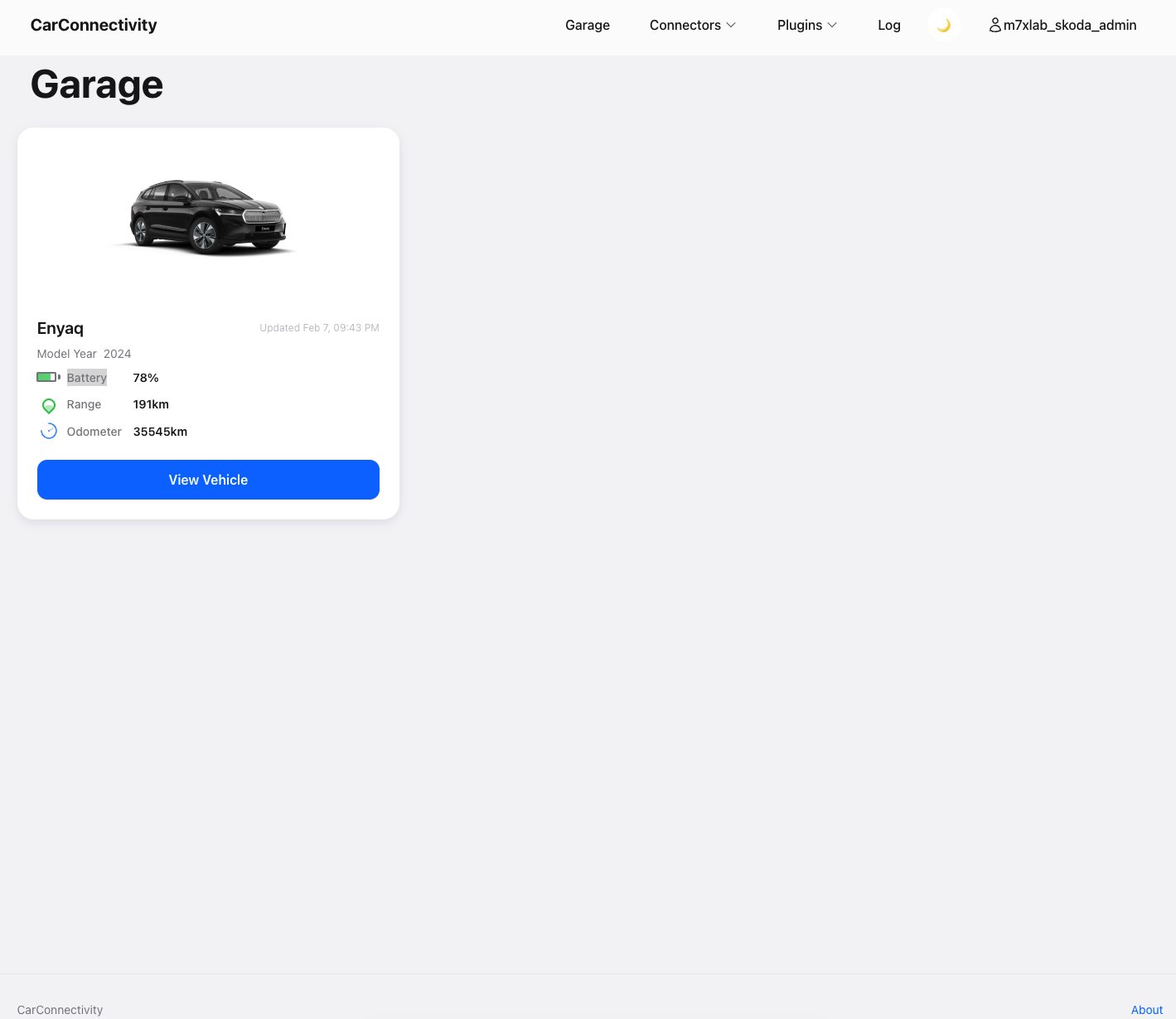
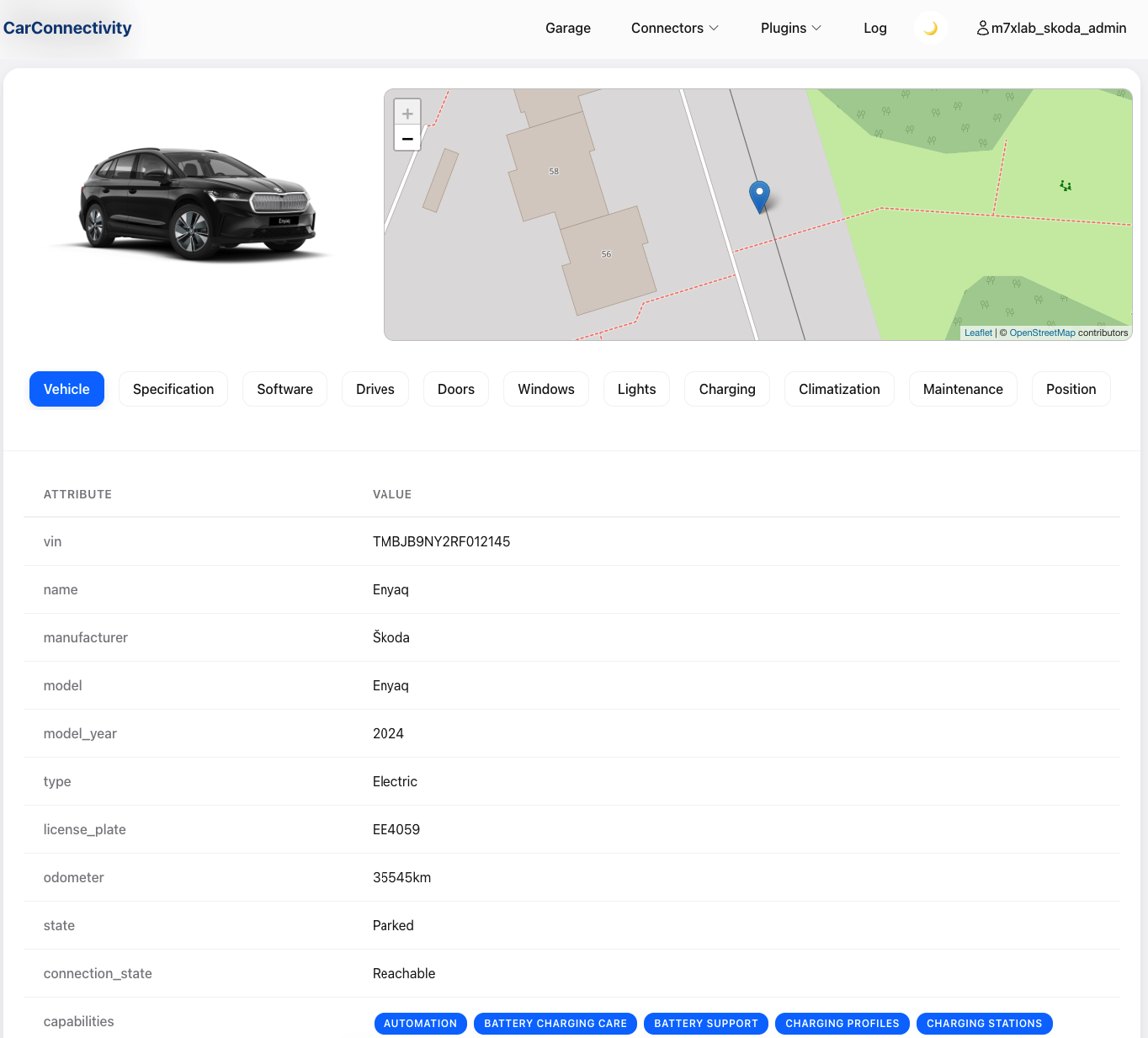
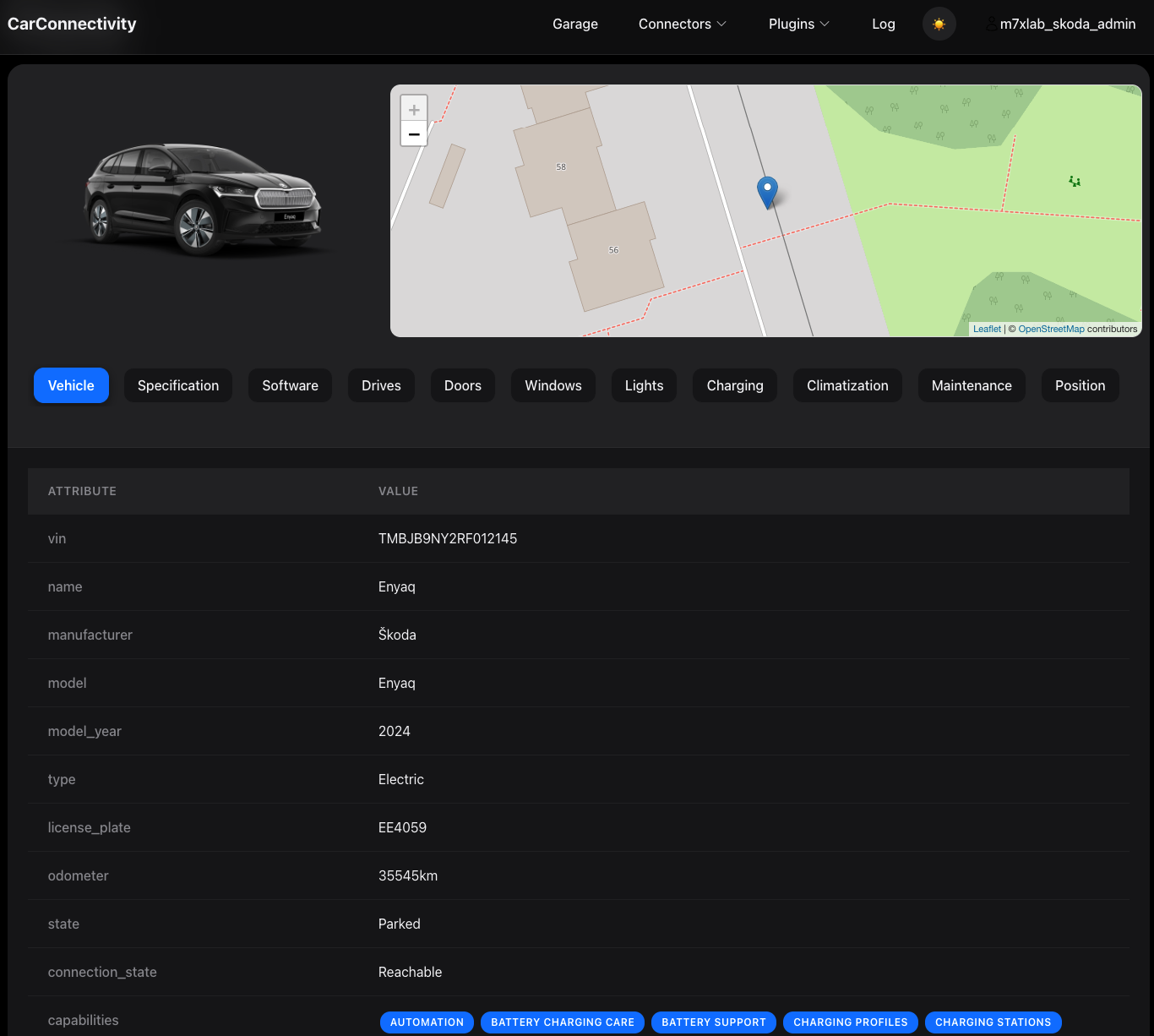
✨ New: Modern Django-Based UI with Apple-Inspired Design
The WebUI has been completely redesigned with:
- Modern Framework: Migrated from Flask to Django 5.0
- Apple-Inspired Design: Clean, minimalist interface with glassmorphism effects
- Dark Mode: Full dark mode support with automatic detection
- Responsive: Mobile-first design that works on all devices
- Smooth Animations: 60fps transitions and micro-interactions
- Modern Icons: Heroicons SVG icon library
- Better Performance: Optimized static file serving with WhiteNoise
- Enhanced Security: Django's built-in security features
How to install
Install using PIP
If you want to use CarConnectivity Web UI, the easiest way is to obtain it from PyPI. Just install using:
pip3 install carconnectivity-webui-by-m7xlab
after you installed CarConnectivity
Install from Source (Development)
git clone https://github.com/tillsteinbach/CarConnectivity-plugin-webui.git
cd CarConnectivity-plugin-webui
pip3 install -e .
Configuration
In your carconnectivity.json configuration add a section for the webui plugin like this. A documentation of all possible config options can be found here.
{
    "carConnectivity": {
        "connectors": [
            ...
        ]
        "plugins": [
            {
                "type": "webui",
                "config": {
                    "username": "admin", // Admin username for login
                    "password": "secret" // Admin password for login
                }
            }
        ]
    }
}
How to use
You will default find the webinterface on http port 4000 on the machine that is hosting carconnectivity. You can change interface with the host parameter and the port with the port parameter.
Always set your personal username and password to protect your data from theft.
Updates
If you want to update, the easiest way is:
pip3 install carconnectivity-webui-by-m7xlab --upgrade
Features
- 🎨 Modern Design: Apple-inspired UI with glassmorphism effects
- 🌓 Dark Mode: Automatic dark mode detection with manual toggle
- 📱 Responsive: Works perfectly on mobile, tablet, and desktop
- ⚡ Fast: Optimized performance with Django and WhiteNoise
- 🔒 Secure: Django's built-in security features
- ♿ Accessible: WCAG 2.1 AA compliant
- 🎭 Smooth Animations: 60fps transitions and micro-interactions
- 🎯 Modern Icons: Heroicons SVG icon library
Logs
The Log page shows the system log of the CarConnectivity process that runs this WebUI.
- Source: Logs are not read from files or other services. The CarConnectivity core attaches an in-memory handler to Python’s
loggingmodule and appendsLogRecordobjects to a ring buffer. The WebUI reads that buffer and formats each record with a standard formatter (%(asctime)s - %(name)s - %(levelname)s - %(message)s). So you see only logs from this process (CarConnectivity + connectors + plugins in the same runtime). - Buffer size: The UI shows only the last N entries in that buffer (N is defined in CarConnectivity core, often around a dozen). For a longer or full history, use container logs (e.g.
docker logs, pod logs, or a log file if you redirect stdout/stderr to a file). Container logs capture everything the process writes to stdout/stderr—including the same Python log lines plus HTTP server access logs (e.g. Werkzeug), urllib3, and other libraries—so they are more complete and can look different from the UI. - Order: The
?order=query controls sort order on the log page:order=desc(default): Latest first — most recent entries at the top.order=asc: Oldest first — chronological order from the start of the buffer.
- Other containers: Logs from other containers (e.g. a separate database container, Grafana, or nginx) are not available here. To see those, use the container’s own logging (e.g.
docker logs, Kubernetes logs, or Grafana’s log datasources).
Release history Release notifications | RSS feed


Download files
Download the file for your platform. If you're not sure which to choose, learn more about installing packages.
Source Distribution
Built Distribution
Filter files by name, interpreter, ABI, and platform.
If you're not sure about the file name format, learn more about wheel file names.
Copy a direct link to the current filters
File details
Details for the file carconnectivity_webui_by_m7xlab-1.1.5.tar.gz.
File metadata
- Download URL: carconnectivity_webui_by_m7xlab-1.1.5.tar.gz
- Upload date:
- Size: 44.1 kB
- Tags: Source
- Uploaded using Trusted Publishing? No
- Uploaded via: twine/6.1.0 CPython/3.8.15
File hashes
| Algorithm | Hash digest | |
|---|---|---|
| SHA256 |
b217365783263caeded47d507333dfbbd72a08da672a31753af586c60cee15bb
|
|
| MD5 |
17e33289d878e33cb8a70272dab4cacd
|
|
| BLAKE2b-256 |
67495f60f2499bfc50eb92b79bb758fa0be61a04924095d4cf8d9e0c76b3acd2
|
File details
Details for the file carconnectivity_webui_by_m7xlab-1.1.5-py3-none-any.whl.
File metadata
- Download URL: carconnectivity_webui_by_m7xlab-1.1.5-py3-none-any.whl
- Upload date:
- Size: 58.6 kB
- Tags: Python 3
- Uploaded using Trusted Publishing? No
- Uploaded via: twine/6.1.0 CPython/3.8.15
File hashes
| Algorithm | Hash digest | |
|---|---|---|
| SHA256 |
c6d920e2a9d84a8e841c5b62c19a2748b7325877b595a7f89b3d0737c559a205
|
|
| MD5 |
5c2484bff83a2ce77928f8ba1f3a6f38
|
|
| BLAKE2b-256 |
50a51ee517e402b3b040300c99969757b89e2b1c853d8ac93391bdda2f21c5b9
|






