
CardReport


Build static reports in Python from cards, KPIs, charts and tables. Compose a report, then get standalone HTML or PDF bytes for your application. PDF text is selectable and charts are vector graphics.
Chromium is the default renderer. The experimental SVG/WeasyPrint renderer works without JavaScript or a browser, with a smaller supported feature set. Both can render the original reference example.
Reports in practice
These are images of PDFs produced by the library, not design mockups.
Operations dashboard — large KPIs, compact line charts and a color-coded ranking. Snapshot values come from an operations dashboard screenshot; trends are explicitly synthetic demonstration data. Python, template and datasets.
The same template and datasets, rendered by both engines. Open either image for a full-size view.
| Chromium | SVG/WeasyPrint |
|---|---|
 |
 |
Spanish campaign report — the reference report with localized dates/numbers, tables and charts. Example and provenance.
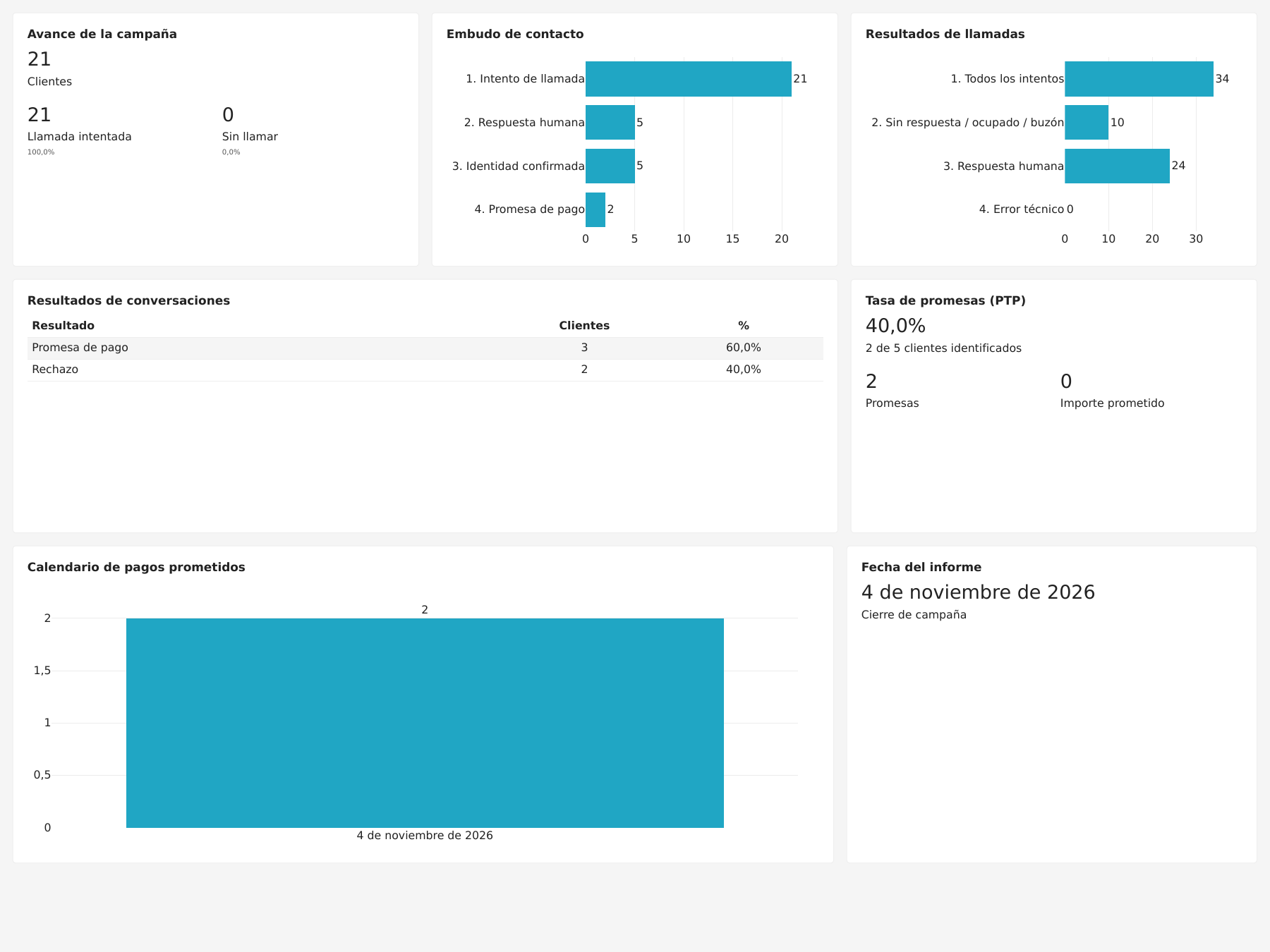
Table across pages — a 120-row demonstration report using mode="flow".
Chromium moves complete rows to the next page and repeats the column headings
and card title. The first two pages show the continuation from ROW-027 to
ROW-028. Python example
· Embedding and pagination.
| Page 1 | Page 2 — continued |
|---|---|
 |
 |
Install in your project
Python 3.12+ is required. Install from PyPI with uv, then install the PDF browser runtime:
uv add "cardreport[pdf]"
uv run python -m playwright install chromium
Keep your application’s uv.lock to pin the installed version. For HTML-only use, omit [pdf] and the
browser-install command. See installation and quickstart
for local checkouts, wheels and how to embed exports.
Use from Python
1. Python components
from cardreport import BarChart, Card, KPI, Report

report = Report("Call results")
report.add(Card(KPI("Total calls", 34)))
report.row(
    Card(BarChart(labels=["Answered", "No answer"], values=[24, 10])),
    height_mm=70,
)

html: str = report.to_html()
pdf: bytes = report.to_pdf()
2. JSON template and named datasets
The same report, with presentation and data kept separately. Both JSON documents are inline in this single Python file; your application can also load them from files or a database.
from cardreport import ReportTemplate, datasets_from_json

TEMPLATE_JSON = """
{
  "format": "cardreport.template/1",
  "datasets": {
    "summary": {
      "cardinality": "one",
      "fields": {"total": {"type": "integer"}}
    },
    "calls": {
      "cardinality": "many",
      "fields": {
        "result": {"type": "text"},
        "count": {"type": "integer"}
      }
    }
  },
  "report": {
    "title": "Call results",
    "blocks": [
      {"type": "card", "content": {
        "type": "kpi", "label": "Total calls",
        "value": {"bind": {"dataset": "summary", "field": "total"}}
      }},
      {"type": "row", "height_mm": 70, "children": [
        {"type": "card", "content": {
          "type": "bar", "dataset": "calls",
          "category": "result", "value": "count"
        }}
      ]}
    ]
  }
}
"""

DATA_JSON = """
{
  "format": "cardreport.data/1",
  "datasets": {
    "summary": {"columns": ["total"], "rows": [{"total": 34}]},
    "calls": {
      "columns": ["result", "count"],
      "rows": [
        {"result": "Answered", "count": 24},
        {"result": "No answer", "count": 10}
      ]
    }
  }
}
"""

template = ReportTemplate.from_json(TEMPLATE_JSON)
datasets = datasets_from_json(DATA_JSON)
report = template.bind(datasets)

html: str = report.to_html()
pdf: bytes = report.to_pdf()
The template declares the expected datasets and their fields; the data document
provides the values. bind() creates an ordinary Report, with the same export API
as the component-based example. See templates
and datasets for other data sources and binding options.
Return pdf from your application, put it in storage, or use
report.write_pdf("report.pdf") to save a file. Existing files are preserved by
default. Reports reject content that does not fit rather than silently shrinking it.
Use from the command line
Render JSON or YAML template/data files without a Python runner:
python -m cardreport render --template report.json --data data.json --output report.pdf
python -m cardreport render --template report.json --csv summary.csv --csv calls.csv --output report.html
Use .yaml or .yml for either input; JSON, YAML and CSV can be mixed.
python -m cardreport validate checks inputs without rendering.
CSV dataset names come from filenames; use --csv-as NAME PATH to rename one.
The installed cardreport command is equivalent. See the
complete CLI example and options.
Documentation
- Quickstart — build from application data; return strings/bytes.
- KPI dashboards — compact charts, category legends and larger KPI values.
- Templates — JSON presentation with separate named datasets.
- YAML and JSON Schema — YAML embedding, types, formal schemas and editor setup.
- Datasets — native Python data and typed JSON storage.
- User guide — cards, layout, formatting and multiple pages.
- Language and display formats — report language tags, custom dates, number precision and the Spanish example.
- API reference — signatures, defaults, constraints and errors.
- Renderers — installation, supported features and extensions.
- Examples and integration — the original report, tables and async code.
- Command line — render JSON templates with JSON or CSV datasets using
python -m cardreport.
For architecture, decisions and contributing, see project documentation.
License
MIT. Bundled DejaVu fonts retain their font license. Third-party rendering packages retain their own licenses.
1 maintainer

Metadata
1 maintainer
Release files for cardreport 0.6.0
For a detailed explanation of source distributions (sdists) and built distributions (wheels), please see the package formats documentation.
Source distribution (sdist)
| File | Size | Uploaded | Provenance | Actions |
|---|---|---|---|---|
| cardreport-0.6.0.tar.gz | 1.9 MB | Without provenance | Details for cardreport-0.6.0.tar.gz |
Built distribution (wheel)
| File | Interpreter | ABI | Platform | Actions Reset |
|---|---|---|---|---|
| cardreport-0.6.0-py3-none-any.whl | Python 3 | none | any | Details for cardreport-0.6.0-py3-none-any.whl |
Total release size: 2.7 MB
Release files / cardreport-0.6.0.tar.gz
| Download URL | cardreport-0.6.0.tar.gz |
|---|---|
| Size | 1.9 MB |
| Tags | Source |
|
SHA-256 checksum How to use checksums |
c55a36d5b4afe84000a44f89f6f3fb827222f8c446166b1cd7024aac654c9667
|
|
BLAKE2b-256 checksum How to use checksums |
31819709dd5e2e4199e306135b044e9916be49031a4871f3d31013a469a6adf1
|
| Upload date | |
|
Uploaded using Trusted Publishing? What is trusted publishing? |
Yes |
| Uploaded via |
uv/0.10.6 {"installer":{"name":"uv","version":"0.10.6","subcommand":["publish"]},"python":null,"implementation":{"name":null,"version":null},"distro":{"name":"Ubuntu","version":"24.04","id":"noble","libc":null},"system":{"name":null,"release":null},"cpu":null,"openssl_version":null,"setuptools_version":null,"rustc_version":null,"ci":true}
|
Release files / cardreport-0.6.0-py3-none-any.whl
| Download URL | cardreport-0.6.0-py3-none-any.whl |
|---|---|
| Size | 798.3 kB |
| Tags | Python 3 |
|
SHA-256 checksum How to use checksums |
2888a5f60fb5091e600facfe5913c5af0100c493f44bd0fe48d544a465c52fc4
|
|
BLAKE2b-256 checksum How to use checksums |
a5c6086ef29dcc415b652c2e033b2e312d28b203bbfdc6ae8bd5c3f1ac4f2577
|
| Upload date | |
|
Uploaded using Trusted Publishing? What is trusted publishing? |
Yes |
| Uploaded via |
uv/0.10.6 {"installer":{"name":"uv","version":"0.10.6","subcommand":["publish"]},"python":null,"implementation":{"name":null,"version":null},"distro":{"name":"Ubuntu","version":"24.04","id":"noble","libc":null},"system":{"name":null,"release":null},"cpu":null,"openssl_version":null,"setuptools_version":null,"rustc_version":null,"ci":true}
|
Security for cardreport 0.6.0
Provenance
Provenance describes where a file came from. On PyPI, provenance is shared via attestations, which provide a verifiable record of the build or publishing details. View details, limitations and caveats.
No provenance found
None of the files in this release were uploaded with provenance metadata.
A note on package security
PyPI is a repository for distributing packages, not a service for auditing them. While third-party security researchers and our staff do their best to detect and remove malicious packages, PyPI cannot guarantee the quality, security or suitability of any given package.
To learn more about protecting yourself from malicious actors, visit our package security documentation.














