





🎬 cast-studio
Convert asciinema .cast recordings into GIF and MP4 — and scaffold a generic demo-recording engine for any Python project.
📦 Installation
uv add cast-studio
System requirement:
ffmpegmust be installed.brew install ffmpeg # macOS apt-get install ffmpeg # Ubuntu / Debian
🚀 Features
- ✅ cast → GIF — High-quality 256-colour GIF via ffmpeg palette pass
- ✅ cast → MP4 — H.264/x264 CRF-18 MP4 ready for GitHub Releases
- ✅ Catppuccin Mocha theme — Beautiful dark terminal rendering with Pillow
- ✅ Generic demo engine —
cast-run+demo.cfgfor any project - ✅ Any shell command — Record pytest runs, scripts, CLIs — not just pytest
- ✅ Multi-line descriptions — Pipe-separated description lines per run
- ✅
python-base-commandCLI — Structured, loggable CLI withcast/cast-render/cast-init
⚙️ Configuration
No .env needed. All config lives in demo.cfg:
PROJECT="my-library"
SUBTITLE="A short description"
INSTALL_CMD="pip install my-library"
REPO_URL="github.com/you/my-library"
PYPI_URL="pypi.org/project/my-library"

PYTEST=".venv/bin/pytest"
TESTS="tests/"

PAUSE_INTRO=2       # seconds after intro screen
PAUSE_BETWEEN=2     # seconds between runs
PAUSE_OUTRO=3       # seconds on outro screen

define_runs() {
  add_run "RUN 1 — feature A" "Short description." "$PYTEST $TESTS --flag"
  add_run "RUN 2 — script"   "Another feature."    "python scripts/my_script.py"
}
add_run "Title" "Line 1|Line 2" "any shell command"— use|for multi-line descriptions.
🛠️ How to Use
- Install —
uv add cast-studio(andbrew install ffmpeg asciinema) - Create .cfg — customise
demo.cfgwith your project's runs - Record —
asciinema rec -c "cast-run demo/demo.cfg" demo.cast - Render —
cast-render demo.cast assets/demo --gif-only --title "my demo"→assets/demo.gif - Embed — add
to your README
🚀 Quick Start
# 1. Install
uv add cast-studio
brew install ffmpeg asciinema   # macOS

# 2. Create demo/demo.cfg — set PROJECT, SUBTITLE, INSTALL_CMD, define_runs()
demo/demo.cfg structure:
# ── project metadata ──────────────────────────────────────────────────────────
PROJECT="cast-studio"
SUBTITLE="Convert asciinema .cast files to GIF and MP4"
INSTALL_CMD="uv add cast-studio"
REPO_URL="github.com/aviz92/cast-studio"
PYPI_URL="pypi.org/project/cast-studio"

# ── timing (seconds) ─────────────────────────────────────────────────────────
PAUSE_INTRO=2
PAUSE_BETWEEN=2
PAUSE_OUTRO=3

# ── runs ──────────────────────────────────────────────────────────────────────
define_runs() {
  add_run \
    "STEP 1 — cast-init  │  scaffold demo scripts into your project" \
    "Creates run_demo.sh (the engine) and demo.cfg (your project config).|One command sets up the full demo recording workflow." \
    "cast-init --dest /tmp/cast-studio-demo --force"

  add_run \
    "STEP 2 — demo.cfg  │  inspect the generated config" \
    "Edit PROJECT, SUBTITLE, INSTALL_CMD, and define_runs().|Add any shell command — pytest, scripts, CLIs — using add_run." \
    "cat /tmp/cast-studio-demo/demo.cfg"

  add_run \
    "STEP 3 — cast-render  │  render a .cast file to GIF" \
    "Renders each frame as a PNG using Pillow (Catppuccin Mocha theme).|Then encodes a high-quality 256-colour GIF via ffmpeg palette pass." \
    "cast-render demo.cast assets/demo --gif-only --title \"cast-studio demo\""

  add_run \
    "STEP 4 — cast-render  │  render to MP4" \
    "H.264/x264 CRF-18 encode — ready for GitHub Releases or Twitter.|Use --hold to extend the last frame so viewers can read the outro." \
    "cast-render demo.cast assets/demo --mp4-only --hold 5.0 --title \"cast-studio demo\""

  add_run \
    "STEP 5 — cast  │  unified runner" \
    "The cast command auto-discovers all sub-commands.|cast render / cast init / cast --help — one entry point for everything." \
    "cast --help"
}
# 3. Record
asciinema rec -c "bash cast-run demo/demo.cfg" assets/demo/demo.cast
# 4. Render to GIF and MP4
cast-render assets/demo/demo.cast assets/demo/demo --gif-only --title "my-library demo" # -> `assets/demo/demo.gif`
cast-render assets/demo/demo.cast assets/demo/demo --mp4-only --title "my-library demo" # -> `assets/demo/demo.mp4`
# 5. Embed in README
# 
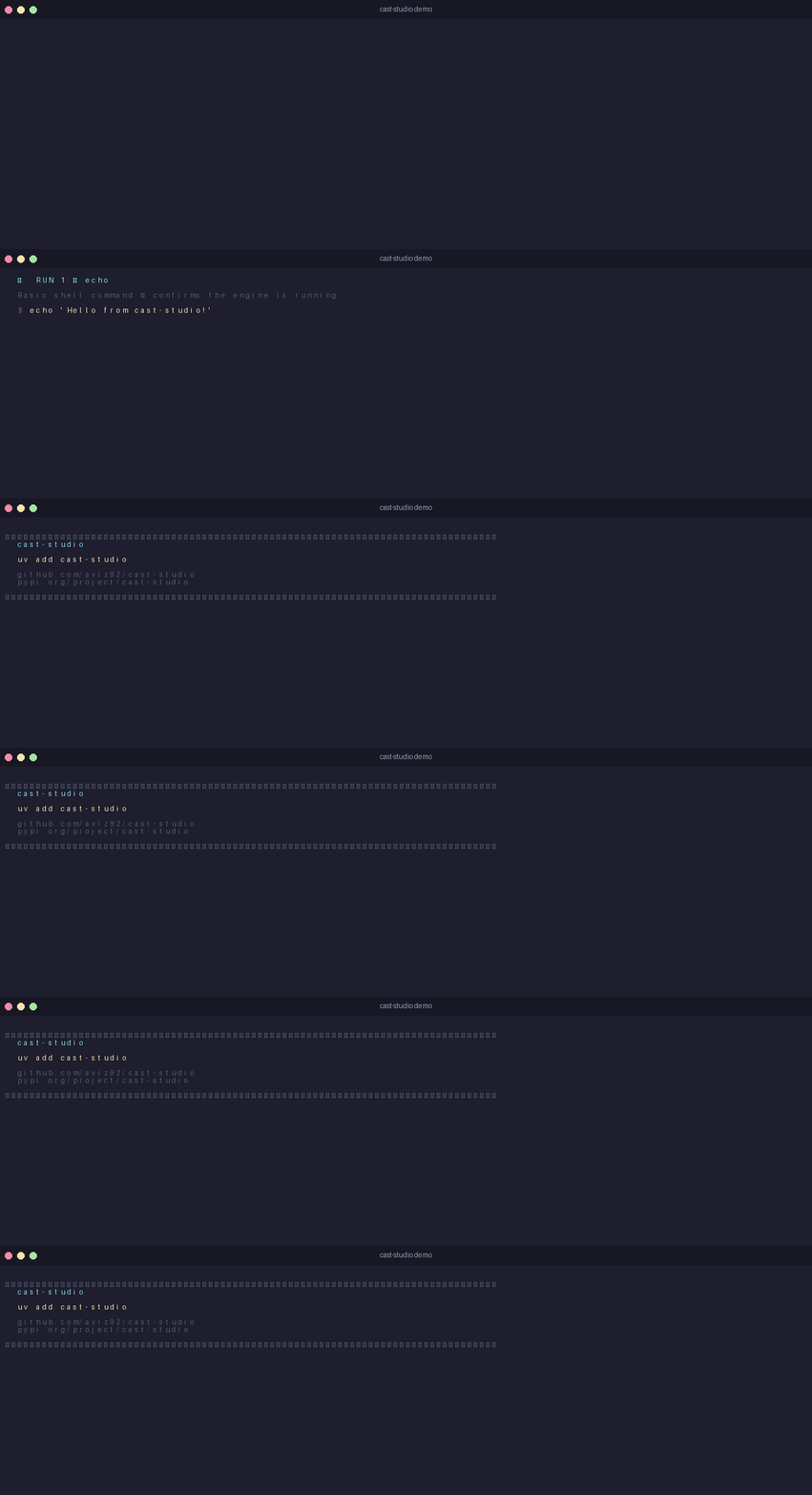
🎥 Demo
CLI Reference
cast-render
| Flag | Default | Description |
|---|---|---|
cast_file |
— | Path to .cast file |
output_base |
— | Output path without extension |
--title |
"" |
Title bar text |
--gif-only |
— | Produce GIF only |
--mp4-only |
— | Produce MP4 only |
--render-fps |
30 |
Internal PNG frame rate |
--gif-fps |
10 |
GIF output FPS |
--mp4-fps |
30 |
MP4 output FPS |
--hold |
3.0 |
Seconds to hold last frame |
--keep-frames |
— | Keep temporary PNG frames |
🤝 Contributing
If you have a helpful pattern or improvement to suggest: Fork the repo Create a new branch Submit a pull request I welcome additions that promote clean, productive, and maintainable development.
📄 License
MIT License — see LICENSE for details.
🙏 Thanks
Thanks for exploring this repository!
Happy coding!




1 maintainer

Metadata
1 maintainer
Release files for cast-studio 0.1.3
For a detailed explanation of source distributions (sdists) and built distributions (wheels), please see the package formats documentation.
Source distribution (sdist)
| File | Size | Uploaded | |
|---|---|---|---|
| cast_studio-0.1.3.tar.gz | 15.8 kB | Details |
Built distribution (wheel)
| File | Interpreter | ABI | Platform | Reset |
|---|---|---|---|---|
| cast_studio-0.1.3-py3-none-any.whl | Python 3 | none | any | Details |
Total release size: 32.2 kB
Release files / cast_studio-0.1.3.tar.gz
| Download URL | cast_studio-0.1.3.tar.gz |
|---|---|
| Size | 15.8 kB |
| Tags | Source |
|
SHA-256 checksum How to use checksums |
06988a0a2565091964d8707d8a871e1bc141c7dff159956d04a799577e4a283d
|
|
BLAKE2b-256 checksum How to use checksums |
ef78a45cb6f53716b42b3dfe7ffba4319146d190456e8bd2c2d416af962781ff
|
| Upload date | |
|
Uploaded using Trusted Publishing? What is trusted publishing? |
No |
| Uploaded via |
twine/6.1.0 CPython/3.13.7
|
Release files / cast_studio-0.1.3-py3-none-any.whl
| Download URL | cast_studio-0.1.3-py3-none-any.whl |
|---|---|
| Size | 16.4 kB |
| Tags | Python 3 |
|
SHA-256 checksum How to use checksums |
4846833e390eb5031d95d4c77e76dd8b5b13369a6f7958280341e1dd13fef8b2
|
|
BLAKE2b-256 checksum How to use checksums |
5cf6e0960e1d38766e406a600fe49df05348d015c041dc93771ab33a654cc2bd
|
| Upload date | |
|
Uploaded using Trusted Publishing? What is trusted publishing? |
No |
| Uploaded via |
twine/6.1.0 CPython/3.13.7
|














