





🎬 cast-studio
Convert asciinema .cast recordings into GIF and MP4 — and scaffold a generic demo-recording engine for any Python project.
📦 Installation
uv add cast-studio
System requirement:
ffmpegmust be installed.brew install ffmpeg # macOS apt-get install ffmpeg # Ubuntu / Debian
🚀 Features
- ✅ cast → GIF — High-quality 256-colour GIF via ffmpeg palette pass
- ✅ cast → MP4 — H.264/x264 CRF-18 MP4 ready for GitHub Releases
- ✅ Catppuccin Mocha theme — Beautiful dark terminal rendering with Pillow
- ✅ Generic demo engine —
cast-run+demo.cfgfor any project - ✅ Any shell command — Record pytest runs, scripts, CLIs — not just pytest
- ✅ Multi-line descriptions — Pipe-separated description lines per run
- ✅
python-base-commandCLI — Structured, loggable CLI withcast/cast-render/cast-init
⚙️ Configuration
No .env needed. All config lives in demo.cfg:
PROJECT="my-library"
SUBTITLE="A short description"
INSTALL_CMD="pip install my-library"
REPO_URL="github.com/you/my-library"
PYPI_URL="pypi.org/project/my-library"

PYTEST=".venv/bin/pytest"
TESTS="tests/"

PAUSE_INTRO=2       # seconds after intro screen
PAUSE_BETWEEN=2     # seconds between runs
PAUSE_OUTRO=3       # seconds on outro screen

define_runs() {
  add_run "RUN 1 — feature A" "Short description." "$PYTEST $TESTS --flag"
  add_run "RUN 2 — script"   "Another feature."    "python scripts/my_script.py"
}
add_run "Title" "Line 1|Line 2" "any shell command"— use|for multi-line descriptions.
🛠️ How to Use
- Install —
uv add cast-studio(andbrew install ffmpeg asciinema) - Create .cfg — customise
demo.cfgwith your project's runs - Record —
asciinema rec -c "cast-run demo/demo.cfg" demo.cast - Render —
cast-render demo.cast assets/demo --gif-only --title "my demo"→assets/demo.gif - Embed — add
to your README
🚀 Quick Start
# 1. Install
uv add cast-studio
brew install ffmpeg asciinema   # macOS

# 2. Create demo/demo.cfg — set PROJECT, SUBTITLE, INSTALL_CMD, define_runs()
demo/demo.cfg structure:
# ── project metadata ──────────────────────────────────────────────────────────
PROJECT="cast-studio"
SUBTITLE="Convert asciinema .cast files to GIF and MP4"
INSTALL_CMD="uv add cast-studio"
REPO_URL="github.com/aviz92/cast-studio"
PYPI_URL="pypi.org/project/cast-studio"

# ── timing (seconds) ─────────────────────────────────────────────────────────
PAUSE_INTRO=2
PAUSE_BETWEEN=2
PAUSE_OUTRO=3

# ── runs ──────────────────────────────────────────────────────────────────────
define_runs() {
  add_run \
    "STEP 1 — cast-init  │  scaffold demo scripts into your project" \
    "Creates run_demo.sh (the engine) and demo.cfg (your project config).|One command sets up the full demo recording workflow." \
    "cast-init --dest /tmp/cast-studio-demo --force"

  add_run \
    "STEP 2 — demo.cfg  │  inspect the generated config" \
    "Edit PROJECT, SUBTITLE, INSTALL_CMD, and define_runs().|Add any shell command — pytest, scripts, CLIs — using add_run." \
    "cat /tmp/cast-studio-demo/demo.cfg"

  add_run \
    "STEP 3 — cast-render  │  render a .cast file to GIF" \
    "Renders each frame as a PNG using Pillow (Catppuccin Mocha theme).|Then encodes a high-quality 256-colour GIF via ffmpeg palette pass." \
    "cast-render demo.cast assets/demo --gif-only --title \"cast-studio demo\""

  add_run \
    "STEP 4 — cast-render  │  render to MP4" \
    "H.264/x264 CRF-18 encode — ready for GitHub Releases or Twitter.|Use --hold to extend the last frame so viewers can read the outro." \
    "cast-render demo.cast assets/demo --mp4-only --hold 5.0 --title \"cast-studio demo\""

  add_run \
    "STEP 5 — cast  │  unified runner" \
    "The cast command auto-discovers all sub-commands.|cast render / cast init / cast --help — one entry point for everything." \
    "cast --help"
}
# 3. Record
asciinema rec -c "bash cast-run demo/demo.cfg" assets/demo/demo.cast
# 4. Render to GIF and MP4
cast-render assets/demo/demo.cast assets/demo/demo --gif-only --title "my-library demo" # -> `assets/demo/demo.gif`
cast-render assets/demo/demo.cast assets/demo/demo --mp4-only --title "my-library demo" # -> `assets/demo/demo.mp4`
# 5. Embed in README
# 
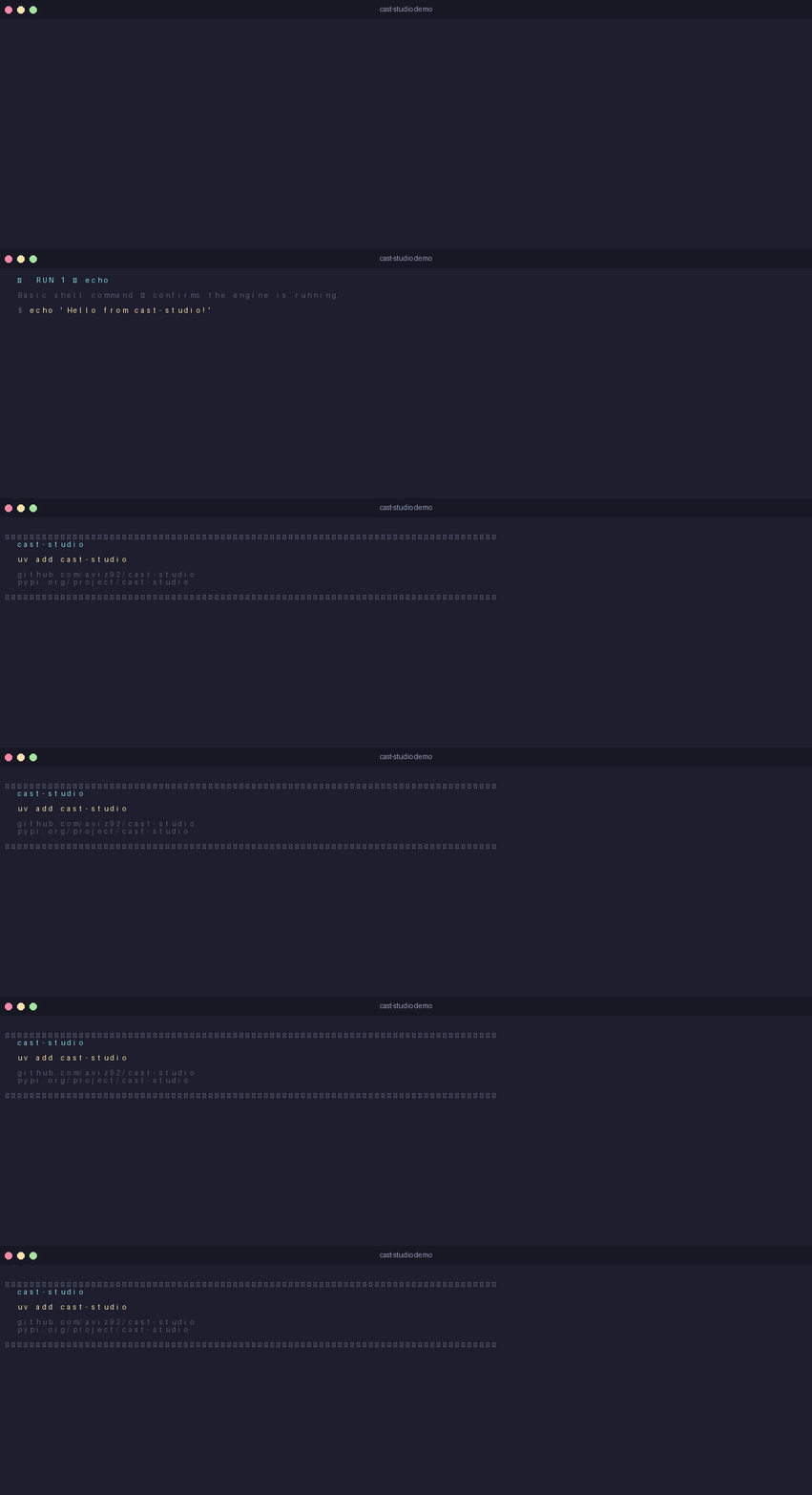
🎥 Demo
CLI Reference
cast-render
| Flag | Default | Description |
|---|---|---|
cast_file |
— | Path to .cast file |
output_base |
— | Output path without extension |
--title |
"" |
Title bar text |
--gif-only |
— | Produce GIF only |
--mp4-only |
— | Produce MP4 only |
--render-fps |
30 |
Internal PNG frame rate |
--gif-fps |
10 |
GIF output FPS |
--mp4-fps |
30 |
MP4 output FPS |
--hold |
3.0 |
Seconds to hold last frame |
--keep-frames |
— | Keep temporary PNG frames |
🤝 Contributing
If you have a helpful pattern or improvement to suggest: Fork the repo Create a new branch Submit a pull request I welcome additions that promote clean, productive, and maintainable development.
📄 License
MIT License — see LICENSE for details.
🙏 Thanks
Thanks for exploring this repository!
Happy coding!




1 maintainer

Metadata
1 maintainer
Release files for cast-studio 0.1.4
For a detailed explanation of source distributions (sdists) and built distributions (wheels), please see the package formats documentation.
Source distribution (sdist)
| File | Size | Uploaded | Provenance | Actions |
|---|---|---|---|---|
| cast_studio-0.1.4.tar.gz | 15.6 kB | Without provenance | Details for cast_studio-0.1.4.tar.gz |
Built distribution (wheel)
| File | Interpreter | ABI | Platform | Actions Reset |
|---|---|---|---|---|
| cast_studio-0.1.4-py3-none-any.whl | Python 3 | none | any | Details for cast_studio-0.1.4-py3-none-any.whl |
Total release size: 31.9 kB
Release files / cast_studio-0.1.4.tar.gz
| Download URL | cast_studio-0.1.4.tar.gz |
|---|---|
| Size | 15.6 kB |
| Tags | Source |
|
SHA-256 checksum How to use checksums |
8d6da31545b4fff855ac2d1448813e7e459055c066e0ab026a1a6094f7e197e9
|
|
BLAKE2b-256 checksum How to use checksums |
7e08b47a06633fa92f51db935c57c71fb13cfb6536b662a0a91837fb5d507ca1
|
| Upload date | |
|
Uploaded using Trusted Publishing? What is trusted publishing? |
No |
| Uploaded via |
twine/7.0.0 CPython/3.13.16
|
Release files / cast_studio-0.1.4-py3-none-any.whl
| Download URL | cast_studio-0.1.4-py3-none-any.whl |
|---|---|
| Size | 16.3 kB |
| Tags | Python 3 |
|
SHA-256 checksum How to use checksums |
7c1886e8a802b264bb1e8fefe2ee59fffc522f9a725da7054ebe398a006f6c31
|
|
BLAKE2b-256 checksum How to use checksums |
d9a7017d4ac17811c91165327a381779351dcd6bdb853c6c4dbb0428ab1fdbc5
|
| Upload date | |
|
Uploaded using Trusted Publishing? What is trusted publishing? |
No |
| Uploaded via |
twine/7.0.0 CPython/3.13.16
|
Security for cast-studio 0.1.4
Provenance
Provenance describes where a file came from. On PyPI, provenance is shared via attestations, which provide a verifiable record of the build or publishing details. View details, limitations and caveats.
No provenance found
None of the files in this release were uploaded with provenance metadata.
A note on package security
PyPI is a repository for distributing packages, not a service for auditing them. While third-party security researchers and our staff do their best to detect and remove malicious packages, PyPI cannot guarantee the quality, security or suitability of any given package.
To learn more about protecting yourself from malicious actors, visit our package security documentation.














