
This release is a pre-release and may not be stable for production use.
castletool





Images, vector graphics, videos, audio. You name it, castletool (probably) supports it.
Castletool is a custom tool that lets you import things to castle more easily.
Installation
pip install castletool
Requires Python and the Castle CLI
Usage
Run castletool inside a folder containing your Castle deck(s).
You may also use castletool --cli for the legacy interface.
castletool --version (or -v) prints the installed version.
Capabilities
- Add image — bitmap images, animated GIF/WEBP/APNG, video (with sound), and SVG are all supported. SVGs can be drawn as vector line segments or as a filled bitmap.
- Add audio — uploads a sound to Castle and plays it from the actor on create (looped), the same way a video's sound is added. Castle limits sounds to 30 seconds, so longer audio (and longer video soundtracks) is split into parts just under 30s, uploaded one by one, and chained to play back to back.
- Add MIDI — converts a MIDI file into a Castle
Musiccomponent. - Add Font — renders a font's characters as vector outlines or as filled bitmap glyphs.
- Edit Background Color — sets the card's background color.
- Upload Deck — runs
castle save-deckon the current deck.
Supported file types
| Purpose | Extensions |
|---|---|
| Images | png, jpg/jpeg, bmp, tif/tiff, ico, heic/heif, gif, webp, apng |
| Video | mp4, mov, webm, avi, mkv, flv, m4v, 3gp, ogv |
| Vector graphics | svg |
| Audio | mp3, wav, ogg/oga, m4a, flac, aac |
| Fonts | ttf, otf, woff, eot |
.icofiles hold several resolutions; castletool asks which one to use..heic/.heifneed the optionalpillow-heifpackage (pip install castletool[heif]); castletool tries to install it the first time you use one.- Video, audio conversion and the sound of videos need
ffmpeg. MTX-compressed.eotfonts aren't supported. - Anything else is rejected with a message. If you want a format added, open an issue.
Archives
Anywhere castletool asks for a file you can give a .zip, .tar, .tar.gz/.tgz, .tar.bz2/.tbz2 or .tar.xz/.txz instead. Subdirectories are searched and unsupported files inside are ignored.
- All supported files in an archive must have the same purpose (all images, all videos, all audio, ...). Otherwise you get
Supported files are of different purpose. - Still images and SVGs: you choose between putting them all in the current actor as frames (in natural filename order), or making each its own actor. You also choose how sizes are handled:
- Scale images to fit keeps all images the same size.
- Don't scale images keeps 1 pixel = 1 pixel no matter what (every image shares one pixel density, so bigger images appear bigger). Best for pixel art or small images where accuracy matters.
- Animated images, videos, SVGs, audio and fonts: each file automatically becomes its own actor. The first goes into the actor you selected; the rest are forked from it as new blueprints in the same card.
- The same settings (scale, quantize, characters, ...) are used for every file in the archive.
Bitmap SVGs and fonts
- SVG — in an archive, SVGs can also go in one actor as frames (vector or bitmap). Choose Vector (line segments, the default) or Bitmap (filled in, keeps its colors; even-odd fill, so holes work). Not supported: gradients, transforms,
<style>blocks/classes. - Font — choose Vector (outlines) or Bitmap (one filled image per glyph, drawn with FreeType at a pixel size you choose). Glyphs share one canvas and baseline so frames don't jump.
- Colors — an SVG's own colors (attributes, inline
style, inherited from groups) are used by default. If a shape doesn't specify one, you pick a color for those shapes. Fonts always ask you to pick a color. - Bilinear interpolation — off by default (crisp nearest-neighbor pixels). Turn it on for smooth scaling of images and video, and for anti-aliased edges on bitmap SVGs and fonts.
Add Font: Basic
Choose from preset unicode ranges and select as many as you want:
- Standard (0-255, excluding control characters)
- ASCII
- Alphanumeric
- Numeric
- Currency Symbols
- Greek Characters
- Fraction Symbols
- Arrows
- Mathematical Operators
- Miscellaneous Technical
- Box Drawing
- Block Elements
- Dingbats
- Braille Patterns
- Musical Symbols
Add Font: Advanced
Choose all characters/codepoints yourself:
- Plain characters are typed as-is:
0123456789ABCDEF. - A specific codepoint is written
U+XXXX(hex):U+03A9is Ω. - Separate every codepoint with a space: Something like
U+03A9U+0021is invalid. - Any character or codepoint used twice is rejected.
Loading from a file uses the same rules, plus -- starts a comment that runs to the end of the line.
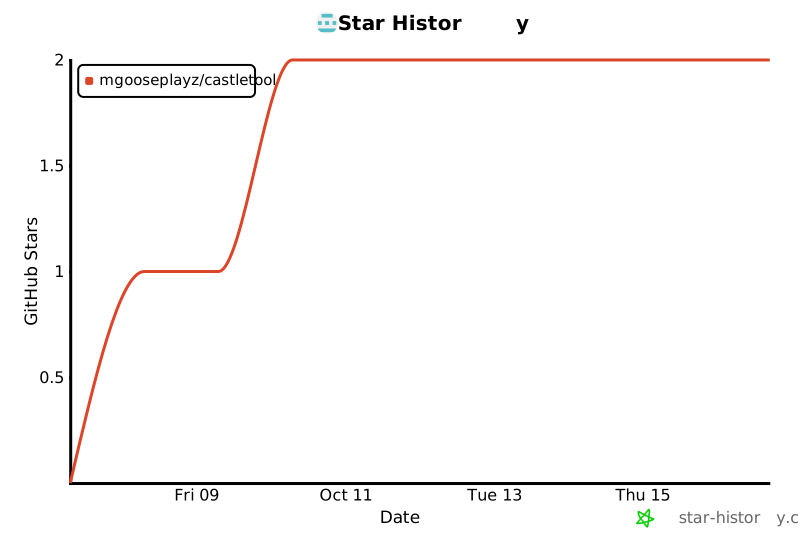
Star History
1 maintainer

Metadata
1 maintainer
Release files for castletool 0.6.0a3
For a detailed explanation of source distributions (sdists) and built distributions (wheels), please see the package formats documentation.
Source distribution (sdist)
| File | Size | Uploaded | |
|---|---|---|---|
| castletool-0.6.0a3.tar.gz | 48.9 kB | Details |
Built distribution (wheel)
| File | Interpreter | ABI | Platform | Reset |
|---|---|---|---|---|
| castletool-0.6.0a3-py3-none-any.whl | Python 3 | none | any | Details |
Total release size: 96.0 kB
Release files / castletool-0.6.0a3.tar.gz
| Download URL | castletool-0.6.0a3.tar.gz |
|---|---|
| Size | 48.9 kB |
| Tags | Source |
|
SHA-256 checksum How to use checksums |
ec6b73b29ada52b96878df63c59ebfb0cfde8cc165ce8aa124313c05c1c89cae
|
|
BLAKE2b-256 checksum How to use checksums |
05549de7f358f91f9e485c77e1d29abefa0c3eea4ffdbb4f0792d672331fea94
|
| Upload date | |
|
Uploaded using Trusted Publishing? What is trusted publishing? |
Yes |
| Uploaded via |
twine/7.0.0 CPython/3.13.14
|
Provenance
Provenance describes where a file came from. On PyPI, provenance is shared via attestations, which provide a verifiable record of the build or publishing details. View details, limitations and caveats.


PyPI Publish Attestation
PyPI verified that this artifact, at this checksum, originated from the publisher listed below.
Signed by GitHub Actions, verified by PyPI on Oct 8, 2026.
Transparency logRelease files / castletool-0.6.0a3-py3-none-any.whl
| Download URL | castletool-0.6.0a3-py3-none-any.whl |
|---|---|
| Size | 47.1 kB |
| Tags | Python 3 |
|
SHA-256 checksum How to use checksums |
b627e2991abbdcd72d587a89da300a02a61a202b1b3a6f7cfb0feea75770ff70
|
|
BLAKE2b-256 checksum How to use checksums |
bbbcc9aa925bc7aff963f28dcc403d7671551b544e1e74f827f597112b9f9188
|
| Upload date | |
|
Uploaded using Trusted Publishing? What is trusted publishing? |
Yes |
| Uploaded via |
twine/7.0.0 CPython/3.13.14
|
Provenance
Provenance describes where a file came from. On PyPI, provenance is shared via attestations, which provide a verifiable record of the build or publishing details. View details, limitations and caveats.
PyPI Publish Attestation
PyPI verified that this artifact, at this checksum, originated from the publisher listed below.
Signed by GitHub Actions, verified by PyPI on Oct 8, 2026.
Transparency log













