






cat_win

Advanced Text-Processing and -Analytics CLI Toolset
Explore the code »
Request Feature
·
Report Bug
·
Request Documentation
Table of Contents
 About The Project








A collection of command-line utilities for everyday file and text processing workflows.
- File inspection and manipulation
- Text output and transformation
- Searching and filtering
- Encoding and decoding tools
Interactive Terminal Applications (Built with curses)
- 📝 Text editor
- 🔢 Hex editor
- 🔍 Diff viewer
Design Goals

Philosophy
This project focuses on delivering essential functionality in a clean and user-friendly way.
It is not intended to exactly replicate existing tools, but instead provide a cohesive toolkit for common tasks.
Made With


 Getting Started
Prerequisites
Using cat_win as a Python Package demands a Python-Interpreter (>= 3.6).
Using cat_win as a Binary Executable demands no prerequisites, hereby the stand-alone executables are sufficient.
Installation



Python Package
Simply install the python package (via PyPI-cat_win):
python -m pip install -U cat_win[clip]
python -m pip install -U cat_win
cat_win uses the pyperclip module by default. Should any problems occur, you can also use
the pyperclip3 or pyclip module.
In this case simply don't install with [clip] and manually install the desired module yourself.
On older Windows systems colored output may not be displayed correctly.
In this case you can try to fix the problem by installing the cat_win-package with the optional color-fix [cfix] dependency.
This fix will use the colorama module
which can also be installed after the fact to patch the problem.
Binary Executable
OR alternatively you can use the (standalone) binary executable version:
Direct Download:
Windows - catw.exe
Windows - cats.exe (REPL)
Linux - catw
Linux - cats (REPL)
MacOS - catw
MacOS - cats (REPL)
(compiled using PyInstaller)
It is recommended to add the file path(s) to your system-environment PATH-variables.
[!CAUTION] You should never trust any executable file! Feel free to compile the package yourself (e.g. using PyInstaller).
You can verify the creation of the executable files yourself by reading the source code, checking the origin of the file and validating the corresponding workflow used.
 Usage
Usage
> catw [FILE]... [OPTION]...
> catw --help
Concatenate FILE(s) to standard output.
...
> cats [OPTION]...
> cats --help
Interactively manipulate standard input.
...
 Documentation
[!TIP] 👉 A detailed Documentation of all Parameters, Configurations and General Usage has moved to another File.
Read about specific Arguments & Options here.
Examples
📂 Images 📂
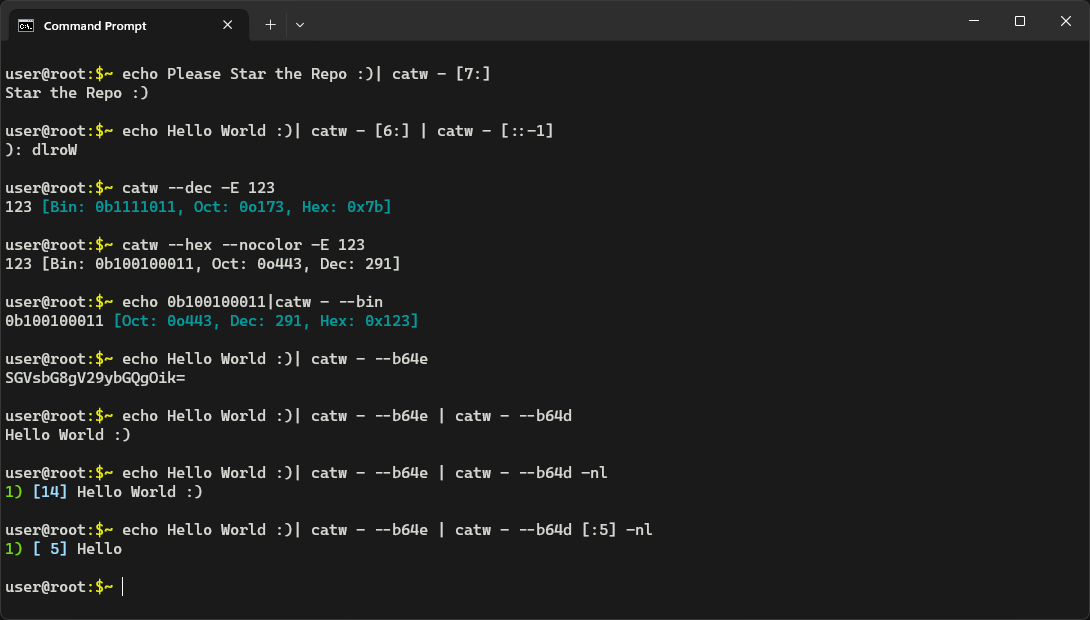
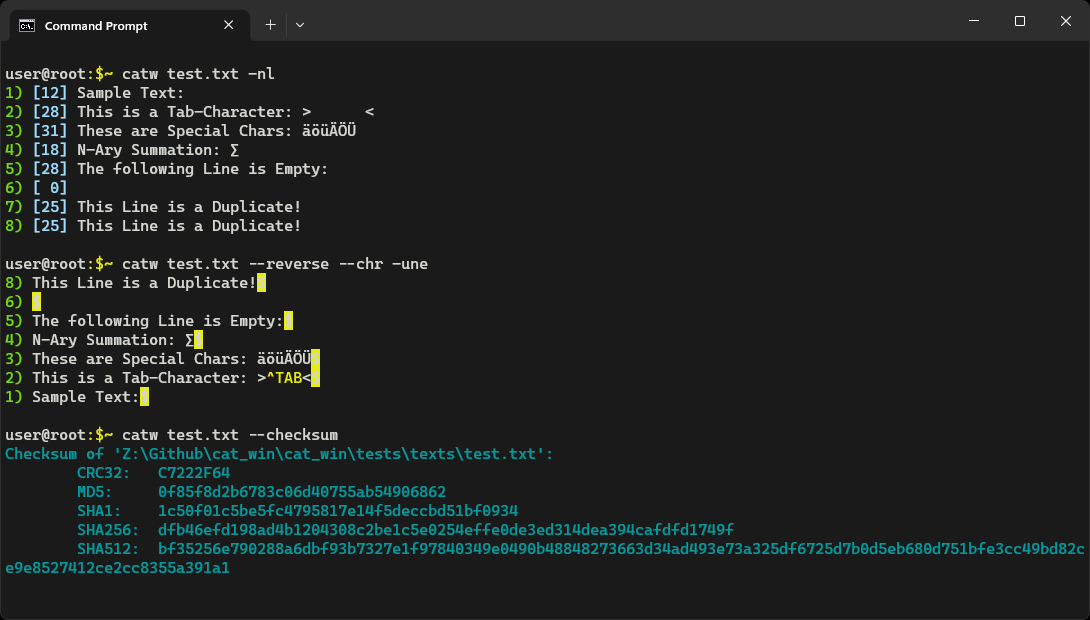
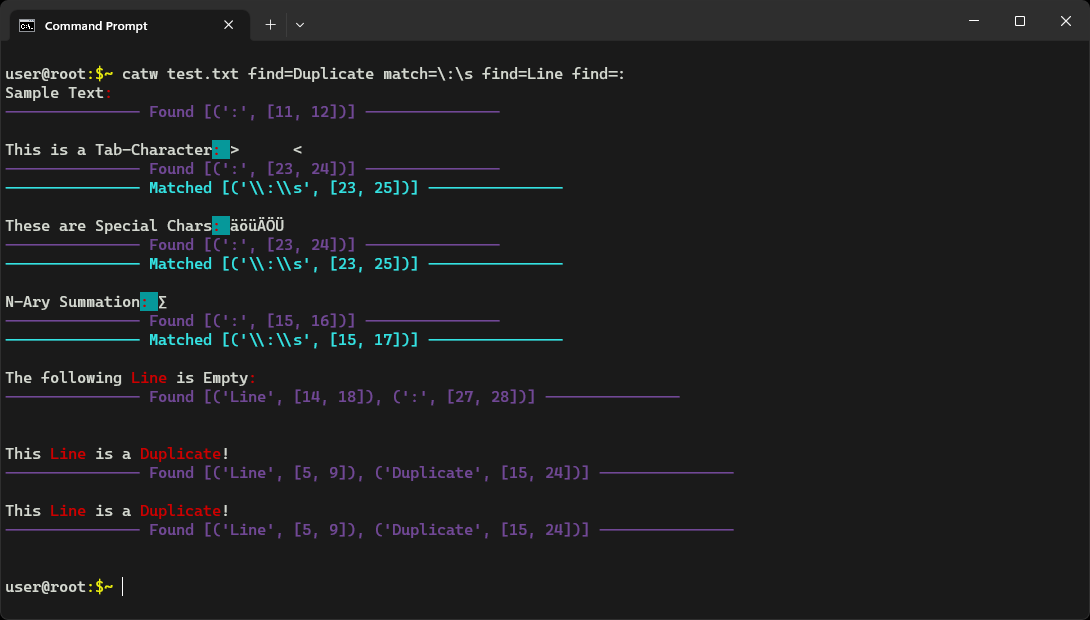
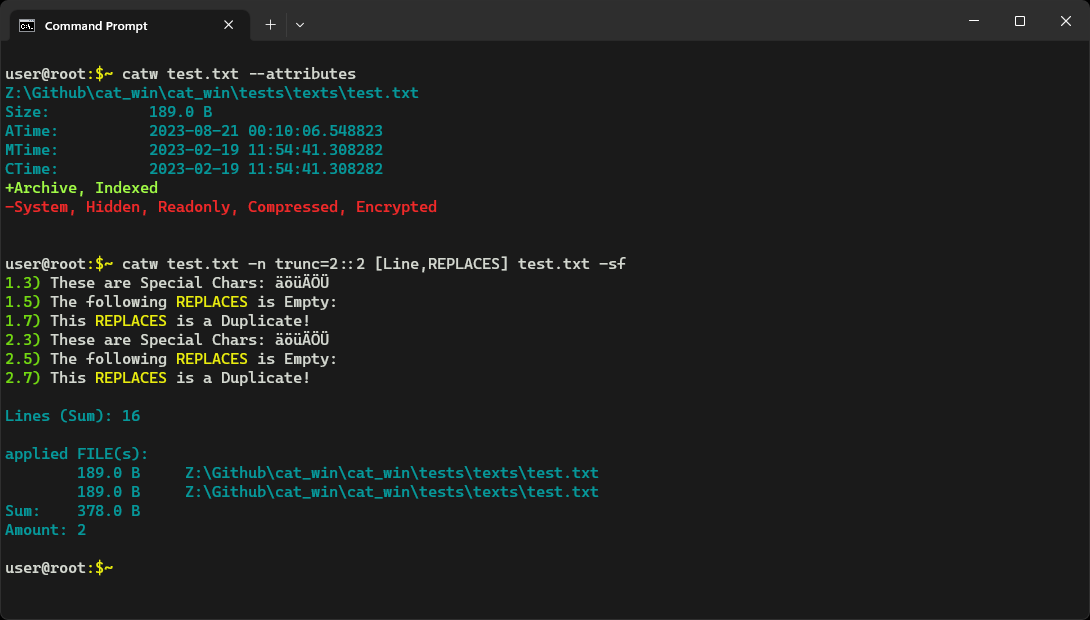
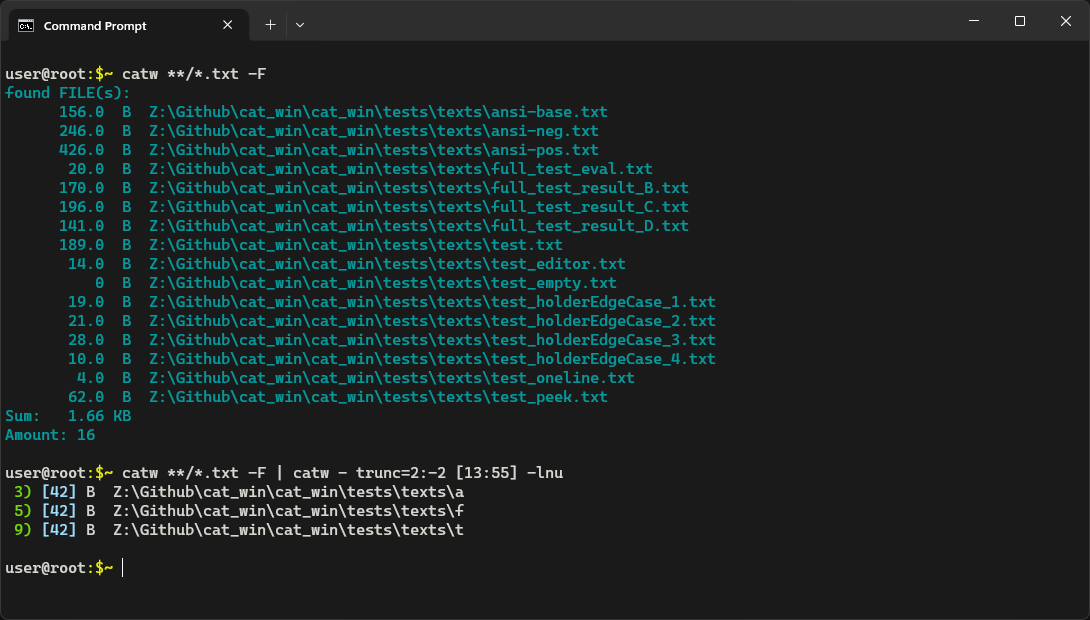
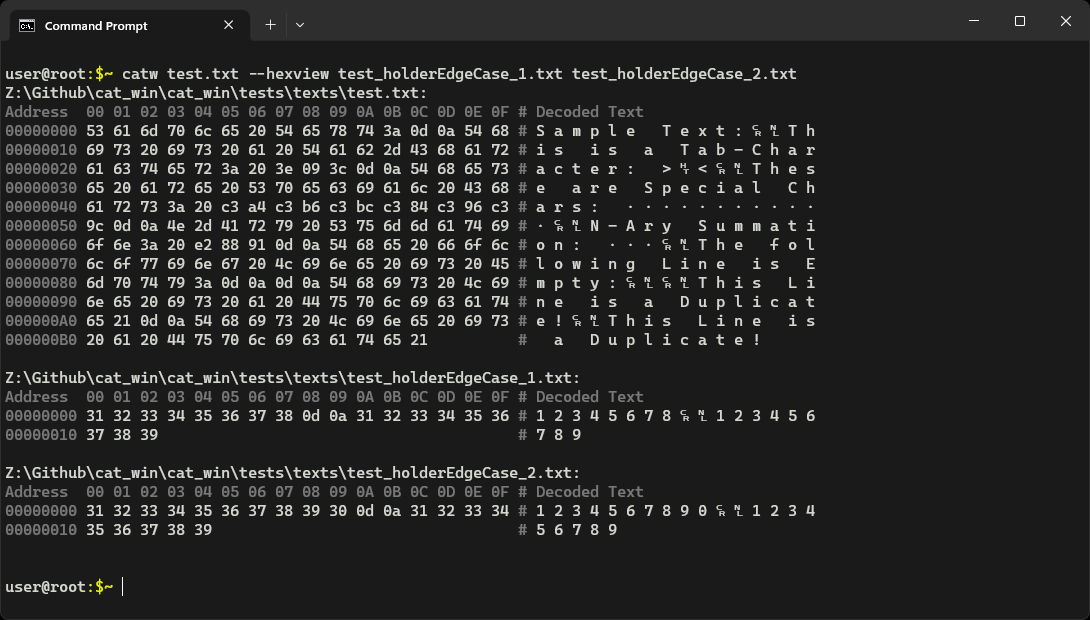
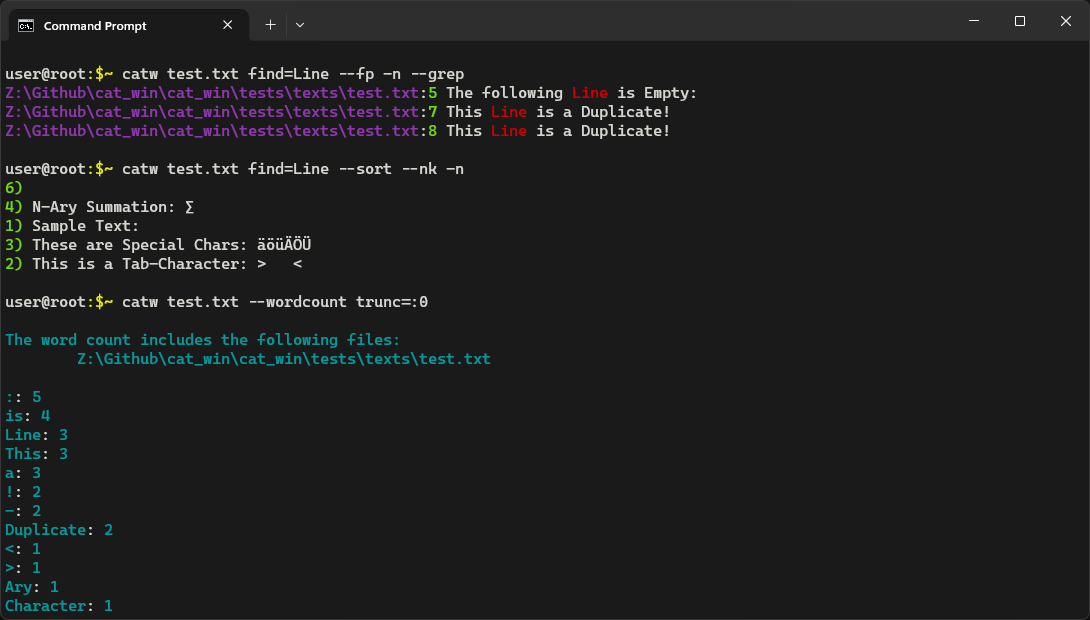
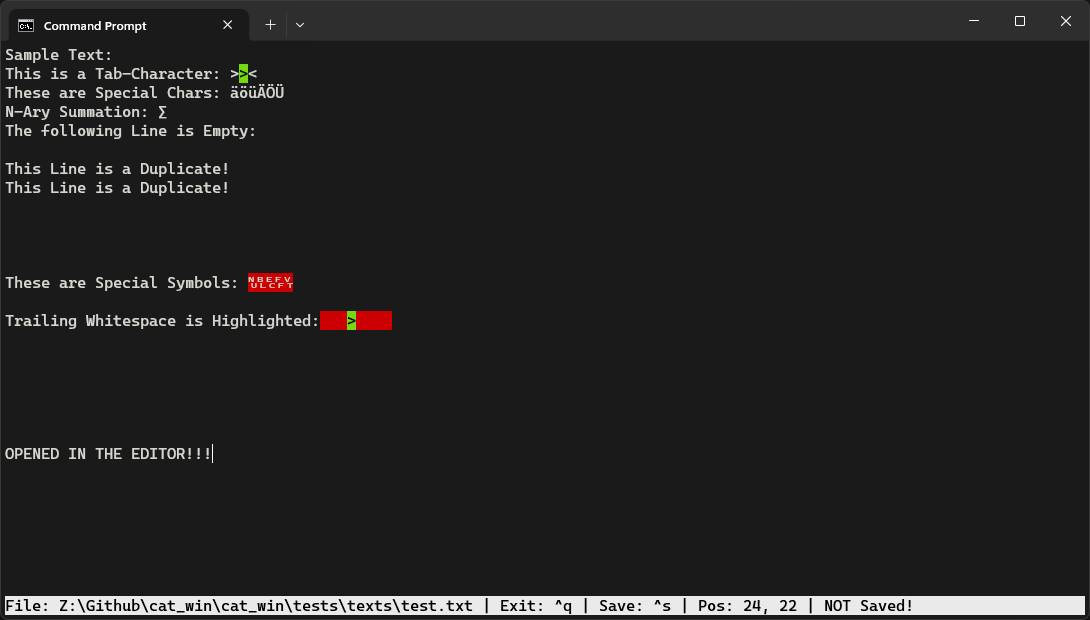
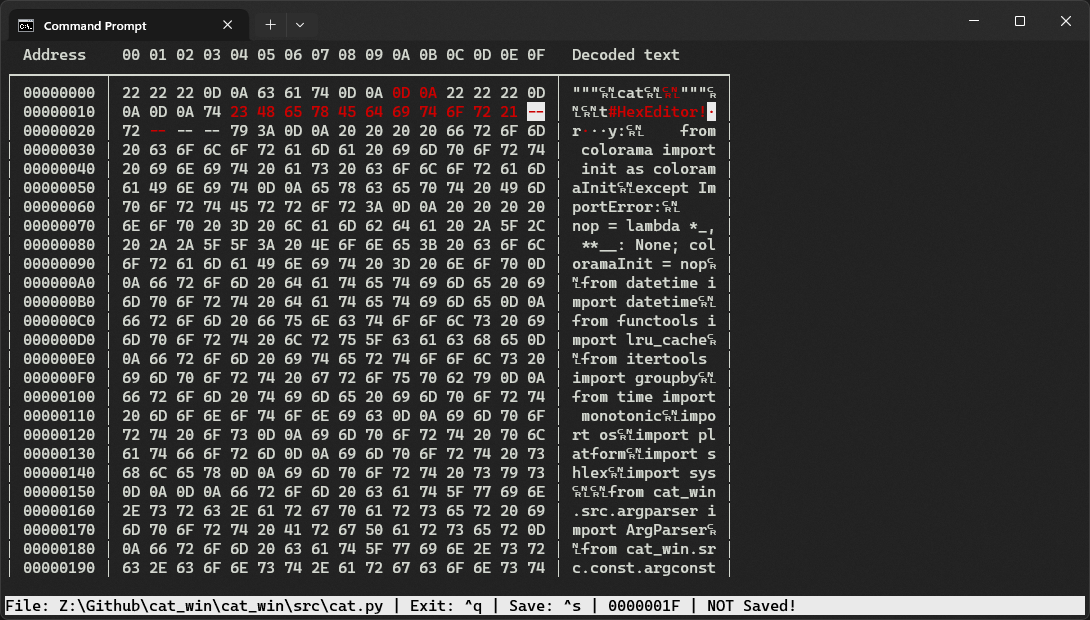
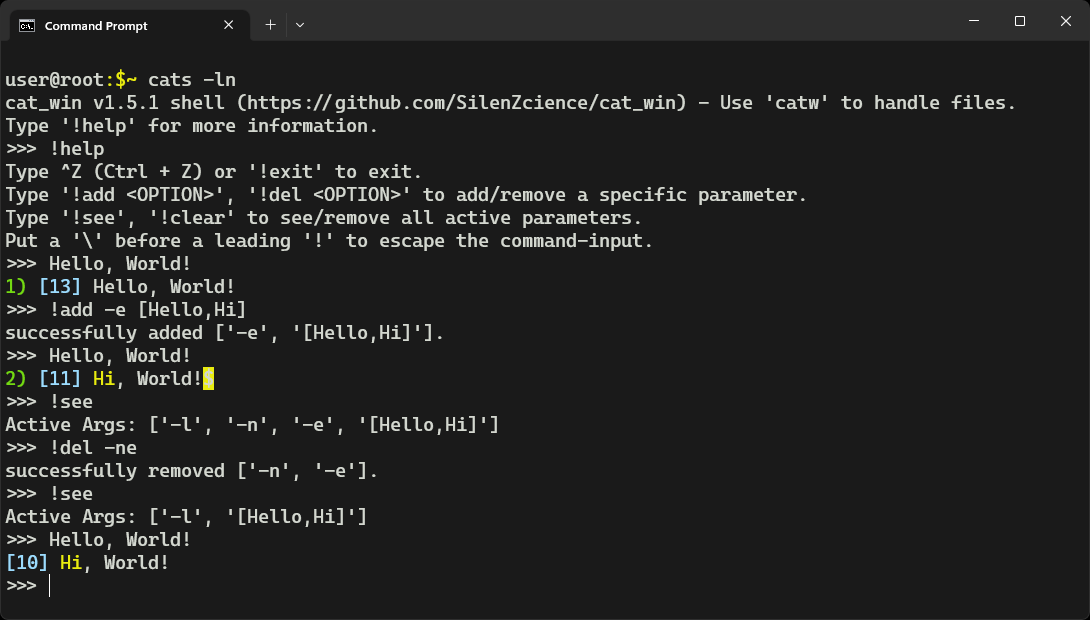
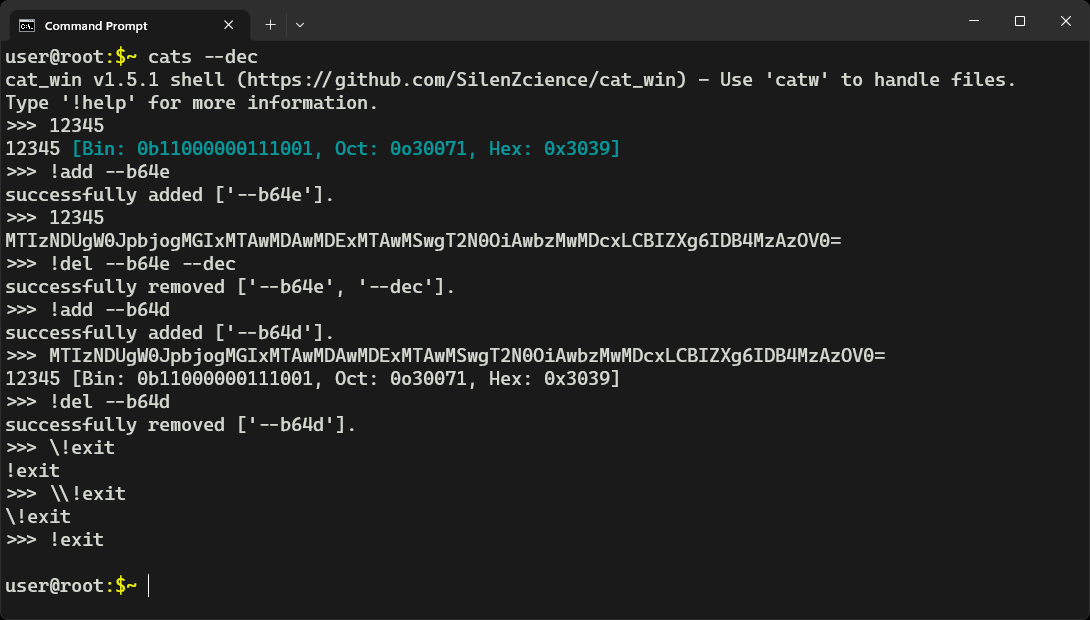
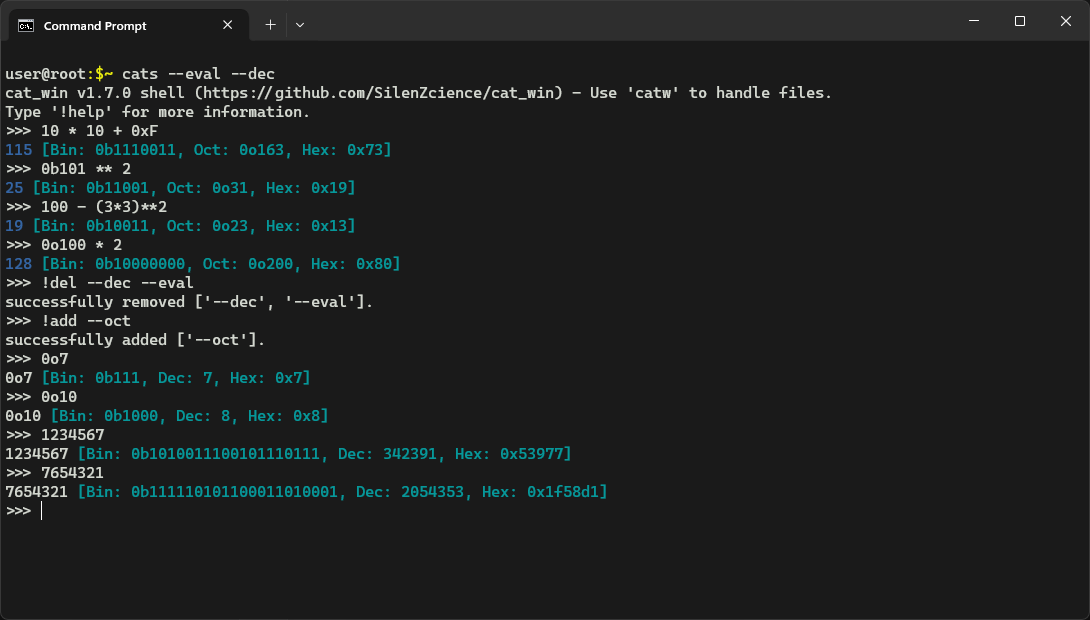
> echo "Hello World :)" | catw - [6:] | catw - [::-1] -ln
1) [8] ): dlroW
> cats --eval --dec
> >>> 0xF * 5
75 [Bin: 0b1001011, Oct: 0o113, Hex: 0x4b]
> >>> ...
 Changelog
[!NOTE] Take a look at the Changelog file.
 License

[!IMPORTANT] This software is provided "as is," without warranty of any kind. There are no guarantees of its functionality or suitability for any purpose. Use at your own risk—No responsibility for any issues, damages, or losses that may arise from using this software are taken.
This project is licensed under the MIT License - see the LICENSE file for details
 Contact
SilenZcience

1 maintainer

Download files
Download the file for your platform. If you're not sure which to choose, learn more about installing packages.
Source Distributions
Built Distribution
Filter files by name, interpreter, ABI, and platform.
If you're not sure about the file name format, learn more about wheel file names.
Copy a direct link to the current filters
File details
Details for the file cat_win-2.0.2-py3-none-any.whl.
File metadata
- Download URL: cat_win-2.0.2-py3-none-any.whl
- Upload date:
- Size: 330.4 kB
- Tags: Python 3
- Uploaded using Trusted Publishing? No
- Uploaded via:
twine/6.2.0 CPython/3.13.15
File hashes
| Algorithm | Hash digest | |
|---|---|---|
| SHA256 |
5a853abdaacd6428ff72b200ab449d1e56438e40db2c4192bbf732b9f21fb9f5
|
|
| MD5 |
9820482674d97a27dc30b9ce2a95d79d
|
|
| BLAKE2b-256 |
98324713a8c0a9cd07a8c88c30cf0625bf84570ab239db5de8f6681ad24d4c27
|














